
Moon Picke independently researches products. If you buy through our links, we may earn a commission at no extra cost to you. Read our affiliate disclosure.
This Brother ADS-4900W review covers Brother’s wireless professional desktop scanner for home offices, professional offices, and small businesses that live on receipts, invoices, and contracts. The ideal buyer wants a dedicated duplex document scanner with a 100-page automatic document feeder, not a printer that also scans. The strongest documented feature is single-pass duplex scanning rated up to 60 ppm (120 ipm) at Brother’s 300 dpi test point. The biggest limitation is premium cost plus no flatbed for books or fragile originals. Confirm the live Amazon listing before you buy.
Moon Picke checked Brother’s US product page, the shared ADS-4300N / ADS-4700W / ADS-4900W user’s guide specifications, Brother’s roller-kit listing, and the live Amazon listing for ASIN B09TRX9JQ3. We did not run a hands-on scan lab. Rated speed is a manufacturer figure, not a Moon Picke stopwatch result. OCR quality varies with print, layout, and image quality.
As an Amazon Associate I earn from qualifying purchases.
Quick recommendation
Choose the ADS-4900W if document volume justifies a dedicated duplex scanner with a 100-page ADF, Ethernet plus dual-band Wi-Fi, and searchable-PDF software. Skip it if you scan occasionally, need a flatbed, or already get enough throughput from a printer scanner.
Brother ADS-4900W review: Quick Verdict
Is the Brother ADS-4900W worth buying? Yes if you need a current dedicated sheet-fed scanner for paper-heavy office work: duplex in one pass, a 100-page ADF, USB plus network sharing, and manufacturer software that can create searchable PDFs. The strongest workflow advantage is rated speed plus feeder capacity aimed at stacks, not one-off copies. The trade-off is cost, no glass bed, and extra care for thin receipts, photos, and damaged originals. Buy it when scanning is a daily job; skip it as a casual replacement for an all-in-one printer.
Brother ADS-4900W
Is the Brother ADS-4900W worth buying? Yes if you need a current dedicated sheet-fed scanner for paper-heavy office work: duplex in one pass, a…
- Rated duplex speed: up to 60 ppm / 120 ipm at the documented 300 dpi test point.
- Feeder capacity: 100-sheet ADF plus continuous scan for larger jobs.
- Office connectivity: USB 3.0, Ethernet, and dual-band Wi-Fi in one unit.
Affiliate link. Moon Picke may earn a commission from qualifying purchases.
What Is the Brother ADS-4900W?
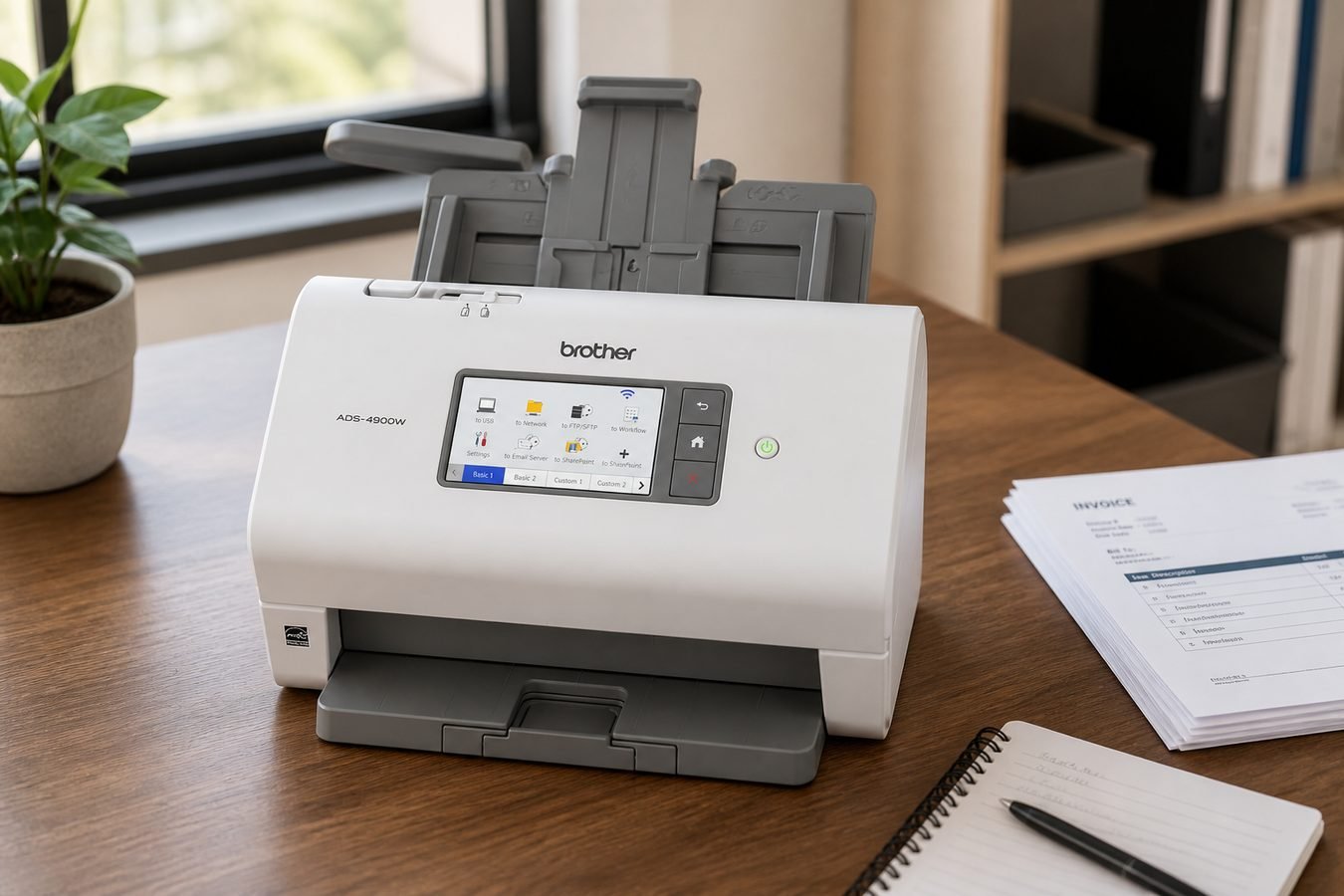
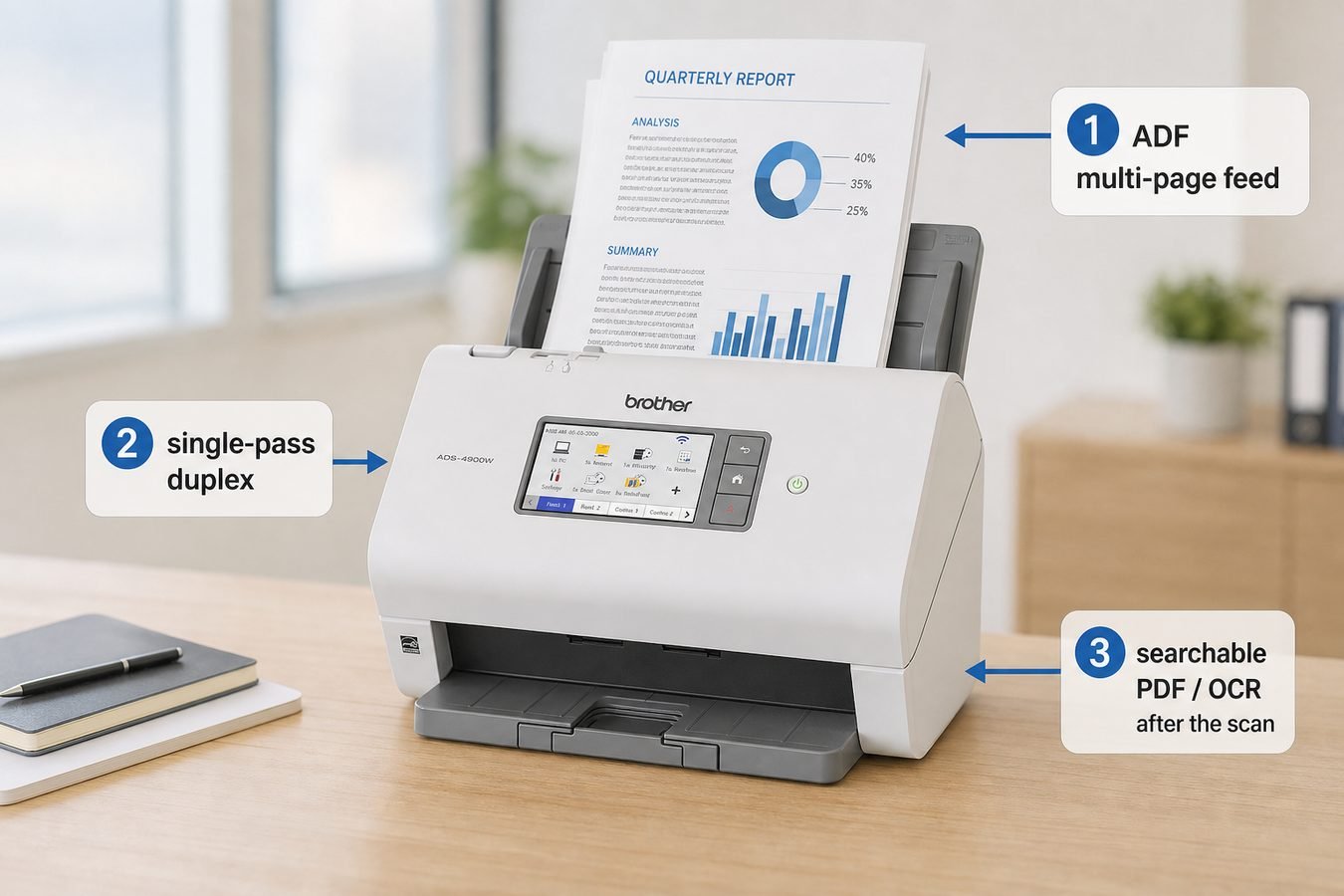
What is the Brother ADS-4900W in this Brother ADS-4900W review? It is a dedicated desktop document scanner, not a multifunction printer. A 100-page ADF and dual CIS sensors provide single-pass duplex: both sides of a page in one feed. Brother documents SuperSpeed USB 3.0, Ethernet, dual-band Wi-Fi (2.4 GHz / 5 GHz), and mobile scanning through AirPrint and Brother Mobile Connect. The 4.3-inch color touchscreen can store up to 56 shortcuts. Bundled software (additional download) can create searchable PDFs and Microsoft Office files. The job is office capture—invoices, contracts, statements—not book copying.
Key Specifications
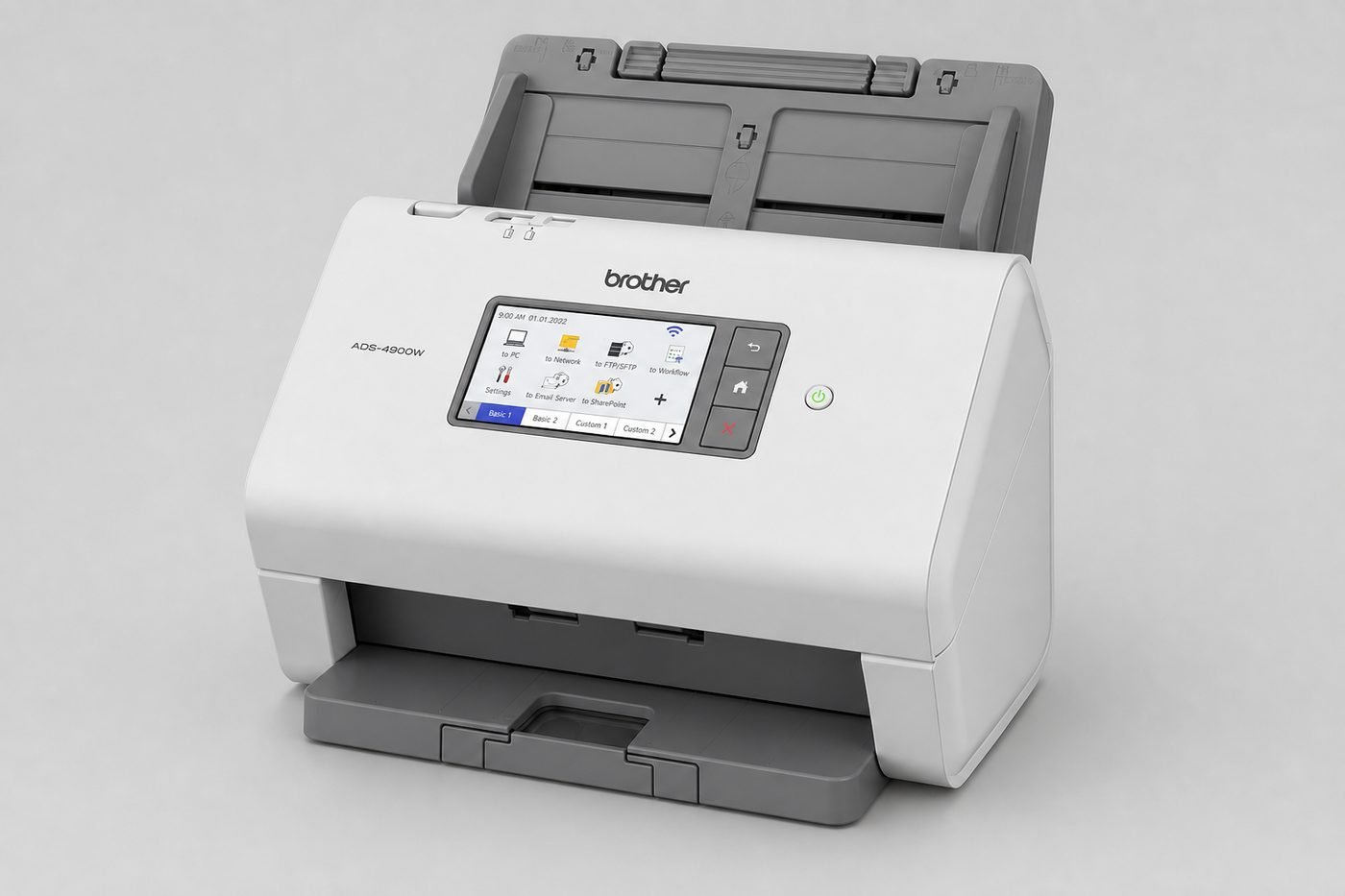
| Scanner type | Dedicated ADF sheet-fed document scanner (no flatbed) |
|---|---|
| Duplex | Yes, single-pass (dual CIS) |
| Rated speed | Up to 60 ppm simplex / 120 ipm duplex; Letter, 300 dpi, advanced features off |
| ADF capacity | Up to 100 sheets (20 lb / 80 g/m² A4 or Letter) |
| Optical resolution | 600 × 600 dpi (interpolated up to 1200 × 1200 dpi) |
| Color / grayscale / mono | Color, grayscale, and black-and-white supported |
| Document size | Width 2.0–8.5 in; length 2.0–14.0 in (Long Paper mode has extra limits) |
| Wi-Fi | Dual-band 802.11 a/b/g/n; Wi-Fi Direct |
| USB | USB 3.0 to PC; scan to USB flash drive (host, back) |
| Ethernet | Yes (10BASE-T / 100BASE-TX) |
| OCR / searchable PDF | Searchable PDF and Office conversion via bundled software / Brother Cloud Apps |
| Dimensions / weight | Brother US: 11.6″ × 7.0″ × 9.2″; 7.8 lb. User guide with Legal output tray extended: 11.81″ × 13.22″ × 25.00″ |
| Warranty | 3-year limited (US carton) |
Brother also lists a 9,000-page daily duty cycle as a durability comparison between Brother scanners, not a guaranteed daily throughput. Carton contents are the scanner, AC adapter, USB 3.0 cable, and a quick setup guide. Carrier sheets are sold separately.
See the Brother ADS-4900W on Amazon →
Brother ADS-4900W review: Scan Speed and Real Office Throughput
How fast does the Brother ADS-4900W scan? Brother rates up to 60 pages per minute simplex and 120 images per minute duplex, for color and monochrome, with advanced features off, Letter size, at 300 dpi. ppm counts sheets. ipm counts sides. Duplex at 120 ipm means both sides of 60 sheets in the same rated minute—not 120 separate pages of new paper.
That rating is not completed workflow speed. Raise resolution toward the 600 dpi optical maximum and the job slows. Color mode, mixed sizes, deskew, and blank-page skip add processing. Searchable PDF and Office conversion run after the sensors finish. Cloud, email, SharePoint, or SFTP add network time. A 100-page ADF can feed quickly and still leave you waiting on OCR and file naming. Moon Picke did not time a batch. Treat 60 ppm as a manufacturer test point, not a promise for every invoice pile.
ADF, Duplex Scanning and Paper Handling
Does it scan both sides automatically? Yes. Dual CIS sensors scan both sides in one pass. The ADF holds up to 100 sheets of 20 lb Letter or A4. Continuous scan mode lets you add more stacks into one file after the feeder empties. ADF reliability usually matters more than maximum resolution for office paper: a 600 dpi optical spec does not help if mixed weights skew or double-feed. Brother documents multifeed detection for overlapping sheets. That is a sensor, not a jam-free guarantee. Do not staple stacks, and do not feed wet ink, paper clips, or damaged originals.
Standard sizes include Letter, Legal, A4, A5, and smaller ISO sizes within 2.0–8.5 inches wide and 2.0–14.0 inches long. Mixed batches have limits: mixed brands and sizes skew more easily, and some items cannot share a batch. Business cards and ISO plastic cards are listed types. Brother allows one embossed plastic card or up to five non-embossed cards; some embossed cards still scan poorly. Long Paper mode exists, but duplex is off, resolution must stay below 300 dpi, skip-blank-page must be off, and you load one long sheet at a time. Thin receipts often belong in an optional carrier sheet. Carbonless paper and receipts can shorten pad and roller life. Photographs and sticky notes can damage rollers. This is a sheet-fed office scanner, not a universal media device.
OCR, Searchable PDFs and Document Organization
Does this document scanner with OCR actually read text? Yes, as a software and cloud path, not as a claimed accuracy percentage. Brother lists searchable PDF among scan file formats, plus PDF/A, secure PDF, JPEG, TIFF, TXT, and Office DOCX, XLSX, and PPTX. Brother Cloud Apps include Scan to Searchable PDF, Word, Excel, and PowerPoint, which need an internet connection. OCR turns a page image into machine-readable text so desktop search and later edits can find words. Recognition still varies with print quality, font, layout, skew, handwriting, language, and scan settings. Moon Picke does not claim perfect OCR, error-free receipts, or guaranteed accounting import.
Organization is profile-driven more than magical. Up to 56 touchscreen shortcuts can point jobs at common destinations. Skip blank page, auto deskew, and auto image rotation are documented. File naming, folders, and metadata follow the software, driver, or network destination you choose—not a Moon Picke-invented UI. Image-only PDFs stay lighter and skip recognition errors; searchable PDFs cost extra processing and still need a human check on critical contracts.
Connectivity and Scan Destinations
USB 3.0 is the simple one-workstation path: plug in the included cable, install drivers from Brother support, and scan to the PC. Ethernet and dual-band Wi-Fi matter more when several desks share the device. Brother documents scan-to email, cloud services, SharePoint, SSH/SFTP, FTP, USB memory, a Windows network folder (CIFS), and mobile devices via AirPrint and Brother Mobile Connect. Manufacturer copy names Google Drive, Evernote, Dropbox, and OneDrive among cloud examples; each still needs an account and internet. Wi-Fi Direct is listed. USB is usually simpler to troubleshoot; network scanning adds sharing and more failure points.
Receipts, Contracts and Mixed Office Documents
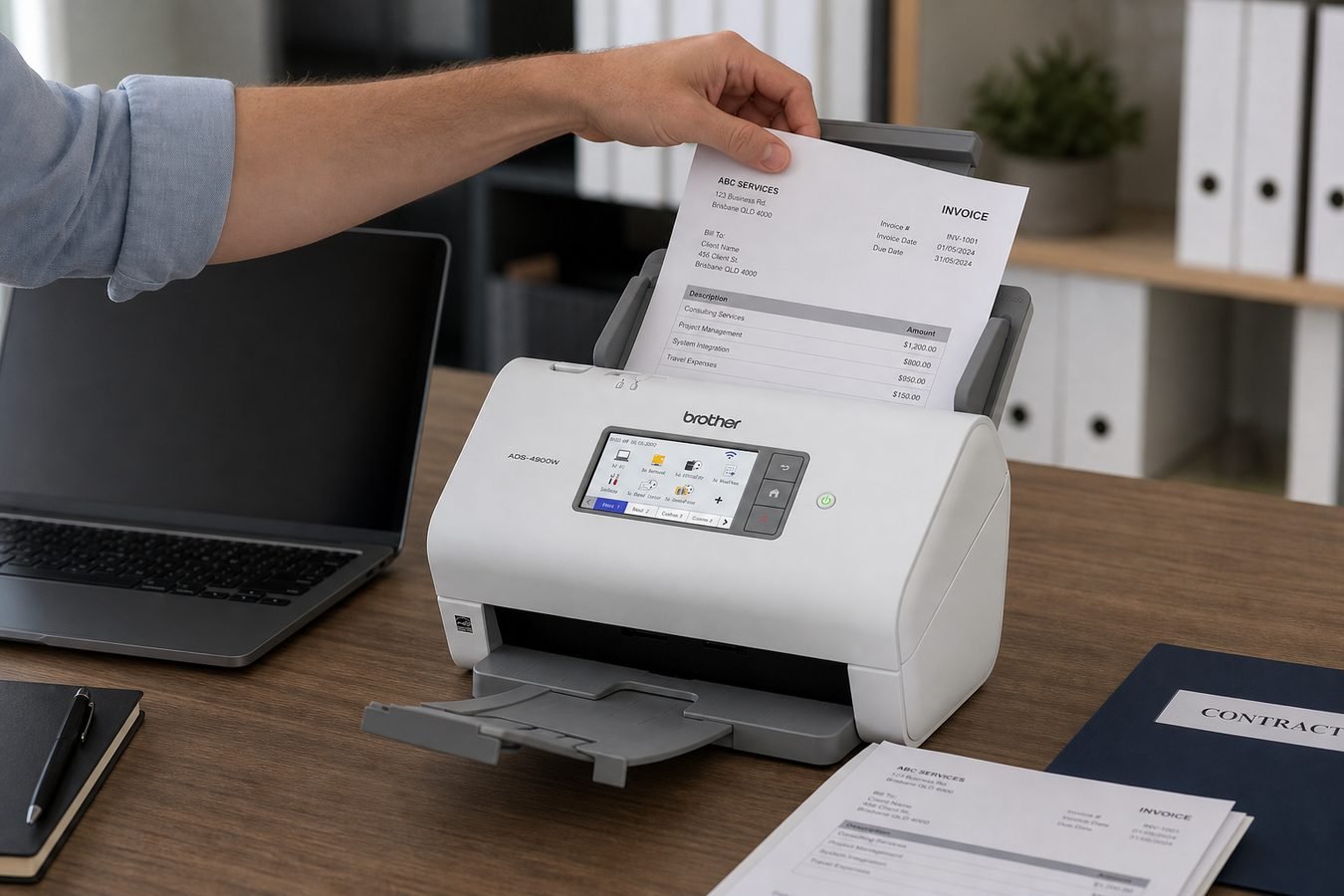
For invoices, statements, and loose contract pages, Letter/Legal in the ADF is the core job. Tax packets and forms fit the same path if pages are dry, unstapled, and within the weight range (ADS-4900W: 7–110 lb / 25–413 g/m²). Receipts are supported as thin office paper, not as a specialty receipt hopper: Brother recommends an optional carrier sheet for thin stock, and notes that receipt chemicals can wear the separation pad and pick roller. Business cards are a listed media type. Plastic ID-style cards are allowed with the card limits above. Do not feed bound books, notebooks, or irreplaceable fragile sheets through the ADF. Use a manufacturer carrier sheet for irregular, wrinkled, or very thin items—or a flatbed elsewhere. Photos are not the design center: Brother recommends a carrier sheet for photographic paper and warns that photos can damage rollers. Passports are not a documented ADS-4900W media type in the specifications we used, so this review does not treat them as supported.
Software and Everyday Workflow
Brother describes a bundled software suite that creates, edits, and converts scans, with an additional download. The specification appendix names Nuance PaperPort 14SE and Kofax Power PDF for supported Windows versions; confirm current OS compatibility on support.brother.com. Drivers include TWAIN, WIA, ISIS, and SANE. Documented tools include skip blank page, ADF auto deskew, auto image rotation, bleed-through removal, continuous scan, and multifeed detection. Carrier Sheet Mode turns multifeed detection off. This Brother ADS-4900W review does not invent extra on-screen buttons. Shortcuts help only after you name destinations once. Cloud and Office conversion still need accounts and a check of the output.
Desk Footprint, Setup and Maintenance
Brother’s US product card lists 11.6 × 7.0 × 9.2 inches and 7.8 lb—compact when closed. The user’s guide outline with the Legal output tray extended is about 25 inches deep. USB needs a port and the included cable (no longer than 6 feet per Brother). Ethernet needs category 5 or later. Wi-Fi uses WPS or Brother’s WLAN assistant. Place the unit where the output tray does not hang off the desk. A deeper workstation such as the one in the Bestar Logan 66W review hides that tray depth more easily than a shallow laptop table.
Ownership is roller-based. Brother’s genuine PRK-A4001 roller kit is specified for the ADS-4900W after approximately 200,000 scans on the machine’s scan counter. Clean the separation pad and pick roller if jams rise, especially after receipts or wood-heavy paper. Optional CSA3301 carrier sheets are a two-pack accessory, not in the box. Do not skip cleaning because the duty-cycle number looks large.
What It Does Well — and Its Main Limitations
What It Does Well
- Rated duplex speed: up to 60 ppm / 120 ipm at the documented 300 dpi test point.
- Feeder capacity: 100-sheet ADF plus continuous scan for larger jobs.
- Office connectivity: USB 3.0, Ethernet, and dual-band Wi-Fi in one unit.
- Document software path: searchable PDF and Office formats, with TWAIN/WIA/ISIS/SANE drivers.
- Shared-device controls: 4.3-inch touchscreen and up to 56 shortcuts; 3-year limited US warranty.
Important Limitations
Premium cost versus a basic printer scanner. No flatbed for books, bound reports, or many fragile originals. Carrier sheets are extra, and photos/receipts need extra care. Ethernet is present, but cloud features still need accounts and internet. OCR quality is variable, not guaranteed. Rollers are consumables (PRK-A4001 around 200,000 scans). Long Paper disables duplex. Software is a download, and some Windows titles are version-limited. Daily duty cycle is a comparison spec, not a throughput SLA. Sheet-fed design cannot replace a copier glass.
View the current ADS-4900W listing on Amazon →
Dedicated Document Scanner vs All-in-One Printer Scanner
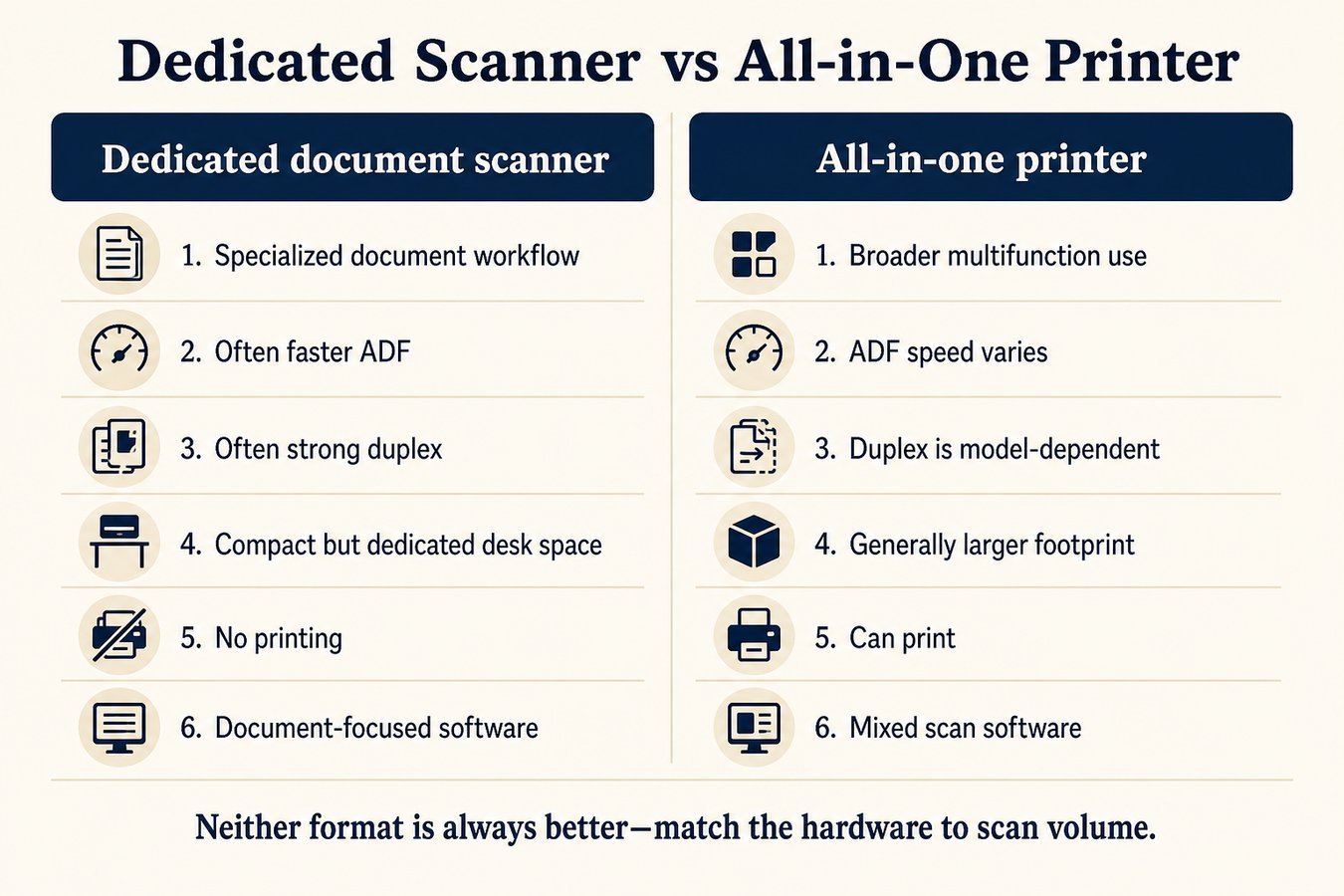
| Factor | Dedicated document scanner | All-in-one printer |
|---|---|---|
| Document workflow | typically specialized | broader multifunction use |
| ADF speed | often faster | varies |
| Duplex scanning | often strong | model-dependent |
| Footprint | compact but dedicated | generally larger |
| Printing | no | yes |
| OCR / software | often document-focused | varies |
| Best fit | scan-heavy workflow | mixed print/scan needs |
A dedicated scanner is the better tool when capture is the bottleneck. An all-in-one remains the better tool when you still print every day and scan only sometimes. For a current color laser MFC that also scans, see Moon Picke’s Brother MFC-L3780CDW review. Neither category wins every office. How we judge products is in How We Evaluate Products.
Who Is the Brother ADS-4900W Best For?
Best fit: a document scanner for home office stacks, accountants and bookkeepers, small businesses, contract-heavy workers, a scanner for receipts and documents, teams emptying filing cabinets, and rooms where scanning matters more than printing. An office scanner with ADF and duplex pays off when stacks are normal, not rare. It is a high speed document scanner on paper; completed files still wait on software.
Who should skip it? Very occasional scanners. Anyone who needs a flatbed for books or bound material. Photo-first buyers. Offices whose printer scanner already covers the load. Users who will not maintain rollers or install Brother software. Buyers who need passport capture that this model’s spec sheet does not document.
Is the Brother ADS-4900W Worth Buying?
Is the Brother ADS-4900W worth buying? Consider it if document volume justifies dedicated hardware, duplex and a 100-page ADF matter, searchable PDFs would help, Brother’s destinations match your network, and the supported paper types match your mix. Skip it if scanning is occasional, flatbed use dominates, a printer scanner already keeps up, or you refuse optional carrier sheets for thin receipts. This is a conditional office tool, not a universal paper machine.
Final Verdict
This Brother ADS-4900W review lands on a conditional yes for scan-heavy desks. The ideal buyer digitizes invoices, contracts, and mixed office paper and wants duplex plus a large ADF without tying the job to a printer. The strongest workflow advantage is manufacturer-rated 60 ppm / 120 ipm capture with USB, Ethernet, and Wi-Fi destinations, including searchable PDF. The biggest limitation is premium pricing, no flatbed, and extra handling rules for receipts, photos, and damaged originals. Buy this Brother ADS-4900W document scanner when paper volume is the problem. Skip it when an all-in-one already scans enough.
Check availability on Amazon →
FAQ
Is the Brother ADS-4900W worth buying? Yes for dedicated, high-volume document work with duplex and network scanning. No if you scan rarely or need a flatbed.
Does it scan both sides automatically? Yes. It is a single-pass duplex document scanner with dual CIS sensors.
How fast does it scan? Brother rates up to 60 ppm / 120 ipm at Letter, 300 dpi, with advanced features off. Real jobs are often slower after OCR and uploads.
Does it support OCR? Yes, through searchable PDF and related software or Brother Cloud Apps. Accuracy is not guaranteed.
Is it good for receipts? It can scan thin office paper, but Brother recommends a carrier sheet for thin or irregular receipts and warns that receipt chemicals wear rollers.
Does it work over Wi-Fi? Yes. Dual-band Wi-Fi is documented, along with Ethernet, USB, and mobile apps that need a wireless connection.
Can it scan photos? Photographic paper is not the design center. Brother recommends a carrier sheet and warns that photos can damage rollers. Use a flatbed for precious prints.