
AI video creation can mean very different things depending on the project. Some creators want to turn a script into a narrated video with captions and supporting visuals. Others want to generate an original cinematic scene, animate an existing image, or experiment with different video generation models.
AI Tuber and Domer AI address these needs through different production approaches.
AI Tuber focuses on workflows that can combine scripts, AI narration, visuals, and captions into videos. It also offers additional creation formats, including individual AI video clips and avatar videos.
Domer AI emphasizes AI image and video generation, including text-to-video and image-to-video workflows with access to multiple generation models.
Both platforms may be relevant to creators producing online content, but their feature lists should not be treated as interchangeable.
This AI Tuber vs Domer AI comparison examines their documented capabilities, creation workflows, pricing considerations, and practical limitations to help you identify which features matter for your next project.
Disclosure: Moon Picke may earn a commission if you purchase through some links on this page, at no additional cost to you.
AI Tuber vs Domer AI at a Glance
The most useful starting point is to compare the production tasks each platform is designed to support.
| Comparison area | AI Tuber | Domer AI |
|---|---|---|
| Primary workflow | Script-led video creation and additional AI video formats | AI image and video generation |
| Text-to-video | Script-based faceless videos and supported AI clip generation | Prompt-based video generation |
| Image-to-video | Available through supported AI video clip models | A central creation workflow |
| AI narration | Included in its documented faceless video workflow | Verify current availability and supported workflow |
| Captions | Included in its documented faceless video workflow | Verify current availability and supported workflow |
| Avatar videos | Documented avatar creation workflow | Verify current product offering |
| Multiple generation models | Available within supported creation tools | A prominent part of the platform’s offering |
| Credit-based generation | Yes | Yes |
| Subscription restrictions | Certain creation features require an active plan, while downloading requires an account that has had a paid plan at least once | Model access and credit allowances vary by plan |
This table describes product capabilities, not independently measured output quality or performance. Verify current plan details before subscribing.
The distinction is particularly important for creators comparing a complete narrated-video workflow with individual AI-generated visual assets.
A platform that generates a short cinematic clip does not necessarily provide every tool required to turn a long script into a finished narrated video.
Likewise, a platform designed to assemble narrated content may not provide the same model selection or creative controls as a dedicated AI video generation environment.
What Is AI Tuber?
AI Tuber is an AI-assisted video creation platform with a script-first faceless video workflow.
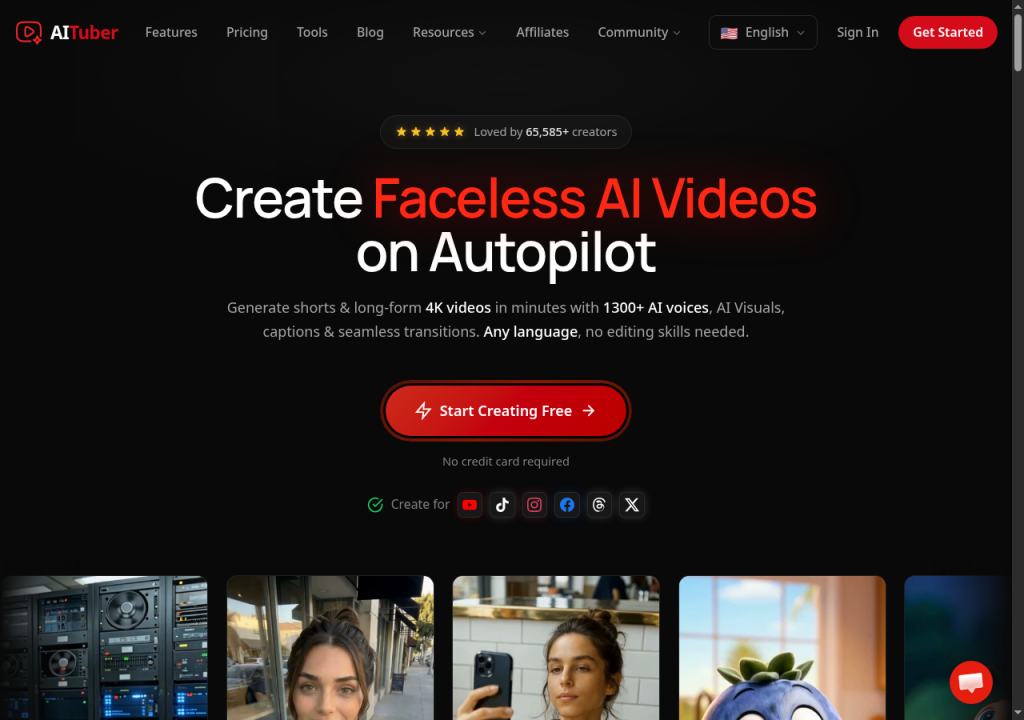
Users can begin with an idea or supply a completed script, then select supported visual options and generation settings.
The platform’s documented faceless video workflow combines narration, scene visuals, and captions. It supports visual approaches including moving AI images, stock footage, and AI video clips.
AI Tuber also documents additional creation formats, such as avatar videos and individual AI video clips.
This combination can be relevant to creators who want to produce narrated content without manually assembling every scene from separate source files.
However, the availability of specific features depends on the selected workflow and subscription status.
AI Tuber’s documentation distinguishes between credits used for generation and subscription access required for certain capabilities, including downloads and AI video clip creation.
Creators should therefore evaluate both the credit allowance and the features included in their intended plan.
For a more detailed examination of the platform, see our AI Tuber review.
What Is Domer AI?
Domer AI is an online platform offering AI image and video generation tools.
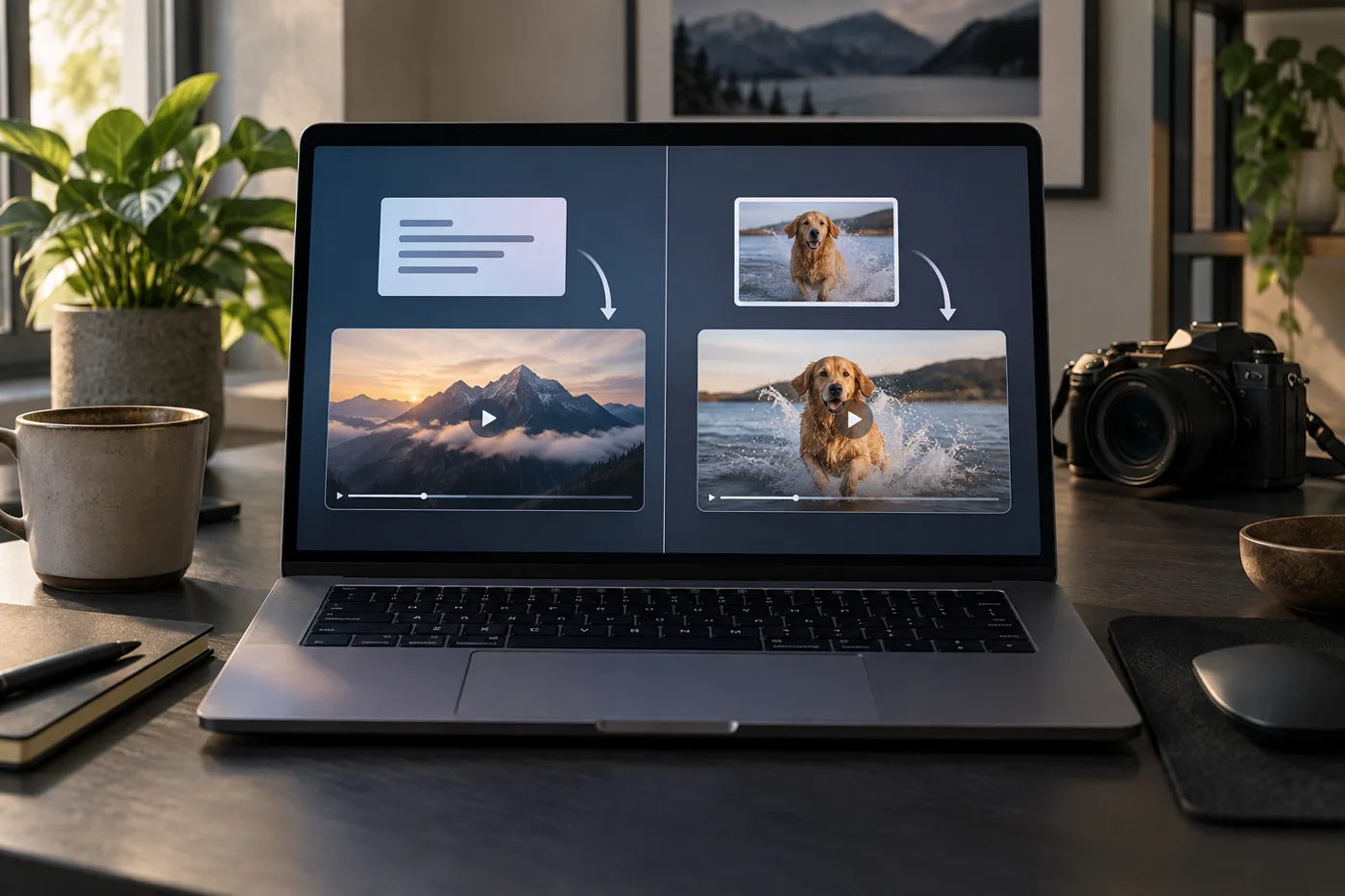
Its product offering includes text-to-video and image-to-video workflows, allowing users to create visual content from written descriptions or existing images.
Domer also presents access to multiple AI generation models as part of its platform.
This approach can be relevant to creators who want to experiment with different generation methods or develop original visual assets for a larger project.
For example, a creator preparing a promotional video might begin with an original product image and use an image-to-video workflow to explore motion.
Another creator might use text-to-video generation to develop an entirely new scene from a written concept.
These workflows differ from automatically assembling a complete narrated video from a long script.
A creator using Domer for individual visual sequences may still need additional software to combine clips, narration, music, and other elements into a finished production.
Before subscribing, users should confirm that the required generation model and creation mode are included in their intended plan.
For product-specific details, consult Domer’s current official documentation; our Domer AI review is not yet public.
AI Tuber vs Domer AI: Video Creation Workflows
AI Tuber: From script to narrated video
AI Tuber’s faceless video workflow begins with an idea or script.
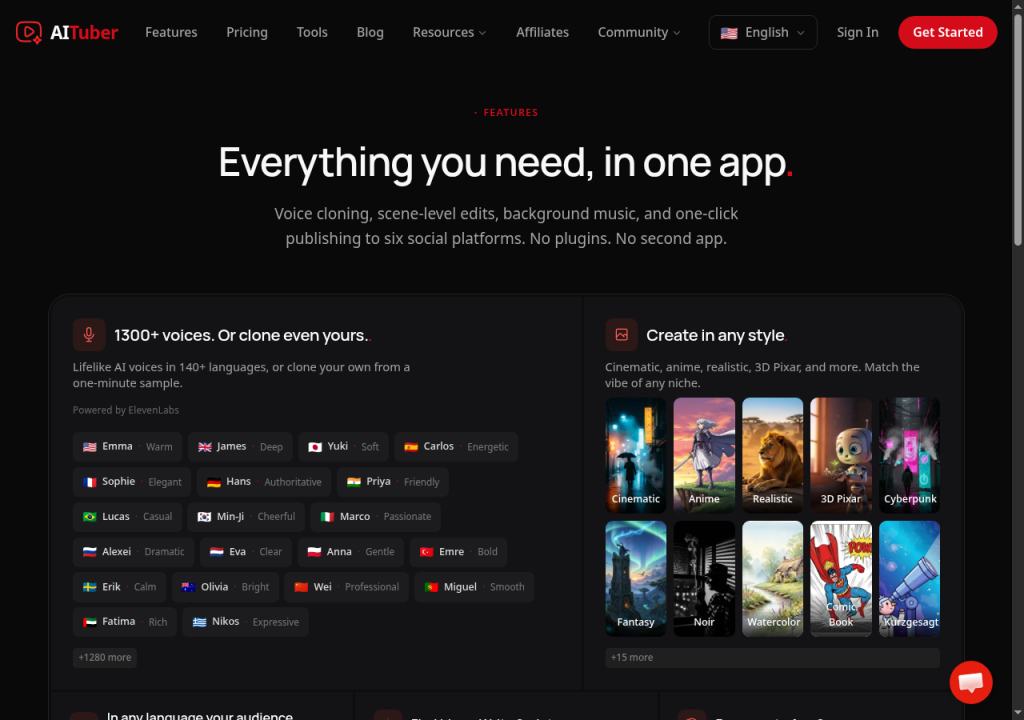
The platform can prepare narration, generate or select supporting visuals, and add captions to the resulting video.
This workflow can be useful when the project is organized around spoken information.
For example, an educational video may require a structured script, a consistent narration track, and visuals that support the explanation.
The creator can focus on preparing accurate content and selecting an appropriate visual treatment.
AI Tuber’s documentation states that its faceless video format supports videos up to 20 minutes and scripts up to 30,000 characters.
The available visual options include moving AI images, stock footage, and AI video clips, with different generation requirements.
One important limitation is that the script cannot be changed after a faceless video has been generated.
Creators should therefore finalize and proofread their text before spending credits on the initial generation.
Domer AI: From prompt or image to generated visual
Domer’s video generation workflows begin with a written prompt or an existing image.
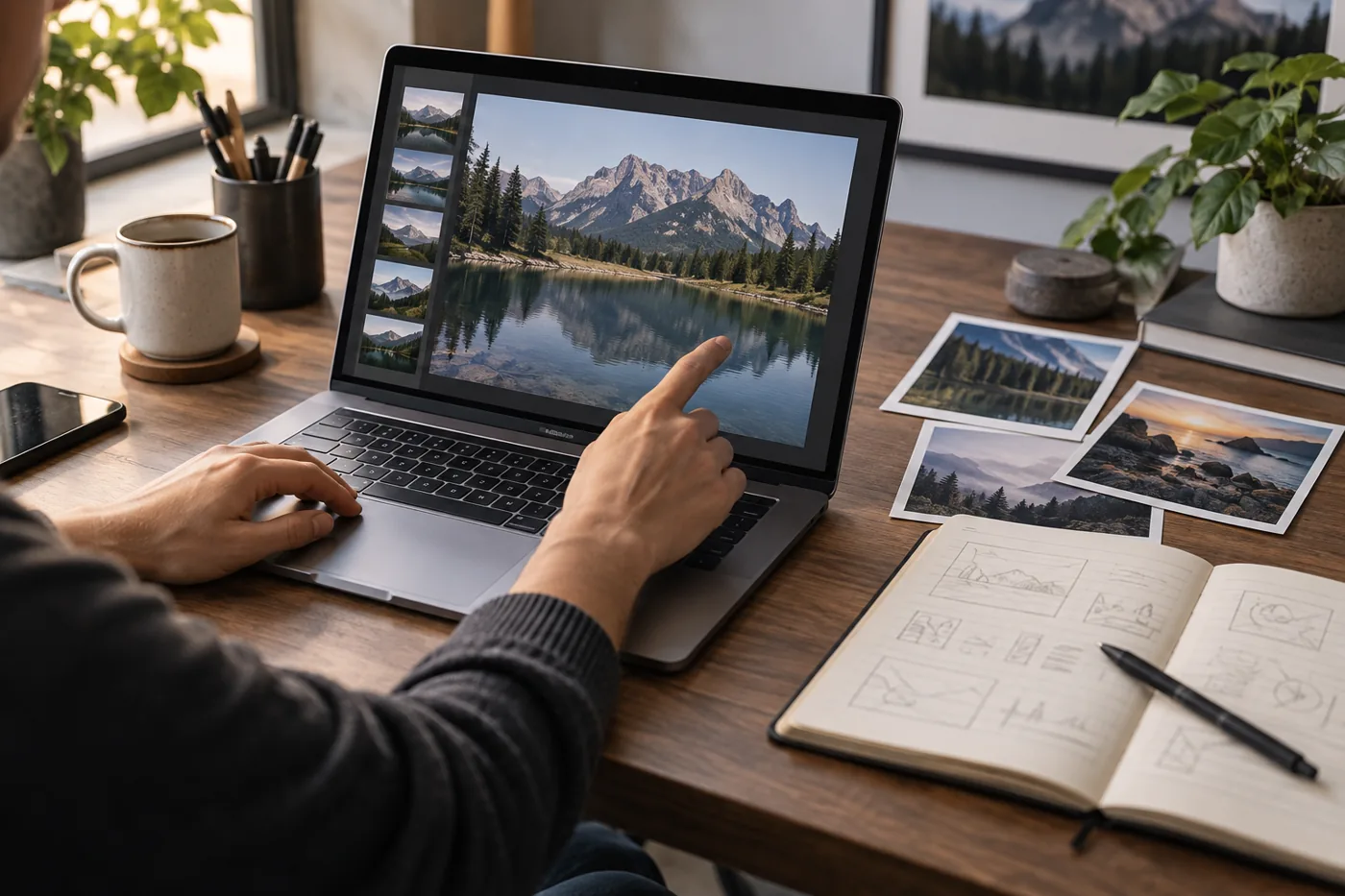
Text-to-video generation is relevant when the creator needs to describe a new scene.
Image-to-video generation is relevant when the creator already has a visual reference and wants to explore motion.
For example, a creator could prepare an original illustration and use a supported image-to-video model to generate a short animated sequence.
The resulting asset can then be reviewed and incorporated into a larger project.
The available controls, output formats, and credit requirements depend on the selected model and current platform offering.
A creator who needs several connected scenes should consider how those individual outputs will be assembled into the final video.
Why the workflow difference matters
The distinction between these approaches affects the production process.
A narrated educational video requires a script, voiceover, supporting visuals, captions, and final assembly.
A short cinematic visual may require a detailed prompt, source image, model selection, and several generation attempts.
Both can involve AI-generated video, but they solve different parts of the production process.
Before choosing a platform, identify whether the main requirement is a complete narrated-video workflow or the generation of individual visual assets.
Explore AI Tuber’s script-to-video workflow
Explore Domer AI’s video generation tools
Text-to-Video and Image-to-Video Compared
The term text-to-video can refer to different production methods.
In a script-led workflow, the text provides the spoken content and structure of the finished video.
In a prompt-based generation workflow, the text describes the visual scene that the AI model should create.
AI Tuber’s faceless video format follows the first approach, while Domer’s text-to-video offering emphasizes generating visual content from prompts.
AI Tuber also provides individual AI video clips through supported models, so its capabilities extend beyond narrated-video assembly.
Both platforms offer image-related creation workflows, but the relevant controls and output requirements should be checked separately.
A creator who wants to animate an existing image should verify the supported input format, model availability, output duration, and credit cost.
A creator who wants to turn a long article into a narrated video should instead examine script handling, voice options, captioning, and the ability to revise the finished content.
These are different purchasing questions even when both products advertise AI video generation.
AI Voices, Captions, and Audio
AI Tuber includes narration and captions in its documented faceless video workflow.
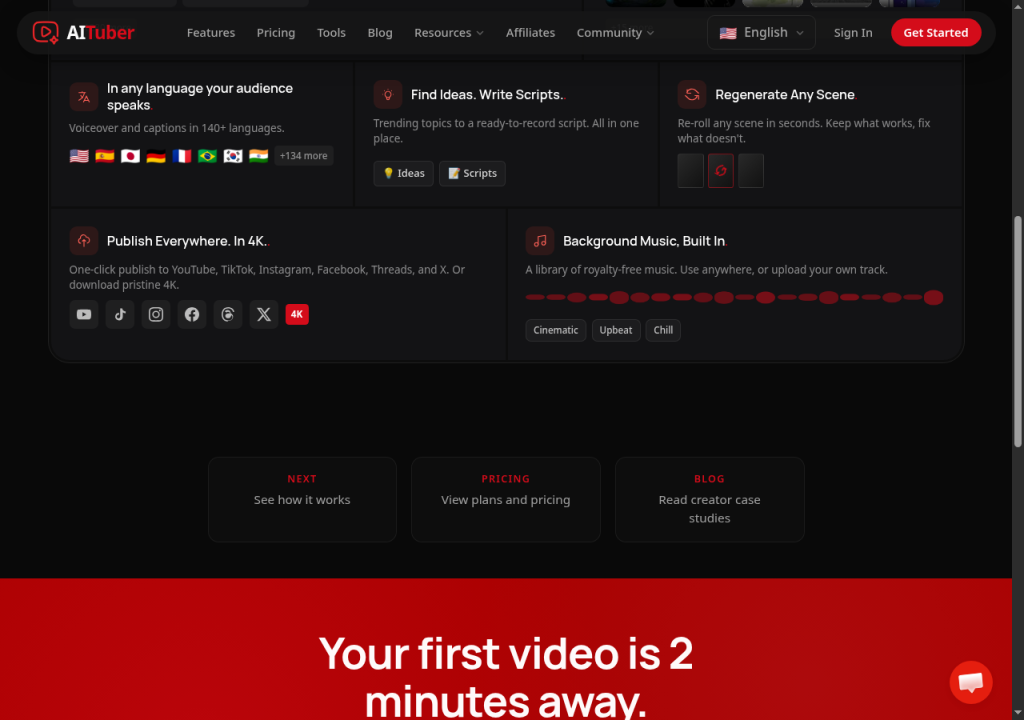
Its official materials advertise a broad selection of AI voices and support for multiple languages.
This may be relevant to creators producing narrated educational videos, explainers, or other script-driven content.
However, users should still review generated speech for pronunciation, pacing, and accuracy.
Captions also require inspection, particularly when the script contains product names, technical terminology, or unusual spelling.
For Domer, buyers should verify the current availability of narration, captions, and other audio features for the specific generation model and workflow they intend to use.
The existence of an AI video generator does not automatically mean that it includes a complete narration and captioning system.
If a project requires synchronized voiceover, subtitles, and multiple visual scenes, these capabilities should be confirmed before purchasing.
Creative Control and Model Selection
Creative control can take different forms.
For script-led video production, creators may prioritize narration, visual selection, captions, and the ability to revise individual scenes.
For prompt-based video generation, creators may prioritize source-image handling, model selection, motion instructions, and output settings.
AI Tuber provides different visual options within its faceless video workflow and additional tools for individual AI video clips.
Its documentation identifies separate quality tiers with different credit requirements.
Domer emphasizes access to multiple generation models, which may provide different approaches to image and video creation.

However, model availability can vary by subscription tier.
A large model catalog is not necessarily useful if the required model is unavailable on the selected plan.
Similarly, a broad feature list does not guarantee that every creation mode offers the same controls.
Creators should identify the exact workflow they need and inspect the corresponding settings before subscribing.
AI Tuber vs Domer AI Pricing
Both platforms use credits, but their subscription structures and credit systems should not be compared as if one credit has the same value on both services.
Credit consumption depends on the creation method, model, output duration, and generation settings.
AI Tuber pricing overview
AI Tuber’s US-dollar pricing page has listed the following monthly-billing options:
| Plan | Listed monthly price | Monthly credits |
|---|---|---|
| Creator | $39 | 2,500 |
| Pro | $69 | 5,000 |
| Studio | $129 | 10,000 |
AI Tuber also offers additional plans and annual billing options.
Its documentation states that AI video clip creation requires an active paid plan; downloading a faceless video requires an account that has had a paid plan at least once.
Purchasing additional credits does not independently unlock those capabilities.
Domer AI pricing overview
Domer’s current pricing page lists Starter at $9.99 per month with 200 credits, Basic at $19.99 per month with 500 credits, and Pro at $39.99 per month with 1,200 credits for monthly billing.
Higher-capacity plans and different model-access levels may also be available.
Buyers should verify the current plan selector and checkout before relying on these figures.
Why the credit numbers are not directly comparable
A credit is an internal billing unit defined by the individual platform.
AI Tuber credits and Domer credits do not represent a shared unit of video duration, output quality, or computing cost.
For example, a project involving narrated scenes with moving images cannot be directly compared with a project generating several individual video clips merely by looking at the number of credits included in each subscription.
A more useful comparison is to define a representative project and check the current generation cost for the required workflow on each platform.
The appropriate subscription depends on the models, features, and output requirements needed for that project.
Pricing checked on September 28, 2026 against the official AI Tuber pricing page and Domer pricing page. Plans and checkout prices can change.
Free Access and Subscription Restrictions
Both platforms may offer introductory access, but free credits and unrestricted product access are different things.
AI Tuber documents a one-time signup credit bonus and additional introductory credit opportunities.
However, certain features require an active paid plan, and purchasing a separate credit pack does not independently unlock paid-plan features.
Domer advertises introductory free credits, but the available models, generation limits, and download conditions should be checked in the current account interface.
For either platform, users should verify what can actually be generated and exported before relying on free access for a production project.
A short initial test can help identify whether the available workflow matches the intended use case.
Commercial Use and Content Rights
Commercial-use requirements matter when AI-generated content will appear in advertisements, monetized videos, client projects, or other business materials.
AI Tuber’s help center states that users retain commercial rights to generated videos, while remaining responsible for third-party rights and applicable laws.
For Domer, users should review the current platform terms and any applicable model-specific conditions before using generated content commercially.
In both cases, creators must consider the rights associated with uploaded images, reference videos, music, trademarks, and recognizable people.
A platform’s commercial-use permission does not automatically grant permission to reproduce copyrighted source material or another person’s likeness.
Creators should also inspect generated outputs for inaccurate product details or misleading visual representations before using them in marketing.
Practical Use Cases: Which Workflow Fits Your Project?
Creating narrated educational videos
A project built around a long script requires clear narration, supporting visuals, captions, and a coherent sequence.
AI Tuber documents a faceless video workflow designed around these production tasks.
Domer’s prompt-based video generation can produce visual assets, but creators should verify which additional tools would be required to assemble a complete narrated video.
Animating an existing illustration
A project that begins with a completed illustration requires an image-to-video workflow.
Domer offers this creation method, while AI Tuber documents image-to-video support through compatible AI video clip models.
The relevant comparison is the current model availability, supported inputs, motion controls, output duration, and credit cost.
Producing short visual concepts
For a short creative concept, the ability to generate individual clips may be more important than narration or captioning.
Domer provides prompt-based video generation, while AI Tuber offers individual AI video clips through supported models.
Creators should compare the specific generation settings rather than assuming that the two platforms produce equivalent results.
Building a recurring content workflow
A creator producing videos regularly should consider more than the cost of a single generation.
Relevant factors include script preparation, generation credits, revision requirements, download access, and any additional editing needed before publication.
A workflow that is convenient for occasional experimentation may have different requirements when used for recurring production.
Final Comparison
AI Tuber and Domer AI both provide AI-assisted video creation capabilities, but their documented workflows emphasize different production tasks.
AI Tuber combines script-led faceless video creation with narration, captions, supporting visuals, and additional generation formats.
Domer emphasizes AI image and video generation from prompts and existing images, with access to multiple models.
The practical decision depends on the intended output.
Creators preparing narrated videos should examine script handling, voice options, captions, and final assembly.
Creators developing individual visual sequences should examine model availability, source-image support, generation settings, and output requirements.
For either platform, verify the current subscription terms, credit costs, and commercial-use conditions before purchasing.
View AI Tuber’s current video creation options
View Domer AI’s current models and plans
Frequently Asked Questions
Are AI Tuber and Domer AI the same type of platform?
Both offer AI video creation tools, but their documented workflows differ. AI Tuber includes script-led faceless video creation with narration and captions, while Domer emphasizes image and video generation from prompts or source images.
Can AI Tuber generate individual AI video clips?
Yes. AI Tuber documents individual AI video clip generation through supported models. Available inputs, durations, and settings depend on the selected model and subscription access.
Can Domer AI animate an existing image?
Yes. Domer offers image-to-video generation, allowing users to provide a source image and generate a video through a supported model.
Does AI Tuber include narration and captions?
AI Tuber includes AI narration and captions in its documented faceless video workflow. Users should review the generated audio and text before publishing.
Which platform has cheaper credits?
The credit balances are not directly comparable because each platform defines its own credit system. Compare the current cost of a representative project using the specific features and settings required.
Can I use either platform for commercial videos?
AI Tuber documents commercial rights for generated videos, subject to the user’s responsibility for third-party rights. Domer’s current terms and any model-specific conditions should be reviewed before commercial use.
Do both platforms offer free credits?
AI Tuber documents introductory free credits, while Domer advertises free access through introductory credits. Available features and download conditions may differ.
Can either platform replace a complete video editing workflow?
That depends on the project. AI Tuber documents tools for assembling narrated faceless videos, while Domer emphasizes generating visual assets. More complex productions may still require additional editing, audio, or quality-control work.