
Moon Picke independently researches products. If you buy through our links, we may earn a commission at no extra cost to you. Read our affiliate disclosure.
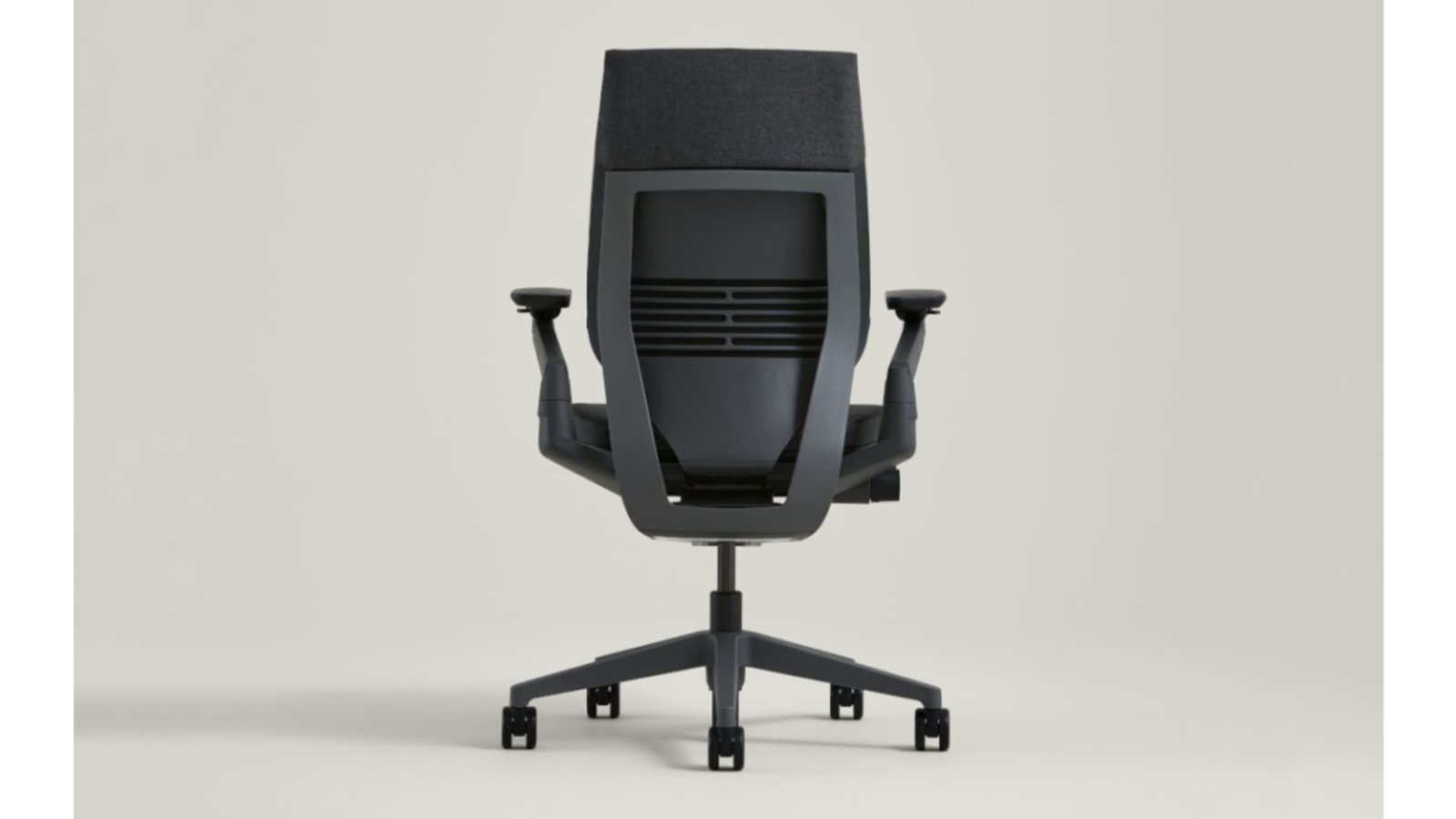
This Steelcase Gesture review finds a premium ergonomic office chair built for people who move between keyboards, laptops, tablets and calls during long desk sessions. Its strongest feature is unusually versatile arm support combined with adjustable seat depth and a responsive back. Its biggest limitation is equally clear: the price is substantial, and the selected Graphite Gray configuration has no headrest.
Moon Picke assessed current manufacturer specifications, adjustment guidance, warranty information and the exact Amazon configuration. We did not perform hands-on testing, and no chair can guarantee comfort or treat pain. The decision should begin with your measurements, desk height and preferred sitting style.
As an Amazon Associate I earn from qualifying purchases.
Quick recommendation
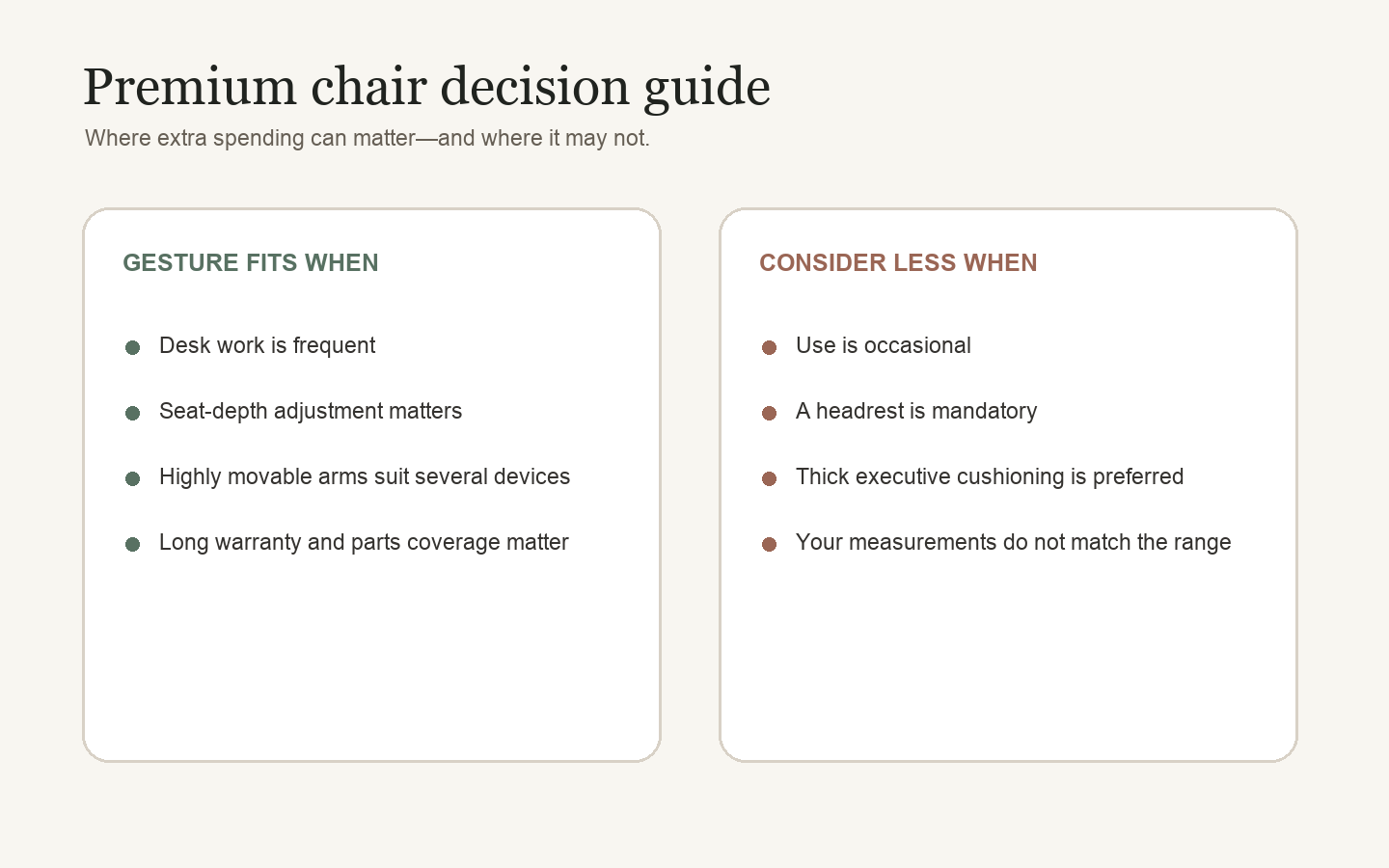
Choose Gesture if you work at a desk frequently, want arms that can follow several device positions and value a long commercial-grade warranty. Skip it if you need a headrest, prefer thick executive-chair cushioning or cannot confirm that its adjustment range fits you.
Steelcase Gesture review: quick verdict
Is the Steelcase Gesture worth buying? It is a strong premium choice for full-time desk users whose work changes posture and device position throughout the day. The 360-degree arms, sliding seat depth and controlled recline provide more ways to tune the chair than passive cushioning alone. The trade-off is premium cost, plus no included headrest on this exact model. Buy only after comparing its measurements with your body and desk.
Steelcase Gesture
Is the Steelcase Gesture worth buying? It is a strong premium choice for full-time desk users whose work changes posture and device position throughout…
- Broad arm movement: useful when work shifts among several devices.
- Meaningful seat-depth control: helps buyers tune thigh support rather than accept fixed geometry.
- Controlled recline: tension, upright lock and three stops provide several working positions.
Affiliate link. Moon Picke may earn a commission from qualifying purchases.
What is the Steelcase Gesture?
Gesture is Steelcase’s high-adjustability task chair. This review covers Amazon ASIN B016OIF2JU: the Graphite Gray chair with casters intended for carpet, 360-degree adjustable arms and no headrest. It is a 120-volt-free mechanical office product; there are no apps, motors or powered features to maintain.
The design centers on three contact areas. The seat changes height and depth. The contoured 3D LiveBack structure flexes as the user changes position. The arms move through a broad arc so support can come closer to a keyboard, phone or tablet. Steelcase also provides recline tension, an upright lock and three additional back-stop positions.
This is not a soft lounge chair. Its value comes from configuration, movement and durable components. Users who prefer a thick, enveloping executive seat may not like that design direction even if the measurements fit.
Key specifications
| Configuration reviewed | Graphite Gray, carpet casters, 360-degree arms, no headrest |
|---|---|
| Seat height | 16–21 in. |
| Seat width | 20 in. |
| Adjustable seat depth | 21–23⅝ in. overall depth; sliding seat-depth control |
| Overall height | 39¼–44¼ in. |
| Overall width | 22⅜–34⅝ in., depending on arm position |
| Recline | 98–125° seat-to-back angle; upright lock plus three stops |
| Weight capacity | Up to 400 lb, manufacturer stated |
| Materials | Upholstered foam seat and back; hard frame/base components |
| Warranty | Steelcase limited lifetime framework; 12 years on major mechanisms and components under stated terms |
Measurements can vary by region and measurement standard. The figures above use Steelcase’s North American technical drawing and product documentation because the Amazon offer is a U.S. configuration. This Steelcase Gesture review does not substitute an in-person sit; use the table as a fit checklist against your current chair and desk.
See the exact Graphite Gray Gesture configuration on Amazon →
Adjustability and ergonomic design
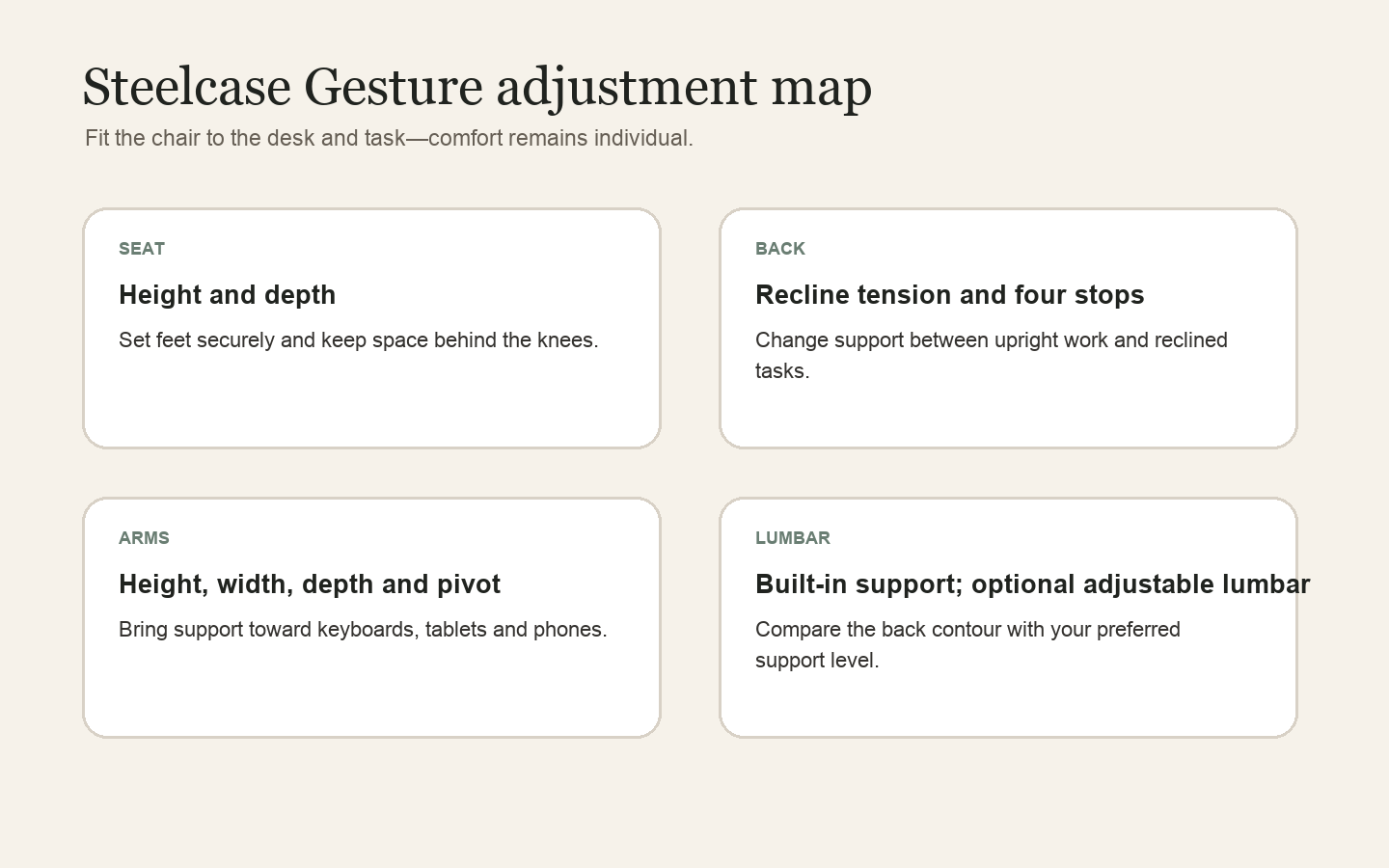
Seat height and depth
Seat height changes through the front control knob. The documented 16-to-21-inch range gives buyers a concrete fit check: sit with the feet supported, then confirm that the desk can accept the resulting elbow height. A footrest can solve some desk-height conflicts, but it cannot make an unsuitable seat depth fit.
The same control manages seat depth. Sliding the seat changes how much thigh support is available and how much clearance remains behind the knees. This is one of Gesture’s most useful features because two people with the same overall height may have different leg proportions. Compare the chair’s measurements rather than relying on a generic user-height recommendation.
Backrest and recline
The rear knob controls recline tension and back stops. Users can lock the chair upright or choose among three additional stopping points before full recline. This supports task changes: a more upright position for concentrated keyboard work, then a measured recline for reading or conversation. Recline is a movement option, not a posture cure, and the preferred resistance will vary.
Lumbar support
Gesture’s contoured back and Core Equalizer are designed to change support through recline. Steelcase lists an additional adjustable lumbar component as optional, so buyers should not assume it is included in every listing. The reviewed Amazon configuration does not advertise the optional adjustable lumbar slider. People who require a pronounced or precisely positioned lumbar pad should confirm the seller’s configuration before ordering.
Armrests
The arms adjust in height and move inward, outward, forward, backward and through pivoted positions. Their benefit is desk and device compatibility: support can move closer to the body for a compact keyboard or farther apart for another task. The limitation is complexity. New owners should spend time finding positions that support the forearms without pushing the shoulders upward, and should verify that the arms can clear the desk edge.
Seat, backrest and materials
The selected chair uses upholstered foam on both the seat and back rather than a suspended mesh surface. Steelcase describes flexible seat edges and adaptive bolstering intended to distribute pressure as the user changes position. Editorially, that construction favors a structured, moderately padded feel instead of deep cushioning.
An upholstered back blocks more airflow than an open mesh back, which may matter in warm rooms. In exchange, the flexible back structure and upholstery create continuous contact rather than the framed perimeter some mesh chairs have. Neither material is universally better: temperature, clothing, texture sensitivity and preferred firmness influence comfort.
The five-star base, arm structure and hard outer components are designed for intensive office use. The exact Amazon model includes casters for carpet. Hard floors may need a suitable chair mat or manufacturer-compatible soft casters; do not assume carpet casters are ideal for wood or tile.
Comfort for long work sessions
Is Gesture good for long workdays? Its documented design addresses several factors that matter during long sessions: seat depth, arm position, recline resistance, back-stop choice and a flexible seat edge. That gives the user more tools to vary position than a fixed task chair. It does not prove that every user will find the foam, back contour or arm pads comfortable. There is no universally comfortable office chair; fit and workstation setup decide more than the brand name on the base.
Pressure distribution on Gesture is a design claim around flexible seat edges and adaptive bolstering, not a Moon Picke pressure-map result. If you currently get hot spots on a hard seat pan, the foam-and-flex edge is the relevant feature to evaluate in person. If you overheat on upholstered backs, mesh may still be a better material class even if Gesture’s adjustments are broader.
Long-session comfort also depends on the workstation. A chair cannot compensate for a display placed too low, a desk that forces raised shoulders or hours without movement. Configure the seat first, bring the keyboard and pointer within easy reach, position the display for the work, and change position periodically.
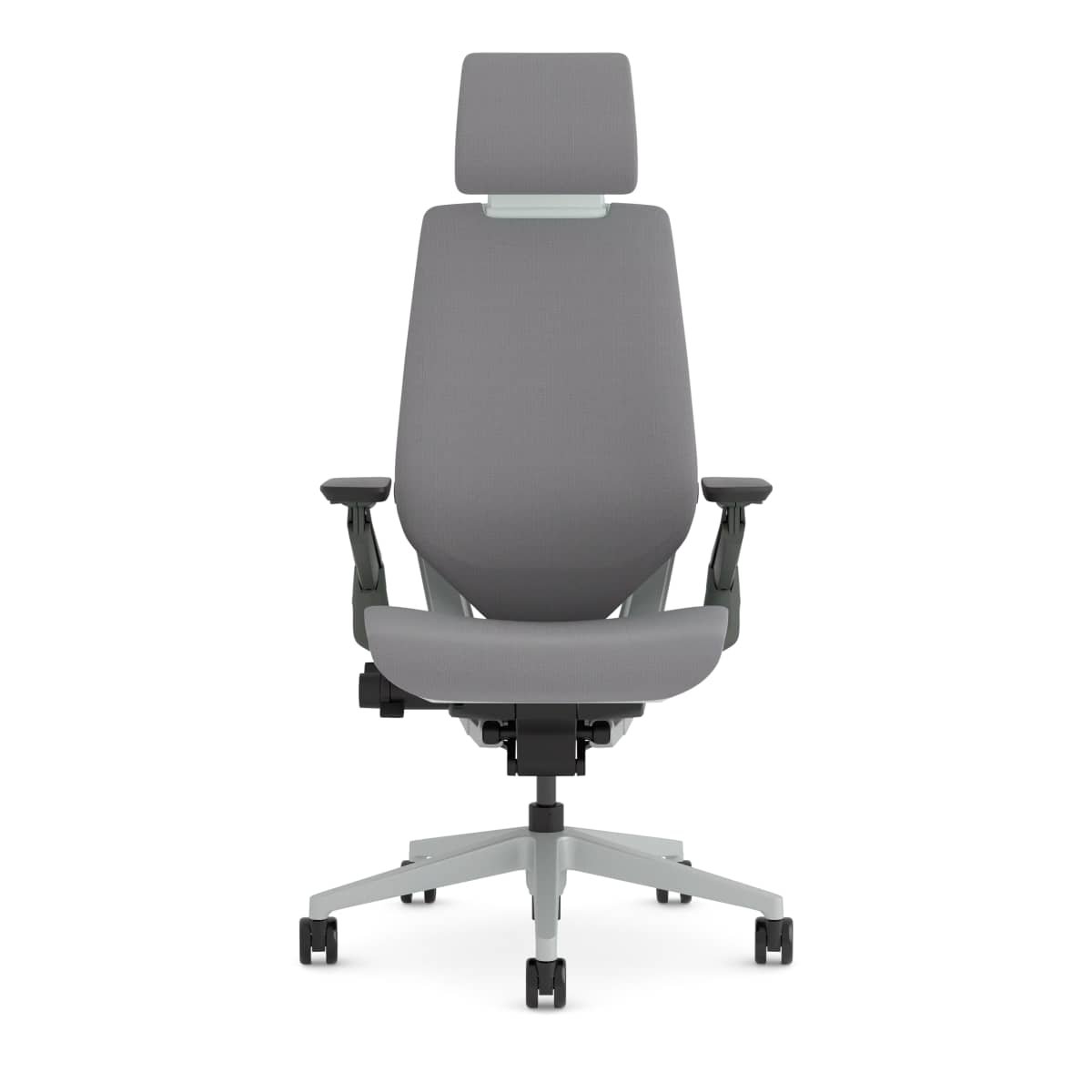
The absence of a headrest is usually unimportant during upright keyboard work but can matter during deeper recline. Steelcase offers an integrated headrest on other configurations, yet official regional shops warn that headrest versions are factory-built and the headrest cannot simply be added later. Choose that feature before purchase if it is essential.
Body fit: who is this chair likely to suit?
Fit should be checked with four numbers: seat height, usable seat depth, seat width and arm position. The 16-to-21-inch seat-height range must allow supported feet while keeping the working surface near elbow level. The 20-inch seat width should provide room without making the arm supports too distant. Seat depth should support most of the thighs while leaving comfortable clearance behind the knees.
Steelcase states a 400-pound maximum capacity for Gesture chairs and stools. Capacity is a safety limit, not a comfort guarantee. Body shape, shoulder width and leg length still determine whether the back and arms align well. The arm span is broad, but a wide maximum overall chair width can also conflict with a narrow desk opening.
Is Gesture suitable for shorter or taller users? The specifications support a broad range, but Steelcase does not provide a universal height promise on the U.S. page. Compare your current comfortable chair measurements with Gesture’s range. If you sit near an adjustment endpoint, an in-person trial or a retailer with a clear return policy is especially valuable.
Home office and professional office use
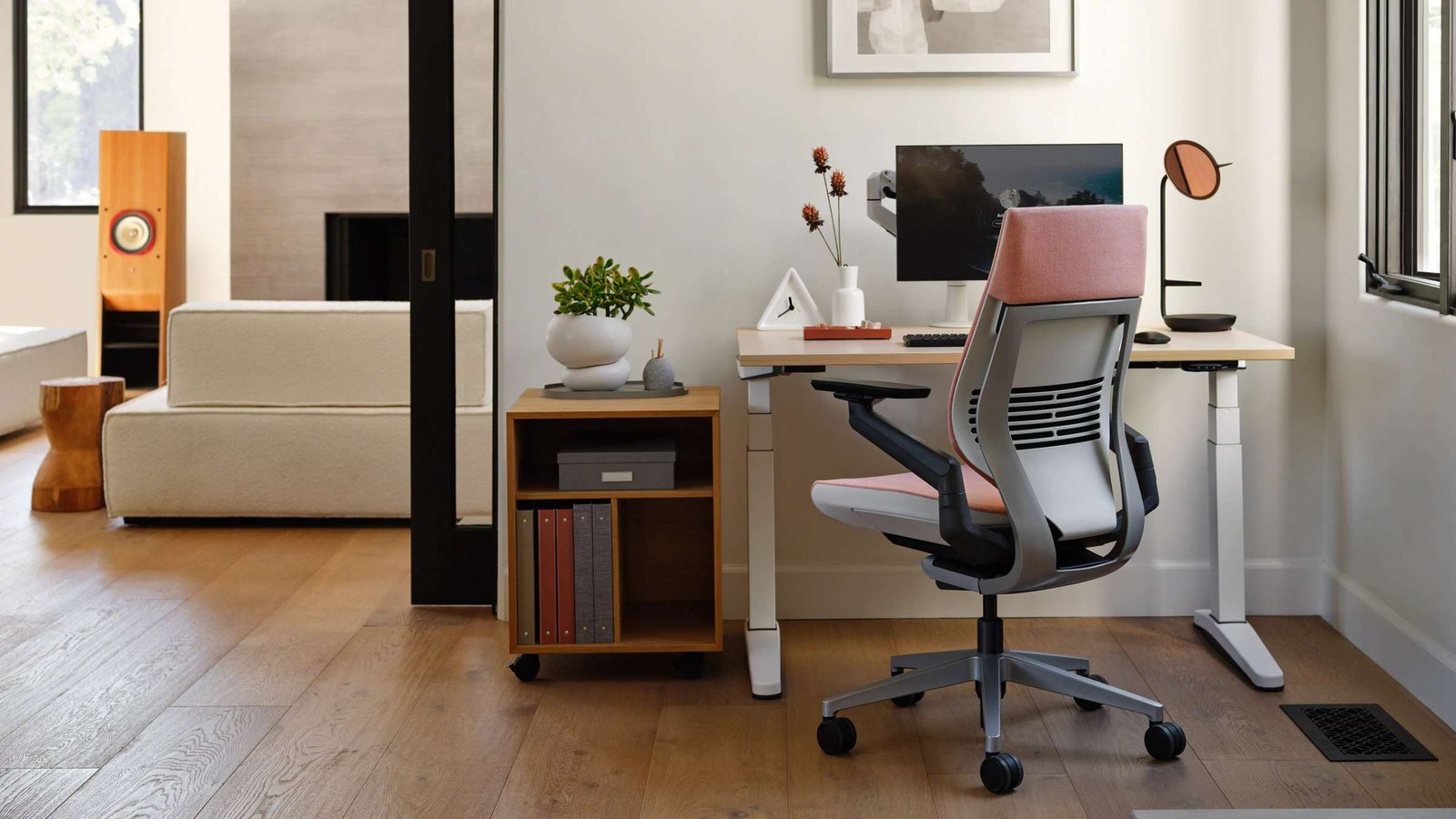
Gesture’s restrained silhouette fits both a premium home office and a professional workstation. Graphite Gray is neutral on video calls and coordinates with common dark monitors and desks. The chair’s arms can tuck inward for focused work, but the widest positions increase its footprint. Measure doorways, desk clearance and the path around the workstation before the chair arrives.
Casters on this ASIN are specified for carpet. On hard floors they can feel grabby or mark some finishes; a chair mat or compatible hard-floor casters is an ownership add-on, not a defect in the chair. Moving the chair between rooms is realistic because it is a rolling task chair, but the arm span when fully open can snag door frames. For hybrid workers who share a desk, write down preferred knob settings; Gesture does not store profiles electronically.
For shared or hybrid workstations, the two right-side knobs make repeat adjustment relatively direct after users learn the controls. A personal home office benefits more from fine tuning because settings can remain consistent. In either setting, carpet casters should roll on the floor type they were designed for.
Assembly, controls and everyday use
Steelcase commercial chairs are commonly delivered substantially assembled, but packaging and assembly responsibility can vary by seller. Check the current Amazon offer and inspect the chair on arrival. Do not infer factory assembly from a different regional store listing. If tools or extra hardware arrive in the box, they belong to that shipment.
Everyday operation centers on the two side knobs and arm controls. The front knob handles seat height and depth; the rear knob handles recline tension and back stops. Make one change at a time, then sit through normal work before changing another. Clean upholstery using Steelcase’s care guidance for the exact textile, and avoid household chemicals that can damage fabric, foam or plastic. Periodically check casters for fibers and debris, especially on carpet.
What it does well—and its main limitations
What it does well
- Broad arm movement: useful when work shifts among several devices.
- Meaningful seat-depth control: helps buyers tune thigh support rather than accept fixed geometry.
- Controlled recline: tension, upright lock and three stops provide several working positions.
- Long warranty: the documented framework improves the ownership case for frequent users.
Important limitations
The price creates the largest barrier and produces diminishing returns for occasional desk use. This exact configuration has no headrest and does not clearly include Steelcase’s optional adjustable lumbar slider. Upholstered foam runs warmer than open mesh for some users. Finally, extensive adjustment does not ensure fit; buyers still need to compare dimensions and desk clearance.
What does it really cost to own?
Ownership cost begins with the chair but may include a hard-floor mat or compatible soft casters, replacement arm caps, professional upholstery cleaning and eventual surface-material replacement. The integrated headrest is not a sensible later upgrade for this configuration; buyers who need one should price a factory headrest version from the start.
The warranty is part of the value. Steelcase states limited lifetime coverage for structural elements and 12-year coverage for mechanisms, pneumatic cylinders, arm caps, foam, casters and glides under the applicable terms. Coverage depends on original purchase, region, use and exclusions, so retain the receipt and verify that the Amazon seller path preserves manufacturer support.
View the exact Steelcase Gesture configuration on Amazon →
Premium ergonomic chair vs budget office chair
| Factor | Steelcase Gesture | Typical budget chair |
|---|---|---|
| Adjustment range | Seat depth, multi-stop recline and highly mobile arms | Often simpler; varies by model |
| Materials | Commercial task-chair construction | Quality varies widely |
| Warranty | Long manufacturer framework | Often shorter |
| Repair path | Documented replaceable components | Parts availability varies |
| Initial cost | High | Lower |
| Best fit | Frequent desk work requiring precise setup | Occasional use or tighter budgets |
Premium spending matters most when adjustment solves a real fit or workflow problem and the chair will be used for years. It matters less when the desk is occasional or a simpler chair already fits well.
Who is the Steelcase Gesture best for?
Gesture is best for remote workers, professionals and shared-office users who spend substantial time at a desk and change between several devices. It also suits buyers who prioritize movable arms, adjustable seat depth and long warranty coverage over plush cushioning. A Steelcase Gesture review is most useful when you already know you need those adjustments, not when you only want a nicer-looking task chair.
Skip it for occasional desk use, if a headrest is mandatory, if you prefer a thick executive-chair feel or if your measurements fall outside the documented range. Buyers unsure about the back contour or seat firmness should try it in person.
Is the Steelcase Gesture worth buying?
Yes—conditionally. Gesture justifies premium consideration when its measurements fit, work is frequent and the arms or seat-depth range solve a concrete need. The warranty strengthens the long-term case. A lower-cost chair is the rational choice when use is light or the extra adjustment range would go unused.
Check current availability on Amazon →
Final verdict
This Steelcase Gesture review supports a conditional recommendation for serious desk users. Its 360-degree arms and coordinated seat-and-back adjustments are the strongest reasons to buy. The price and absent headrest are the main limitations. Confirm dimensions, floor type and seller-backed warranty eligibility; if those checks pass, Gesture is a thoughtfully engineered premium work chair.
Frequently asked questions
Is the Steelcase Gesture worth buying?
Yes if you work at a desk frequently, its measurements fit, and you will use the arms and seat-depth range. No if use is occasional or you need a headrest on this exact ASIN.
Is the Steelcase Gesture good for long workdays?
Its adjustment range is well suited to long sessions, but comfort remains individual and workstation setup still matters.
Does it have adjustable lumbar support?
The back has built-in support; a separate height-adjustable lumbar component is optional and is not clearly included with this ASIN.
Can the seat depth be adjusted?
Yes. The front control manages both seat height and sliding seat depth.
Does this configuration include a headrest?
No. B016OIF2JU is the no-headrest Graphite Gray carpet-caster configuration.
What is the weight capacity?
Steelcase states that Gesture chairs and stools support up to 400 pounds.
How long is the warranty?
Steelcase publishes limited lifetime structural coverage and 12-year coverage for major mechanisms and components, subject to its terms.
Sources and methodology
Product features and warranty were checked against the official Steelcase Gesture page; dimensions were checked against the official North American technical drawing; the exact commercial configuration was checked on Amazon. Moon Picke did not conduct first-party sitting tests. See how we evaluate products and the Work & Office hub.