
Moon Picke independently researches products. If you buy through our links, we may earn a commission at no extra cost to you. Read our affiliate disclosure.
The best dash cam for hot weather is the one whose documented operating temperature, power architecture, and parking setup match a parked, sun-loaded cabin—not the one that merely says it uses a supercapacitor. Operating temperature is the range the maker specifies for normal recording. A supercapacitor helps with brief shutdown power and is often better suited to heat than an internal rechargeable cell, but it does not make a camera heatproof. No dash cam on this page is rated as indestructible in a closed car.
Moon Picke has not run thermal-chamber tests. Specs below follow official Thinkware, VIOFO, and BlackVue documentation for cameras already reviewed here. This is a buyer decision guide, not a generic Best Dash Cams ranking and not a parking-mode rewrite.
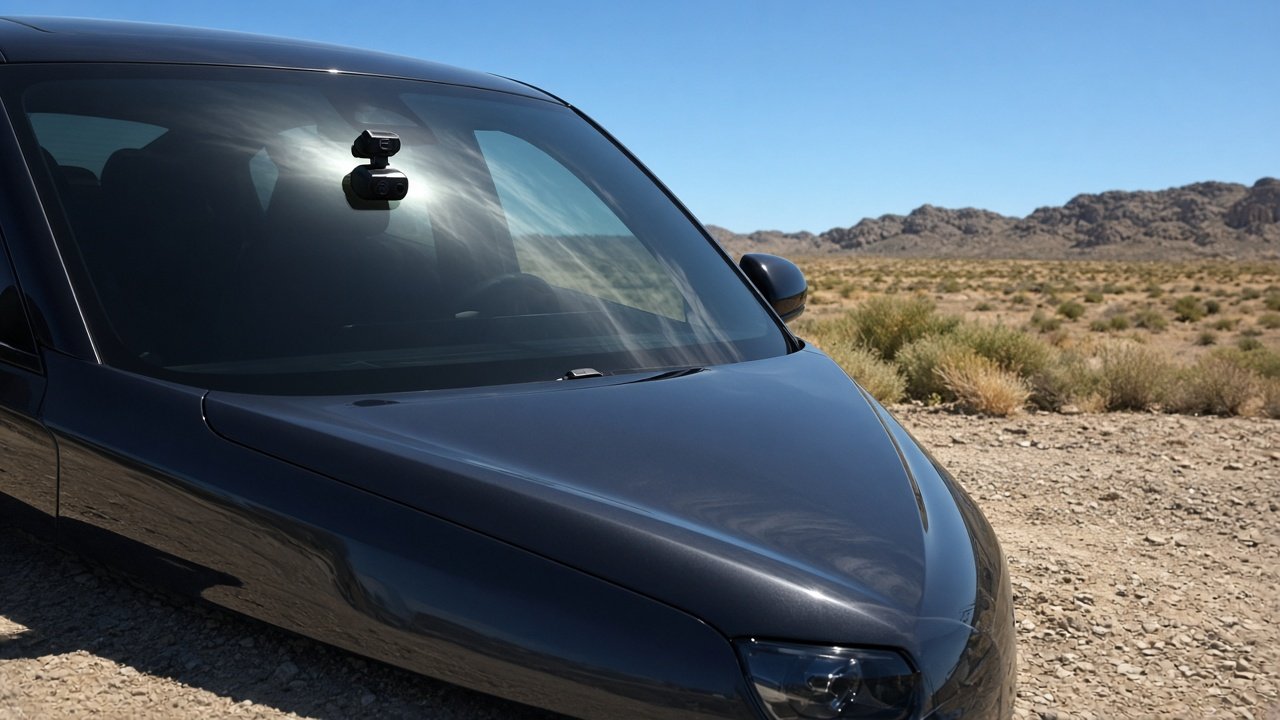
Best Dash Cam for Hot Weather: Quick Picks
Roles below follow verified ranges and parking architecture. Highest °C is not automatically the best fit.
| Use Case | Product | Operating Range | Why It Fits | Main Limitation |
|---|---|---|---|---|
| Parking-focused hot climate | Thinkware U3000 PRO 2CH | −10 to 60°C (14 to 140°F) | Documented parking thermal step-down plus radar parking | Lower operating ceiling than some peers; parking still needs a supported power path |
| Local-first recording | VIOFO A329S 2CH | −20 to 65°C (−4 to 149°F) | Supercapacitor, no internal battery, Wi-Fi-first 4K/2K kit | No built-in LTE; parking needs a hardwire kit |
| Connected / LTE parking | BlackVue DR970X-2CH LTE Plus II | −20 to 70°C (−4 to 158°F) | Built-in LTE plus documented high-temperature cut-off | Cloud-on draw; SIM/plan; parked radios stay in the heat |
As an Amazon Associate I earn from qualifying purchases.
See the Thinkware U3000 PRO 2CH kit on Amazon →
What temperature should a dash cam handle?
Use the manufacturer operating range, not outdoor weather. Thinkware lists the U3000 PRO at −10 to 60°C. VIOFO lists the A329S at −20 to 65°C. BlackVue lists the DR970X-2CH LTE Plus II at −20 to 70°C. A windshield can be far hotter than the forecast.
Are supercapacitor dash cams better for hot weather?
They are a useful architecture clue because they avoid relying on an internal rechargeable battery for backup. Suitability still comes from the operating specification, not from the word supercapacitor.
Can a dash cam overheat while parked?
Yes. Parking mode keeps the camera in a closed, sun-exposed cabin. Some models reduce recording or cut off at a documented high temperature. That is protection, not proof the hardware failed.
Does parking mode make heat problems worse?
It can lengthen heat exposure because the vehicle is stationary and the camera may stay powered. Heat tolerance and battery protection are separate questions.
What Makes a Dash Cam Good for Hot Weather?
Buy the verified thermal envelope. Check operating range, storage range, whether backup power is a supercapacitor or an internal rechargeable battery, how parking mode behaves in heat, and whether the install location follows the maker. 4K, LTE, and extra channels do not automatically improve heat tolerance. This page is not a generic Best Dash Cams ranking.
Editorial order: verified operating temperature; power architecture; parking thermal behavior; channel layout; power-system compatibility; storage-card requirements; connectivity; warranty language; installation practicality. A slightly higher max °C is a worse buy if parking, channels, or storage do not match how you use the car.
Operating Temperature vs Storage Temperature
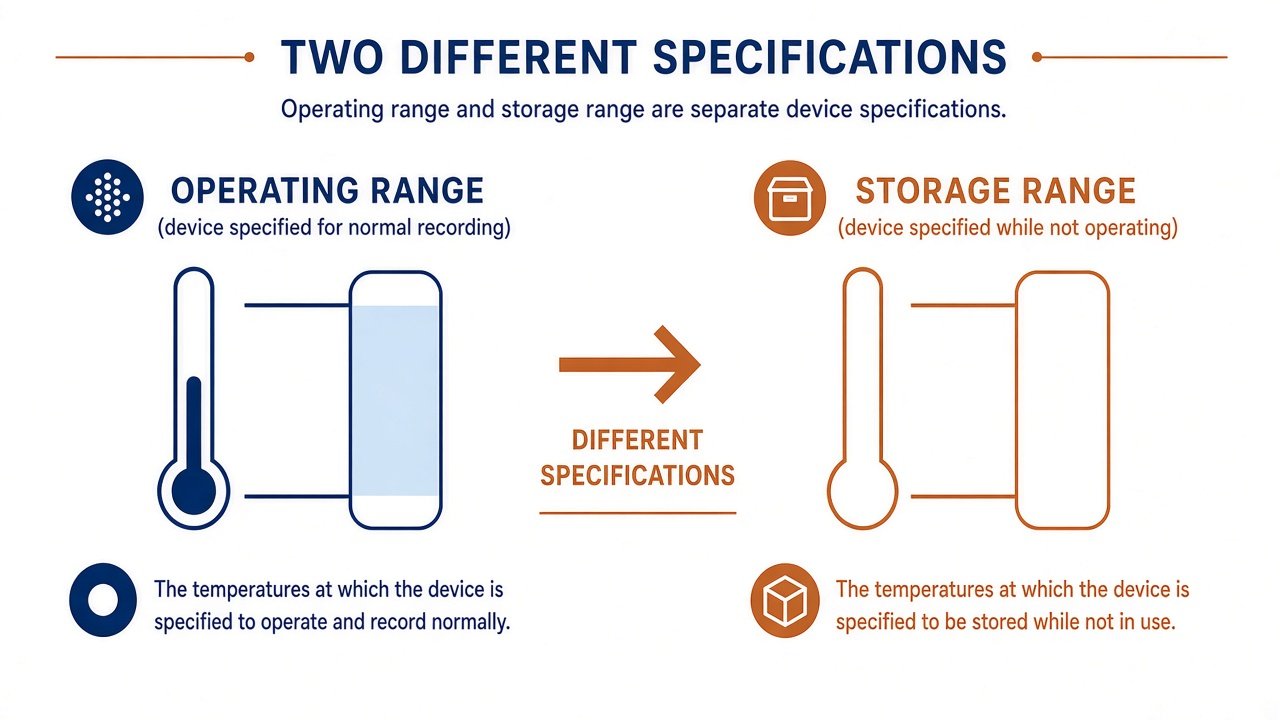
Operating temperature is the range specified for normal device operation—recording, parking modes the maker documents, radios the spec assumes. Storage temperature is the range for keeping the device while it is not operating. Do not treat them as interchangeable. Do not write a storage maximum as if the camera can record continuously at that number.
Example: Thinkware lists U3000 PRO operating −10 to 60°C (14 to 140°F) and storage −20 to 70°C (−4 to 158°F). The 70°C / 158°F figure is storage, not a continuous-record rating. VIOFO lists A329S operating −20 to 65°C and storage −20 to 70°C. BlackVue’s LTE Plus II table lists both operating and storage as −20 to 70°C (−4 to 158°F)—same numeric band in that document, still two labeled fields.
Supercapacitor vs Battery: What Actually Matters?
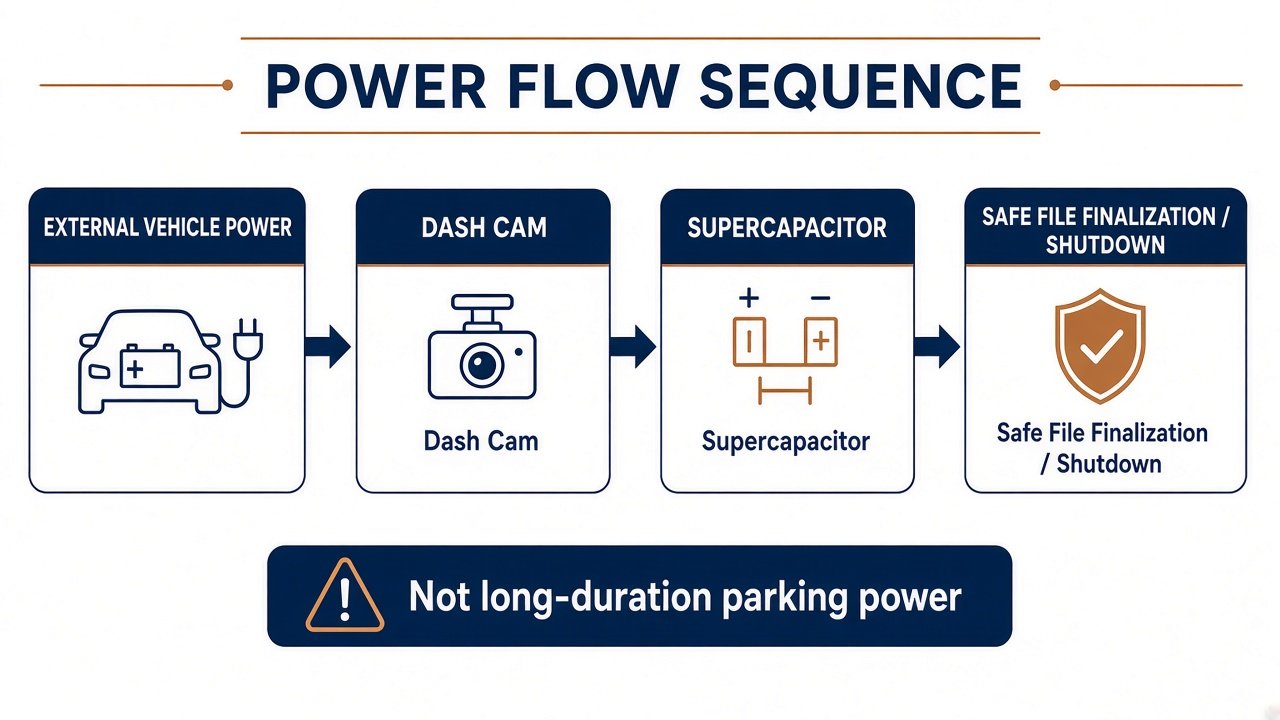
Many dash cams use a supercapacitor to hold brief backup power, finish and save a file when external power drops, and avoid an internal rechargeable lithium cell inside the windshield unit. It does not power parking mode for hours. Parking still needs vehicle power, a hardwire path, an external pack, or another accessory the maker supports.
Supercapacitors are commonly chosen partly because that design can be better suited to high-temperature cabins than depending on an internal rechargeable battery. They do not mean the camera cannot overheat, that heat problems are solved, or that every supercapacitor dash cam is safe in extreme heat. An internal lithium design is not automatically unsafe either; chemistry, charge management, enclosure, and maker limits all vary. Follow the exact operating and storage ranges. Architecture is the clue. Operating temperature is the buying specification.
Why Parked Cars Are Hard on Dash Cams
A parked vehicle in direct sun can become substantially hotter than outside air. The National Weather Service notes that interior temperatures can rise to dangerous levels quickly, and that a dark dashboard or seat can reach about 180°F to over 200°F. That is cabin-object context, not a dash-cam measurement. Moon Picke is not claiming your camera reaches those numbers.
Implication: outside weather ≠ the dash cam operating environment. A windshield unit sees solar radiation, hot glass, and enclosed cabin air. Tint or a sunshade is not a guaranteed thermal fix, and this page is not window-film advice. Do not mount lower “to stay cooler” unless the manufacturer says so. Keep driver visibility, follow the approved mount, avoid blocking ADAS sensors, and follow local camera-mount laws.
Best for Parking-Focused Hot-Climate Use — Thinkware U3000 PRO
Thinkware specifies operating −10 to 60°C (14 to 140°F) and storage −20 to 70°C (−4 to 158°F), a built-in supercapacitor, and integrated thermal protection. Thinkware documents thermal sensors that power the unit down when overheated and resume when cooled. In parking mode, Thinkware also describes a heat-related shift to low-power, impact-triggered recording until temperature is safe again for motion or time-lapse. Treat that reduced coverage as designed protection, not a failed camera—and not a longevity guarantee.
The 2CH kit is 4K front / 2K rear with built-in radar parking (hardwire or a Thinkware-supported power cable, depending on the bundle). Optional LTE is a module, not built-in. Thinkware North America limited warranty for typical current models is 12 months on the main unit from an authorized retailer; it does not automatically cover out-of-spec heat or improper install. Limitation: the 60°C operating ceiling is lower than the VIOFO and BlackVue figures on this page. Choose it when radar parking behavior and documented heat step-down matter more than the highest printed °C. Skip it if you need built-in LTE or a higher published operating max. Full camera detail stays on the Thinkware U3000 PRO review.
Check the current U3000 PRO 2CH configuration on Amazon →
Best for Local-First Recording in Hot Weather — VIOFO A329S
VIOFO’s A329S spec lists no internal battery, a built-in supercapacitor, operating −20 to 65°C, and storage −20 to 70°C. The 2CH kit Moon Picke uses as the local-first example records 4K-class front and 2K-class rear with Wi-Fi 6—not a cellular modem. Parking modes need a VIOFO-class hardwire kit. VIOFO’s camera warranty is 18 months (24 months if you register), accessories 12 months; that language is not a heat-damage promise.
Why it fits: a relatively high operating ceiling plus a simple local-power story. Limitation: if you want remote Live View while parked, this is the wrong radio architecture. Who should choose it: hot-climate drivers who want front/rear evidence on a card and app, and who will hardwire for parking. Who should skip it: LTE-first parking monitors. See the VIOFO A329S review.
See the VIOFO A329S 2CH kit on Amazon →
Best for Connected LTE Use in Hot Weather — BlackVue DR970X-2CH LTE Plus II
BlackVue’s official LTE Plus II table lists operation −20 to 70°C (−4 to 158°F), storage −20 to 70°C, a built-in super capacitor, and a high-temperature cut-off of approximately 70°C. (BlackVue also prints a Fahrenheit cut-off figure that does not match 70°C; this page uses the Celsius cut-off from that table.) Cloud-on current is documented higher than cloud-off in both driving and parking. Parking still needs a hardwire path for ACC-based parking mode.
Why it fits: you are evaluating thermal rating, parking power, and LTE/cloud together—the right stack if remote parking alerts are the job. Limitation: a powered LTE camera can sit in the windshield heat longer; SIM, data, and Cloud plan are extra. Who should choose it: connected parking in hot regions, with a power system sized for that draw. Who should skip it: local-only buyers who do not want cellular hardware. Pair with LTE Dash Cam vs Wi-Fi Dash Cam and the BlackVue DR970X LTE review.
See the BlackVue DR970X-2CH LTE Plus II on Amazon →
Parking Mode in Extreme Heat
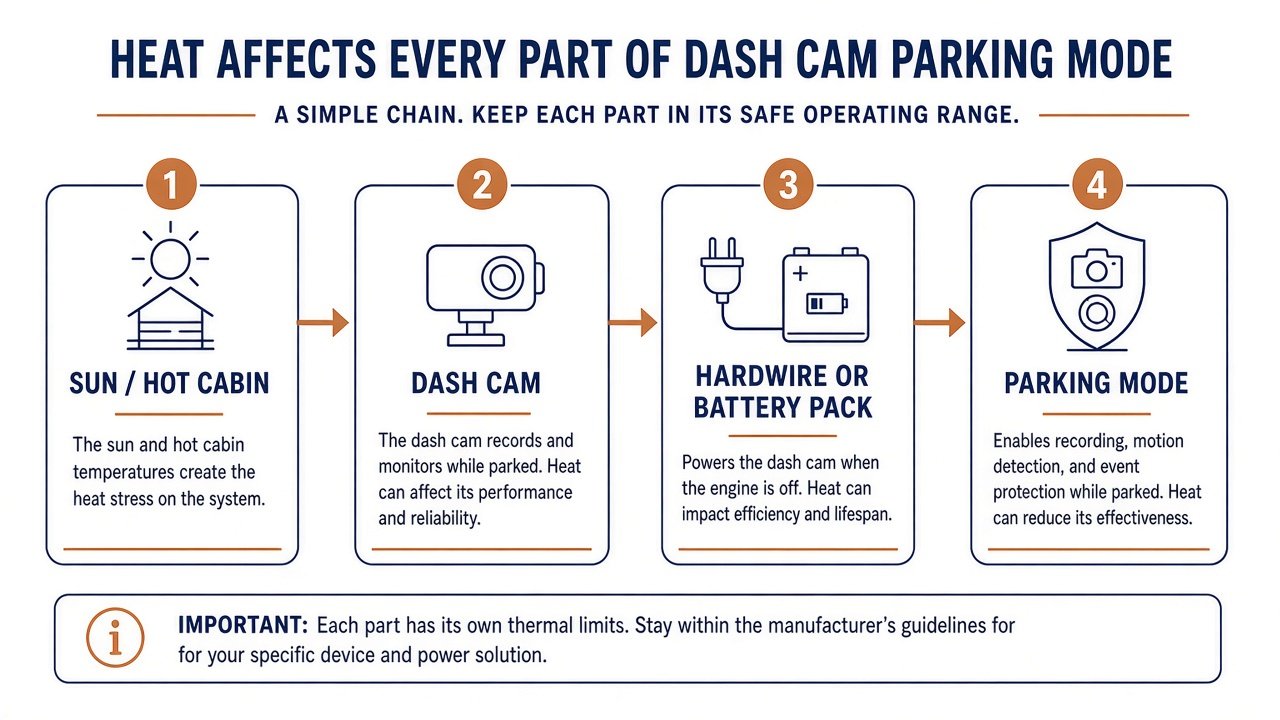
Parking mode is a different heat scenario: the car is still, the cabin may be closed, sun continues, and the camera may remain powered. That is why the best dash cam for hot weather has to be judged as a powered system, not a sticker. Thermal shutdown or a high-temperature cut-off, where documented, can stop or reduce recording and may restart when cooler. That can cut availability temporarily while protecting the device. It does not guarantee longer hardware life.
Heat does not cancel electrical limits. Parking still depends on low-voltage cutoff, the vehicle battery, hardwire settings, or a pack, and the parking mode you enable. Heat tolerance and battery protection are separate buying questions. Camera selection for parking features lives on Best Dash Cam for Parking Mode. Power-source choice lives on Dash Cam Battery Pack vs Hardwire Kit.
See a Thinkware hardwiring cable used for parking power on Amazon →
Does More Cameras or 4K Make a Dash Cam Run Hotter?
Extra active cameras and processors can raise total power demand, processing, and storage load. That does not let us say a 4-channel system runs a measured number of degrees hotter. 4K does not automatically mean more overheating, and 2K does not automatically run cooler. Thermal design is the whole device. Use the manufacturer operating range for the complete configuration you will install. Channel layout still matters for power and storage; see 1-Channel vs 2-Channel vs 3-Channel Dash Cam. Resolution is not a substitute for the thermal specification.
What About External Dash Cam Battery Packs?
Even if the camera has a strong heat rating, a dedicated dash-cam battery pack has its own operating, charging, and storage limits. Do not copy the camera’s °C onto the pack. Hot-weather parking reliability is a system property: camera + power source + installation location. Keep the pack comparison on the battery-pack article; this page does not rank packs.
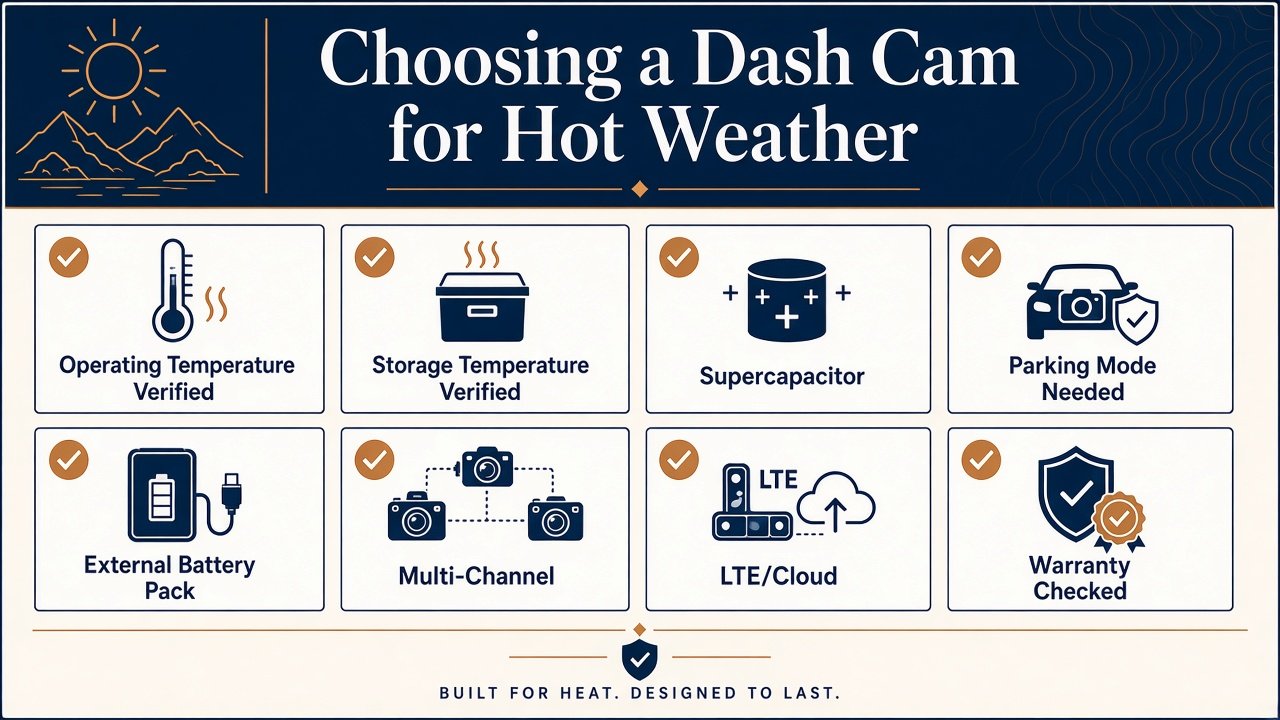
Hot-Weather Dash Cam Buying Checklist
- Check operating temperature (recording).
- Check storage temperature (powered off)—do not mix the two.
- Verify supercapacitor vs internal rechargeable battery.
- Check parking thermal behavior (cut-off, step-down, restart).
- If you use a pack, check the pack’s own temperature limits.
- Confirm channel count for the complete system rating.
- Match the microSD spec (U3000 PRO: UHS-I up to 512 GB; A329S: up to 512 GB; LTE Plus II: 64–512 GB). High-endurance cards are not heatproof.
- Confirm windshield placement per the maker—not a DIY “cooler” location.
- Read warranty/support; out-of-spec cabin heat is not automatically covered.
Which Hot-Weather Dash Cam Should You Buy?
Hot climate + parking priority: U3000 PRO when radar parking and documented heat step-down matter, and you accept a 60°C operating spec. Hot climate + local-first: A329S when you want a 65°C operating spec, supercapacitor backup, and Wi-Fi retrieval without a modem. Hot climate + LTE: DR970X-2CH LTE Plus II when 70°C operation, cut-off, and cellular parking are one system—including power and a plan. Multi-channel: verify the whole-system rating; do not assume more cameras are “fine in heat.”
That is how to choose a best dash cam for hot weather without a fake numeric winner: match envelope, power, parking, and install to the car’s actual sun load.
Final Verdict
There is no heatproof best dash cam for hot weather. Do not buy on the word supercapacitor alone. Verify temperature range, parking power, parking-mode heat behavior, storage, and windshield reality together. The U3000 PRO, A329S, and DR970X LTE Plus II are the strongest currently reviewed candidates for those different jobs—not a desert-survival ranking.
FAQ
What is the best dash cam for hot weather?
The one whose operating range and parking power match your cabin, not the highest marketing adjective. On this shortlist: U3000 PRO for parking architecture, A329S for local-first, DR970X LTE Plus II for connected parking.
What operating temperature should a dash cam have?
Whatever the maker publishes for the exact model—then remember the windshield can exceed outdoor air. Compare operating and storage figures separately.
Are supercapacitor dash cams better in heat?
Often as a design choice versus an internal rechargeable cell. Still judge the operating specification.
Can a dash cam overheat while parked?
Yes. Some units cut off or reduce parking modes. That can be protection.
Does 4K make a dash cam overheat?
Not automatically. Use the device’s rated range.
Can I use parking mode in very hot weather?
Only within the camera and power-system limits. Expect possible thermal step-down or cut-off.
Are dash cam battery packs safe in hot cars?
Only within the pack maker’s charge and discharge limits. The camera rating does not transfer.
Sources: Thinkware U3000 PRO specifications; VIOFO A329S 2CH specifications; BlackVue DR970X-2CH LTE Plus II specification; NWS parked-vehicle heat guidance.