
Moon Picke independently researches products. If you buy through our links, we may earn a commission at no extra cost to you. Read our affiliate disclosure.
This Dell UltraSharp U4025QW review covers Dell’s current 40-inch 21:9 5K2K Thunderbolt hub monitor for home office, hybrid work, and professional multitasking. The ideal buyer wants one 5120 x 2160 canvas, a documented KVM switch, and Thunderbolt 4 power delivery up to 140 W. The strongest productivity feature is that hub: video, data, Ethernet, and laptop charging on one cable. The biggest limitation is physical scale—37.27 inches wide and about 10 inches of stand depth—plus a native resolution that needs Thunderbolt 4, DisplayPort 1.4 with DSC, or HDMI 2.1.
Moon Picke checked Dell’s U4025QW specifications, the official user’s guide, and the live Amazon listing for ASIN B0D1TX35MQ. We did not calibrate this panel or test laptop charging in-house. A large ultrawide changes window layout; it does not prevent eye strain or neck pain.
As an Amazon Associate I earn from qualifying purchases.
Quick recommendation
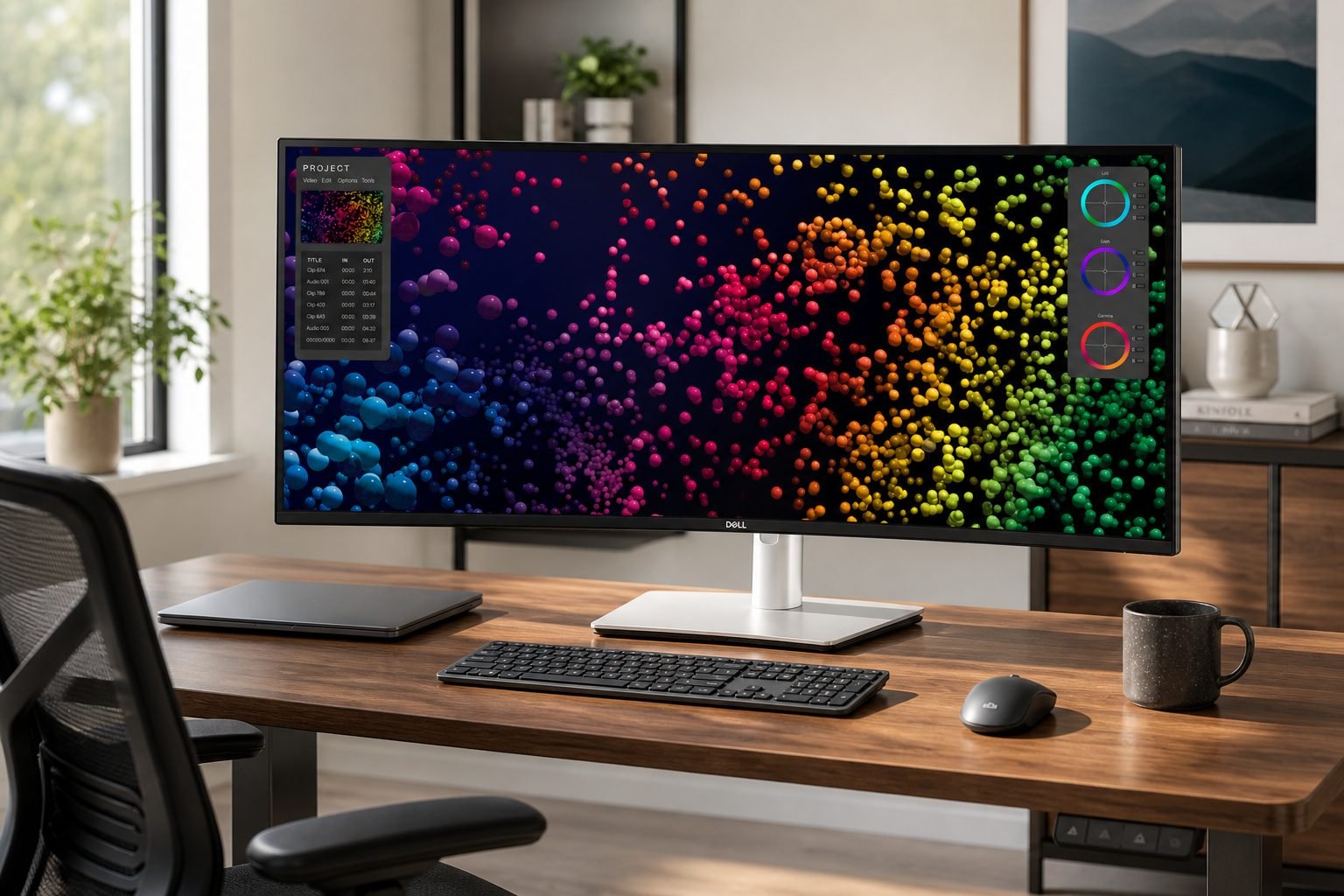
Choose the U4025QW if you will use a 40-inch 5K2K canvas, KVM or Picture-by-Picture, and a Thunderbolt dock in the display. Skip it if your desk is shallow, your GPU cannot drive 5120 x 2160, or two independent screens already work.
Dell UltraSharp U4025QW review: quick verdict
Is the Dell UltraSharp U4025QW worth buying? Yes if you want a premium office ultrawide with IPS Black, 120 Hz, 140 W Thunderbolt charging, KVM, and 2.5GbE in the display. The trade-off is size and source requirements: 39.7 inches at 5120 x 2160 is not a drop-in 27-inch 1440p replacement. Buy it for multi-app, multi-computer work on a deep desk; skip it for a compact laptop-only station.
Dell UltraSharp U4025QW
Is the Dell UltraSharp U4025QW worth buying? Yes if you want a premium office ultrawide with IPS Black, 120 Hz, 140 W Thunderbolt charging,…
- 5K2K 21:9 workspace at 140 PPI, which is more pixel area than dual QHD without a center bezel.
- Thunderbolt hub behavior: up to 140 W PD, USB hub, 2.5GbE, and daisy-chain on documented ports.
- KVM plus PIP/PBP for two-computer desks.
Affiliate link. Moon Picke may earn a commission from qualifying purchases.
What is the Dell UltraSharp U4025QW?
The U4025QW is Dell’s UltraSharp 40 Curved Thunderbolt Hub Monitor: a 39.7-inch viewable IPS Black panel, 21:9, 2500R curvature, and 5120 x 2160 at 120 Hz. That 5K2K grid is the productivity pitch—more horizontal room than a 34-inch 3440 x 1440 ultrawide, with enough vertical pixels to keep a browser, document, and timeline readable.
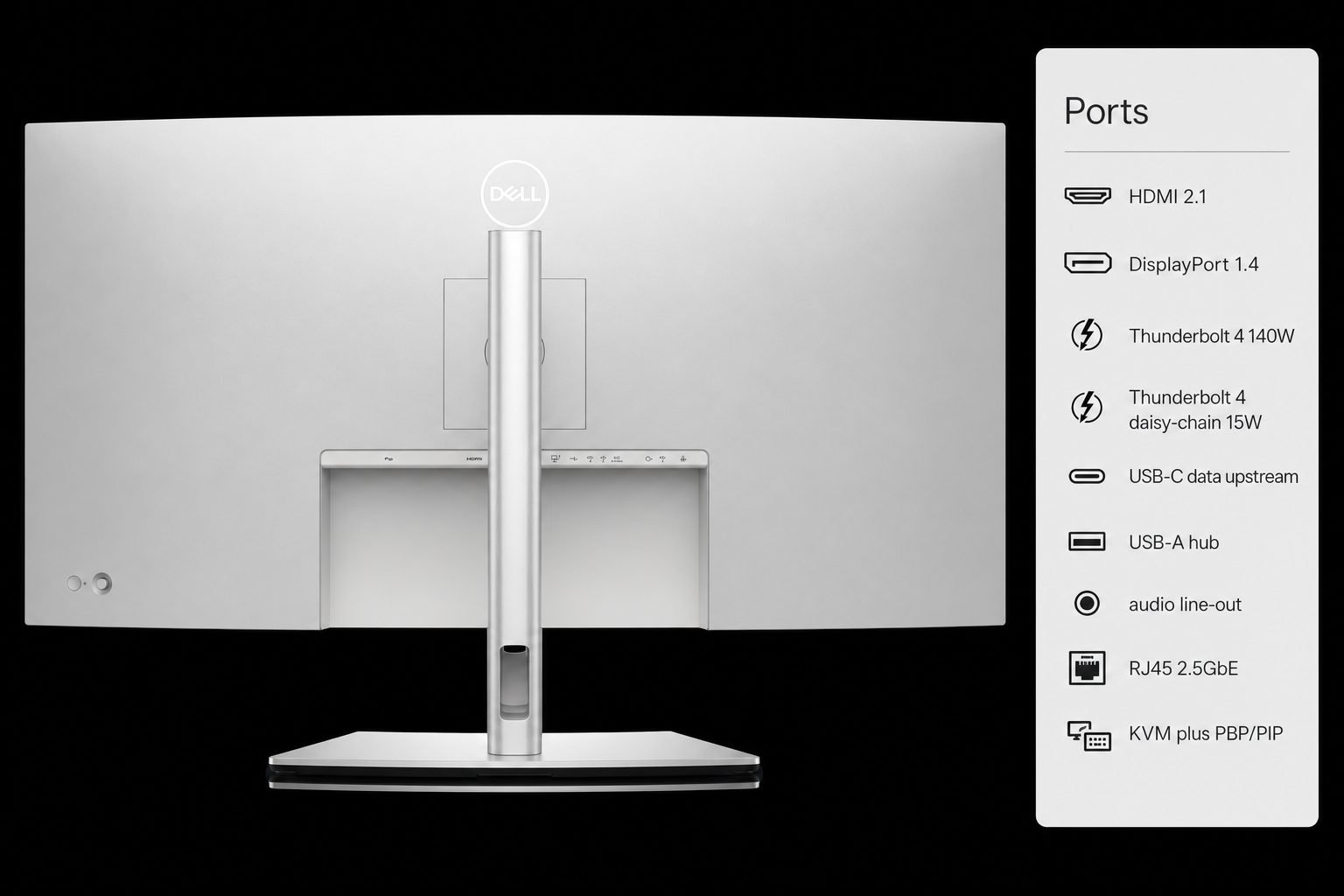
Connectivity is the other half of the product: Thunderbolt 4 upstream with USB Power Delivery up to 140 W, a Thunderbolt 4 daisy-chain port, HDMI, DisplayPort 1.4, a USB hub, audio line-out, RJ45 2.5GbE, KVM, and PIP/PBP. Dell Display Manager adds Easy Arrange. There is no webcam. Pairing it with a supportive chair still matters; Moon Picke’s Steelcase Gesture review covers one premium task chair.
Key specifications
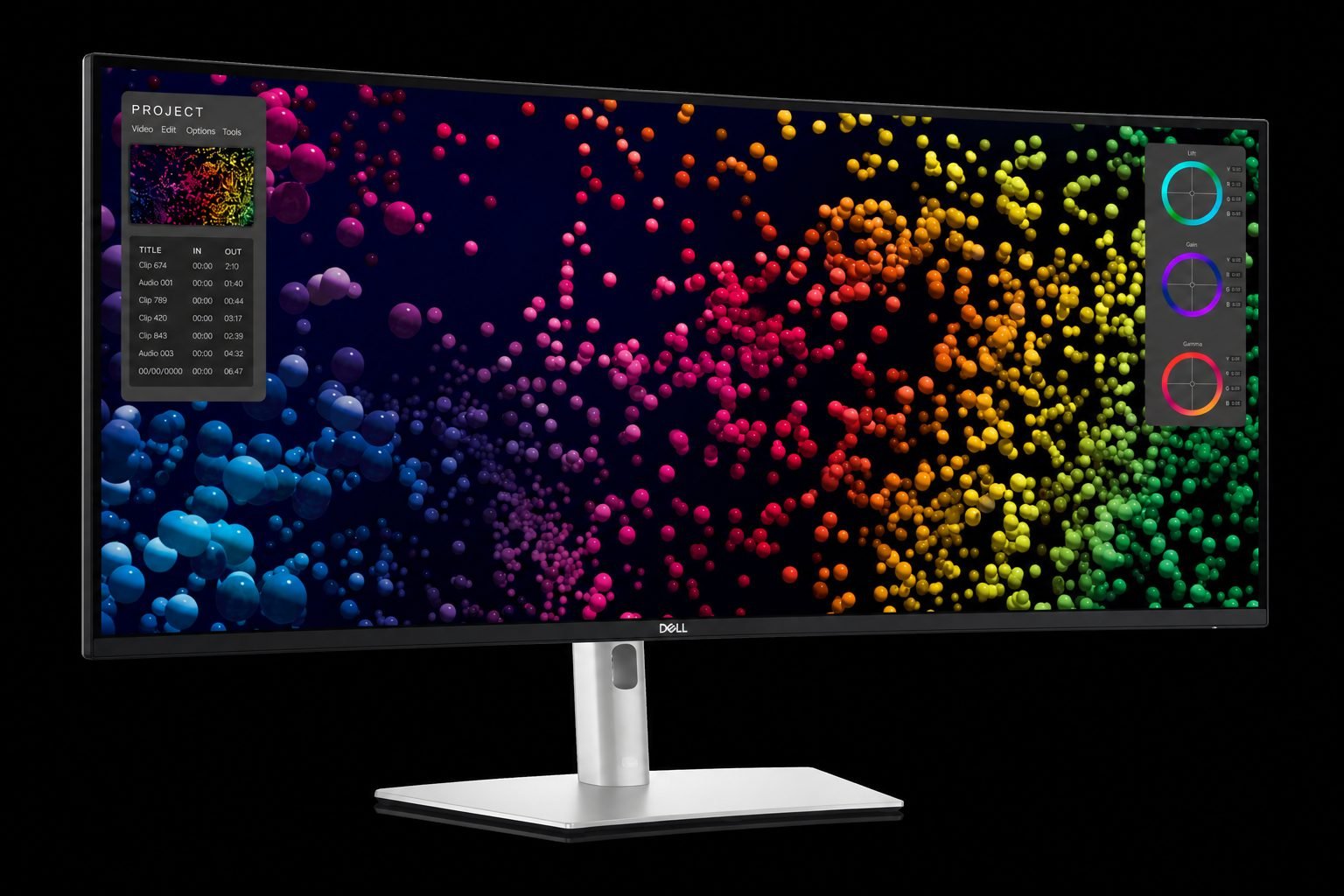
| Model | Dell UltraSharp U4025QW (40 Curved Thunderbolt Hub Monitor) |
|---|---|
| Amazon ASIN | B0D1TX35MQ |
| Screen size | 39.7 in viewable (1008.59 mm diagonal) |
| Resolution / aspect | 5120 x 2160 (5K2K) / 21:9 |
| Panel | IPS Black; anti-glare 3H; 140 PPI |
| Curvature | 2500R |
| Refresh / response | 120 Hz; 8 ms normal / 5 ms fast (Dell) |
| Brightness / contrast | 450 cd/m² typical; 600 cd/m² HDR peak typical; 2000:1 typical |
| Color (Dell, panel native) | 100% sRGB / BT.709; 99% DCI-P3 / Display P3 |
| HDR | VESA DisplayHDR 600 listed on Dell’s product page |
| USB-C / Thunderbolt PD | Thunderbolt 4 upstream up to 140 W |
| Video inputs | 1x HDMI 2.1, 1x DisplayPort 1.4, Thunderbolt 4 |
| KVM / multi-input | KVM listed; PIP / PBP listed |
| Stand | 150 mm height, tilt −5° to 21°, swivel ±30°; no portrait use |
| VESA | 100 x 100 mm |
| Warranty (Dell US spec) | 3-year Advanced Exchange and Premium Panel Exchange |
Figures come from Dell’s U4025QW user’s guide and US product page. Moon Picke did not independently verify luminance, gamut, or Delta E.
See the Dell UltraSharp U4025QW on Amazon →
Screen size, resolution and workspace
Screen size alone does not describe the workspace. A 40-inch 21:9 panel at 3440 x 1440 would be large but soft. The U4025QW’s documented 5120 x 2160 grid at 140 PPI is the difference: more spreadsheet columns, more IDE groups, and more timeline without burying every tool. Two 27-inch QHD monitors total about 7.4 million pixels. This panel is about 11.1 million pixels with no center bezel. That is more canvas, not automatically more comfort. Text scaling still has to match viewing distance.
The active area is 36.59 inches wide by 15.43 inches tall—closer to two 24-inch 16:9 screens than to a 34-inch ultrawide. Vertical 2160 pixels match UHD height, so a document plus a dock collapses less than on many 1440p ultrawides. Horizontal 5120 pixels hold a browser, notes, and chat if you snap windows or use Easy Arrange. Is it good for productivity? The spec sheet is built for that: resolution, hub, KVM, and layout software. A single full-screen app still wastes a 40-inch 21:9 display.
Can it replace two monitors?
Can the Dell UltraSharp U4025QW replace two monitors? It can replace a dual-QHD pair for many desk jobs if you want one bezel-free canvas and fewer video cables. It cannot replace the physical separation of two independent panels.
Advantages: no center mullion through a spreadsheet or timeline, one Thunderbolt cable from a laptop, a cleaner desk, and window edges anywhere on a 5120-pixel span. Trade-offs: apps that expect a primary and secondary display behave differently; sharing often sends the whole 21:9 desktop unless you share a window; panel failure takes the entire workspace; you cannot angle two screens independently.
Conditional answer: replace two monitors if your apps tile well and you value a clean desk. Keep dual screens if you rely on physical app separation, frequent full-desktop sharing, or redundancy.
USB-C, KVM and multi-device productivity
USB-C and laptop charging
Dell specifies Thunderbolt 4 upstream with USB Power Delivery up to 140 W. That covers many notebooks whose adapters are 65 W to 140 W. It is not universal: a 180 W or 240 W workstation laptop will not take a full-speed charge from the documented 140 W ceiling. The same link must also carry 5120 x 2160 at 120 Hz. Dell says that mode needs Thunderbolt DP Alt Mode 1.4 with DSC, DisplayPort 1.4 with DSC, or HDMI 2.1. A data-only USB-C port will not substitute. Moon Picke did not test charging on specific laptops.
KVM
Dell lists KVM, including USB KVM switching in PBP/PIP mode—one keyboard and mouse for a laptop and a desktop, without a separate KVM box. You still need the right upstream cables: Thunderbolt for video plus USB, or DisplayPort/HDMI plus Dell’s USB-A-to-USB-C hub cable. KVM does nothing with one computer plugged in.
Picture-by-Picture / multi-input
PIP and PBP let two sources share the panel—a work PC and a laptop, or a desktop and a work notebook. PBP splits the 21:9 canvas, so each source is narrower than a dedicated 16:9 monitor. Simple input switching is enough when you use one computer at a time. Daisy-chain is the Thunderbolt 4 downstream 15 W port for a second display, not extra laptop charging.
Display quality for office and creative work
Dell specifies IPS Black, 178-degree typical viewing angles, 2000:1 typical contrast, and presets for sRGB, BT.709, DCI-P3, and Display P3. The user’s guide states average Delta E under 2 for those spaces. Treat that as Dell’s factory claim—including a calibration report in the box—not a Moon Picke measurement. Uniformity compensation and an ambient light sensor are in the OSD; we did not measure them. At 140 PPI, 100% desktop scaling can look small; 125% or 150% is a software choice. Anti-glare 3H coating is specified and still loses to a bright window behind you. VESA DisplayHDR 600 and 600 cd/m² peak typical matter more for HDR video than for spreadsheets. ComfortView Plus and flicker-free backlight are configuration features, not medical guarantees. Speakers are specified at 2 x 9 W; they exist, and this review does not invent a loudness score.
Ergonomics, curvature and desk fit
2500R on a 40-inch 21:9 panel is a mild curve: at arm’s length the edges stay closer than a flat 40-inch slab. Sit too close on a shallow desk and the 36.59-inch active width forces extra head rotation. Large ultrawides need desk depth, not only width. The stand is 9.95 inches deep and 15.37 inches wide; the panel is 37.27 inches wide. A 24-inch-deep table leaves little keyboard room. A 30-inch-deep standing desk is the more realistic match. Moon Picke’s Vari Electric Standing Desk 60×30 review covers a 60-by-30-inch sit-stand top that can host this width if load and cable slack are planned.
Dell documents 150 mm of height travel, −5° to 21° tilt, and ±30° swivel. Do not mount it in portrait or inverted landscape. VESA 100 x 100 is available after removing the stand. The panel without stand is 8.35 kg (18.41 lb); an arm must be rated for ultrawide leverage, not only that mass. This panel does not fix posture.
Real productivity workflows
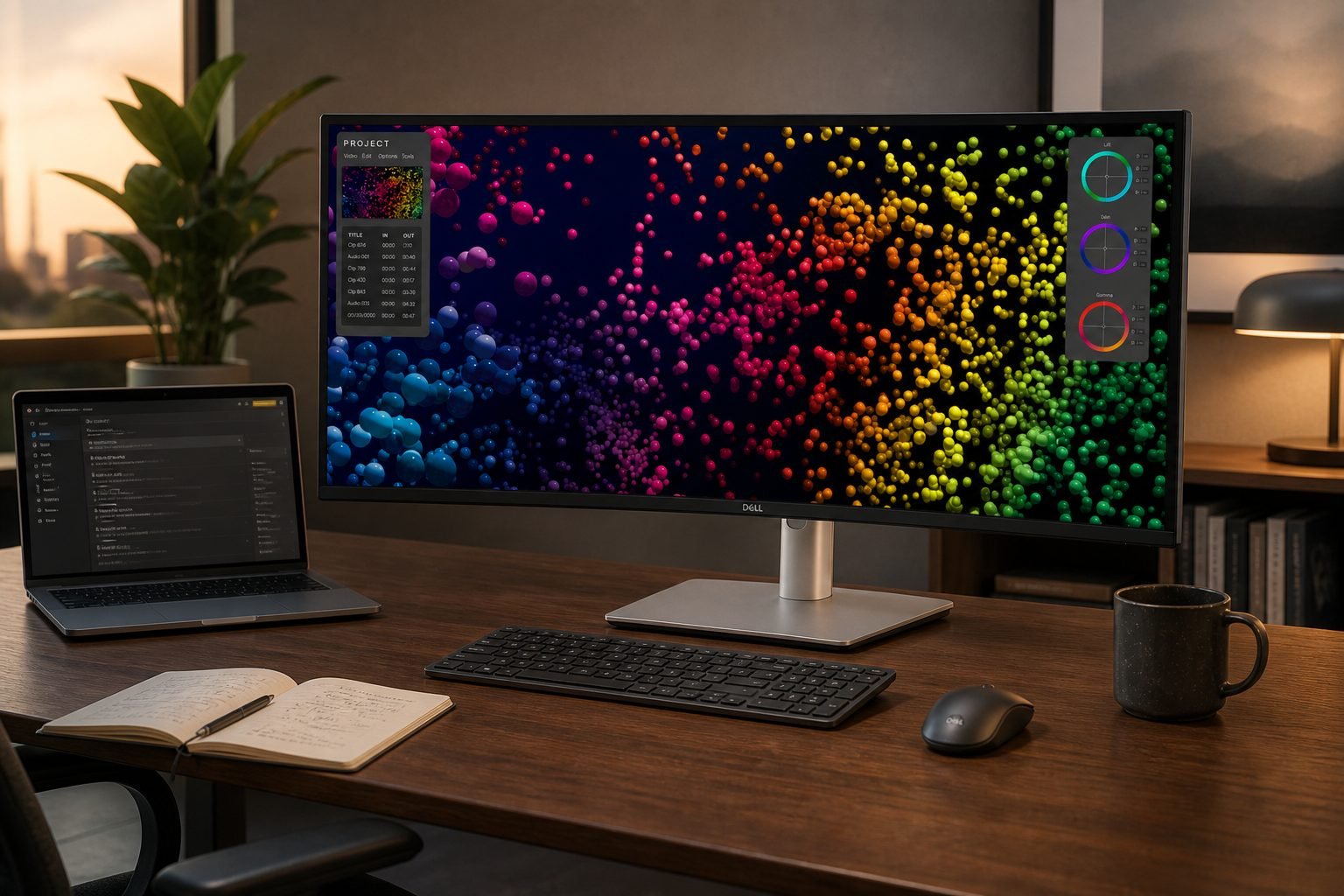
Think in zones, not in a published productivity gain. A 5120-pixel span can hold a spreadsheet, a documentation browser, and chat without stacking them. Developers can keep editor, terminal, and preview side by side if scaling leaves source readable. Researchers can park PDFs beside a draft. Editors gain timeline width; Dell’s product-photo UI is a layout example, not a color-grade result. Two-computer days are the KVM/PBP case: laptop on Thunderbolt, desktop on DisplayPort, one keyboard. If your day is one full-screen app, this monitor is oversized.
What it does well—and its main limitations
What it does well
- 5K2K 21:9 workspace at 140 PPI, which is more pixel area than dual QHD without a center bezel.
- Thunderbolt hub behavior: up to 140 W PD, USB hub, 2.5GbE, and daisy-chain on documented ports.
- KVM plus PIP/PBP for two-computer desks.
- IPS Black spec, 120 Hz, and DisplayHDR 600 listing for mixed office and media use, as Dell publishes them.
- Fully adjustable stand and 100 x 100 VESA, with height, tilt, and swivel documented.
Important limitations
The footprint is the first filter: 37.27 inches wide, 9.95-inch stand depth, 26.94 lb with stand and cables. Native 5120 x 2160 at 120 Hz is not guaranteed on older GPUs or USB-C without DSC or HDMI 2.1. 140 W will not fully feed every high-wattage laptop. There is no webcam. Portrait mounting is forbidden. Whole-desktop sharing can look extreme on a call. You may still budget a rated ultrawide arm and a webcam. For claims versus first-party tests, see how we evaluate products.
What does it really cost to own?
The monitor is the headline purchase. Dell includes a power cable, 1.8 m DisplayPort 1.4 and HDMI 2.1 cables, a 1 m USB-A-to-USB-C Gen2 cable, and a 1.5 m Thunderbolt 4 active cable. Many desks still add a spare Thunderbolt cable, a webcam, and clips. A monitor arm is optional and must be ultrawide-capable. A 140 W laptop may not need a dock; a desktop still needs DisplayPort or HDMI plus USB upstream for the hub and KVM. Check the live Amazon listing rather than Dell.com list price.
View the current U4025QW listing on Amazon →
Ultrawide monitor vs dual monitors
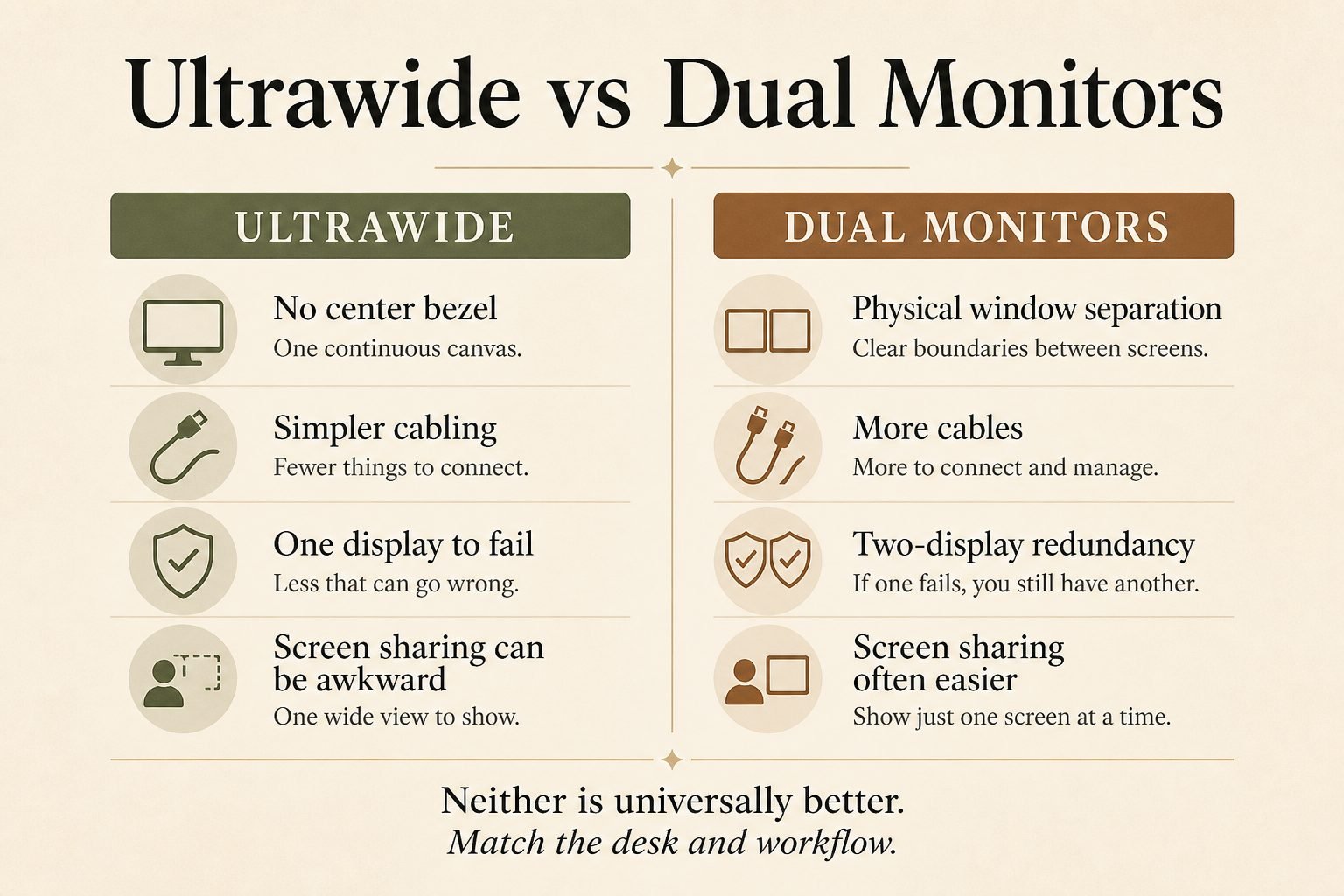
| Factor | Ultrawide (U4025QW) | Dual monitors |
|---|---|---|
| Center bezel | None | Usually present |
| Window separation | Software snapping / Easy Arrange | Physical |
| Cabling | Can be one Thunderbolt run | More cables |
| Screen sharing | Can be awkward | Often easier to share one panel |
| Redundancy | One display | Two displays |
| Desk appearance | Cleaner single slab | Varies |
| Flexibility | Broad 21:9 canvas | Independent angles and inputs |
Neither layout is universally better. Match the desk, the apps, and whether you need a second panel when one fails.
Who is the Dell UltraSharp U4025QW best for?
It is best for full-time home-office and hybrid workers who live in multiple windows: developers, spreadsheet-heavy analysts, researchers, editors who want timeline width, and anyone replacing dual QHD with one hub monitor. Multi-device workers who will use KVM or PBP get the most from Thunderbolt. A deep 60-inch-class desk is part of the fit.
Skip it if the desk is small, the workflow is one app, or you need two physically separate screens. Skip it if the GPU or USB-C port cannot drive 5120 x 2160, if the goal is lowest cost per inch, or if you need a camera or portrait mode.
Is the Dell UltraSharp U4025QW worth buying?
Yes—if you use several apps at once, the desk can take a 37-inch-wide curved panel plus about 10 inches of stand depth, your computer can output native 5K2K, and 140 W Thunderbolt charging plus KVM match how you work. No—if dual monitors already work, the desk is shallow, or your ports cannot sustain 5120 x 2160.
Check current availability on Amazon →
Final verdict
This Dell UltraSharp U4025QW review supports a conditional buy for professionals who need a 40-inch 5K2K hub, not a compact 27-inch office panel. Thunderbolt 140 W, KVM, and the 21:9 pixel workspace are the reasons to choose it. Size, GPU/port requirements, and no webcam are the reasons to pause. If those constraints match your desk and devices, it is a coherent premium office ultrawide—not a posture treatment.
Frequently asked questions
Is the Dell UltraSharp U4025QW worth buying?
Yes if you will use the 5K2K canvas, KVM or PBP, and have desk depth plus a capable video output. No if you need a small, simple, or dual-screen setup.
Is it good for office work?
Dell positions it as an UltraSharp productivity hub: 5120 x 2160, USB hub, Ethernet, and window software. Fit still depends on scaling and desk size.
Can it replace two monitors?
It can replace dual QHD for tiled workflows with no center bezel. It cannot copy two independently angled screens or dual-display redundancy.
Does it support USB-C charging?
Dell specifies Thunderbolt 4 power delivery up to 140 W. That will not fully charge every high-wattage laptop.
Does it have KVM?
Yes. Dell lists KVM, including USB KVM switching in PBP/PIP mode.
Can two computers display simultaneously?
Yes, using documented Picture-by-Picture or Picture-in-Picture, with each source taking part of the 21:9 panel.
How much desk space does it need?
Plan for 37.27 inches of width and 9.95 inches of stand depth, plus keyboard space in front. Depth matters as much as width.
Specifications were checked against Dell’s U4025QW product page, the U4025QW user’s guide, and the live Amazon listing for ASIN B0D1TX35MQ.