
Moon Picke independently researches products. If you buy through our links, we may earn a commission at no extra cost to you. Read our affiliate disclosure.
Nextbase Piqo review: this is a specification-based look at the current Nextbase Piqo 2K (SKU NBPICO2)—a screenless, front-only 2560×1440p dash cam with a 145° lens, ClickMount, 2.4 GHz Wi-Fi, Bluetooth 4.1, and 10Hz GPS. It is for drivers who want a small windshield camera and will use the Nextbase app. The strongest advantage is compact, screenless hardware. The biggest limitation is that setup, settings, and clip review move onto your phone, and Smart Parking needs a separate live-power cable. Moon Picke has not installed or driven with this unit. This article does not cover Piqo 1K, Nextbase iQ, or 622GW.
As an Amazon Associate I earn from qualifying purchases.
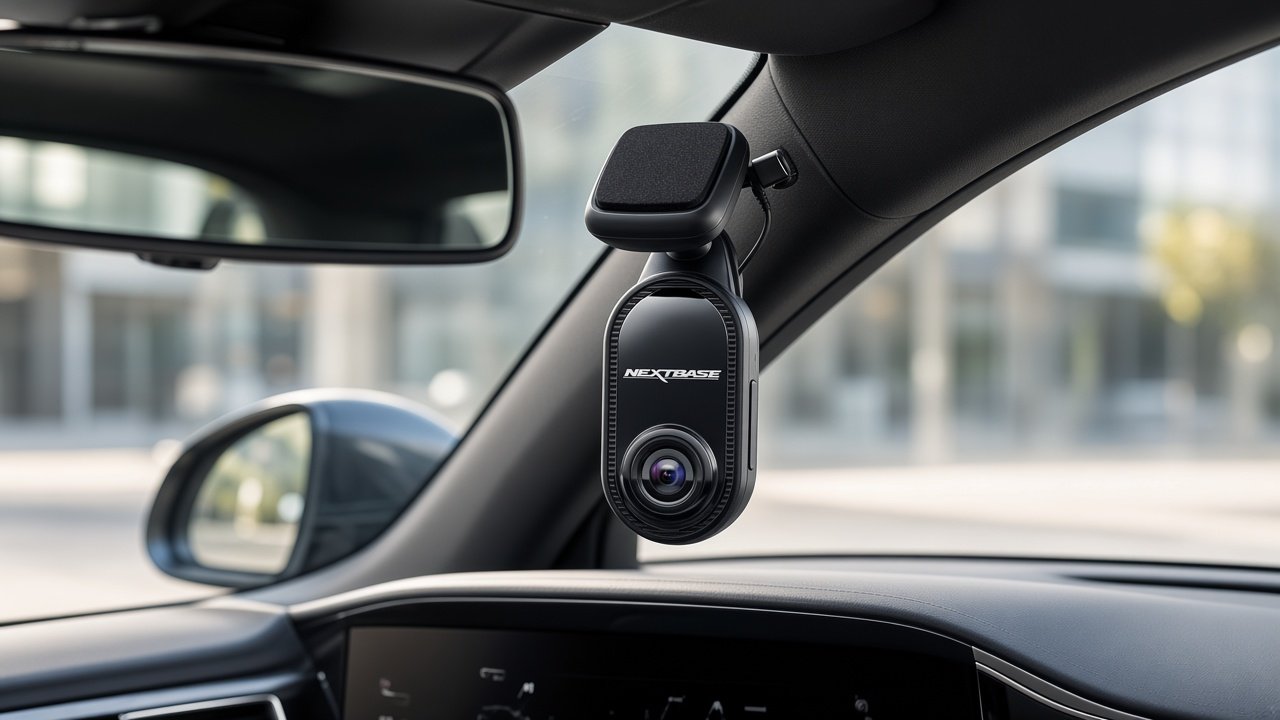
See the Nextbase Piqo 2K on Amazon →
Nextbase Piqo Review: Quick Verdict
Is the Nextbase Piqo worth buying? Consider the Piqo 2K if you want a discreet front camera, 1440p local recording, and an app-led workflow. Skip it if you need a rear camera, an on-device screen, LTE live view, or parking that works from the cigarette socket alone. Local driving footage does not require Nextbase Protect; Emergency SOS and longer cloud/warranty sit on the paid plan.
What Is the Nextbase Piqo?
Nextbase sells two Piqo cameras. This Nextbase Piqo review is locked to Piqo 2K / NBPICO2: 2560×1440p, 145° view, microSD up to 256GB. Piqo 1K is a different SKU (1080p-class UWHD, 140°, 128GB card ceiling on retailer spec sheets). Do not mix them.
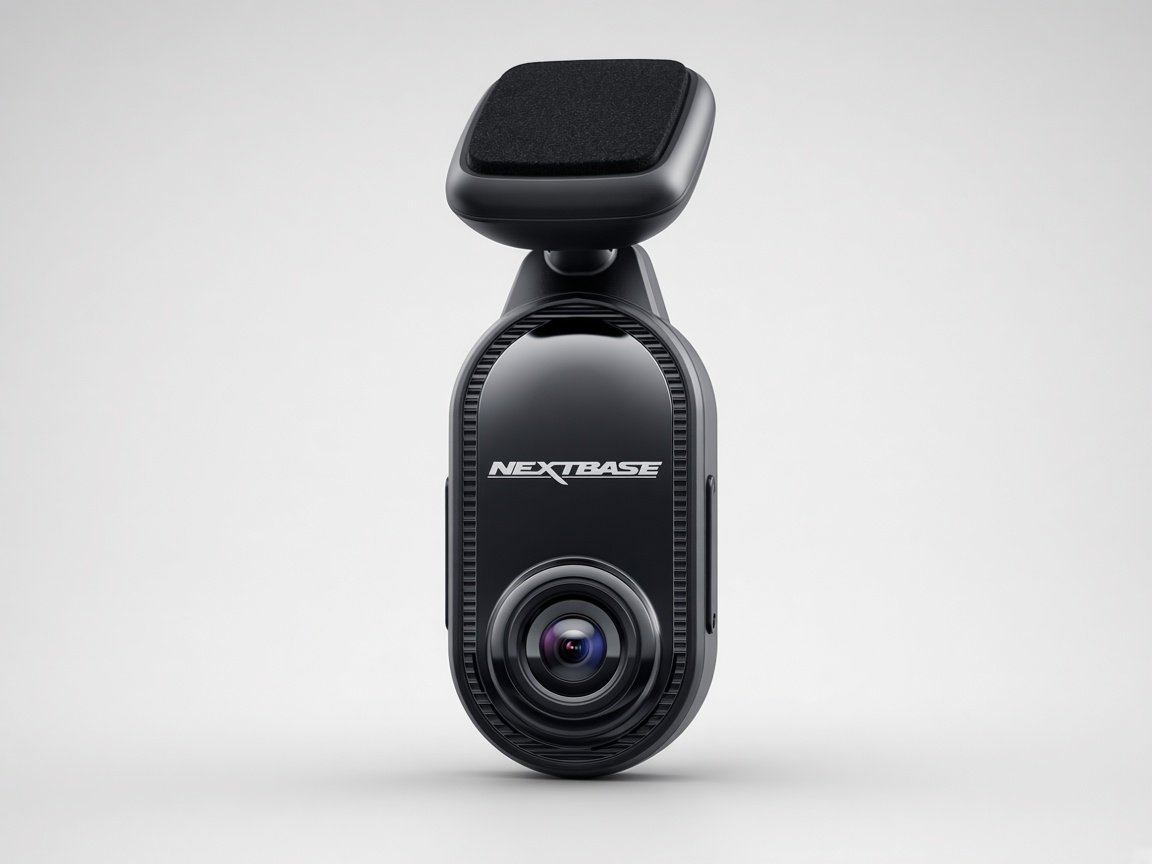
Piqo is Nextbase’s compact, screenless front camera. Official copy: no display, ClickMount, 12V car power cable in the box, and “almost invisible” placement. The Piqo start page states the Piqo app is required for successful operation. That is the product: hardware records; the phone is the control surface.
In the box (Piqo 2K): camera, 12V CLC car power cable, screen wipes, fitting tool, Nextbase sticker. Nextbase states there is no SD card in the device. Parking cables (Quick Connect OBD or Pro Install) are sold separately. Module compatibility is listed as N/A—this kit is not a dual-channel package.
Nextbase Piqo Key Specifications
Figures below are from Nextbase’s Piqo 2K product specification and related Piqo support articles, unless noted.
| Spec | Nextbase Piqo 2K (NBPICO2) |
|---|---|
| Resolution | 2560 × 1440p (Piqo 2K) |
| Field of view | 145° (2K); 1K is 140° |
| Lens | 6-layer f/1.6 |
| Display | None |
| GPS | Built-in 10Hz |
| Wi-Fi | 2.4 GHz |
| Bluetooth | 4.1 |
| Parking | Smart Parking (impact); Quick Connect or Pro Install cable required |
| Max microSD | 256GB on 2K (card not included; Nextbase recommends its U3 cards) |
| App | Nextbase / Piqo app; iOS 15 and Android 8 minimum on the 2K page |
| Subscription | Solo (free) vs Protect (paid). Local recording is not a Protect-only feature |
| Rear camera | Not part of this kit (module compatibility N/A) |
| Stabilization / polarizer | No / No |
| Warranty | 12 months on Solo; Protect adds an extended warranty term in Nextbase’s Piqo plan copy |
Check the current Nextbase Piqo 2K listing on Amazon →
How Compact Is the Piqo?
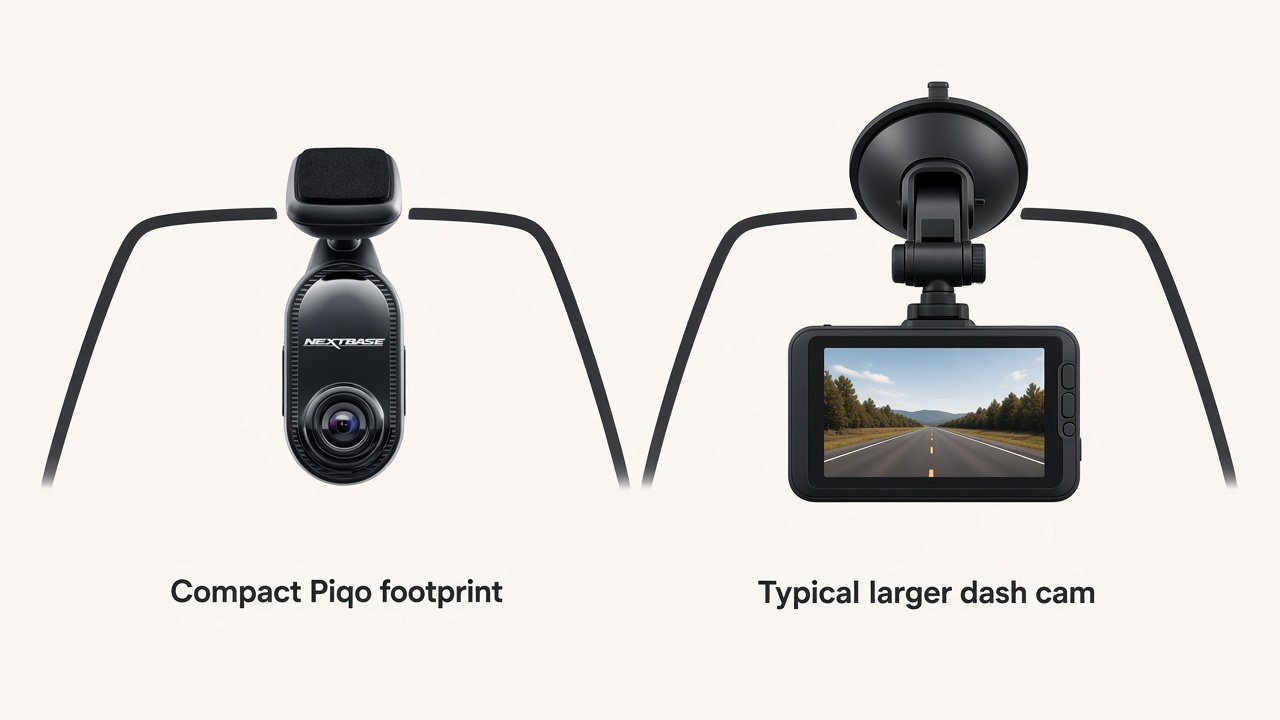
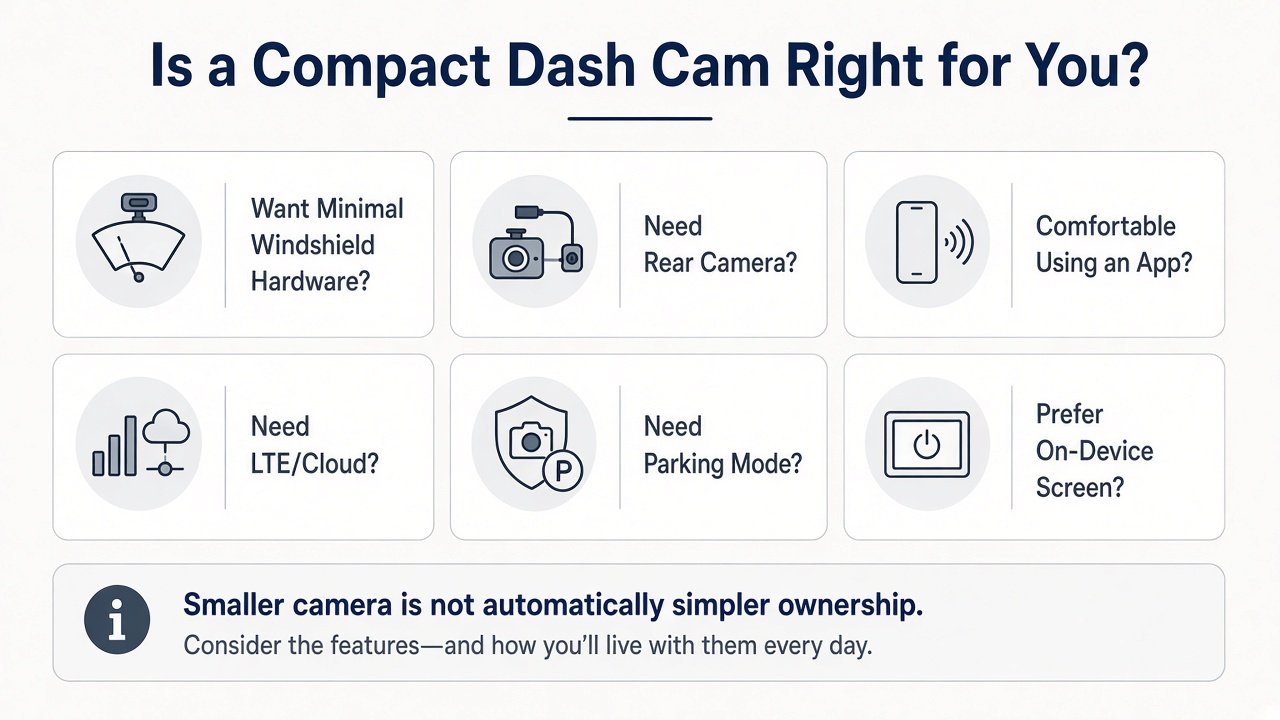
A useful Nextbase Piqo review question is not “how cute is the oval,” it is whether you will still retrieve a clip after a parking-lot bump. Compact hardware only pays off if the ClickMount stays aimed and the app is a habit you will actually open.
Compact is the reason this camera exists. Nextbase positions Piqo as its small, screenless model with a crash-tested ClickMount you can click off and move between cars. That is a real windshield-footprint win versus a brick with a 2–3 inch LCD.
The trade-off is not “fewer features automatically.” It is where the features live. With no screen, you cannot preview framing, change settings, or scrub clips on the camera itself. Complexity moves from buttons on glass to: unlock phone, open app, connect Wi-Fi, find the file. Smaller camera ≠ automatically simpler ownership.
Recording Hardware and Video Resolution
Piqo 2K’s published max resolution is 2560×1440p. That is Quad HD / 2K-class, not 4K. Nextbase also lists Enhanced Night Vision, a 6-layer f/1.6 lens, and G Sense+ to lock event files. The specification table used for this review does not list HDR, and it lists image stabilization as No. Moon Picke has no first-party footage, so this is not a plate-read or night-drive test.
Resolution is only one buyer input. Sensor size is listed as 1/2.7 inch on the Amazon Piqo 2K listing; Nextbase’s own table emphasizes resolution, FOV, and night-vision labeling instead. Storage, app workflow, and parking power usually decide whether 1440p is “enough.” For how 2K sits against 4K as a category—not a ranking of Piqo versus other brands—see 4K vs 2K dash cam.
Screenless Design and App Workflow
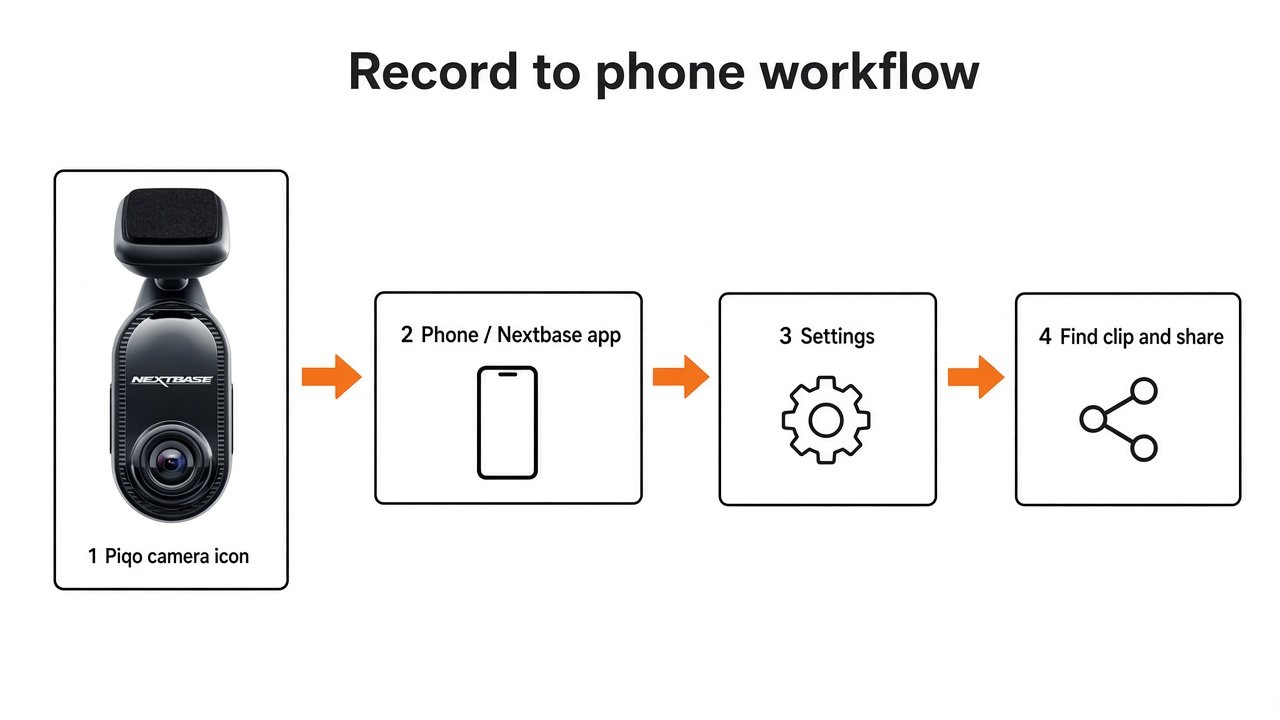
Does the Nextbase Piqo have a screen? No. Nextbase’s specification lists Screen: None. Advantages: less windshield clutter, fewer glowing menus in the driver’s eyeline, fewer on-device controls to fat-finger. Trade-offs: you need a compatible phone (iOS 15 / Android 8 on the 2K page) for preview, settings, firmware, and clip review. Nextbase says you do not need to pull the SD card to watch files in the app. That is convenient when Wi-Fi pairing works; it is a blocker if you dislike pairing a camera hotspot every time you want a clip.
Documented path: record → connect in the Nextbase app → find the clip in the footage library → download → share. Voice control (“Nexy”) can lock files and trigger Lite modes. This article will not call the app instant, flawless, or fastest. File retrieval on a screenless camera can matter as much as the millimetres you saved on glass.
Parking Mode and Power Requirements
Does Nextbase Piqo have parking mode? Yes: Nextbase’s name is Smart Parking. It is not continuous 24/7 video and it is not cloud live-view of a parked car. Nextbase support: Smart Parking records when an impact is detected, saves a 30-second protected file, then records about five more minutes of normal footage if there are no further impacts. Alerts when you return are tied to being back in range of the car, not to LTE remote monitoring.
Smart Parking only works with permanent power while parked. Nextbase specifies the Piqo Quick Connect cable (OBD) or Piqo Pro Install (fuse box). The 12V cigarette cable in the box does not keep the camera live after ignition off. Nextbase cables include battery-protection cutoffs; support still warns that battery health, temperature, and G-sensor sensitivity affect runtime, and to unplug for parking longer than a week. This is not unlimited surveillance.
Category context: best dash cam for parking mode and dash cam hardwire kit vs OBD cable.
See the Piqo Quick Connect OBD cable (Smart Parking, Piqo 1K/2K) →
See the Piqo Pro Install hardwire kit →
Does Nextbase Piqo Require a Subscription?
Does the Piqo require a subscription? Not for core local recording. Nextbase documents two Piqo plans: Solo (free) and Protect (paid). Launch materials and Piqo support summarize Solo as including Smart Parking, Guardian Mode Lite, Witness Mode Lite, voice control, app download/share, and 30 days of cloud storage, with a 12-month warranty. Protect adds Emergency SOS, 180 days of cloud storage, and a longer warranty. Dollar amounts change; this review does not freeze a live price.
Emergency SOS (automatic contact of emergency services after a severe crash) is the standout paid extra. Guardian Mode Lite and Witness Mode Lite are “Lite” versions of ideas from Nextbase iQ—not full iQ LTE Guardian/Witness. Do not assign iQ live view, radar, or cabin cameras to Piqo.
A camera can record overwrites on a card with no Protect plan, while optional connected services sit behind a plan. That distinction is the whole point of best dash cam without subscription—this page only maps Piqo’s split.
Storage and Clip Management
Piqo 2K supports microSD cards up to 256GB. The card is not included. Nextbase’s install guidance tells owners to use Nextbase U3 cards and warns that non-recommended cards can freeze or stop recording. Loop recording is the normal dash-cam pattern for Nextbase cards; this article will not invent hours-per-card because Nextbase does not publish a Piqo 2K bitrate in the spec table used here.
G Sense+ locks event files so loop recording is less likely to overwrite them. Smart Parking protected clips are another set of files you must still retrieve via app or card. High-resolution 1440p plus parking events is a reason to buy a large U3 card on day one, not after the first incident.
Installation and Everyday Ownership
Nextbase’s DIY path: insert a compatible microSD, clean the glass, ClickMount behind the rear-view mirror, plug USB-C power, tuck the cable with the fitting tool, then finish setup in the app and keep firmware updated there. Do not block the driver’s view or run cables over airbags. Fuse-box Pro Install is a vehicle-electrical job; use Nextbase’s kit instructions or a professional installer.
Everyday ownership is cigarette-plug simplicity until you want Smart Parking, then it is OBD or hardwire plus app alerts when you return. ClickMount makes moving the camera between cars easier than a glued brick—if the second car also has a mount plate and power. Judge Piqo on that whole loop, not only on how small it looks in a product photo.
That daily loop is also why this Nextbase Piqo review treats installation as more than tape-and-plug. Firmware lives in the app. Event files live on a card you did not get in the box. Parking power is a second SKU. None of that makes Piqo a bad camera; it makes the compact promise conditional.
Nextbase Piqo vs a Larger Premium Dash Cam
This is category fit, not Piqo vs Thinkware or Piqo vs iQ.
| Factor | Nextbase Piqo 2K | Larger premium system |
|---|---|---|
| Windshield footprint | Compact, screenless oval | Typically larger |
| On-device controls | No display; app-led | Often a screen and more buttons |
| App dependence | High (app required for operation) | Varies |
| Camera channels | Front only | Often 2CH / 4CH options |
| Parking | Impact Smart Parking with extra cable | Often broader mode sets |
| LTE/cloud | No LTE; optional cloud days on Solo/Protect | More common on premium connected cams |
| Installation | Simple hardware; parking power is extra | Often more cameras and cables |
| Best fit | Compact, front-only buyer | Feature-heavy buyer |
No universal winner. If you are choosing Nextbase versus Wolfbox as brands, that comparison already lives on Wolfbox vs Nextbase.
What the Nextbase Piqo Does Well
- Compact, screenless windshield unit with ClickMount made to click off and move.
- 1440p front recording in a small body, plus a 145° lens and f/1.6 glass on 2K.
- Built-in 10Hz GPS, 2.4 GHz Wi-Fi, Bluetooth 4.1 for location/speed metadata and app transfer.
- G Sense+ event lock and a documented Smart Parking impact workflow if you add live power.
- Local recording without Protect — paid plan is for SOS, longer cloud, and warranty extras, not for the camera to start a file.
Nextbase Piqo Limitations
- No screen — phone required for settings and review.
- Front-only — no rear module on this kit.
- Not 4K, no listed HDR, no EIS on the Nextbase table used here.
- No LTE — Smart Parking alerts when you return, not remote live view.
- Parking cables extra — 12V CLC in the box is for driving power.
- Optional Protect costs if you want Emergency SOS and longer cloud/warranty.
- 256GB ceiling and no included card — and Nextbase is strict about U3 card choice.
Who Should Buy the Nextbase Piqo?
Buy Piqo 2K if you want a discreet front camera, will use the Nextbase app, and do not need extra channels. Skip it if you need front+rear, an on-device screen, LTE, maximum resolution hardware, or parking without buying an OBD/hardwire cable. Nextbase iQ remains a different, more connected product line—not a Piqo accessory.
Is the Nextbase Piqo Worth Buying in 2026?
Is the Nextbase Piqo worth buying? Yes if compact size is the priority, 1440p front files are enough, and an app-led workflow is acceptable. Skip it if you need rear/cabin coverage, LTE remote access, a display, or parking from the cigarette plug alone. That is a fit call on documented hardware, not a score out of 10.
Final Verdict
This Nextbase Piqo review is about one SKU: Piqo 2K, NBPICO2, ASIN B0DD7Z338X. Ideal user: a driver who wants less camera on the glass and will live in the app. Strongest advantage: small screenless ClickMount hardware with 1440p and GPS. Biggest limitation: app dependence plus extra cables for Smart Parking, and no extra channels. Buy it for compact front coverage. If you wanted a mini iQ, you are in the wrong aisle. A second Nextbase Piqo review takeaway: pay for Protect only if Emergency SOS and longer cloud/warranty matter; do not buy Protect to “unlock recording.”
View the Nextbase Piqo 2K on Amazon →
Nextbase Piqo FAQ
Is the Nextbase Piqo worth buying?
Yes if you want a compact, screenless 1440p front camera and will use the app. No if you need rear coverage, a screen, or LTE.
Does the Nextbase Piqo have a screen?
No. Nextbase lists Screen: None.
What resolution does the Piqo record?
Piqo 2K is 2560×1440p. Piqo 1K is a different 1080p-class SKU.
Does Nextbase Piqo have parking mode?
Yes—Smart Parking on impact, with a ~30s protected clip plus extra footage. It needs the Quick Connect or Pro Install cable.
Does the Piqo require a subscription?
Not for local recording. Solo is free; Protect adds Emergency SOS, longer cloud storage, and a longer warranty.
Does it have GPS?
Yes. Nextbase specifies built-in 10Hz GPS for speed and location metadata. That is not infallible legal proof by itself.
Does Piqo support a rear camera?
Not on this kit. Nextbase lists module compatibility as N/A.
What size microSD card does it support?
Up to 256GB on Piqo 2K. No card in the box. Nextbase recommends its U3 cards.