
Moon Picke independently researches products. If you buy through our links, we may earn a commission at no extra cost to you. Read our affiliate disclosure.
4K vs 2K dash cam is a storage, sensor, and system decision—not a badge contest. 4K (usually 3840×2160) records more pixels than 2K/QHD (usually 2560×1440). That extra pixel count can help in good light when you crop a clip. It does not guarantee readable plates, better night video, or a better camera. Pay for 4K when the whole recorder is strong and you have the card capacity. Choose 2K when cost, file size, and balanced front/rear matter more. Moon Picke has not run plate-distance tests.
As an Amazon Associate I earn from qualifying purchases.
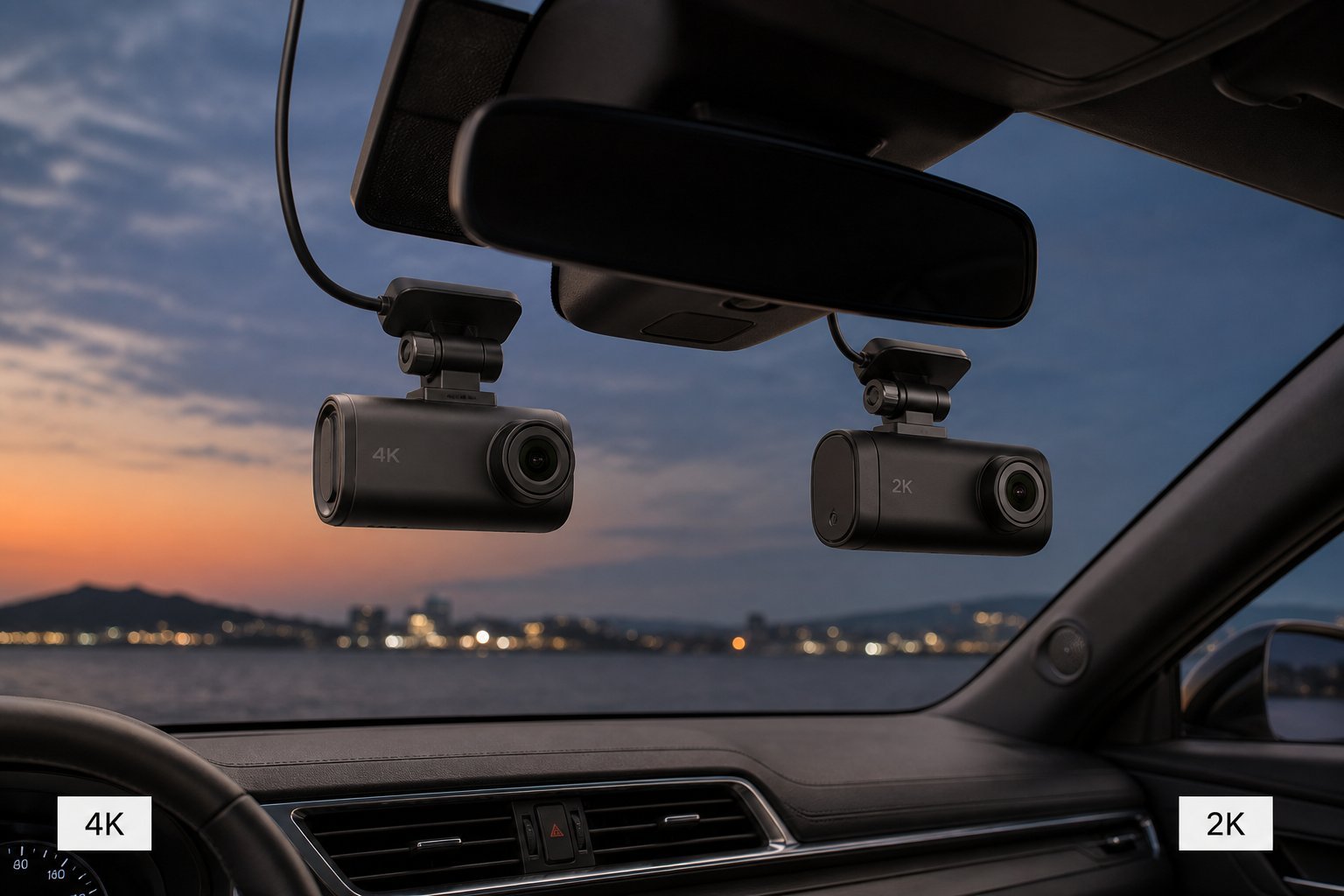
4K vs 2K Dash Cam: Quick Answer
Is a 4K dash cam better than 2K? Not automatically. Choose 4K when extra recorded detail matters, storage is adequate, supporting hardware (sensor, HDR, bitrate) is documented, and the premium is acceptable. Choose 2K when practical files, cost, and rear/multi-channel balance matter more than maximum front pixels. A well-specified 2K system can be a smarter buy than a weak 4K box. If you only drive short daylight commutes and never crop stills, 2K is often enough. If you regularly review incidents on a large monitor and keep weeks of loop, plan storage before you pay for 4K. For the wider shopping process, see Moon Picke’s 2026 dash-cam overview—this page is the resolution decision only.
What Does 4K vs 2K Actually Mean?
In dash-cam marketing, 4K almost always means UHD 3840×2160 (about 8.3 million pixels), not cinema 4096×2160. 2K on a dash cam usually means QHD 2560×1440 (about 3.7 million pixels). Cinema “2K” is a different 2048-wide format—ignore that here. Manufacturers sometimes print “2K” on 1440p, 1600p, or even stretched 1080p. Read the pixel grid. 4K is roughly 2.25× the pixel count of 2560×1440, not “twice the storage by law.” File size follows bitrate, codec, frame rate, and how many cameras write at once.
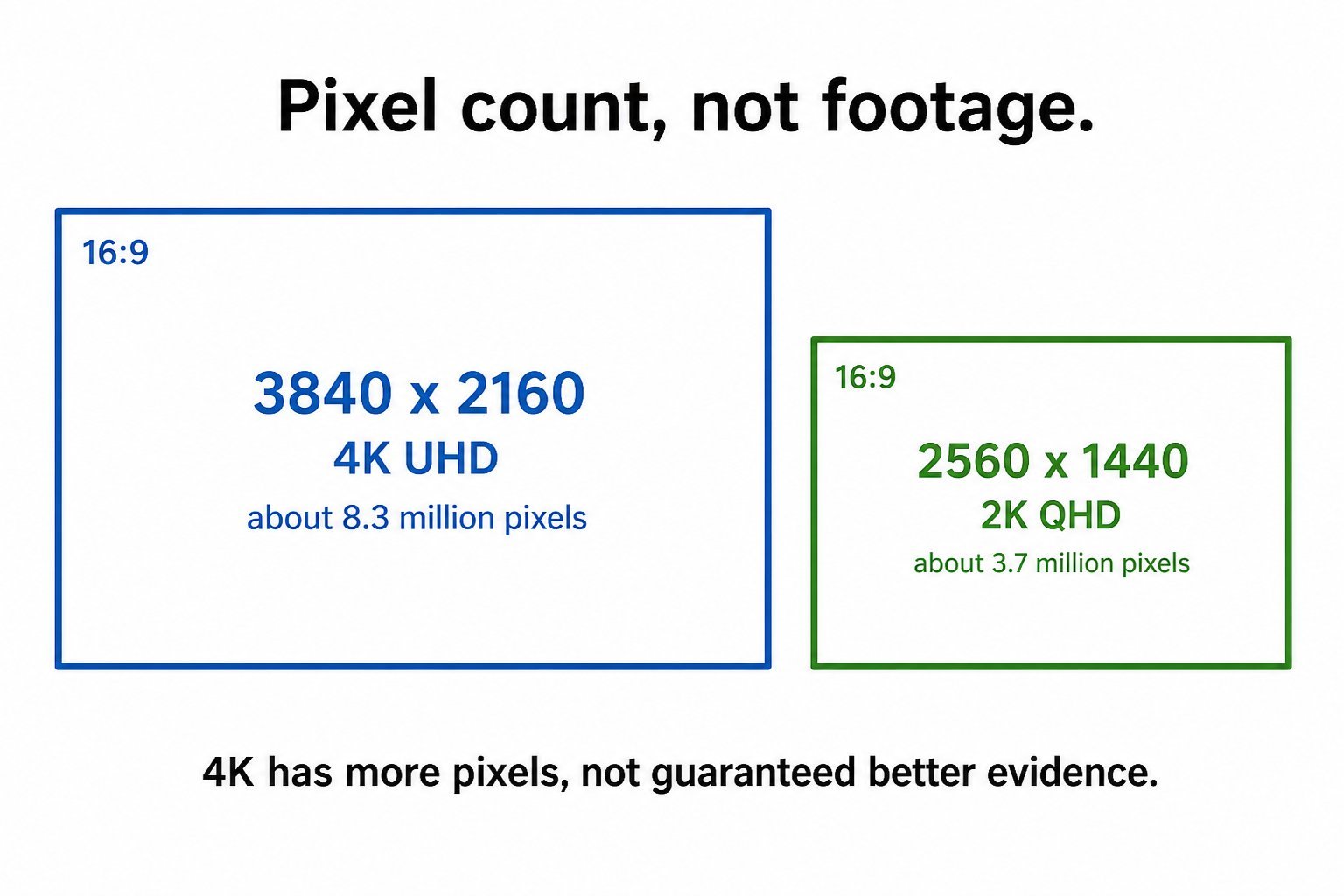
4K vs 2K: Key Differences
The 4K vs 2K dash cam table below is a buyer framework, not a lab ranking.
| Factor | 4K dash cam | 2K dash cam |
|---|---|---|
| Recorded pixel detail | Higher (when it is truly 3840×2160) | Lower (when it is truly 2560×1440) |
| Crop flexibility | Stronger in good conditions | Moderate |
| Storage demand | Usually higher | Usually lower |
| File size | Generally larger at a similar bitrate policy | Generally smaller |
| Hardware cost | Often higher | Often lower |
| Night performance | Not guaranteed better | Not inherently worse |
| Plate readability | Condition-dependent | Condition-dependent |
| Best fit | Detail-focused buyer with storage headroom | Value / balanced-system buyer |
Does 4K Actually Capture More Useful Detail?
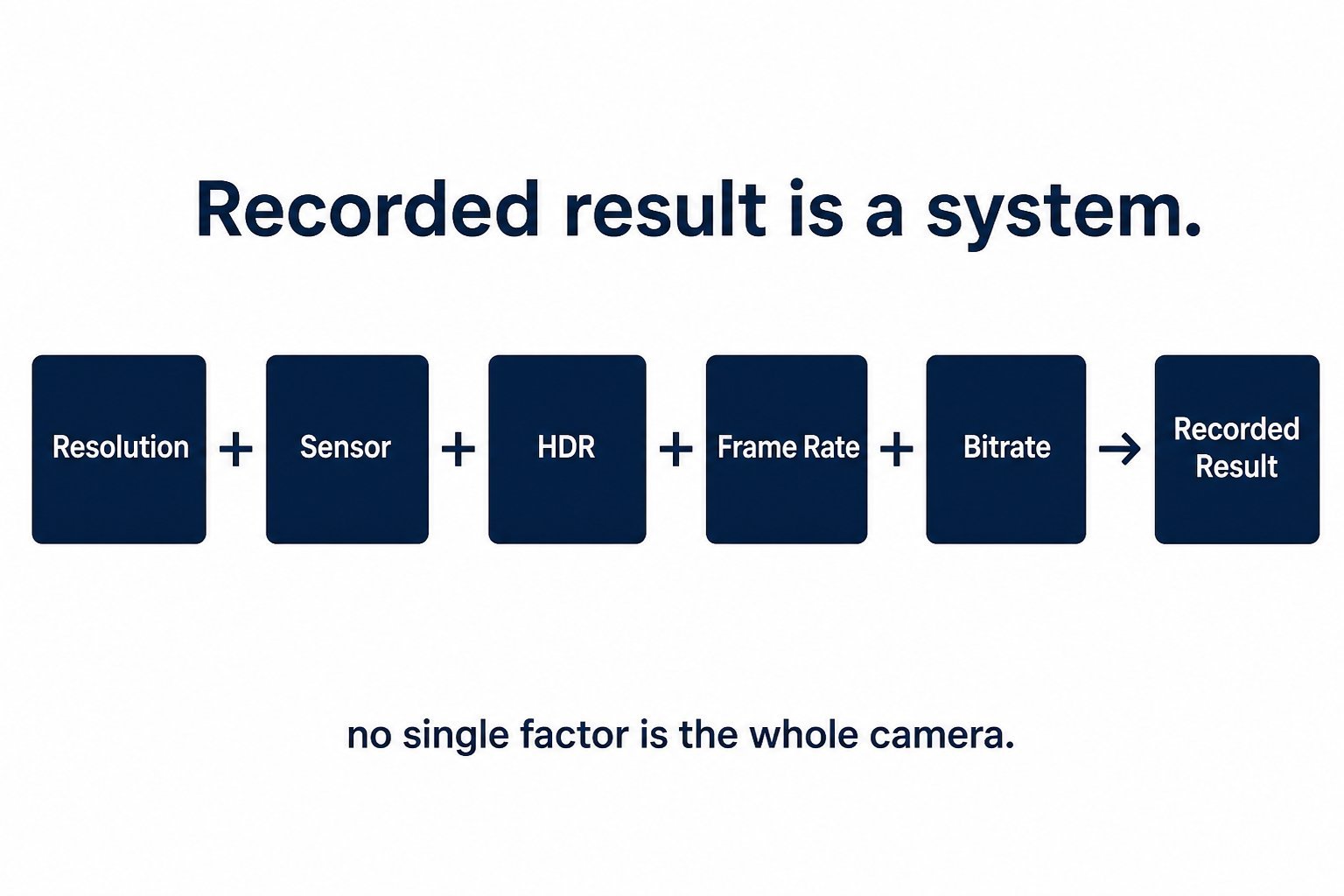
Resolution is spatial sampling: how many pixels cover the scene. Useful evidence also needs a sensor that holds highlight and shadow, a lens that is sharp where the plate sits, exposure that is not blown or crushed, shutter speed that limits blur, HDR when contrast is ugly, and a bitrate that does not smear the extra pixels away. Windshield film, rain, and a dirty glass layer sit in front of every camera. Processor headroom matters because 4K at 30 fps, 4K at 60 fps, and HDR synthesis are competing jobs on the same chip. That is why some cameras refuse to run 4K 60 fps and HDR together.
Feature: 4K can put more pixels on a distant object. Use case: daylight crop of a lane two cars ahead. Limitation: at night, or with a low bitrate, those extra pixels can be noise. Editorial line: more pixels ≠ guaranteed more useful evidence. Moon Picke’s reviewed examples show the same lesson at product level. Thinkware’s U3000 PRO can run front 4K at 30 fps or front 2K QHD at 60 fps—resolution and temporal sampling are a toggle, not a free upgrade. BlackVue’s ELITE 10-2CH documents dual 4K, so the rear channel is not a leftover 1080p puck. A 4K-front / Full HD-rear kit is still a “4K dash cam” on the box. Check each channel. In this 4K vs 2K dash cam decision, the front headline is only the start of the spec sheet.
See a current 4K/2K dual-channel Thinkware U3000 PRO kit on Amazon →
What About License Plates?
Does 4K make license plates easier to read? It can provide more pixels on the plate. It cannot guarantee readability. Distance, relative speed, shutter, headlights, exposure, glass reflections, and compression all shrink usable detail. A 4K file of a smeared plate is still a smeared plate. A 2K file of a close, well-exposed plate can still be useful. Closing speed matters because the plate occupies fewer frames when both vehicles move. Angle matters because a plate at the edge of a wide-angle lens is more distorted. Moon Picke has no first-party plate-distance measurements and will not invent them. Do not buy 4K as an insurance policy against every lighting condition.
Is 4K Better at Night?
Is 4K better for night driving? Not automatically. Night is usually an exposure and sensor problem first. Headlights clip highlights. Slow shutters blur motion. HDR can help mixed lighting; it can also force a lower frame rate on some models. Thinkware documents HDR in driving for U3000 PRO as front 4K mode only (plus rear). VIOFO’s A329S 2CH official FAQ states front 4K 60 fps with HDR off, and 4K 30 fps with HDR on—another documented toggle. 2K is not “inherently better at night” either. A 2K STARVIS 2 camera can out-record a cheap 4K unit with a weaker sensor; that is a system comparison, not a Moon Picke night test. For night-shopping criteria beyond this comparison, see the night-driving dash cam guide.
Storage: How Much More Does 4K Need?
Does 4K use more storage? Usually yes, but not by a fixed “2×” rule. Size follows bitrate × time × channels, then codec. H.265 can store the same pixel grid in fewer bits than H.264; that does not make 4K “free.” BlackVue publishes DR970X LTE Plus II front presets from Extreme 60 Mbps (H.265 only) down to Normal 8 Mbps at the same 4K grid. That is a 7.5× spread inside one 4K camera—larger than the 2.25× pixel jump from 1440p to 2160p. Estimate from the documented 60 Mbps figure: 60 megabits per second is about 27 GB per hour for that one stream (60 ÷ 8 × 3600 ÷ 1024 ≈ 26–27 GB/h). At 8 Mbps the same math is about 3.6 GB/h. Those are labeled estimates from published Mbps, not Moon Picke card tests, and they ignore the rear channel. Add a 1080p or 2K rear stream and the card fills faster still. Thinkware publishes a U3000 PRO 4K UHD recording-time table (for example 64 GB ≈ 190 minutes). Treat vendor hour charts as estimates for that encoding profile. Loop recording overwrites unlocked files. Capacity is a rolling window, not a one-time archive: it shrinks as bitrates, channels, and parking events increase. High-endurance cards are what manufacturers recommend for continuous overwrite; a random phone card is a reliability risk, not a resolution issue. Maximum supported card size also varies by model, so a 512 GB card is useless if the camera only mounts 256 GB. A future Moon Picke SD-card size guide will go deeper on endurance ratings; this page will not invent a URL for it.
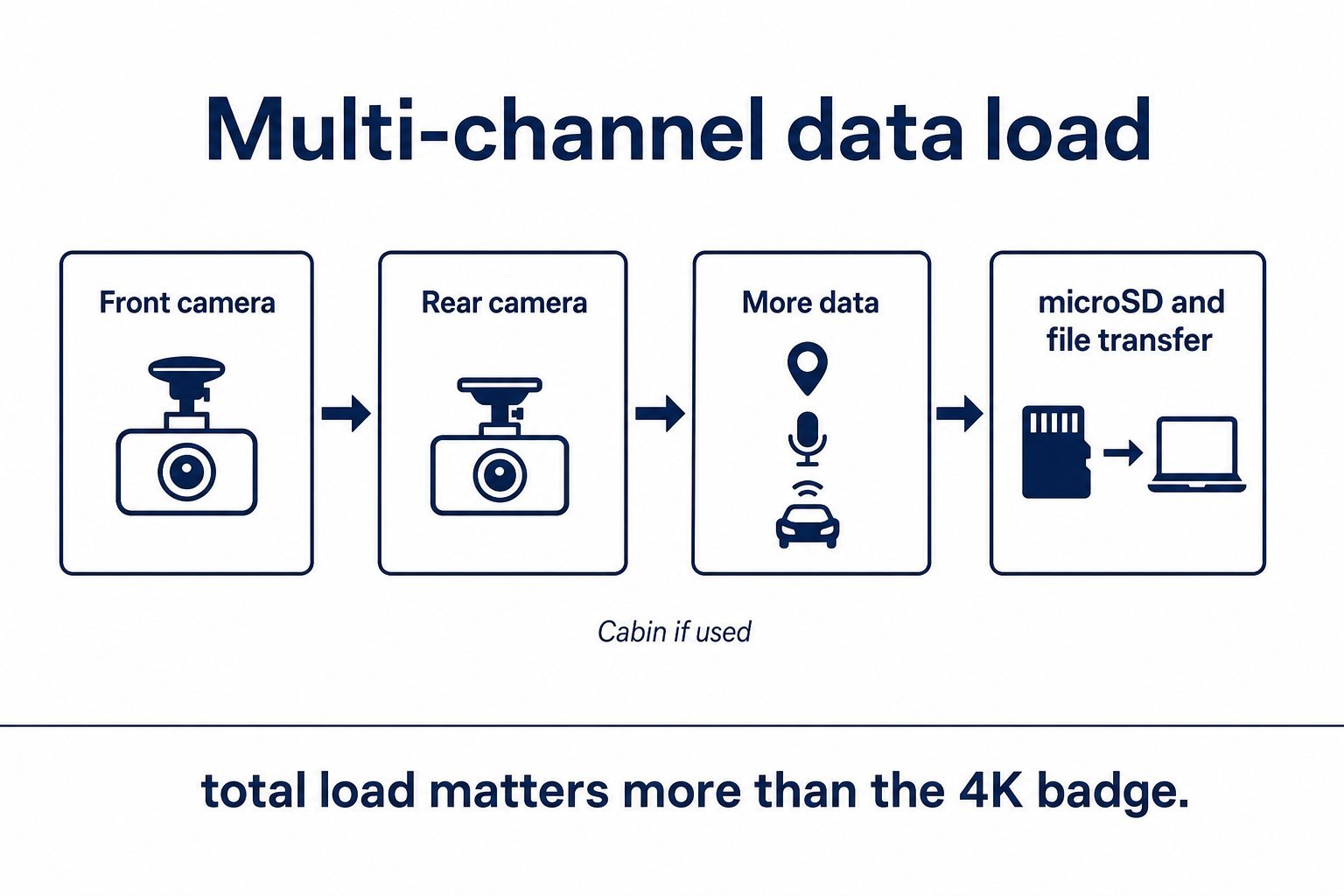
Why Rear-Camera Resolution Matters Too
A “4K dash cam” may still use 2K, Full HD, or another rear grid. Buyers should compare front + rear + cabin if fitted. Dual 4K (ELITE 10-2CH) is a different storage and evidence profile than 4K front / 2K rear (U3000 PRO; VIOFO A329S 2CH) or 4K front / 1080p rear (DR970X LTE Plus II). Rear 2K can still document a rear-end tap; it is not the same crop room as rear 4K. Rear 1080p is still a valid channel for close bumper events; it is not 2K and should not be sold to you as if it were. For dual-channel shopping without turning this into a roundup, see the front-and-rear dash cam guide.
See a current dual 4K BlackVue ELITE 10-2CH listing on Amazon →
4K and Multi-Channel Dash Cams
Total recording load matters more than front resolution alone. 4K front + 2K rear + an optional cabin camera writes three files. Parking time-lapse or low-bitrate modes usually write less than daytime 4K, but event clips can still be large if they use the driving encoder. Do not assume parking uses full driving bitrate. 4K front plus a weak rear is often a worse evidence kit than a matched 2K/2K or dual-4K pair. That is a configuration framework, not a footage score. Install time also rises with channel count: another cable, another mount, another failure point if a connector works loose. Buyers who want cabin coverage should budget that third stream explicitly instead of being surprised when a 256 GB card loops in a day.
File Transfer, Wi-Fi and Reviewing Footage
Larger 4K clips can be slower to copy, preview, and upload. Real speed depends on Wi-Fi generation, USB/SSD support, the app, file size, and the phone or PC. Older phones may stutter when scrubbing 4K files even if the camera recorded them cleanly. VIOFO documents Wi-Fi 6 and optional SSD on the A329S; those are local-workflow features, not proof that every 4K camera transfers quickly. Moon Picke has no transfer benchmarks. If you export clips often, evaluate the path off the card—not only the 4K logo. Cloud upload, if you use a connected camera, is a separate bottleneck from local Wi-Fi. A 4K vs 2K dash cam choice that ignores how you get files off the windshield is incomplete. Processor demand also shows up here: encoding 4K, writing multiple channels, and serving a wireless preview are extra jobs on the same hardware, which is why buyers should treat thermal and chipset quality as part of the resolution decision rather than assuming every 4K unit behaves the same.
See a current 4K-front / 2K-rear VIOFO A329S 2CH listing on Amazon →
4K vs 2K for Parking Mode
Neither resolution “wins” parking. Motion, impact, time-lapse, and low-bitrate modes change how much data you write after the engine is off. Higher driving resolution can make event files fatter if the camera encodes parking events at driving settings. Time-lapse at 1 fps is a different budget. Buffered parking still needs storage for the pre-event seconds. Power, cutoff voltage, and hardwire still decide whether parking runs at all. A 4K camera that never stays in parking because the kit was never hardwired is worse evidence than a 2K camera that actually records overnight. For parking-power behavior across cameras, see the parking-mode dash cam guide.
When Paying for 4K Makes Sense
Pay the 4K premium when you want maximum recorded detail in daylight, expect to crop stills from video, have a large high-endurance card (or SSD where officially supported), and you are buying a complete system—sensor, HDR policy, bitrate, and rear channel—not a sticker. Dual 4K is for buyers who need matching rear crop room and will feed the card. Same-camera 4K30 vs 2K60 modes (U3000 PRO) are for people who will actually pick a profile, not leave the menu on default forever. 4K also makes more sense if you already own a fast card reader and review footage on a computer, not only a small phone screen.
When 2K Is the Smarter Buy
2K is the smarter buy when you want smaller files, a lower hardware price, and a rear camera that is not an afterthought. It is enough for many insurance and dispute clips when exposure and bitrate are competent. It is also the honest choice if you will never inspect 4K on a large monitor. 2K is not always better value—cheap 2K with a poor sensor can still fail you. It is the better fit when resolution is not your bottleneck. If your budget is being spent on a hardwire kit, a high-endurance card, and a rear camera that actually matches the front, that bundle often beats a 4K-front-only upgrade.
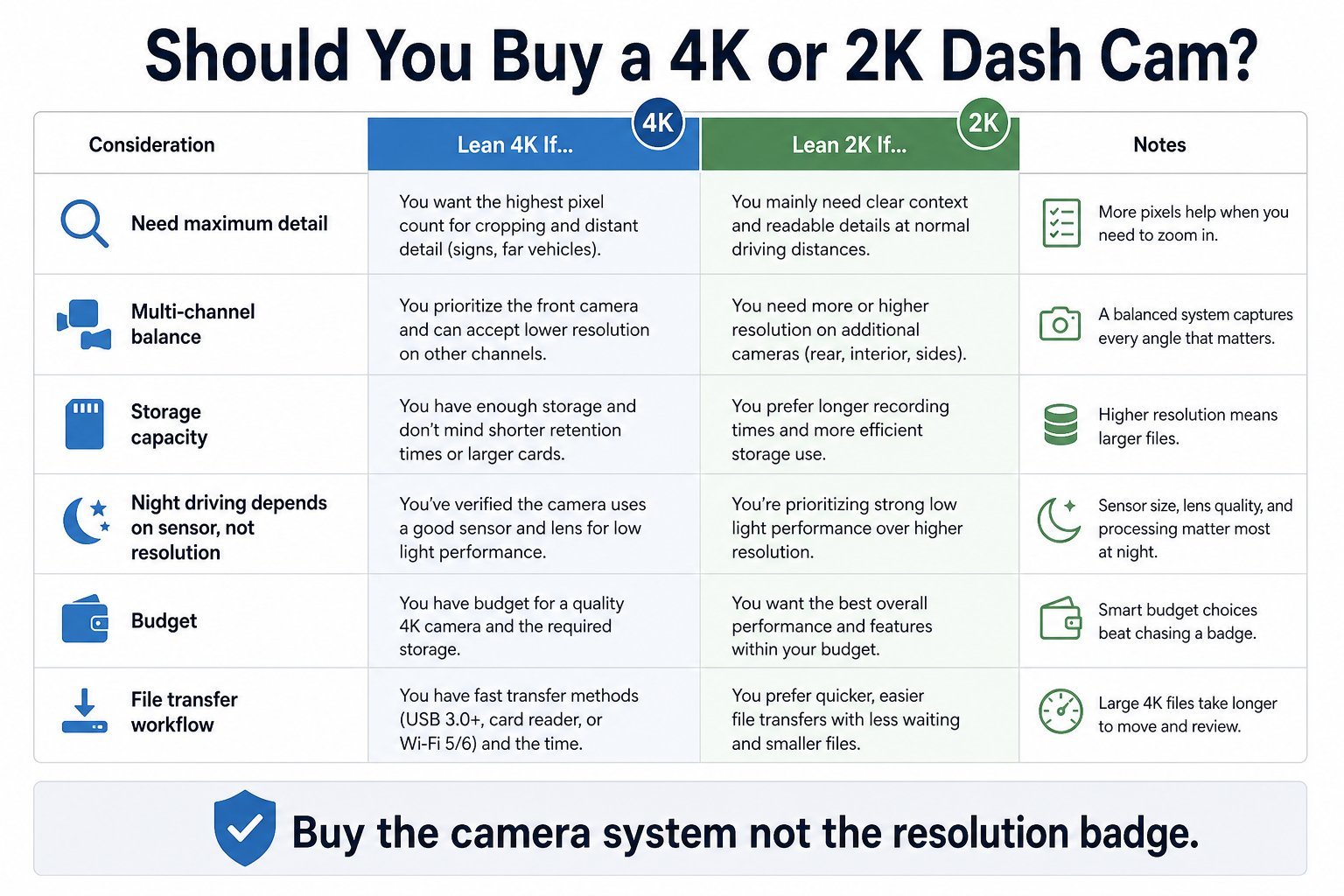
4K vs 2K Dash Cam: Which Should You Buy?
Is a 4K dash cam worth the extra cost? Only if the rest of the system is worth that cost. Priority order: (1) sensor and processing, (2) resolution, (3) HDR/exposure implementation, (4) front + rear configuration, (5) storage support, (6) parking features, (7) connectivity, (8) price. Do not buy a worse overall dash cam because the box says “4K.” Buy the camera system, not the resolution badge. In a 4K vs 2K dash cam choice, skip any listing that will not print the rear pixel grid in the spec table.
Final Verdict
This 4K vs 2K dash cam comparison is a buyer filter. 4K is worth paying for when 3840×2160 is real on the channels you care about, bitrate and HDR are documented, storage is planned, and you will use the extra pixels. 2K/QHD is the smarter buy when files, cost, and balanced channels matter more. Neither setting reads plates by itself. Pick the system that matches how you actually store, park, and review footage.
FAQ
Is 4K better than 2K for a dash cam? It records more pixels when both numbers are genuine. It is not automatically better evidence.
Is a 4K dash cam worth it? Yes if the full system is strong and you have storage. No if you are only buying the label.
Does 4K help capture license plates? It can add pixels on the plate. It cannot guarantee a readable plate.
Is 4K better at night? Not automatically. Sensor, HDR, and exposure usually dominate.
Does 4K use more storage? Usually, but bitrate and channel count can matter more than the pixel grid.
Is 2K enough for front and rear recording? Often yes, if both channels are truly 1440p-class and the rest of the system is competent.
Are all channels 4K on a 4K dash cam? No. Many kits are 4K front with 2K or 1080p rear. Read each camera’s spec.
Sources: Thinkware U3000 PRO, VIOFO A329S 2CH, BlackVue DR970X-2CH LTE Plus II official bitrate/spec table, BlackVue ELITE 10-2CH product documentation. Pixel counts are UHD 3840×2160 and QHD 2560×1440 arithmetic.