
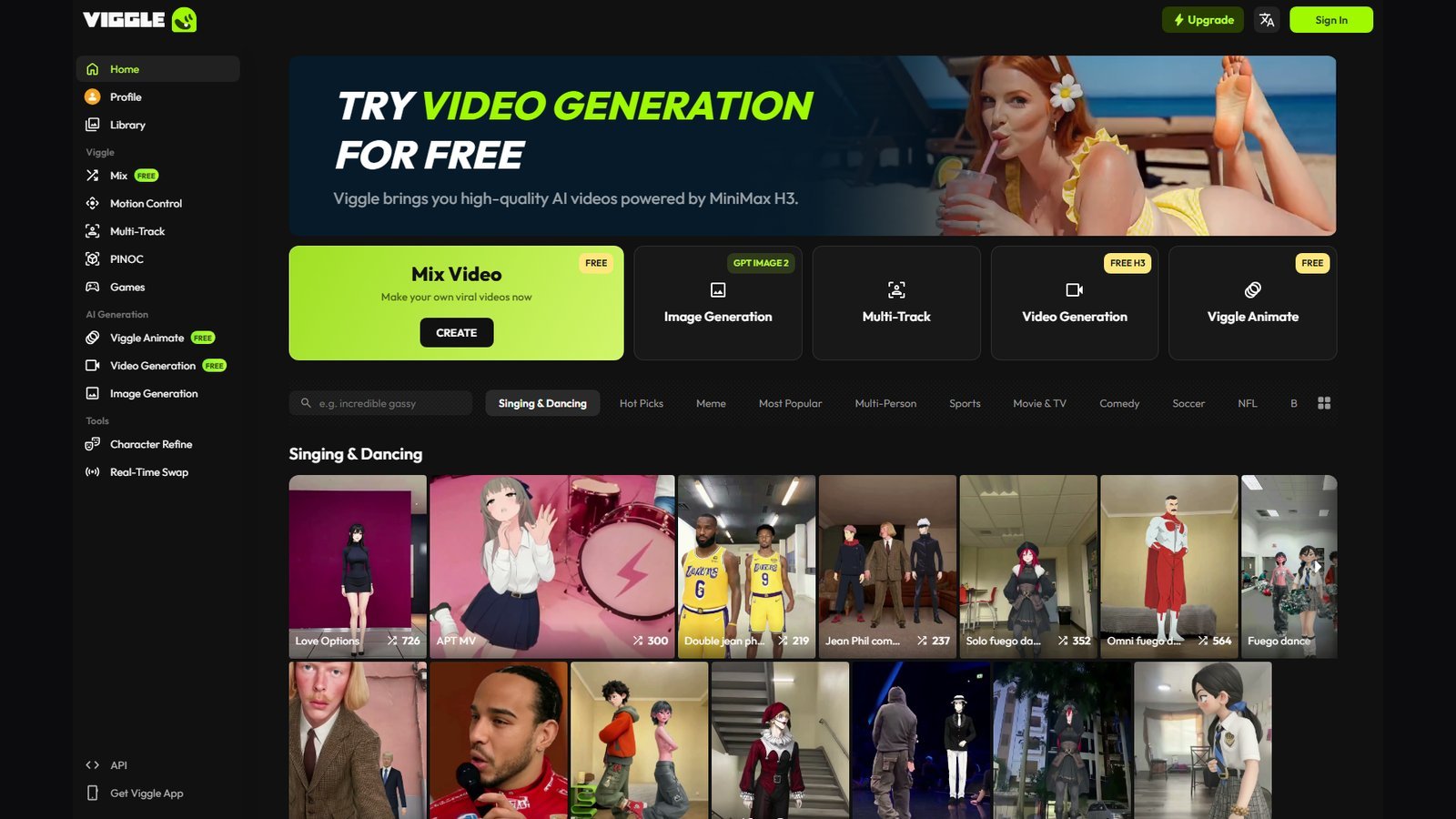
This Viggle AI review answers what Viggle actually does in 2026, how its character and motion workflow works, what it costs, and who should pay. Moon Picke did not run hands-on generation tests. Notes follow the live homepage, pricing page, Mix/PINOC/Seedance product pages, API docs, Terms of Use (updated 25 April 2025), Privacy Policy, and the public web app, checked on 5 October 2026.
Viggle is not a faceless YouTube autopilot, not an AI UGC spokesperson factory, and not a generic “type a prompt, get a movie” studio first. Official copy frames a Spatial GenAI platform on a proprietary Joint Space-Time (JST) model. For most buyers, the job is still: put a character into motion, then export a clip—or, in PINOC, export 3D motion into a DCC/game pipeline.
Quick verdict
Viggle AI is a character-animation and motion-transfer product with extra video-generation models attached. Best for creators who already have (or can legally use) a character image and want Mix, Multi-Track, Motion Control, or Viggle Animate rather than a script-to-publish channel bot. Paid consumer plans start at $9.99/month Pro (80 credits). Yearly billing shows $7.99 / $15.99 / $63.99 per month equivalent for Pro / Live / Max—not the month-to-month rate. Free access is a real Free plan: 5 videos/day, 0 monthly credits, watermarked, 7-day storage. Core workflow: character + motion template or reference video → Mix/Animate → optional Multi-Track. Biggest advantage: motion-first control plus 8,000+ templates on official Mix pages. Biggest limitation: credits and models are plan-gated (Seedance is Live/Max on the compare table), Mix is not a full NLE, and terms do not grant rights to other people’s likenesses or IP. Buy if you animate authorized characters. Skip if you need faceless series automation or cinematic prompt-only long-form.
Disclosure: Moon Picke may earn a commission if you purchase through links on this page, at no additional cost to you. Read the affiliate disclosure.
Viggle AI at a glance
| Category | Viggle AI |
|---|---|
| Best for | Character animation / motion transfer / Mix clips |
| Primary workflow | Character image + motion template or reference video → generated clip |
| Starting price | $9.99/month Pro. Yearly Pro $7.99/month equivalent |
| Free option | Free plan: 5 videos/day, 0 monthly credits, watermark, 7-day storage |
| Character animation | YES (Mix, Motion Control, Viggle Animate) |
| Motion transfer | YES (Mix: image into motion video/template) |
| Image-to-video | LIMITED (character-driven Mix/Animate, not a generic I2V label) |
| Text-to-video | LIMITED (MiniMax H3 / Seedance and API H3; not the core Mix job) |
| Reference video | YES (motion source; upload max 1 min Free / 10 min paid) |
| Multi-character | YES (Multi / Multi-Track up to 7 on Mix pages; Free: Limited) |
| Output resolution | Mix marketing FAQ: Pro and Max 1080p. Exact Mix pixels otherwise NOT LISTED. Seedance page: 720p–1080p |
| Watermark | Free: no “No watermark” check. Paid: Yes on compare table |
| Web | YES |
| Mobile | YES (Privacy: iOS and Android; download page + APK) |
| Main limitation | Credit/model gates, specialized motion workflow, likeness/IP risk |
For a map of other AI-video jobs (faceless Shorts, UGC ads, avatars), see Moon Picke’s published best AI video generators roundup. Viggle sits in the character-motion column of that map, not the script-to-publish column.
What is Viggle AI?
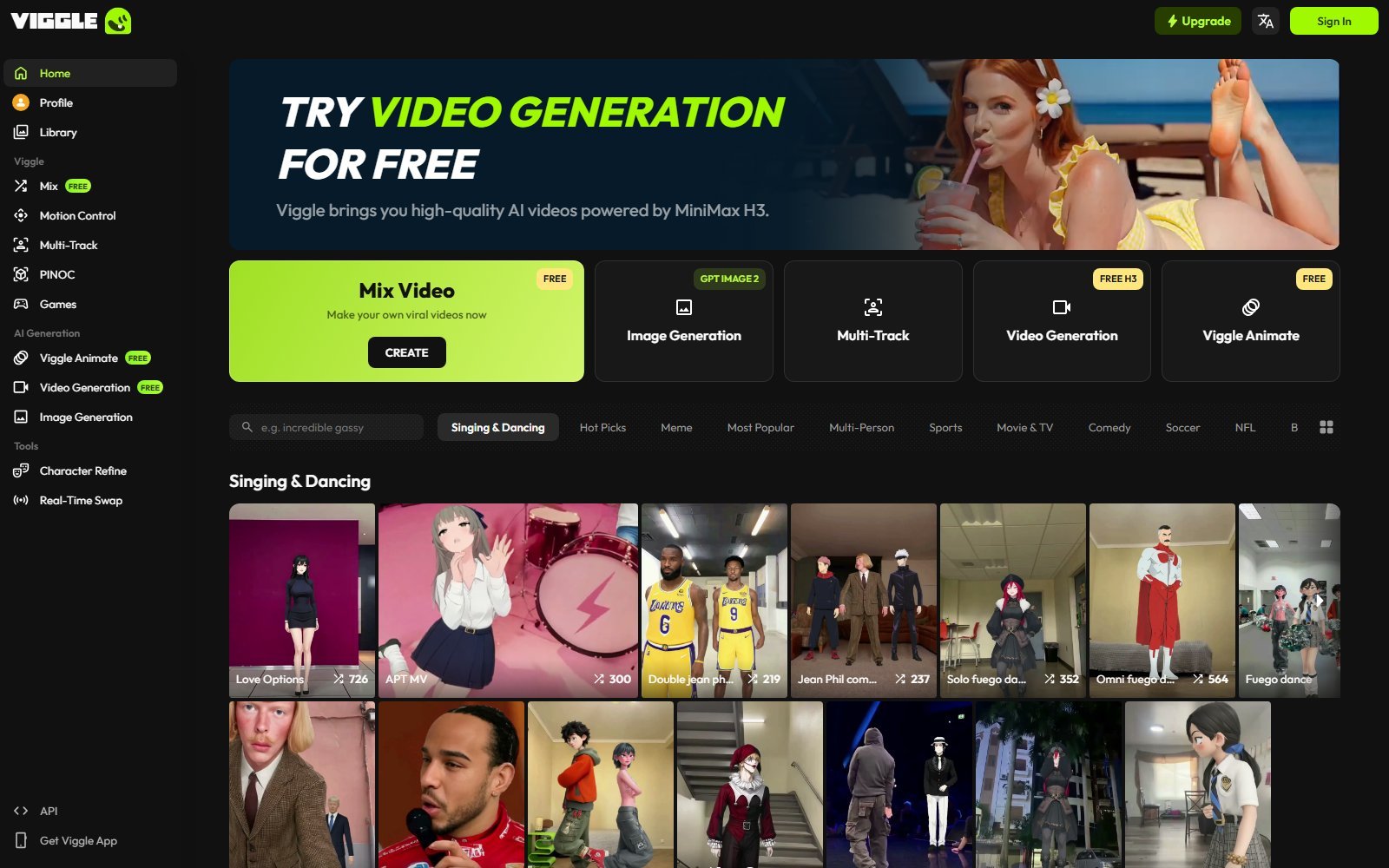
Viggle’s site title is “Turn your imagination into 3D motion.” The homepage sells an “experience engine for physical intelligence,” PINOC (phone clip → production-ready motion without a mocap suit), Games, and Meme Maker (“swap characters… put any character into any moment”). The consumer web app sidebar, captured 5 October 2026, lists Mix, Motion Control, Multi-Track, PINOC, Games, Viggle Animate, Video Generation, Image Generation, Character Refine, and Real-Time Swap.
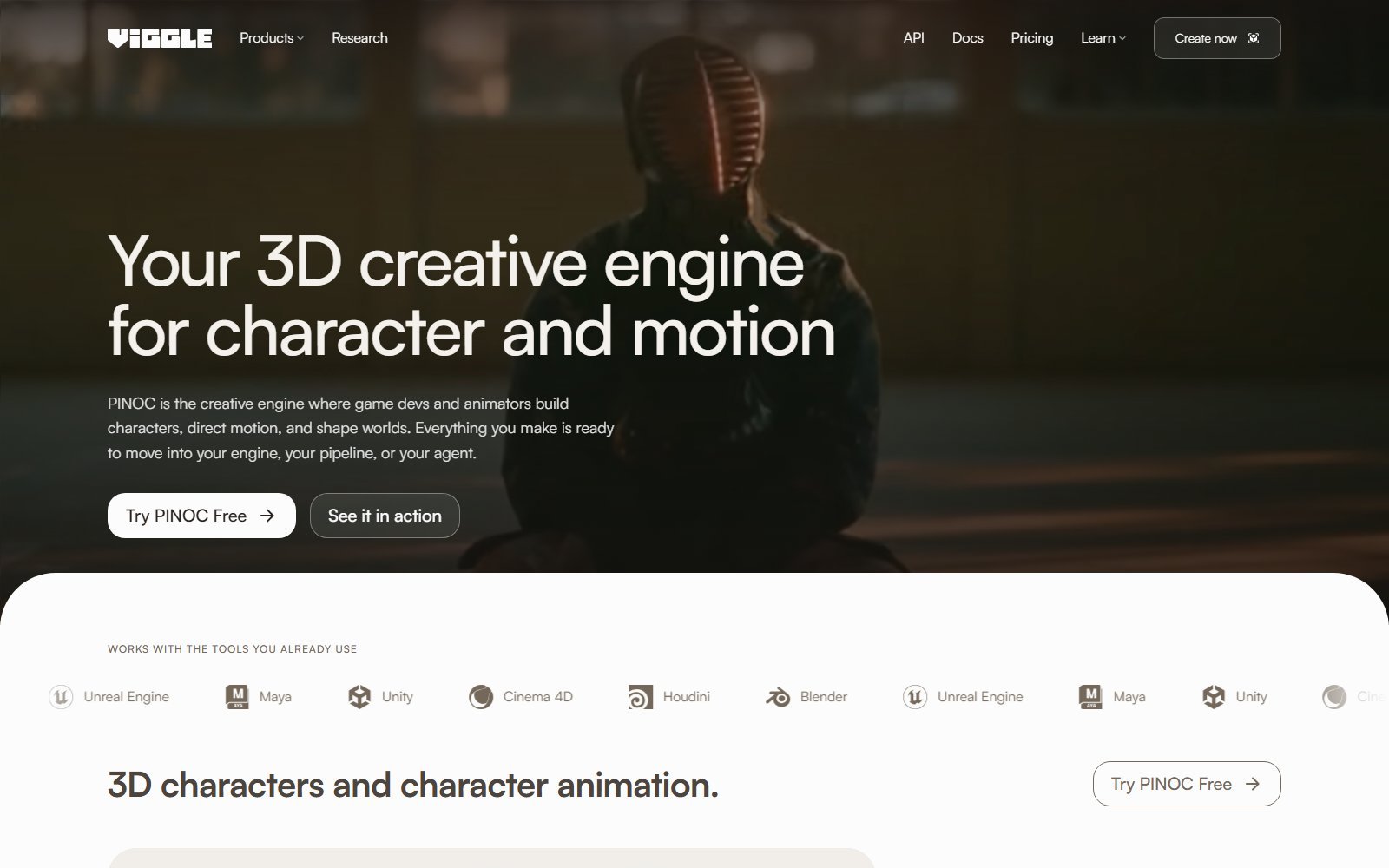
That bundle is easy to mis-tag. Mix is character-into-motion. Video Generation is a separate tile that currently promotes MiniMax H3. PINOC exports FBX/GLB for Blender, Unity, Unreal, Maya, Cinema 4D, and Houdini. Official PINOC FAQ: if you want a video to post, use Viggle; if you want animation you can retarget, use PINOC. Both run on JST, Viggle’s in-house foundation model, per that FAQ.
Terms name WarpEngine Canada Inc., the Website, iPhone and Android apps, Viggle Animation Tools (User Input → Viggle Animations), and Viggle Live. Discord appears as a community invite in API docs, not as the primary 2026 creation surface.
How Viggle AI works
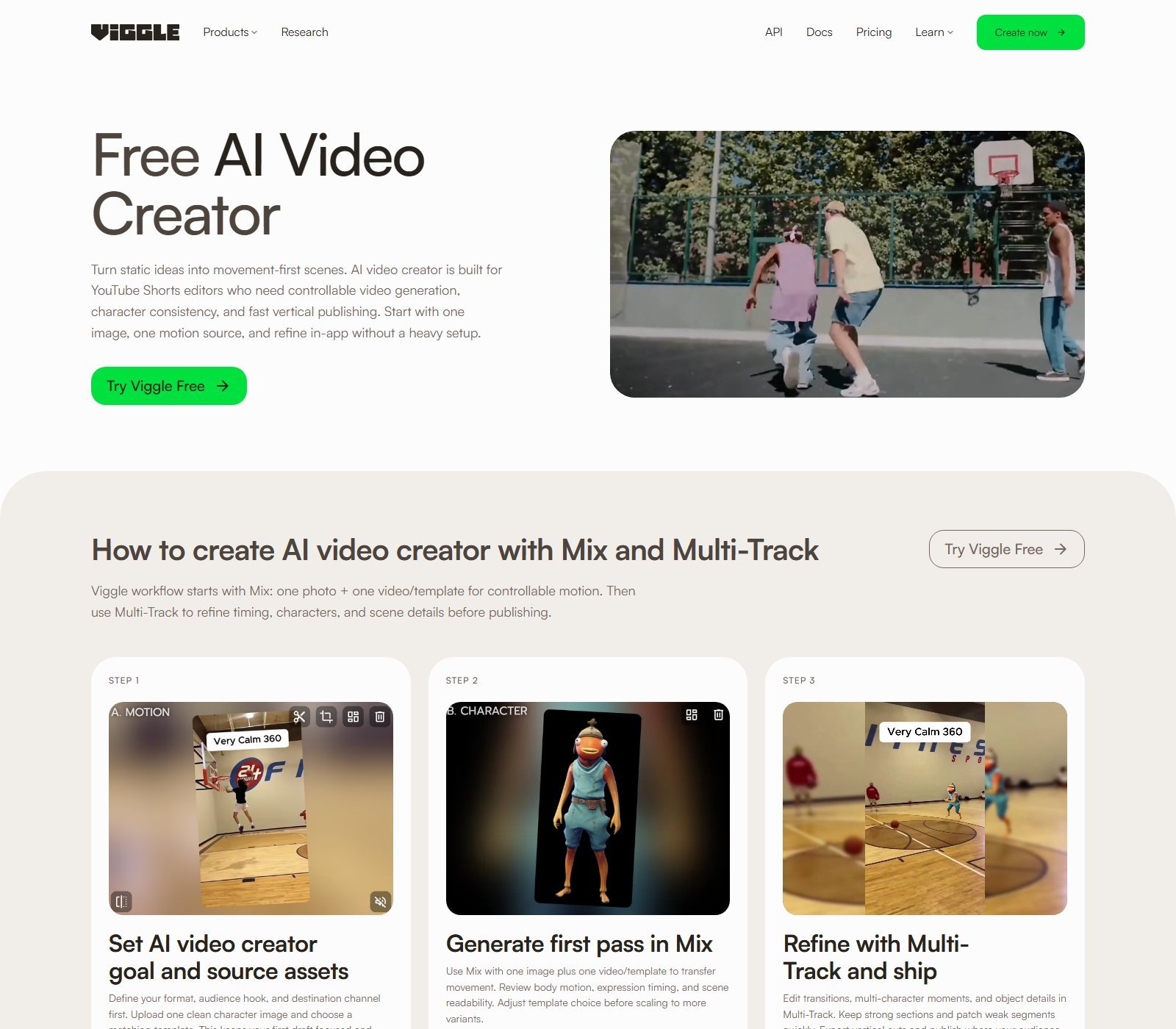
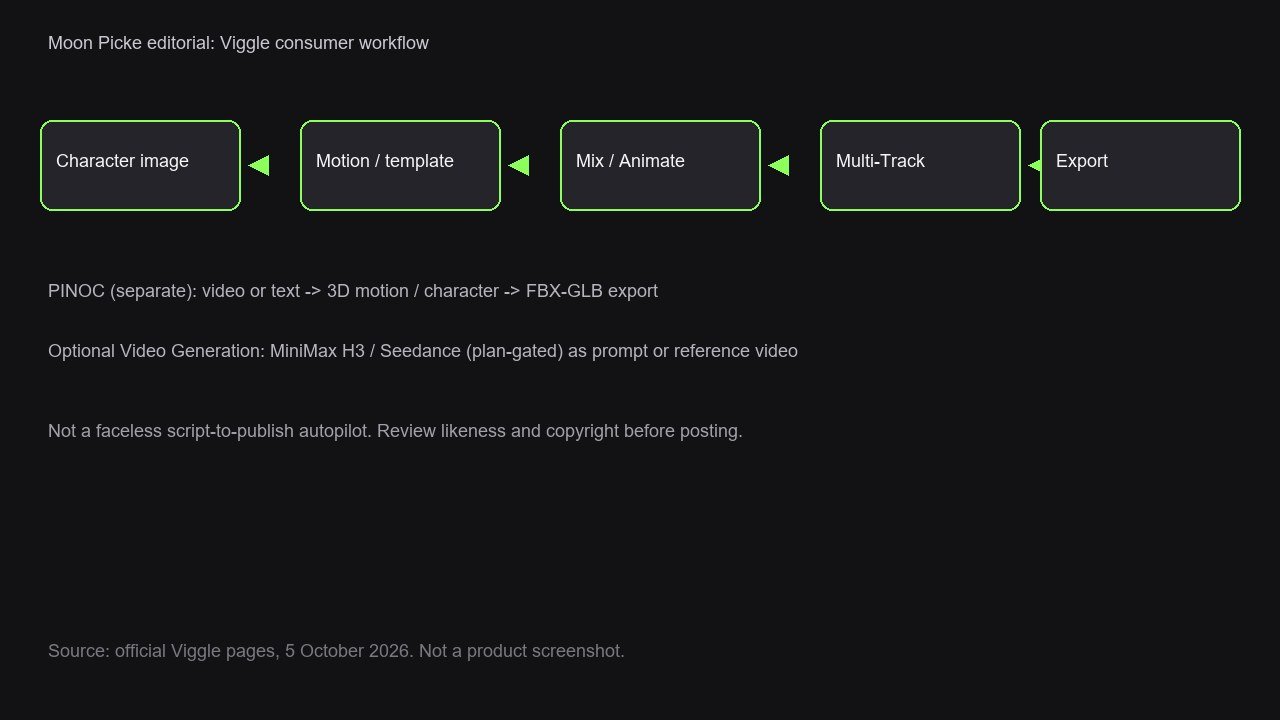
Viggle’s current consumer workflow is built around Mix, then Multi-Track.
According to the Mix product page, you start with one clean character image and a motion source (an official template or a video). Mix transfers movement onto the character. You review body motion and timing, then refine in Multi-Track—transitions, extra characters or objects, and scene details—before export. Official copy: “one photo + one video/template for controllable motion.”
The legal Animation Tools page still lists three named tools: Mix (mix a character image into a motion video), Multi (several character images into a motion video), and Motion Control (add motion to a static-image character using a motion video). Treat that page as the legal definition; the live app also exposes Viggle Animate, Video Generation, and PINOC as additional tiles.
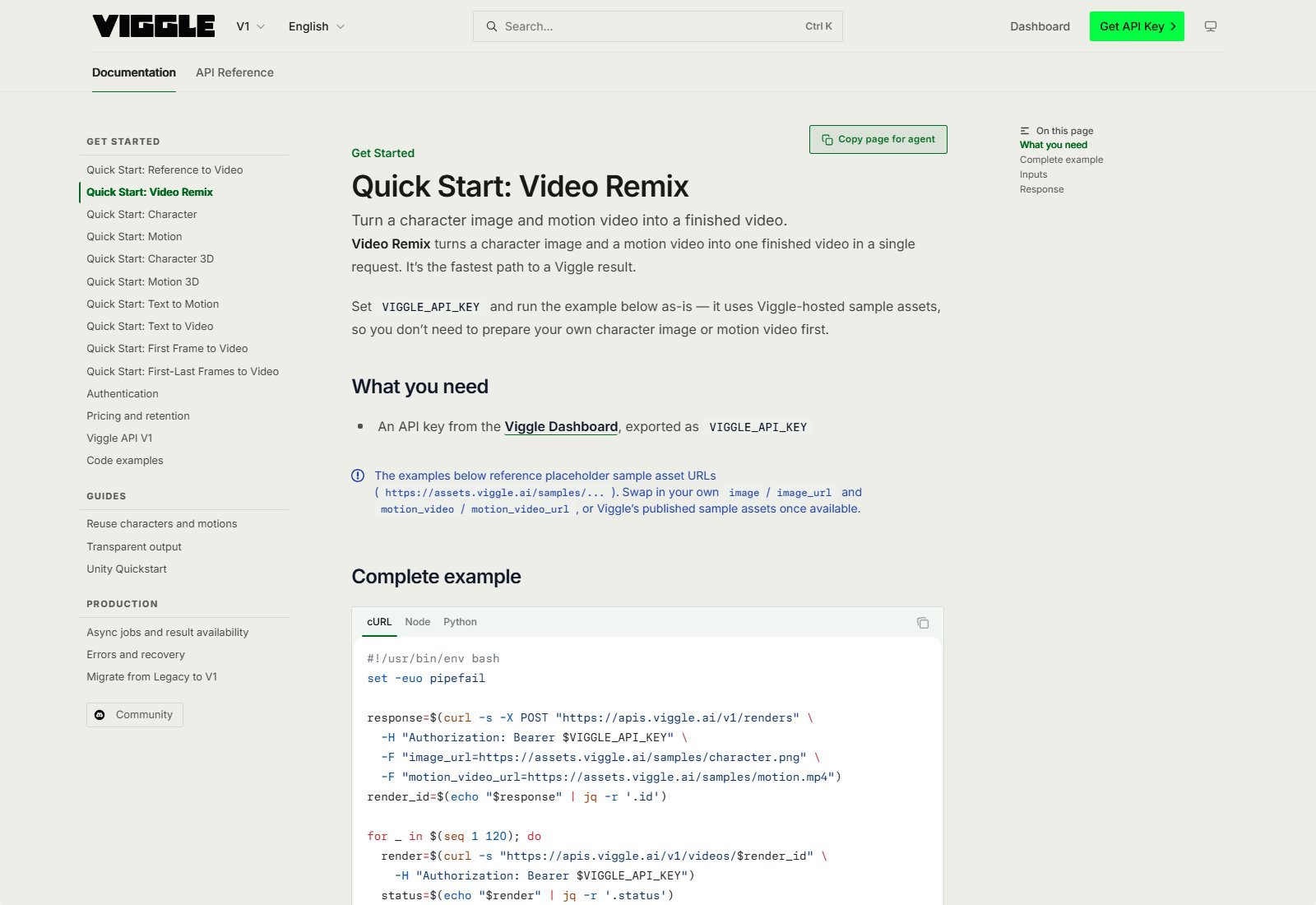
API docs describe the same idea as Video Remix: a character image plus a motion video become a finished video in one request. That is documentation for developers, not a claim that Moon Picke ran the endpoint.
What parts of the workflow does Viggle cover?
| Workflow Stage | Viggle Support | Input Required | User Control | Main Limitation |
|---|---|---|---|---|
| Character | YES | Image (app/API). PINOC: image → 3D character | You supply the look | You need rights to that likeness |
| Motion source | YES | Template library or uploaded video | Choose template or clip | Upload cap 1 min Free / 10 min paid |
| Reference video | YES | Driving/motion video | Pick the performance | Not documented as pixel-perfect copy |
| Text prompt | LIMITED | H3 / Seedance / PINOC text-to-motion | Scene or move description | Not the Mix default |
| Background | PARTIAL | Usually comes with the motion video | API has transparent/alpha docs | Consumer green-screen NOT LISTED |
| Generation | YES | Credits or daily free videos | Queue size by plan | Credits vary by model/output |
| Multi-character | YES | Multiple images | Up to 7 on Mix pages | Free: Limited sessions |
| Editing | LIMITED | Multi-Track timeline in-app | Timing, swaps, objects | Not a professional NLE |
| Export | YES | Download | Paid: no watermark | Free storage 7 days |
What inputs does Viggle accept?
| Input | Supported? | What it controls |
|---|---|---|
| Character image | YES | Who appears |
| Motion template | YES (8,000+ claimed on Mix pages) | The performance |
| Reference / motion video | YES | Driving movement; Seedance also uses video as style/camera reference |
| Text | LIMITED | H3/Seedance scenes; PINOC text-to-motion; Mix is not prompt-first |
| Audio | LIMITED | Seedance page: up to 3 audio clips |
| 3D mesh | PINOC | Auto-rig; official: upload/rig/retarget can be free of credits |
How Viggle AI character animation works
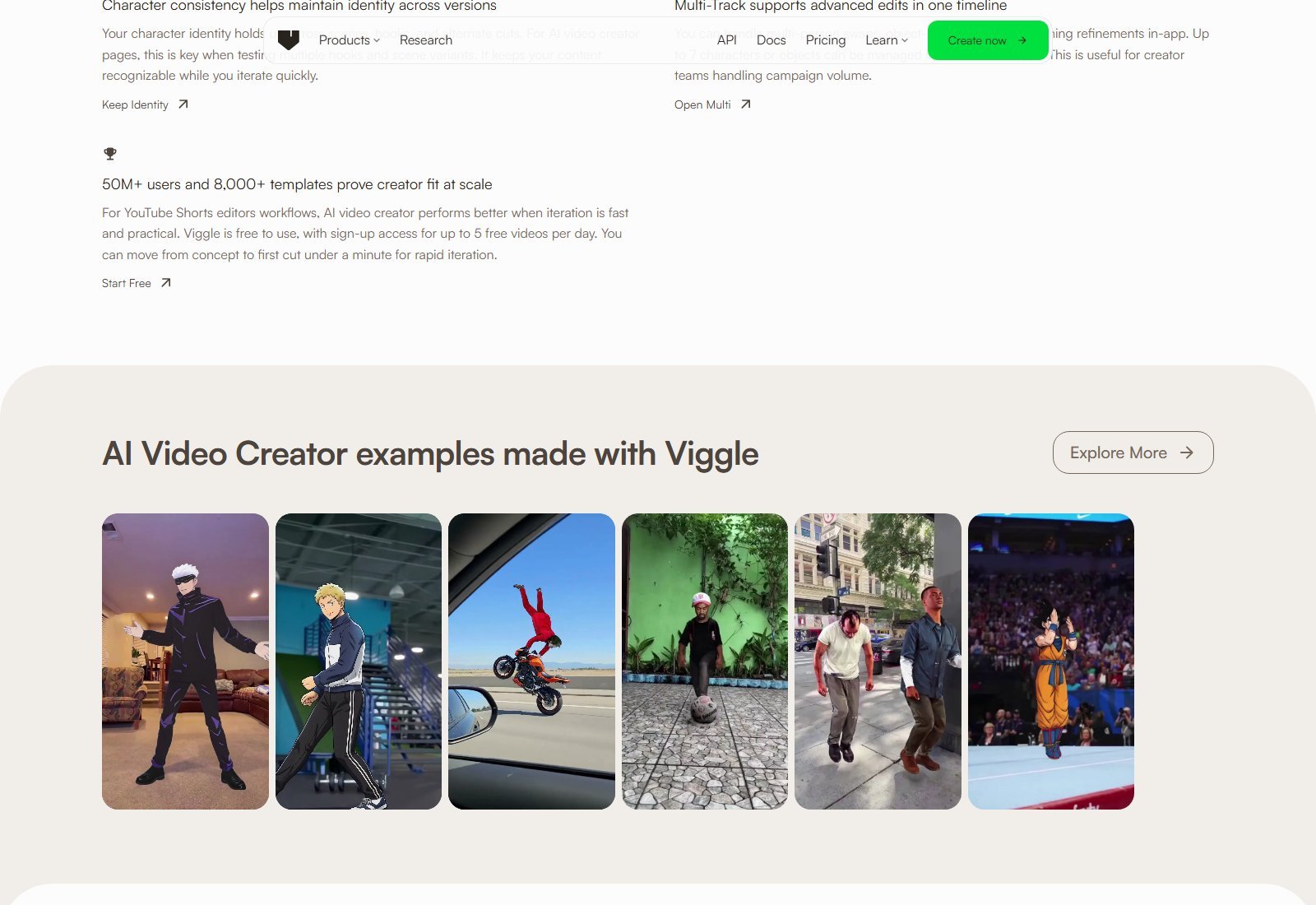
Character source is an image you provide. Motion Control, on the legal tools page, applies a motion video to a static image. Mix inserts that character into a motion video. Multi does the same for several images. The app tile “Viggle Animate” is a separate consumer label; API docs describe “Viggle-Animate” as character images with an optional driving video (up to four images alone, or up to five with a driving video).
Motion control is reference-driven: the clip or template supplies timing and body path; the character image supplies identity. Viggle generates a new video. Official Mix copy says you “direct the motion rather than hoping for good results.” That is marketing. This review does not claim perfect physics, perfect identity lock, or cinematic realism.
Background usually rides in with the motion plate. API docs include a transparent-output / alpha guide for compositing. A consumer “green screen” toggle is NOT LISTED on the public Mix page.
Motion transfer and reference video
Motion transfer here means: take movement that already exists (template or upload) and map it onto a character. That is different from asking a text-to-video model to invent motion from a sentence. The dance-tool page says you may upload a dance video as a Mix motion source and that Viggle maps those moves onto your character. It also uses language like “exact same moves.” Treat that as vendor copy, not a measured accuracy score.
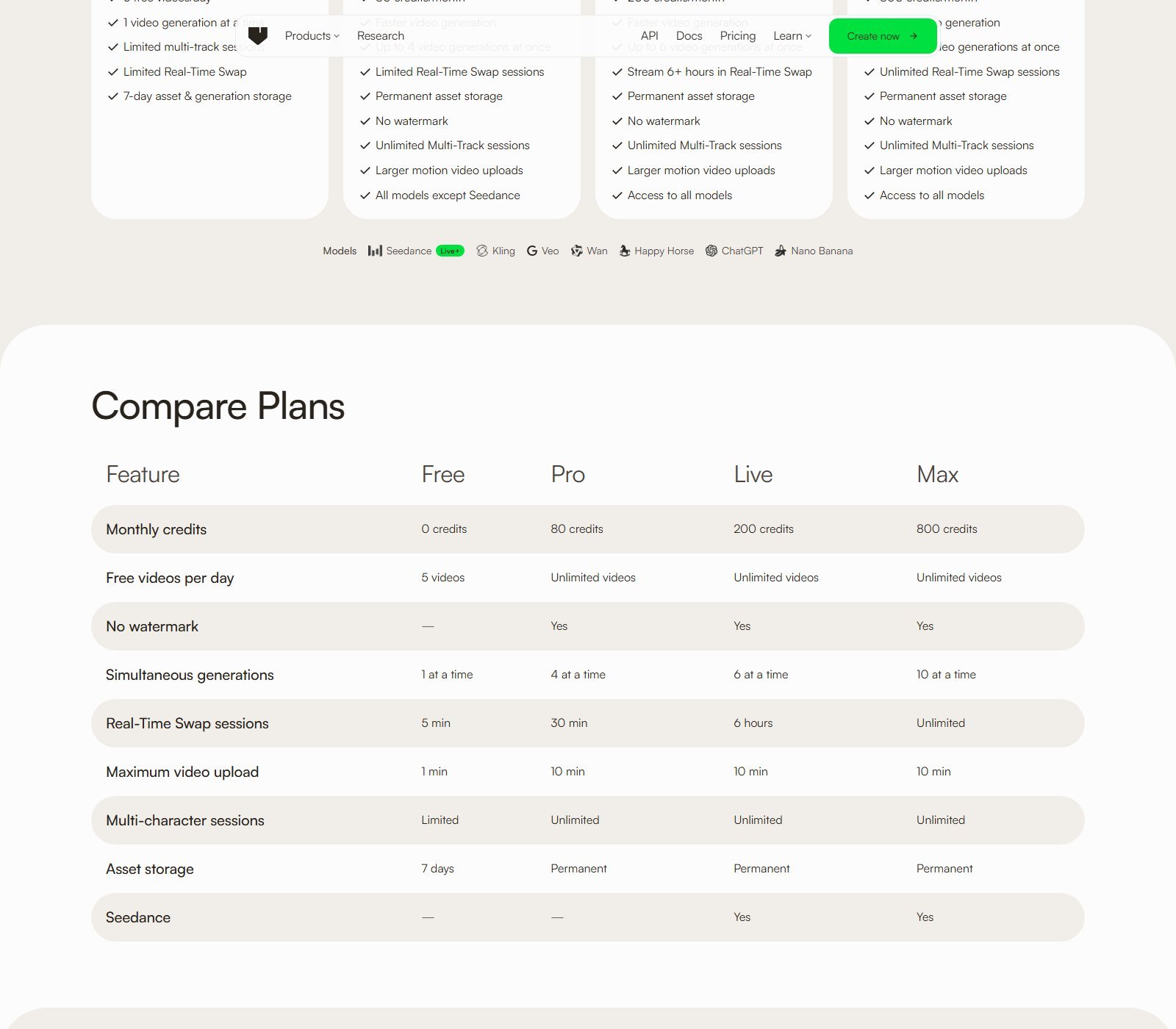
Reference length and output length are not the same number. Pricing compare: maximum video upload is 1 minute on Free and 10 minutes on Pro/Live/Max. Generated Mix length is otherwise NOT LISTED as a separate max on that table. Seedance generations are documented up to 15 seconds. API character-animation billing discusses driving-video durations in a 5–16 credit band. Do not collapse those three clocks into one “Viggle max length.”
Image-to-video
Yes, with a precise meaning: a still character becomes a moving clip when Mix/Animate attaches motion. That is character image-to-video, not “upload a landscape and get a cinematic drone shot” as the whole product. First-frame H3 modes exist in the API (and Video Generation is on the app). Do not relabel every Mix render as generic I2V.
Does Viggle support text-to-video?
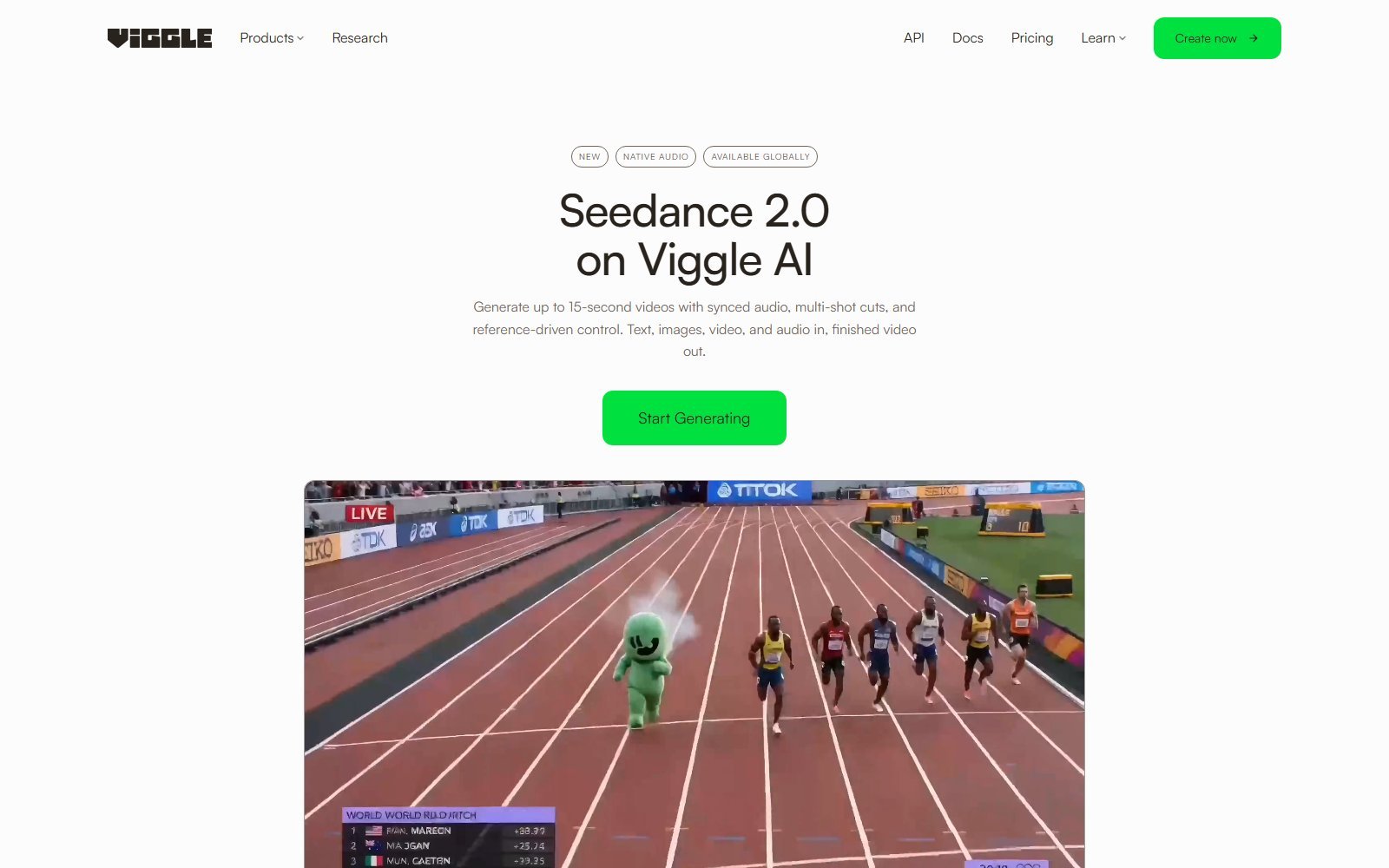
LIMITED. Mix is not conventional prompt-to-video. The app promotes MiniMax H3 for free video generation. The Seedance 2.0 page describes text, images, video, and audio in, video with synced audio out, up to 15 seconds, aspect ratios 16:9, 4:3, 1:1, 3:4, 9:16. API Quick Start includes Generate Video from text (MiniMax H3). PINOC adds text → 3D motion (data, not a social MP4). If you only want a paragraph to become a scene, Viggle can do that on some surfaces—but that is not why Mix exists.
Multi-character and background features
Mix FAQ: Multi-Track supports up to 7 characters or objects in one timeline. Pricing compare: multi-character sessions are Limited on Free and Unlimited on paid plans. API Video Remix currently bills as one character per render. Do not assume the consumer 7-character editor and the API remix endpoint are the same product.
Background replacement, green screen, and generated backgrounds are not named as Mix toggles on the pages checked. Source background typically comes from the motion video. API transparent/alpha is documented for compositing. Consumer UI for alpha is NOT VERIFIED in this review.
Current models (named on live pages)
Only names visible on 5 October 2026 surfaces: JST / JST-1 (Viggle, Mix/PINOC marketing and PINOC FAQ), MiniMax H3 (app banner), Seedance 2.0 (ByteDance Seed; Live/Max on the compare table), plus pricing chips Kling, Veo, Wan, Happy Horse, ChatGPT, Nano Banana. Do not treat that chip row as a confirmed per-plan feature checklist beyond Seedance’s Yes/No row. Older community names that did not appear on these pages are omitted.
Legitimate Mix-shaped uses on official pages: character shorts, memes, fandom edits (rights still required), sports reactions, dance covers from a motion plate, streamer/VTuber bumpers. PINOC: mocap from phone video, text-to-3D motion, image-to-Gaussian character, auto-rig. None of those is YouTube Partner approval or guaranteed reach.
Editing and creative control
Verified controls: choose character, choose motion/template, Mix/Animate generate, Multi-Track refine (timing, multi-person swaps, objects). Model dropdowns exist on Video Generation (Seedance page: pick the model, optional references, Create). Queue: 1 / 4 / 6 / 10 simultaneous generations by plan. Real-Time Swap session budgets: 5 min / 30 min / 6 hours / Unlimited. This is generation-plus-timeline-lite, not Premiere.
Viggle web, mobile, and other access
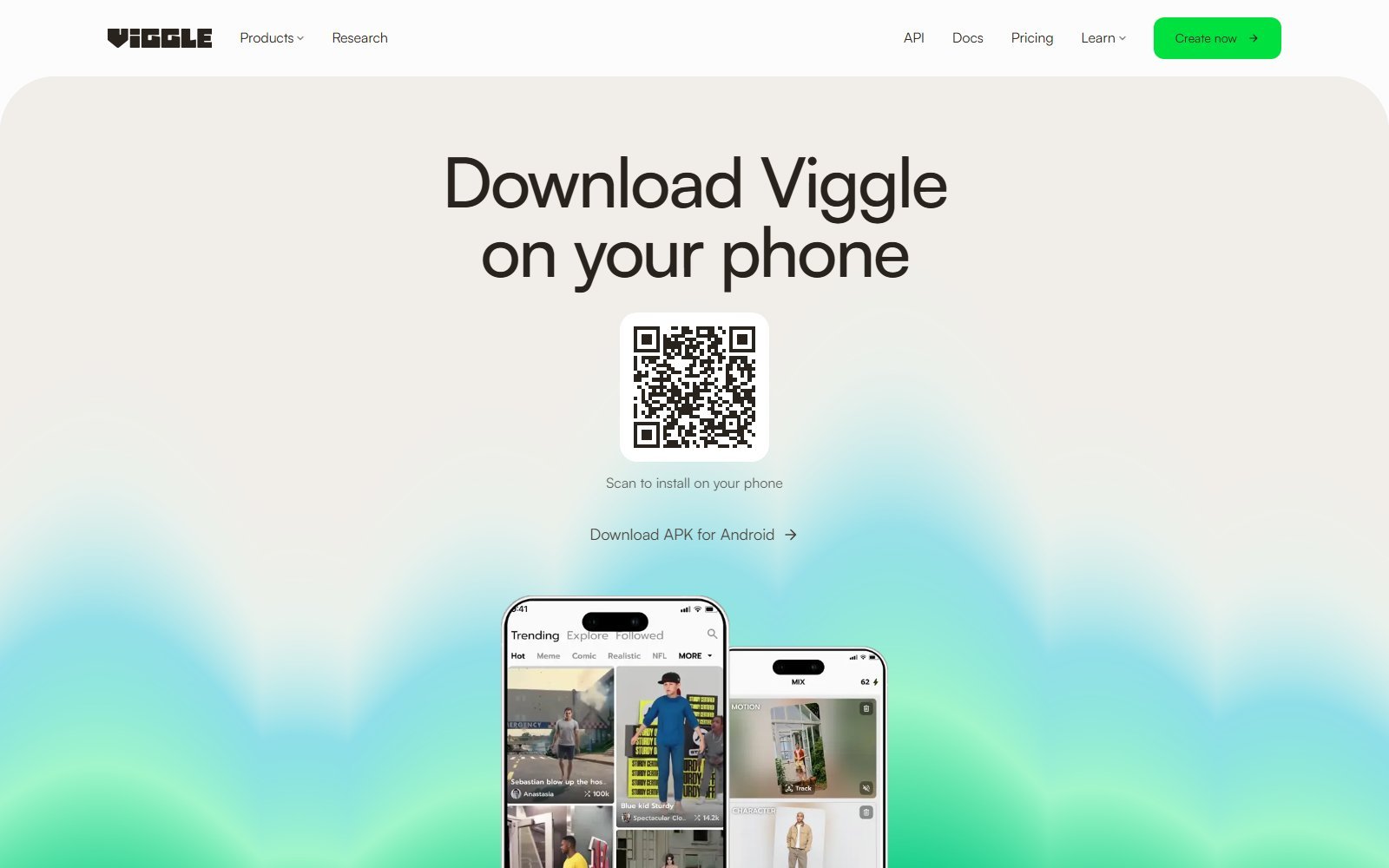
Web: yes (viggle.ai and /app/home). Privacy Policy: iOS and Android apps. Download page: phone QR, “Download APK for Android,” and phone UI showing Mix. Discord: community link in docs; historical Discord-bot reviews are not this product’s center of gravity in 2026. API: yes (docs.viggle.ai), including remix, H3, character animation, 3D export.
Viggle AI pricing in 2026
Pricing, credits and plan limits were checked on 5 October 2026 and may change. Check Viggle’s current plan information before purchasing.
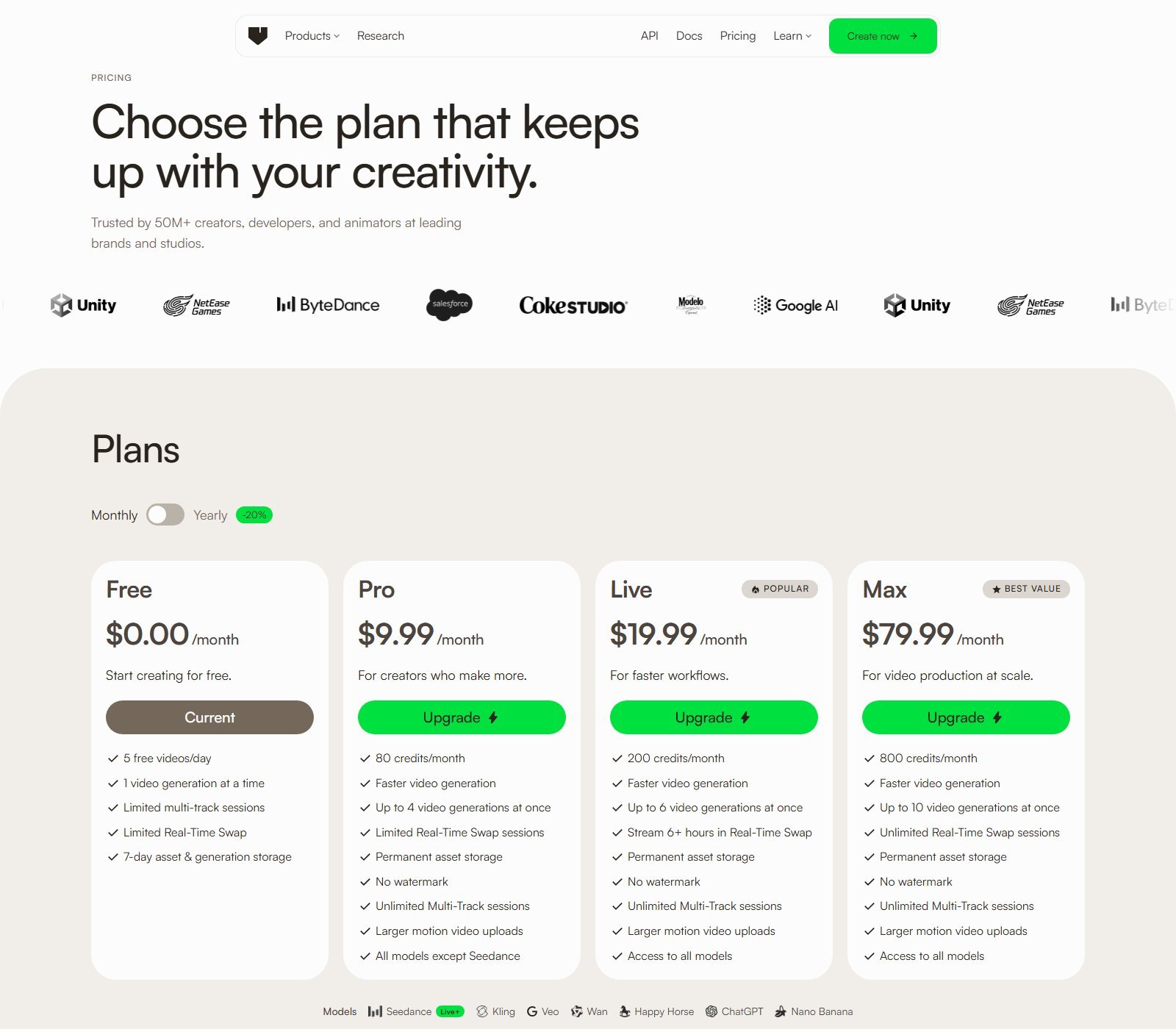
| Plan | Price | Credits / allowance | Key features | Best for | Main limit |
|---|---|---|---|---|---|
| Free | $0/month | 0 monthly credits; 5 videos/day | 1 generation at a time; limited Multi-Track and Real-Time Swap; 7-day storage | Trying Mix | Watermark; 1-min upload |
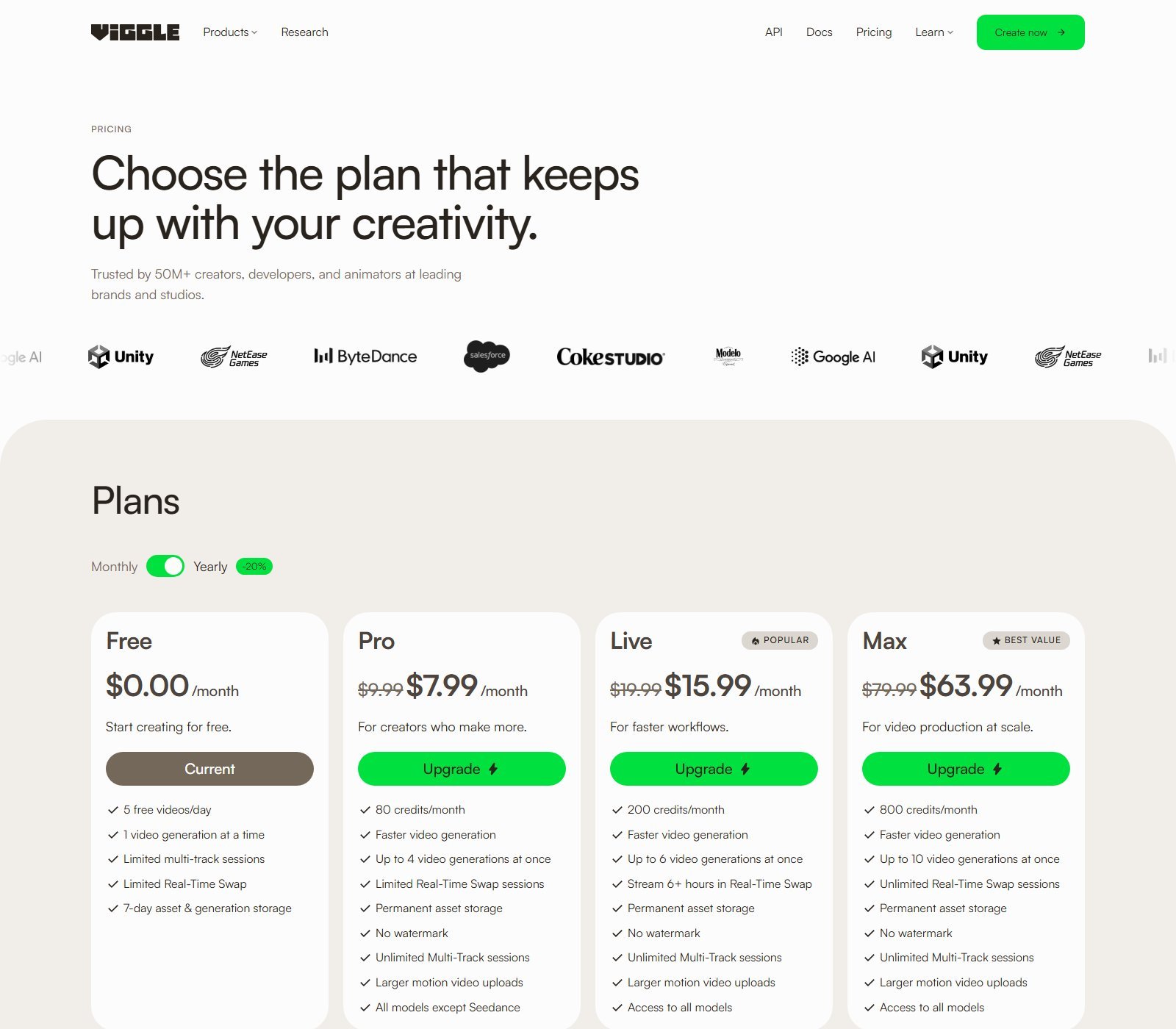
| Pro | $9.99/month. Yearly $7.99/month equivalent | 80 credits/month; unlimited daily videos on the table | 4 gens at once; no watermark; permanent storage; all models except Seedance | Regular Mix users | No Seedance on compare table |
| Live | $19.99/month. Yearly $15.99/month equivalent | 200 credits/month | 6 gens; 6+ hours Real-Time Swap; all models | Heavier Mix + Seedance | Still credit-metered |
| Max | $79.99/month. Yearly $63.99/month equivalent | 800 credits/month | 10 gens; unlimited Real-Time Swap; all models | Volume production | Price |
Monthly billing: YES ($9.99 / $19.99 / $79.99). Annual: YES as a Yearly −20% toggle that displays $7.99 / $15.99 / $63.99 per month equivalent. A yearly lump sum is NOT printed on the cards. Do not quote $7.99 as a month-to-month SKU.
PINOC is priced separately on its FAQ: free 60 credits (non-commercial); paid from $12.99/month (300 credits) and $39.99/month (1,200), yearly −20%. Do not mix PINOC SKUs into the consumer Mix table.
How Viggle credits work
Pricing FAQ: credits are used across generation tools and models; each feature may use a different number of credits depending on the model and output. Monthly plan credits expire on the billing date. Purchased credits do not expire, but can only be used while subscribed. Cancel anytime; access lasts through the current cycle.
The older Animation Tools legal table (80 credits for $9.99; 1 credit = 15 seconds; extra 20 credits for $3) does not match the live four-plan matrix. Prefer the 5 October 2026 pricing page for plan math. API docs (developer billing) state 1 credit = $0.01, new API accounts 100 credits, and per-endpoint prices (remix per character-second, H3 per second, character animation per driving second). That is API pricing, not a promise that the consumer Mix button burns the same number.
Cost per generation: not published as one universal number. Moon Picke is not calculating a single dollars-per-clip figure while Mix, H3, Seedance, and PINOC consume credits differently.
Terms §8: Fees are non-refundable except where law forbids. Cancel is allowed on the pricing FAQ. Generation speed: paid cards say “Faster video generation” and higher concurrency. No second-count benchmark here.
Which Viggle plan makes sense?
Testing: Free (5/day) is the honest trial. It is a plan, not a dated free trial and not a credit pack.
Regular Mix: Pro if Seedance is not required.
Seedance + more concurrency: Live.
Volume / unlimited Real-Time Swap: Max. This review does not auto-recommend Max.
Game/DCC motion: PINOC’s own SKUs, not Mix Pro.
Viggle strengths
- Clear Mix job: character + motion, not a vague “AI video” blob.
- Template library at 8,000+ on official Mix pages.
- Multi-Track up to 7 characters/objects.
- Working Free plan (5/day) plus paid no-watermark.
- Web and mobile (iOS/Android in Privacy; APK on download).
- Named models on pricing (JST core; Seedance/Kling/Veo/Wan chips; H3 in-app).
- PINOC path for FBX/GLB if you outgrow social MP4s.
Viggle limitations
- Credits expire monthly; consumption varies by model—no simple clip budget.
- Seedance gated to Live/Max on the compare table (the Seedance marketing page says “all paid plans”—the matrix is stricter).
- Mix editing is not a full timeline suite.
- Free watermark and 7-day storage.
- Likeness, music, and third-party IP stay your legal problem (Terms §5, §10).
- Not a faceless script-to-auto-post stack.
Pros and cons
| Pros | Cons |
|---|---|
| Motion-first Mix with templates | Credit math is model-dependent |
| Free 5 videos/day to learn the job | Free watermark and short storage |
| Multi-Track multi-character | Not a cinematic prompt-only studio first |
| Paid plans remove watermark | Seedance not on Pro (compare table) |
| PINOC for 3D pipelines | Fees described as non-refundable in Terms |
Viggle vs traditional text-to-video AI
| Viggle (Mix core) | General text-to-video workflow | |
|---|---|---|
| Main input | Character image + motion | Text prompt (optional image) |
| Motion source | Template or reference video | Model-invented motion |
| Character control | You supply the identity | Prompt/reference luck |
| Scene generation | Usually inherits the plate | Often generates the world |
| Best for | Dances, memes, character swaps | Invented shots and worlds |
| Main trade-off | Needs a motion source | Less lock on a specific performance |
Viggle also hosts H3/Seedance, so the company is not Mix-only. The buyer distinction still holds: Mix is reference motion; T2V is invented motion. Neither wins in the abstract.
Who should use Viggle?
Social and meme creators who want Mix templates. Character animators who will supply their own art. Marketers with authorized brand mascots. People who need reference-motion control more than a paragraph-to-film model. Teams that may later want PINOC exports. Always: rights to the face, the character, the music, and the source clip.
Use Viggle if Mix is the job →
Who should skip Viggle?
Faceless channel operators who need script-to-publish automation. UGC advertisers who need product-in-hand spokespersons. Corporate avatar presenters. Editors who need a deep NLE. Shoppers who only want cinematic prompt-to-video and do not want to bring a motion plate. Anyone planning to animate celebrities or copyrighted characters they do not control—Terms let Viggle remove celebrity-likeness content, and tool access is not a license.
Viggle alternatives
Runway (Act-Two / Gen video) — Better if you want Runway’s performance and general video stack rather than Viggle’s Mix template library. Moon Picke’s published Viggle vs Runway comparison is the dedicated head-to-head; this page does not repeat it.
Kling — Better if you specifically want Kling’s text/image-to-video behavior as the whole product. Kling also appears as a model chip on Viggle’s pricing page, so “Kling vs Viggle” is not always an either/or.
Pika — Better if you want a prompt-first short-video toy and do not need Mix-style full-body motion swap. Viggle’s own Mix marketing table contrasts Pika on motion swap and templates; treat that table as vendor comparison, not a lab test.
Commercial use, likeness, and copyright
Terms: you retain IP in User Input and Viggle Animations, while granting Viggle a broad licence that includes training and finetuning the Animation Tools, other products, advertising, and royalty-free use of sound recordings in User Content. Do not read that as “you own everything, unrestricted, and Viggle never trains.” PINOC FAQ: paid PINOC users may use outputs commercially; free PINOC is non-commercial. Consumer Mix commercial-use beyond the general User Content clauses is not a separate “copyright-free” grant. Do not upload music, footage, or faces you cannot clear. Do not remove watermarks (Terms §9).
FAQ
What is Viggle AI? A character-animation and motion-transfer platform (Mix/Multi/Motion Control) with PINOC 3D tools and optional H3/Seedance video generation.
Is Viggle AI free? Yes: Free plan, 5 videos/day, 0 monthly credits, watermark, 7-day storage. Not a dated trial.
How much does Viggle AI cost? Pro $9.99, Live $19.99, Max $79.99 per month. Yearly equivalents $7.99 / $15.99 / $63.99. Checked 5 October 2026.
Is Viggle AI worth it? Yes if Mix/motion-transfer is the job and you accept credits plus likeness rules. No if you need faceless autopilot or prompt-only cinema as the core loop.
Can Viggle animate a photo? Yes—that is Mix / Motion Control / Animate.
Can Viggle use a reference video? Yes, as a motion source (upload caps apply).
Does Viggle support image-to-video and text-to-video? Image-to-video as character+motion: YES. Conventional T2V: LIMITED (H3/Seedance/API).
Can Viggle animate multiple characters? Yes, up to 7 on Mix Multi-Track pages; Free sessions Limited.
Does Viggle add a watermark? Free: yes (no “No watermark” on the table). Paid: no watermark listed.
Can Viggle videos be used commercially? User Content IP stays with you under Terms, with a wide Viggle licence including training. PINOC free is non-commercial. Not copyright-free. Clear third-party rights yourself.
Final verdict: is Viggle AI worth it?
Viggle makes sense if you want to drive a character you have the right to use with templates or a reference clip, and $9.99 Pro (or Free 5/day) matches that job. It makes less sense if you wanted StoryShort-style faceless series posting or a pure prompt-to-world generator. Its strongest differentiator is Mix: motion in, character on. Its biggest limitation is that credits, Seedance, and legal clearance are not “set and forget.” At the current price, start Free, then Pro unless you need Seedance (Live on the compare table). Recheck viggle.ai/pricing before you pay. Moon Picke did not upload characters or score output quality.