
A 2K vs 4K dash cam decision is not “more pixels always wins.” 4K can preserve more spatial detail and crop flexibility. Sensor, bitrate, lens, HDR, frame rate, and light still decide whether those pixels are useful. 4K files also tend to fill cards faster at comparable encoding. Specs below are from manufacturer U.S. pages and manuals as of September 11, 2026. Moon Picke did not run side-by-side footage tests.
Read How We Evaluate, our editorial standards, and the Affiliate Disclosure. This is a resolution decision page, not a 4K roundup, not a night-driving ranking, and not a front-and-rear product list.
2K vs 4K Dash Cam: Quick Answer
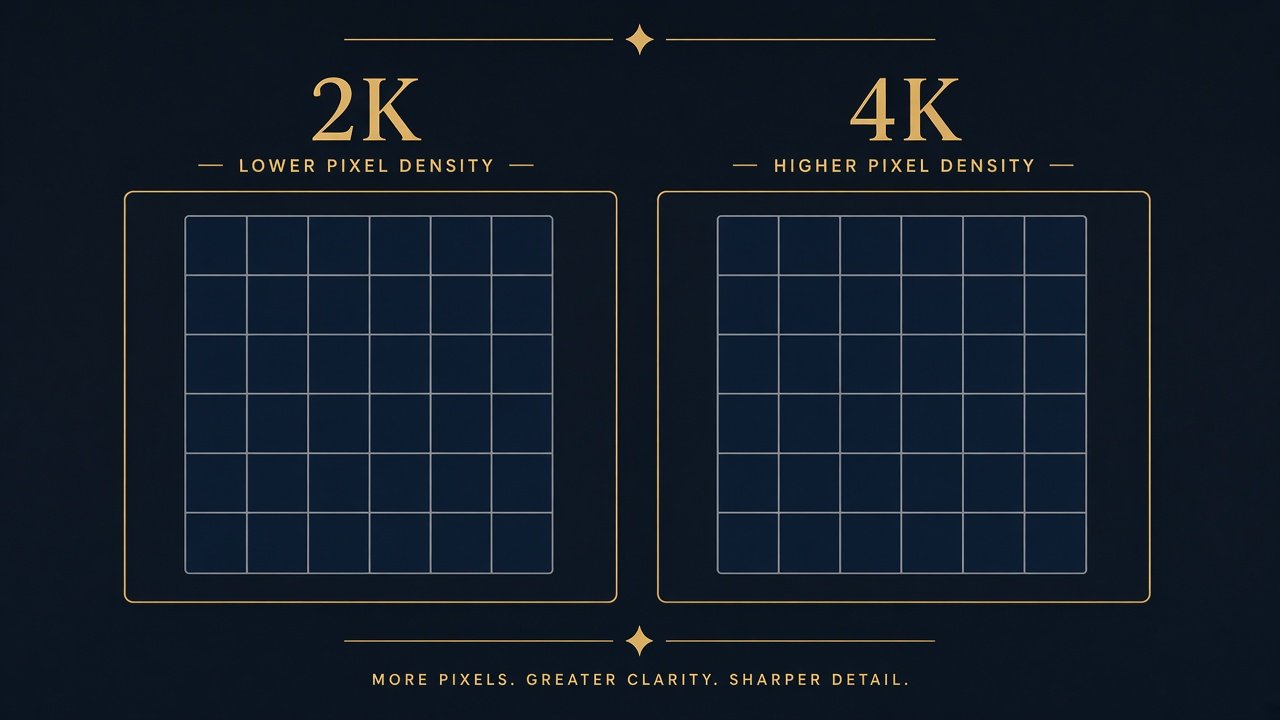
Pay for 4K when the whole imaging system is strong and you actually need extra front detail or crop headroom. Stay with a strong 2K system when storage, value, or a better sensor/HDR package matters more than the resolution number. A 2K vs 4K dash cam choice is a system choice.
| Factor | 2K Dash Cam | 4K Dash Cam | Buyer Impact |
|---|---|---|---|
| Pixel count | ~3.7 MP at 2560×1440 | ~8.3 MP at 3840×2160 | 4K has more pixels; not automatically more evidence |
| Crop flexibility | Less headroom | More headroom, all else equal | Crop cannot invent missing detail |
| Storage demand | Often lower at similar encoding | Often higher | Shorter loop history on the same card |
| Bitrate need | Still needs enough data | Needs more data to keep 4K useful | Low-bitrate 4K can waste the label |
| Night advantage | Can be excellent with sensor/HDR | Not automatic from 4K | Compare sensor, lens, HDR first |
| Frame-rate options | Some offer 2K 60 | Some offer 4K 30 (or 4K 60 with trade-offs) | Verify the exact mode |
| File size | Typically smaller clips | Typically larger clips | Phone copies can take longer |
| Price | Often lower, not always | Often a premium, not always | Ask what the extra money buys |
| Best use case | Strong value / storage-efficient systems | Daylight detail and crop when the rest of the camera is also strong | Buy the better system |
As an Amazon Associate I earn from qualifying purchases.
What Do 2K and 4K Actually Mean?
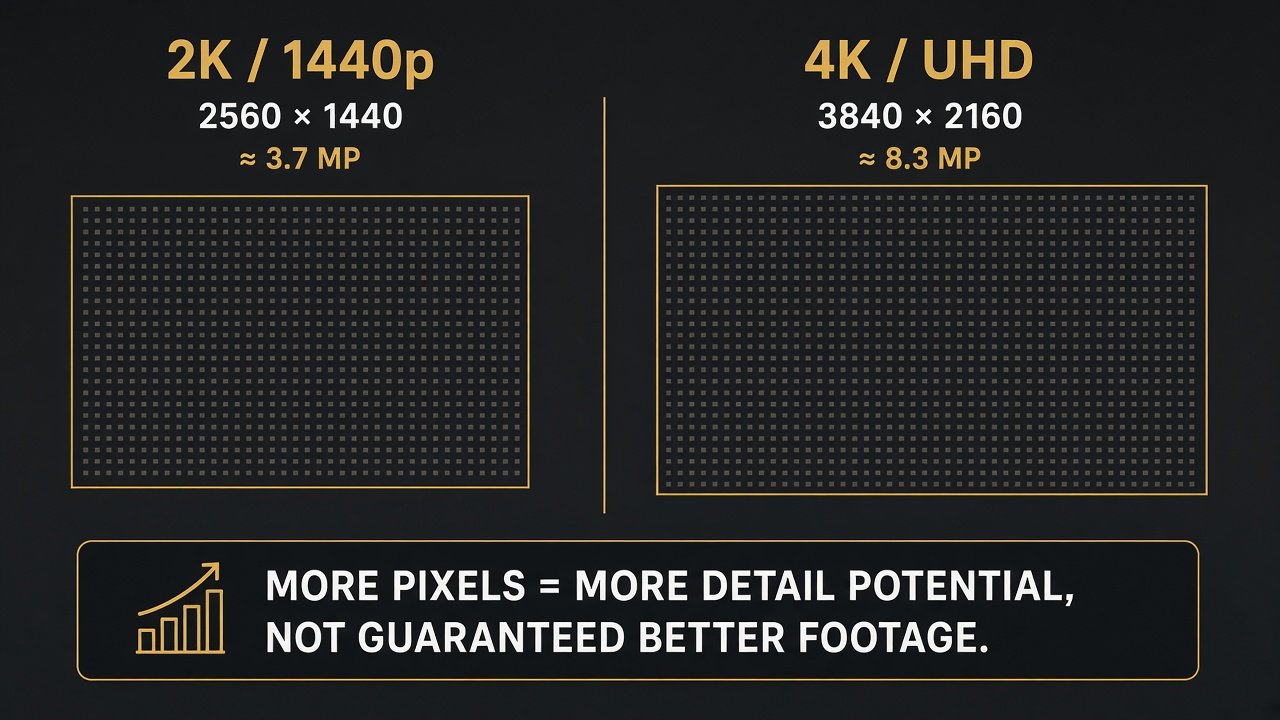
In a 2K vs 4K dash cam spec sheet, “2K” is a marketing label. On current VIOFO manuals, 2K means 2560 × 1440 (sometimes written 1440p / QHD). Simple arithmetic: 2560 × 1440 = 3,686,400 pixels, about 3.7 megapixels. Some brands use “2K” for other counts — verify the pixels, not the nickname.
“4K” commonly means UHD 3840 × 2160. Arithmetic: 3840 × 2160 = 8,294,400 pixels, about 8.3 megapixels. That is roughly 2.25× the pixels of 2560×1440. More pixels still do not automatically mean more useful evidence. Ultrawide “4K 21:9” on some VIOFO modes is 3840×1600 — still not the same frame as 3840×2160. Native 4K capture is not the same as a listing that upscales a lower sensor readout to a 4K-labeled file. Interpolated 4K is a marketing output, not extra optical information. If the maker is unclear, do not treat the box as proven native 3840×2160. The camera should have imaging hardware that can actually support the advertised output.
How Much More Detail Does 4K Actually Give You?
More pixels can preserve more spatial detail. In favorable daylight — more light, shorter exposure, less noise — that extra grid can help with distant signs or a later crop. That is a potential, not a guarantee. Pixels per degree still depend on field of view: the same 4K spread across a very wide scene puts fewer pixels on a plate than a narrower 2K frame might. A 2K camera with a tighter view can put more pixels on a nearby car than a 4K camera that sees the whole intersection. Digital zoom only enlarges what was already recorded. Software cannot “enhance” a plate that was never in the pixels. Phone playback can hide differences on a small screen; a large monitor can show them — if the source is sharp, not if it is blur, glare, or mushy compression. Platform recompression when you share a clip can also throw away a 4K advantage. Review the original file when the clip actually matters.
Can 4K Read License Plates Better?
Potentially, under favorable distance, angle, speed, focus, and light. 4K does not guarantee identification. Plates are reflective; headlights, weather, shutter, and compression all matter. Relative motion at highway speed can smear characters even at 8.3 megapixels. 60 fps does not guarantee a readable plate either — frame rate is not shutter speed, and it does not set exposure by itself. A dash cam is not an automatic plate scanner. If identification is your only purchase reason, lower your expectations before you pay a 4K premium.
Why Sensor and Bitrate Matter as Much as Resolution
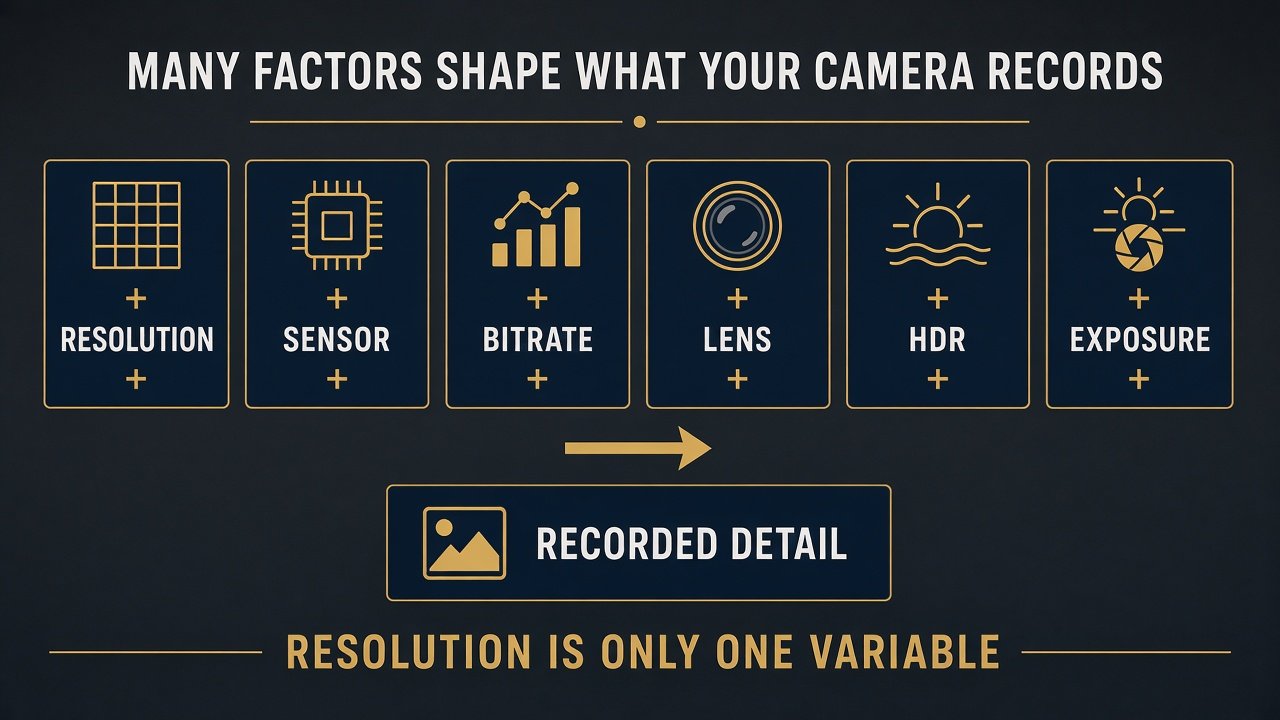
Recorded detail is resolution + sensor + bitrate + lens + HDR + exposure. A 4K output can sit on a larger or smaller sensor. Packing more pixels onto a similar-sized chip can mean smaller photosites that collect less light each — modern architecture, HDR, and processing complicate that, so 2K does not automatically win at night. Sony STARVIS vs STARVIS 2 is one generation example, not a rule that STARVIS 2 at 2K always beats older 4K. Aperture (for example F1.8 versus F1.9 on the A229 Plus rear) is part of the optical design; a wider stop is not automatically better in every system.
Bitrate is how much video data is stored per unit time. Higher resolution generally needs more data to stay sharp. A well-encoded high-bitrate 2K file can remain useful against a heavily compressed 4K file in some scenes. There is no universal “ideal Mbps” that fits every brand. VIOFO’s A329S manual lists bitrate as Low / Normal / High / Maximum without publishing a single Mbps figure we will copy as a storage calculator — we will not apply one camera’s forum bitrate to all 4K units. H.265 can be more storage-efficient than H.264; app and player compatibility can differ. Follow the maker’s high-endurance card list (dash cam SD card size). Continuous dash-cam writing is hard on cards; buy what the manufacturer specifies, not a random Class 10 leftover. App live preview can look softer than the file on the card — do not confuse a stream with stored resolution.
Is 4K Better for Night Driving?
Not automatically. After dark, sensor, lens, HDR, and exposure often matter more than pixel count. A strong 2K night system can outperform a weak 4K implementation. HDR can help headlights, tunnels, and mixed light; quality still varies by implementation, so 4K without effective HDR does not automatically beat 2K with stronger exposure handling. WDR is not automatically the same as multi-exposure HDR — use the maker’s word. Night-driving product ranking belongs on a dedicated night page, not here. Dirty glass and tint still change the file regardless of 2K or 4K. If night is your main job, compare the imaging chain first, then decide whether extra pixels are even visible in that noise and glare.
2K 60fps vs 4K 30fps
These modes exist on real products. The VIOFO A229 Plus 2CH lists 2K (1440p) 60 fps front + 2K 30 fps rear. The Thinkware U3000 PRO 2CH lists front 4K UHD @30 or 2K QHD @60 on the same front camera — a clean illustration that one body can trade spatial pixels for temporal samples. The VIOFO A329S 2CH lists 4K 60 + 2K 30 with HDR off on that 4K60 path, and 4K 30 + 2K 30 with HDR available. Higher fps samples motion more often and may help freeze movement; it can also shorten exposure per frame depending on implementation. There is no universal winner between 2K 60 and 4K 30. Pick the mode the manual actually offers for the scene you care about. Thinkware is an example of a mode switch, not a ranked night or dual-channel winner on this page.
How Much More Storage Does 4K Use?
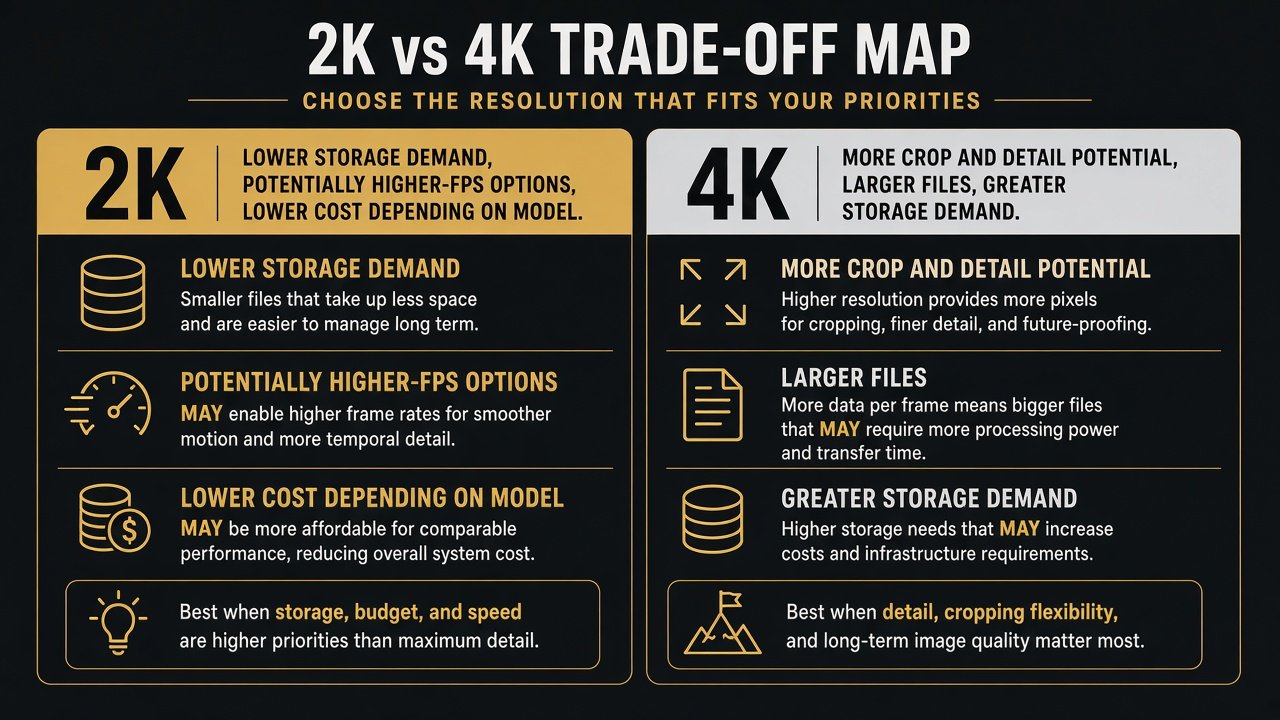
At comparable encoding, 4K usually creates larger files, fills cards faster, and shortens the loop-recording window — the history you still have if you notice an incident late. Loop recording overwrites the oldest unprotected clips; a 512 GB card on a hungry 4K setting is not “twice the evidence” of 2K unless you compare actual bitrates. We will not invent hours: the A329S publishes bitrate names, not a single Mbps we can multiply for every 4K camera. Not every 4K unit supports a 512 GB card; check the spec. Parking users may care more about power and event design than 4K parking files. Higher-resolution recording also needs more processing; thermal design matters in heat, but 4K cameras are not universally “hotter.” That belongs in a hot-weather guide. Larger files can take longer to copy and can fill phone storage faster; we will not invent transfer times. Social recompression can erase a 4K advantage if you only share clips.
What About Front and Rear Dash Cams?
A box that says “4K” often means 4K front and 1080p or 2K rear. 4K front is not 4K rear. The A329S 2CH is a documented 4K (3840×2160) front plus 2K (2560×1440) rear example — useful for highway front detail, not a dual-4K claim. The A229 Plus 2CH is 2K+2K, a more even rear file if rear evidence matters. Dual-channel shopping (cables, parking on both cameras) is a separate guide. See the VIOFO A329S review for that model’s walkthrough, not a 2K-vs-4K score.
When 4K Is Worth Paying For — and When 2K Is Smarter
4K may be worth it if daytime detail and crop flexibility are real needs, storage cost is acceptable, and the 4K model also has a current sensor, HDR where you need it, adequate bitrate settings, and support. The extra price may buy a newer sensor or a better rear camera — not “4K” alone. 4K is not always more expensive, but these two current VIOFO kits happen to sit at different prices. The A329S 2CH is a current 4K-front example: STARVIS 2 IMX678 front at native 3840×2160, STARVIS 2 IMX675 rear at 2560×1440, F1.8, max 512 GB, optional SSD, VIOFO.com 2CH $459.99. Amazon ASIN B0FFT3YBH7 is 2CH + charger, no card or hardwire. Confirm New, 2CH not 3CH. 4K60 on this model is documented with HDR off — a real “4K mode disables a feature” case, not a smear. See VIOFO A329S 2CH (ASIN B0FFT3YBH7; card extra) →
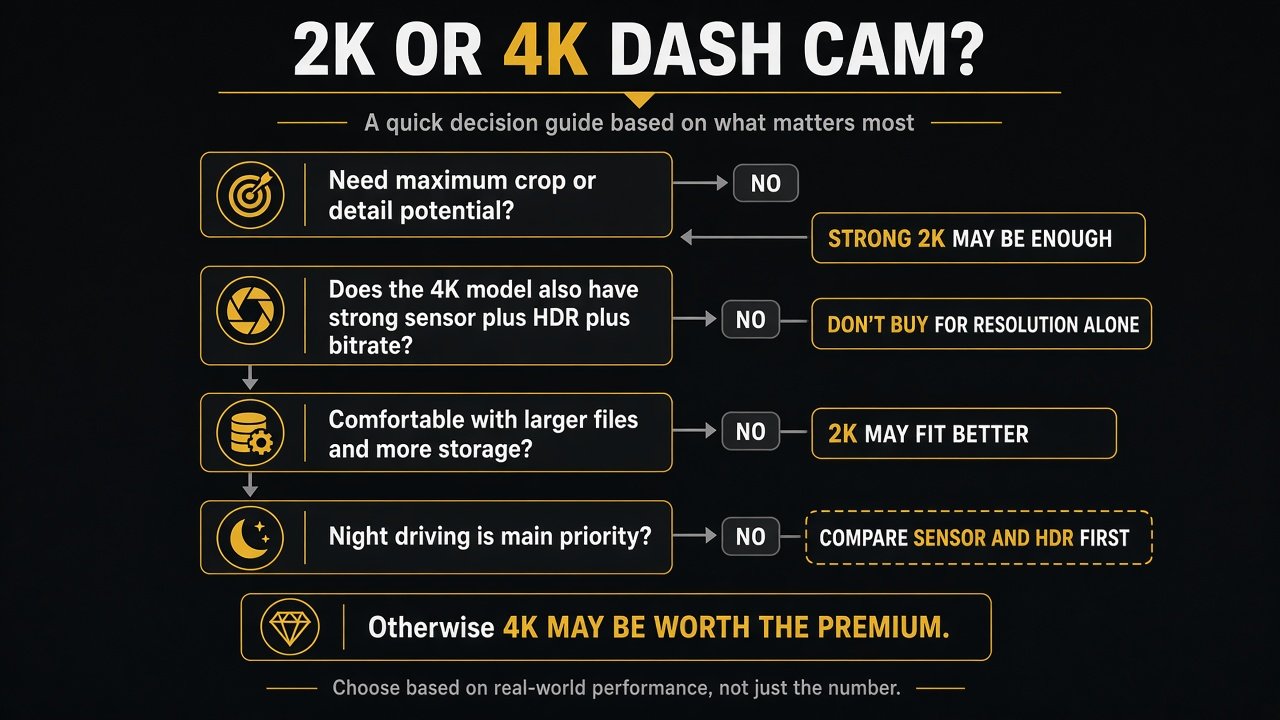
Work the decision in order. Need maximum front crop? If no, a strong 2K kit may be enough. If yes, does the 4K model also have a strong sensor, HDR, bitrate settings, and support? If no, do not buy for the number. Comfortable with larger files? If no, 2K may fit. Night the main worry? Compare sensor and HDR first. Is the premium modest and the rest of the kit strong? Then 4K may be worth it.
2K is not obsolete. It may be enough for commuting if the sensor and HDR are strong. It can be the better buy when a newer 2K kit beats a weak 4K box on sensor, rear camera, parking hardware, support, or total cost. City night still starts with sensor/HDR. The A229 Plus 2CH is a current 2K example: dual STARVIS 2 IMX675, 2560×1440 front and rear, front HDR + rear HDR, 2K60+2K30 listed, F1.8 / F1.9, FOV 140° / 160°, max 512 GB, VIOFO.com $229.99. Amazon ASIN B0CKX14L34 — confirm 2CH not 3CH. That is a representative 2K system, not a claim it beats every 4K camera at night. See VIOFO A229 Plus 2CH (ASIN B0CKX14L34; confirm 2K+2K) →
What to Check Before Choosing Either
1) Exact native resolution (pixels, not the nickname). 2) Front and rear separately. 3) Sensor model. 4) Sensor generation. 5) HDR per channel. 6) Aperture if published. 7) Bitrate if published. 8) Frame rate at that resolution (and whether HDR stays on). 9) FOV. 10) Max microSD and card class. 11) Current firmware/support. 12) Parking behavior only if you need it. 13) Current price and what the premium actually includes. 14) Complete features (GPS, Wi-Fi, power). Connected LTE/cloud is a different axis — see LTE vs Wi-Fi dash cams.
| If You Prioritize… | Lean Toward |
|---|---|
| Maximum crop/detail potential | 4K, if sensor/HDR/bitrate are also strong |
| Lower storage demand | 2K, or a lower 4K bitrate setting you accept |
| Value | Depends on the full kit, not the label |
| Night driving | Sensor/HDR first, then resolution |
| Front + rear balance | Compare both channels |
| 60 fps | Verify the exact resolution mode |
| Parking | Power and events; resolution is secondary |
Commuting: a strong 2K system may be enough. Highway: 4K crop potential may help in daylight. City night: sensor/HDR first. Parking: storage and power first. Front+rear: inspect both files.
Final Verdict: 2K or 4K?
Choose 4K when the complete camera is strong and extra detail or crop solves a real need. Choose 2K when it is the better mix of sensor, HDR, storage, features, and price. For a typical 2K vs 4K dash cam shopper, do not buy the bigger number alone. If you want 4K front with a documented 2K rear and current STARVIS 2 hardware, the A329S 2CH is a fair 4K-side example. If you want balanced 2K+2K and 2K60 without paying the 4K premium, the A229 Plus 2CH is a fair 2K-side example. Neither is a universal winner.
FAQ
Is 4K worth it for a dash cam?
It can be, when sensor, HDR, bitrate, and storage are also in line and you need crop or daylight detail. It is not worth it as a sticker.
Is 2K good enough for a dash cam?
Yes for many drivers, especially on a current STARVIS 2 2K system. 2K is not outdated.
Can a 4K dash cam read license plates better?
Potentially in favorable conditions. 4K does not guarantee readable plates.
Is 4K better than 2K at night?
Not automatically. Sensor, lens, and HDR can matter more than pixel count.
Does 4K use more storage?
Usually yes at comparable encoding. Exact hours depend on bitrate, which we will not invent.
Is 2K 60fps better than 4K 30fps?
Neither wins automatically. 60 fps samples motion more often; 4K holds more spatial pixels. Check HDR and the exact mode.
Is a 4K dual dash cam 4K on both cameras? What matters more than resolution?
Usually not. Check rear pixels. Buy the imaging system: resolution + sensor + bitrate + HDR — not the box label.