
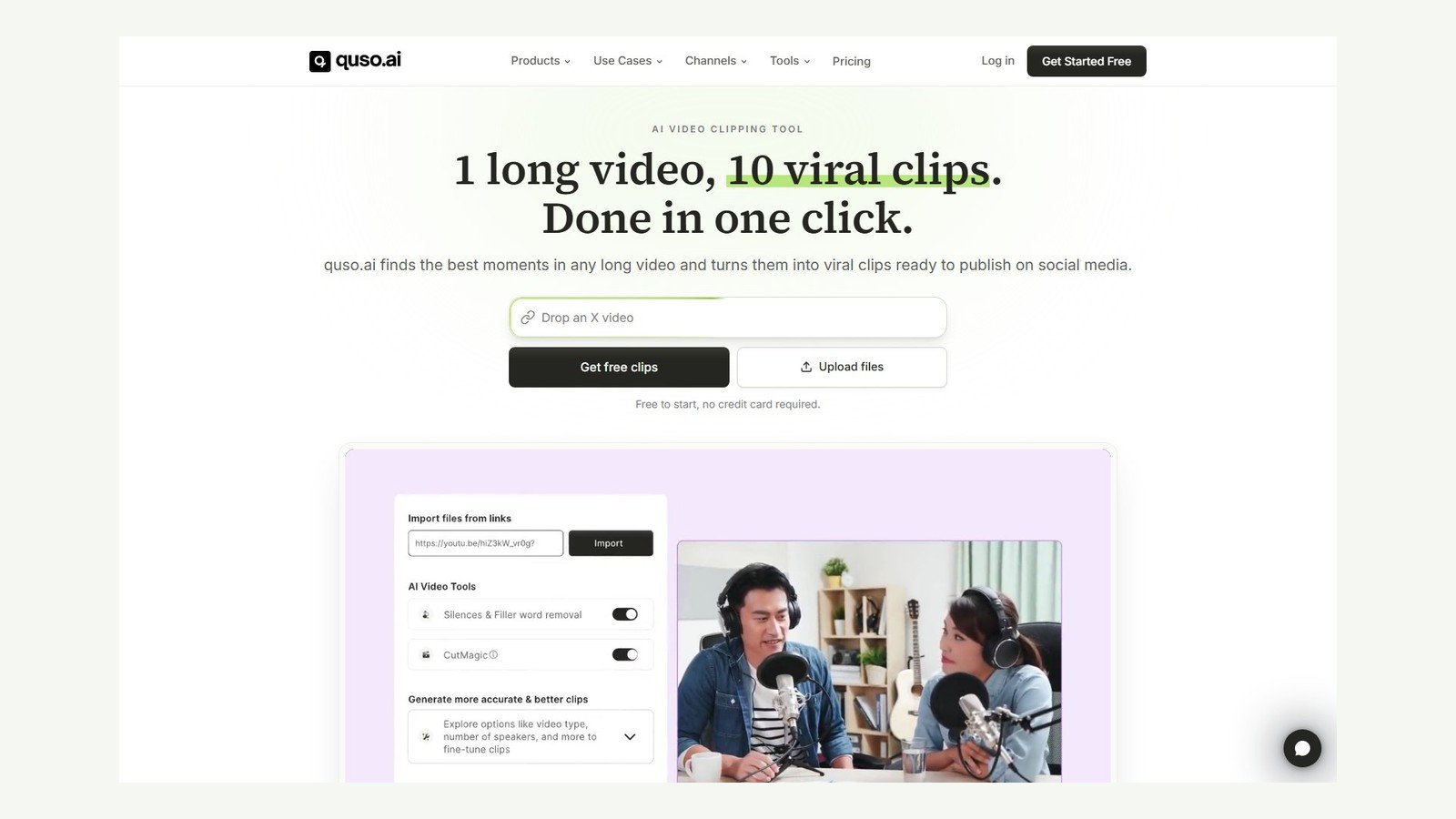
This Quso.ai review maps the product on 5 October 2026: a clipping and social-repurposing workspace that started as vidyo.ai. Sources: quso.ai, pricing, product FAQs, helpdesk, and Terms. Moon Picke did not run a logged-in clipping test. Speed, caption accuracy, and “viral” results are vendor claims unless labeled otherwise. Wider map: published best AI video generators.
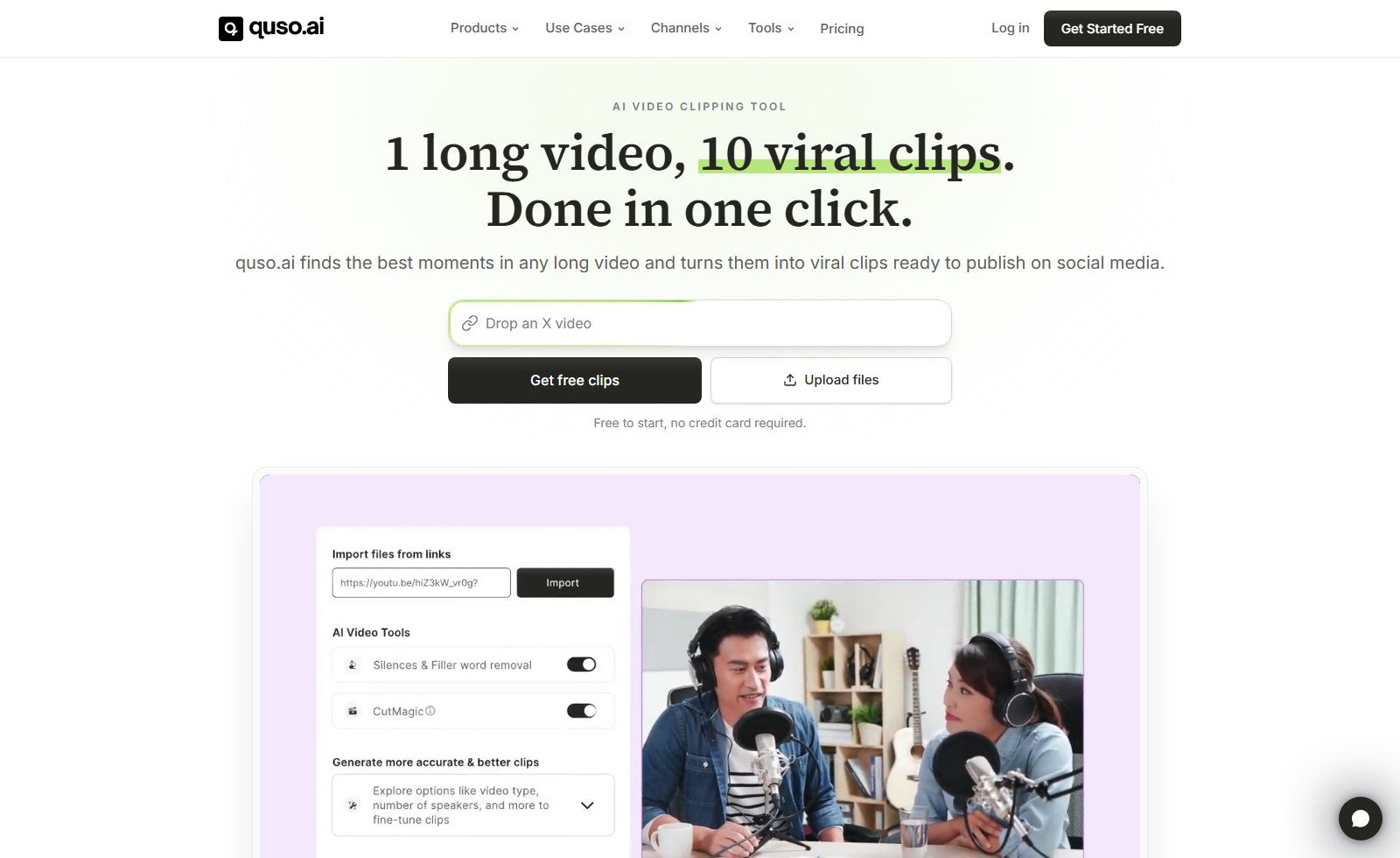
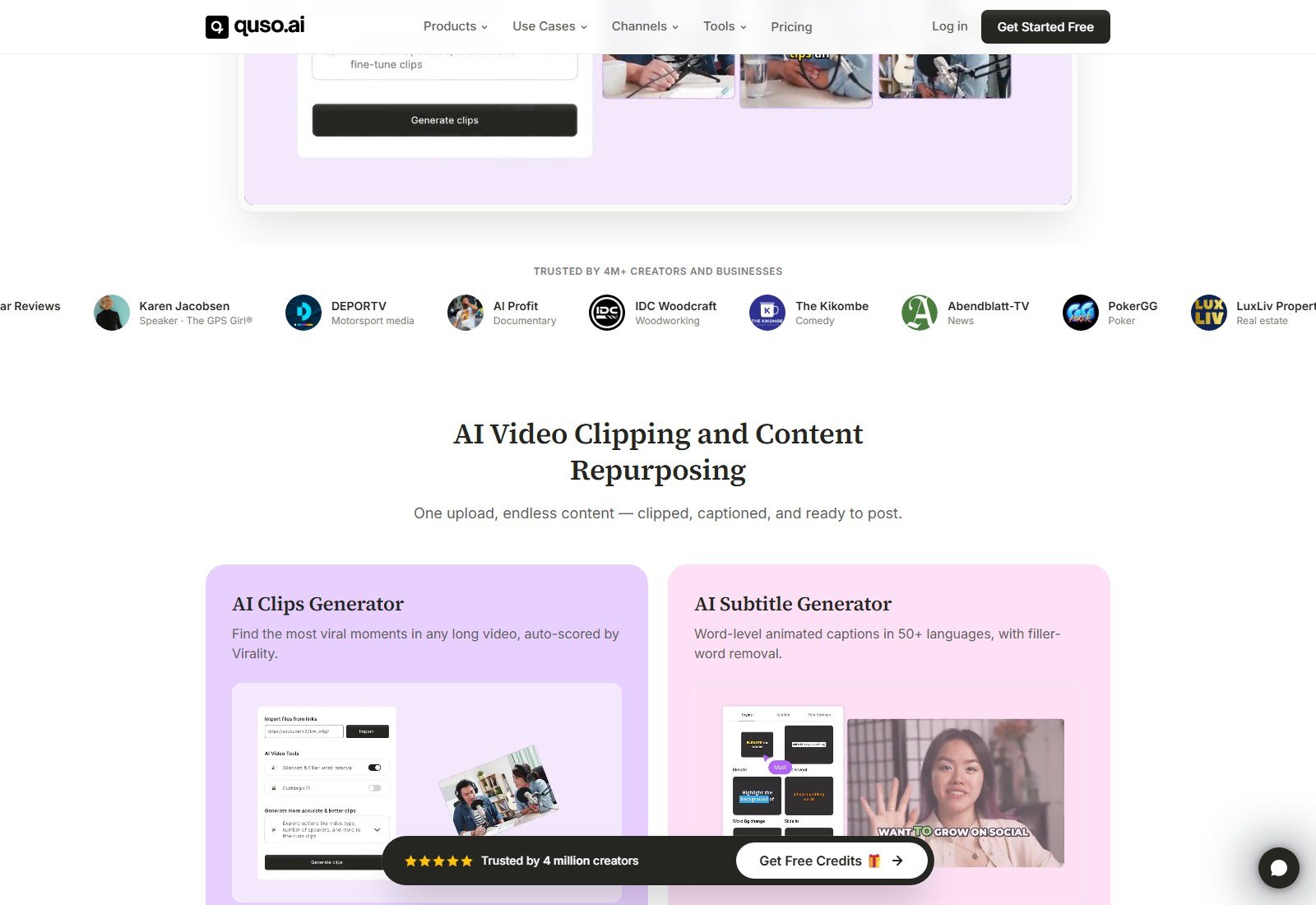
The homepage still leads with “AI Video Clipping Tool.” That loop is primary. The same site also sells scheduling, a planner, Brand Kit, analytics, a text-based editor, stock B-roll, and social captions. Treat Quso as a clipping-plus-social platform, not cinematic text-to-video and not Premiere.
Quick Verdict
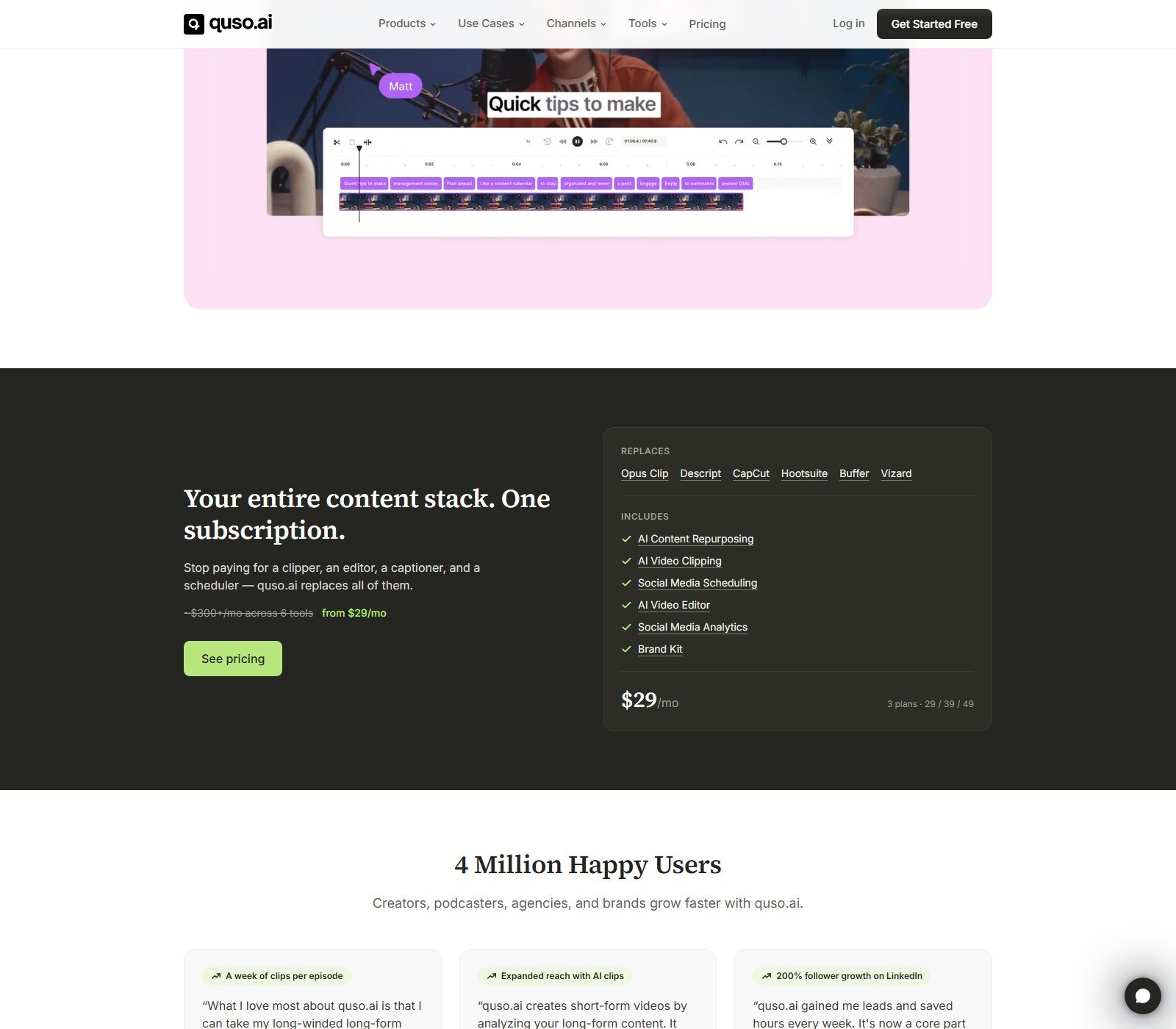
Quso.ai is the current brand for the product formerly sold as vidyo.ai. First-party pages dated January 2025 say the login, plan, credits, and projects moved to app.quso.ai. Best for creators and teams who already have long talking-head, podcast, webinar, or interview footage and want short captioned clips plus optional scheduling. Live public cards start at a Free plan ($0, 75 credits/month, 720p, watermark, TikTok publishing). Paid Lite is $29/month, or $19/month equivalent, billed yearly (100 credits monthly, 200 on annual).
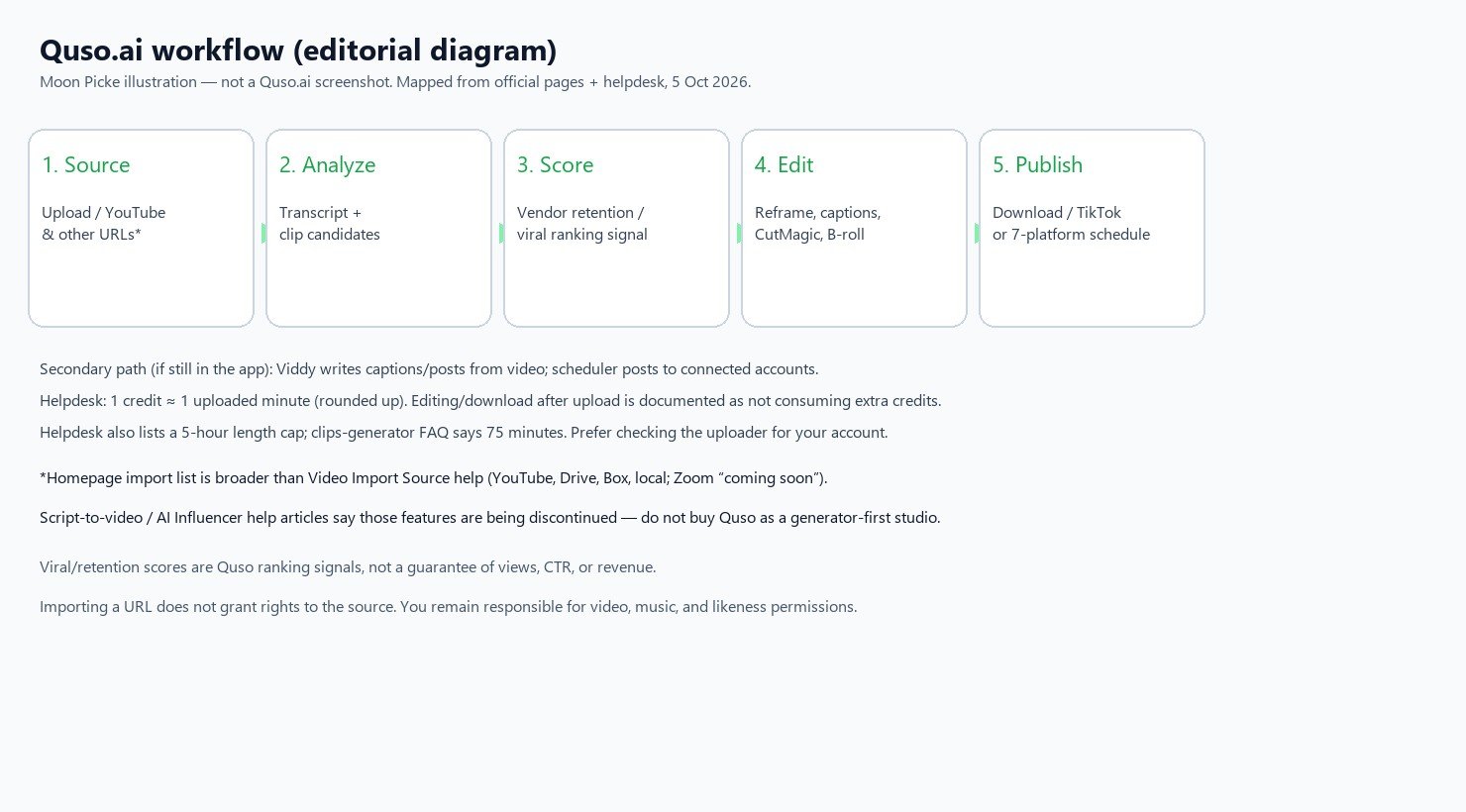
Primary workflow: import a recording → transcript and candidate clips → 9:16 reframe and captions → edit → download or publish. Helpdesk credits: about 1 credit per uploaded minute, rounded up. Biggest advantage: one subscription that combines clip discovery, captions, reframing, and (from Essential) seven-platform scheduling. Biggest limitation: you still need rights to the source, AI picks still need human review, and helpdesk vs marketing pages disagree on max length and import sources. Buy if you clip long-form weekly. Skip if you have no source video or you only wanted raw generative video.
Disclosure: Moon Picke may earn a commission if you purchase through links on this page, at no additional cost to you.
Quso.ai at a Glance
| Category | Quso.ai (5 Oct 2026) |
|---|---|
| Best for | Long-form libraries that need Shorts/Reels/TikTok clips plus optional scheduling |
| Former / related brand | vidyo.ai (official rebrand, January 2025) |
| Primary workflow | Long video → AI clips → reframe/captions → edit → export or publish |
| Starting paid price | $29/month (Lite); $19/month equivalent billed yearly |
| Free option | Yes — Free plan, 75 credits/month, no card on marketing copy |
| Long-video-to-shorts | Yes (core product) |
| AI clip selection | Yes — vendor “hooks / retention signals” |
| Clip scoring | Yes on paid FAQ — predicted-retention / viral-potential ranking signal |
| Auto reframe | Yes — 9:16; CutMagic for speaker/scene framing |
| Captions | Yes — on-video captions; language counts conflict across pages |
| B-roll | Yes — stock library (Pexels, vendor copy) |
| Video editing | Limited — clip/text-based editor, not a full NLE |
| Text-to-video | Marketing page exists; helpdesk says Script to AI Video is being discontinued |
| Image-to-video | Not listed as a dedicated generator |
| AI writing | Yes — Viddy (Growth card); social captions/hashtags product page |
| Scheduling | Yes — Essential+ to 7 platforms; Lite/Free: TikTok |
| Direct publishing | Yes where accounts connect — not inferred from logos alone |
| Social analytics | Yes on Growth card |
| Max source length | Conflict: clips FAQ 75 minutes vs helpdesk 5 hours |
| Output resolution | Free 720p; paid 1080p. 4K not listed |
| Watermark | Free: yes (clips FAQ). Paid: no watermark on that FAQ |
| Main limitation | Source-video dependency + doc conflicts + scores are not view guarantees |
What Is Quso.ai?
Site schema: organization quso.ai, alternateName Vidyo.ai, “formerly vidyo.ai.” Homepage: AI video clipping tool that finds moments in long video for social. Nav also lists clips, subtitles, repurposing, scheduler, planner, analytics, social captions, editor, Intelliclips, filler-word removal, CutMagic, B-roll, and custom clip.
Moon Picke category: AI video clipping and social-content repurposing platform. Short outputs sit next to generators in a roundup, but clipping footage is not prompt-to-new-shots.
Is Quso.ai the Same as vidyo.ai?
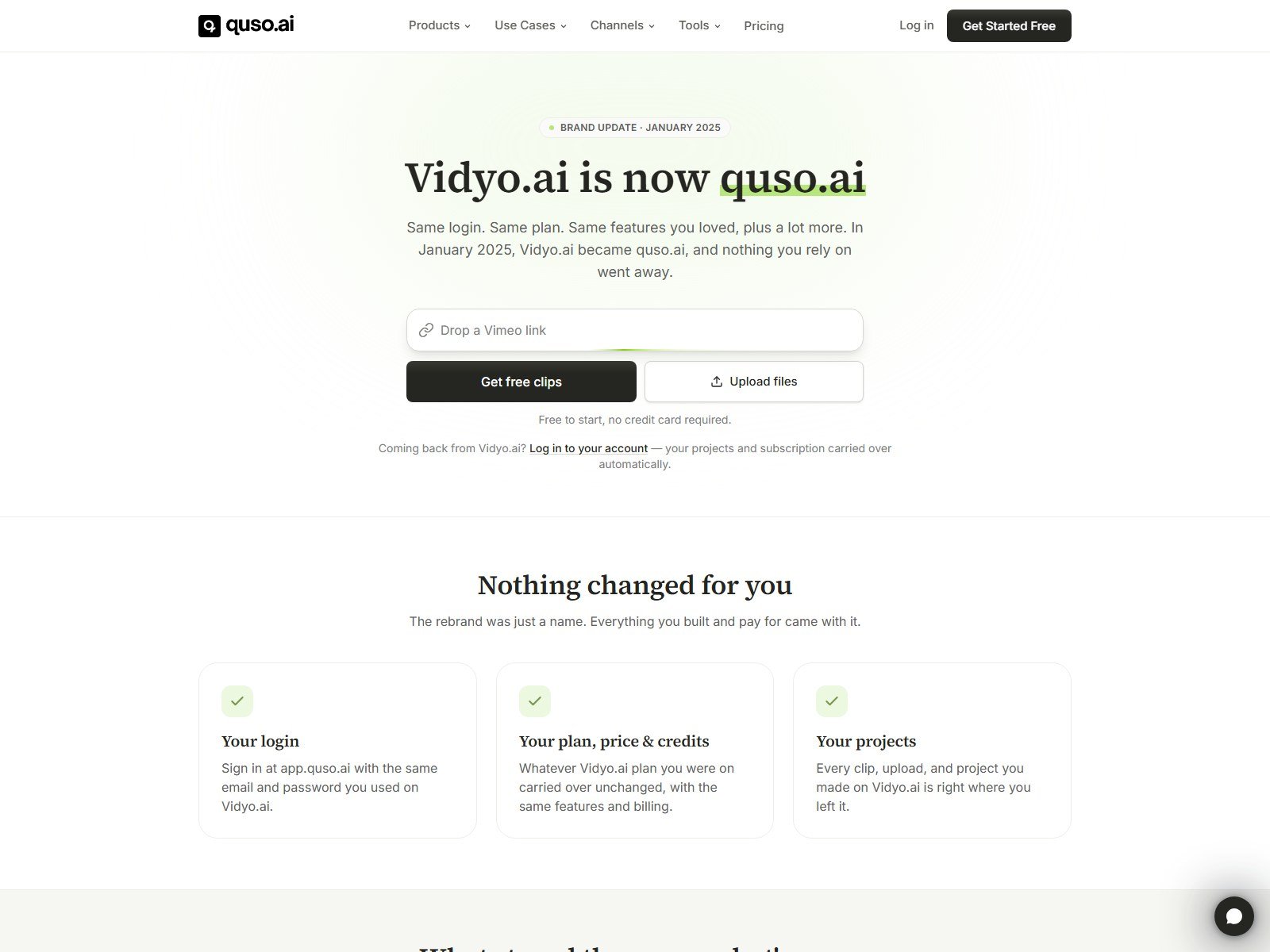
Yes as successor, not as a second clipping app. Official Vidyo.ai is now quso.ai (January 2025): same login at app.quso.ai, same plan/credits, projects carried over. Live pricing still tells Vidyo customers the plan is unchanged.
On 5 October 2026, https://vidyo.ai?via=00xmuj returned HTTP 301 to https://quso.ai/?via=00xmuj. vidyo.ai is a gateway, not a parallel product. Old bookmarks and this page’s commercial buttons still use the vidyo hostname on purpose. Old vidyo price cards are not reused here except where Quso’s live pages say the plan carried over.
How Quso.ai Works
Clips FAQ: paste a link or upload → transcript → candidate clips with natural start/end, 9:16 reframe, captions. Segments >60s also as 16:9 chapters. You trim, restyle, drop picks, or cut from the word-level transcript. Nothing publishes until you choose it. General FAQ: AI Clips wants the video over 3 minutes, with speech and the correct language.
| Stage | Quso.ai support | What it does | User control | Main limitation |
|---|---|---|---|---|
| Video input | Yes | Upload and URL import | Choose source | Homepage vs helpdesk source lists conflict |
| AI analysis | Yes | Transcript + candidate clips | Language at upload | Needs speech; <3 min may yield no clips |
| Clip selection | Yes | Auto highlights + custom from transcript/timestamps | Keep / drop / recut | Not a guarantee of “best” moments |
| Clip scoring | Paid FAQ | Predicted-retention / viral-potential ranking | Use as a sort signal | Not independently validated performance |
| Reframing | Yes | 9:16 default; 16:9 chapters >60s; 16:9 / 9:16 / 1:1 on Lite card | CutMagic / layouts | Tracking quality not tested here |
| Captions | Yes | Auto captions; styles; SRT on paid FAQ | Edit on timeline | Language-count and accuracy claims conflict |
| B-roll | Yes | Stock library + overlay in editor | Search / place / duration | Stock license ≠ your source rights |
| Editing | Limited | Trim, captions, filler/silence, templates, music | Clip-level, not full NLE | No rotate/flip (general FAQ) |
| Branding | Growth card | Brand Kit logos, colors, fonts, templates | Save templates | Lite/Essential do not list full Brand Kit |
| Social copy | Yes | Captions/hashtags product; Viddy on Growth | Edit before post | Not a dedicated long-form CMS |
| Scheduling | Plan-gated | Calendar / queue | Date/time per platform | Free/Lite: TikTok, not 7 networks |
| Publishing | Yes | Connect accounts, publish now or schedule | Social sets | Instagram needs Business/Creator + Facebook Page |
| Export | Yes | Download clips; SRT on paid FAQ | Speed option on download | Free: 5 min/clip, 720p, watermark |
Input Methods
Clips FAQ/homepage list YouTube, Vimeo, X, Facebook, Twitch, Rumble, Loom, LinkedIn, Zoom, Drive, Dropbox, and local upload on every plan. Helpdesk “Video Import Source” currently documents YouTube (public/unlisted), Drive, Box, local files, Zoom coming soon. Formats: mp4/mkv/mov/webm (FAQ also .m4v). Size: Free 5 GB; paid 15 GB. If a source is only on marketing, confirm in the importer. A URL is not a license.
Long-Video-to-Shorts
This is still the core purchase reason: vertical captioned candidates plus optional 16:9 chapters. Custom Clip help: timestamps or transcript words instead of only AI cuts. A vendor customer story of 7–10 clips per episode is not a yield to budget.
Length conflict: clips FAQ “up to 75 minutes” vs helpdesk “upto 5 hours.” Trust the uploader, not old vidyo blog limits. AI Clips still wants speech and >3 minutes.
AI Clip Selection
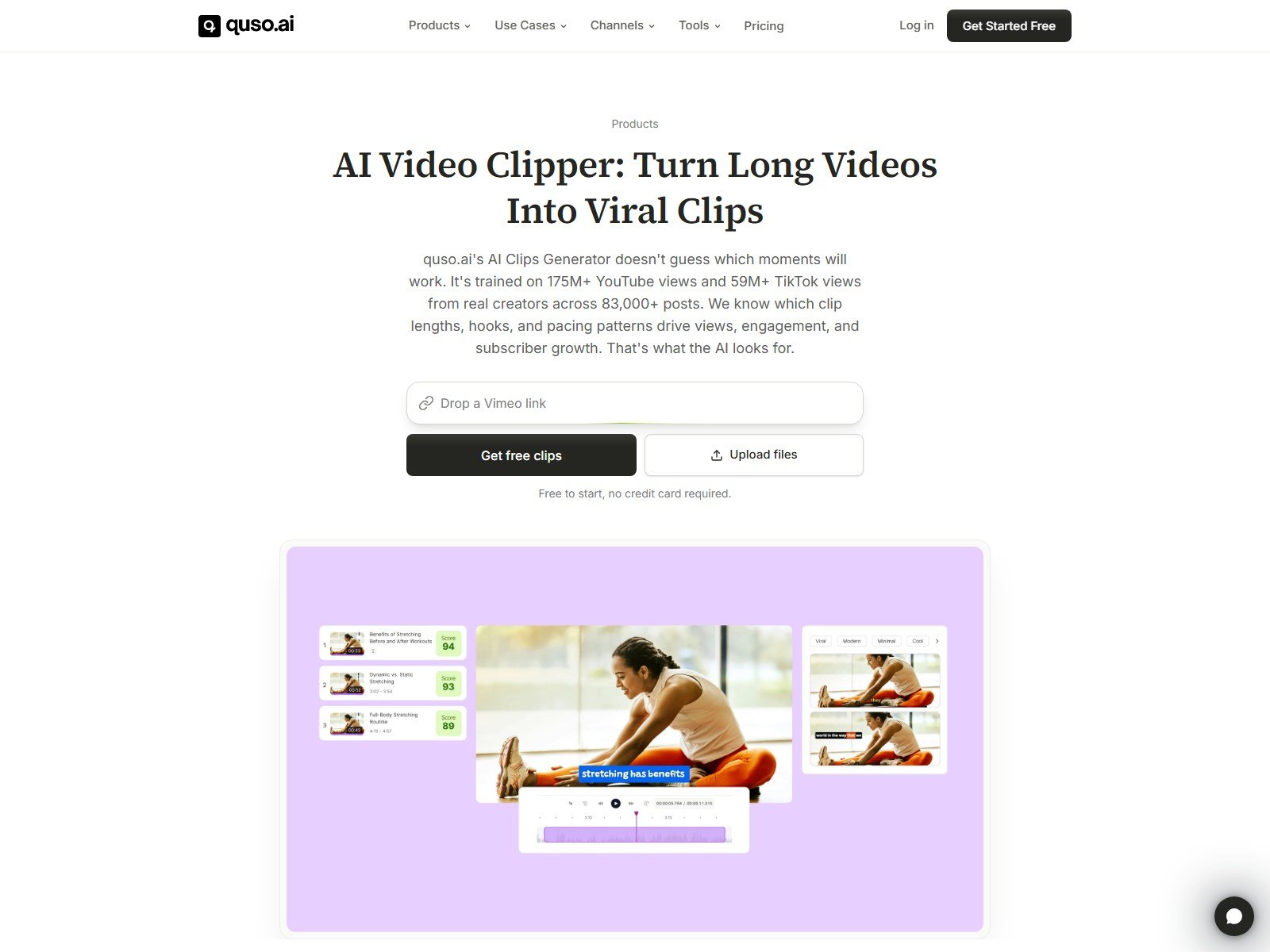
Official clips FAQ: the AI “scores moments based on retention signals” from an “83,000+ post dataset”: speech-energy changes, storytelling pivots, emotional peaks, and “natural arc completeness.” Marketing adds training on “175M+ YouTube views and 59M+ TikTok views.” Those are Quso’s descriptions of its ranking system. This review does not reconstruct the model or claim it finds the objectively best clip.
Clip Scoring (Vendor Ranking Signal)
Clips FAQ: the clipper “scores every clip by viral potential.” Paid-plan FAQ: a predicted-retention score on each clip. Homepage: “auto-scored by Virality.” Treat the number as Quso’s internal ranking signal. It is not independent proof of future views, CTR, followers, or revenue. Quso’s own FAQ even says posting more clips does not linearly increase views.
Auto Reframing and CutMagic
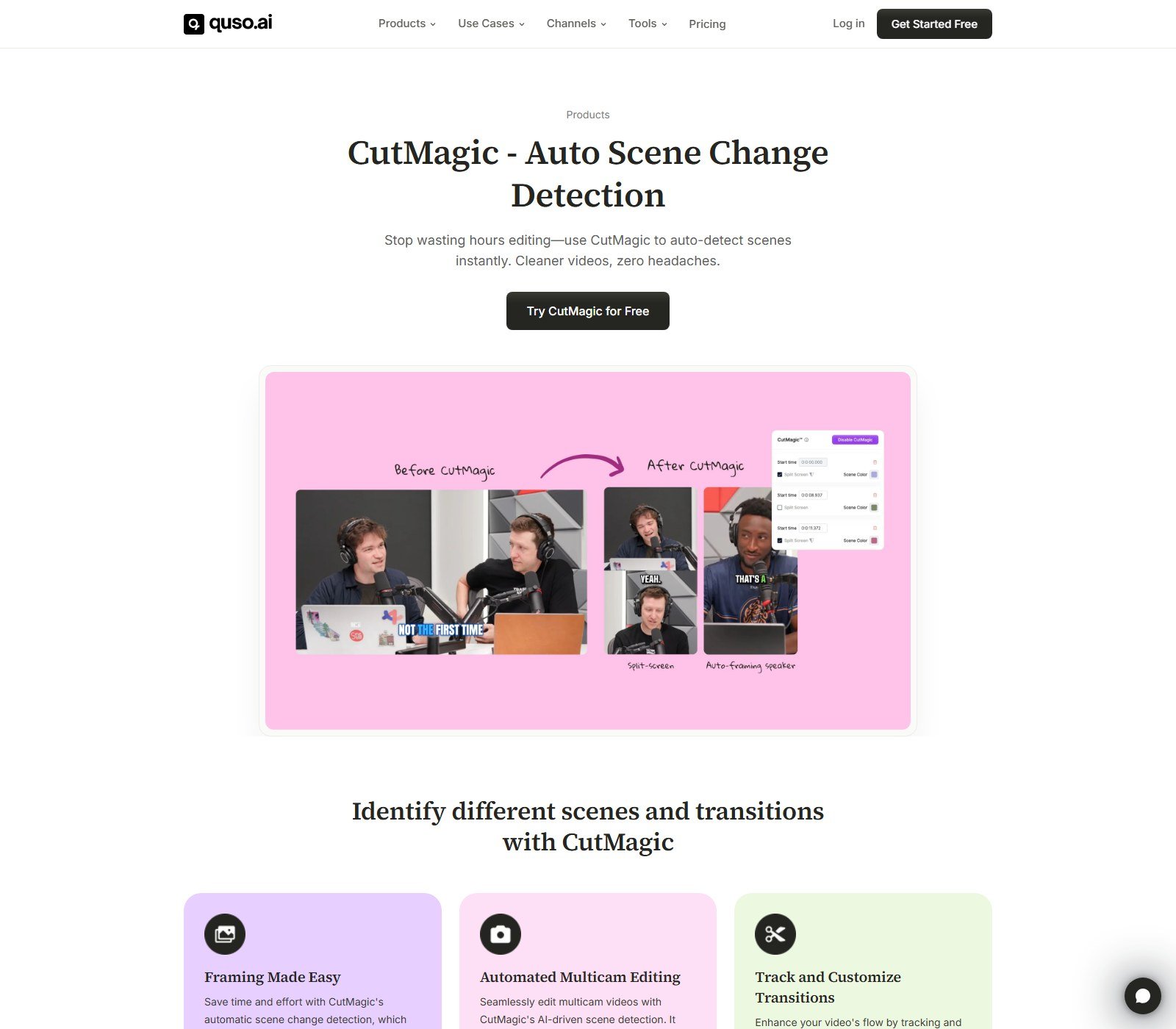
Default clip output is documented as 9:16 with captions. Lite card: export 16:9, 9:16, and 1:1. CutMagic help: auto-frames multi-camera video with scene-change detection so the speaking person stays in frame; paid users; toggle at upload (cannot enable later). Marketing shows split-screen and auto-framing-speaker layouts. Quality of face/speaker tracking was not measured here.
Captions
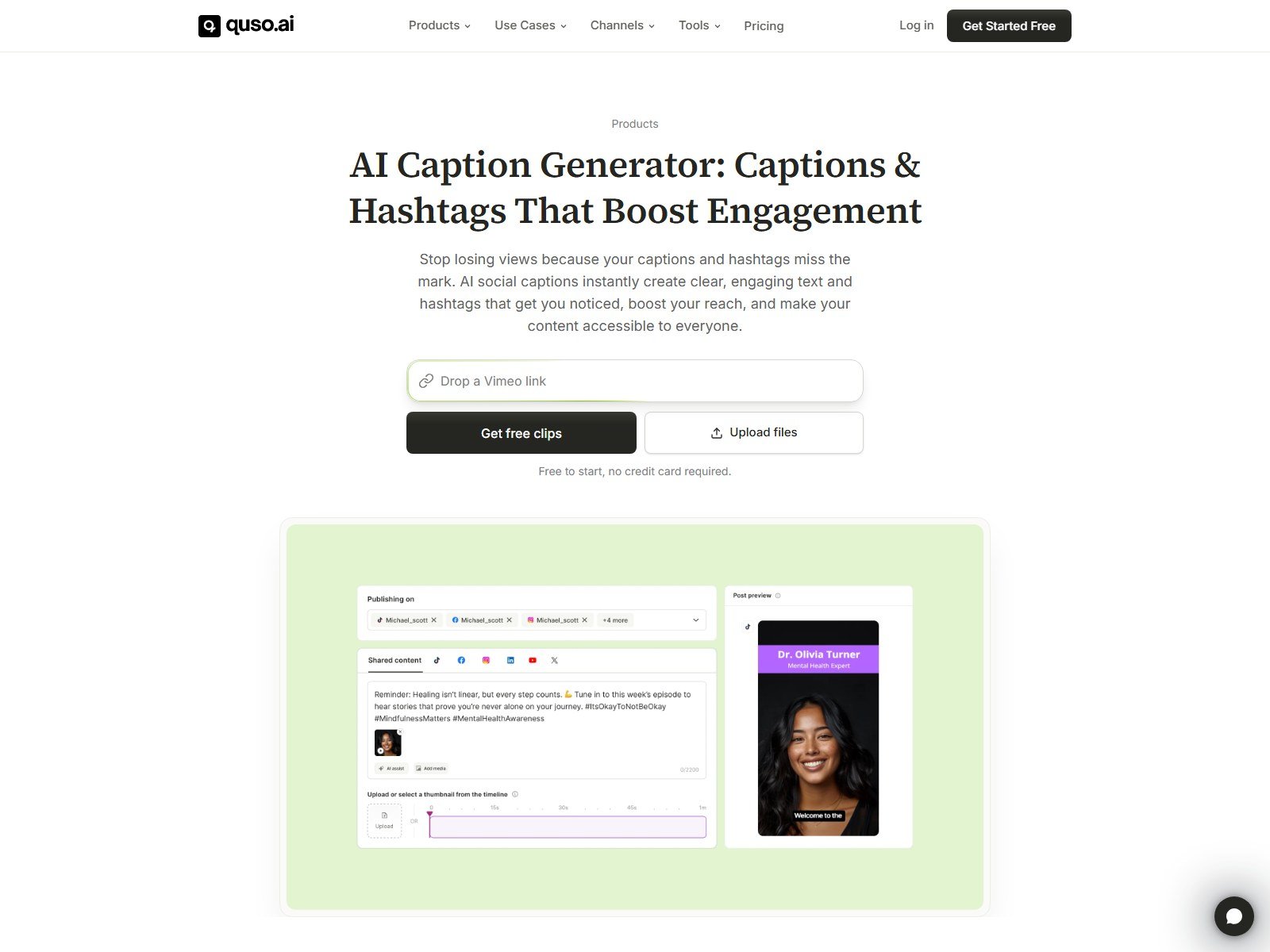
On-video captions: auto from transcript, word-level edit, styles, filler-word removal (Essential+ on the pricing card). Paid FAQ: SRT. Language counts conflict across pages (20+ / 50+ / 99). Editor FAQ’s “85% accuracy” is a vendor claim, not a Moon Picke test. AI Social Captions is post copy/hashtags, not burned-in subtitles.
B-roll
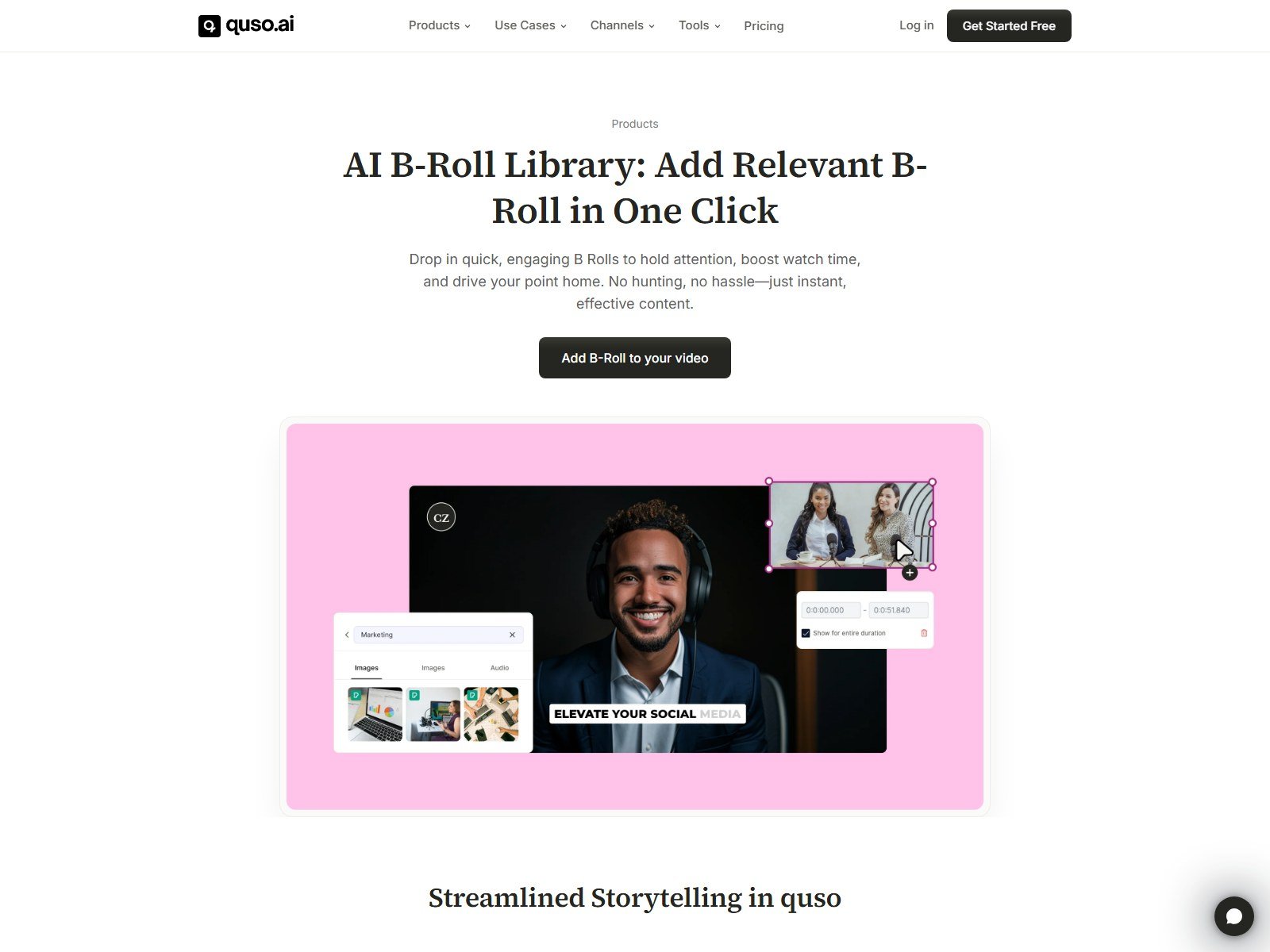
The B-roll product page markets a library you search and overlay (picture-in-picture in the screenshot). Vendor copy elsewhere attributes stock to Pexels and uses “copyright-free” language. Attribute that to Quso/Pexels terms. It is stock B-roll, not a documented raw AI-video generator for B-roll, and it does not license your uploaded A-roll.
Video Editing and Branding
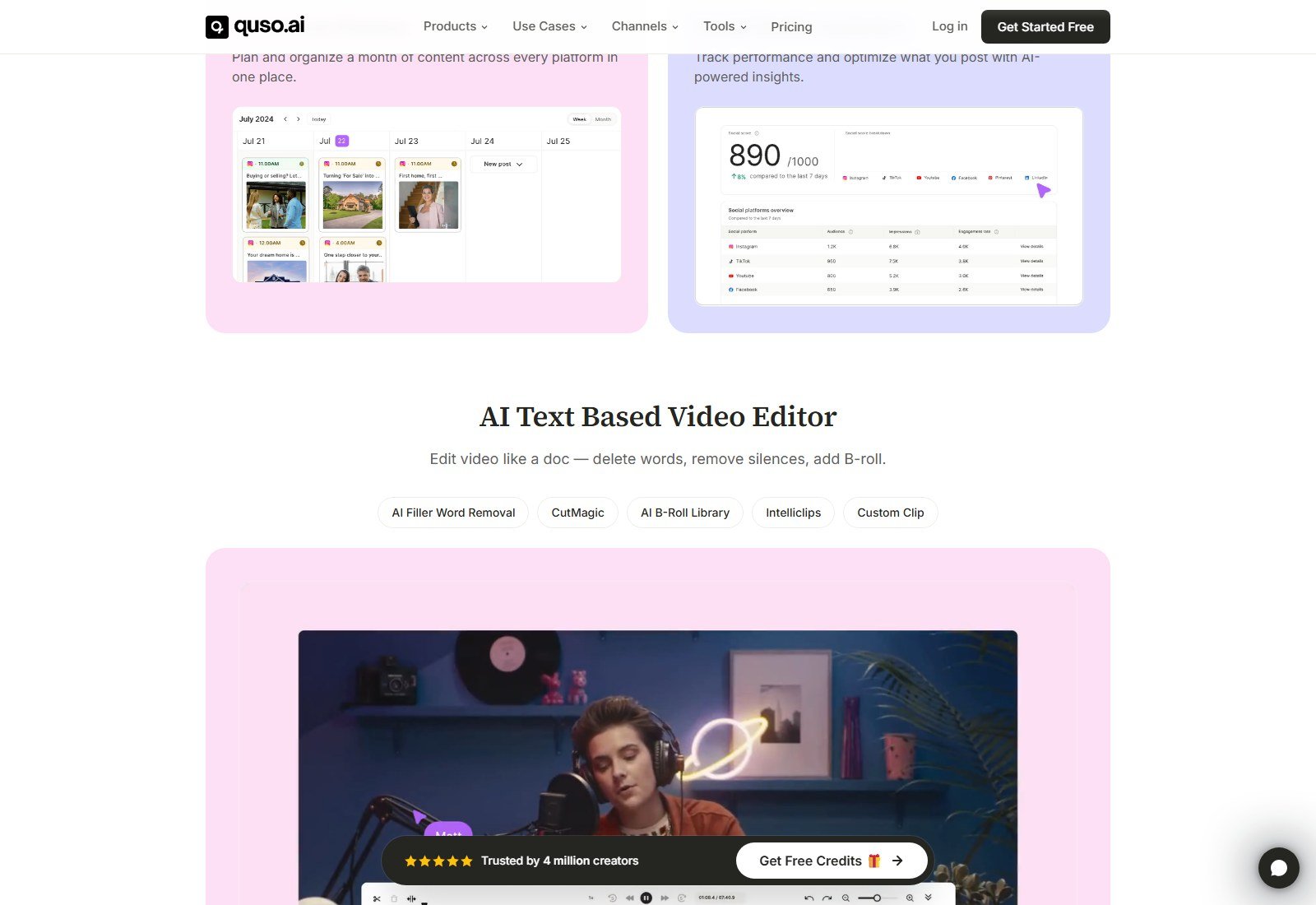
Homepage: text-based editor — delete words, remove silences, add B-roll, plus CutMagic, Intelliclips, Custom Clip. Editor FAQ: subtitle timeline, audio/B-roll, save template, speed at download. No rotate/flip. Lite: advanced editor on desktop. This is a clip editor, not DaVinci. Full Brand Kit (logos, colors, fonts, unlimited branded templates) is on the Growth card.
AI Writing and Content Beyond Video
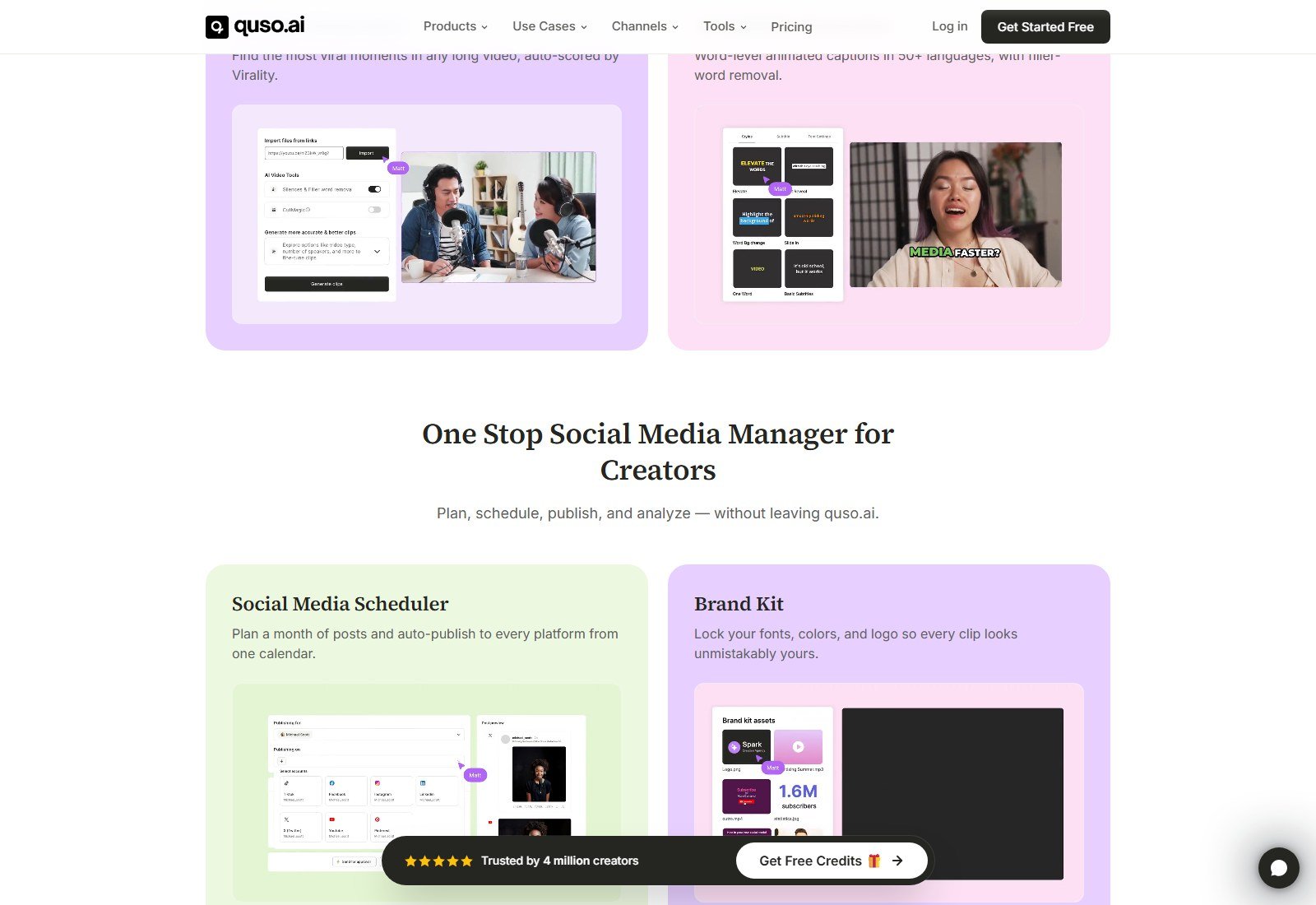
Growth lists Viddy: transcripts, summaries, captions, and blog posts from video (help). Social captions/hashtags are a separate product. Help documents Instagram carousels at publish. That is not a Canva suite. Standalone newsletter/thread generators were not listed as first-class tools on the pages checked.
Social Scheduling and Direct Publishing
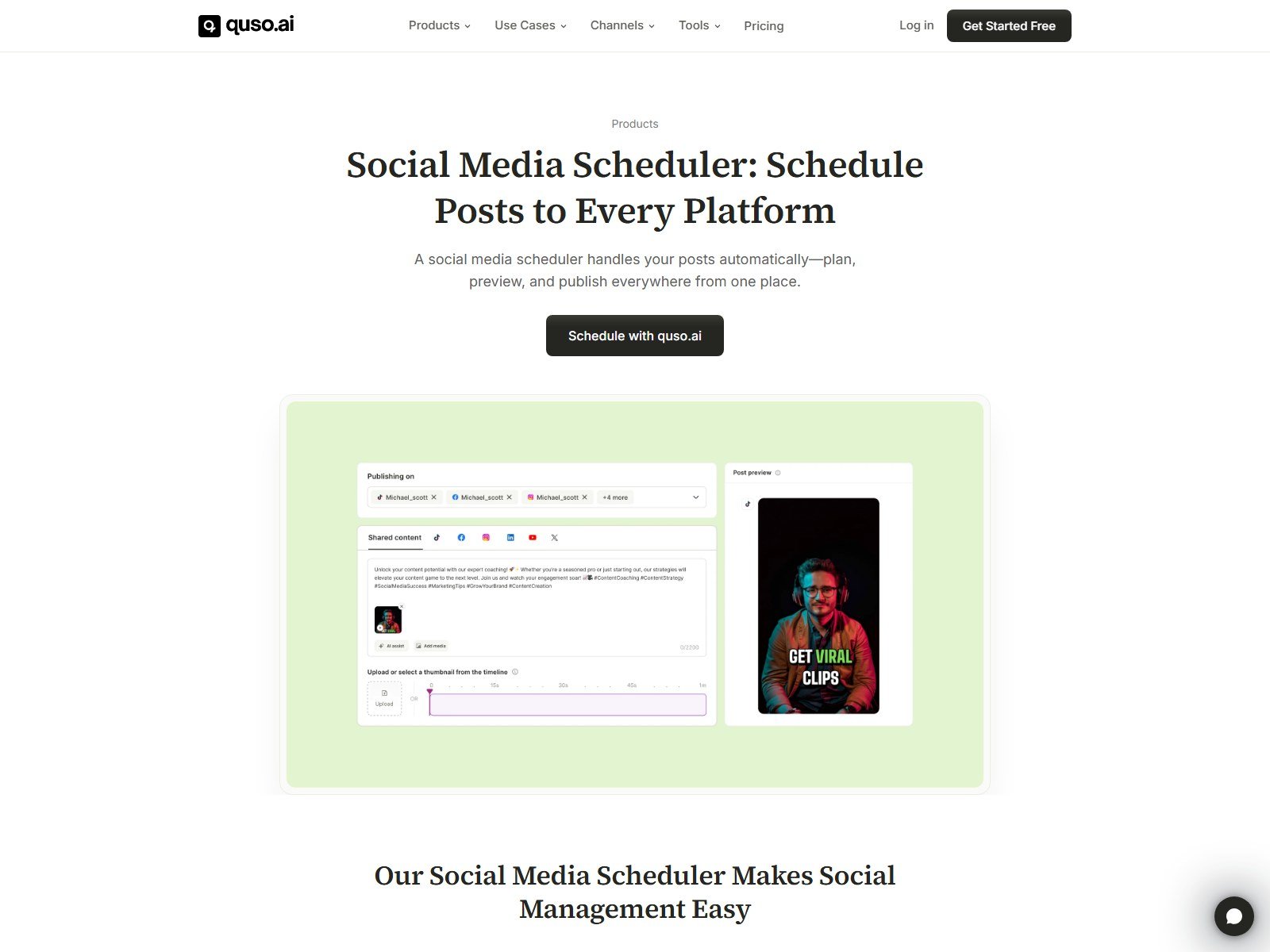
Keep export, in-app schedule, and native publish separate. Free/Lite cards: TikTok publishing. Essential: schedule to 7 platforms. Named networks on clips FAQ + connect help: TikTok, Facebook Pages, Instagram Business/Creator (needs a Facebook Page), LinkedIn, X, YouTube (Shorts and long), Pinterest boards. Help: up to 35 accounts (5 each); Lite TikTok-only; Essential/Growth full sets.
| Platform | Connect / publish docs | Scheduling | Plan note | Source |
|---|---|---|---|---|
| TikTok | Yes | Yes (plan-gated) | Free + Lite publish listed | Pricing + TikTok connect help |
| YouTube / Shorts | Yes | Yes on Essential+ | Not on Free/Lite seven-platform list | YouTube connect + Essential card |
| Yes (Business/Creator) | Yes on Essential+ | Needs Facebook Page | Instagram connect help | |
| Facebook Pages | Yes | Yes on Essential+ | No personal profiles | Facebook connect help |
| Yes (profile/page) | Yes on Essential+ | Admin role for pages | LinkedIn connect help | |
| X | Yes | Yes on Essential+ | — | X connect help |
| Yes (boards) | Yes on Essential+ | — | Pinterest connect help | |
| Threads | Not listed | No | — | — |
Social Analytics
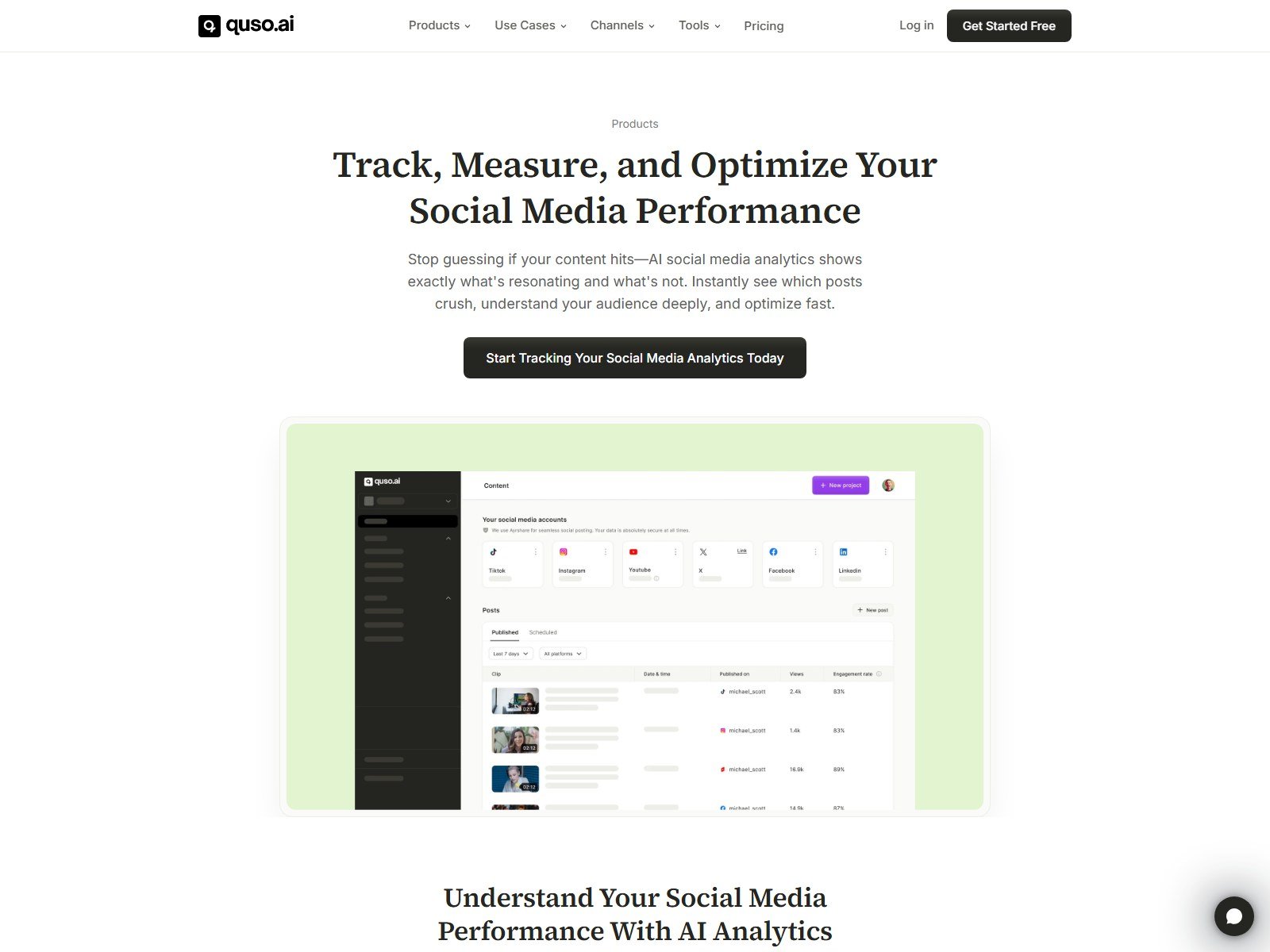
Growth card: social media analytics. The product page shows account tiles, post tables, views, and engagement rate in a demo UI. Help mentions an AI Analytics Social Score. This is post/account analytics for connected socials, not an ads manager. Demo numbers in screenshots are not Moon Picke measurements.
Does Quso.ai Generate New Video?
Primary path: repurpose existing video (clip, reframe, caption). That is not text-to-video. A marketing page still exists for an AI Video Generator (script/idea/Reddit → assembled video with voiceover and captions, length chips 0–30 / 30–60 / 60–90s). Helpdesk “Script to AI Video” and “AI Influencer” both open with “The … feature is being discontinued and will no longer be available.” Do not buy Quso in 2026 as an avatar or prompt-to-cinematic studio. Image-to-video as a generative model is not listed. Named foundation-model providers for clipping are not listed.
Export, Resolution, and Watermark
Clips FAQ: Free — 720p with a quso.ai watermark, downloads up to 5 minutes per clip, 7-day retention. Paid — 1080p, no watermark, downloads up to 60 minutes per clip, SRT. Lite card: unlimited 1080p clips. 4K: not listed. Export format: video download (treat as typical MP4; container not named on the pricing cards). Playback speed can be chosen at download (general FAQ). API: “Not at the moment.”
Quso.ai Pricing in 2026
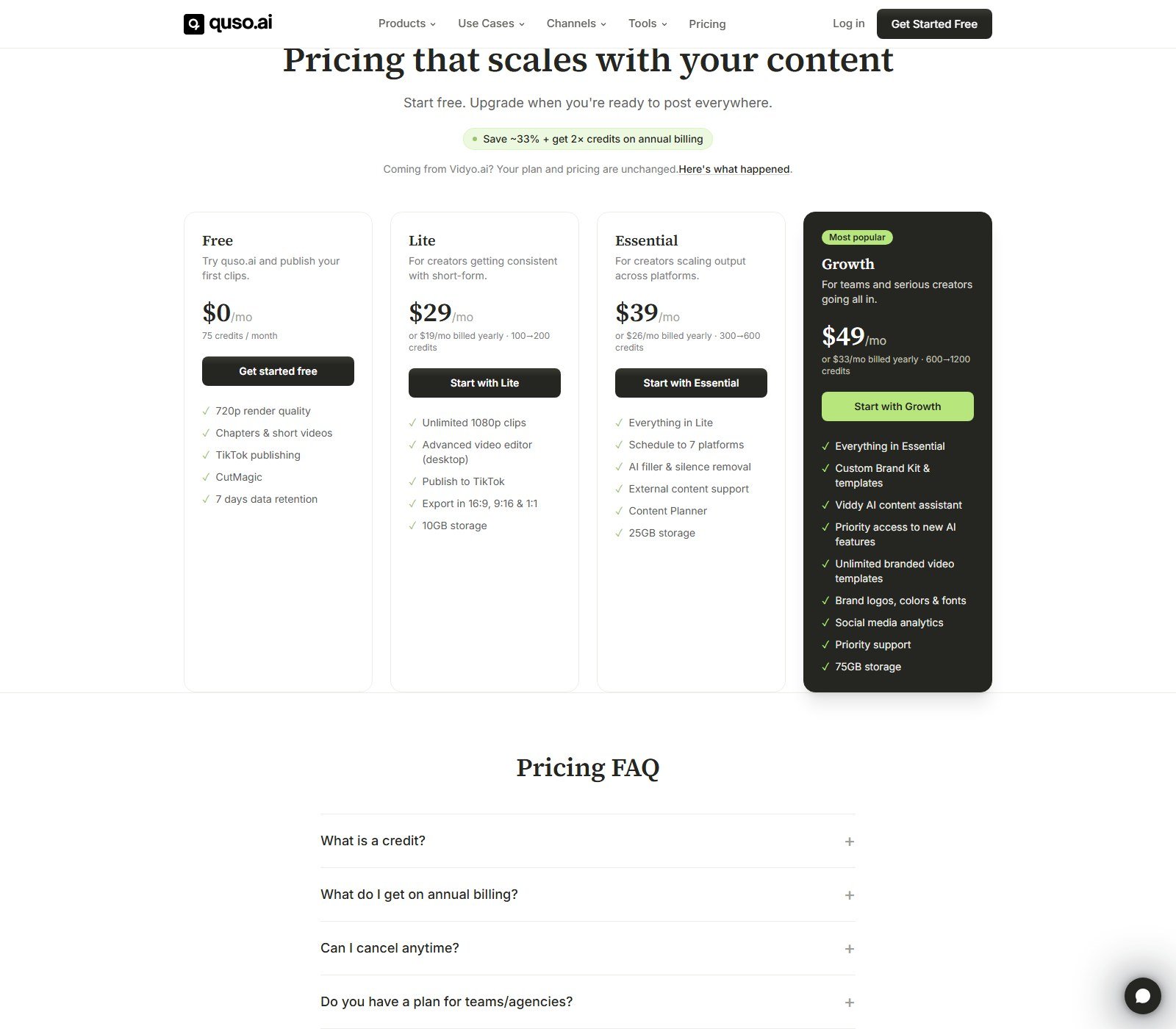
Pricing, usage allowances and plan limits were checked on 5 October 2026 and may change. Check Quso.ai’s current pricing before purchasing. Annual line on the site: save ~33% and get 2× credits. Quote yearly as equivalent billed annually, never as the monthly SKU.
| Plan | Price | Usage allowance | Key features | Best for | Main limit |
|---|---|---|---|---|---|
| Free | $0/mo | 75 credits / month | 720p, chapters & shorts, TikTok, CutMagic | Trying clipping | Watermark, 5 GB, 7-day retention, 5 min/clip (FAQ) |
| Lite | $29/mo, or $19/mo equivalent billed yearly (100→200 credits) | 100 credits/mo; 200 if annual | 1080p, desktop editor, TikTok, 16:9/9:16/1:1, 10 GB | Solo clippers | Not the 7-platform scheduler |
| Essential | $39/mo, or $26/mo equivalent billed yearly (300→600) | 300 credits/mo; 600 annual | + 7-platform schedule, filler/silence, external content, planner, 25 GB | Creators posting everywhere | No Brand Kit / analytics on this card |
| Growth | $49/mo, or $33/mo equivalent billed yearly (600→1200) | 600 credits/mo; 1200 annual | + Brand Kit, Viddy, analytics, priority support, 75 GB | Teams / agencies | Highest public card; helpdesk credit range also says 600–1800 |
Helpdesk also describes a Plus mobile-browser plan (75 credits, no social connections). It is not one of the four desktop pricing cards. Team seats: help “up to 4 seats” with support for more. Add-on credits: documented at $0.15 each (region may vary).
How credits work
Helpdesk: 1 credit per uploaded minute, rounded up, shown before processing. After upload, edit/publish/download are documented as not using extra credits. Failed jobs auto-refund; monthly unused credits do not roll over; annual credits arrive upfront and reset at 12 months; add-ons do not expire. Pricing FAQ’s looser “clipping/captioning/editing draw credits” wording is weaker than helpdesk — watch the in-app estimate. No universal cost-per-clip: a 42-minute file costs 42 credits whether you keep 3 Shorts or 12.
Which plan makes sense?
Free: confirm clipping on your own footage before you pay. Expect watermark and short retention. Lite: if TikTok (or download-and-post elsewhere) is enough. Essential: if you actually need Instagram/YouTube/LinkedIn/X/Facebook/Pinterest scheduling. Growth: Brand Kit, Viddy, analytics. Annual only if you will consume the doubled credit pool over a year.
Commercial Use and Source-Content Rights
Terms (Vidyoai Internet Ventures Inc / Quso): you are responsible for submitted Content; Quso does not own it. Payments generally non-refundable except where law requires. Cancel monthly before renewal (access to period end); annual cancel takes effect at term end. Use /terms-of-service (/terms 404’d). Pasting a YouTube/Twitch URL does not grant clip rights. Stock B-roll follows its own license. Not “copyright-free.”
Quso.ai Strengths
From current pages: long-form → captioned shorts is still the lead job; custom transcript clips; CutMagic for multi-cam; a real Free credit plan; Essential’s seven-network scheduler; simple minute-based credits; an official Vidyo migration path.
Quso.ai Limitations
You need speech-heavy source video. Scores are vendor signals. Helpdesk and marketing conflict on length, imports, and languages. The editor is not an NLE. Help says generative/avatar paths are discontinuing. Free is watermarked 720p with 7-day retention. Refunds are generally denied.
Pros and Cons
| Pros | Cons |
|---|---|
| Clear successor to vidyo.ai with same login/projects | Doc conflicts on 75 min vs 5 hours and import sources |
| Free 75 credits to evaluate clipping | Watermark + 720p on Free |
| 9:16 clips + captions + custom transcript cuts | Scores ≠ guaranteed views |
| Essential scheduling to 7 named platforms | Lite is still TikTok-only for native publish |
| Simple 1 credit ≈ 1 uploaded minute | Monthly credits do not roll over |
| Brand Kit / analytics on Growth | Not a cinematic generator; T2V/avatar help says discontinuing |
Quso.ai vs Repurposing Videos Manually
| Quso.ai | Manual repurposing | |
|---|---|---|
| Clip discovery | Auto candidates + transcript search | You scrub the timeline |
| Reframing | Auto 9:16 + CutMagic | Manual crop/keyframes |
| Captions | Auto + edit | Separate transcribe/style |
| Editing control | Clip/text layer | Full NLE if you have one |
| B-roll | Stock library in-app | Your own library |
| Branding | Templates; Brand Kit on Growth | Whatever your editor allows |
| Social copy | Viddy / caption generator | You write it |
| Scheduling | In-app, plan-gated | Native apps or another scheduler |
| Human judgment | Still required before publish | Entirely yours |
| Best for | Repeatable podcast/webinar clipping | Film-style control |
| Main trade-off | Credits + less timeline depth | Time |
No hour-savings figure is claimed here. Quso markets “minutes”; that is advertising.
Quso.ai vs Short.ai: What’s the Difference?
Both make short-form. Quso’s homepage is long video in, many clips out, then optional seven-platform scheduling. Published Short.ai is sold first as faceless/new Shorts (script, visuals, voice, captions), with clipping secondary. Short.ai Basic has been $19/month; Quso’s paid floor is $29/month ($19 equivalent only on annual Lite). Pick Quso if you already record hours of speech; pick Short.ai if you need new faceless episodes. Not a full head-to-head.
Who Should Use Quso.ai?
Podcasters, YouTubers, interview and webinar teams, churches and educators with sermon/lecture libraries, social managers who clip talking-head brands, and agencies that need one clipper-plus-scheduler (Growth). Anyone whose raw material is already on camera.
Who Should Skip It?
People with no source video. Filmmakers who need a real NLE. Buyers who only wanted cinematic text-to-video or UGC-ad avatars (those Quso help articles say discontinuing). Teams that need Threads publishing. Anyone who expects the viral score to replace editing judgment.
Quso.ai Alternatives
Keep this list short — a dedicated alternatives article can go deeper.
Short.ai — faceless + Shorts workspace; clipping is secondary. Short.ai · review
Revid AI — prompt/URL-to-short-form studio with named generative models and TT/YT/IG publish. Revid · review
OpusClip — overlapping long-to-short clipper. No Moon Picke affiliate; compare on Opus’s own site if clipping is your only job.
Descript — stronger text-based editing/podcast studio; weaker as a dedicated viral-clip factory. No affiliate URL supplied.
FAQ
What is Quso.ai? AI clipping and social-repurposing (formerly vidyo.ai): long video → captioned shorts, with optional scheduling.
Is Quso.ai the same as vidyo.ai? Successor brand, January 2025. Same login/plan/projects per quso.ai/vidyo-ai.
What happened to vidyo.ai? The hostname now feeds Quso (301 to quso.ai; tracking param preserved in our check).
Is Quso.ai free? Free plan: 75 credits/month, 720p, watermark, TikTok, 7-day retention (clips FAQ). Not a dated card trial.
How much does it cost? Lite $29/mo or $19/mo equivalent billed yearly; Essential $39/$26 yearly equivalent; Growth $49/$33 yearly equivalent (5 Oct 2026).
Is it worth it? Yes if you clip speech-heavy long-form weekly. No if you needed a generator or a full NLE.
Long video to Shorts? Yes — the lead workflow. AI Clips wants >3 minutes of speech.
YouTube import? Public/unlisted per helpdesk. Private: no. Rights stay yours.
How are clips chosen? Vendor: hooks, energy changes, story pivots, emotional peaks, arc completeness — then you review.
Viral score? Quso’s predicted-retention / viral-potential ranking. Not a views guarantee.
Captions? Yes on-video; SRT on paid FAQ. Post captions/hashtags are a separate tool.
Publish where? TikTok on Free/Lite; seven networks on Essential+ (TikTok, Facebook, Instagram, LinkedIn, X, YouTube, Pinterest).
Watermark? Free yes; paid FAQ says no.
Generate from scratch? Not the core product. Helpdesk says script-to-video and AI Influencer are being discontinued.
Commercial use? You own responsibility for source IP. Terms: Quso doesn’t claim uploads; payments generally non-refundable. Not legal advice.
Final Verdict: Is Quso.ai Worth It?
Quso.ai makes most sense if you already shoot or record long speech and want a clipper that also captions, reframes, and — from Essential — posts to the big seven socials. It is less compelling if you have no masters, you need film-style editing, or you came for generative avatars. Strongest differentiator: vidyo-era clipping plus a real scheduler in one credit wallet. Biggest limitation: you still do the rights check and the taste check, and Quso’s own docs disagree on a few hard limits. At $29/month Lite (or $19/month equivalent billed yearly) it is a production seat for people who will burn minutes of source, not a toy. Recheck the live cards before you pay. Moon Picke did not upload test podcasts for this review.
Research date: 5 October 2026. Sources: quso.ai, /pricing, /vidyo-ai, product FAQs, helpdesk.quso.ai, /terms-of-service. Affiliate buttons keep the supplied vidyo.ai tracking URL even though it redirects to Quso. Method: how we evaluate.