
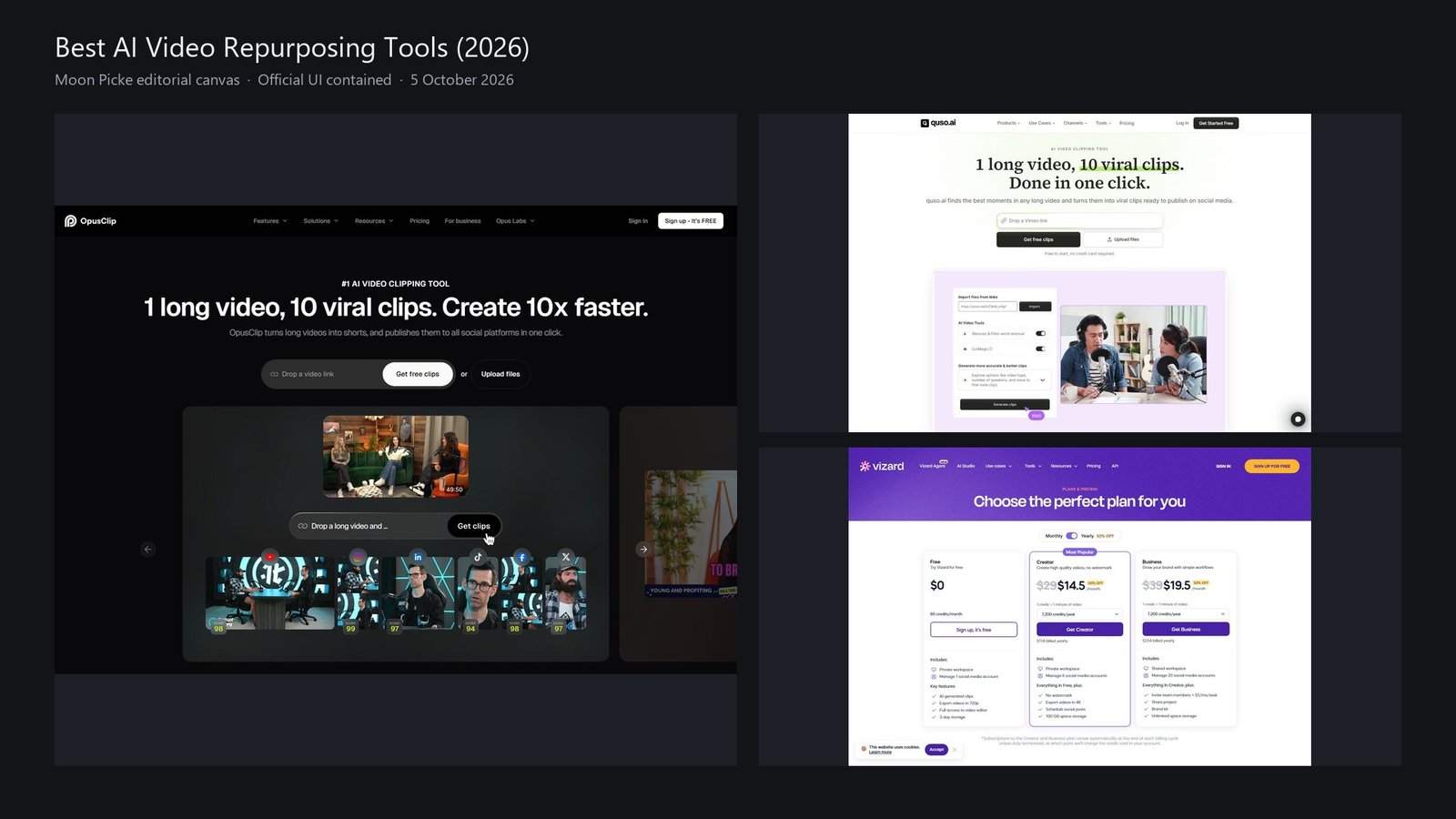
If you already have a YouTube video, podcast recording, webinar, interview, course, livestream, or Zoom file, you are shopping for AI video repurposing tools: software that takes existing footage and turns it into Shorts, Reels, TikToks, and other short clips. That is a different job from generating a new faceless video from a script, and it is different from a raw text-to-video model.
This is Moon Picke’s 2026 US commercial pillar on long video → short clips. It is not a rewrite of our published best AI video generators roundup, which maps many video jobs at once. Rank here follows current clipping, highlight detection, reframing, captions, editing, publishing, and pricing on official product pages checked on 5 October 2026. We did not run the same podcast through every app, and we did not measure virality, views, or transcription accuracy.
Quick picks
Best overall: OpusClip — dedicated ClipAnything-class clipping, Virality Score on paid plans, auto hook, AI reframe, captions, and social posting/scheduling that scale with plan.
Best podcast clipper: Descript — Create Clips / Underlord highlights plus Center Active Speaker and transcript-based editing of the master file.
Best YouTube-to-Shorts: OpusClip — video-link import on the homepage plus verified-YouTube auto import on Starter+.
Best clip discovery: OpusClip — copilot timeframes, custom clip lengths, topics search and prompt-to-clip on Pro.
Best auto-reframe: Klap — AI Reframe 2 with named layouts (split screen, screencasts, gaming) plus facial recognition in the FAQ.
Best captions: Submagic — caption styles in 123 languages (99% accuracy is a vendor claim, not a Moon Picke test) plus Magic clips.
Best editing: Descript — text-based editor with a real timeline if you want it.
Best social workflow: quso.ai — clipping plus scheduler to seven platforms on Essential+, planner, and Growth analytics.
Best budget paid floor: Klap Basic at $14/month billed yearly (100 clips/month) or OpusClip Starter at $15/month billed monthly.
Comparison table
| Tool | Best for | AI clip selection | Auto-reframe | Captions | Max source length | Direct publishing | Starting price |
|---|---|---|---|---|---|---|---|
| OpusClip | YouTube/podcast clipping | Yes (Virality Score on paid) | Yes | Yes | File size 10GB Free/Starter; 30GB Pro. Duration not listed as hours | Starter: auto post YT Shorts/TikTok/IG; scheduler on Pro | Free $0; paid from $15/month Starter |
| quso.ai | Clip + 7-platform schedule | Yes (Virality scoring; Intelliclips; Custom Clip) | Yes (homepage) | Yes | Metered in credits (~1 credit ≈ 1 processed minute). Hour cap not listed | TikTok on Free/Lite; schedule 7 platforms Essential+ | Free $0; Lite $29/month |
| Vizard | Webinars + editor | Yes | Yes (plan grid) | Yes (auto subtitling) | 600 mins upload on Creator/Business | Direct publishing + schedule on paid | Free $0; Creator $29/month or $14.50 billed yearly |
| Descript | Podcast transcript clips | Yes (Create Clips / Underlord) | Center Active Speaker | Yes (translate 61 langs on grid) | Media hours: Free 1 hr; Hobbyist 10 hrs | Share pages/links; not a TikTok autopilot | Free $0; Hobbyist $24/month or $16 billed annually |
| Klap | Simple YouTube clips | Yes (topics + viral score language) | Yes (AI Reframe 2) | Yes | Not listed as hours; clip-quota plans | TikTok, YouTube, Instagram, LinkedIn + schedule | 1 video free; Basic $14/mo billed yearly |
| Submagic | Captions + Magic clips | Yes (Magic clips / key moments) | Auto zooms on Pro | Yes (123 langs) | Plan video duration 2 / 5 / 30 min | Publish and schedule claimed | Starter $19/month or $12 billed yearly |
| Short.ai | Clip maker + captions | Yes (auto clip) | Not verified as speaker tracking | Yes (32+ langs) | Upload 300MB Basic / 500MB Pro | Scheduler: TikTok, YouTube, Twitter, Facebook, IG, LinkedIn, Pinterest | Basic $19/month |
Workflow table
| Tool | YouTube URL | Transcript editing | Active speaker | AI B-roll type | Scheduling | Analytics |
|---|---|---|---|---|---|---|
| OpusClip | Link drop + verified YT import Starter+ | Text and timeline on paid | Dynamic layout / object tracking by plan | Stock + AI image; AI video B-roll on Pro | Pro | Clip analytics Pro |
| quso.ai | YouTube Clip Maker / link import | Editor on Lite+ | Auto-reframe claimed; speaker layout not independently tested | B-roll library (stock-class) | Essential+ 7 platforms | Growth |
| Vizard | Homepage clip flow | Full editor claimed | Auto reframe on grid | AI B-rolls on grid | Paid | Not listed as post analytics on dump |
| Descript | Import media / Zoom; generic URL import not listed as YouTube clipper | Yes (core product) | Yes — Center Active Speaker | Stock library + generate image/video | Not listed as social calendar | Not a social dashboard |
| Klap | Yes | Light editor / customize | Facial recognition + Reframe 2 layouts | Not listed as generative B-roll | Yes | Yes on plan cards |
| Submagic | Yes | Text-based trimming | Auto zooms Pro — not named as speaker AI | Free B-rolls; Storyblocks on Pro | Yes | Publish and analytics on Pro |
| Short.ai | Clip-maker copy; dedicated clip URL 404 | Caption-first | Not verified | Not a B-roll clipper | Yes | Not listed |
How we chose the best AI video repurposing tools
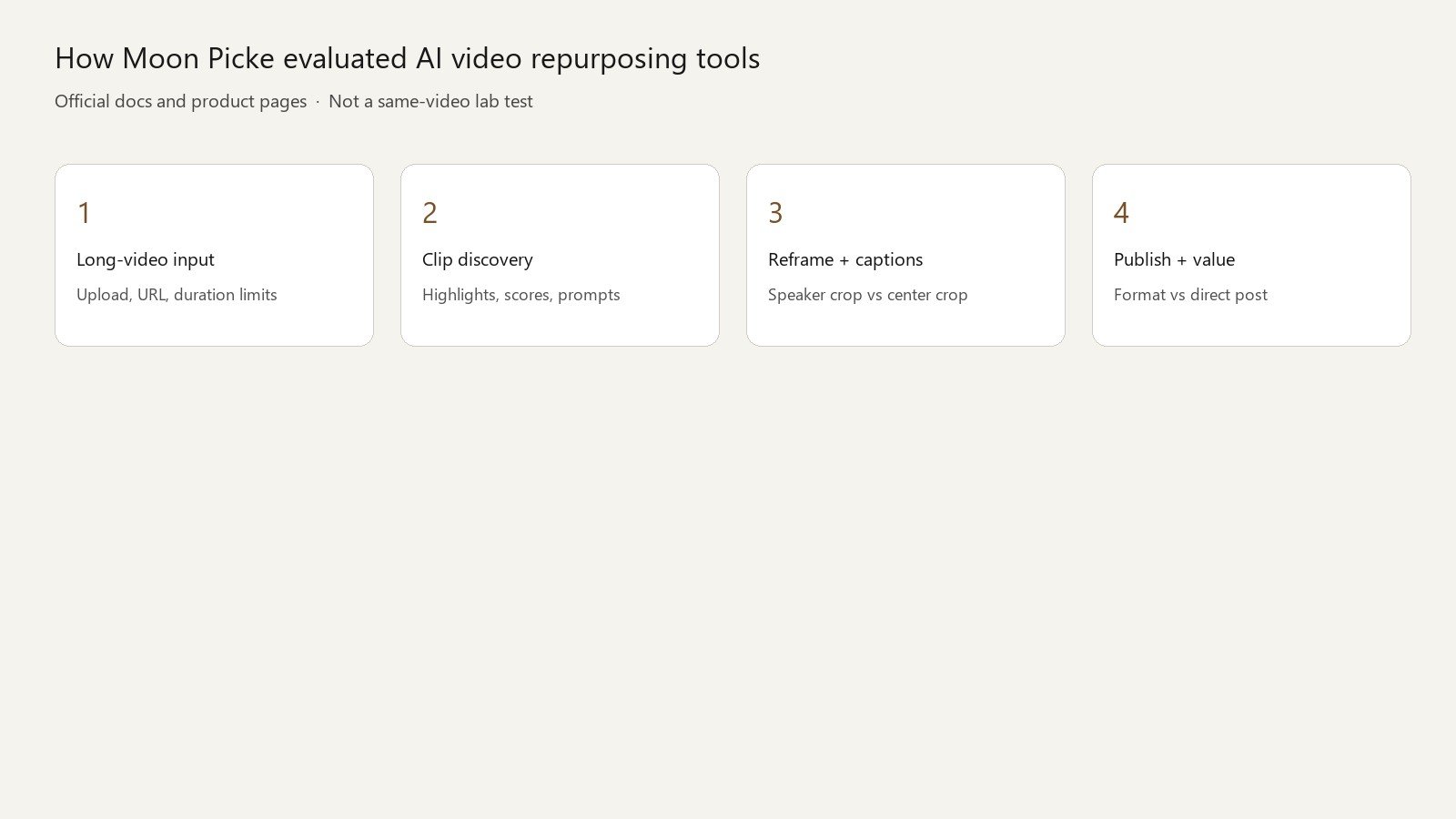
We compared current AI video repurposing tools using official product documentation, long-video input options, AI clip-selection features, reframing and caption tools, editing controls, publishing workflows, pricing and commercial terms. Dimensions: AI clip discovery, clip control, auto-reframe and speaker handling, captions, B-roll type, editing depth, branding, export formats, format vs direct publishing, scheduling, analytics vs predictive scores, source-length support, and pricing/value. Affiliate status did not set rank. OpusClip, Vizard, Descript, Klap, and Submagic are not Moon Picke affiliates and still occupy most of the top half.
Process notes: How we evaluate. Pricing, processing limits, AI credits and publishing features were checked on 5 October 2026 and may change. Check each provider’s current pricing before purchasing. Credits, clip quotas, and media hours are not equivalent units.
Affiliate disclosure
Disclosure: Moon Picke may earn a commission if you purchase through links on this page, at no additional cost to you. Read the affiliate disclosure.
What is AI video repurposing?
AI video repurposing means transforming footage you already recorded into new video assets, usually shorter social clips. Typical path: import → transcribe → AI highlight or topic detection → clip boundaries → reframe to 9:16 → captions → optional B-roll, hooks, branding → export or schedule. Not every product covers every stage. A strong tool still needs a human to check context, names, and whether a 40-second cut actually stands alone.
AI repurposing vs faceless video generation
Faceless generation starts from an idea or script and creates new pictures and a voice. Repurposing starts from a file or URL of a real recording. Some vendors sell both (Short.ai lists a clip maker next to Reddit/story templates). This article only ranks the long-video clipping job. If you need a new illustrated Shorts channel, that is a different shopping list.
#1 OpusClip: Best overall AI clipper for long video to Shorts
OpusClip (opus.pro) still owns the category language: “1 long video, 10 viral clips.” The homepage accepts a video link or local upload. Paid plans add Virality Score, auto hook, AI captions, AI reframe, filler and silence removal, and posting. That is a dedicated repurposing stack, not a generative-video studio wearing a clipper hat.
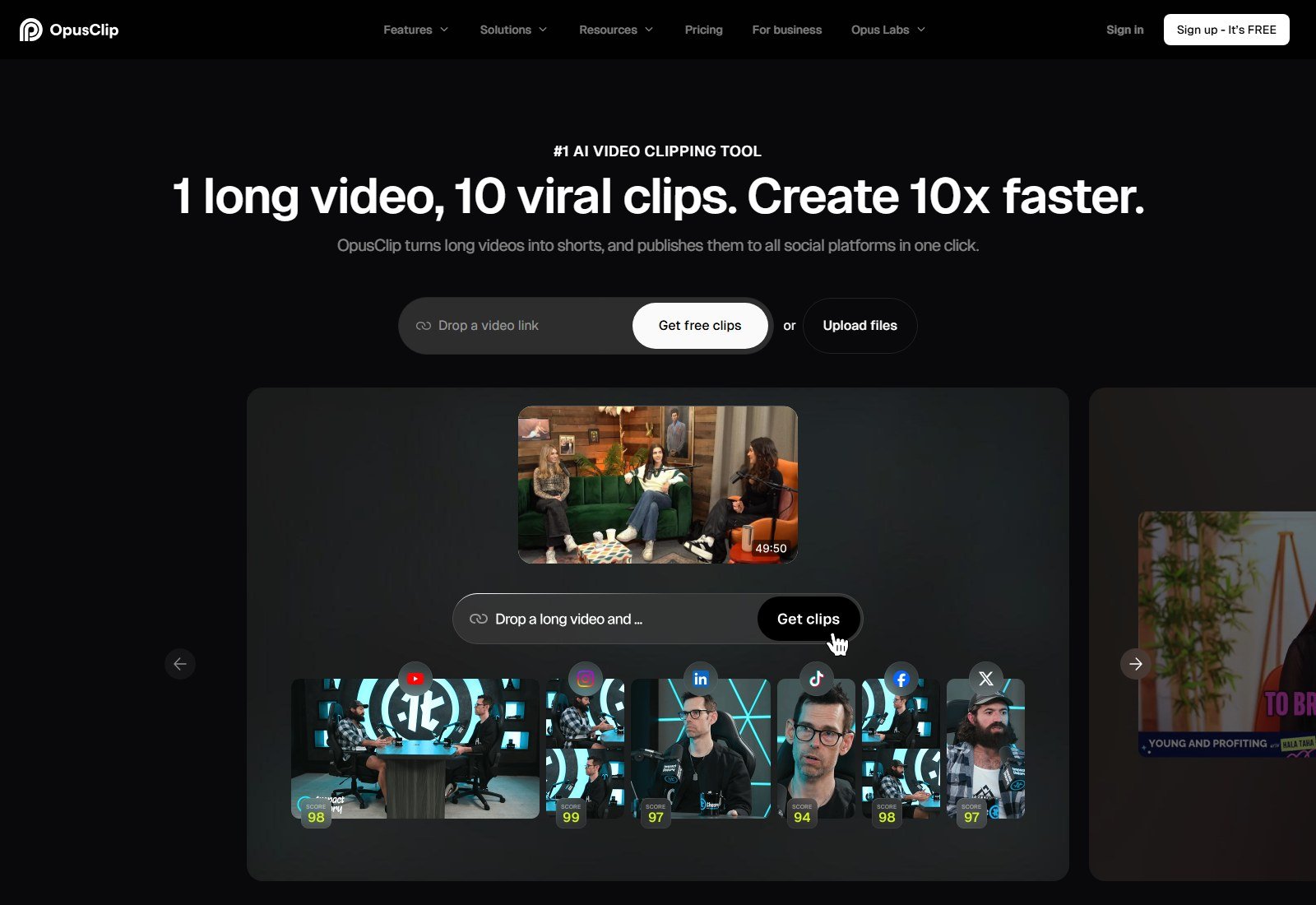
Why it made the list: deepest public clipping matrix (timeframe, clip length buckets from 0–1 minute through 10–15 minutes, reprompt, topics search and prompt-to-clip on Pro). Import: local video; public MP4 URL on Pro; auto import from a verified YouTube account on Starter+. Pasting a YouTube URL does not grant rights to someone else’s video. Clip discovery: AI clipping plus optional copilot controls. Score: named Virality Score on Starter and Pro; absent on Free. Treat it as OpusClip’s internal ranking, not a forecast of TikTok views. Reframe: AI reframe; Free is 9:16 only; Pro adds 1:1 and 16:9, moving-object tracking, screenshare/gameplay layout, custom reframing. Do not call Free’s 9:16 crop “Pro object tracking.” Captions: animated templates, multi-language transcription, emoji/keyword highlights; custom fonts and curse-word lists are plan-gated. Vendor marketing has used a 97% caption figure elsewhere; we do not republish an accuracy percentage we did not verify here. B-roll: Starter has tiny AI-image and stock allotments (3 clips/month each); Pro lists AI image B-roll (50/day), unlimited stock, and AI video B-roll via Agent Opus. Those are three different media types. Editing: Free has no editing; paid adds text and timeline editing. Publishing: Starter can auto-post to YouTube Shorts, TikTok, or IG Reels or download; social scheduler is Pro. Format support and a scheduler are not the same as posting to LinkedIn or X unless the live app lists that destination. Analytics: Clip analytics on Pro — post-export performance inside OpusClip, separate from Virality Score.
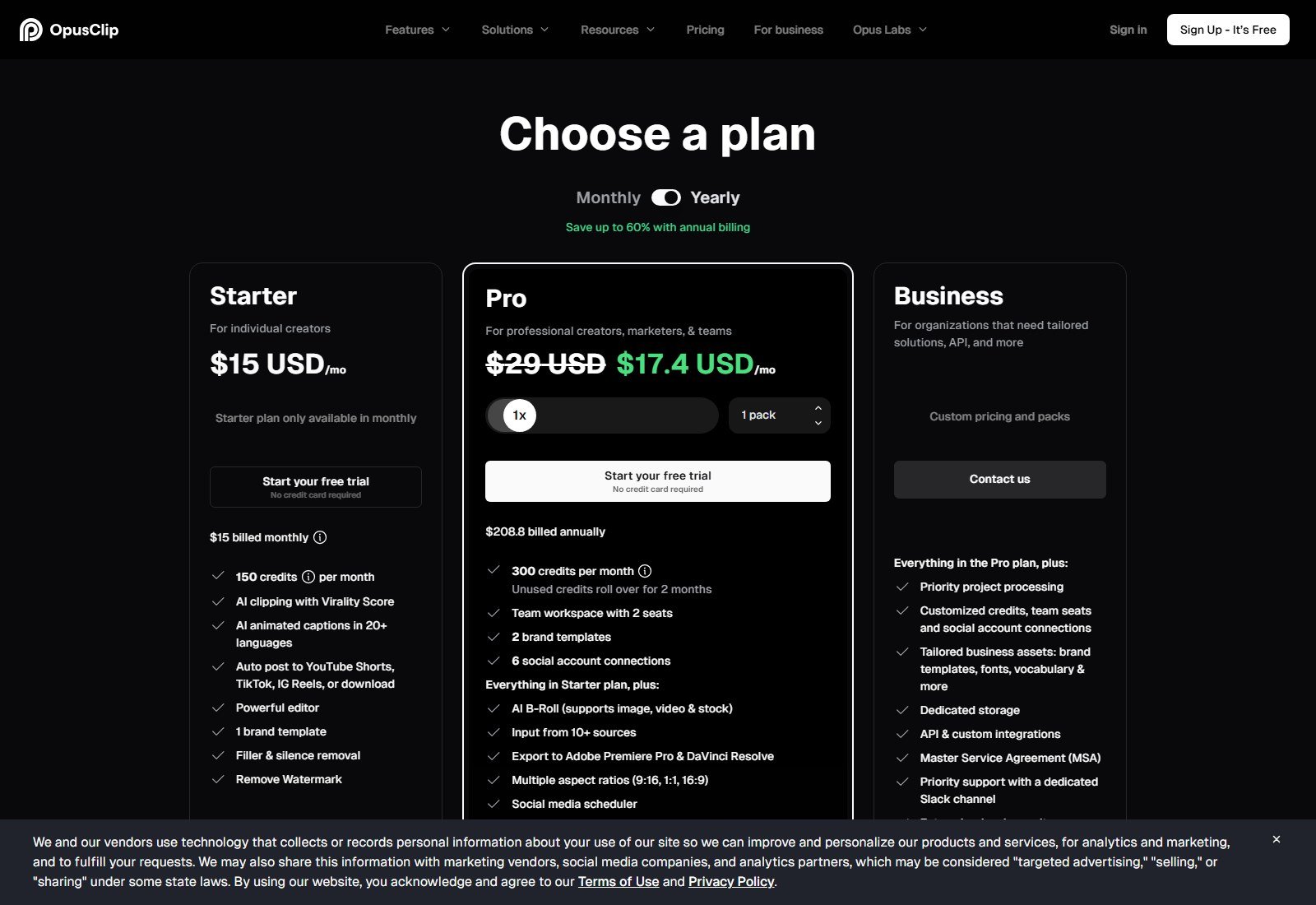
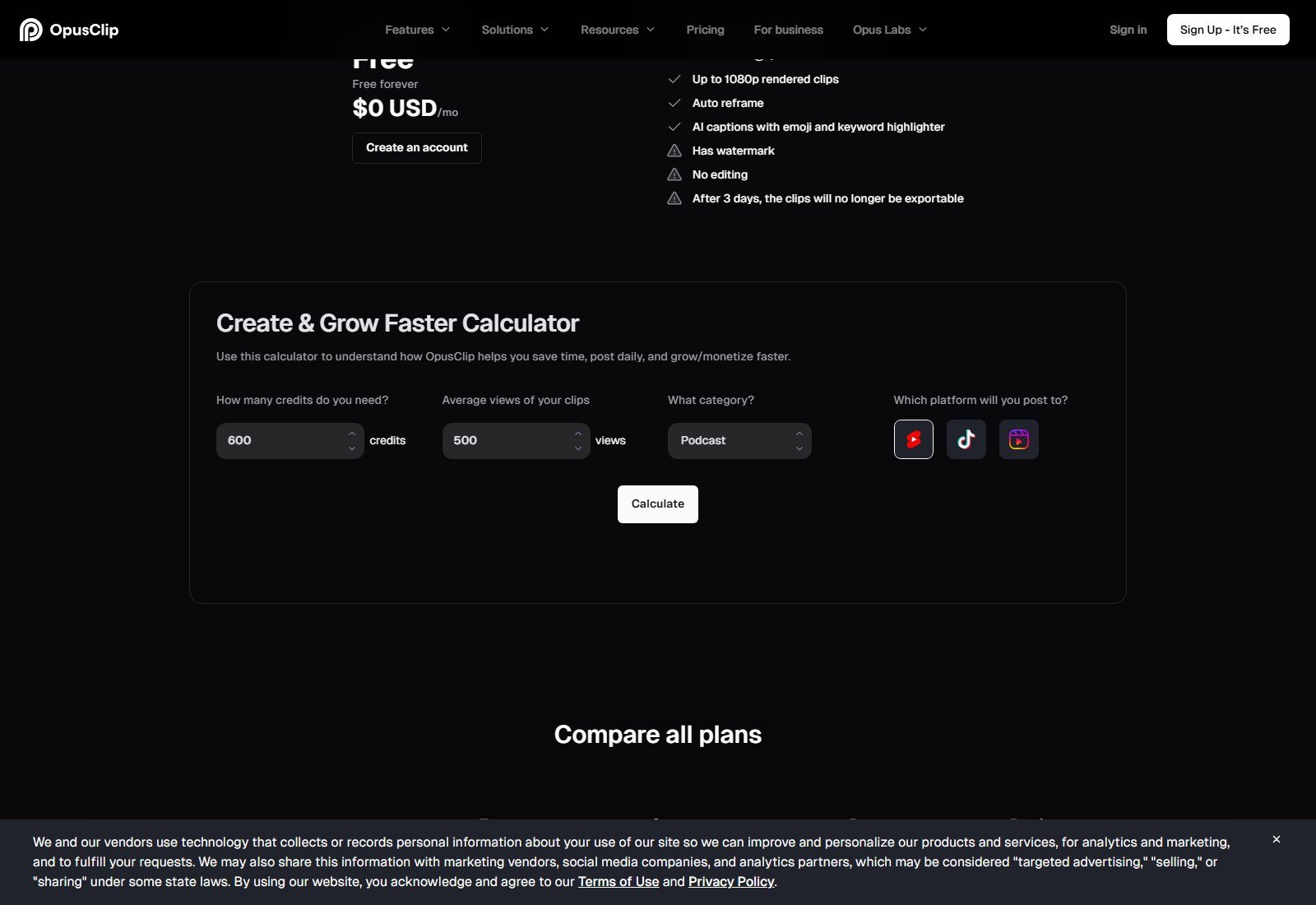
Pricing (5 October 2026): Free $0, 60 credits/month, watermark, 1080p, 3-day export window, 9:16, 10GB uploads. Starter $15/month billed monthly (Starter “only available in monthly”), 150 credits, Virality Score, watermark-free, 30-day export, YouTube auto-import. Pro $29/month or $17.4/month billed annually ($208.8/year), 300 credits/month with two-month rollover, 30GB files, scheduler, NLE export, 100GB storage. Business is custom. Free trial CTAs appear on paid cards (no card required on the dump). Biggest advantage: clip discovery plus plan-gated finishing and posting in one vendor. Biggest limitation: Free is watermarked and uneditable; B-roll and scheduler sit on higher SKUs. Best for creators who already record long talking-head or podcast video. Skip if you only need captions on clips you already cut, or if you need a Google-Doc transcript editor (use Descript). No Moon Picke affiliate link.
#2 quso.ai: Best for clipping plus social scheduling
quso.ai is currently positioned as an AI clipping and social tool: long videos, podcasts and streams → captioned short clips, transcripts and text posts, then scheduling. Official schema on quso.ai names the Organization alternateName Vidyo.ai and describes “quso.ai (formerly vidyo.ai).” The pricing page states: “Coming from Vidyo.ai? Your plan and pricing are unchanged.” Loading the supplied commercial URL https://vidyo.ai?via=00xmuj returned HTTP 200 and landed on https://quso.ai/?via=00xmuj (tracking parameter preserved). Historical Vidyo.ai branding is therefore the same product lineage, not a separate competitor. Do not treat a 2023 “Vidyo vs OpusClip” screenshot as current UI.
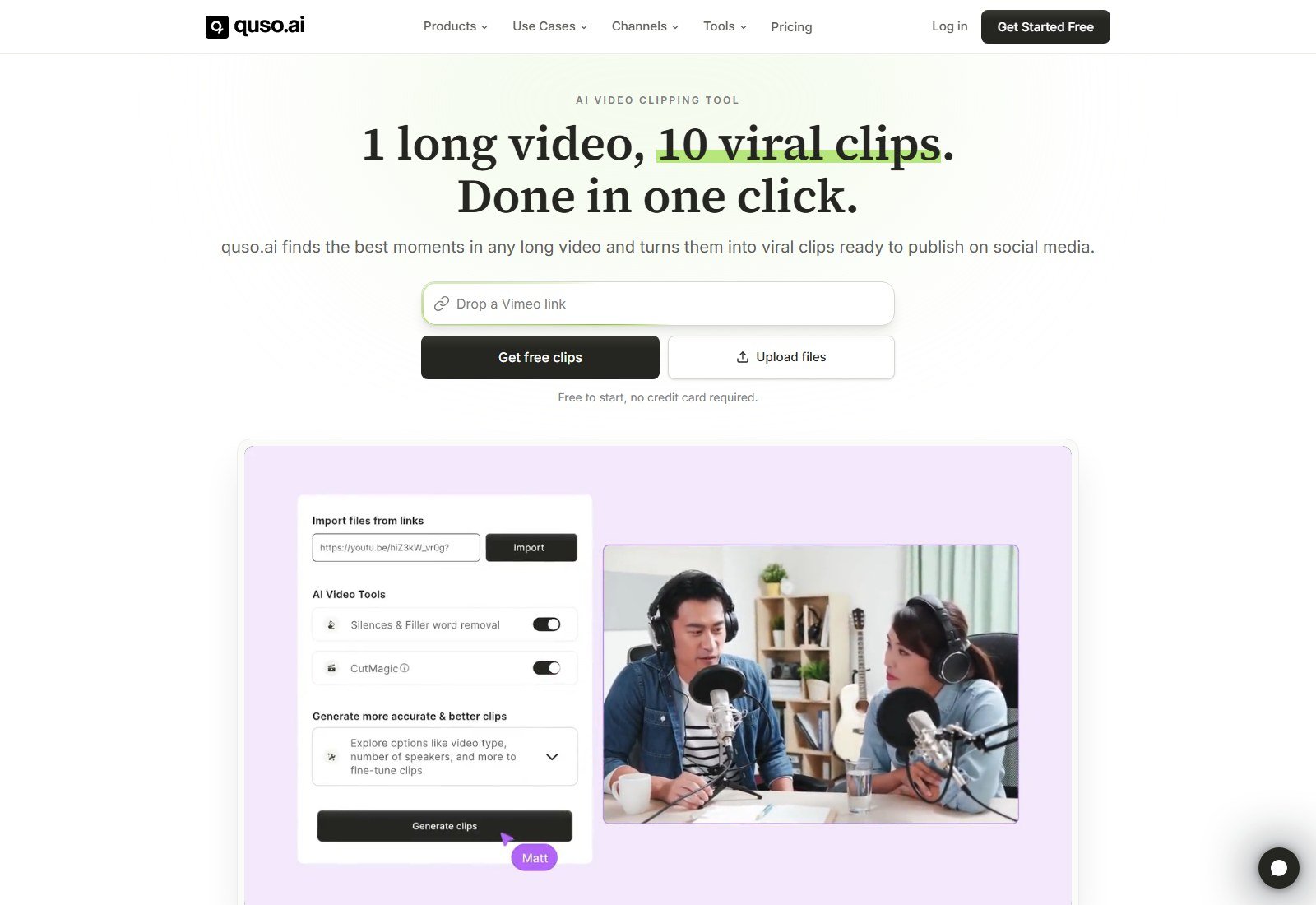
Why it made the list: clipping plus a real scheduler, which OpusClip keeps on Pro. Import: upload files and link import (homepage shows a YouTube URL field and a YouTube Clip Maker in the product list). Vimeo is mentioned in hero microcopy. Clip discovery: “best moments” auto-scored by Virality; Intelliclips and Custom Clip are named products. We did not reverse-engineer the model. CutMagic and silences/filler-word toggles appear on the homepage mock. Filler and silence removal are listed on Essential+. Reframe and captions: homepage claims auto-reframing and animated captions; Lite lists export 16:9, 9:16 and 1:1. Active-speaker split layouts are not documented as clearly as Descript’s Center Active Speaker, so we do not award that trophy here. B-roll: an AI B-Roll Library product exists — treat as a stock-style library unless the live editor shows generated video. Publishing: Free and Lite include TikTok publishing; Essential adds schedule to 7 platforms and a Content Planner; Growth adds social analytics and a brand kit. Do not write “posts to all socials” on Free.
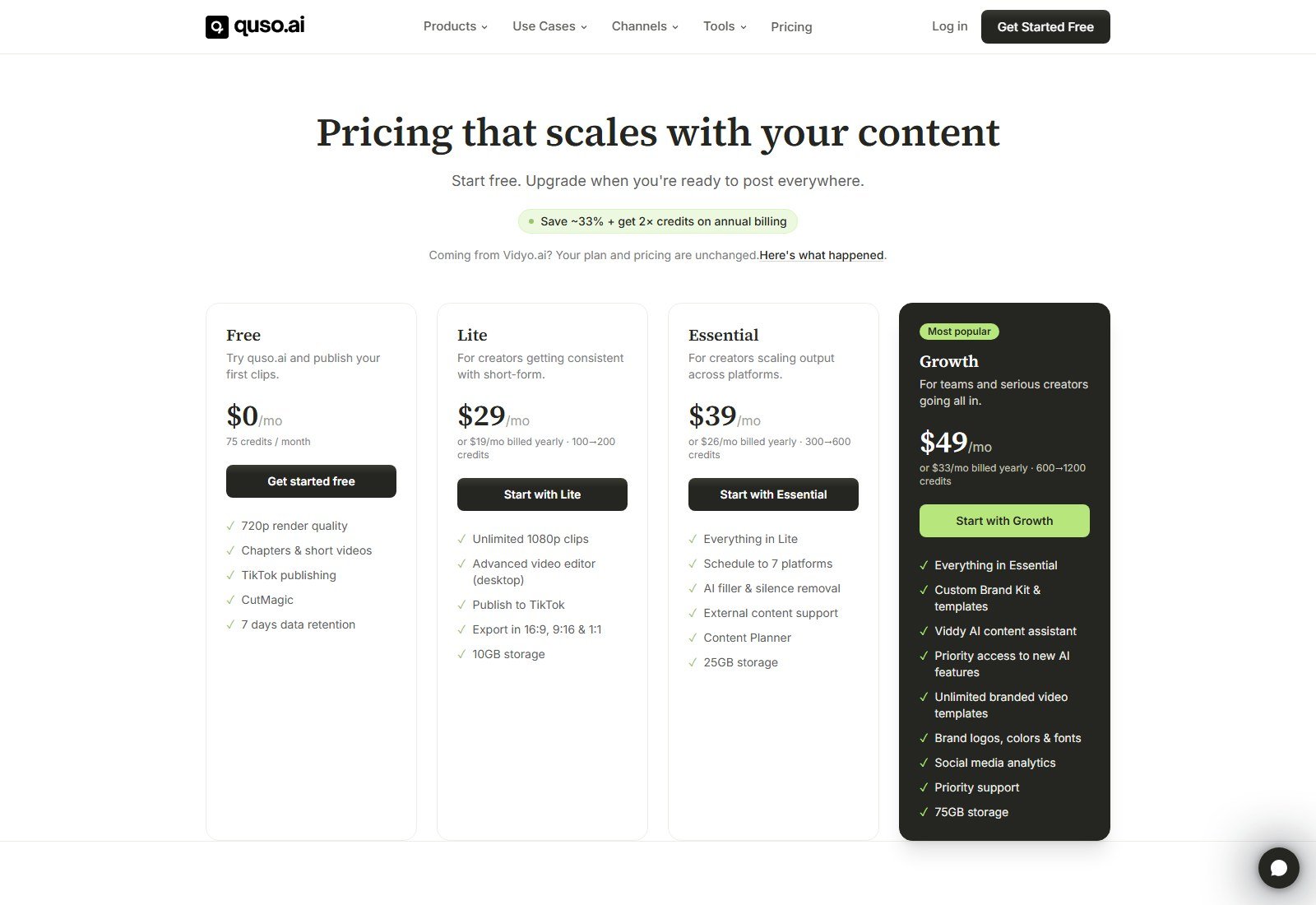
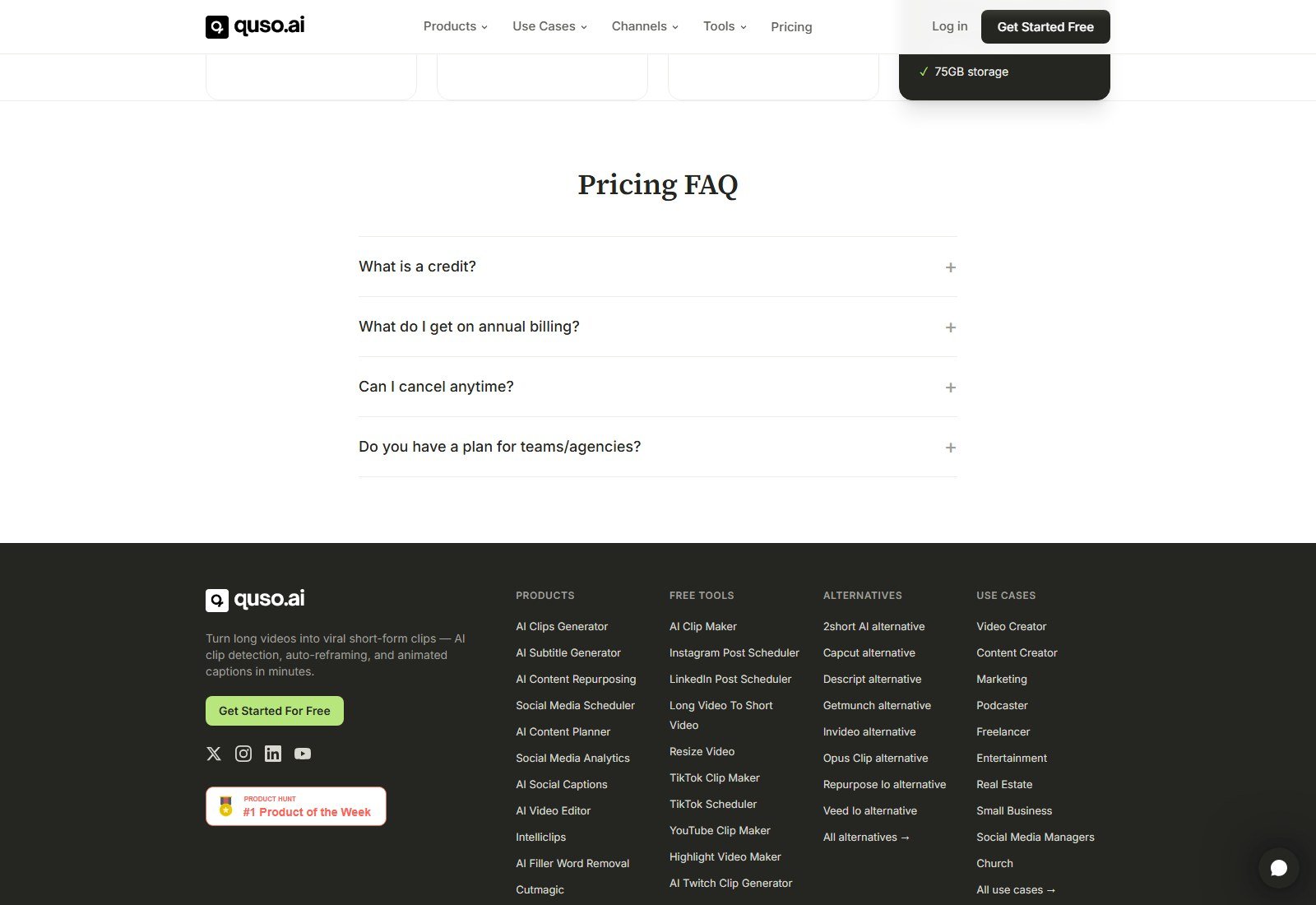
Pricing: Free $0, 75 credits/month, 720p, TikTok, CutMagic, 7-day retention, watermark implied by 720p “try” positioning. Lite $29/month or $19/month billed yearly (100→200 credits), 1080p, 10GB, TikTok, aspect ratios. Essential $39 or $26 billed yearly (300→600), 25GB, 7-platform schedule, filler/silence removal. Growth $49 or $33 billed yearly (600→1200), 75GB, brand kit, analytics. FAQ: one credit ≈ one minute of processed video. Annual is ~33% cheaper per month and doubles credits. Biggest advantage: clip-to-calendar in one login. Biggest limitation: Virality is still a vendor score; brand kit and analytics wait for Growth. Best for operators who will actually schedule Shorts all week. Skip if you only need Premiere-ready clip bins (OpusClip Pro NLE export) or a transcript of a three-hour podcast you will recut by hand (Descript).
Try quso.ai — commercial link uses the supplied Vidyo destination on purpose.
#3 Vizard: Best for webinars, teams, and a real clip editor
Vizard.ai sells “turn your long-form videos into short clips” for TikTok, Instagram, and YouTube Shorts, with use-case copy for podcasters, coaches, webinars, and agencies. The homepage offers clip-a-long-video and upload. Plan grid: AI clipping, auto reframe, auto subtitling, AI emojis, AI B-rolls, custom templates, direct publishing, and schedule on paid tiers.
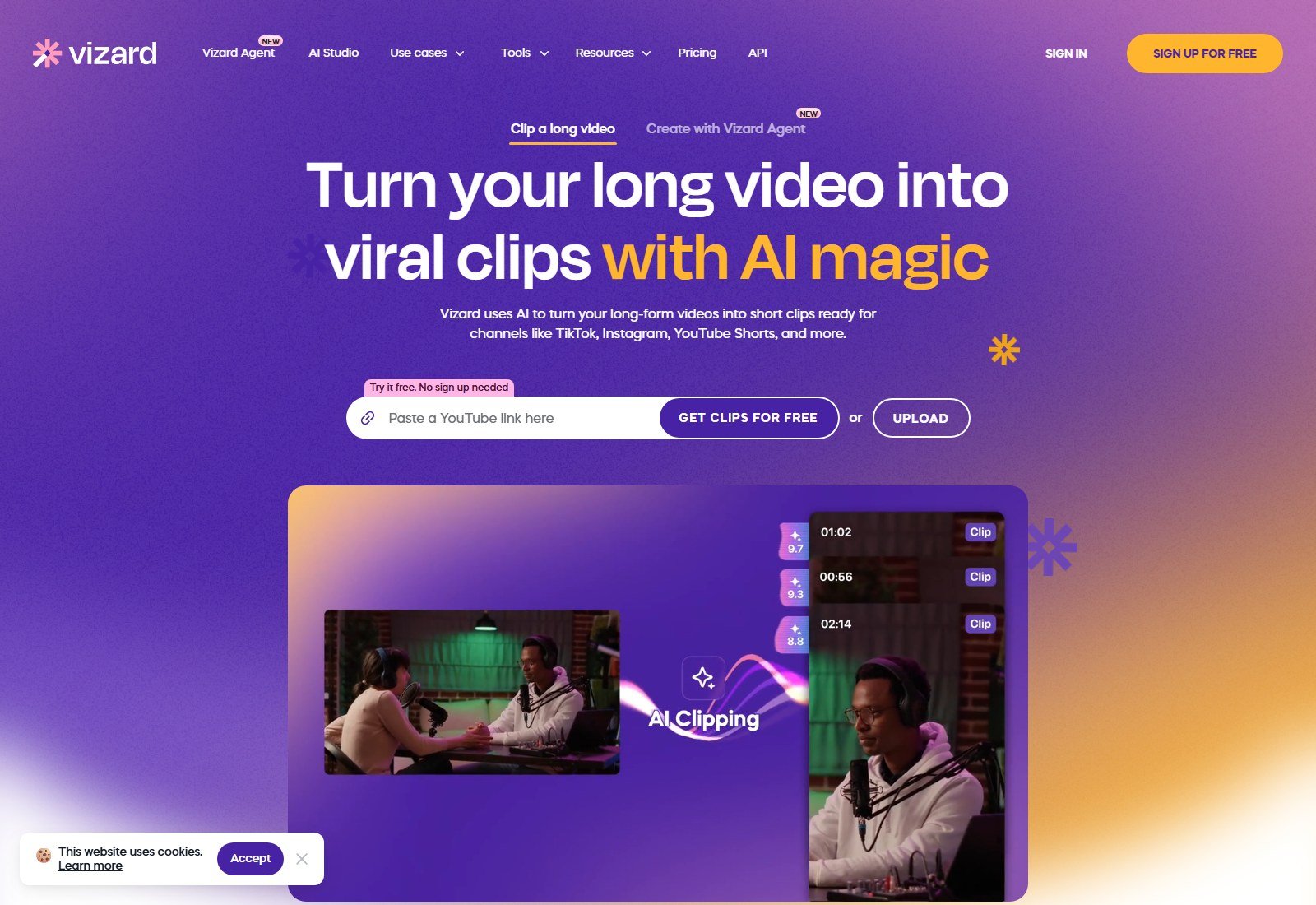
Import and limits: Creator/Business list 600 minutes upload video length, 30GB upload size, 4K export. Free: 60 credits/month, 720p export, 3-day storage, 1 social account, watermark. Paid cards state 1 credit = 1 minute of video. Clip discovery: AI-generated clips; marketing claims “30+ clips” from a long video — that is vendor copy, not a Moon Picke clip count. B-roll: “AI B-rolls” on the grid — we label it AI-selected or AI-inserted B-roll as sold, not necessarily generative video like OpusClip’s Agent Opus. Publishing: Free manages 1 social account; Creator 6 accounts plus schedule; Business 20 accounts, brand kit, seats at +$5/mo/seat on the yearly card. Direct publishing is listed; we still distinguish it from “every network in the world.”
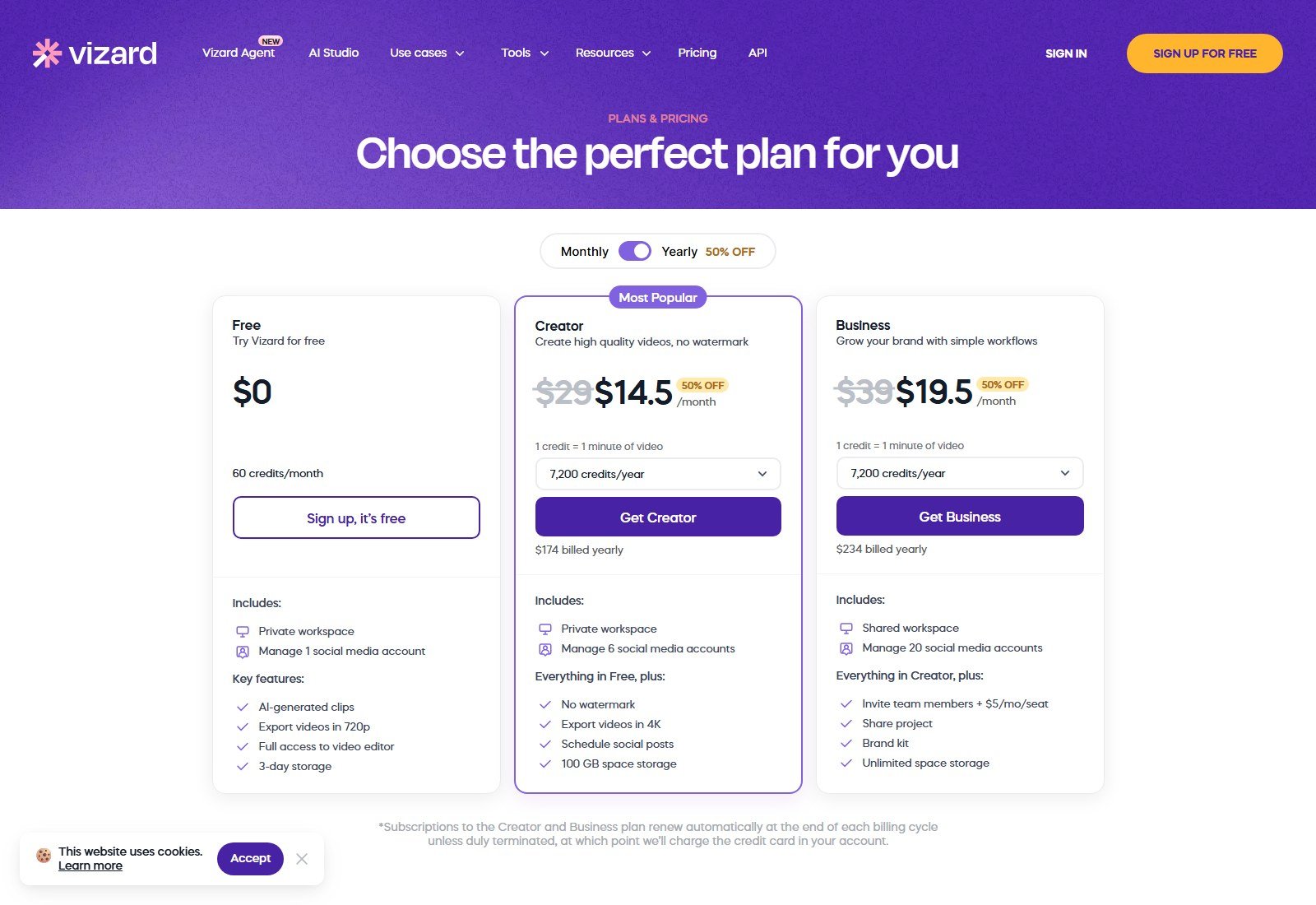
Pricing: Free $0. Creator $29/month or $14.50/month billed yearly ($174) with a 7,200 credits/year dropdown on the yearly card we captured. Business $39/month or $19.50 billed yearly ($234). Biggest advantage: editor + 600-minute source headroom + schedule without jumping to an “enterprise” SKU. Biggest limitation: HTML pricing hid dollars until a live screenshot; always confirm the monthly toggle. Best for webinar and course teams. Skip if you need Descript-level transcript surgery. No affiliate link.
#4 Descript: Best for podcasts and transcript-based clip control
Descript is a text-based video/audio editor that also repurposes. Pricing explicitly lists “Repurpose media: Create clips, highlights — Underlord picks your most viral-worthy moments” and “Center Active Speaker.” Homepage: record or drop footage (including Zoom), transcribe, edit by deleting words, then make clips. That is the right product when the master podcast still needs filler-word cuts, Studio Sound, and speaker labels — not only a folder of 9:16 exports.
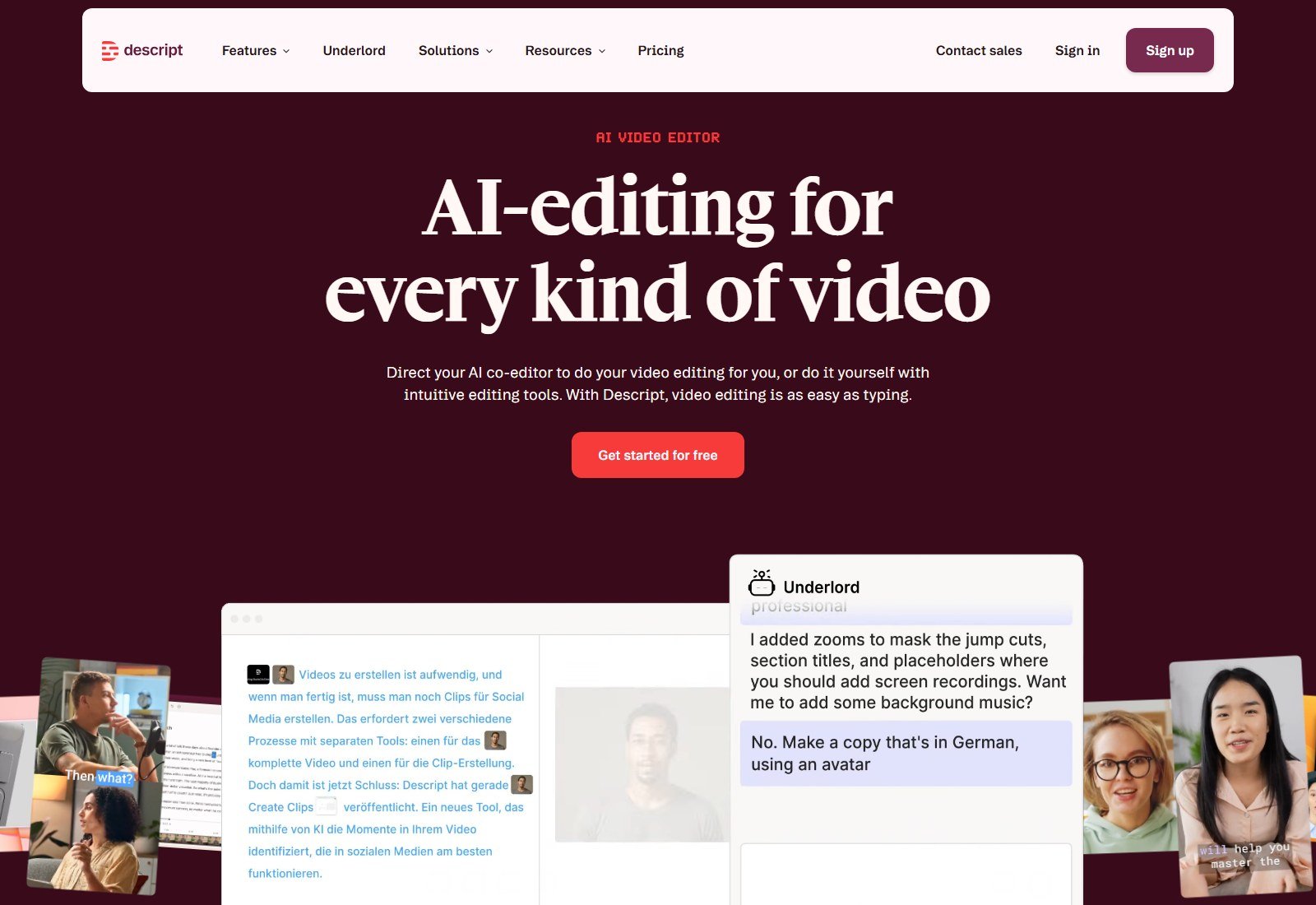
Import: drag video/audio; Zoom calls; Rooms recording. YouTube URL-as-clipper is not the homepage promise — do not invent it. File size: Free up to 1GB; Hobbyist 10GB. Transcription: 25 languages listed; Detect 8+ speakers; transcript is the editor. We publish no accuracy %. Clips: Underlord Create Clips / highlights. Manual clip selection is inherent because you can cut the transcript. Active speaker: Center Active Speaker is named; Automatic Multicam is on the grid. Captions: translate captions in 61 languages on the comparison. B-roll: stock library (search-result limits by plan) plus generate image/video — generative media is an Underlord extra, not “the clipper added stock.” Publishing: shareable pages and local export; not sold as TikTok/Reels autopilot. Filler/silence: Remove Filler Words and Shorten Word Gaps are first-class, including limited use on Free.
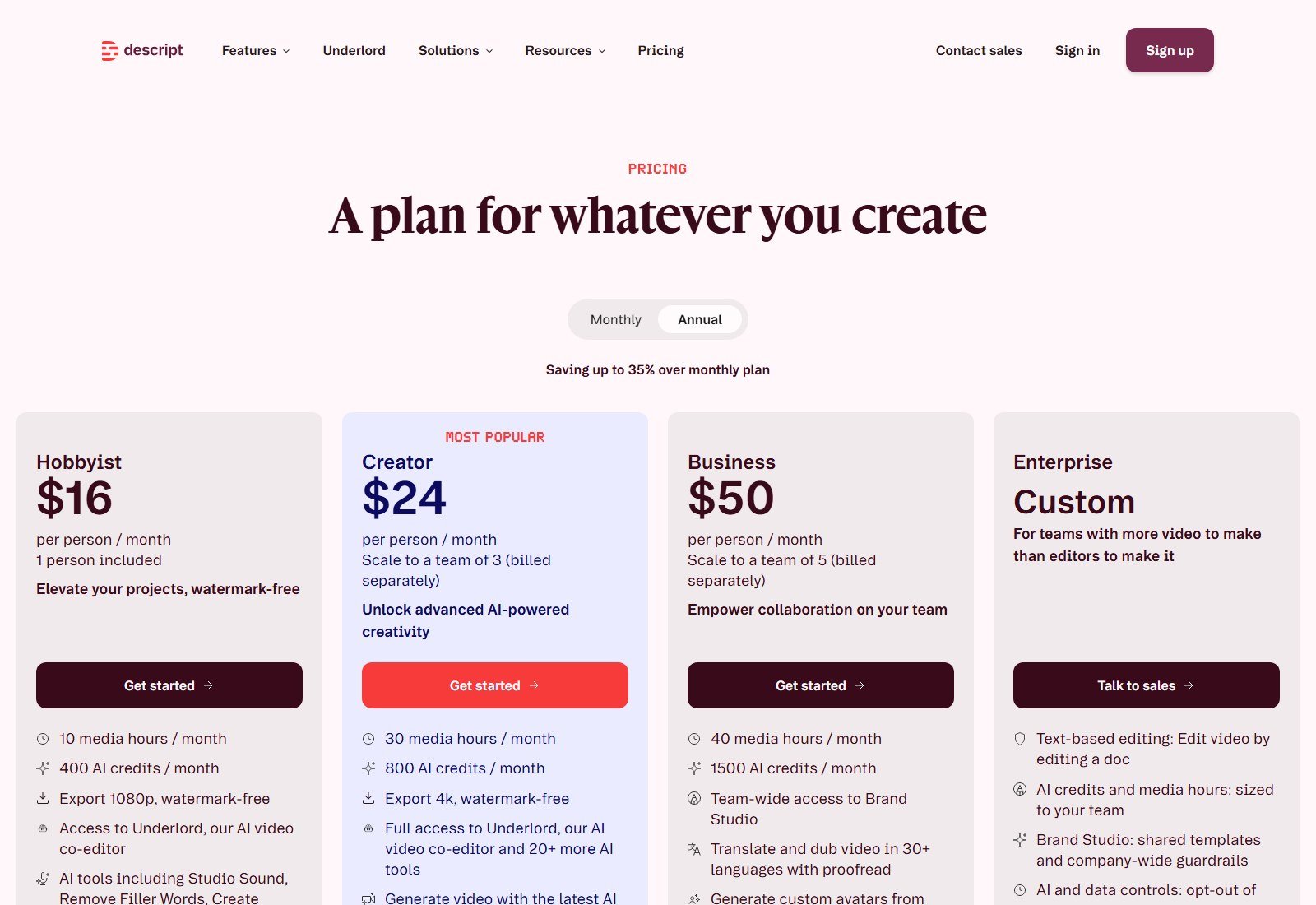
Pricing: Free $0, 60 media minutes/month, 720p watermarked export, 5GB. Hobbyist $24/month or $16/person/month billed annually (up to 35% off), 10 media hours, 400 AI credits, 1080p watermark-free. Creator $35 or $24 billed annually, 30 hours, 800 credits, 4K. Business $65 or $50 billed annually. Media hours meter imported/recorded media; AI credits meter Underlord, Studio Sound, Green Screen, Eye Contact, generated media. Do not compare 10 media hours to OpusClip’s 150 credits as if they were the same. Biggest advantage: you can fix the episode and harvest clips in one project. Biggest limitation: social scheduling is not the product. Best for podcasts, interviews, and academies. Skip for one-click TikTok queues. No affiliate link.
#5 Klap: Best simple YouTube-to-vertical clipper on clip quotas
Klap (klap.app) is a one-job product: file or YouTube link → AI topics → vertical clips with facial recognition, captions, reframe, then publish/schedule to TikTok, YouTube, Instagram, and LinkedIn. AI Reframe 2 advertises split screen, screencasts, and gaming layouts. FAQ: works best on speaking video (podcasts, interviews, education) because the algorithm relies on speech; 52 languages listed.
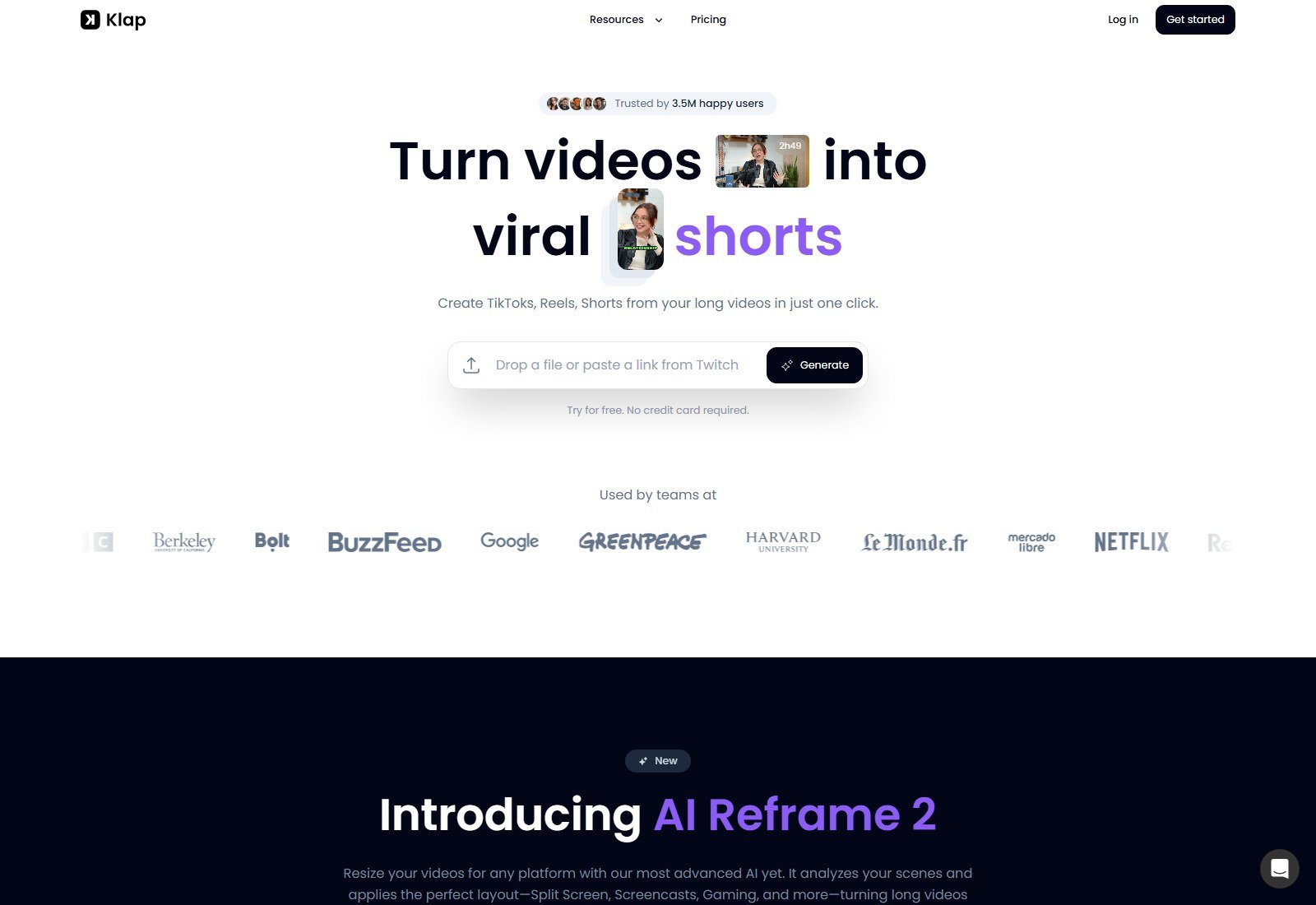
Clip scoring: homepage says clips are scored for potential to go viral. Exact public methodology is not listed; we do not equate a Klap score with OpusClip’s Virality Score. Source length: not published as a hard hour cap on the pricing page we captured. Marketing “one-minute video produces about 5 clips” is a rule of thumb, not our benchmark. Pricing conflict to flag: homepage FAQ still says try 1 video free then Klap Pro for $29/month. Live pricing (yearly toggle) lists Basic $14/mo billed yearly (100 clips), Pro $39/mo billed yearly (300), Pro+ $94/mo billed yearly (1,000), unlimited social accounts, analytics. We rank using the pricing page and note the FAQ. Monthly toggle prices were not the default screenshot.
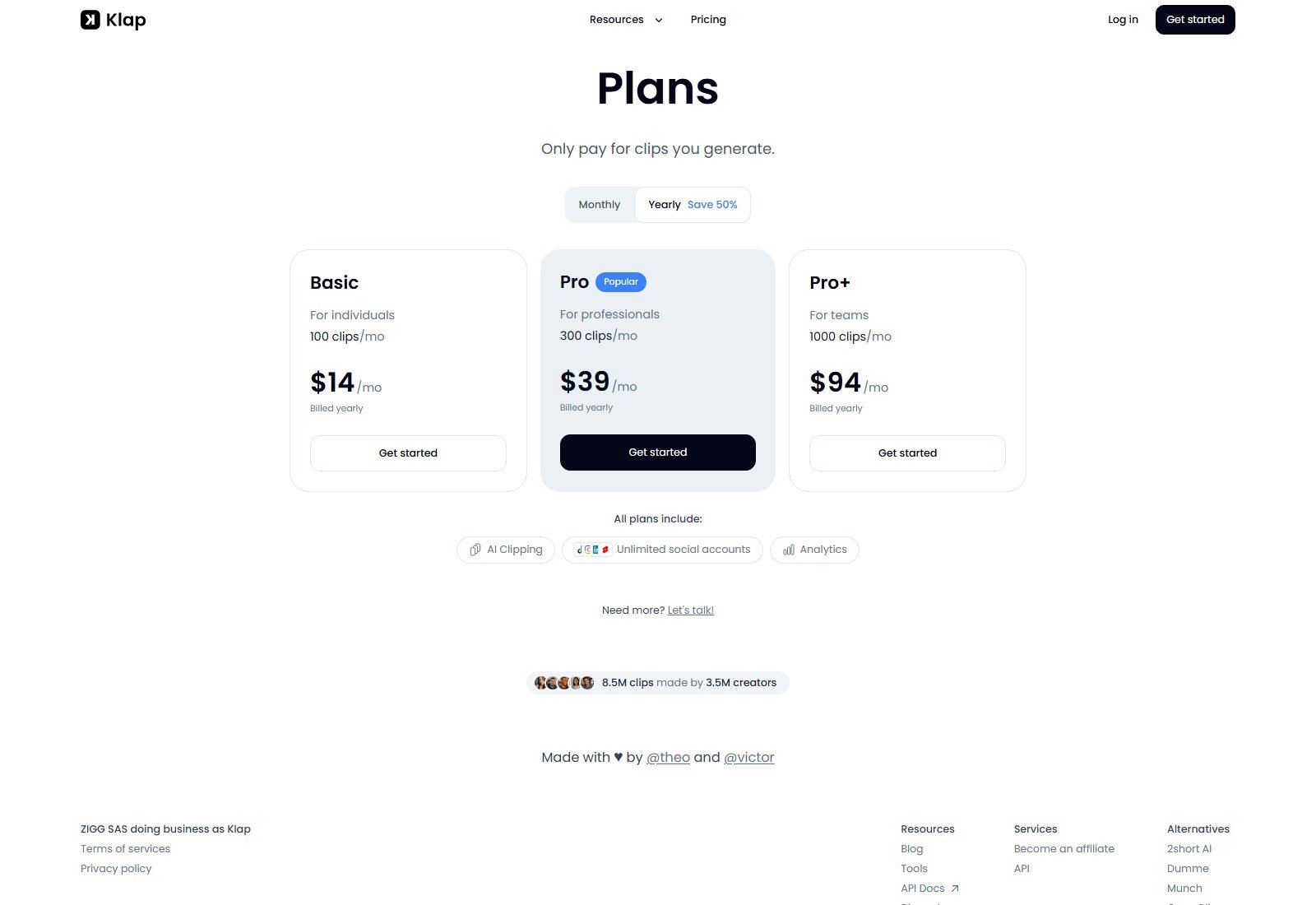
Biggest advantage: clip-metered pricing you can estimate (“I export N clips”). Biggest limitation: FAQ vs pricing mismatch; not a podcast DAW. Best for YouTube-to-TikTok operators who want layouts. Skip if you need filler-word cleanup of the long master. No affiliate link.
#6 Submagic: Best captions-first Magic clips
Submagic is a shorts editor that also repurposes: upload or YouTube link → captions, silence removal, B-roll, Magic clips (extract key moments), then schedule. Avatars exist on the homepage; we ignore them for this rank. Caption styles in 123 languages with a vendor 99% accuracy claim — attributed, not tested. Starter includes text-based trimming and “free b-rolls & audio.” Pro adds Storyblocks B-roll, auto zooms, remove bad takes and silences, clean audio, publish and analytics, brand kit. That Storyblocks library is licensed stock, not generative video.
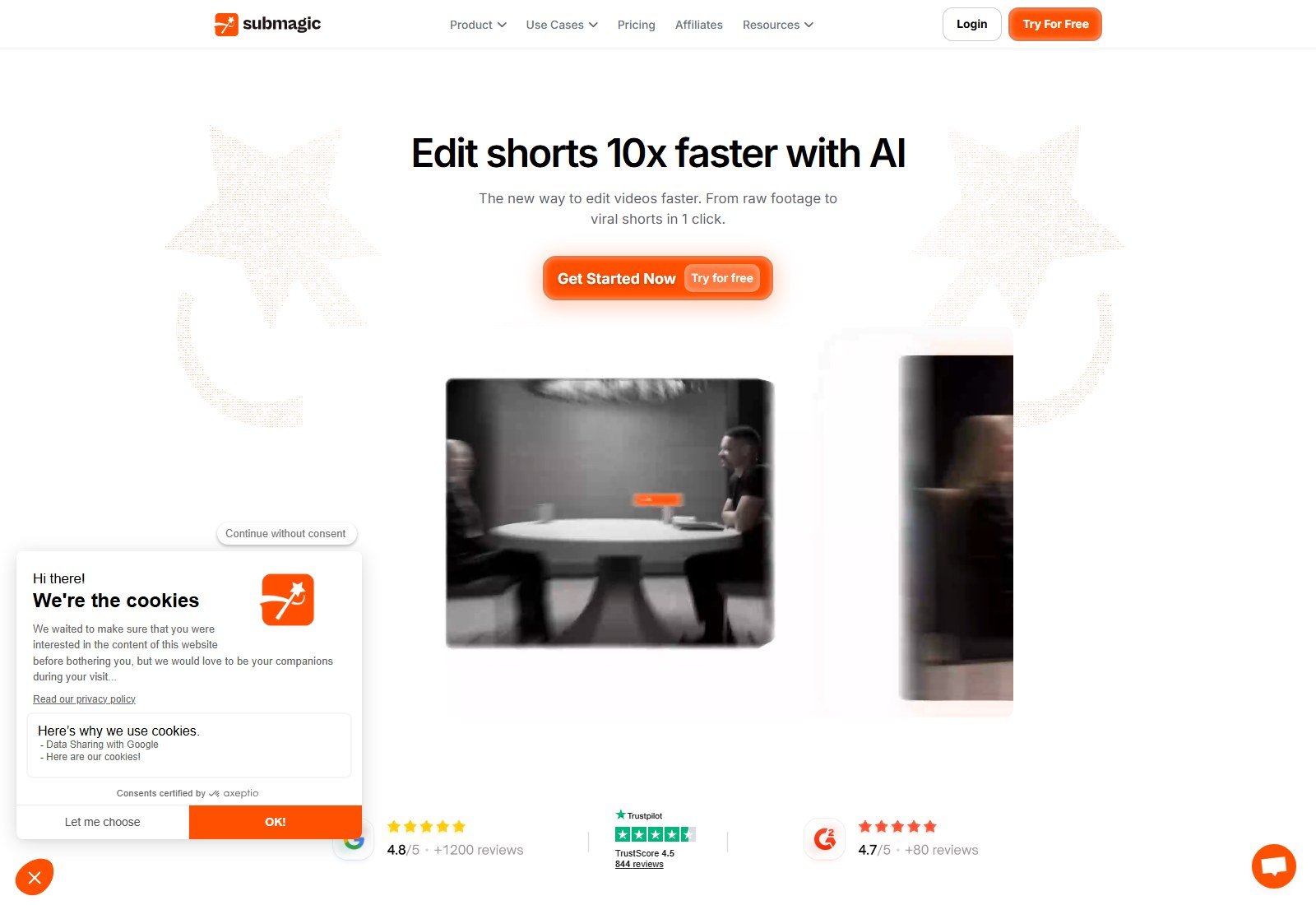
Hard limit: Starter lists 2-minute video duration, Pro 5 minutes, Business 30 minutes. If that cap applies to source or export, a 90-minute webinar will not fit Starter — confirm in-app before you buy for podcasts. Credits: Starter 45 credits = 15 videos; Pro 120 = 40; Business 300 = 100 (yearly cards). Monthly Starter is $19/member/mo in the page intro; yearly cards show $12 / $23 / $41 per member per month billed yearly.
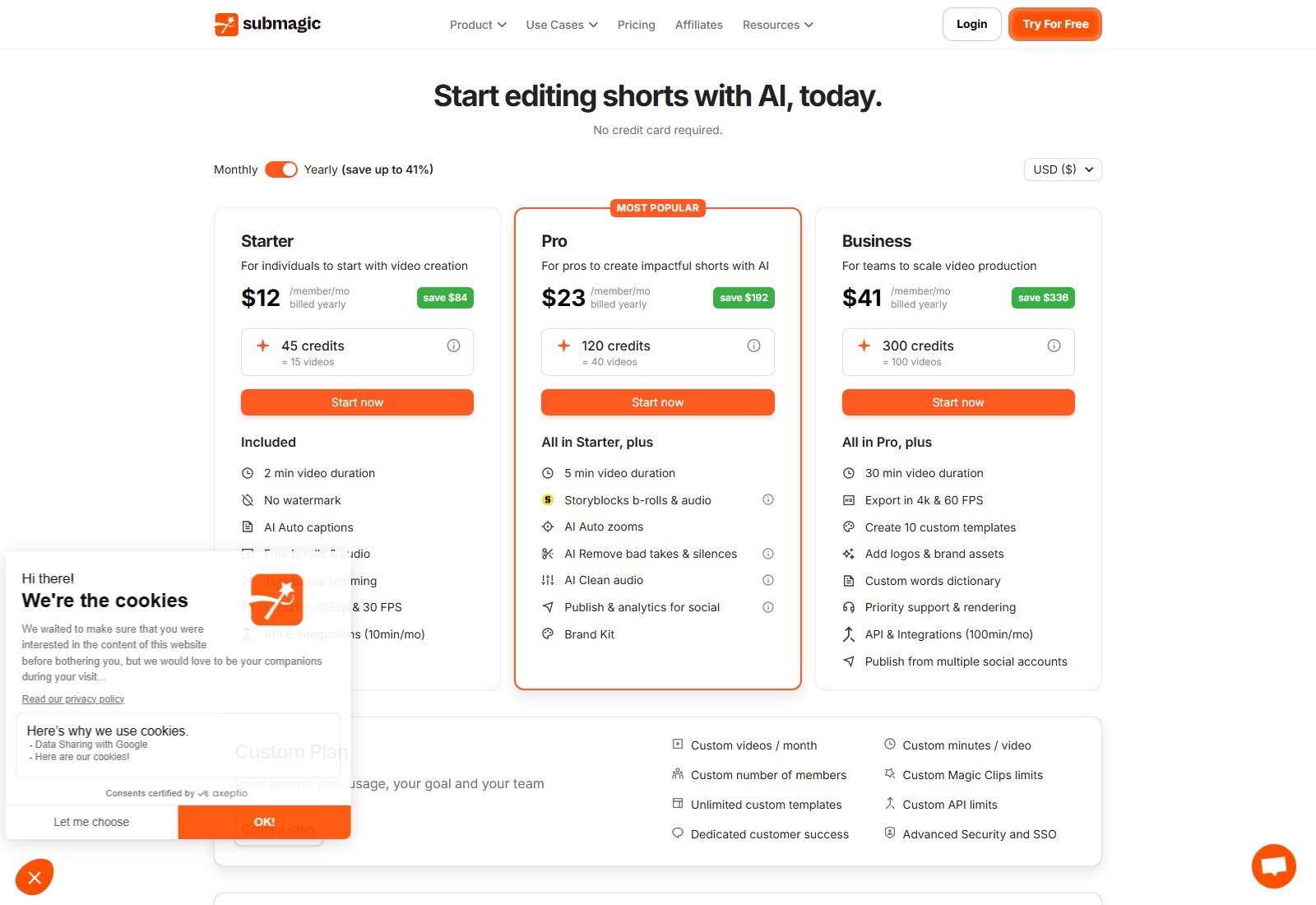
Biggest advantage: caption craft plus Magic clips and a scheduler. Biggest limitation: duration caps and avatar/generation features that can distract from clipping. Best for finishing talking-head Shorts. Skip as your only tool for three-hour streams. No affiliate link.
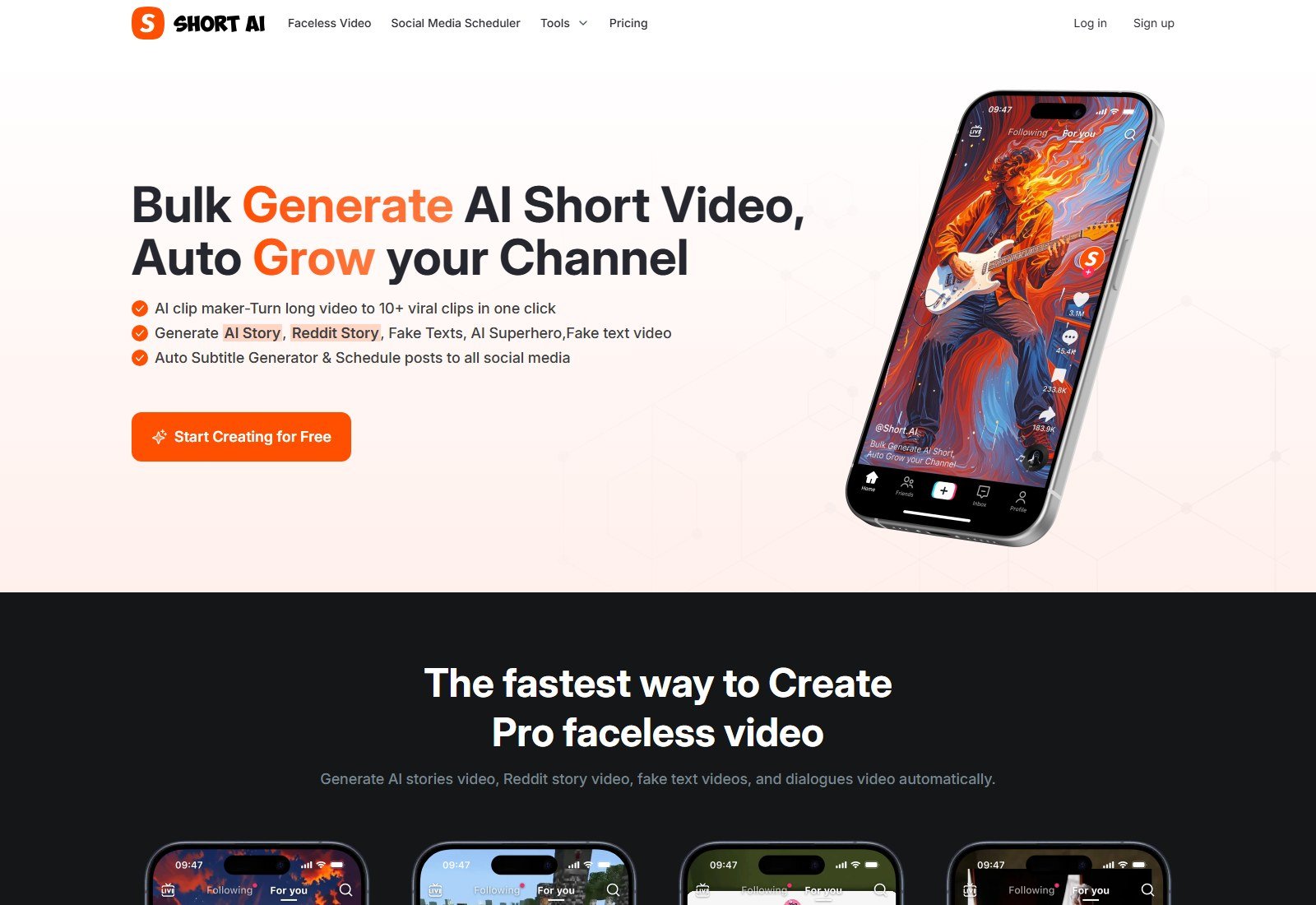
#7 Short.ai: Clip maker inside a faceless Shorts studio
Short.ai is dual-homed: faceless story/Reddit templates and “AI clip maker — turn long video to 10+ viral clips.” The dedicated /clip-maker URL returned 404 on 5 October 2026; clipping remains on the homepage and pricing table (auto clip = 1 minute / 20 credits). That is enough to qualify, not enough to beat OpusClip. Captions: 14+ styles, 32+ languages, vendor “over 99%” speech-to-text claim. Scheduler lists TikTok, YouTube, Twitter, Facebook pages, Instagram, LinkedIn, and Pinterest. Upload max 300MB Basic / 500MB Pro — a practical ceiling for long webinars. See the published Short.ai review for the faceless half of the product; this section only asks how well it clips existing video.
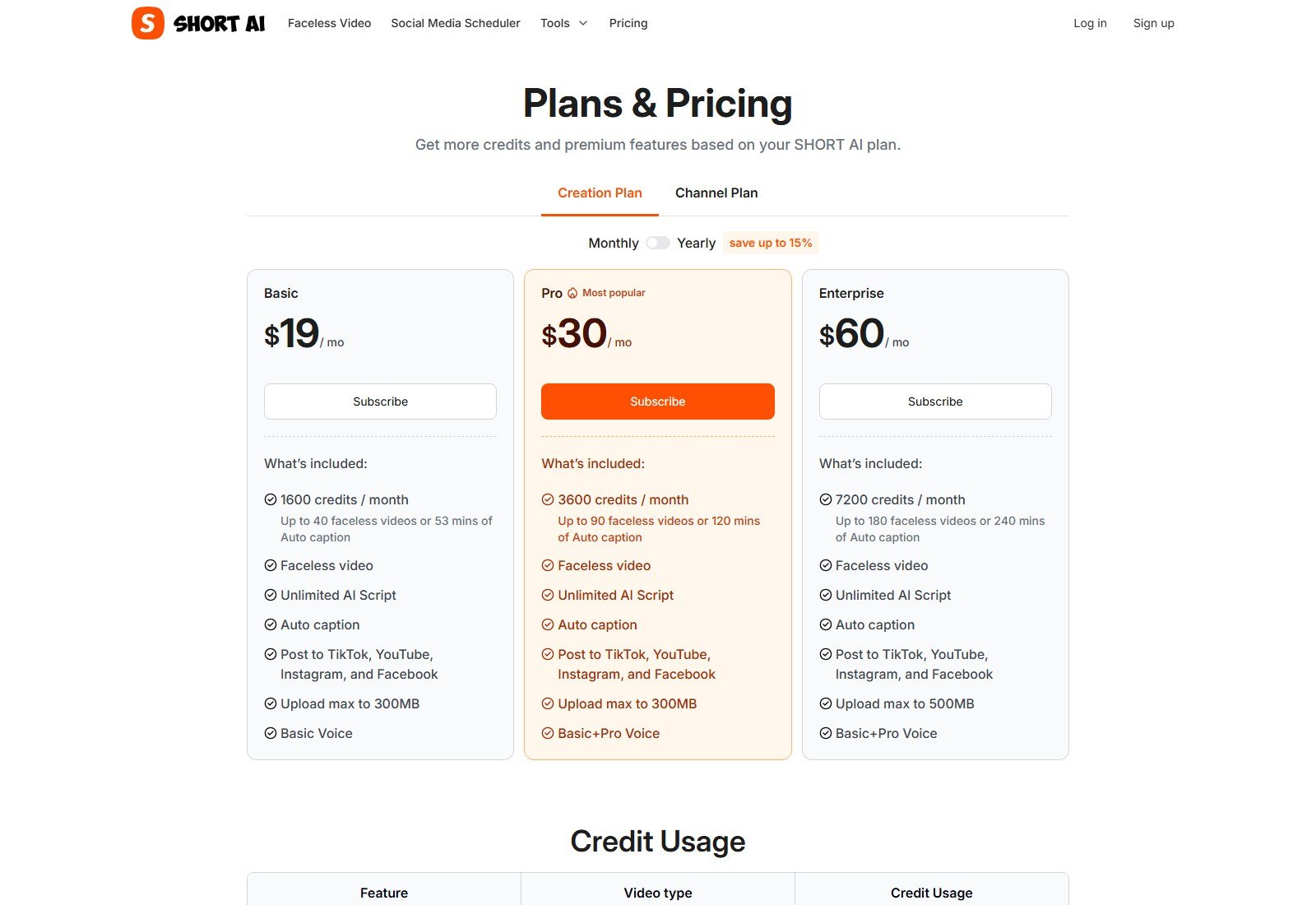
Pricing: Basic $19/month, 1,600 credits; Pro $30/month, 3,600 credits; yearly toggle “save up to 15%.” Auto captions 1 min / 30 credits vs auto clip 1 min / 20 credits — clipping and captioning are different meters inside the same wallet. Biggest advantage: cheap clip minutes plus a named multi-network scheduler. Biggest limitation: 300–500MB uploads; clip-maker docs page missing; marketing “go viral” language we do not endorse. Best if you already live in Short.ai for templates. Skip as a specialist podcast clipper.
What we considered and did not rank
Revid AI: considered because Moon Picke has a commercial relationship and a published Revid AI review. Excluded here as generation-first (script/render/publish), not an AI highlight clipper for existing long video.
Captions: strong AI editor for existing footage, also avatars and generative start-from-scratch. Excluded as editor/avatar-first without a public long-video clip-discovery matrix like OpusClip.
Munch / Munch Studio: current site is website-to-social marketing, not a long-video clip factory. Excluded as product-shifted / weaker clipping evidence.
VEED: general AI editor, not a dedicated highlight clipper.
Riverside AI clips URL: riverside.fm/ai-clips returned 404. Insufficient current clipping page.
2short.ai, Choppity, Wisecut: still exist as names in competitor lists; we did not find stronger current public evidence than the seven finalists in this pass.
Pictory / InVideo / Fliki: URL-to-stock or script-to-video. That can “repurpose” a blog, which is not this pillar’s long-video clipping job.
Best for podcasts
Start with Descript if you still edit the episode. Add OpusClip or Vizard if you want a clip factory after the master is locked. quso.ai is the pick when the bottleneck is posting the clips, not cutting “ums.”
Best for YouTube-to-Shorts
OpusClip and Klap make YouTube links a first-class input. OpusClip wins on clip controls and scores; Klap wins on layout presets and clip-quota math. Remember: a working YouTube import is not permission to clip channels you do not own.
Best for webinars
Vizard’s 600-minute upload length on paid plans matches webinar files better than Submagic’s 2–5 minute duration cards. quso.ai Essential is the scheduling companion. OpusClip Pro’s 30GB cap matters more than brand slogans when the recording is huge.
Best AI clip discovery
OpusClip, then quso.ai Intelliclips/Custom Clip, then Klap topics. Descript Underlord is strong but editor-shaped. We did not count “keeper clips” from a shared source file.
Best auto-reframe
Klap AI Reframe 2 (named layouts) and OpusClip Pro (object tracking, screenshare/gameplay, custom reframing). Descript Center Active Speaker is the most honestly named speaker crop. We do not call a basic center crop “active-speaker AI.”
Best captions
Submagic for style volume and language count, with the vendor accuracy claim labeled as such. OpusClip and quso.ai are close enough if you already clip there. Short.ai captions share credits with faceless videos.
Best editing
Descript. Vizard and OpusClip paid editors are lighter finishing surfaces. A brilliant clipper with a weak timeline is still a good clipper.
Best social publishing
quso.ai Essential+ (seven platforms, planner) and Short.ai’s listed scheduler. OpusClip scheduler is Pro. Klap names four networks. “9:16 export” is not “publishes to TikTok.”
Pricing and value comparison
Pricing, processing limits, AI credits and publishing features were checked on 5 October 2026 and may change. Check each provider’s current pricing before purchasing.
| Tool | Entry paid | Annual note | Free access | Usage basis |
|---|---|---|---|---|
| OpusClip | Starter $15/month | Starter monthly-only; Pro $17.4/mo billed annually | Free plan 60 credits, watermark | Credits (150 Starter / 300 Pro) |
| quso.ai | Lite $29/month | $19/mo billed yearly, 2× credits | Free 75 credits | ~1 credit ≈ 1 processed minute |
| Vizard | Creator $29/month | $14.50/mo, $174 billed yearly | Free 60 credits, 720p | 1 credit = 1 minute (paid cards) |
| Descript | Hobbyist $24/month | $16/person/mo billed annually | Free plan 60 min | Media hours + AI credits |
| Klap | Basic $14/mo billed yearly | Yearly default on capture; FAQ still $29/month | 1 video free | Clips per month |
| Submagic | $19/month Starter | $12/member/mo billed yearly | No card on CTA; not a forever free plan dump | Credits / videos + duration cap |
| Short.ai | Basic $19/month | Up to 15% off yearly | Start free CTA | Credits; auto clip 20/min |
Moon Picke does not publish a blended “cost per viral clip.” Clip yield from a 60-minute source is not a number we measured. quso.ai’s FAQ (1 credit ≈ 1 processed minute) would put a 60-minute file at about 60 credits — on Free that is most of the 75-credit allotment if processing is 1:1, which we still treat as vendor math. Vizard’s paid cards make the same 1 minute = 1 credit statement. Short.ai would meter 60 × 20 = 1,200 clip credits for one hour of auto clip — a Moon Picke arithmetic example on the published table, not a promise of 10 usable Shorts.
How to choose an AI video repurposing tool
1. Confirm you have rights to the recording, guests, music, and slides.
2. Match source length and file size to plan caps (Descript hours, Vizard 600 minutes, Submagic duration, Short.ai megabytes, OpusClip gigabytes).
3. Decide whether you need clip discovery, a transcript editor, or a scheduler — few products are best at all three.
4. Check whether “TikTok” means 9:16, a connect-account post, or a dated scheduler.
5. Read the meter: credits vs clips vs media hours.
6. Treat virality scores as sort keys.
7. Leave budget for human review.
How to turn a long video into Shorts
1. Start with content you have rights to use.
2. Import or upload the source (file, YouTube if you own it, Drive/Zoom if the vendor lists it).
3. Let AI propose candidate moments.
4. Watch the actual context — a high score can still be a spoiler or a private aside.
5. Adjust in and out points (transcript trim if you have it).
6. Reframe for 9:16; correct speaker framing instead of trusting a center crop.
7. Fix captions, names, and on-screen text.
8. Add B-roll only if the license matches the use; do not assume stock is unlimited commercial.
9. Apply the brand kit.
10. Fact-check hooks and titles the model wrote.
11. Export or schedule to the real destination account.
12. After publishing, use platform or vendor analytics — not the pre-clip score — to decide what to make next.
Do not auto-post every AI clip without a human pass.
What AI “virality scores” actually mean
OpusClip’s Virality Score, quso.ai’s Virality scoring, and Klap’s viral-potential scores are vendor-specific ranking signals. They are not a shared scientific scale. An 98 on an OpusClip tile is not “better” than a 80 on another app. They are not proof a video will go viral, not independent view forecasts, and not revenue guarantees. Use them to sort a pile of candidates. Keep the clips that make sense for your audience even if the model shrugged.
Can you repurpose any YouTube video?
No. URL import is a technical convenience. You remain responsible for rights to the picture, audio, music, guests’ likeness, and brands on screen. Software does not grant those rights. This is not legal advice.
FAQ
What is the best AI video repurposing tool?
OpusClip is our best overall clipper for existing long video in this 5 October 2026 pass. Choose Descript if the podcast still needs editing, quso.ai if scheduling is the bottleneck, Vizard for webinar-length files plus an editor.
What is the best AI tool for turning long videos into Shorts?
OpusClip for discovery and YouTube-oriented clipping; Klap if you want layout-heavy verticals on a clip quota.
Can AI turn YouTube videos into Shorts automatically?
Several tools accept a YouTube URL and propose clips with captions and a vertical crop. Automation still needs review, and a URL is not a license.
What is the best AI tool for podcast clips?
Descript for transcript control and Center Active Speaker; OpusClip or Vizard if you only need social cuts from a finished episode.
What is an AI virality score? Does it predict views?
It is the vendor’s internal clip ranking. It does not predict actual views. Scores from different vendors are not comparable.
Can AI automatically reframe horizontal video to vertical?
Yes on OpusClip, quso.ai, Vizard, Klap, and others. Quality of speaker tracking varies; Descript names Center Active Speaker explicitly. Always check faces on the edge of frame.
Can AI add captions and B-roll to existing videos?
Captions: yes on every finalist. B-roll: distinguish stock (Submagic Storyblocks, OpusClip stock), AI-image B-roll, and generative video B-roll (OpusClip Agent Opus on Pro). Licenses are not interchangeable.
Can AI schedule Shorts, Reels, and TikToks?
quso.ai Essential+, OpusClip Pro, Vizard paid, Klap, Submagic Pro, and Short.ai document schedulers. Platforms listed differ — read the live integrations, not a generic “all socials” line.
How much do AI clipping tools cost?
Verified paid floors in this research: Klap Basic $14/month billed yearly, OpusClip Starter $15/month, Descript Hobbyist $16/person/month billed annually, Vizard Creator $14.50/month billed yearly, quso.ai Lite $19/month billed yearly, Submagic Starter $12/member/month billed yearly, Short.ai Basic $19/month. Meters differ.
Final verdict
For turning long videos you already own into Shorts, Reels, and TikToks, buy a clipper, not a text-to-video model. OpusClip is the most complete clipping product we documented. quso.ai (the current Vidyo.ai lineage) is the strongest clip-plus-calendar bundle among our affiliates. Vizard covers webinar-scale files. Descript owns the podcast edit. Klap, Submagic, and Short.ai fill simpler or caption-led jobs. Rank followed workflows on official pages, not commissions, and not a fake same-file bake-off.
Try quso.ai · Try Short.ai · OpusClip, Vizard, Descript, Klap, and Submagic: use each vendor’s official site.