
Moon Picke independently researches products. If you buy through our links, we may earn a commission at no extra cost to you. Read our affiliate disclosure.
Thinkware U3000 PRO review: this guide covers Thinkware’s U3000 PRO in the current front-and-rear (2CH) configuration—4K front and 2K rear Sony STARVIS 2 cameras with dual built-in radar. It is for drivers who want premium dual-channel recording plus documented parking modes, not a cigarette-plug camera that only films while driving. The strongest documented differentiator is dual built-in radar parking with OBD-II or hardwire power. The biggest limitation is setup: parking features need a proper power path, and THINKWARE CONNECTED remote features need an optional LTE module plus a subscription. Moon Picke has not installed or driven with this unit.
As an Amazon Associate I earn from qualifying purchases.
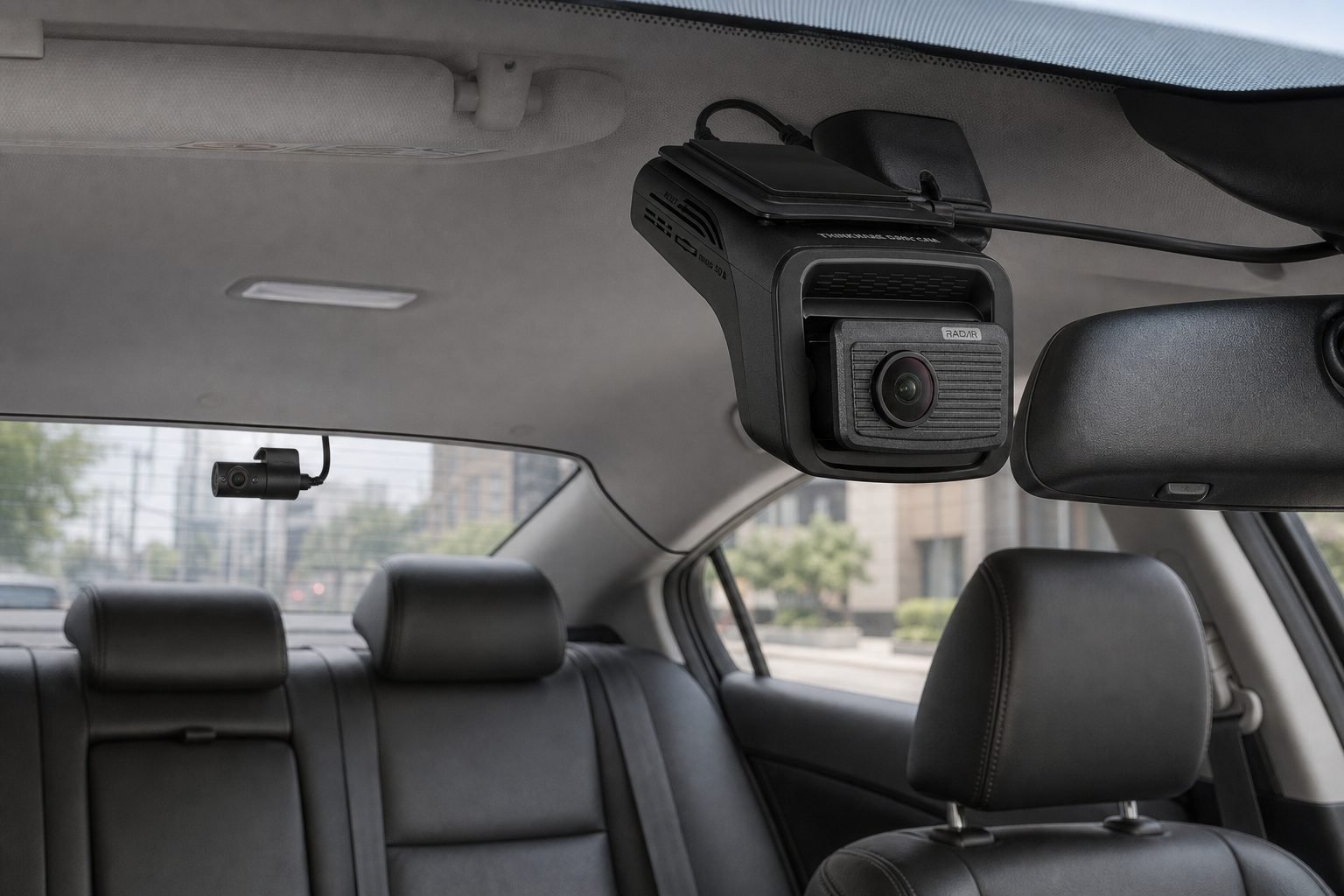
See the Thinkware U3000 PRO 2CH listing on Amazon →
Thinkware U3000 PRO Review: Quick Verdict
Is the Thinkware U3000 PRO worth it? Consider it if you want 4K/2K dual-channel hardware, built-in dual radar for parking clips, and you will hardwire or use the included OBD-II cable. It stands out from simpler cameras because radar, Smart Parking thermal behavior, and optional LTE connectivity are documented on the camera itself—not as a generic “parking mode” checkbox. Skip it if you only need driving video, will not add a parking power source, or do not want app, cable, and optional-cloud complexity. That is a specifications-based verdict, not a road test.
Thinkware U3000 PRO
Is the Thinkware U3000 PRO worth it? Consider it if you want 4K/2K dual-channel hardware, built-in dual radar for parking clips, and you will…
- Energy Saving: records when impacts are detected, intended to stay in parking longer.
- Time Lapse: records at 2 fps for longer continuous coverage at reduced temporal resolution.
- Motion & Impact Detection: a 20-second file when motion or impact is detected, with 10 seconds before and after the event.
Affiliate link. Moon Picke may earn a commission from qualifying purchases.
What Is the Thinkware U3000 PRO?
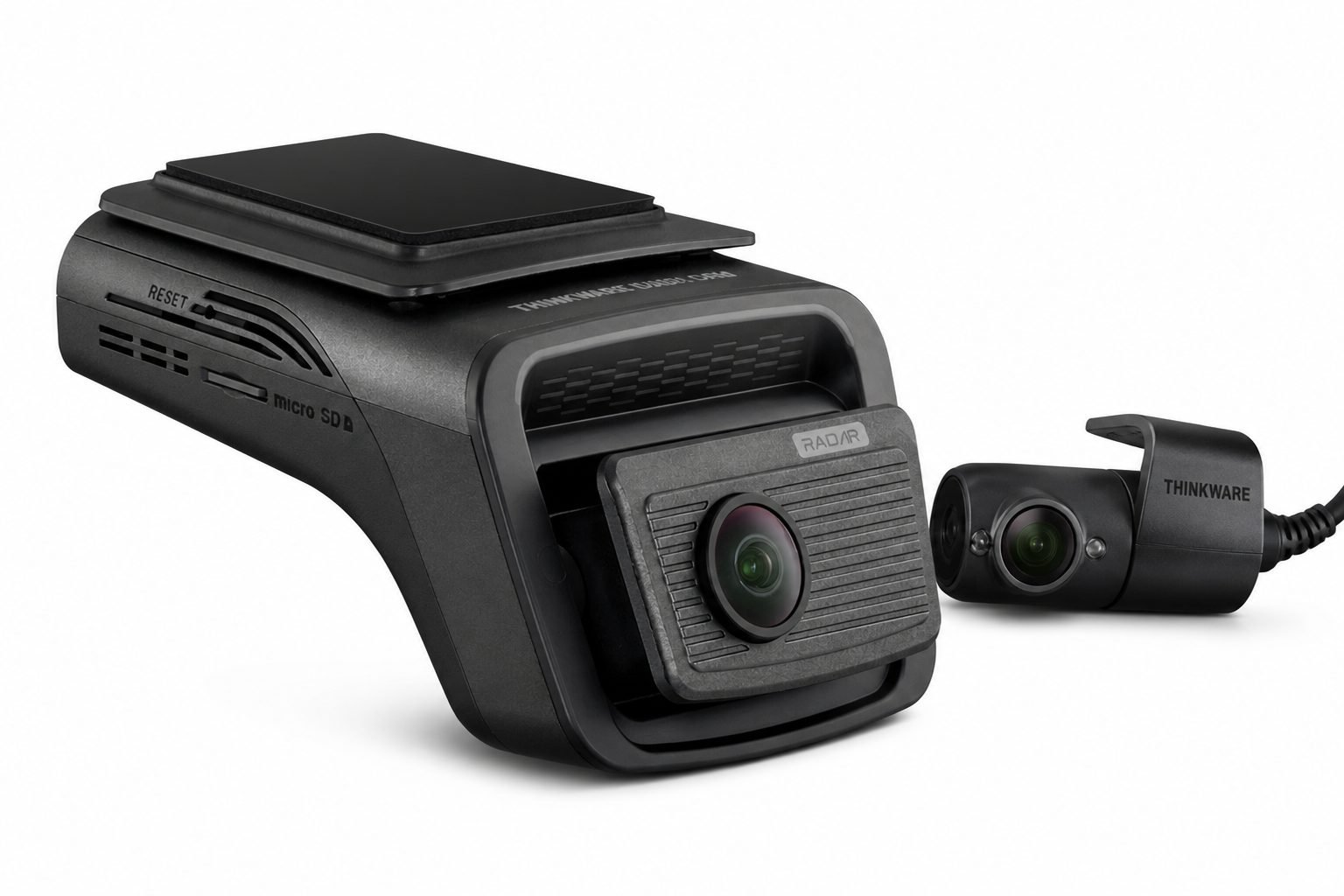
The U3000 PRO is Thinkware’s current flagship dash cam, distinct from the older U3000. Official specs list a front Sony STARVIS 2 IMX678 (8.4 MP) at 4K UHD 30 fps or 2K QHD 60 fps, and a rear Sony STARVIS 2 IMX675 (5.14 MP) at 2K QHD 30 fps. Dual HDR applies in driving (front HDR in 4K mode only). Super Night Vision 4.0 is the official low-light name. Dual radar, GPS, Bluetooth, and 5 GHz Wi-Fi are built in. THINKWARE CONNECTED is not native LTE; it needs the optional LTE module and a paid plan.
This Thinkware U3000 PRO review uses the Amazon 2CH Front & Rear kit. Thinkware also sells a front-only U3000 PRO. Do not mix those boxes. For dual-channel systems in a broader buying process, see Moon Picke’s 2026 dash-cam overview—this page is a single-product review, not a replacement for that guide.
Thinkware U3000 PRO Key Specifications
The Thinkware U3000 PRO review spec table below uses Thinkware’s official U3000 PRO specifications unless marked as Amazon listing details for ASIN B0FP137YT4.
| Spec | Documented figure |
|---|---|
| Front resolution | 4K UHD 3840×2160 @ 30 fps, or 2K QHD 2560×1440 @ 60 fps |
| Rear resolution | 2K QHD 2560×1440 @ 30 fps |
| Front sensor | 8.4 MP Sony STARVIS 2 IMX678 |
| Rear sensor | 5.14 MP Sony STARVIS 2 IMX675 |
| Field of view | Front 147° diagonal; rear 156° diagonal |
| HDR | Driving only; front in 4K mode only, plus rear |
| Night processing | Super Night Vision 4.0 (official name) |
| GPS / Wi-Fi / Bluetooth | Built-in GPS; built-in Bluetooth; built-in 5 GHz Wi-Fi |
| Radar | Dual built-in radar (not an add-on module on this model) |
| Parking modes | Energy Saving; Time Lapse (2 fps); Motion & Impact Detection; Radar Parking Mode; Smart Parking Mode |
| Cloud / LTE | THINKWARE CONNECTED requires optional LTE module and subscription |
| Storage | microSD up to 512 GB; this Amazon 2CH kit includes 64 GB |
| Power | DC 12/24 V; OBD-II cable included on official parking copy and this Amazon kit; hardwiring cable sold separately |
| Operating / storage temp | Operating −10° to 60°C (14° to 140°F); storage −20° to 70°C |
| Front size / weight | 69.8 × 102.6 × 55.5 mm; front 140.7 g, rear 41.1 g |
| Warranty (Amazon) | 1-year manufacturer’s limited warranty |
Check the current U3000 PRO 2CH Amazon listing →
Video Hardware and Recording System
Official recording is 4K30 or 2K60 up front and 2K30 at the rear, with H.265 HEVC compression. Dewarping and “Advanced Video Clear Technology” are named on the spec block. A circular polarizing (CPL) filter is included on the official product page to reduce windshield glare. Loop recording and a G-sensor appear on Thinkware’s Amazon comparison table for this 2CH SKU.
Verified: the front camera can record 3840×2160. Moon Picke interpretation: more pixels than 1080p give the file more spatial detail to work with, but plate readability still depends on distance, speed, lighting, windshield condition, exposure, and compression. This review does not claim night plates or daytime plates were read in Moon Picke testing. Super Night Vision 4.0 is Thinkware’s low-light pipeline using the STARVIS 2 sensor and ISO-oriented noise reduction—not a promise of usable video in complete darkness. For a wider night-feature discussion across cameras, see Moon Picke’s night-driving dash cam notes.
What Makes the U3000 PRO Parking System Different?
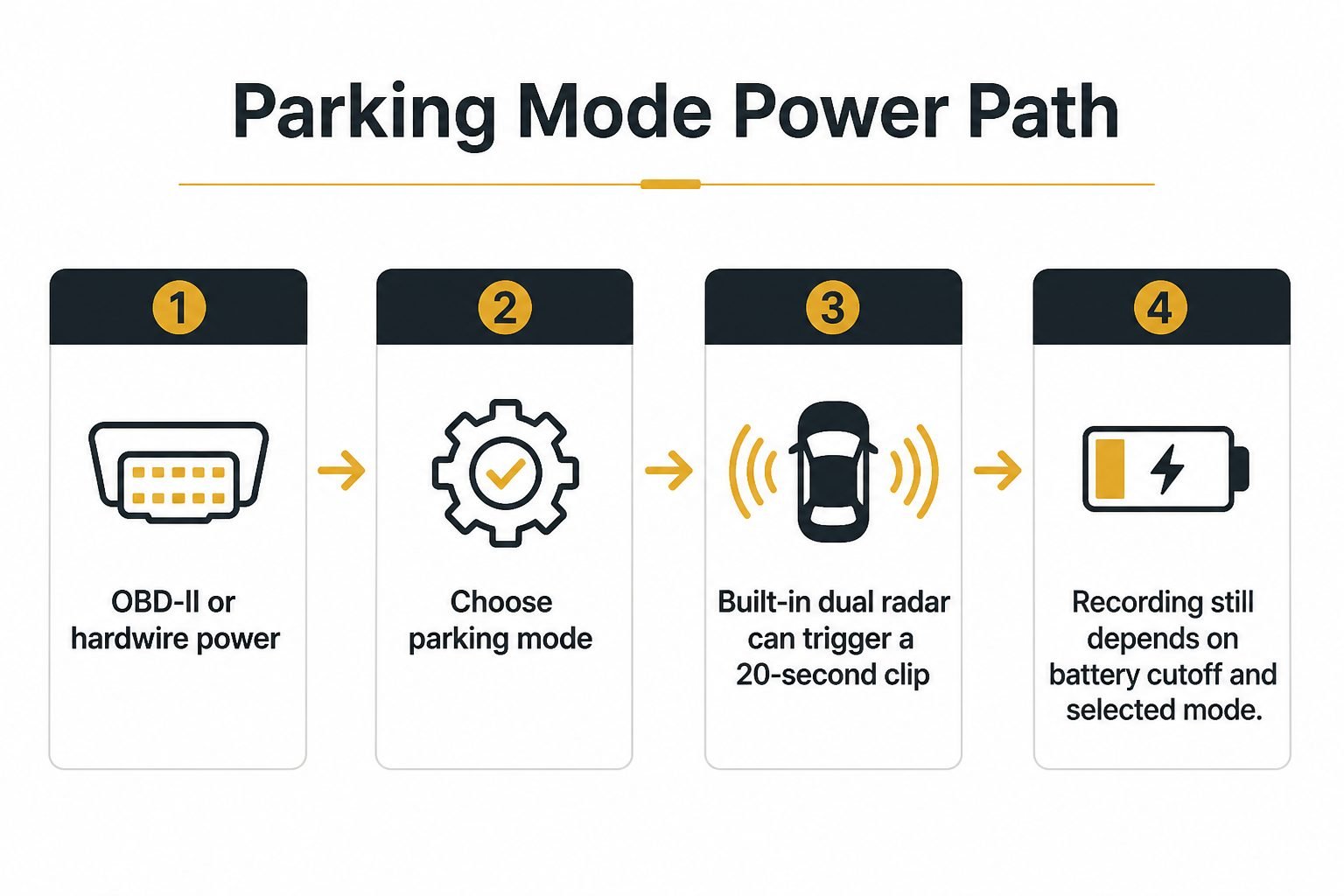
Does the Thinkware U3000 PRO record while parked? It can, if it has a parking power source. Thinkware states parking surveillance requires the included OBD-II cable or a hardwiring cable (sold separately; professional installation recommended). Duration is not a fixed “24/7” guarantee. It depends on vehicle battery condition, the selected mode, thermal behavior, and whatever low-voltage cutoff the unit applies. Thinkware’s generic brand copy mentions a voltage sensor that cuts power to protect the car battery; the U3000 PRO spec table does not publish a cutoff voltage, so this review will not invent one.
Documented parking modes:
- Energy Saving: records when impacts are detected, intended to stay in parking longer.
- Time Lapse: records at 2 fps for longer continuous coverage at reduced temporal resolution.
- Motion & Impact Detection: a 20-second file when motion or impact is detected, with 10 seconds before and after the event.
- Radar Parking Mode: dual built-in radars monitor while parked and record a 20-second clip when motion enters the detection range; an impact saves the most relevant 20 seconds before and after. Thinkware states this can provide parking surveillance over 20 times longer than standard Motion & Impact Detection. That is a manufacturer comparison, not a Moon Picke measurement.
- Smart Parking Mode: if interior temperature gets too high in parking, the camera switches to a low-power, impact-only state until it is safe to resume Motion Detection or Time Lapse. If Energy Saving is already selected, Thinkware says operation does not change even if temperature exceeds 65 degrees.
Parking is why many buyers step up. If you only care about driving incidents, these modes add wiring. If parking is the point, use Moon Picke’s parking-mode dash cam guide for the power-and-mode framework, then return to this model’s radar and Smart Parking details.
Radar Parking Mode Explained
How does the U3000 PRO radar feature work? On this model radar is built in, not the separate Thinkware Radar Module sold for other cameras. Thinkware describes dual radars that watch the parked vehicle and wake recording for a 20-second clip when motion enters range. Radar does not prevent accidents or theft. It does not detect every person or vehicle. It does not continuously record everything in radar mode; it triggers clips according to the documented logic, and impact handling can prioritize a before/after window.
Buyer value is energy management plus event capture: Thinkware positions radar as a lower-power parked state than full motion detection. That matters if you want parking clips without draining a weak battery as quickly. It matters less if parking mode stays off. Detection range is not published in meters on the spec table used here, so this review will not invent distances.
Front and Rear Coverage
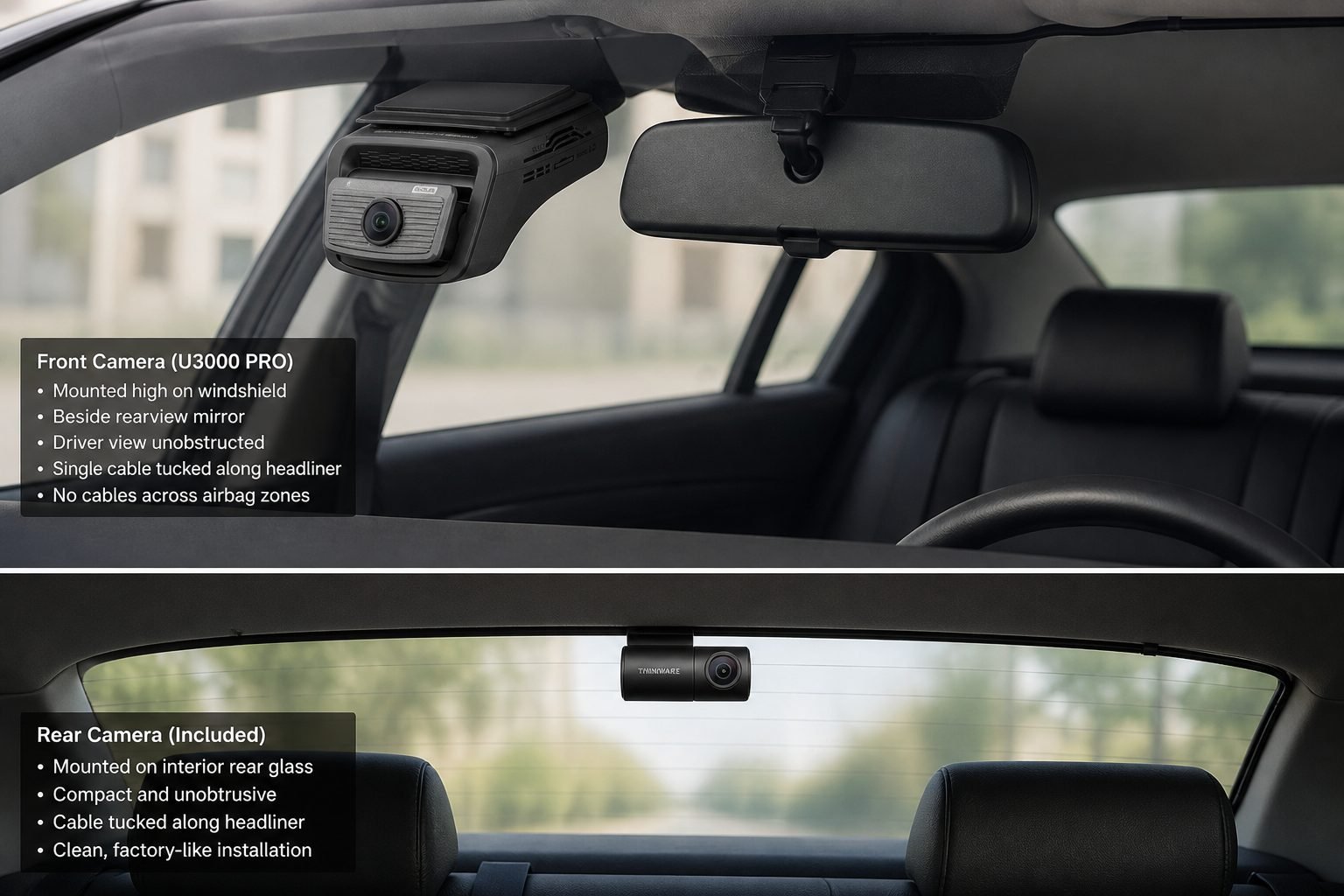
Does it have front and rear cameras? The 2CH kit reviewed here does. Front-only U3000 PRO listings exist; they omit the rear channel. Rear resolution is 2K QHD at 30 fps with a 156° diagonal view—wider on paper than the 147° front, which is typical of a rear-window camera sitting closer to following traffic. Rear installation means a cable from the windshield unit along the headliner and pillars to the rear glass. Route away from airbag deployment zones. Do not obstruct the driver’s view. Two channels share one microSD card, so 4K+2K fills a card faster than front-only 1080p. Use cases: lane-change disputes, rear-end parking taps, and following-distance incidents the front camera cannot see. For dual-channel shopping criteria beyond this SKU, see the front-and-rear dash cam guide.
Cloud, Wi-Fi, GPS and App Features
Separate three layers. Local: the cameras record to microSD; GPS can tag speed and location; ADAS alerts (FCWS, urban FCWS, Front Vehicle Departure Warning, Traffic Signal Alert) and safety-camera alerts are on-device aids. They do not drive the car, prevent collisions, or replace attention. Connected (nearby): Bluetooth pairs the THINKWARE DASH CAM LINK app; 5 GHz Wi-Fi is for settings, playback, and downloads while you are at the vehicle. Amazon also lists dual-band 2.4/5 GHz. Remote: THINKWARE CONNECTED live/remote features need the optional LTE module, network data, and a subscription (Basic and Premium plans are named; this review will not invent plan prices). LTE is not built into the camera body. Thinkware states the LTE module and the interior infrared cabin camera cannot be used at the same time. Connectivity only helps if you will maintain the app and, for remote access, the cellular plan. If you want recording with no subscription at all, compare that requirement against Moon Picke’s no-subscription dash cam notes—the U3000 PRO can record locally without LTE; cloud is optional.
Storage and microSD Considerations
Official capacity is 64, 128, 256, or 512 GB microSD (UHS-I). The Amazon 2CH kit includes 64 GB. Two-channel 4K/2K with H.265 still uses more space than a single 1080p camera. This review will not invent recording-hour charts without a verified bitrate. Follow Thinkware’s in-camera format guidance; do not assume a random card is approved.
Installation and Power Requirements
Does the U3000 PRO need to be hardwired? Driving can use DC input. Parking needs included OBD-II or a hardwiring cable sold separately. Thinkware recommends professional hardwire installation. Do not tap unsupported fuses or cross airbag paths. An iVolt Xtra pack is sold separately. Mount high, clear of driver view. See the 2CH Amazon kit →
What the Thinkware U3000 PRO Does Well
- Documented 4K/2K STARVIS 2 dual-channel hardware with dual HDR in driving.
- Dual built-in radar and a full parking-mode set, including Smart Parking thermal step-down.
- Built-in GPS, Bluetooth pairing, and 5 GHz Wi-Fi for local app control.
- microSD support to 512 GB and H.265 compression on the spec sheet.
- Optional LTE/CONNECTED path and optional interior IR cabin camera (mutually exclusive with LTE).
Thinkware U3000 PRO limitations
- Premium 2CH kit and possible installer cost; parking is not plug-and-forget on a USB cigarette adapter.
- Remote/cloud features need extra hardware and a subscription.
- No LCD on this model (Thinkware’s own comparison table).
- ADAS alerts are supplemental only.
- Feature depth is unnecessary if you only want locked driving files after a crash.
- Front HDR is tied to 4K driving mode; 60 fps front is the 2K option, not 4K60.
Thinkware U3000 PRO vs a Simpler Dash Cam
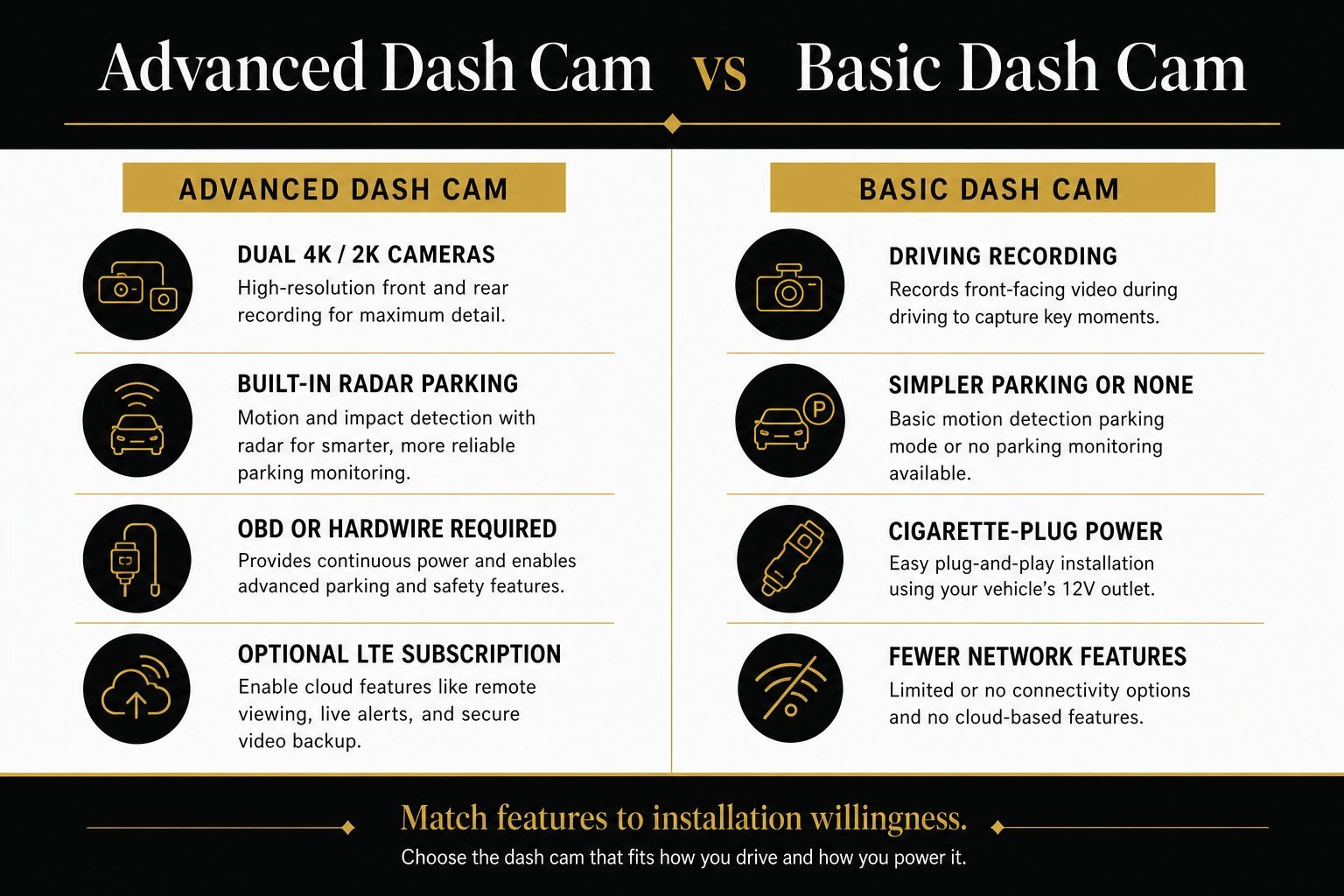
| Factor | Thinkware U3000 PRO (this 2CH kit) | Simpler dash cam |
|---|---|---|
| Front/rear coverage | 4K front + 2K rear STARVIS 2 | varies; often 1080p or front-only |
| Parking features | five documented modes including radar and Smart Parking | often basic or driving-only |
| Radar | dual built-in | uncommon |
| Connectivity | Wi-Fi, Bluetooth, GPS; optional LTE+subscription | often simpler or none |
| Setup | more involved (rear cable + parking power) | easier |
| Cost | premium | generally lower |
| Best fit | parking, travel, dual-channel evidence | basic driving recording |
No fake scores. A simpler camera is correct if parking radar will never be powered.
Who Should Buy the Thinkware U3000 PRO?
Drivers who prioritize parking surveillance with a documented radar path; buyers who want premium front/rear STARVIS 2 hardware; users willing to install a rear cable and OBD or hardwire; frequent drivers who will use GPS tagging and the Link app; people who may add LTE later and accept a subscription for remote alerts.
Who should skip it? Point-and-record users; very low-budget buyers; anyone unwilling to add parking power; buyers who do not need parking video; users who want zero app setup. Front-only shoppers should buy the front SKU, not this 2CH box.
Is the Thinkware U3000 PRO Worth Buying in 2026?
Is the Thinkware U3000 PRO worth buying in 2026? Yes if parking mode, front/rear coverage, built-in radar, and optional connected features justify premium hardware and installation. Skip it if you only need driving recording, will not hardwire or use OBD, or want the least setup. The camera remains a current Thinkware flagship with official 4K/2K STARVIS 2 specs and dual radar; worth is conditional on using those systems, not on owning the box.
Final Verdict
This Thinkware U3000 PRO review is for the 2CH Amazon configuration: 4K front, 2K rear, dual built-in radar, included 64 GB card and OBD-II cable. The ideal buyer wants parking clips and dual-channel files and will complete a clean install. The strongest documented feature is the radar-assisted parking set plus Smart Parking thermal behavior. The biggest limitation is that parking and remote features are not free of wiring, configuration, and optional subscriptions. Buy it when you will actually power parking mode. Leave it if you wanted a simple driving recorder.
View the Thinkware U3000 PRO 2CH kit on Amazon →
FAQ
Is the Thinkware U3000 PRO worth it? It is worth considering if you will use dual-channel recording and parking power. It is a poor fit as a basic plug-in driving camera.
Is the Thinkware U3000 PRO front and rear? The 2CH kit is. Thinkware also sells a front-only U3000 PRO. Match the box to the listing.
Does it record when the car is parked? Yes, when powered via included OBD-II or a separate hardwire kit, in a selected parking mode. It is not an unconditional 24/7 recorder.
How does its radar parking mode work? Dual built-in radars trigger a 20-second clip when motion enters the detection range; impacts can save a before/after window. It does not record continuously in that mode.
Does it need to be hardwired? Parking officially needs OBD-II or hardwire. Hardwire is sold separately; professional installation is recommended.
What microSD size does it support? Up to 512 GB. This Amazon 2CH kit includes 64 GB.
Does it have cloud connectivity? THINKWARE CONNECTED needs the optional LTE module, data, and a subscription. Local recording does not.