
Runway review for September 2026: Runway is worth paying for if you need a creative production workspace—shot generation, image-to-video, Apps, Agent, and Aleph 2.0 Edit Studio—not if you only want one third-party model or a script-to-finished long YouTube cut. This page evaluates documented workflow, models, credits, editing, and limits. Moon Picke did not benchmark generation quality or speed. Methods: How We Evaluate and editorial standards.
Runway Review: Quick Verdict
Is Runway worth it? Conditionally. It fits creators who generate shots, iterate with images or frames, then keep some production inside Runway. It is a weak fit if you need a 10–30 minute assembled video, or if you assumed new plans still include unlimited Explore Mode. Runway pricing, plan structure, and model access were verified in September 2026. What is Runway best for? Controlled clips plus in-product generative editing. See current Runway plans.
| Runway Review Snapshot | Verdict |
|---|---|
| Best for | Shot-based creators who also need project tools |
| Platform type | Multimodal suite: generation, Apps, Agent, Edit Studio |
| Current pricing model | Subscription + credits; yearly $ is billed annually |
| Generation | Text-, image-, and video-to-video via different models/Apps |
| Reference controls | Documented frames, image references, marketing UI chips |
| Editing | Aleph 2.0 / Edit Studio; Timeline Studio for short cuts—not a full NLE |
| Long-form fit | Shots and short sequences; longer films still need a local editor |
| Best workflow | Asset → model → generate → iterate → Edit Studio/Agent → export |
| Main limitation | Credits and iteration cost; Max is not unlimited |
| Free access | One-time 125 credits; watermark; limited models |
| Commercial use | Help: no non-commercial restriction from Runway; not a copyright guarantee |
| Overall value | Pays off when the workspace replaces tools—not a brand name |
This Runway review sits under the best AI video generators for creators pillar and next to the Higgsfield AI review. Vs-Kling and alternatives pages are not live yet.
What Is Runway in 2026?
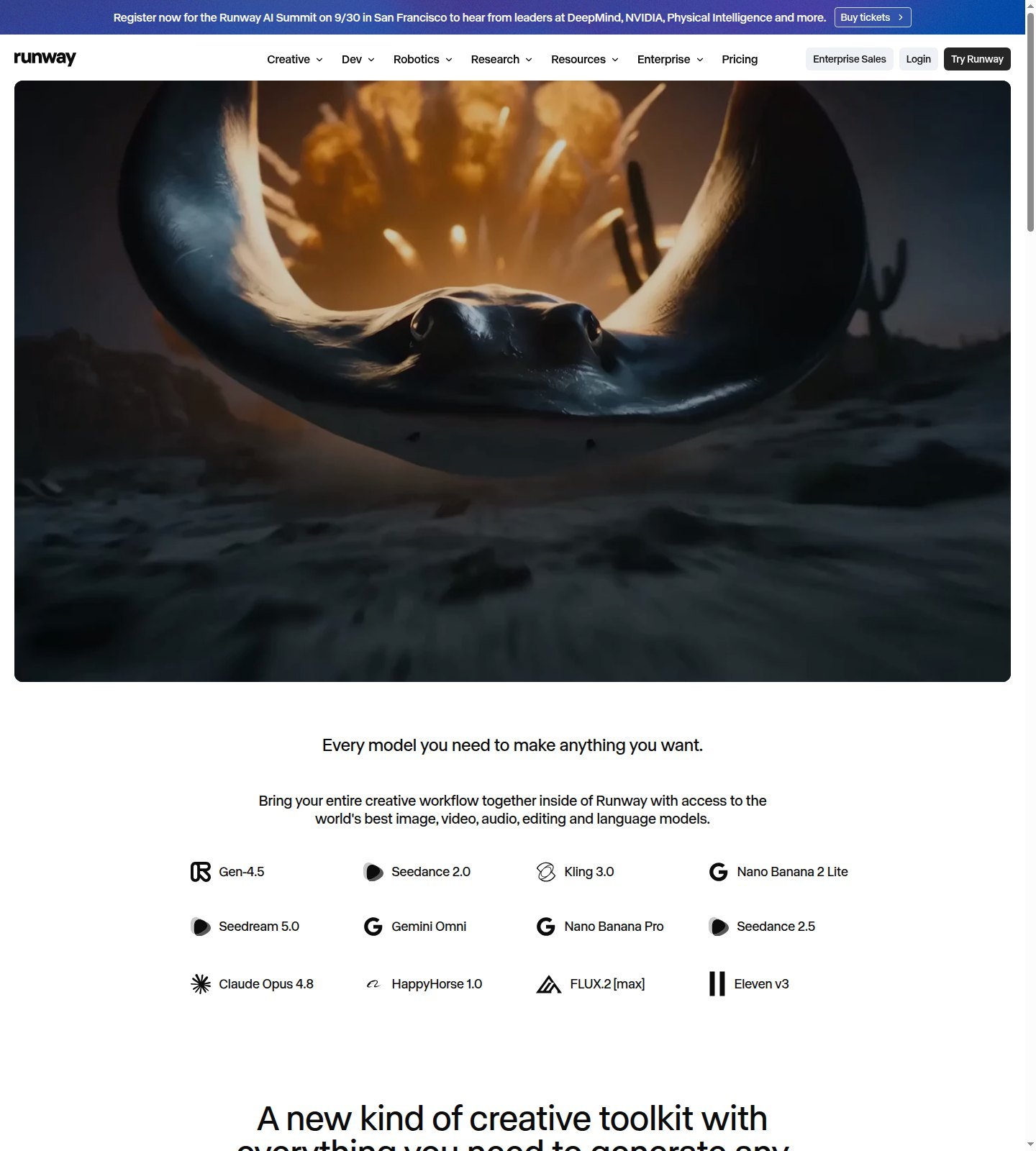
Official product copy describes a creative platform that gathers image, video, audio, editing, and language models—not a 2023 prompt box. The platform is workspace, billing, Apps, Agent, plugins, and MCP. Models include Gen-4.5, Aleph 2.0, and partner access such as Seedance, Kling 3.0, and Nano Banana. A model update can change clip capability without redefining the product. Listed partner names are access, not proof Runway trained those weights.
Surfaces captured in September 2026 include Gen-4.5, Seedance 2.0/2.5, Kling 3.0, Nano Banana, Aleph 2.0 and Edit Studio, Agent, Multi-Shot, Workflows, Premiere/AE plugins, MCP, and Characters. That is why a Runway review should ask whether the workflow reduces tools. See Guides and AI & Digital Products.
How Runway’s AI Video Workflow Works
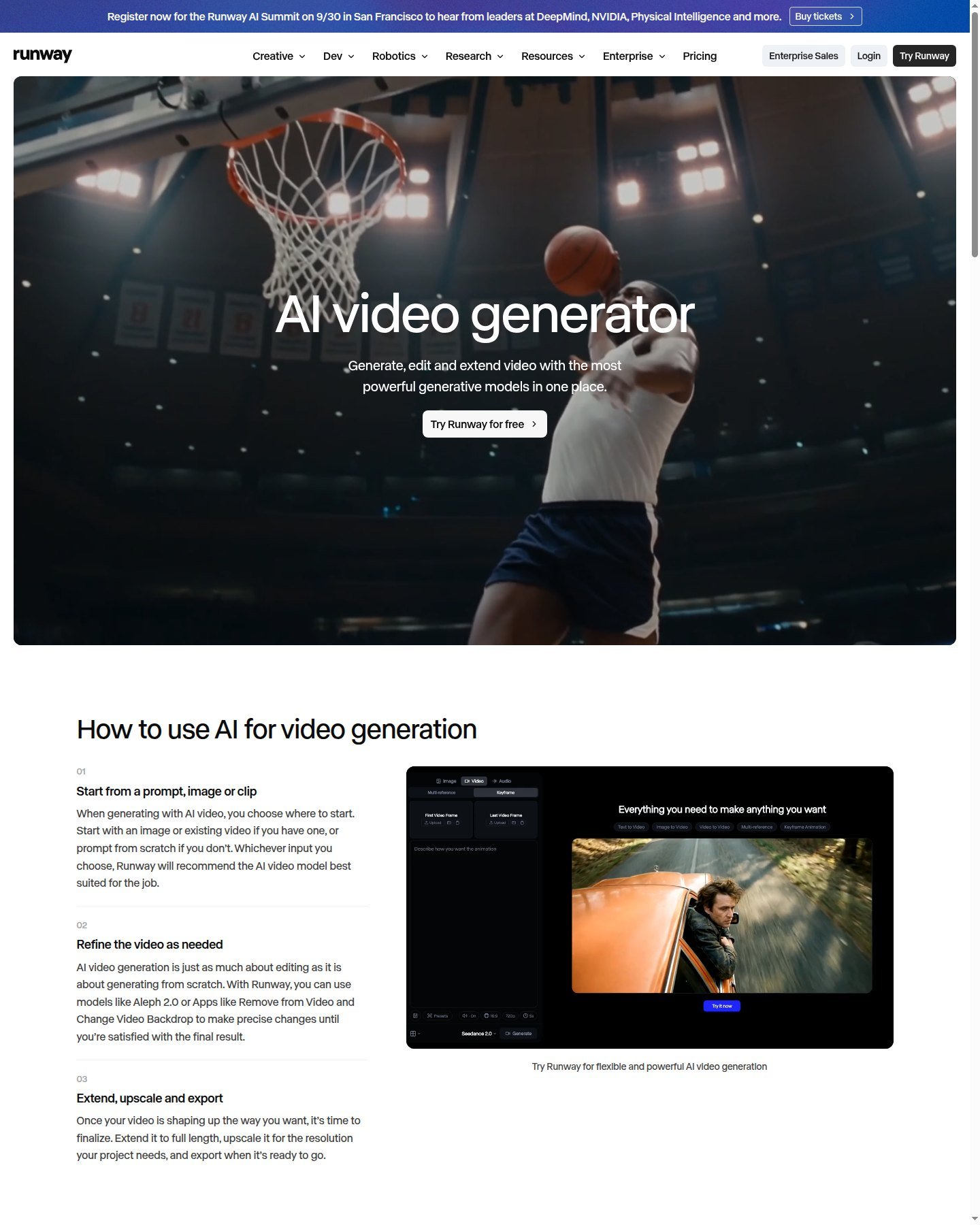
Documented flow: open a project or App, pick a model or accept a recommendation, add a prompt plus optional image or clip, set duration/aspect/audio where shown, generate, then iterate, extend, upscale, or send work to Edit Studio, Agent, or Apps. Official generator copy: start from a prompt, image, or clip; refine with Aleph 2.0 or Apps such as Remove from Video; then extend, upscale, and export. Screenshots prove UI copy and controls on public pages—not quality, speed, or consistency. See About.
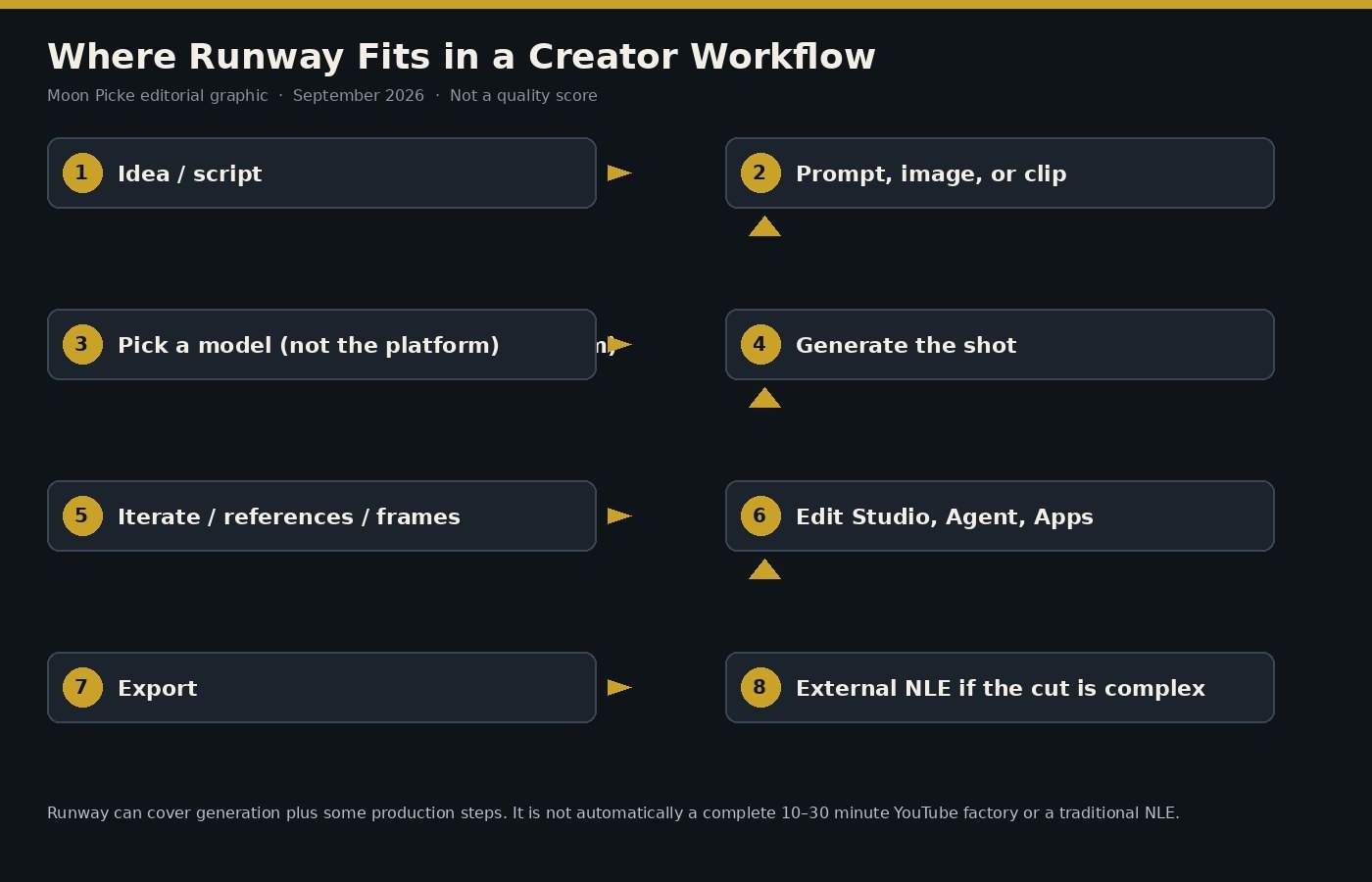
Editorial interpretation: Runway can cover generation plus some production. Complex timeline, multicam, mix, and long-form finish may still leave the product. Official longer-video help: Timeline Studio for shorter assembly; a local editor for advanced color, audio, and timeline work. Plan cards also list project caps, brand kits, and storage—organization exists, but it is not proof of Premiere-class collaboration.
Runway’s Current Video Models and Generation Options
As of September 2026, buyer-relevant video models include Gen-4.5 (text-to-video and image-to-video; 2–10 seconds; 12 credits/second; 720p native; Standard and higher), Aleph 2.0 (Edit Studio; paid; up to 30 seconds at 1080p on the product page), and partners listed on pricing cards (Kling 3.0, Seedance 2.0/2.5, Veo 3.1). Image cards list Gen-4 Image and Nano Banana Pro. Gen-3 Alpha is retired (July 2026)—do not treat it as current.
Gen-4.5 help lists text- and image-to-video, with extra inputs “coming soon.” Start/end keyframes are documented on Animate Frames, not as native Gen-4.5. Video-to-video is not the same as Aleph’s prompt edit of existing footage. Multi-Shot help: up to five shots from one prompt on Kling Pro 3.0 in that article; default 10 seconds, no audio, 16:9, 720p unless you change settings. Agent can plan multi-shot work and trim in a Final Cut tab. Confirm the live selector. This Runway review is not a model encyclopedia.
Image-to-Video, References and Creative Controls
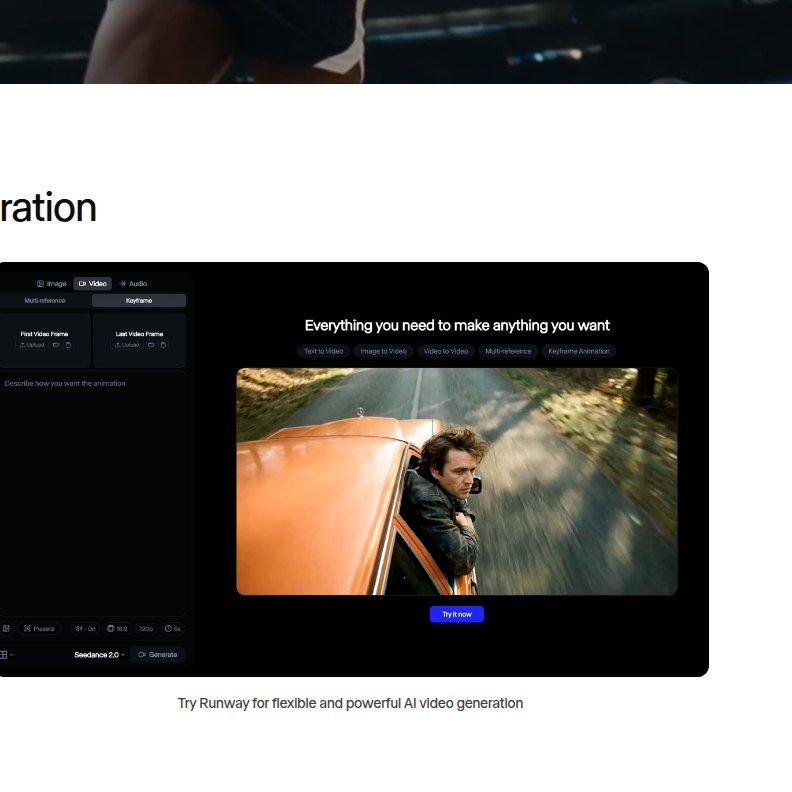
Is Runway good for image-to-video? For many creators the still is the more important input: it holds composition, subject, lighting, and style while the prompt describes motion. Gen-4.5: image as first frame; I2V aspects include 16:9, 9:16, 1:1, 4:3, 3:4, 21:9; native 720p. Help: reuse a last frame as the next start, then join clips in an editor. That improves intended continuity. It does not guarantee perfect identity or product lock.
The public generator still captured here shows First/Last Video Frame slots and chips for Text to Video, Image to Video, Video to Video, Multi-reference, and Keyframe Animation—marketing UI, not a guarantee every chip exists on every model or plan. Gen-4 Image References: up to three images for character, style, object, or environment; the feature is designed to improve continuity, not perfect consistency. Camera motion on Gen-4.5 is mainly prompted (dolly, pan, handheld, locked-off). That grammar matters for ads, social, and narrative shots.
How Much Editing Can You Actually Do in Runway?
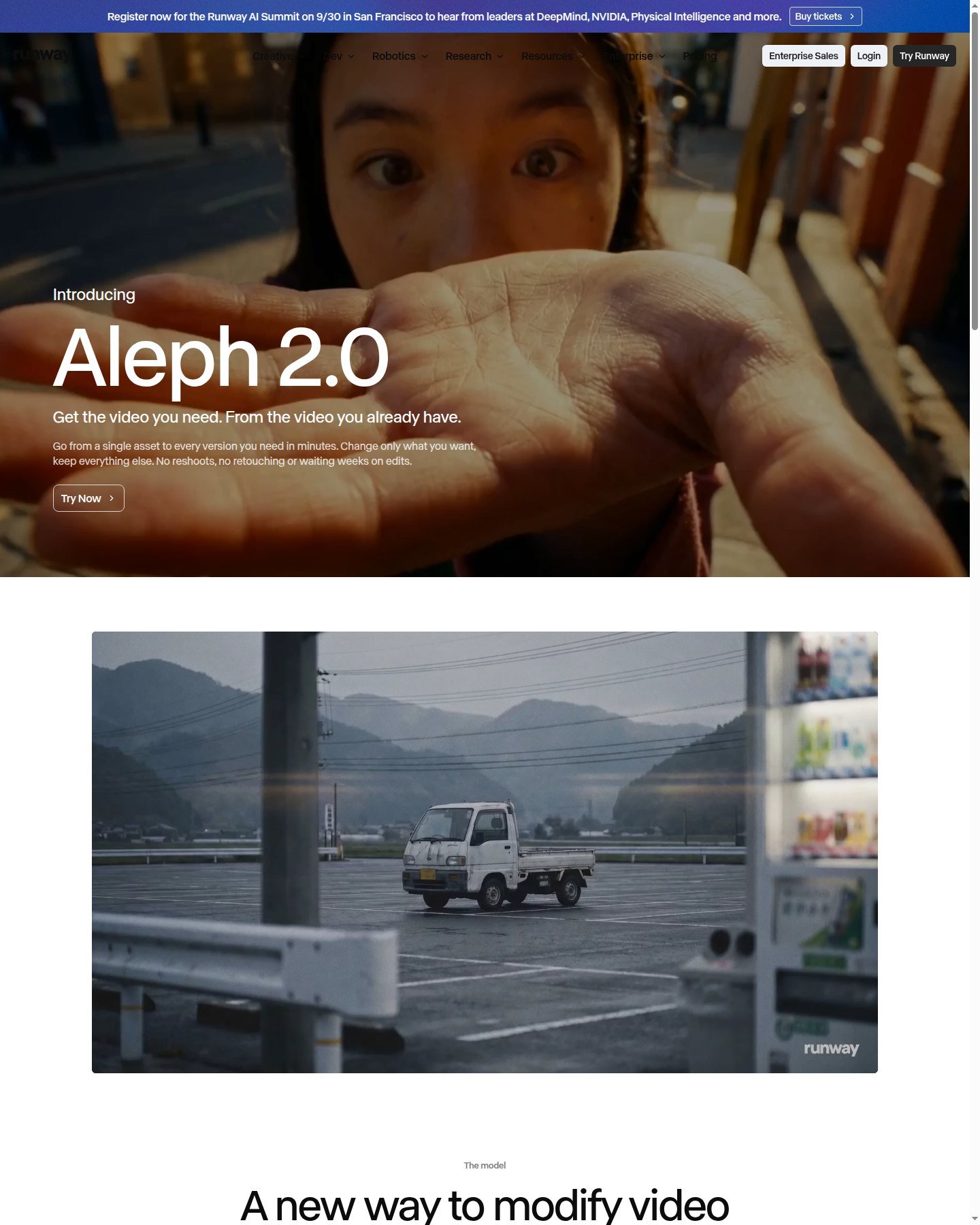
Can Runway replace Premiere Pro? Not universally. Generative editing rewrites pixels. A traditional NLE cuts, mixes, and delivers. Edit Studio hosts Aleph 2.0: timeline, frame preview, prompt, optional reference, still preview, then generate. Product FAQ: paid plans; up to 30 seconds at 1080p; edits can span cuts. Help (confirm live): 2-second minimum, 30 FPS max, 1080p max input, Single edit mode, Aleph 2.0 at 28 credits/second with a 56-credit minimum in Edit Studio. That is not a 20-minute Premiere sequence.

The Video Editor Project retired July 30, 2026. Help names Timeline Studio for assembly and Edit Studio for former inpaint-class jobs. Agent’s Final Cut can trim, split, and arrange media. Apps cover backdrop, time of day, relight, upscale, and Act-Two / lip sync. Paid plans list music, voice, and clones, but generated video does not automatically include usable audio—Multi-Shot’s documented default is silent. Finish color, multicam, and delivery in an NLE when those needs appear.
Is Runway Good for YouTube, Ads and Social Video?
Is Runway good for YouTube? For shots and short sequences, the documented stack can fit. It is not automatically the best 10–30 minute faceless builder. Longer-form help still points heavy finishing to a local editor. 9:16 is documented on Gen-4.5 I2V; confirm other models in the live UI. Ads: references, Aleph swaps, and camera prompts—not catalog-perfect products. Act-Two exists; this is not an avatar-first platform. This is not the ads, Shorts, or faceless-YouTube roundup.
Runway Pricing and Credits Explained
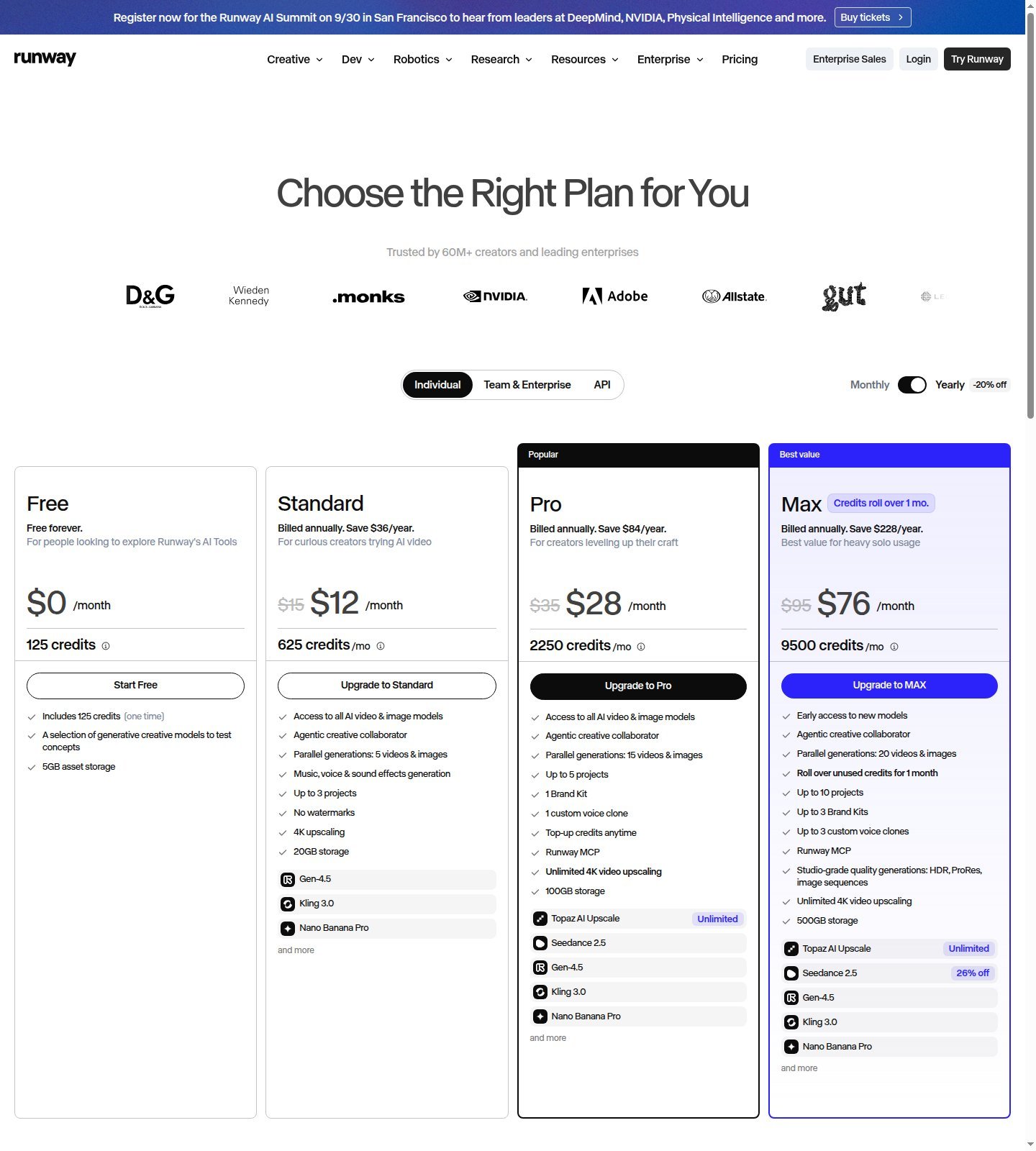
How do Runway credits work? Plans deposit credits; models spend them at different rates. Yearly Individual cards captured September 2026: Free $0 with one-time 125 credits; Standard $12/month billed annually (struck $15) and 625 credits/month; Pro $28 billed annually (struck $35) and 2,250; Max $76 billed annually (struck $95) and 9,500. Do not treat $12 as month-to-month. Help: extras from 1,000 credits on paid plans only; purchased extras do not expire; Standard/Pro monthly credits expire on the billing date; Max may roll over one month. Annual plans still refresh monthly on a billing-day cadence.
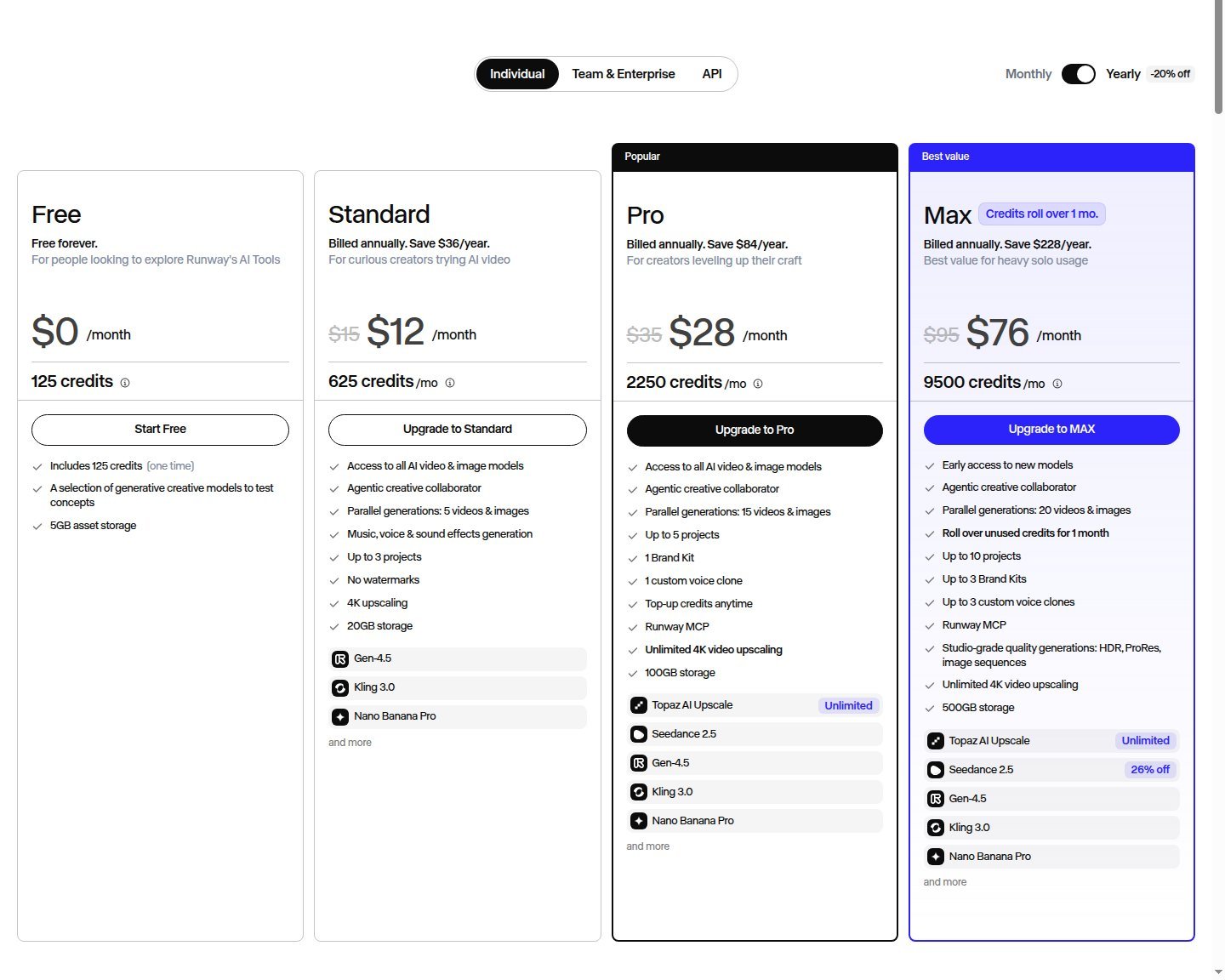
Consumer table rates include Gen-4.5 at 60 credits/5 seconds. Yearly “videos” columns are valid only for that model, duration, and settings. They fail once you retry, extend, upscale, switch models, or add ProRes/HDR. Budget iteration, not one generation. Check current Runway pricing.
| Plan (Yearly, Sep 2026) | Current price | Credits / usage | Key access | Best for | Main limitation |
|---|---|---|---|---|---|
| Free | $0 | 125 one-time | Limited models | Trying the UI | Watermark; no extra-credit buys |
| Standard | $12/mo billed annually | 625/mo, no rollover | Listed Gen-4.5/Kling/Nano Banana; no watermarks; 4K upscale | Light creators | Credits expire |
| Pro | $28/mo billed annually | 2,250/mo, no rollover | Voice clone, MCP, unlimited 4K upscale | Weekly work | Still a credit cap |
| Max | $76/mo billed annually | 9,500/mo, 1-month rollover | On-demand credits; HDR/ProRes; no Explore Mode | Frequent iteration | Not unlimited generation |
Sticker price is not effective cost. Light creators: Standard is the documented step off Free if you need no watermark and current generator access, knowing 625 credits expire. Frequent creators: Pro if weekly volume fits 2,250 credits; Max if you need rollover, on-demand generation, and studio formats. Expensive models plus retries can outrun Pro. Max replaced Unlimited for new high-volume buyers; Explore Mode is not on Max. Legacy Unlimited Explore Mode was relaxed, queued, and not “everything unlimited” (Veo 3/3.1 were historically excluded). Free is the one-time credit path; cards showed no separate paid trial. A developer API has its own table—do not mix it with these plans.
Runway’s Biggest Strengths
The account is a workspace, not only a prompt. First-party video is split: Gen-4.5 for new shots, Aleph 2.0 for in-context edits. Image-to-video and references are documented for still-first creators. Paid plans advertise no watermarks, 4K upscale, and (on Max) studio formats. According to current Usage rights help, as between you and Runway you retain rights in uploads and generations, with no non-commercial restriction from Runway and no required credit—still subject to Terms. That is permission language, not a copyright or likeness guarantee.
Where Runway Falls Short
Credits are not a video count; Standard/Pro allotments expire. Max is not Explore Mode. Generative editing is not a full NLE; Gen-4.5 natives at 720p before upscale. Marketing chips are not a forever feature list. Do not generalize cloud speed—only official on-demand versus legacy relaxed-mode language applies. Reliability should not be called “always stable”; help documents model limits such as causal reasoning and object permanence on the Gen-4.5 research page without turning them into Moon Picke scores. The learning curve is real because platform ≠ one model. Uploaded client assets fall under Runway’s current Terms and privacy pages—do not assume private-by-default or unused-for-training unless those documents say so the day you upload.
Runway vs Higgsfield, Kling and InVideo
Moon Picke may earn a commission if you purchase through some links on this page, at no additional cost to you. Affiliate Disclosure. Runway: integrated generation plus production. Higgsfield: multi-model aggregation—explore Higgsfield if engines matter more than Runway’s editor stack. Kling: direct clips. InVideo: script toward a complete assembled video. This is not the vs or alternatives article.
Who Should Use Runway?
This Runway review is for filmmakers and visual creators who think in shots; ad teams that will use references and Aleph for versions rather than one-click catalog perfection; social makers who confirm 9:16 on the live UI; and agencies that need projects, brand kits, and an in-app first editorial pass. If that is how you already work, the subscription is buying fewer tool switches—not a guaranteed look. Explore Runway if generation plus that first pass is your bottleneck.
Who Should Skip Runway?
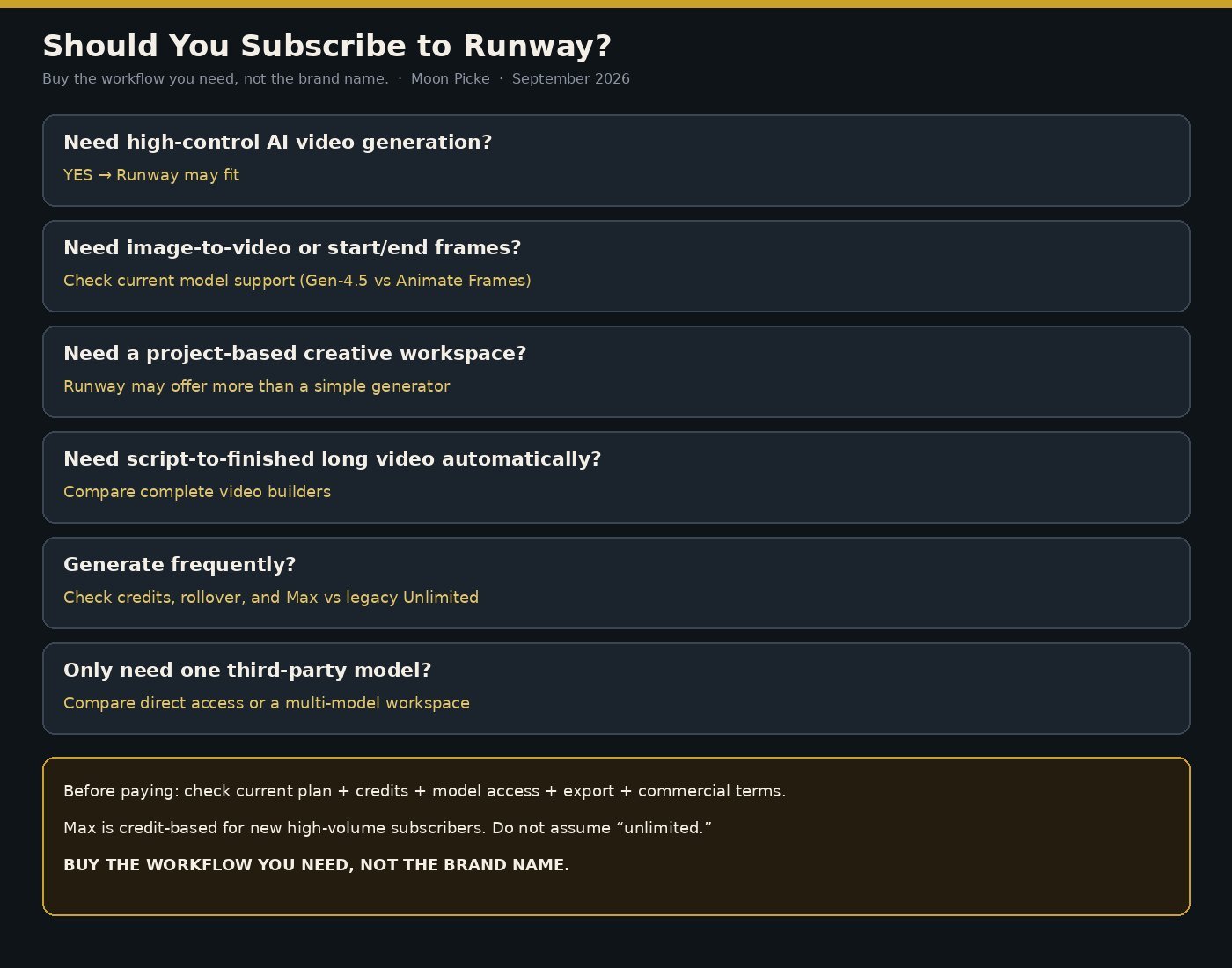
Skip one-click long-form assembly, avatar-first localization, a single cheaper third-party model, idle subscriptions when 125 Free credits suffice, Premiere-level finishing in one timeline, credit-anxious buyers, and anyone shopping for unlimited relaxed generation (legacy Unlimited, not Max).
Final Verdict
This Runway review does not crown a universal winner. Pay if generation plus production matches your process. Skip if you want a brand, one partner model, or a YouTube factory. Best for iterative shot work. Biggest strength: platform plus Aleph-class editing. Biggest weakness: credits and the NLE gap. Recheck live plans. Ask: does the workflow reduce tools? View current plans and model access.
FAQ
Is Runway worth it in 2026? Yes if you will use generation plus Edit Studio/Agent; no if you only need a demo reel or a complete builder.
Is Runway free? Free exists: 125 one-time credits, limited models, watermarks per help.
How do Runway credits work? Pools spend at per-model rates; extras on paid plans; Standard/Pro expire; Max can roll one month.
Which Runway model is best for video? No universal pick. Gen-4.5 generates; Aleph 2.0 edits; partners differ.
Is Runway good for image-to-video? Documented on Gen-4.5; stills are a first-frame workflow, not perfect lock.
Can Runway replace a normal video editor? Partly for short generative edits. Complex long-form still wants a local editor per Runway’s own help.
Is Runway better than Higgsfield or Kling? Different jobs: workspace vs aggregation vs direct clips.
Can Runway videos be used commercially? According to current Runway help, as between you and Runway, yes without a non-commercial limit from Runway. Not legal advice.