
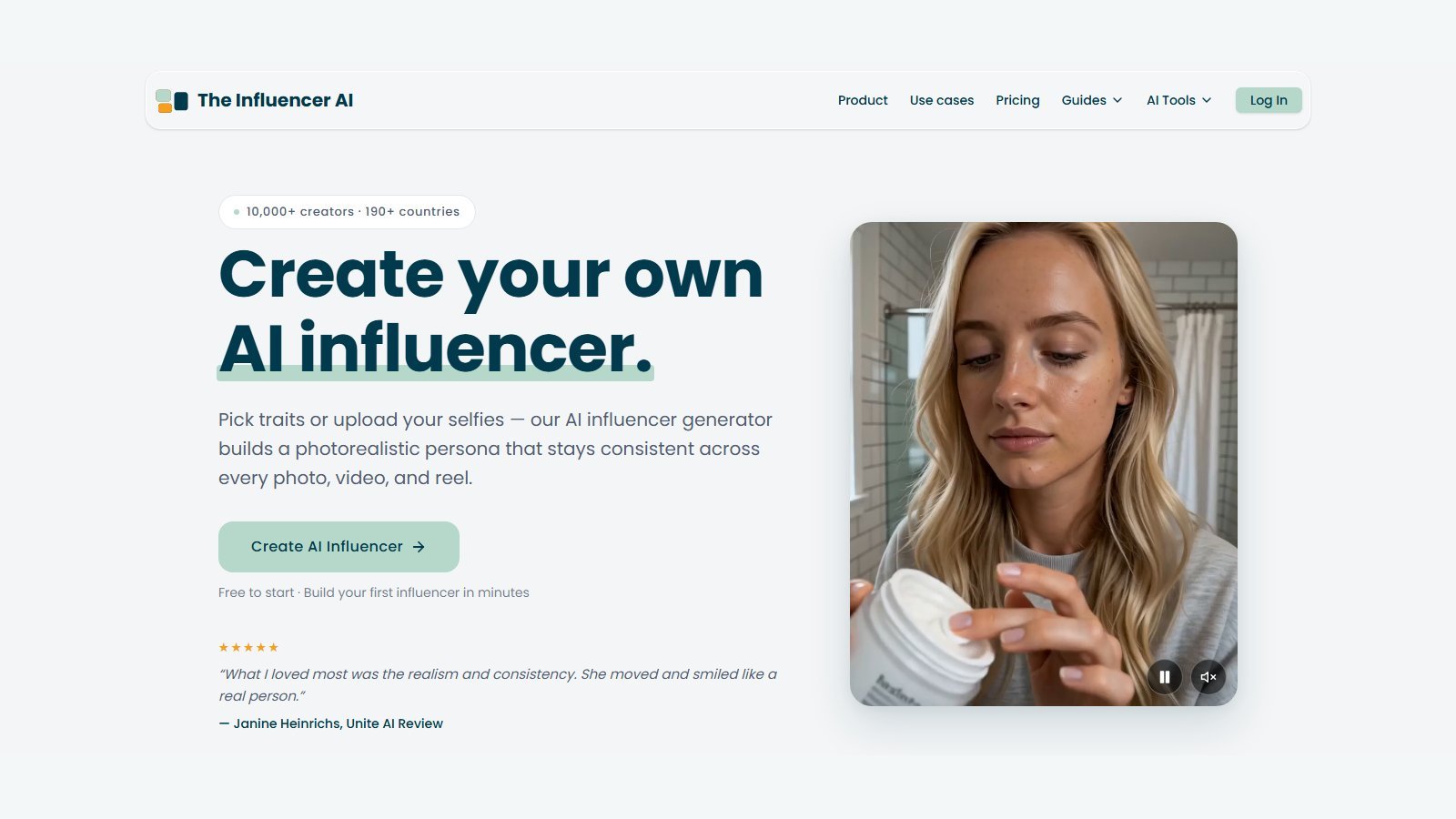
This TheInfluencer.ai review is a 2026 buyer briefing based on the live homepage, pricing page, Virtual Try On page, Terms of Service, and the official “How to Create an AI Influencer in 2026” guide (updated 17 September 2026). Research date: 5 October 2026. Moon Picke did not run hands-on generation tests, character-consistency labs, product-fidelity tests, or timed renders. TheInfluencer.ai is a persona-first AI influencer and UGC studio: you lock one face, then generate photos, talking clips, garment try-ons, product-in-scene shots, and motion-transfer videos from that identity. It is not a raw cinematic text-to-video model, and it is not a faceless Shorts factory. For the wider category map, see Moon Picke’s published best AI video generators roundup.
Quick verdict
TheInfluencer.ai (branded on-site as The Influencer AI) is a browser-based studio for inventing a virtual person—or cloning yourself from selfies—and shipping on-character photos and short videos. Best for creators, ecommerce sellers, and small brand teams who need a reusable face across Instagram-style posts, talking UGC, try-on shots, and motion clones—not a 30-second cinematic take from a single prompt. Paid cards on 5 October 2026 start at Starter $19/month (100 credits). There is no free plan; there is a 3-day free trial with 10 credits and a card required. Core workflow: pick traits or upload 8–12 selfies → lock a private persona → prompt photos / talking clips / try-on / motion → download and post. Biggest advantage: identity lock plus photo, video, try-on, and motion in one product. Biggest limitation: credits stack fast on video and lip-sync, custom-influencer slots and max clip length are plan-gated, and public pages do not list image/video resolution or watermark rules. Buy if you will reuse one persona. Skip if you only want unnamed raw text-to-video, a full NLE, or pixel-perfect catalog photography.
Disclosure: Moon Picke may earn a commission if you purchase through links on this page, at no additional cost to you. Also see Moon Picke’s affiliate disclosure.
TheInfluencer.ai at a glance
| Category | TheInfluencer.ai (verified 5 Oct 2026) |
|---|---|
| Best for | Reusable AI influencer / AI UGC persona across photos and short videos |
| Primary workflow | Lock one persona, then batch photos, talking clips, try-ons, and motion |
| Starting paid price | Starter $19/month |
| Free option | No free plan. 3-day trial, 10 credits, card required |
| AI influencer creation | YES — Builder traits, AI Clone (Creator+), unlimited pre-made models |
| Character consistency | YES as a product feature (locked private model); not independently tested here |
| AI image generation | YES — text prompt or reference image, from the locked persona |
| Text-to-image | YES — scene prompt; persona stays the identity |
| AI video generation | YES — talking clips, motion transfer, reel recreation (not raw cinematic T2V) |
| Text-to-video | LIMITED — prompt + photo + optional audio; not a standalone cinematic model |
| Image-to-video | YES — pick a photo, describe motion; also 4–30s reference-video motion transfer |
| AI UGC | YES — marketed for UGC-style ads, product promos, tutorials, reels |
| Product placement | YES marketed — hold products; add up to 2 props; custom element image on video |
| Virtual try-on | YES — garment upload (top/bottom/one-piece) plus a dedicated Try On page |
| Talking avatar / lip sync | YES — native audio + automatic lip-sync; 40+ languages marketed |
| AI voice | YES marketed (native audio, voice replacement); provider name NOT LISTED |
| Voice cloning | NOT LISTED as a separate third-party voice-clone product |
| Editing | LIMITED — prompt restyle of photos, not a timeline NLE |
| Social publishing | Download then post; native scheduler NOT LISTED |
| Image / video resolution | NOT LISTED on public pricing |
| Video duration | Plan max 5s / 10s / 15s / 15s; motion reference 4–30s; talking clips 3–15s marketed |
| Aspect ratios | 5 aspect ratios marketed; exact values NOT LISTED |
| Watermark | NOT LISTED |
| Current AI models | Unnamed “frontier models”; do not invent Sora/Veo/Kling names |
| Main limitation | Credit stacking on video + lip-sync; plan gates on clone, length, custom personas |
What is TheInfluencer.ai?
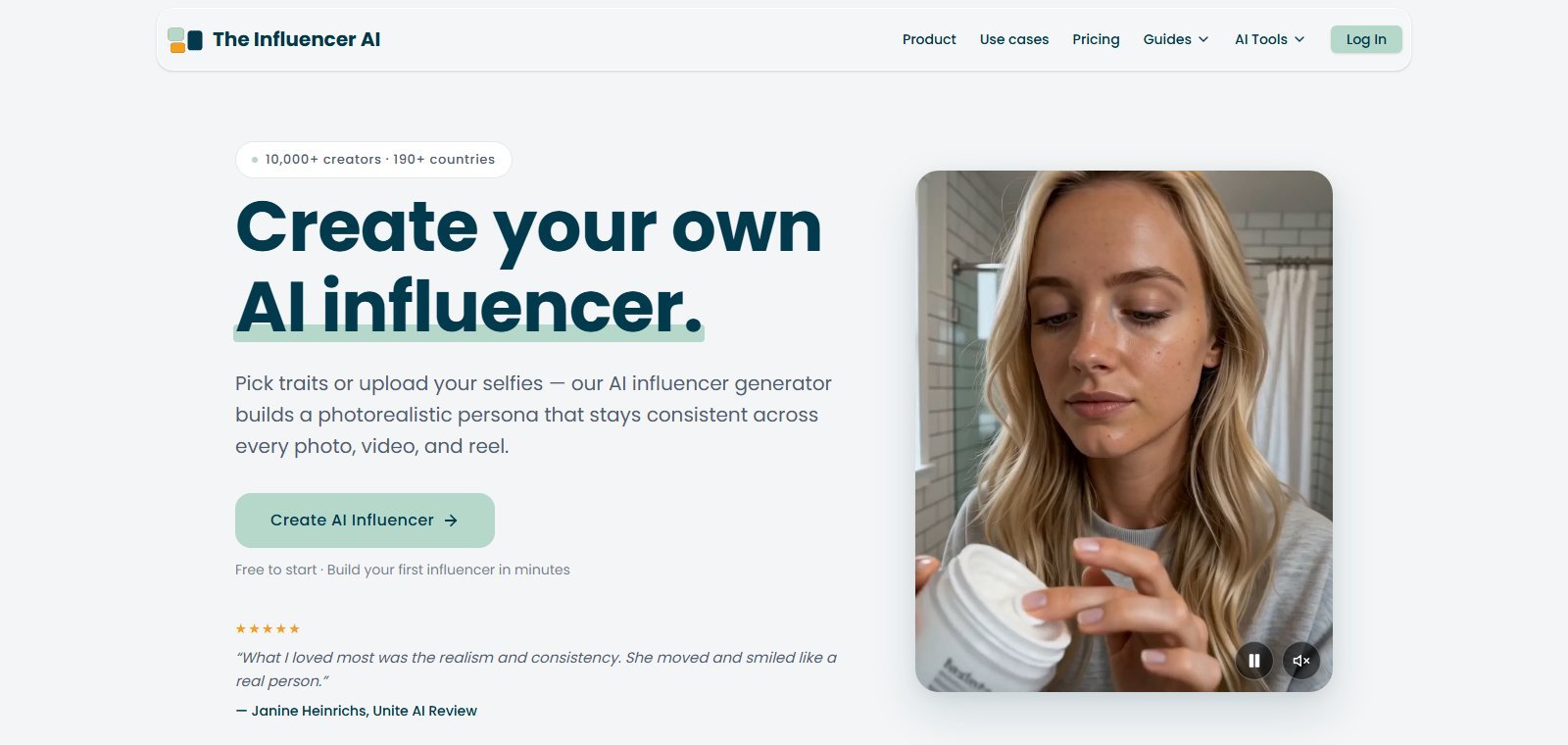
TheInfluencer.ai is operated as The Influencer AI by Thunderbus Pte. Ltd. (Singapore). The homepage calls it “the leading AI influencer generator”: pick traits or upload selfies, then generate photos, talking videos, product promos, edits, virtual try-ons, and motion clips from that same person. In plain English it is a virtual-talent studio—you own a character, fictional or cloned, instead of picking a stock presenter. It is not a named cinematic model. Pages say they “chase the frontier AI models” without listing Sora, Veo, or Kling; Moon Picke will not invent those names. Web app: yes. Desktop, iOS, Android, and API: NOT LISTED. Vendor stats (10,000+ creators, 1,600+ influencers, 65,000+ assets, 190+ countries) and “photorealistic” adjectives are marketing, not audits.
What “AI influencer” means here
On this product, an AI influencer is a saved, reusable generated person (or an AI version of you) used as the talent for later images and clips. That is different from:
- A one-off generated person in a general image model, where the face often changes every prompt.
- A stock talking avatar from a library of presenters you did not design.
- A digital puppet of a celebrity—the official guide tells users not to aim at celebrity likeness, and FAQ-style clone copy requires your own photos or explicit permission.
- A real-person UGC freelancer you brief and pay per clip.
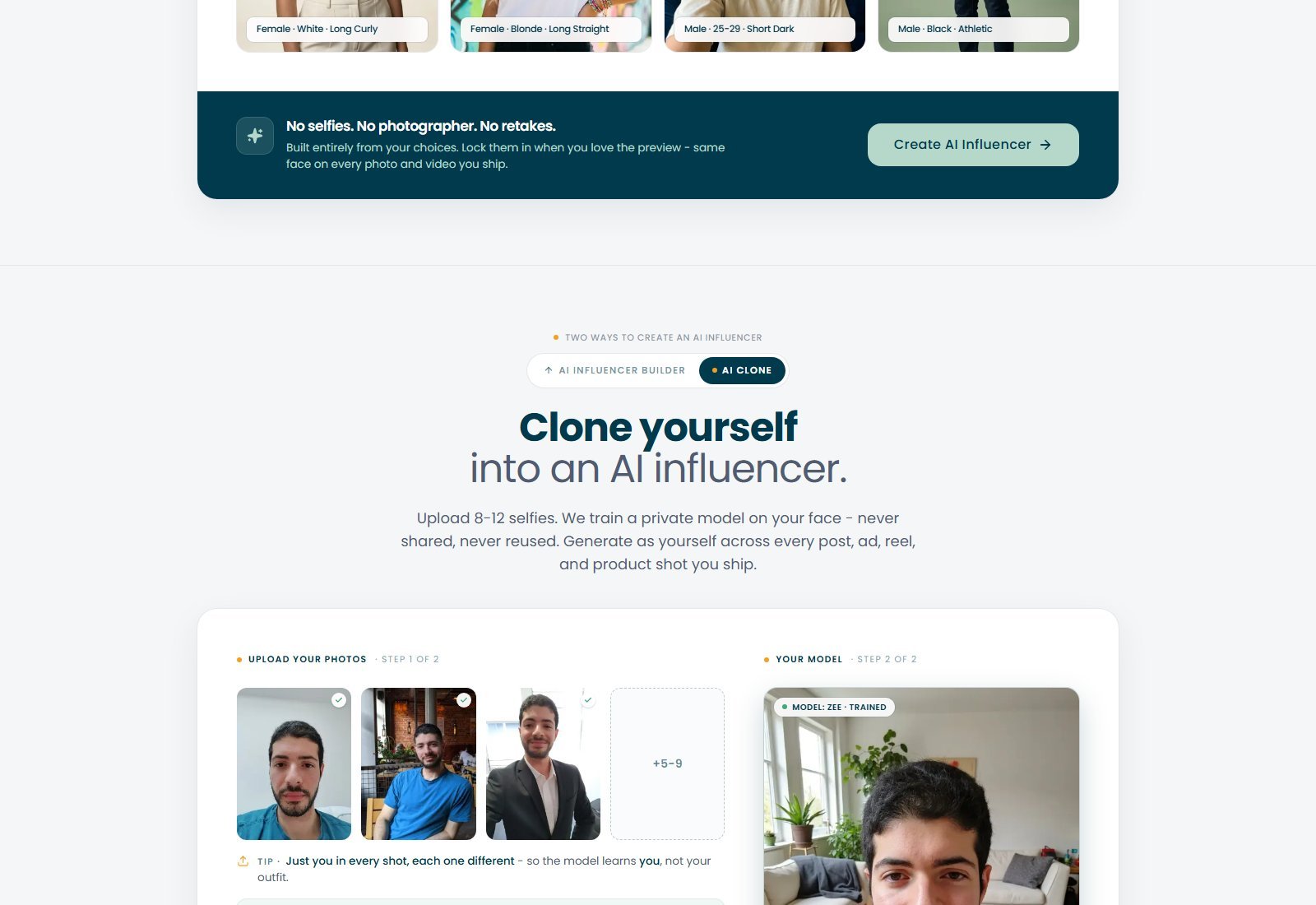
TheInfluencer.ai’s three creation routes, per the official 2026 guide: the AI Influencer Builder (every plan; building the face is described as free, credits spent on later photos/video), Your AI Clone (Creator plan and up; 8–12 everyday photos, 7 minimum in the guide), and pre-made models (unlimited on every plan, and they do not use the monthly custom-influencer slot).
How TheInfluencer.ai works
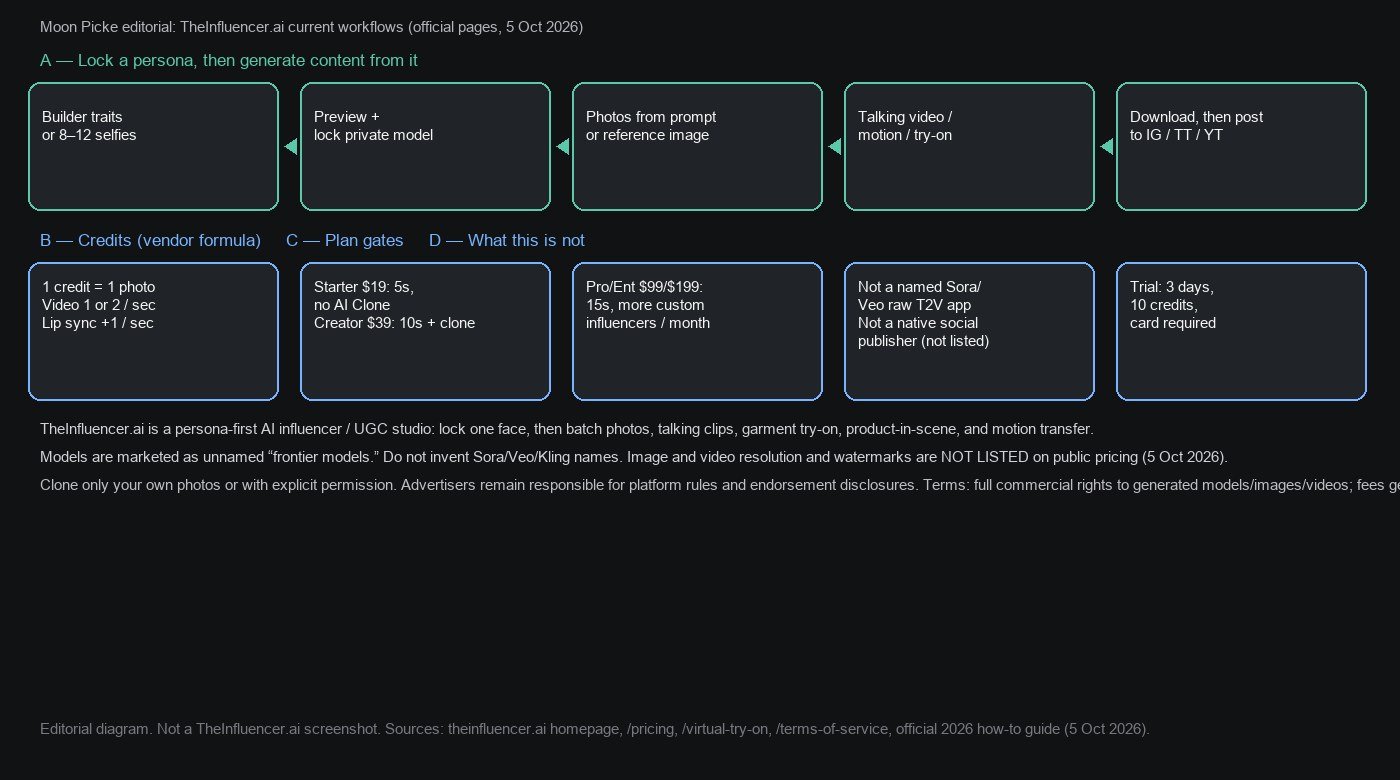
The actual loop, from live homepage + official guide, is:
- Create or select an influencer (Builder, Clone, or pre-made).
- Regenerate the preview until you lock a private model.
- Generate photos from a scene prompt or a reference image.
- Optionally restyle a photo, try on a garment, or hold/add products.
- Turn a photo into a talking clip, transfer motion from a 4–30s reference, or recreate a breakout reel format.
- Download and post to Instagram, TikTok, YouTube, or Facebook yourself.
That is not “type a paragraph, get a movie.” Video is persona motion and speech on a locked face, with plan-capped seconds.
Workflow map
| Workflow stage | TheInfluencer.ai support | What it does | User control | Main limitation |
|---|---|---|---|---|
| Character creation | YES | Trait chips, selfie clone, or pre-made library | Gender, ethnicity, age, body, skin, eyes, hair; or 8–12 photos | Custom personas/month gated; Clone not on Starter |
| Reference | YES | Reference image for photos; 4–30s video for motion; garment/product uploads | Upload + prompt | Public pages do not document max file size |
| Image generation | YES | On-character photos from text or reference | Prompt, 5 ratios, batch up to 32, up to 2 props/outfits/backgrounds | 1 credit per photo; resolution NOT LISTED |
| Consistency | YES (product intent) | Private locked model reused across outputs | Lock preview; appearance tweak at 2 credits/preview (official guide) | Not independently tested; vendor still markets “same face” |
| Product placement | YES marketed | Hold products; add props; custom element on video | Uploads + prompt | Pixel-perfect SKU fidelity NOT VERIFIED |
| Virtual try-on | YES | Garment on locked persona; also a Model+Clothing drop zone page | Top / bottom / one-piece | Try-ons billed like photos (~1 credit) on the pricing table |
| Video generation | YES | Talking clips, motion transfer, reel recreation | Photo, motion prompt, line, audio on/off | 1 or 2 credits/sec + lip-sync 1/sec; max 5–15s by plan |
| Voice / lip sync | YES | Native audio; voice swap on motion; 40+ languages | Write the line; language picker on marketing UI | Provider, clone-your-voice kit, and sample quality NOT independently tested |
| Editing | LIMITED | Prompt restyle; originals preserved | Plain-language edit prompt; undo/redo per edit | Not a timeline editor |
| Export | YES (download) | Download then post | NOT LISTED beyond download | Native social publish NOT LISTED; watermark NOT LISTED |
How AI influencer / character creation works
Builder. No photos required. Live chips include gender, ethnicity (Mixed, Hispanic, White, South Asian + more), age bands, skin, eyes, and body type; homepage text also lists hair length/style/colour and a Best Fit option. The official guide adds a hijab option and “ten guided fields.” Preview (homepage example: “Sira — generated in 8s”), regenerate, lock a private model.
AI Clone. Upload 8–12 selfies (guide: 7 minimum), each different so the model learns you, not an outfit. Training marketed ~10 minutes. Copy: private, not used to train other models, delete anytime. Starter does not include AI Clone; Creator and up do.
Do not clone a celebrity, a competitor, or anyone who has not given you rights. The vendor says it is not responsible for unauthorized use. Users remain responsible for consent, publicity rights, and platform rules.
Character consistency
Consistency is the product’s main claim. Homepage: most generators change the face every prompt; this one markets a locked identity—same face, build, and style across photos, reels, and campaigns. The guide’s method is a saved identity image, not a longer prompt. After lock-in, later photos, videos, try-ons, and motion clips are generated against that named influencer.
Moon Picke did not generate a grid to measure drift across outfits, cameras, or weeks. Treat “same face every time” as vendor intent plus official examples, not a lab result. The guide also documents an appearance-adjustment tool on the influencer info page (hair color, glasses, beard via plain language) at 2 credits per preview, meant for tweaks, not a new person.
AI image generation
The Photos tab is explicit: type the scene or drop a reference photo; the persona is supposed to show up on-character. Documented controls:
- Text prompt or reference image
- 5 aspect ratios (exact ratio list NOT LISTED on the public page)
- Batch up to 32 photos per prompt
- Add up to 2 props, outfits, or backgrounds
The live demo prompt is a long selfie description (sofa, posters, lighting, expression). Credits: 1 credit = 1 AI photo on the pricing page. Image resolution: NOT LISTED. This is persona-conditioned generation, not a general Midjourney replacement for arbitrary scenes without that locked face.
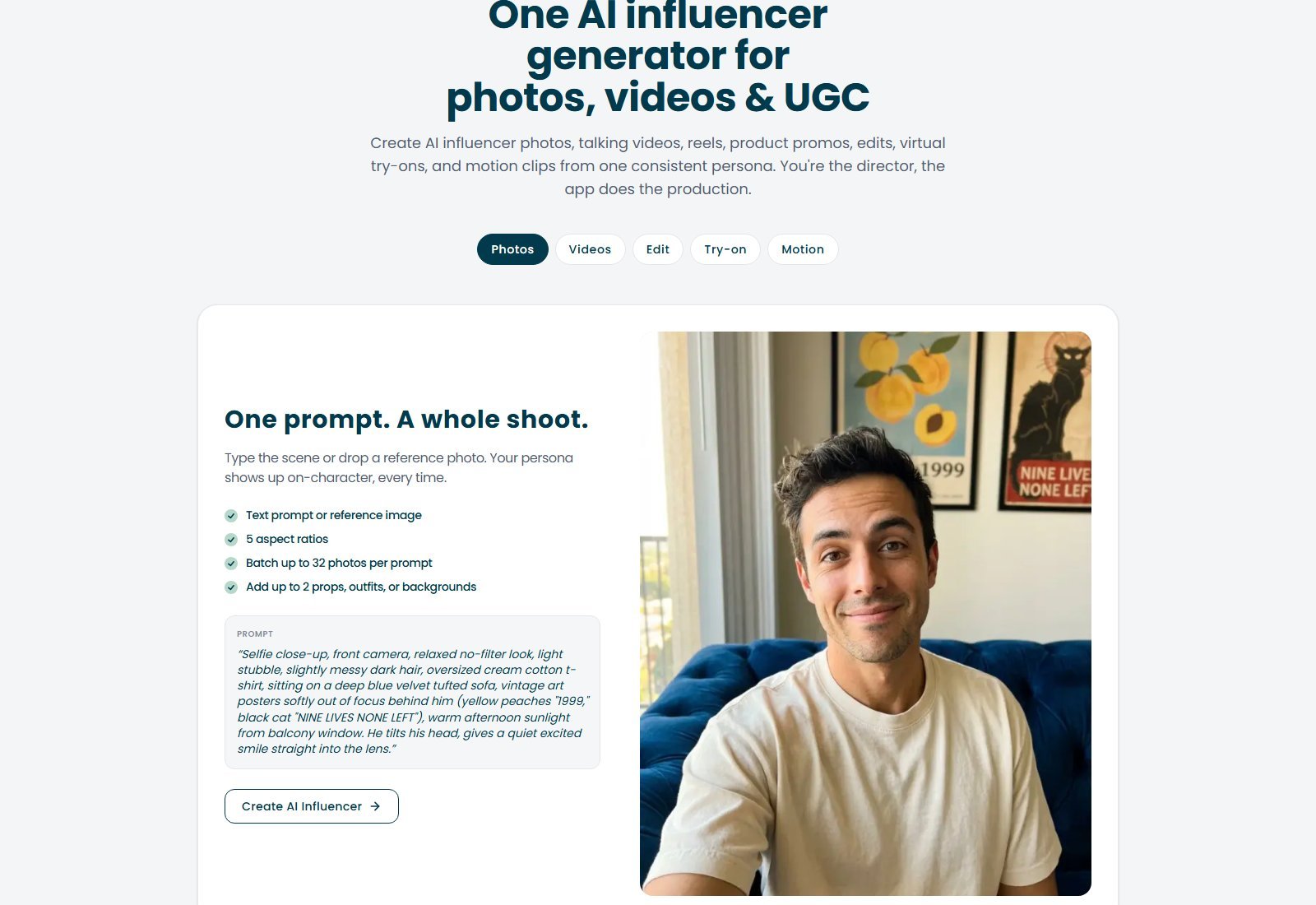
Photo editing and restyle
The Edit tab is prompt-based restyle, not Premiere. Copy: swap background, redo outfit, shift lighting; the persona stays locked. Controls marketed: type any edit as a prompt; undo and redo per edit; originals preserved, edits saved as new photos; iterate until it is right. Demo prompt: “Make him wear sunglasses, and a green shirt over the tshirt.” Pricing table groups try-ons/edits with photo-like credit counts (~100 / 250 / 700 / 1,500 per plan), consistent with 1-credit photo operations—exact edit cost is not broken out as a separate line beyond that table.
AI video generation (talking clips)
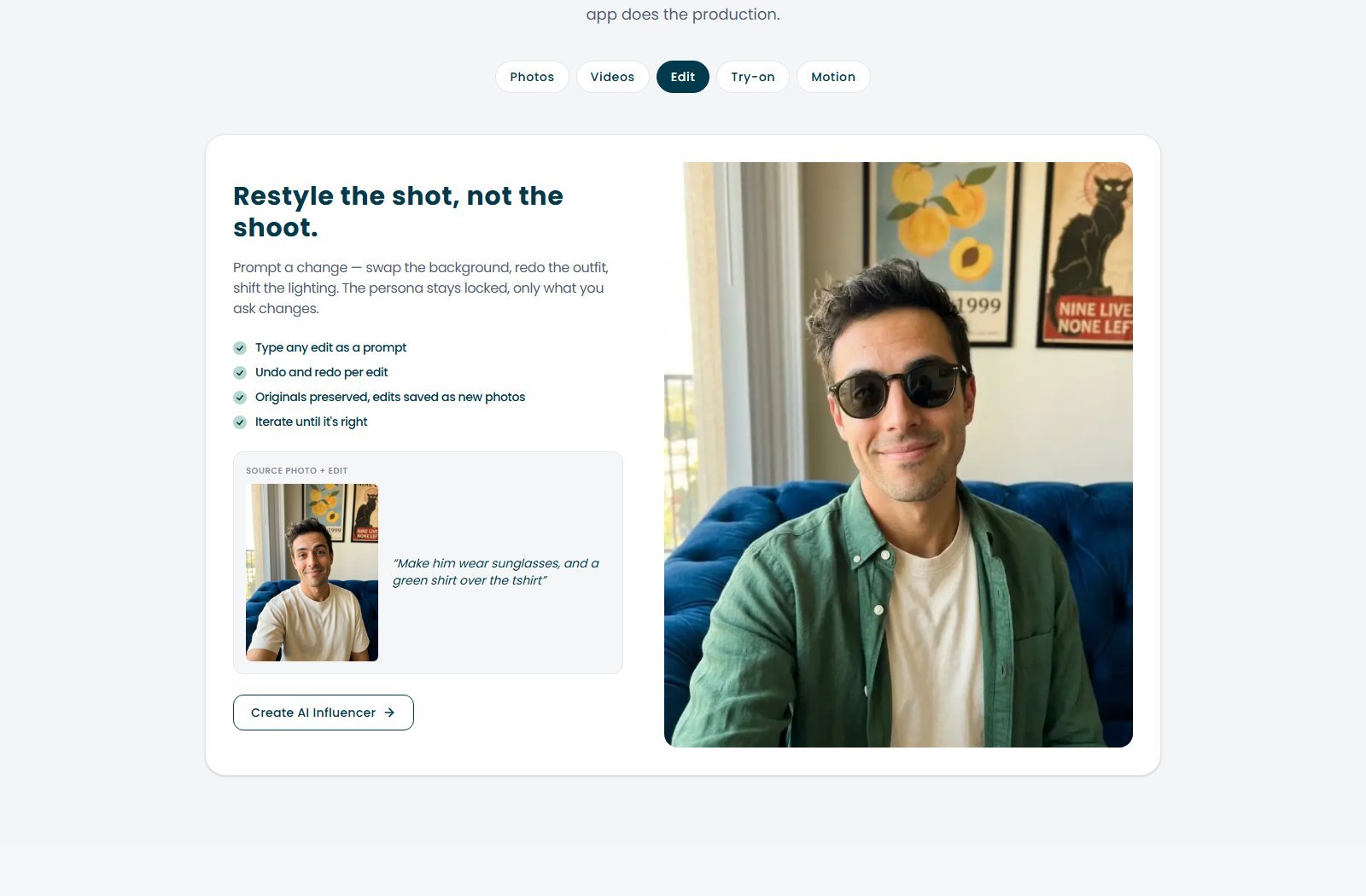
The Videos tab: pick a photo, write the scene, native audio. Documented: prompt up to 3,500 characters; native audio; 3–15 second clips (plan cards still cap max length at 5s / 10s / 15s / 15s); optional custom element image. The demo is a timed UGC-style product pitch. That is image-to-talking-video with a motion/script prompt, not Sora-style open-world T2V.
Credits: videos 1 or 2 credits/sec; lip sync 1 credit/sec extra. Official guide: 5s silent = 5 credits; 5s with speech = 10. Plan cards’ monthly video estimates only hold on the cheap end of that band without extra lip-sync stacking.
Generate with TheInfluencer.ai
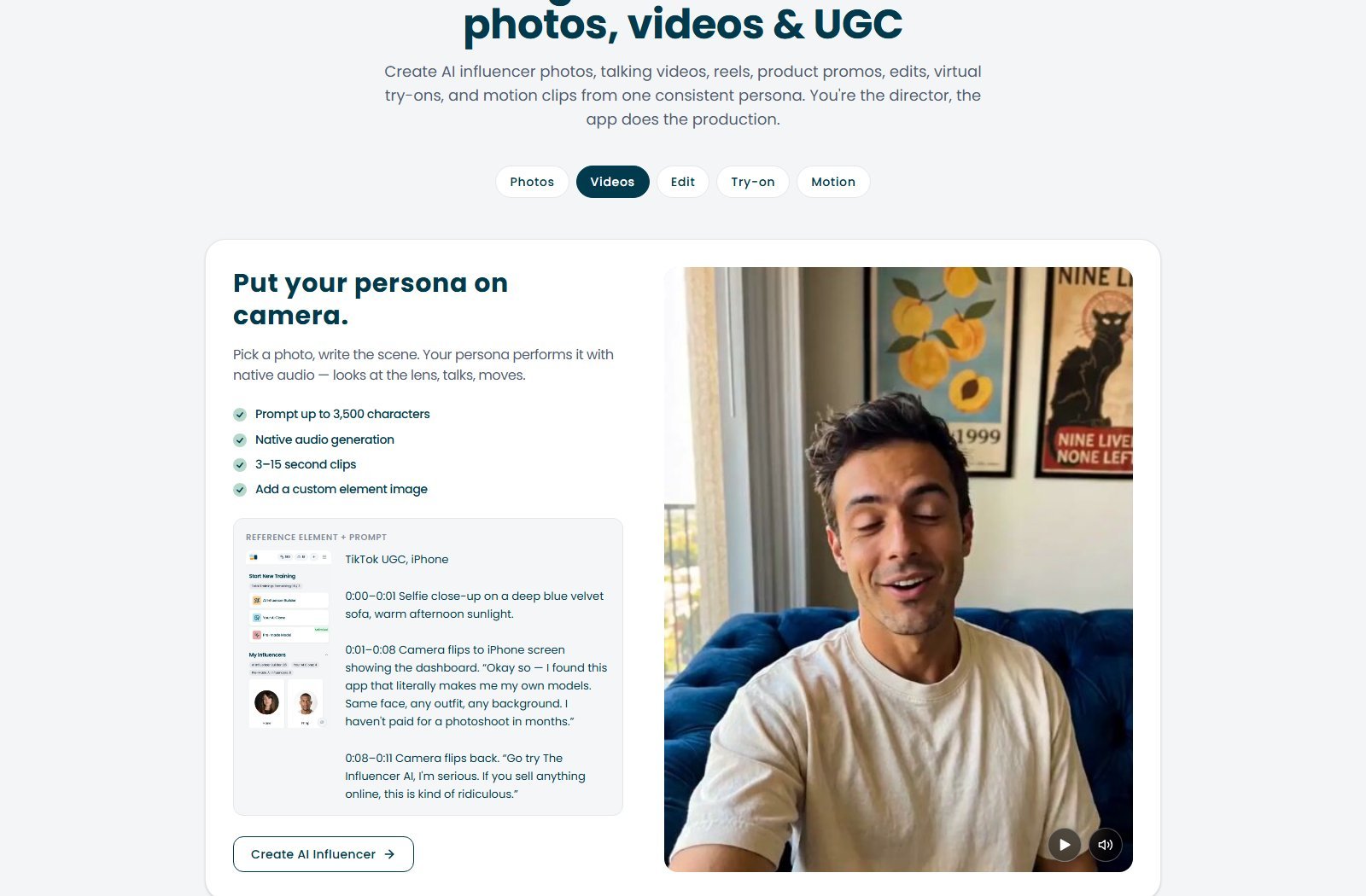
Image-to-video and motion transfer
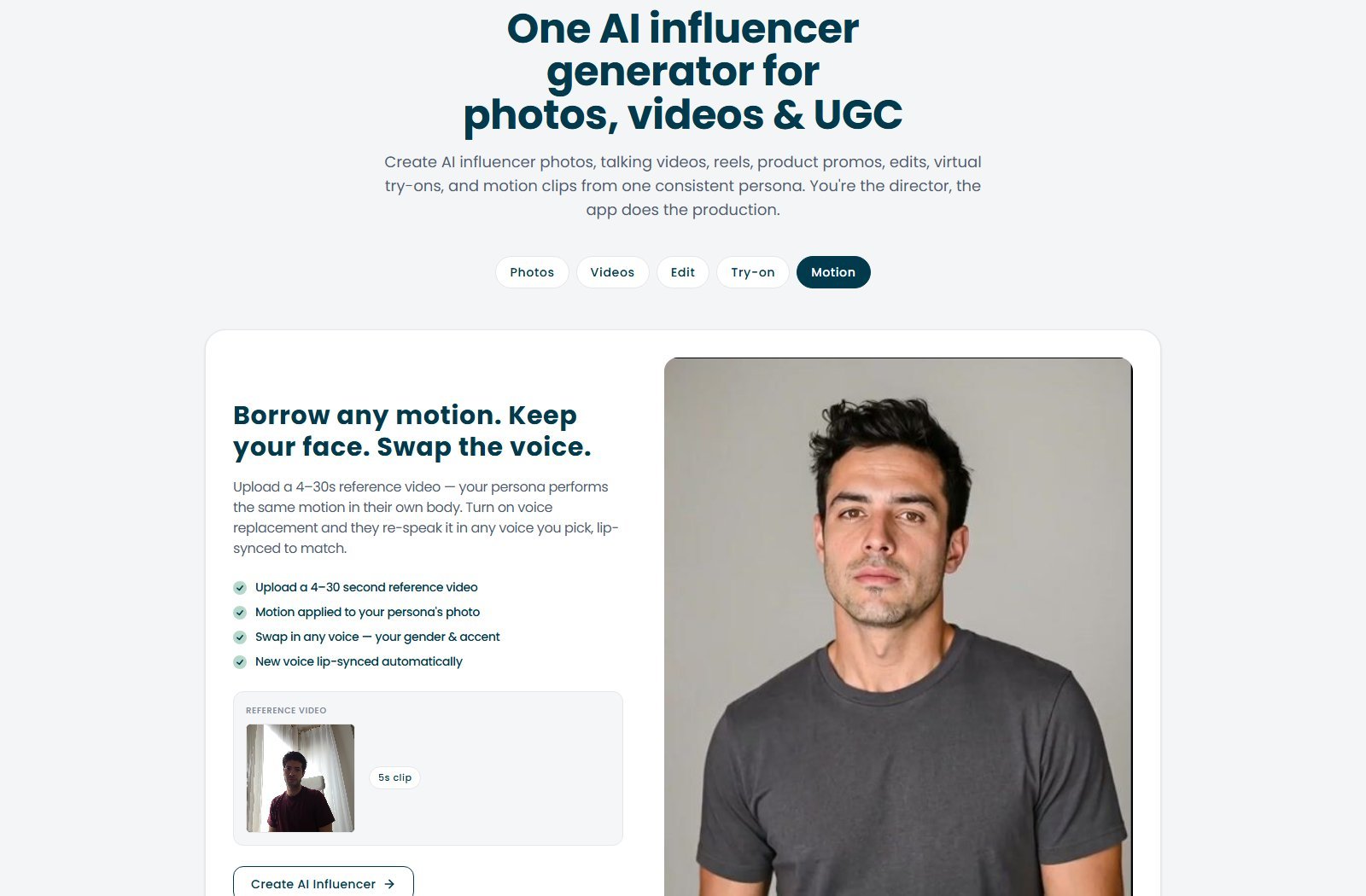
Two mechanisms. Photo → talking/motion clip (Videos tab): still of the locked persona plus prompt. Reference-video motion transfer (Motion tab): upload a 4–30s clip; the persona performs the motion; optional voice replacement with automatic lip-sync. Demo uses a 5s thumbnail. Motion transfer is reference-video-to-persona-video, not text-to-video. Uploading someone else’s reel does not grant their footage, music, or likeness rights.
AI UGC and product content
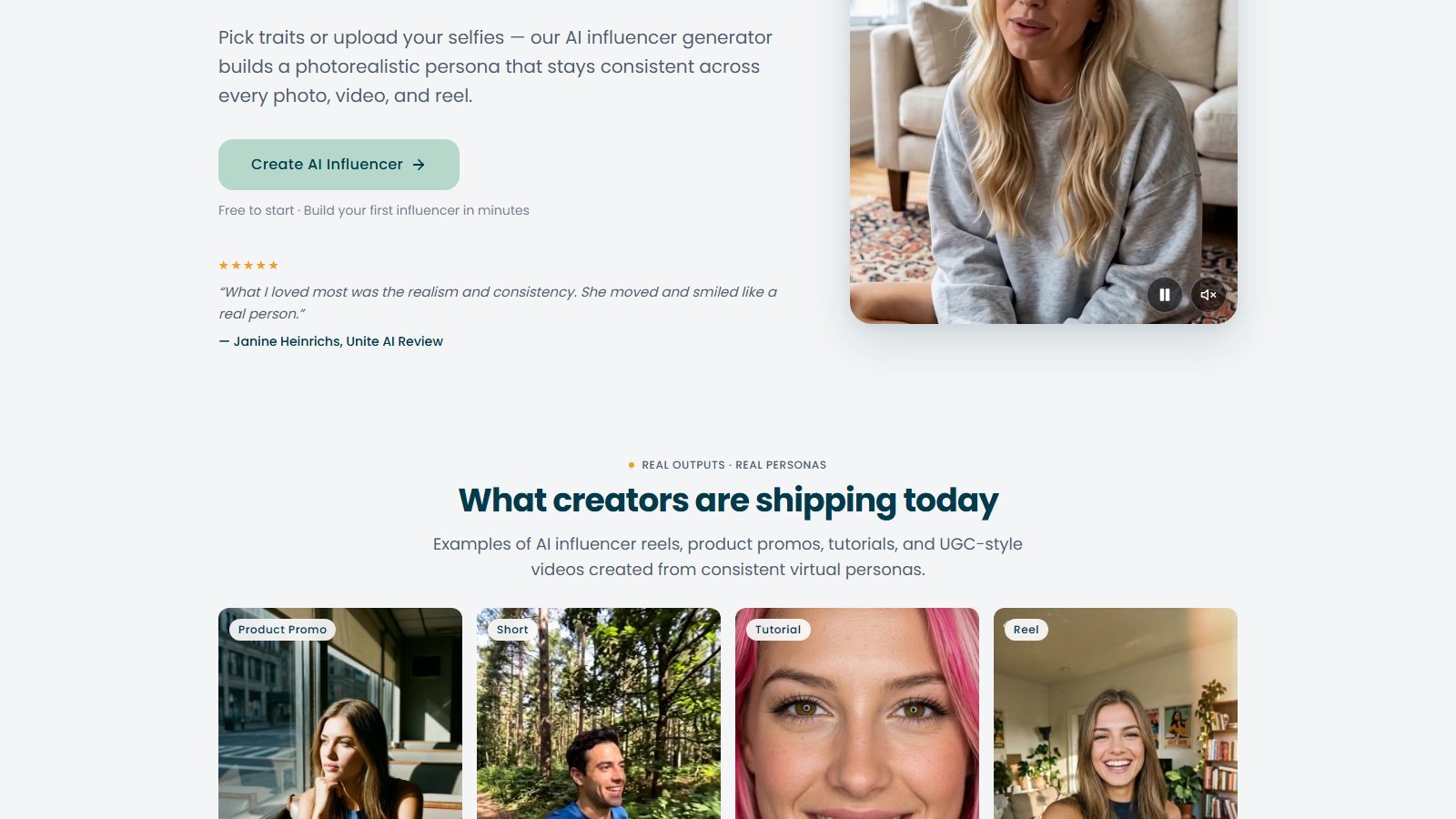
Yes—it targets AI UGC. Homepage labels include Product Promo, Short, Tutorial, and Reel. ROI copy contrasts a subscription with human UGC briefs; that is positioning, not a conversion guarantee, and Moon Picke is not treating celebrity virtual-model income stories as your forecast. Advertisers still own platform rules, paid-partnership labels, and endorsement law. An AI face does not legalize a fake testimonial. The official guide tells creators to label the account as AI.
Product placement and virtual try-on
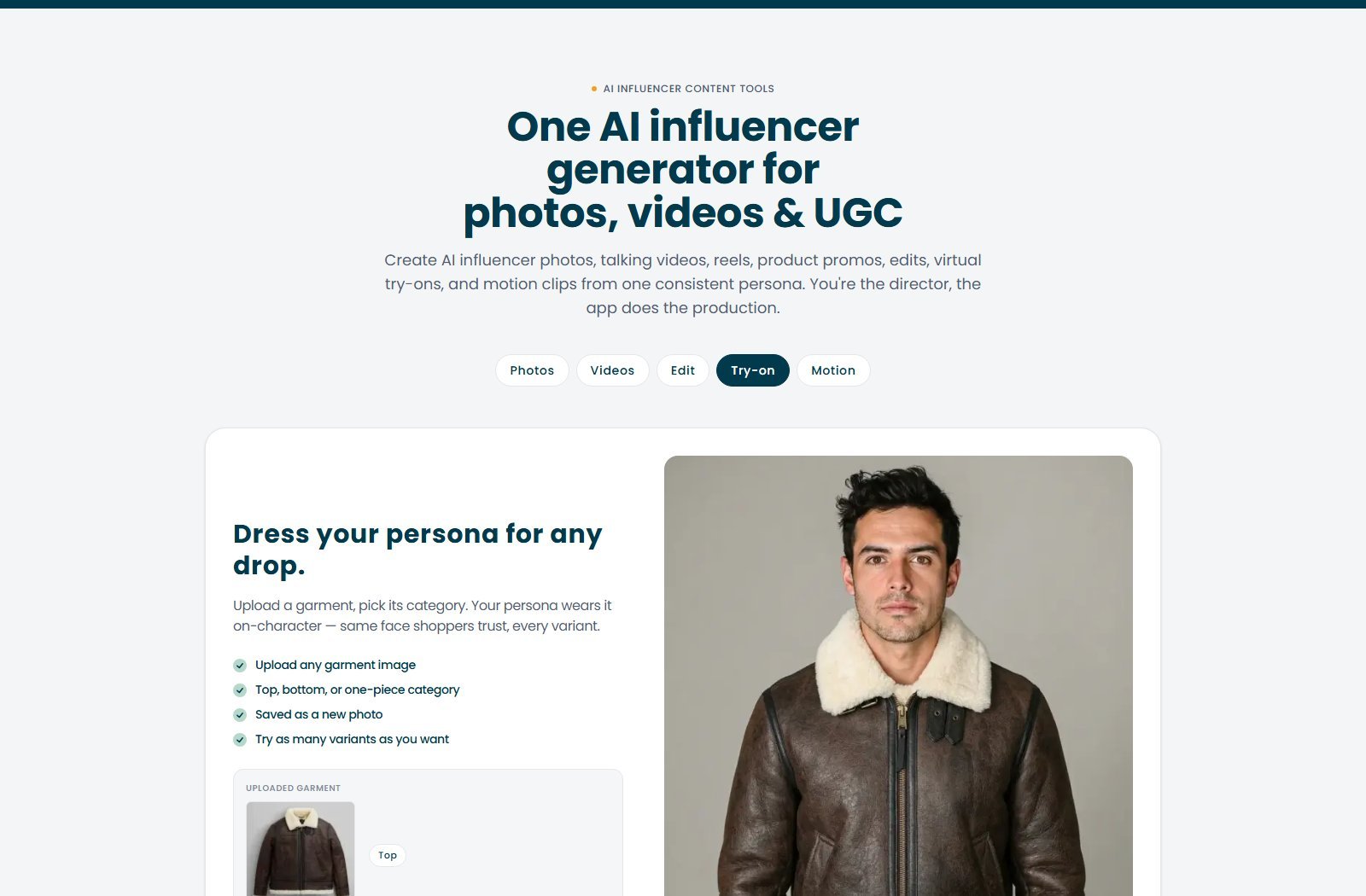
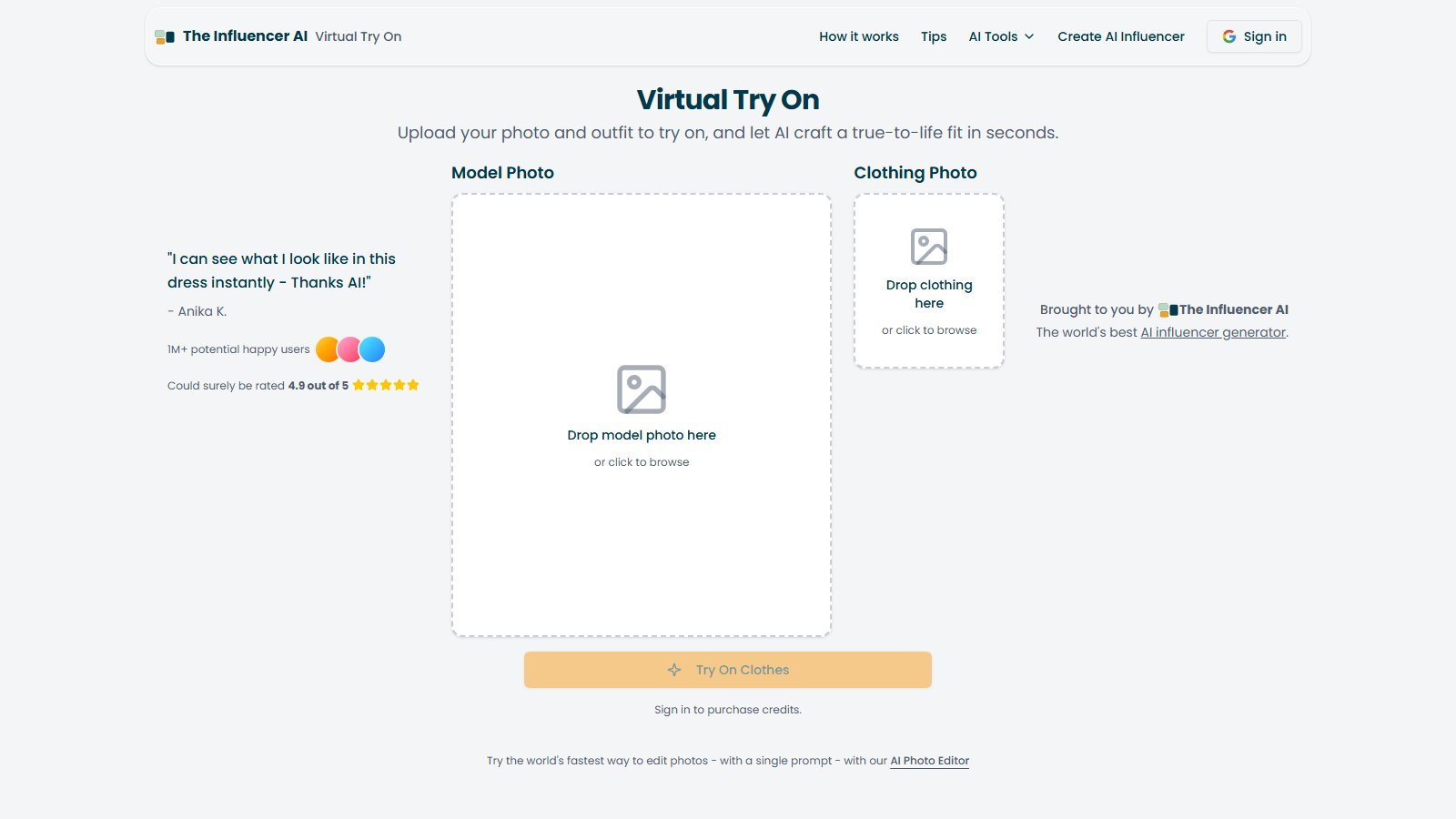
Garment try-on (Try-on tab): upload a garment, pick top / bottom / one-piece, save as a new photo. Dedicated /virtual-try-on: model photo + clothing photo drop zones; sign in to buy credits. All plans include try-on clothes and hold products. SKU-level fidelity is NOT VERIFIED.
Talking video, voice, and lip sync
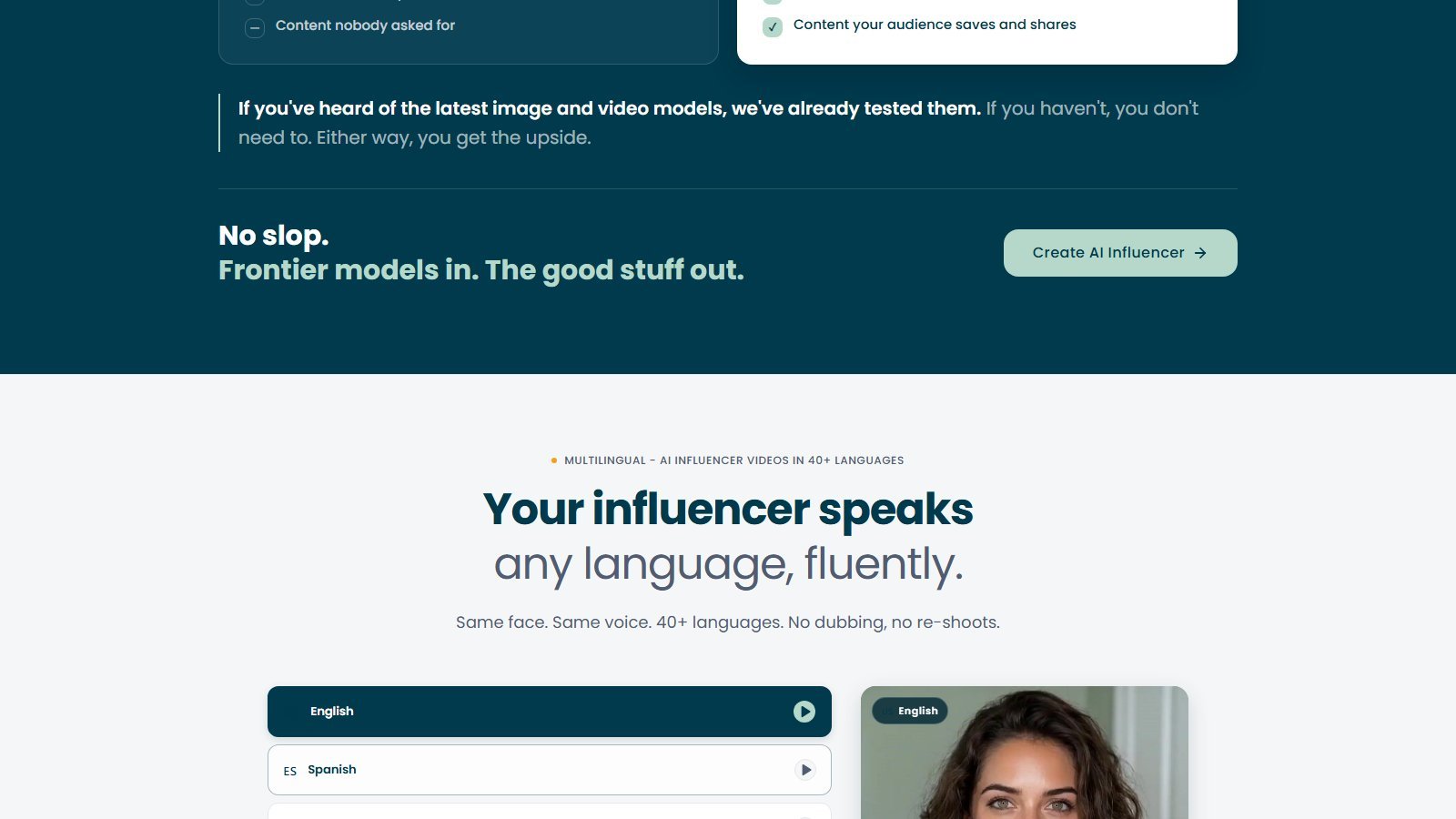
Talking video is a first-class tab. Lip sync is on all plans at 1 credit/second. Homepage: 40+ languages, same face, same voice, no dubbing. Visible chips include English, Spanish, German, French, Hindi, Arabic, Portuguese, Italian, Dutch, Polish, Turkish, Swedish, plus more. Voice provider: NOT LISTED. A celebrity-voice clone kit: NOT LISTED. Motion “any voice you pick” is not a documented third-party clone studio—do not clone voices without authorization. Scripting lives in the video prompt; a separate “high-converting ad writer” product is NOT listed.
Reel recreation and social formats
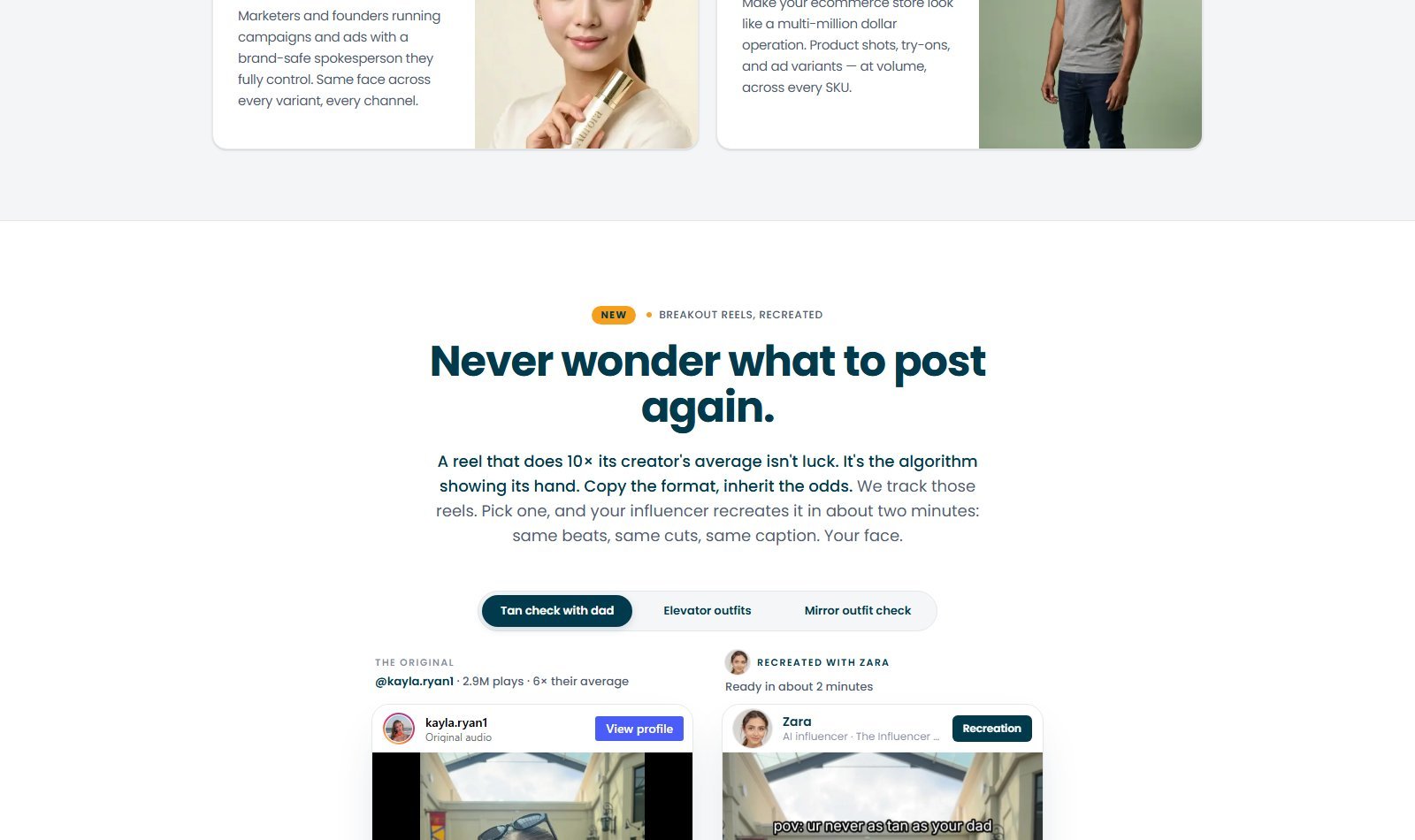
A “Never wonder what to post again” block markets Instagram breakout-reel recreation: pick a format (tan check, elevator outfits, mirror outfit check), and the persona remakes it in about two minutes—same beats, cuts, and caption. You can paste a reel link or analyze an account. Treat “inherit the odds” as marketing. Copying a format is not a license to copy another creator’s trademark, music, or identity. The product is designed for IG/TikTok/YouTube/Facebook; native publish/schedule is NOT LISTED. Download, then post.
Editing and creative control
You get generation and restyle controls, not a professional editor: trait chips, selfie set, photo prompt/reference, batch size, two extra elements, restyle prompts, garment category, video prompt (3,500 characters) plus optional custom element, motion reference, language/voice swap, reel-format picker. Not listed: timeline, color wheels, or a CapCut-class caption designer. Burned-in captions appear in reel-recreation copy; a general caption editor for every talking clip is NOT fully specified on the captured tabs.
Export, resolution, duration, and watermarks
- Export: download; post yourself.
- Image resolution: NOT LISTED.
- Video resolution: NOT LISTED.
- Aspect ratios: five ratios marketed; exact list NOT LISTED.
- Duration: Starter up to 5s; Creator up to 10s; Professional and Enterprise up to 15s. Videos tab markets 3–15s clips. Motion reference: 4–30s. Those are different numbers for different stages—do not collapse them.
- Watermark: NOT LISTED on public pricing (do not assume paid = clean).
TheInfluencer.ai pricing in 2026
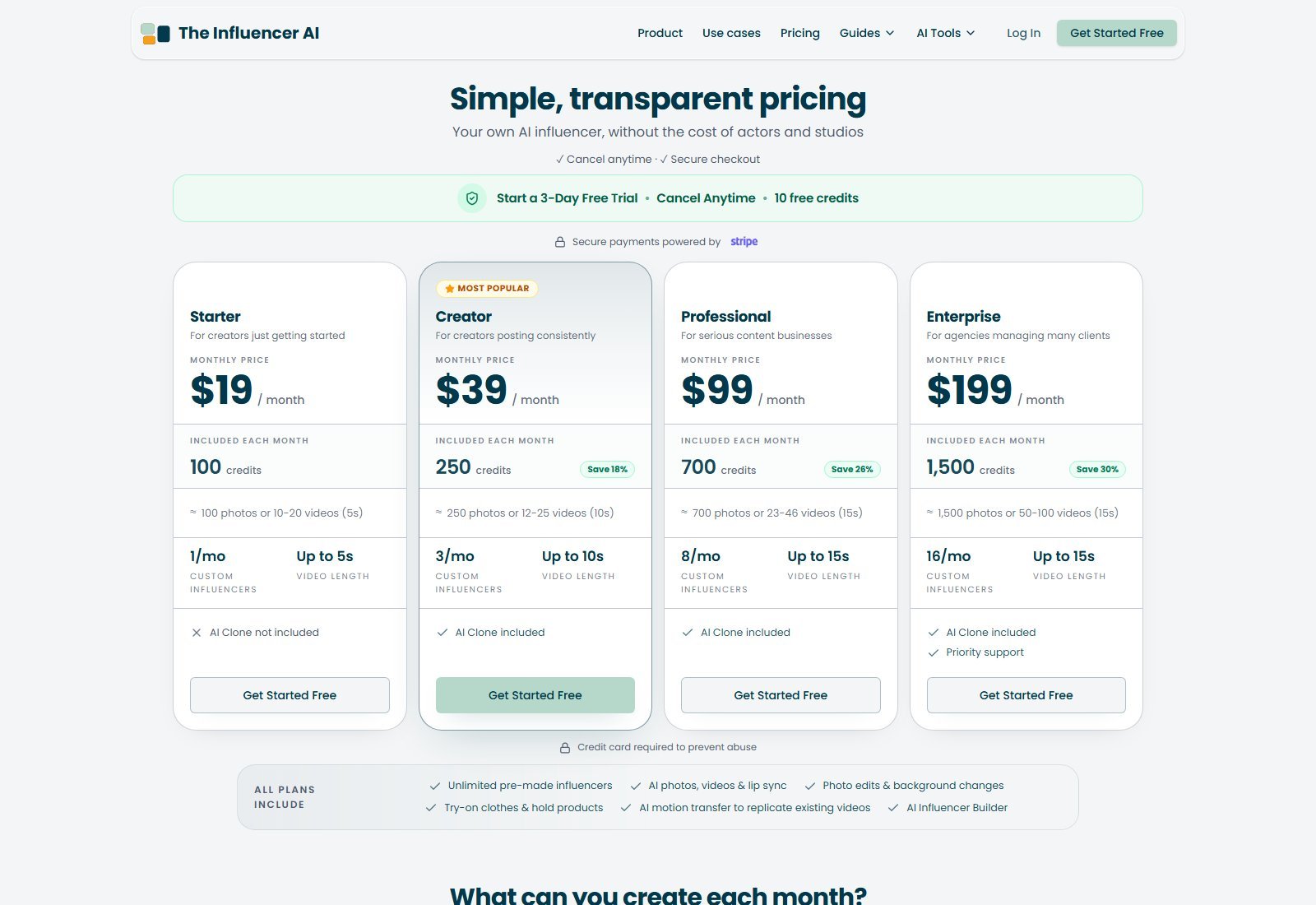
Pricing, credits and plan limits were checked on 5 October 2026 and may change. Check TheInfluencer.ai’s current pricing before purchasing. Public cards are monthly—no yearly toggle found. “Save 18% / 26% / 30%” is versus Starter’s per-credit rate, not annual billing.
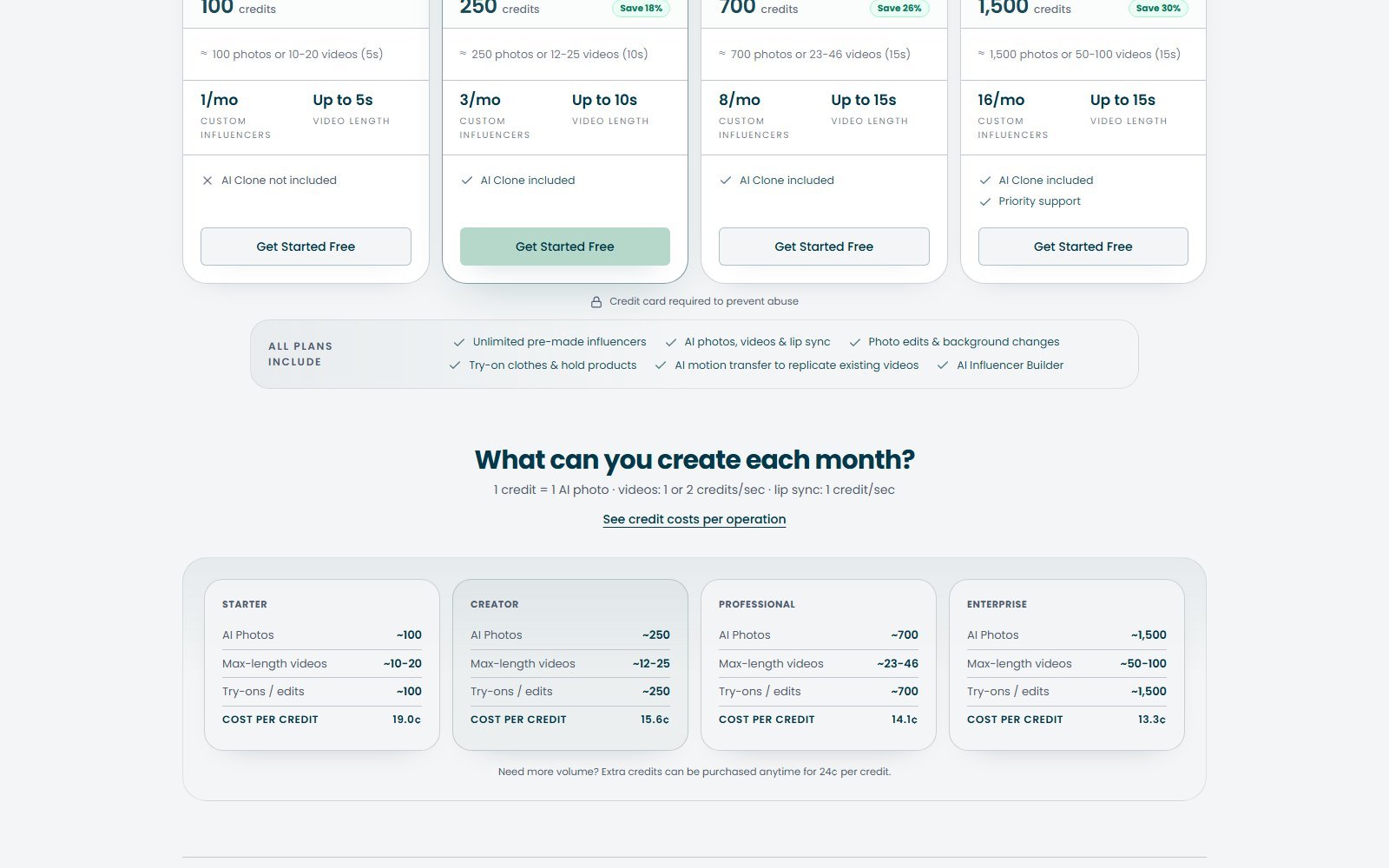
Cards: Starter $19 (100 credits, 1 custom/mo, 5s, no Clone); Creator $39 most popular (250, 3 customs, 10s, Clone); Professional $99 (700, 8, 15s, Clone); Enterprise $199 (1,500, 16, 15s, Clone + priority). All plans: unlimited pre-mades; photos/videos/lip sync; edits; try-on and hold products; motion transfer; Builder. Trial: 3 days, 10 credits, card required. No free plan. Extra credits 24¢.
| Plan | Price | Credits / allowance | Key features | Best for | Main limit |
|---|---|---|---|---|---|
| Trial | 3 days | 10 credits | Card required; cancel anytime | Smoke-test the UI | Not a free plan; tiny allowance |
| Starter | $19/mo | 100 credits (~100 photos or 10–20×5s videos) | Builder, pre-mades, photos/video/try-on/motion | Testing one persona | No AI Clone; 5s max; 1 custom/mo |
| Creator | $39/mo | 250 credits (~250 photos or 12–25×10s) | AI Clone included | Creators posting weekly | 10s cap; 3 customs/mo |
| Professional | $99/mo | 700 credits (~700 photos or 23–46×15s) | More customs, 15s | Content businesses | Credits still finite |
| Enterprise | $199/mo | 1,500 credits (~1,500 photos or 50–100×15s) | 16 customs + priority support | Agencies / multi-client | Highest cash outlay |
How credits work
Vendor formula, verbatim on pricing: 1 credit = 1 AI photo · videos: 1 or 2 credits/sec · lip sync: 1 credit/sec. Cost-per-credit printed on the same page: Starter 19.0¢, Creator 15.6¢, Professional 14.1¢, Enterprise 13.3¢. Extra pack: 24¢/credit.
Moon Picke calculation (assumptions: photo = 1 credit; silent video uses the 1-credit/sec band; talking adds lip-sync at 1 credit/sec as in the official 5s example; Starter $19 / 100 credits):
- One photo on Starter ≈ $0.19.
- 5s silent video at 1 credit/sec = 5 credits ≈ $0.95 on Starter.
- 5s talking video at 5 + 5 lip-sync = 10 credits ≈ $1.90 on Starter (matches the guide’s 5s-with-speech example).
- If a given video mode uses 2 credits/sec instead, a 5s clip is 10 credits before lip-sync. Moon Picke is not publishing one universal cost-per-video because the 1-or-2 band is not broken out by mode on the public page.
Credit rollover: NOT VERIFIED. Whether unused monthly credits expire at renewal is not stated on the captured pricing page. Appearance-adjustment previews: 2 credits each (official guide). Builder face previews: described as free until you generate photos/video.
Which plan makes sense?
Stay on trial only to click through the studio. Ten credits is a handful of photos or one short clip.
Starter if you will use pre-mades or one Builder persona and mostly stills. Skip it if you need a selfie clone.
Creator is the first plan that matches the product’s clone-yourself story and a 10s talking clip. It is the default buy for a single creator posting consistently.
Professional or Enterprise if you need several custom faces per month, 15s clips, or agency volume. Extra 24¢ credits are cheaper than jumping a plan only if you already sit on the right clone/length gates.
Commercial use and likeness
Terms of Service (Thunderbus Pte. Ltd.): “You have full commercial rights to any AI models, images and videos that you generate using our services.” Subscription fees are non-refundable except as required by law or as explicitly stated. Cancel-anytime is marketed on pricing. That is not “copyright-free,” not “unrestricted worldwide for any deceptive ad,” and not a waiver of third-party rights in your uploads (a real product packshot, a celebrity face, licensed music in a reference reel).
Clone only yourself or someone who gave explicit permission. Do not impersonate a creator or invent a fake endorsement. Platform and FTC-style disclosure rules still apply to AI UGC ads in the United States.
Strengths
- Persona-first workflow (Builder, Clone, or pre-made) instead of re-describing a face every prompt.
- Photos, talking video, restyle, try-on, product-in-scene, and motion transfer in one vendor.
- Credit formula is printed (photo vs per-second video vs lip-sync), which many AI video tools hide.
- Clone privacy copy: locked to your account, not used to train other models, delete anytime (vendor claim).
- Multilingual talking-video marketing (40+ languages) on the same locked face.
- Reel-format recreation and batch stills (up to 32) aimed at social volume.
- Commercial rights to generated models/images/videos stated in Terms—still bounded by your inputs and the law.
Limitations
- Video and lip-sync credits stack; talking clips are expensive relative to stills.
- Starter blocks AI Clone; custom-influencer counts and max seconds are plan-gated.
- No public annual plan found on 5 October 2026.
- Image/video resolution and watermark rules are not on the pricing page.
- Editing is prompt restyle, not a timeline NLE; native social publish is not listed.
- Character consistency, product fidelity, and “frontier model” quality are vendor claims, not Moon Picke tests. Unnamed models make apples-to-apples comparisons harder.
Pros and cons
| Pros | Cons |
|---|---|
| Locked-persona studio for photos + short video + try-on | No free plan; trial is 10 credits with a card |
| Clone-yourself path from 8–12 selfies (Creator+) | Clone and 10–15s video locked behind higher cards |
| Printed credit math and extra-credit packs | 1-or-2 credits/sec video band is not mode-mapped publicly |
| Terms grant commercial rights to generated outputs | Fees generally non-refundable; resolution/watermark NOT LISTED |
| Motion transfer and reel-format recreation | Not raw cinematic T2V; not a professional editor |
TheInfluencer.ai vs a traditional AI avatar generator
A typical talking-avatar tool (HeyGen-class) starts from a stock presenter or a trained copy of you reading a script. TheInfluencer.ai starts from a social persona you design or clone, then uses that face for stills, outfits, products, and short motion—not only a teleprompter take. Both can do talking video. They are not the same job.
| TheInfluencer.ai | Traditional AI avatar tool | |
|---|---|---|
| Primary purpose | Reusable influencer / UGC persona | Script-to-talking-head |
| Character creation | Trait builder, selfie clone, pre-mades | Stock avatars or a trained presenter |
| Image generation | Core (batch stills, restyle, try-on) | Usually secondary or absent |
| Character consistency | Locked model across photo + video (vendor) | Same avatar per session; less of a “feed identity” |
| Video generation | Talking clips, motion transfer, reel recreate | Mostly lip-synced speech to camera |
| Talking avatar | Yes, on the locked persona | Yes, that is the product |
| Product content | Try-on, hold products, custom elements | Often a green-screen or B-roll insert |
| Best for | AI influencer accounts and UGC-style ads | Explainers, L&D, spokesperson reads |
| Main trade-off | Credits + short max duration | Weaker stills / try-on / feed variety |
Who should use TheInfluencer.ai?
- Creators building a labeled AI influencer account who need the same face in stills and short videos.
- People cloning themselves (with their own photos) to post without filming every take—Creator plan and up.
- Ecommerce sellers who want on-model try-on and product-in-hand shots from one persona.
- Small brand teams that want a brand-safe spokesperson they control across variants (vendor positioning).
- Agencies testing multiple custom faces (Professional / Enterprise custom-influencer counts).
Start TheInfluencer.ai if this matches your workflow
Who should skip it?
- Filmmakers and editors who need a timeline NLE, named cinematic models, or clips longer than 15 seconds.
- Faceless-channel operators who do not want a virtual person on camera.
- Buyers who need documented 4K specs, watermark rules, or an annual invoice before they can purchase—those are not on the public cards.
- Anyone hoping for a free forever plan.
- Users who need guaranteed SKU-accurate product photography.
- Anyone intending to clone a celebrity or run deceptive endorsements—don’t.
TheInfluencer.ai alternatives
Overlap, not a roundup. Future articles can own full versus pages.
- Higgsfield — broader cinematic / social video stack; different center of gravity than a locked influencer studio.
- Arcads — AI UGC ad generation with actors; less of a “build one influencer brand” loop.
- HeyGen — traditional avatar / spokesperson video; weaker match if you need stills, try-on, and a feed identity.
- MakeUGC / UGCVideo.ai — UGC-ad specialists. Mentioned only as the overlapping cluster; this review is not a versus article.
Do not treat StoryShort, AutoShorts, Viggle, Revid, Short.ai, or Fliki as default substitutes. Those tools optimize faceless or assembled Shorts workflows, not a persistent AI influencer identity.
FAQ
What is TheInfluencer.ai?
A Thunderbus Pte. Ltd. web studio that locks an AI influencer (traits, selfie clone, or pre-made) and generates photos, talking clips, try-ons, and motion from that identity.
Is TheInfluencer.ai free?
No free plan on 5 October 2026. 3-day trial, 10 credits, card required.
How much does TheInfluencer.ai cost?
$19 / $39 / $99 / $199 per month plus 24¢ extra credits. No public annual price that day.
Is TheInfluencer.ai worth it?
If you will reuse one persona across stills and short UGC. Not if you only need raw T2V or an NLE.
Can it create consistent AI influencers and videos?
Yes: Builder, Clone (Creator+), pre-mades; talking clips (plan max 5–15s), 4–30s motion transfer, reel recreation. Consistency is the vendor’s locked-model claim, not a Moon Picke lab.
Does it support image-to-video, AI UGC, products, and lip sync?
Yes: photo-to-talking-clip, garment try-on, hold-product marketing, lip sync at 1 credit/sec. Product fidelity not independently verified.
Can outputs be used commercially?
Terms grant commercial rights to generated models, images, and videos, subject to law and your inputs. Unauthorized likeness use is on you.
Final verdict: is TheInfluencer.ai worth it?
TheInfluencer.ai makes sense if you want a reusable virtual talent—or a consented clone of yourself—and you will actually publish stills plus short talking or motion clips from that face. It is less compelling if you need unnamed Hollywood text-to-video, long-form editing, documented 4K, or a $0 hobby plan.
Its strongest differentiator is the locked persona sitting in front of photos, restyle, try-on, talking video, and motion transfer instead of a one-trick avatar. Its biggest limitation is the credit-and-gate stack: Clone and longer clips cost more, video seconds plus lip-sync burn the meter, and public pages still omit resolution and watermark details.
At its current price ($19–$199/month, 5 October 2026), Creator at $39 is the first card that matches the clone-plus-talking-video story. Starter is a stills-and-pre-made on-ramp. Treat vendor income stories and “photorealistic” adjectives as ads. If that workflow is yours, the product is coherent. If it is not, spend the money on a different category.