
The best CRM software for small sales teams is the plan that actually covers contacts, a visible pipeline, follow-up, and reporting at a cost the team can keep paying — not the longest feature list. A two-person founder desk and a ten-seat outbound pod do not need the same edition. Moon Picke did not import live deals into these products. Facts below are from current official pages on 19 September 2026.

Best CRM Software for Small Sales Teams: Quick Picks
Moon Picke may earn a commission if you purchase through some links on this page, at no additional cost to you. Read the affiliate disclosure.
Need a lasting free CRM? Start with HubSpot Free (two users) or Capsule Free (two users, 250 contacts). Need one published seat price and an ACT!-style card? Check SalesCrunch’s $30/user month-to-month plan. Need a visual board and marketplace apps? Look at Pipedrive Lite’s annual rate. Need calling inside the CRM? Look at Close. Need CRM plus a wider Zoho stack? Look at Zoho editions. See how we evaluate software.
| CRM | Buyer Use Case | Starting Price | Free Plan | Pipeline | Automation | Main Trade-Off |
|---|---|---|---|---|---|---|
| HubSpot CRM | Free CRM entry | $0 Free; Sales Hub Starter $7/seat/mo billed annually or $20 monthly | Yes (2 users) | Deals on Free; extra pipelines Sales Hub–gated | Limited on Free; sequences need Pro/Ent + Sales Seat | Needed depth often means paid seats |
| Capsule CRM | Simple SMB CRM | Free; Starter US$18/user/mo billed annually | Yes (2 users, 250 contacts) | One pipeline on Free; more from Growth | Workflows from Growth (US$36 billed annually) | Contact ceilings force upgrades |
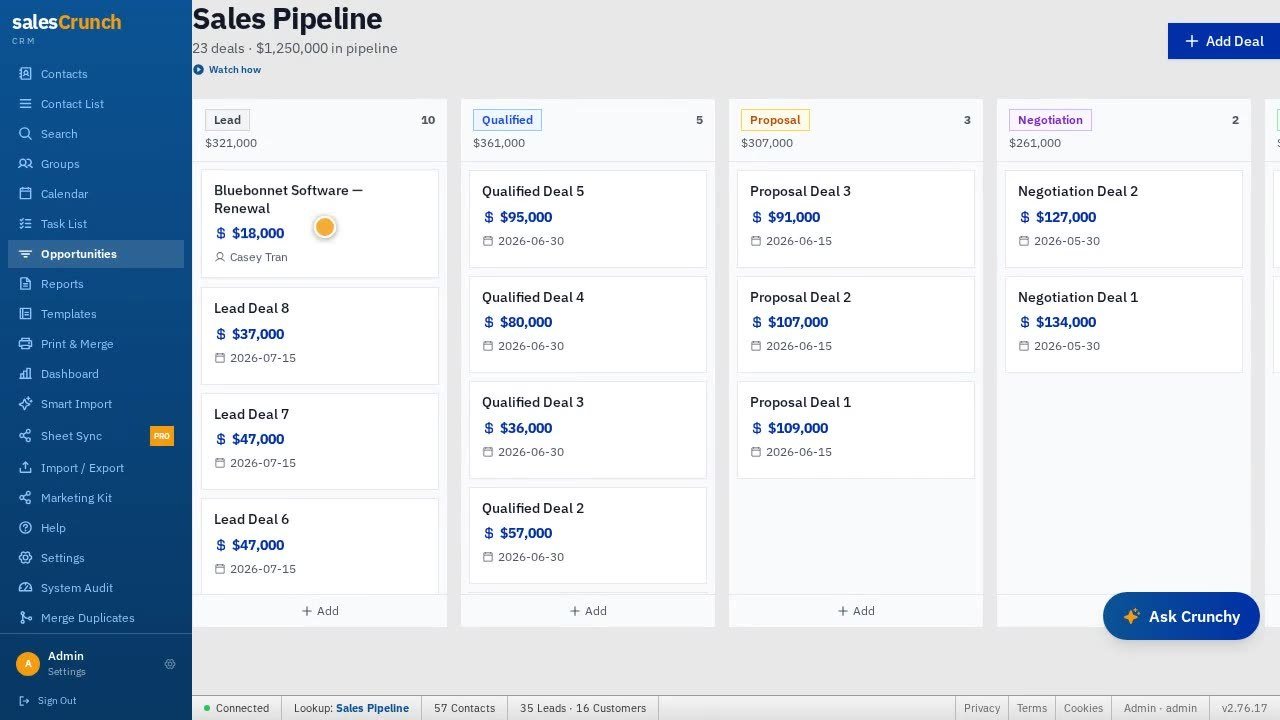
| SalesCrunchCRM | Focused one-plan CRM | $30/user/month after 14-day trial | No | Opportunities Kanban documented | Alarms, recurring tasks; not HubSpot sequences | Narrow public integrations; mobile apps not listed |
| Pipedrive | Visual pipeline | Lite US$14/seat/mo billed annually | No (14-day trial) | Customizable pipelines on current plans | Plan-gated; sequences on Premium in current mapping | Add-ons and higher tiers change cost |
| Close | Calling / engagement | Solo $9/user/mo billed annually or $19 monthly | No (14-day trial) | Documented; Solo is 1 user | Workflows from Growth ($99 annual / $109 monthly) | Seat + usage + AI credits |
| Zoho CRM | Business suite | Free for 3 users; Standard US$14/user/mo billed annually | Yes (3 users) | By edition | Workflows scale by edition; Zia edition-gated | Edition choice is the real cost |
See whether SalesCrunch fits your team
What a Small Sales Team Actually Needs From a CRM
A spreadsheet can hold names. A sales CRM has to show ownership, next steps, and which deals are stuck. For two to ten sellers, seven checks matter: centralized contacts, pipeline visibility, follow-up, collaboration with owners, usable reporting, integrations you already run, and a plan you can keep paying. Contacts ≠ leads ≠ deals. Email sync ≠ sending ≠ sequences ≠ marketing automation. Pipeline totals ≠ forecasting. Calling ≠ a contact center. Native ≠ Zapier ≠ API. See editorial standards.
What is the best CRM software for small sales teams? There isn’t one score. Match the gap: free entry (HubSpot or Capsule), one-plan focused CRM (SalesCrunch), visual pipeline (Pipedrive), calling (Close), or a Zoho-style suite. Fit depends on seats, required tier, and integrations — not brand size.
How We Evaluated These CRM Platforms
These options for best CRM software for small sales teams were chosen from official product, pricing, and help pages — not a bake-off and not “we tested every CRM.” We checked current plans, free plan versus trial, monthly versus annual rates, whether automation or sequences sit on the advertised entry tier, pipeline and reporting language, native versus marketplace versus Zapier versus API, iOS/Android listings where published, and documented AI caps. Affiliate availability did not pick the list. More on process: about Moon Picke.
Pricing checked in September 2026; plans and rates may change.
The CRM Finalists
HubSpot CRM — Best for a Free CRM Starting Point
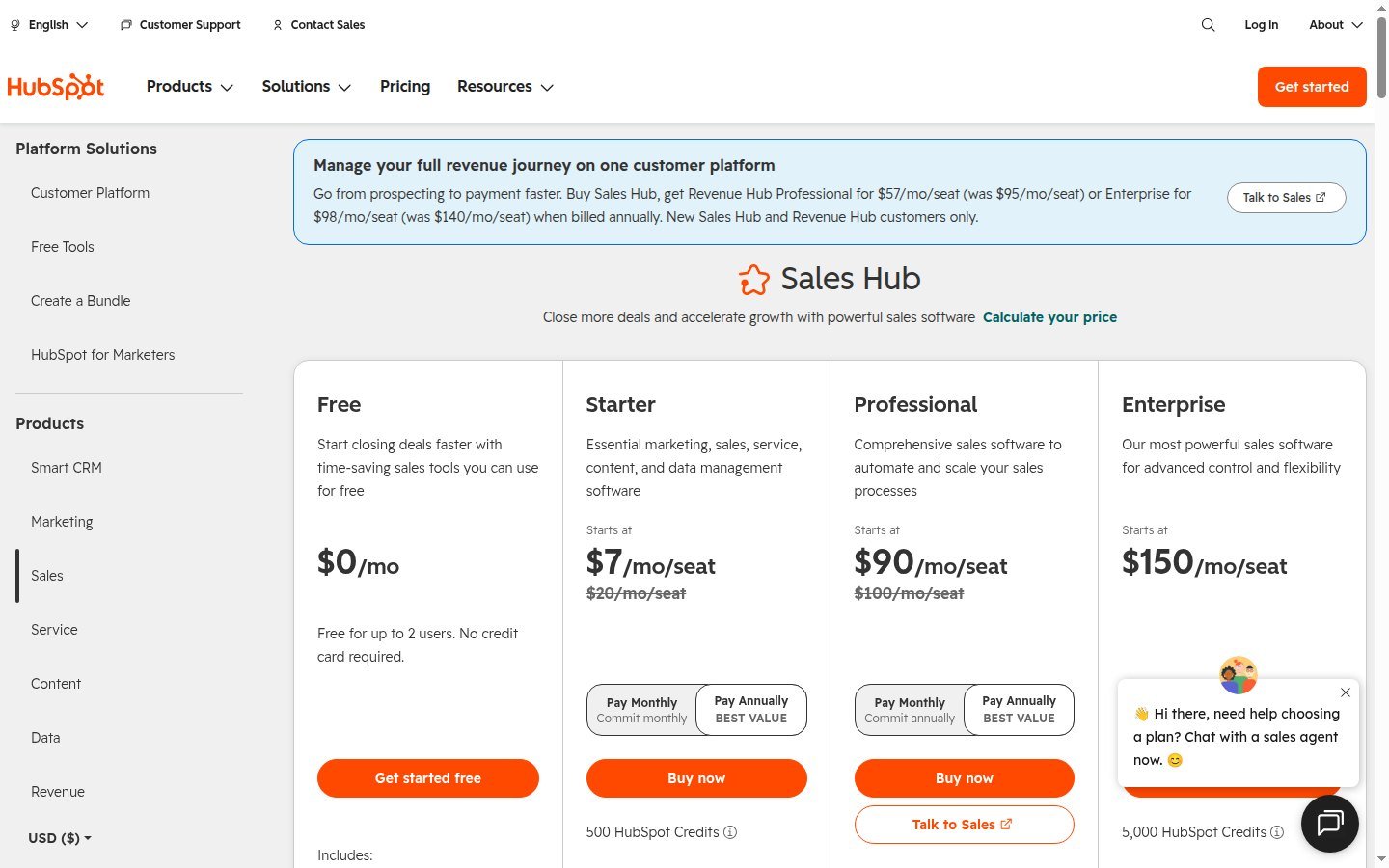
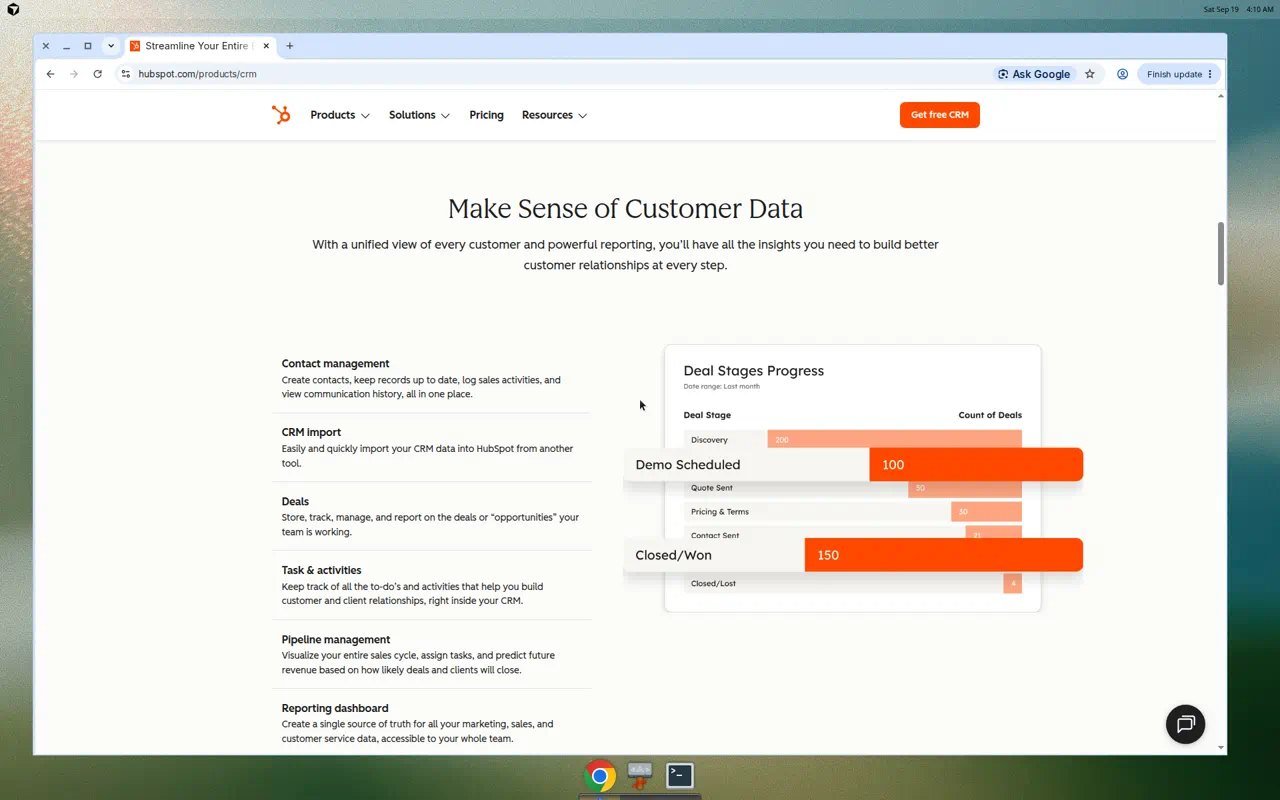
HubSpot’s Free Tools document a CRM for up to two users. Deals exist on Free; extra pipelines are catalog-capped on Sales Hub Starter / Professional / Enterprise. Sequences require Professional or Enterprise plus a Sales Seat — not the free FAQ. Custom reports and Forecasting sit on higher editions. Breeze Assistant appears on Free with usage-limited paid credits. iOS and Android are documented. Sales Hub Starter is $7/seat/month billed annually or $20 monthly; Professional $90 annually or $100 monthly (official Sales Hub cards, 19 September 2026). $0 is the start; seats are the later bill. Advantage: a real free CRM plus a documented upgrade path. Limitation: the features a five-person team often wants may not be Free. Consider it if you will not pay yet. Skip Free if you assumed Professional sequences are included. Explore HubSpot CRM
Capsule CRM — Best for a Simple Small-Business CRM
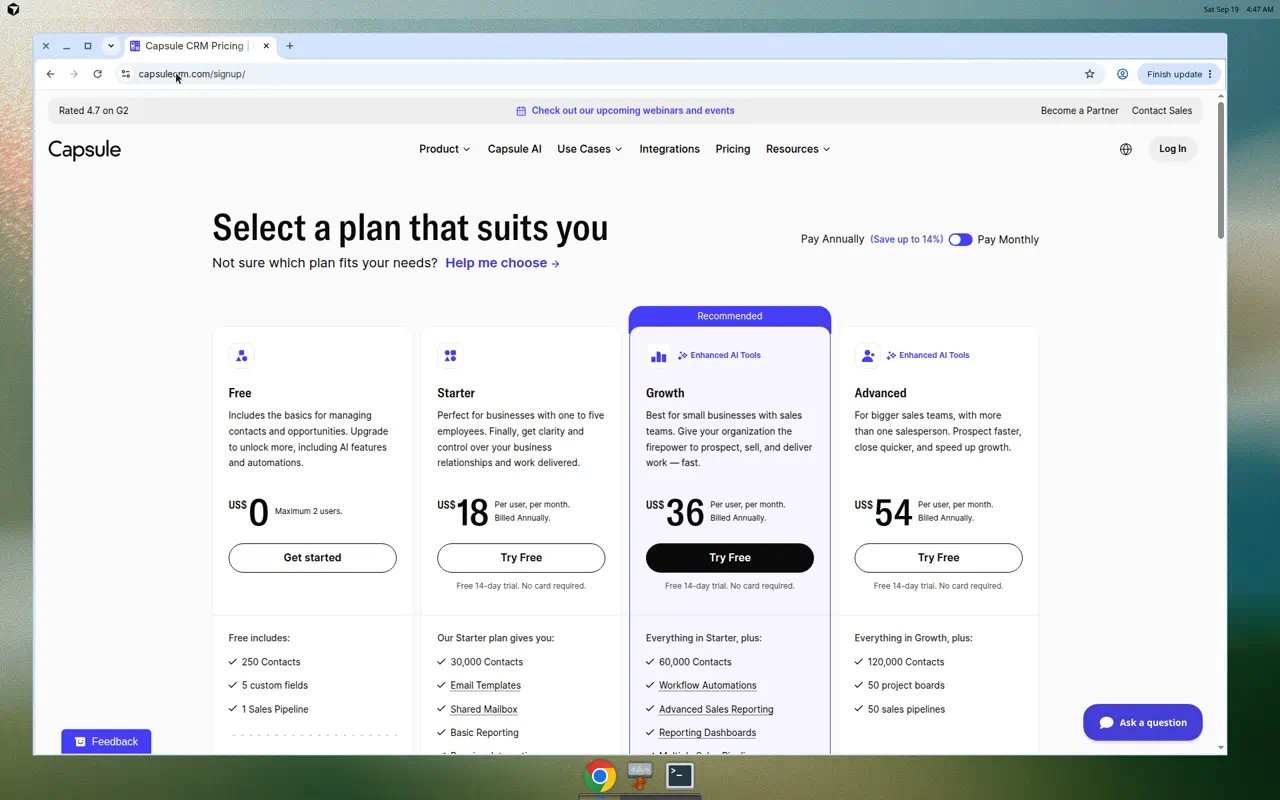
Capsule is a lighter SMB CRM with a genuine free plan: two users, 250 contacts, five custom fields, one pipeline. Starter is US$18 per user per month billed annually (30,000 contacts, email templates, basic reporting, listed premium integrations such as Xero and Zendesk). Growth (US$36 billed annually) adds workflow automations, multiple pipelines, email sync, advanced reporting, and documented AI enrichment/summaries. Advanced (US$54 billed annually) raises caps (120,000 contacts; 50 pipelines). Paid plans: 14-day trial, no setup fee, monthly or annual billing. Transpond marketing from $11/month is not Capsule CRM email. Integrations: 60+ plus Zapier. Advantage: free-to-paid path without HubSpot’s Hubs model. Limitation: 250 contacts on Free is a hard ceiling. Consider it for a tiny team that will stay simple. Skip Free if you already have more than 250 contacts.
SalesCrunchCRM — Best for a Focused One-Plan Sales CRM
SalesCrunchCRM is one plan at $30 per user per month after a 14-day trial, billed month-to-month on current pages, with no forever-free CRM. Official copy documents a three-column contact card, Boolean lookup, Opportunities Kanban, daily alarms, recurring tasks, Gmail and mail-merge, up to 250,000 contacts, Admin/Manager/User roles, and Crunchy on Claude Sonnet 4.5 (150 messages/month). Public marketing does not list native iOS/Android stores, a Zapier directory, or HubSpot-style sequences. Advantage: one published seat price instead of hunting editions. Limitation: a narrow published ecosystem. Consider it if ACT!-style contacts plus a pipeline are the job. Skip it if you need a free CRM, a large app marketplace, or in-CRM dialer. Deeper walkthrough: SalesCrunch CRM review. Check current SalesCrunch plans
Pipedrive — Best for Visual Pipeline Management
Pipedrive’s current plans are Lite, Growth, Premium, and Ultimate. The official U.S. pricing page lists Lite at US$14 per seat per month billed annually, then Growth US$39, Premium US$59, Ultimate US$79 (also billed annually). Monthly billing costs more; do not compare Lite’s annual rate to SalesCrunch’s unlabeled $30. There is a 14-day trial and no forever-free CRM. Customizable pipelines appear across new plans. Automations and sequences are plan-gated (sequences listed on Premium in Pipedrive’s September 2026 plan mapping). Campaigns is a separate add-on. Marketplace copy cites hundreds of tools; iOS and Android are documented. A headless capture of the pricing URL can be Cloudflare-blocked; prices follow live page text. Advantage: pipeline-first design plus a marketplace. Limitation: the Lite sticker is not the automation tier. Skip Pipedrive if you need a $0 CRM.
Close — Best for Built-In Calling and Sales Engagement
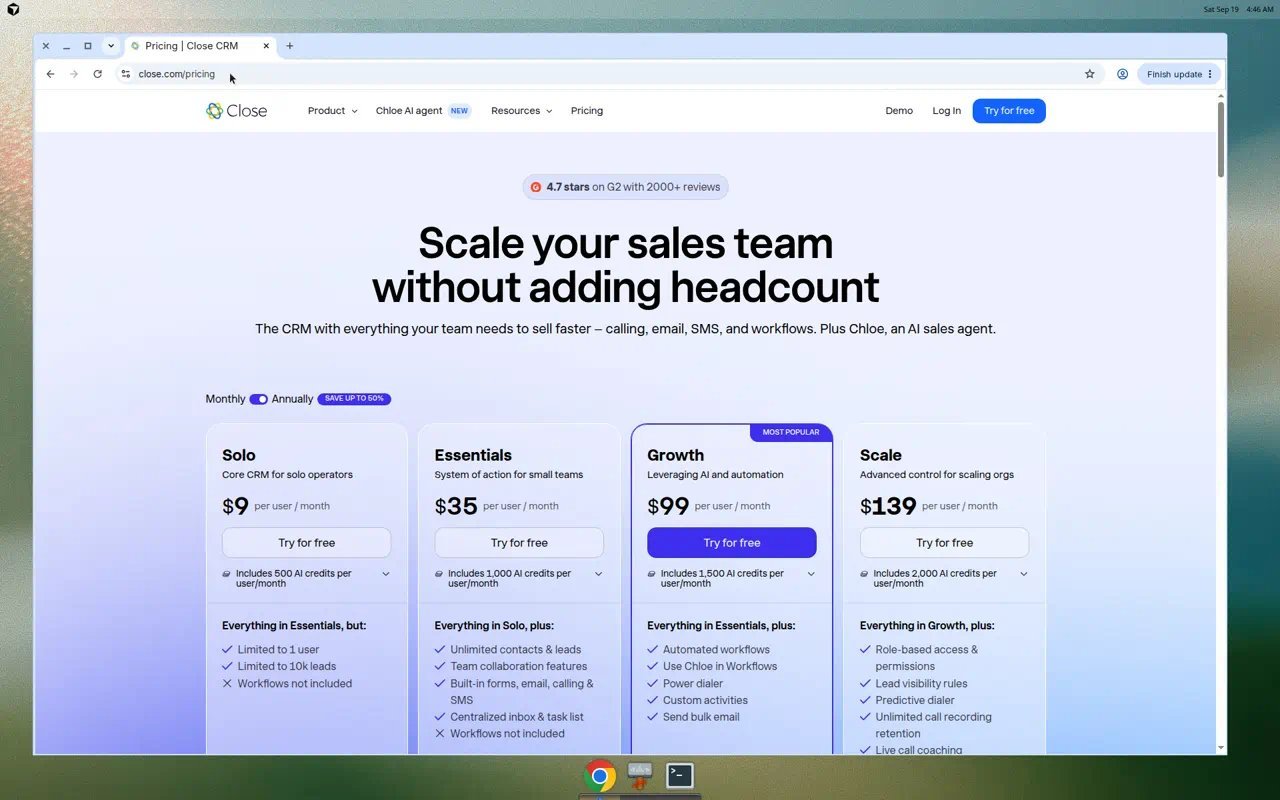
Close is the CRM when calling, SMS, and a shared inbox should live next to the pipeline. Official pricing (19 September 2026): Solo $9 per user/month billed annually or $19 month-to-month (1 user, 10k leads, workflows not included); Essentials $35 annual / $49 monthly (team features; calling/email/SMS listed; workflows still not included); Growth $99 / $109 (workflows, power dialer, bulk email); Scale $139 / $149. Chloe AI credits are included by plan (500–2,000/user/month; no rollover). Calling and SMS are usage-based extras. No free plan; 14-day trial. iOS and Android are documented. Advantage: engagement in-product. Limitation: a five-person team cannot stay on Solo, and workflows wait for Growth. Consider Close if the phone is the job. Skip it if you only needed a contact database. See current Close plans
Does a small sales team need a paid CRM? Not always. HubSpot Free and Capsule Free (and Zoho’s three-user Free edition) can hold contacts and a basic pipeline. Pay when you need extra users, sequences, workflows, calling minutes, extra pipelines, or contact caps the free tier does not publish.
Zoho CRM — Best for a Broader CRM and Business Ecosystem
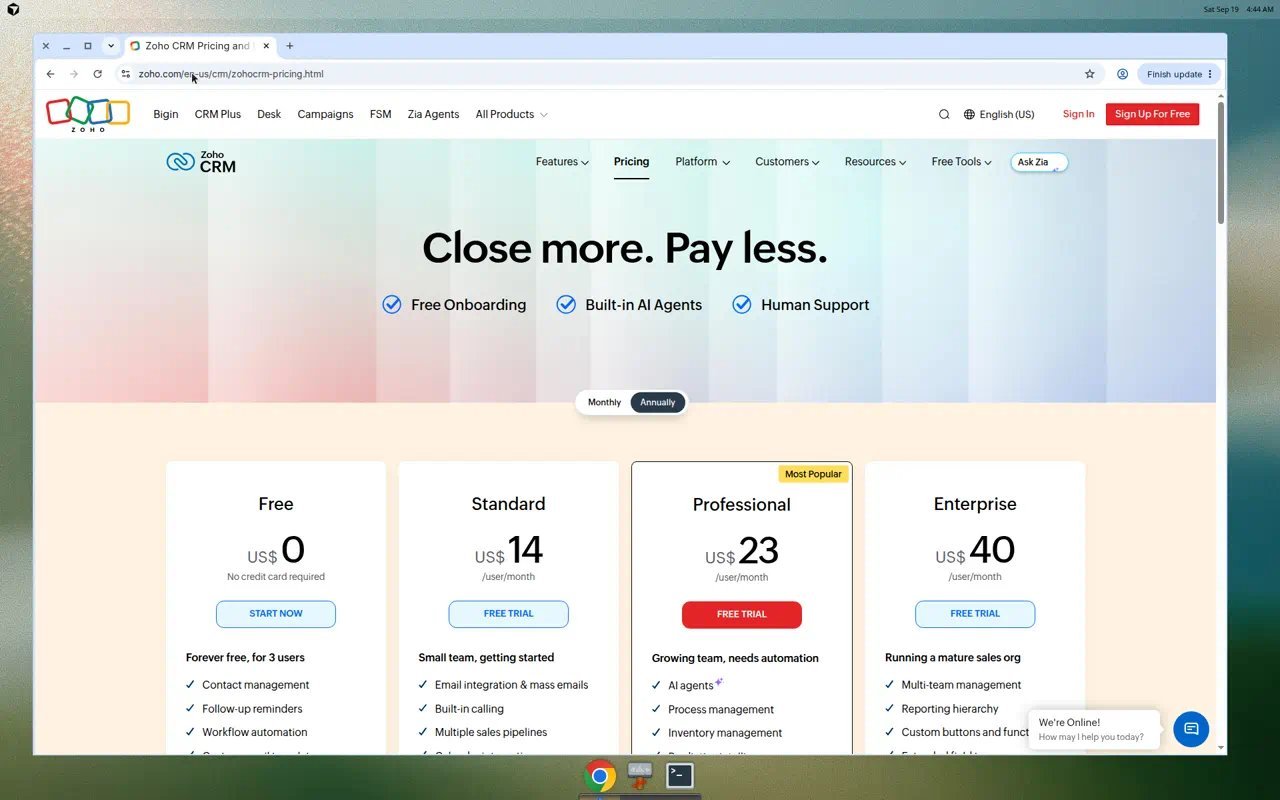
Zoho CRM is the suite path: CRM inside Books, Campaigns, and Desk if you will actually buy them. Official U.S. cards (19 September 2026, Annually toggle) show Free for three users, Standard US$14, Professional US$23, Enterprise US$40 per user per month. Free includes contacts, limited workflows, 10 email templates, standard reports, API credits, and mobile apps — not the full paid edition. Multiple pipelines, mass email, forecasting, and inventory arrive by edition. Zia is edition-gated. HIPAA language on paid copy is vendor documentation, not a Moon Picke audit. Advantage: one vendor for several ops apps. Limitation: Free is not Professional forecasting. Consider Zoho if the stack is the point. Skip it if you only wanted a single sales board.
Free CRM vs Paid CRM: What Changes for a Small Team?
Free is not cheapest long-term. HubSpot Free omits Professional sequences. Capsule Free caps contacts at 250. Zoho Free is three users with tight automation/email. SalesCrunch, Pipedrive, and Close use trials, not free CRMs. Starting price is not deployment cost: multiply seats, then buy the tier that includes automation, extra pipelines, or calling. Annual billed-monthly rates are not month-to-month. A free CRM is not every CRM feature for free. For adjacent digital tools buying notes, stay on published category pages — not unpublished drafts.
Pipeline Management vs Sales Automation
A Kanban board is pipeline management. Automation is tasks, stage changes, or emails that fire without a click. Sequences are timed email steps — HubSpot gates them on Professional/Enterprise plus a Sales Seat; Pipedrive lists sequences on Premium in current mapping; Close workflows start at Growth; Capsule automations start at Growth; Zoho workflows scale by edition; SalesCrunch documents alarms and recurring tasks, not HubSpot sequences. Do not buy “automation” on an entry card that does not list it.
How CRM Pricing Changes as Your Team Grows
Two seats on HubSpot Free can become five paid Sales Hub seats. Capsule Starter at US$18 billed annually times five is still not Growth automations. SalesCrunch is $30 × seats with no annual card on current pages. Pipedrive Lite × seats is cheaper than Growth if you never need the gated automations. Close Solo cannot cover a five-person team. Zoho Standard × seats is not Enterprise forecasting. Per-user pricing is not a flat workspace fee. AI credits (Close Chloe, HubSpot Breeze extras, Capsule AI on Growth+) can add usage bills. No invented “five people always cost $X.”
How much does CRM software cost for a small team? Published starting points on 19 September 2026 range from $0 (HubSpot/Capsule/Zoho Free) to $30/user/month (SalesCrunch) and Lite/Standard annual stickers around US$14. Actual cost is seats × the tier that includes the features you need, plus usage add-ons. Monthly and annual rates differ.
Which CRM Features Are Worth Paying For?
Pay for extra users when Free caps block hiring. Pay for sequences or workflows when follow-up is the missed work — after you confirm the plan. Pay for calling when the CRM must be the phone. Pay for extra pipelines when one board is a documented cap. Do not pay for forecasting, AI credits, or marketing add-ons you will not configure.
When a Focused CRM Makes More Sense Than a Broad Platform
A focused CRM (SalesCrunch’s one plan; Close if calling is core; Pipedrive if the board is the product) can fit a founder-led team that will not implement a Hub or a Zoho suite. A broad platform fits when marketing, service, or finance apps are already on the same vendor. Breadth is not automatically better for a five-person sales desk. Complexity you will not staff is unused spend.
What to Check Before Moving From Spreadsheets to a CRM
Export columns for people, companies, deals, owners, stages, and next-task dates. Confirm contact and user caps. Confirm whether email sync logs history or only sends. Confirm iOS/Android if the team sells on the road — SalesCrunch’s public site does not list store apps. Plan a CSV test import; associations and activity history often do not travel cleanly. Native ≠ Zapier ≠ API.
Which CRM Fits Your Sales Workflow?
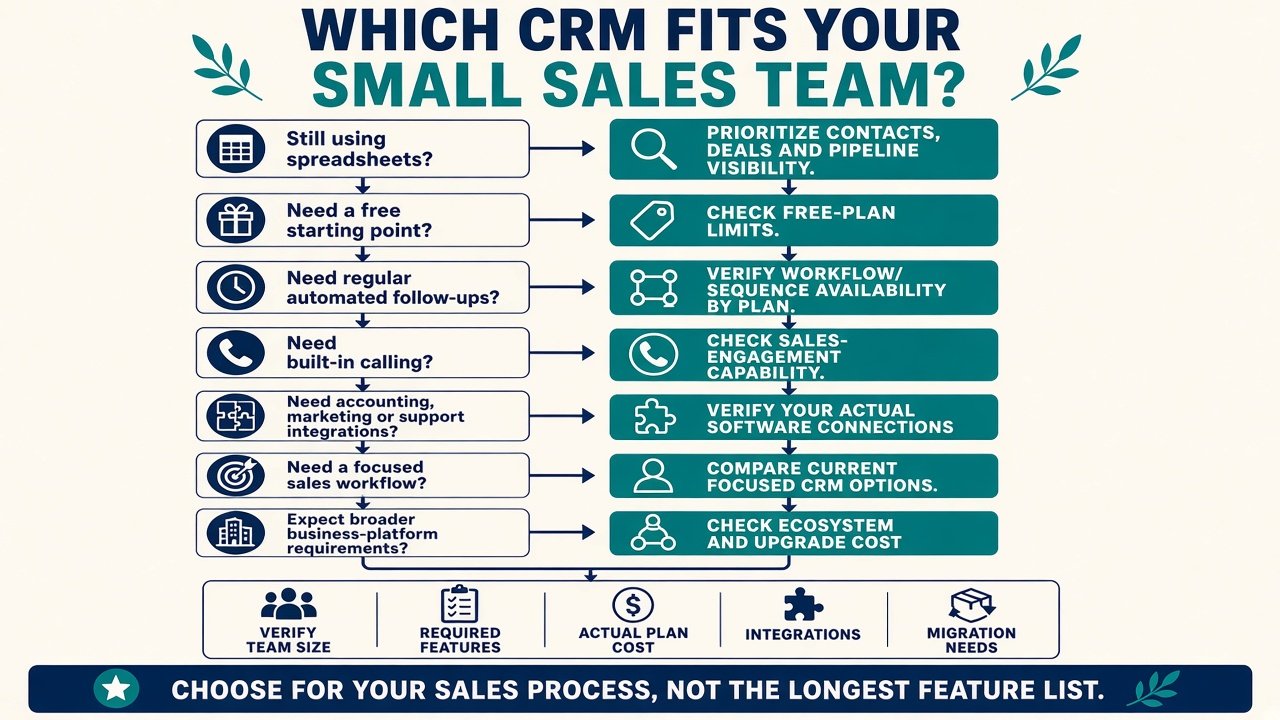
Spreadsheet team of two: HubSpot Free or Capsule Free (watch contact caps). Founder who wants one invoice line: SalesCrunch $30. Kanban-first sellers: Pipedrive, then confirm Growth/Premium for automations. Phone-first: Close Essentials or Growth, not Solo for five seats. Zoho shop already on Books: Zoho CRM edition that matches forecasting. Outgrowing Free: budget the paid tier, not the $0 card.
Final Buying Guidance
Choose best CRM software for small sales teams by naming the missing piece. Free contacts and deals: HubSpot or Capsule (or Zoho Free). One-plan focused CRM: SalesCrunch. Visual pipeline plus marketplace: Pipedrive. Built-in calling: Close. Suite: Zoho. There is no universal winner. Affiliate links did not rank them.
FAQ
What is the best CRM software for small sales teams? None overall. HubSpot or Capsule for free entry, SalesCrunch for one published seat price, Pipedrive for pipeline-first boards, Close for calling, Zoho for a suite.
Is free CRM software enough for a small business? It can be for contacts and a basic pipeline. User, contact, sequence, and reporting caps are why teams pay.
How much should a five-person sales team budget for CRM? Multiply five by the per-user rate of the tier that includes required automation or calling. Do not use Free or Solo stickers if those plans cap users.
What is the difference between a CRM and a spreadsheet? A CRM adds shared ownership, pipeline stages, activity history, and (on some plans) automation. A sheet does not replace that by itself.
Does every CRM include sales automation? No. Many entry plans omit workflows or sequences. Check the exact edition.
Which CRM features are most useful for follow-ups? Tasks, reminders, logged email, and — when the plan includes them — workflows or sequences. Calling matters if that is how you sell.
What should I check before switching CRM software? Contacts, companies, deals, owners, stages, email history, integrations, and user/contact caps. A CSV is not a full migration.
Can a CRM grow with my business? Yes if you can name the next paid tier. Upgrade cost is part of the first decision.