
The best receipt scanner apps for small business in 2026 are the ones that get paper, PDFs, and emailed receipts into editable fields you can check and export—not the ones with the loudest “OCR” label. A camera snap is only the first step: image intake, receipt-specific extraction, correction, and a way out of the app all matter. This page compares six current apps on that capture path. It is not a second receipt-management roundup. Moon Picke did not bench OCR accuracy or scan speed. Pricing, plans, and major scanning features were verified in September 2026. Methods: How We Evaluate and editorial standards.
Best Receipt Scanner Apps for Small Businesses: Quick Picks
| Receipt Scanner App | Best For | Capture Methods | OCR / Data Extraction | Export / Handoff | Main Limitation |
|---|---|---|---|---|---|
| SparkReceipt | Receipt-first OCR + multi-input | iOS/Android camera, web upload, mass 100, email forward/fetch | Vendor, date, amount, tax, currency, payment, line items | PDF/Excel/CSV/ZIP; QBO; Xero (help: beta) | Paid Elite; not a T&E suite |
| Expensify | Simple mobile SmartScan | Phone scan; card matching | Extraction + duplicate detection (vendor) | Expense reports; accounting export | Expense platform may be overkill for solo capture |
| Wave Receipts | Scan into your books | App, desktop, email; bulk 10; JPG/GIF/PNG/PDF | OCR creates a Wave bookkeeping record | Stays in Wave | Not a multi-ledger scanner; Starter lacks unlimited receipts |
| Zoho Expense | Simple / free scans | Autoscan on iOS/Android/web | AI OCR; itemized on paid | Expense reports; Zoho/accounting on plans | Autoscan caps 20/200/1,000 per user/month |
| Shoeboxed | Paper mail-in + app | Camera/app + Magic Envelope; Gmail on Pro+ | Automatic data extraction (vendor) | CSV; QBO/Xero on Pro+ | Hard monthly scan quotas |
| Dext | High-volume multi-channel capture | Mobile, web, multi-channel, WhatsApp (pricing matrix) | Intelligent document extraction (vendor) | Publish to many ledgers (vendor: 36+) | Practice pricing; 10-client minimum |
Moon Picke may earn a commission if you purchase through some links on this page, at no additional cost to you. Affiliate Disclosure. SparkReceipt is one capture option—not an automatic #1. See current SparkReceipt plans. Deeper pages: our full SparkReceipt review and receipt management software comparison. Also Digital Tools.
What is the best receipt scanner app for small business? There is no universal winner. Choose SparkReceipt for receipt-field OCR plus email/batch intake; Expensify for employee phone scans; Wave to post into Wave books; Zoho Expense Free if scan volume fits the cap; Shoeboxed for mailed paper; Dext if an accounting practice captures for many clients.
What Makes a Good Receipt Scanner App?
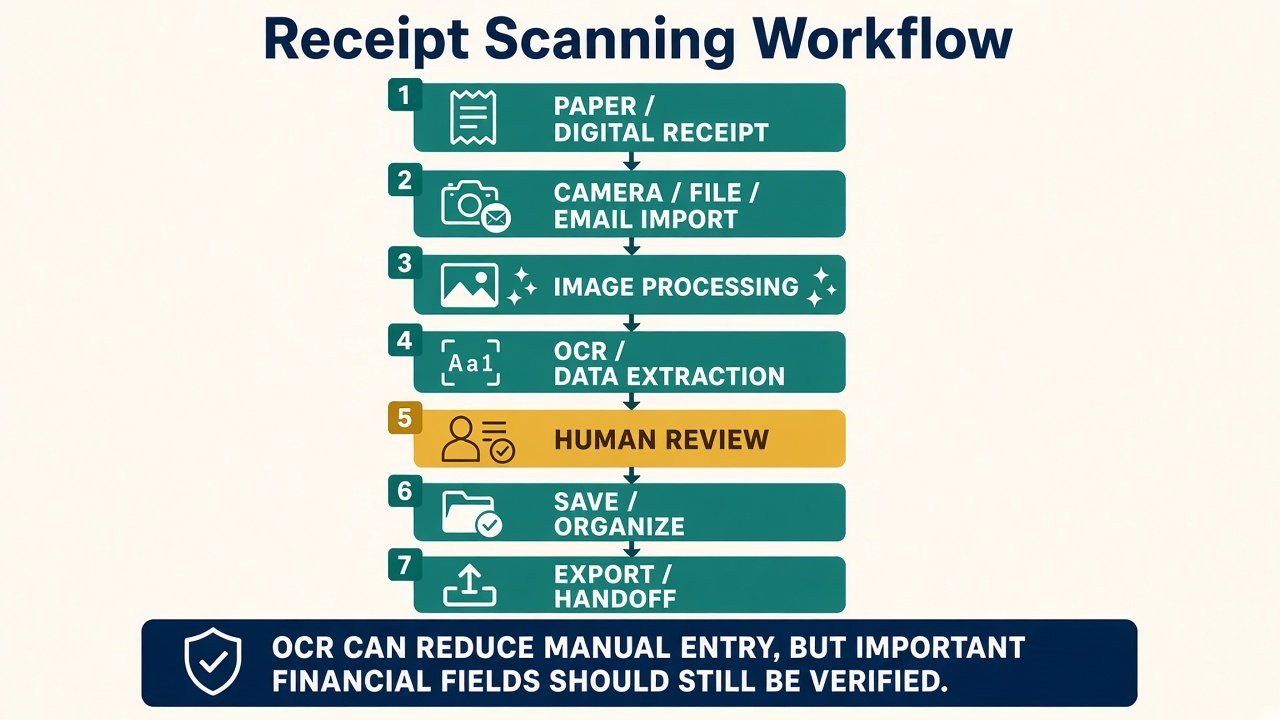
What does a receipt scanner app do? It should treat a receipt as structured data, not a generic PDF of a page. Input methods (camera, file, PDF, email) matter as much as the shutter. Receipt OCR may pull merchant, date, total, tax, or currency. Line items are a separate capability. Then you need editable fields, a saved image, and export. A general document scanner that only makes a PDF is a different product. Price only pays off if it cuts re-typing at your actual volume. We compared current documented capture methods, extraction features, correction workflows, exports, plan limits, and pricing—not a photo lab. That is how this best receipt scanner apps for small business list assigns roles. See Guides.
SparkReceipt — Best for Receipt-First OCR and Multi-Input Capture
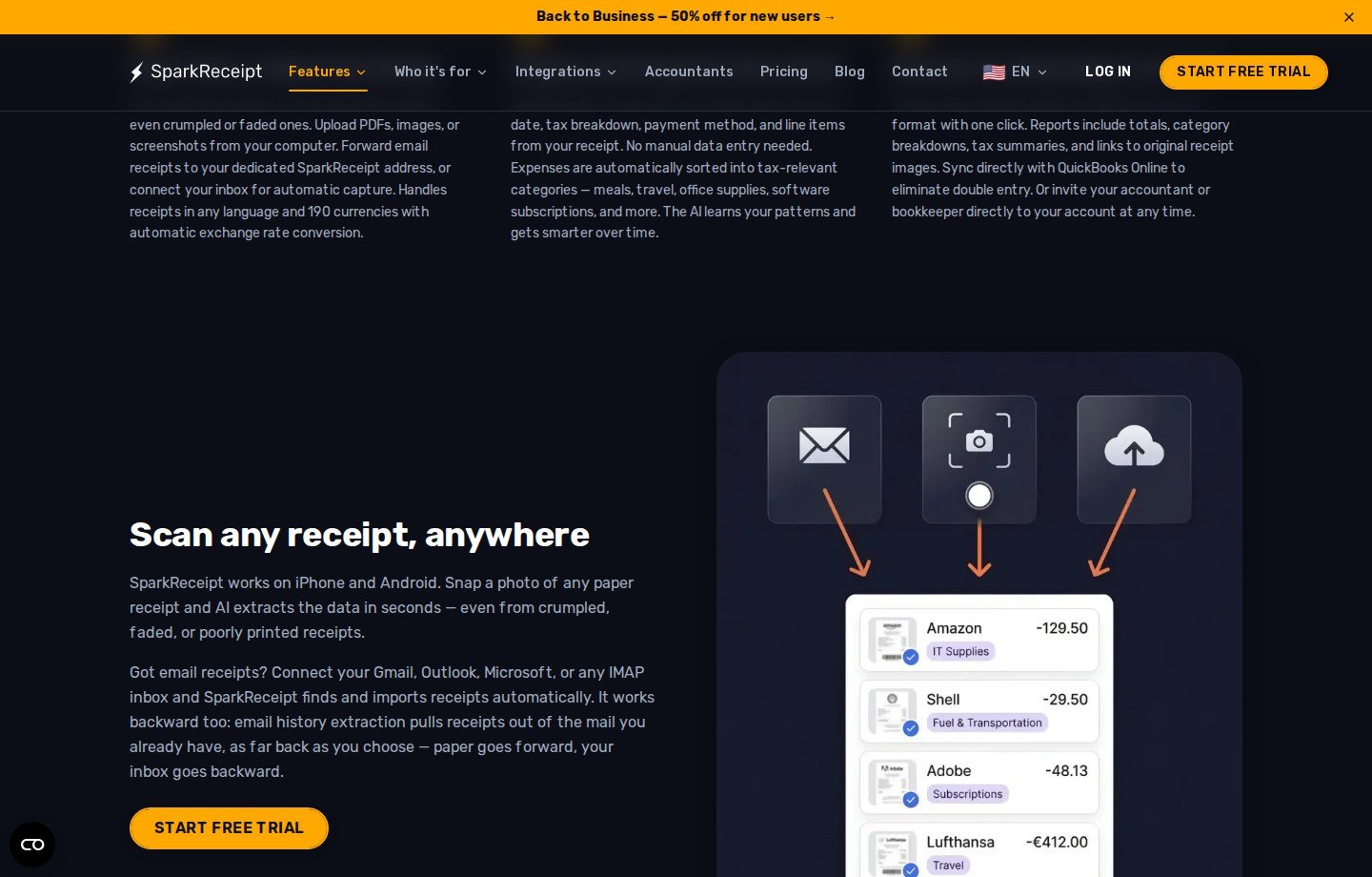
Is SparkReceipt a receipt scanner? Yes—and it is also a hybrid organizer. Official scanner copy: iPhone and Android camera; web upload of PDFs, images, screenshots; mass upload up to 100; forwarding address; Elite Gmail/Outlook/IMAP fetch and history extraction. Documented fields: vendor, date, amount, tax, currency, payment method, line items; UI shows editable merchant, date, tax, lines, and category. Invoices are supported alongside receipts. Exports: PDF, Excel, CSV, ZIP; QuickBooks Online; Xero listed as beta in help. As of September 2026, Elite promo $8.33/mo equivalent ($99.99/year) vs $16.65/mo list language; 7-day trial; no free plan. More in the detailed SparkReceipt review.
Why it made the list: Camera plus inbox plus batch in one capture story. Main advantage: receipt-specific fields including line items, plus a documented correction screen. Main limitation: you pay Elite for the scanner; vendor “2–3 seconds” and “high accuracy” are SparkReceipt’s claims, not Moon Picke tests. Who should use it: freelancers and small firms with mixed paper and email receipts who will export. Who should skip it: five receipts a year, or teams that only need Expensify-style reimbursements. See current SparkReceipt plans.
Expensify — Best for Simple Mobile SmartScan
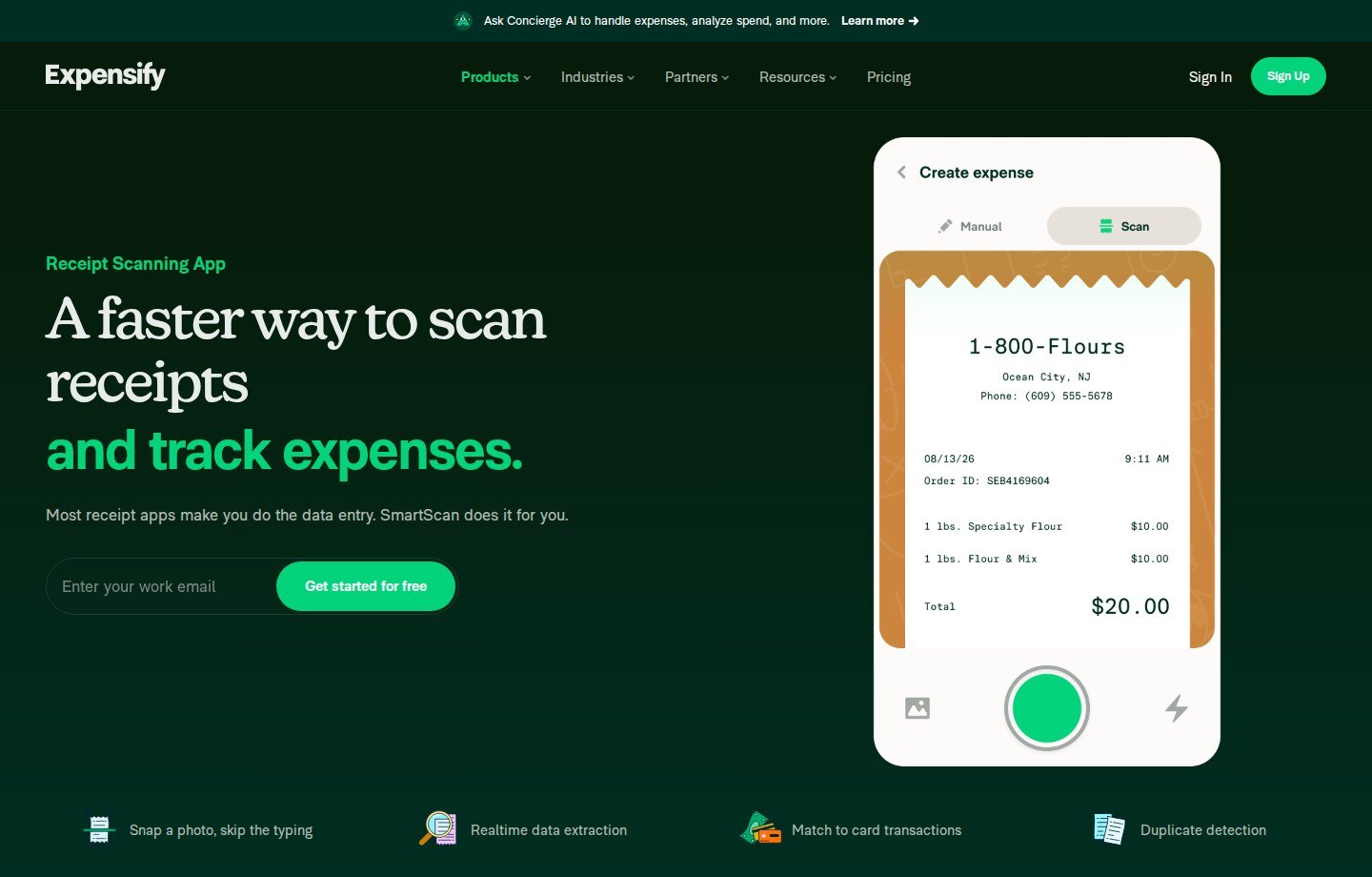
Expensify is an expense platform with a receipt-scanning surface. The official scanning page documents SmartScan (snap, skip typing, realtime extraction), match to card transactions, and duplicate detection—as product features, not scored accuracy. iOS and Android apps are core; web exists for the wider product. Correction happens in the expense you create (scan vs manual). Collect: $5 per unique member per month for workspaces created on or after April 1, 2025. Control is $18 annual / $36 pay-per-use, or $9 annual with qualifying Expensify Card spend. Get started for free is a sign-up path, not a documented unlimited free scanner tier.
Why it made the list: The most recognizable phone-scan-to-expense flow for U.S. teams. Main advantage: capture sits next to reimbursements and cards. Main limitation: you buy an expense suite; solo CSV archive may not need it. Who should use it: employees snapping receipts on the go. Who should skip it: owners who only want a receipt file without approvals.
Wave — Best for Scanning Into Accounting Records
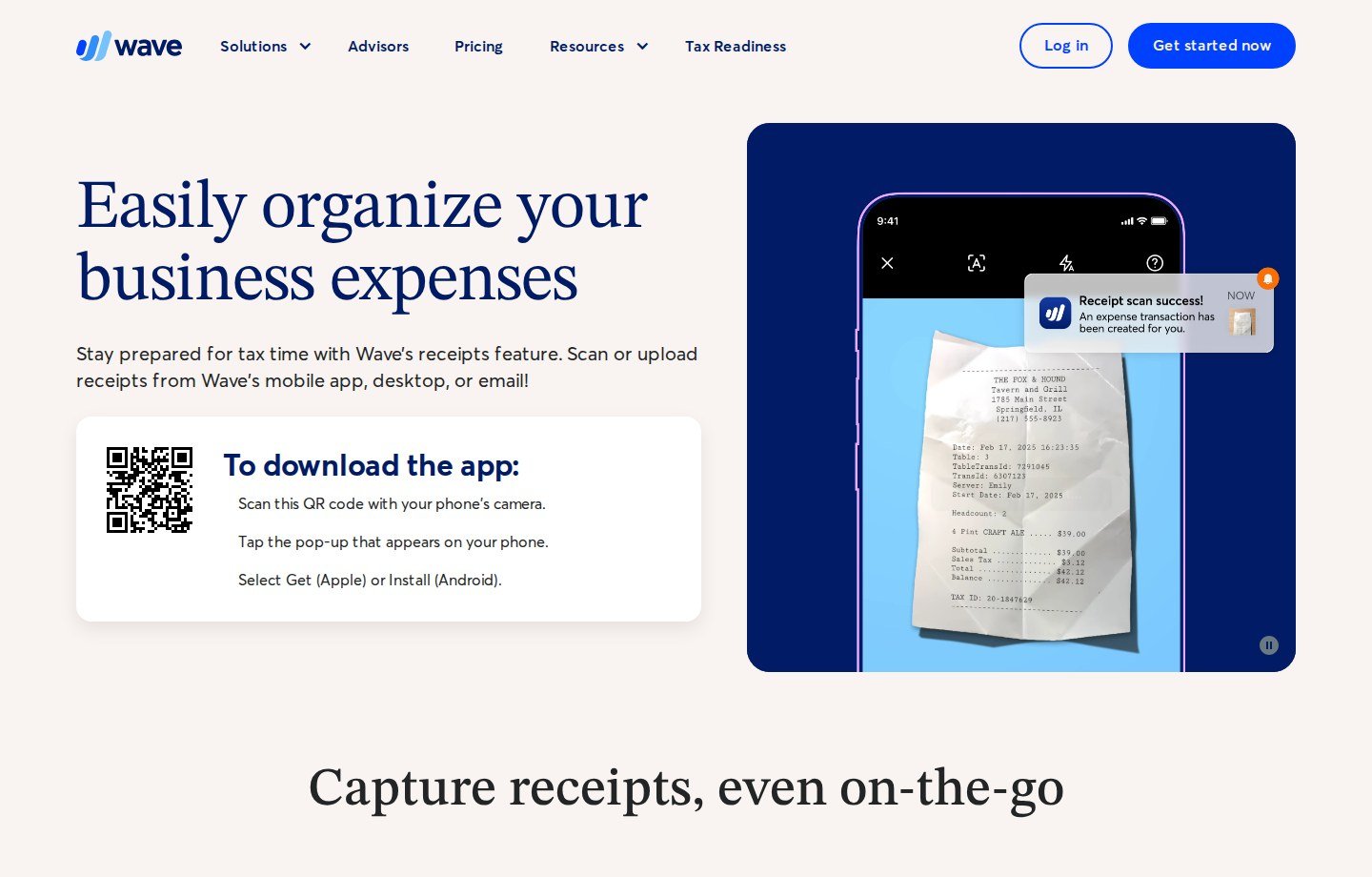
Wave’s receipts add-on is accounting software with receipt capture: iOS/Android camera, desktop drag-and-drop (JPG, GIF, PNG, PDF), unique email forward, bulk up to 10. Official copy: OCR automatically creates a bookkeeping record. Unlimited scans on Receipts or Pro—not on Starter books alone. USD as of September 2026: Receipts $8/month or $72/year; Pro $19/month or $190/year. After cancel, prior scans remain as transactions; new scans stop. This is handoff-into-Wave, not a native QuickBooks connection.
Why it made the list: If Wave is the ledger, a second scanner may be extra. Main advantage: file + email + camera into the same books. Main limitation: bulk 10; useless if your books are elsewhere. Who should use it: Wave users who want OCR posting. Who should skip it: QBO/Xero shops; high-volume inbox fetch beyond Wave’s documented methods.
Zoho Expense — Best Simple and Free Scan Tier
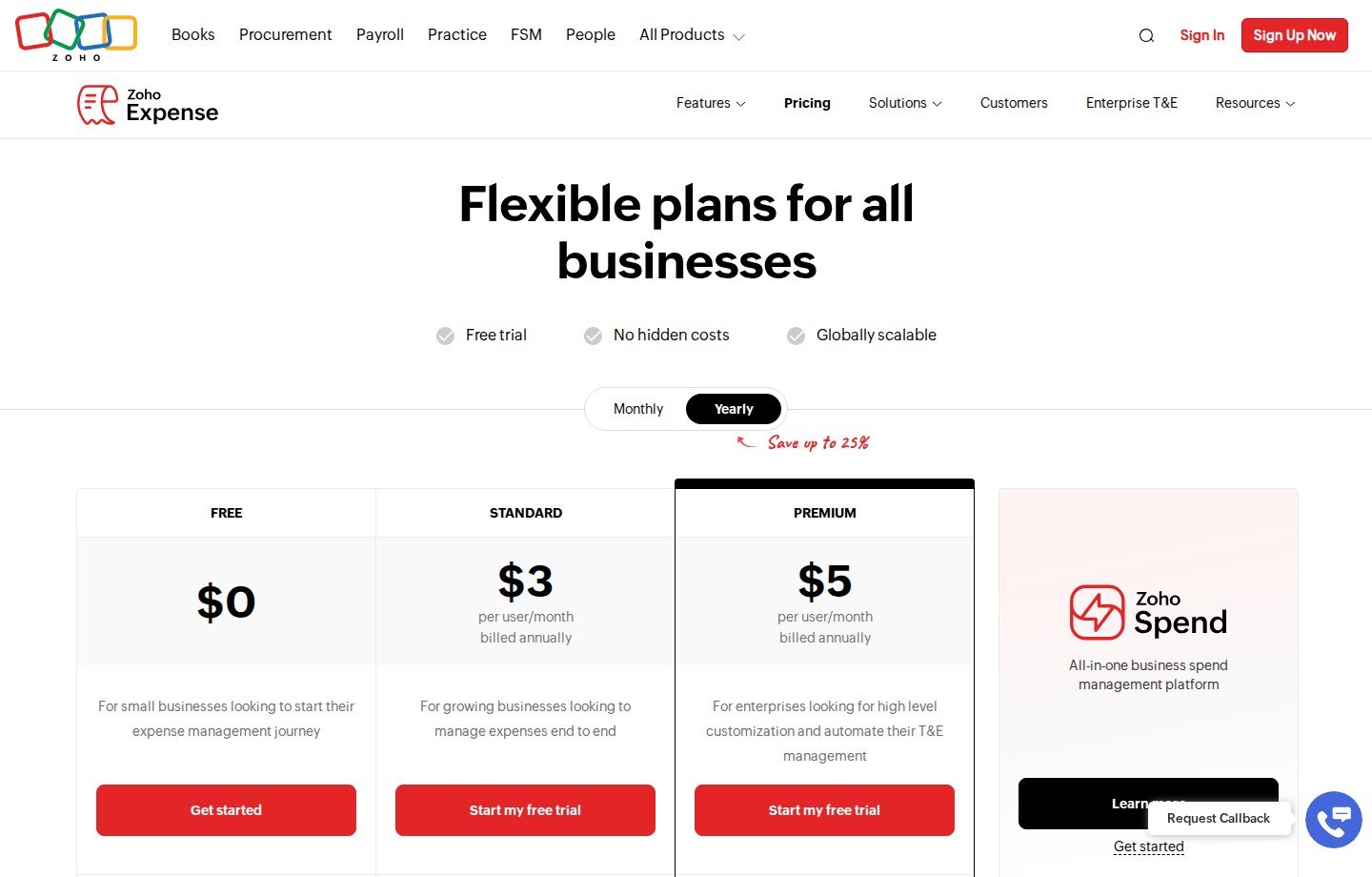
Zoho Expense is T&E software with Autoscan. U.S. pricing capture, yearly: Free $0 (3 users, AI OCR); Standard $3/user/month billed annually; Premium $5. FAQ additional users $4/$3 and $6/$5 monthly/yearly. 14-day trial. Autoscan: 20 / 200 / 1,000 scans per user/month on Free, Standard, Premium. After the cap, Zoho says you can still create expenses manually or upload receipts for recordkeeping. Itemized OCR is on paid plans. iOS, Android, and web. This is an expense app with a scanner, not a dedicated receipt vault.
Why it made the list: A real free scan allotment. Main advantage: low published price if volume fits the cap. Main limitation: Autoscan quotas; Free is three users. Who should use it: occasional team scans, or Zoho customers. Who should skip it: heavy monthly paper/email volume on Free.
Shoeboxed — Best for Paper Mail-In Scanning
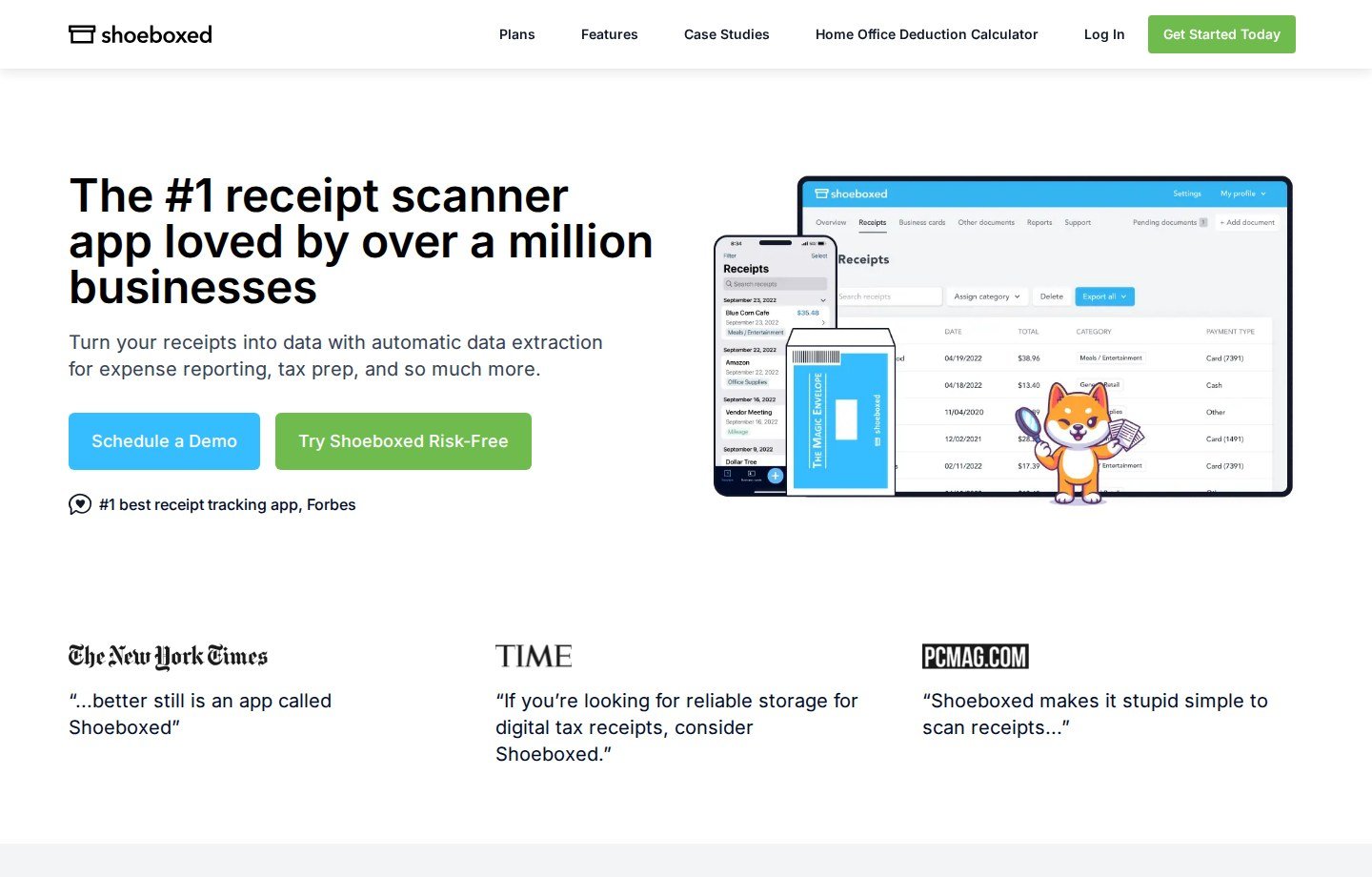
Shoeboxed is a receipt scanner app plus Magic Envelope mail-in processing (scan, then shred or return). iOS and Android; web list/export. Pro+ adds Gmail receipt sync. Official FAQ: Starter $9/month or $97/year—30 digital scans/month, 20 paper/year, 1 user. Pro $29/$297—200 digital/month, 20 paper/month, 3 users, QBO/Xero. Plus $79/$797—750 digital/month, 50 paper/month, 10 users. Not free; 30-day money-back on digital use (envelopes excepted once shipped). CSV on all plans. Vendor “audit-proof” language is marketing, not a legal finding.
Why it made the list: Physical paper is still a capture problem cameras do not always solve. Main advantage: documented mail-in plus app quotas. Main limitation: scan caps and overages. Who should use it: owners who will mail receipts. Who should skip it: unlimited digital inboxes; employee T&E.
Dext — Best for High-Volume Multi-Channel Capture
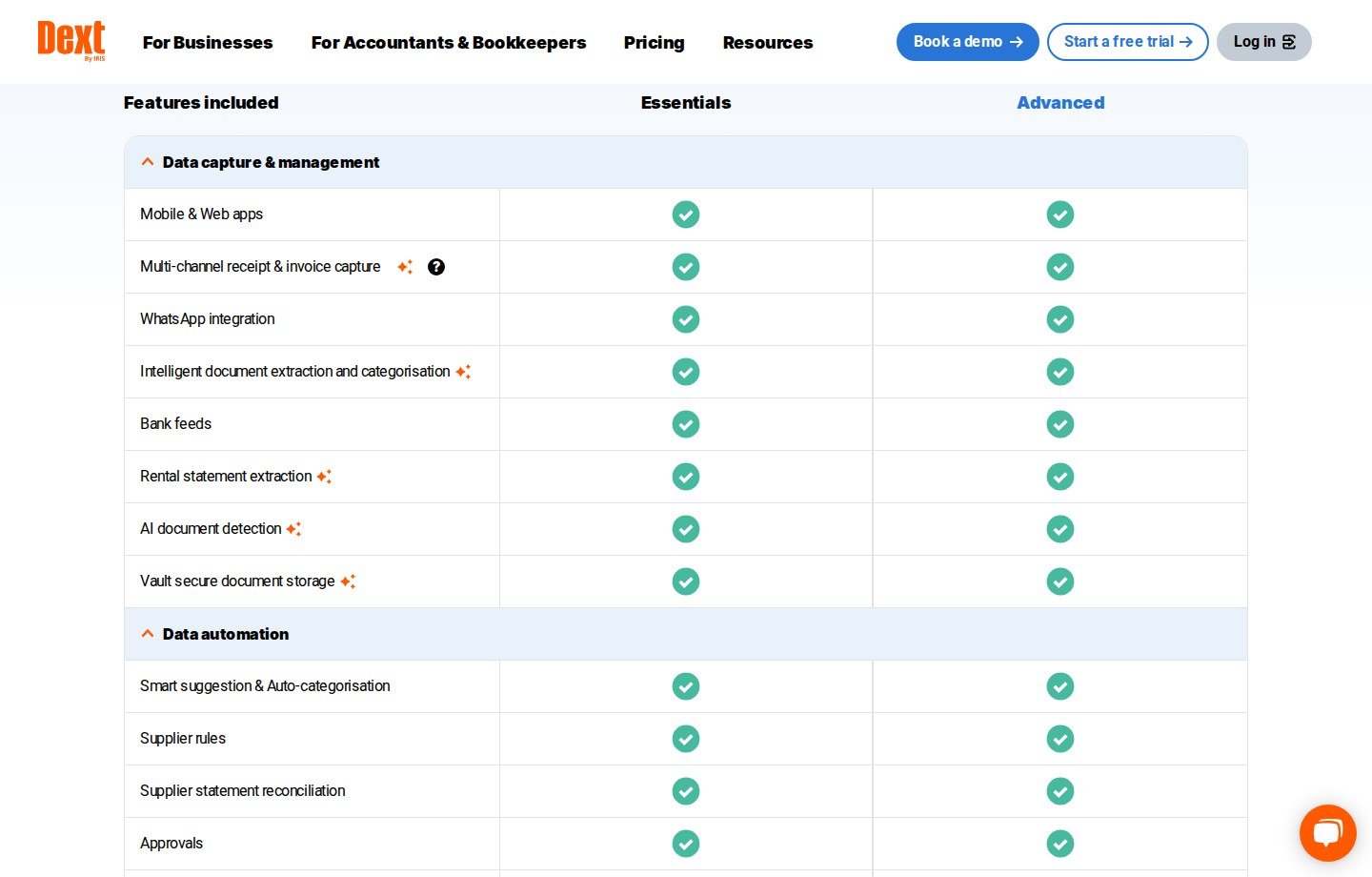
Dext is an OCR/document-capture platform for accounting practices. The U.S. partner feature matrix lists mobile and web apps, multi-channel receipt and invoice capture, WhatsApp, intelligent extraction, and duplicate detection as product rows—not Moon Picke quality scores. Pricing captured September 2026: Essentials from $17.70 per client/month, Advanced from $19.20, annual billed monthly, 10-client minimum. 14-day trial. Line-item and statement extraction can consume credits. Evaluate Dext here as intake for a firm, not as a $9 freelancer camera.
Why it made the list: High-volume, multi-channel capture is a different scanning job. Main advantage: practice publish into ledgers. Main limitation: 10-client floor. Who should use it: bookkeepers processing many clients. Who should skip it: a single small business buying its own scanner app.
Receipt Scanner Apps vs Receipt Management Software
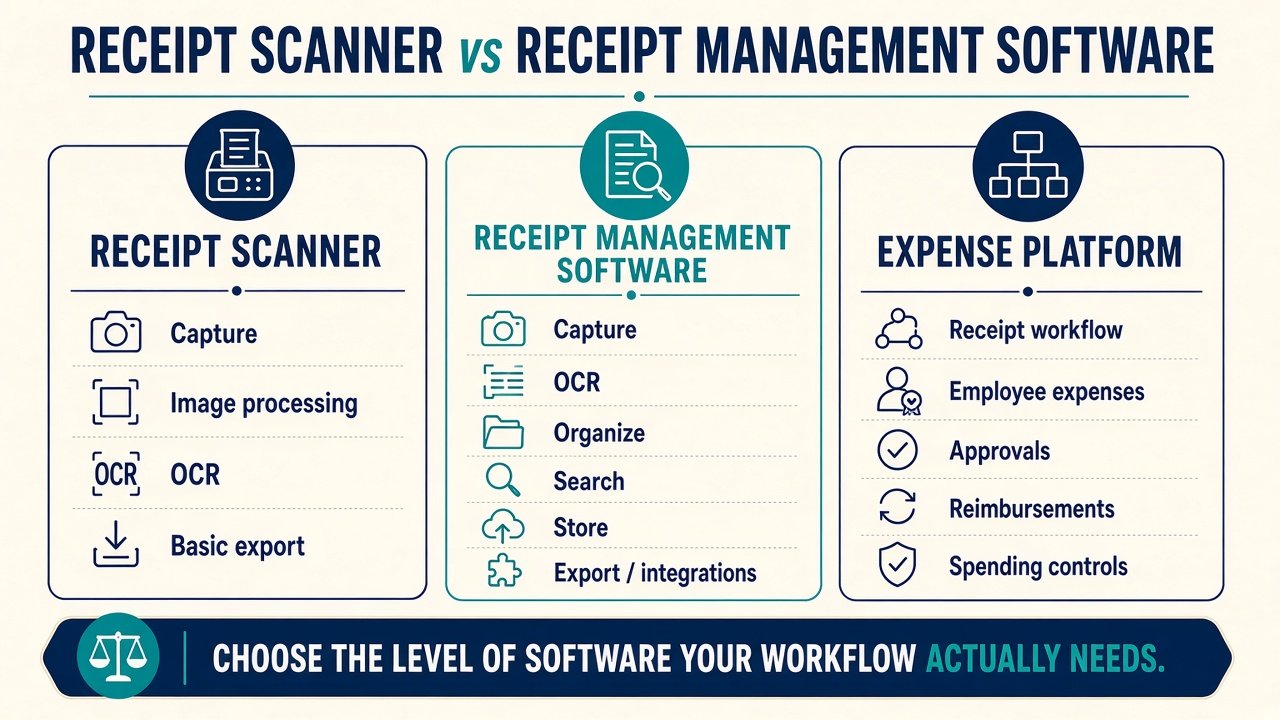
What is the difference between a receipt scanner and receipt management software? A scanner owns capture, processing, OCR, correction, and a basic export. Management adds durable search, storage, team workflow, and integrations. Expense platforms add employees, approvals, reimbursements, and cards. If you need the broader lifecycle, use our best receipt management tools page—not this list. SparkReceipt sits on the hybrid line: scanner-strong, with organization beyond a camera roll. Do not buy T&E because a scanner page said “OCR.”
Mobile Scanning vs Email and PDF Receipt Import
Paper at the counter still needs a camera. SaaS, travel, and ecommerce receipts often never become paper. Apps that only photograph poorly serve digital-heavy businesses. SparkReceipt and Wave document forwarding or inbox fetch; Shoeboxed Gmail starts on Pro; Wave names PDF among desktop types; SparkReceipt documents PDF/image upload and mass 100. PDF import is not the same as unattended email automation. Batch limits (Wave 10 vs SparkReceipt 100 vs Shoeboxed monthly caps vs Zoho Autoscan) decide backlog work more than the shutter icon.
What Receipt OCR Can — and Cannot — Automate
Documented extraction can fill merchant, date, total, tax, or line items. It cannot certify the category, the tax treatment, or that the slip is not a duplicate. Line-item OCR is not implied by a total field. Vendor speed copy is not a ranking. Keep the original image visible and edit fields. That correction loop is as important as the model name on the marketing page.
How Much Do Receipt Scanner Apps Cost?
As of September 2026: SparkReceipt Elite promo vs $16.65/mo list; Expensify Collect $5/member/mo; Wave Receipts $8/$72, Pro $19/$190; Zoho Free then $3–$5/user/mo annual; Shoeboxed $9–$79/mo plus overages; Dext ~$18/client/mo with a 10-client floor. Free plan ≠ free trial (Zoho Free vs SparkReceipt 7-day trial vs Shoeboxed 30-day money-back). A cheap app that makes you re-type totals is poor value; a paid app for five scans a month can be too. No cents-per-scan table. If you already pay for QuickBooks Online, Intuit documents Receipt Snap—try that before stacking a scanner. Check current SparkReceipt pricing only when you are comparing that multi-input OCR plan.
Can receipt scanner apps export to QuickBooks? Some can natively (SparkReceipt QBO; Shoeboxed Pro+). Wave posts into Wave, not QBO. CSV export is not native sync. Confirm the named connection.
Which Receipt Scanner App Fits Your Workflow?
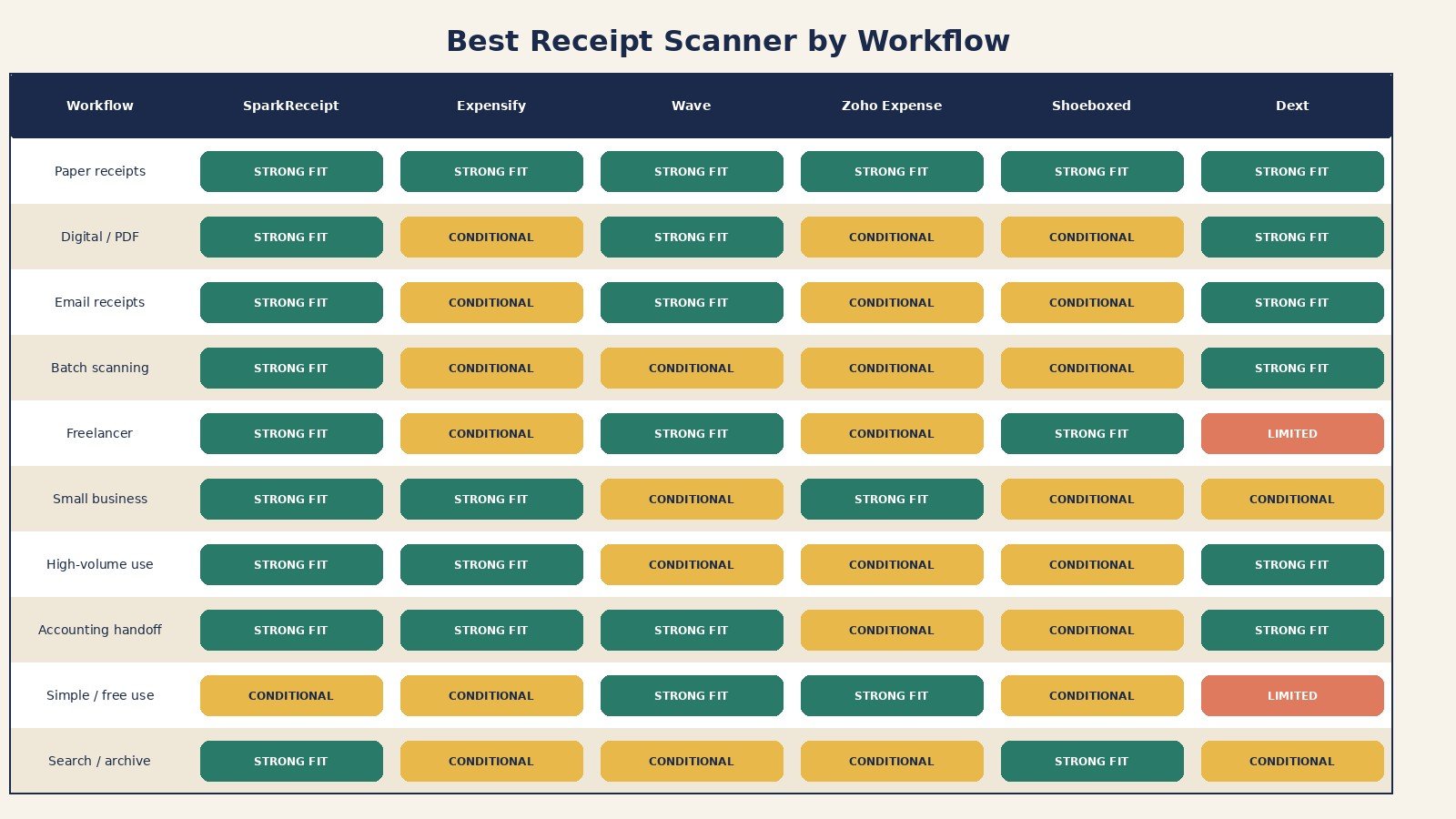
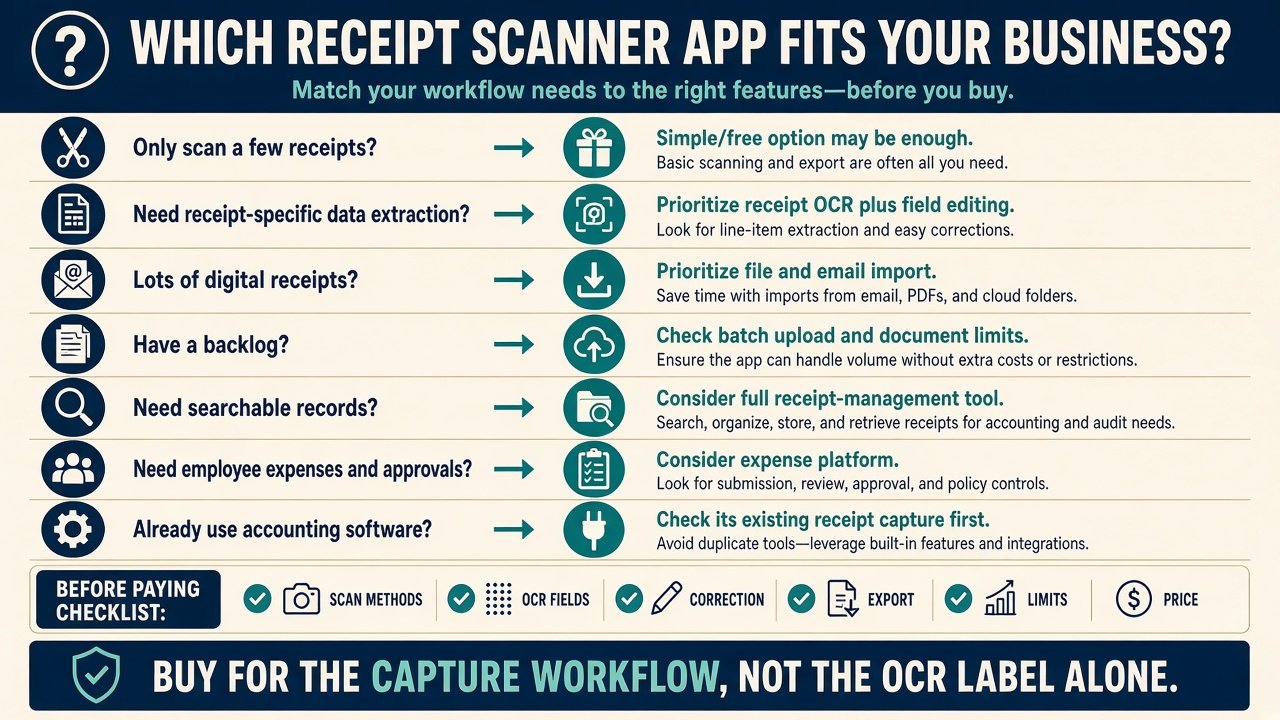
Freelancer: SparkReceipt or Shoeboxed; Wave if Wave is the books. Occasional: Zoho Free or skip paid apps. Digital/email-heavy: SparkReceipt fetch or Wave forward. Paper backlog: Shoeboxed mail-in; SparkReceipt mass upload. Employees: Expensify or Zoho. High volume / firm: Dext. Accounting-first: Wave or existing QBO snap. The right best receipt scanner apps for small business pick follows that mix, not a generic “has OCR” badge.
Which receipt scanner app is best for freelancers? A receipt-first app with editable fields and export (SparkReceipt) or mail-in paper (Shoeboxed). Skip Dext’s practice minimum. Skip Expensify unless you reimburse people.
Final Verdict
The best receipt scanner apps for small business are role-specific: SparkReceipt for mixed capture and receipt fields; Expensify for employee SmartScan; Wave for OCR into Wave; Zoho Expense for capped free scans; Shoeboxed for paper envelopes; Dext for practice-scale intake. Ask which app gets paper, PDF, and email into a clean, editable, exportable record at your volume. Affiliate commission did not rank this list. View current SparkReceipt plans if the multi-input OCR role is yours.
FAQ
What is the best receipt scanner app for small businesses? Conditional on capture mix. No evidence-based universal #1 among the best receipt scanner apps for small business we compared.
What is the difference between a receipt scanner and receipt management software? Scanner = intake + OCR + correction + export. Management adds search, storage, and teams.
Can receipt apps scan PDFs and emailed receipts? Wave and SparkReceipt document PDF/email paths; Shoeboxed Gmail is Pro+. Do not assume every camera app does inbox fetch.
Does SparkReceipt scan receipts? Yes—camera, upload, and Elite email workflows, with editable extracted fields.
Can receipt scanner apps extract tax and totals? Several document total and tax fields. That is not bookkeeping sign-off. Review the numbers.
Is there a free receipt scanner app for business? Zoho Expense Free (20 Autoscan/user/month, 3 users). Wave Starter is not the unlimited receipts add-on. SparkReceipt uses a trial, not a lasting free scanner tier.
Do receipt scanners automatically categorize expenses? Some assign categories. Categories are not tax advice.
How accurate is receipt OCR? Moon Picke did not measure a percentage. Support for fields ≠ proven accuracy. Keep human review.