
This SparkReceipt review is for U.S. small businesses, freelancers, and self-employed buyers deciding whether to pay for receipt scanning and organization in 2026. SparkReceipt is a receipt-and-invoice capture tool with extraction, categories, search, exports, and selected accounting connections—not a full accounting suite. Moon Picke did not scan receipts, score OCR, or time bookkeeping. Pricing, plans, and major features were verified in September 2026 on official SparkReceipt pages and help. Methods: How We Evaluate and editorial standards.
SparkReceipt Review: Quick Verdict
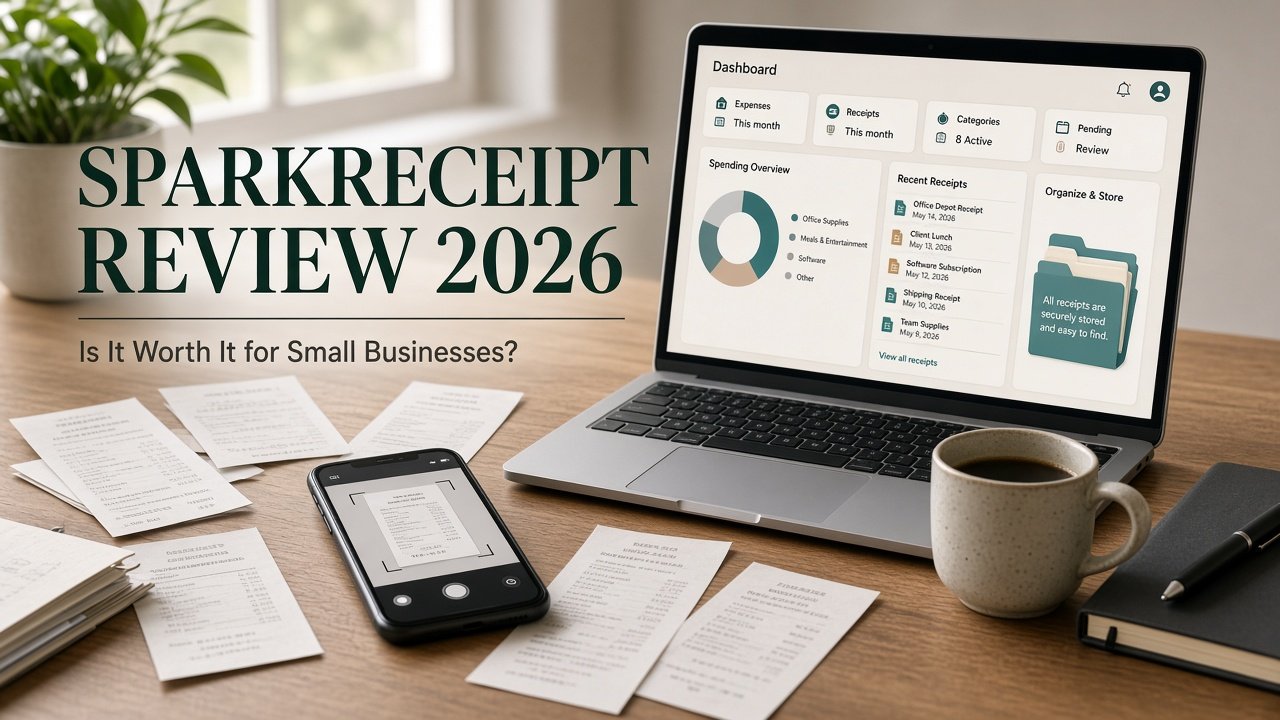
Is SparkReceipt worth it? SparkReceipt makes the most sense when you regularly collect business receipts and invoices and want searchable records plus CSV, Excel, PDF, ZIP, QuickBooks Online, or Xero. It is harder to justify if you scan a handful of receipts a year, or if you need corporate cards, approvals, and spend policy. Value depends on volume, leftover spreadsheet work, and whether the export or integration you need is the one SparkReceipt currently documents. As of September 2026, the Elite card showed a promotional annual rate, not a permanent list price.
Moon Picke may earn a commission if you purchase through some links on this page, at no additional cost to you. Affiliate Disclosure. See current SparkReceipt plans.
| Category | SparkReceipt | What It Means for Buyers |
|---|---|---|
| Product type | Receipt scanner, organizer, bookkeeping-support tool | Capture and records—not a ledger, payroll, or tax-filing product |
| Receipt capture | Camera, web upload, mass upload to 100, email forward, Gmail/Outlook/IMAP | Paper and inbox receipts can share one workspace |
| Data extraction | Vendor, date, amount, tax, currency, payment method, line items, category | Less typing; still review important fields |
| Expense organization | Categories, tags, linked accounts, reports, filing rules | Receipt management, not a policy/spend platform |
| Invoice/document support | Receipts and invoices; bank statements as PDF, CSV, Excel | Not a full accounts-payable system |
| Search | Type, date, category, tags, currency, vendor, user, review status | Reports and exports use the same filters |
| Exports | PDF, Excel, CSV, ZIP; Sage/DATEV/Wave formatted files | File import is not live two-way sync |
| Accounting integrations | QuickBooks Online; Xero (help: beta); Zapier, Make, Pabbly, webhooks, API | Named connections only—not “all accounting software” |
| Mobile/web access | iOS, Android, web; reports on both | Do not assume full feature parity |
| Team support | 3 Elite users; extra seats yearly; accountant free on top | Small circle, not enterprise roles |
| Free access | No free plan documented; 7-day trial on paid Elite | Trial is not an ongoing free scanner |
| Starting paid price | Promo: $8.33/mo equivalent ($99.99/year); list often $16.65/mo billed annually | Confirm checkout; VAT/GST may apply |
| Best for | Regular volume plus export or QBO/Xero handoff | Replaces shoebox + sheet, not the accountant |
| Main limitation | Human review still required; not full accounting or corporate spend | Automation does not certify deductions |
This SparkReceipt review owns the brand purchase decision. Later Moon Picke roundups will cover receipt-management software and receipt-scanner apps; those URLs are not live. Related context: Digital Tools and Work & Office.
What is SparkReceipt? An AI receipt and invoice scanner with organization, reports, and exports. Official pages also document bank-statement extraction, mileage tracking, and selected accounting connections. It is not full accounting software.
What Is SparkReceipt?
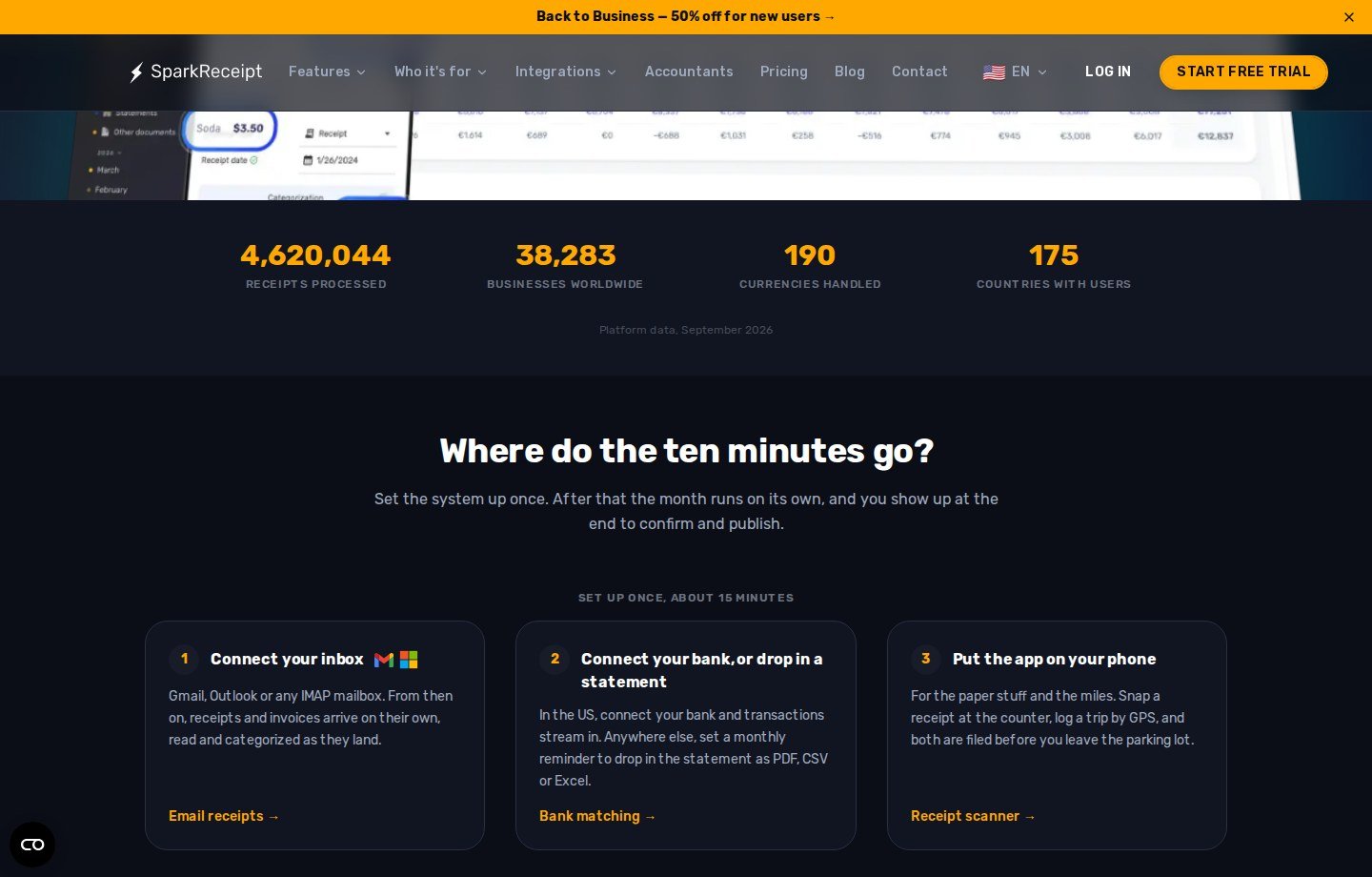
Official positioning: snap paper, connect an inbox, upload statements, extract fields, categorize, then export or publish into QuickBooks Online or Xero. Homepage marketing also says “bookkeeping is ten minutes a month” and “never miss a deduction.” Those are SparkReceipt’s claims. Moon Picke does not treat them as measured results.
Current product type: receipt scanner + OCR/extraction + receipt/invoice organizer + accounting-support workflow. It is not a general ledger, payroll, corporate-card program, or tax-prep product. A homepage quote calling it an alternative to full accounting software is a customer comment on SparkReceipt’s site—not a reason to drop QuickBooks, Xero, or a bookkeeper as system of record. Homepage counts (receipts processed, businesses, currencies, countries) are SparkReceipt platform data as of September 2026; they are not OCR proof. See Guides.
How SparkReceipt Works
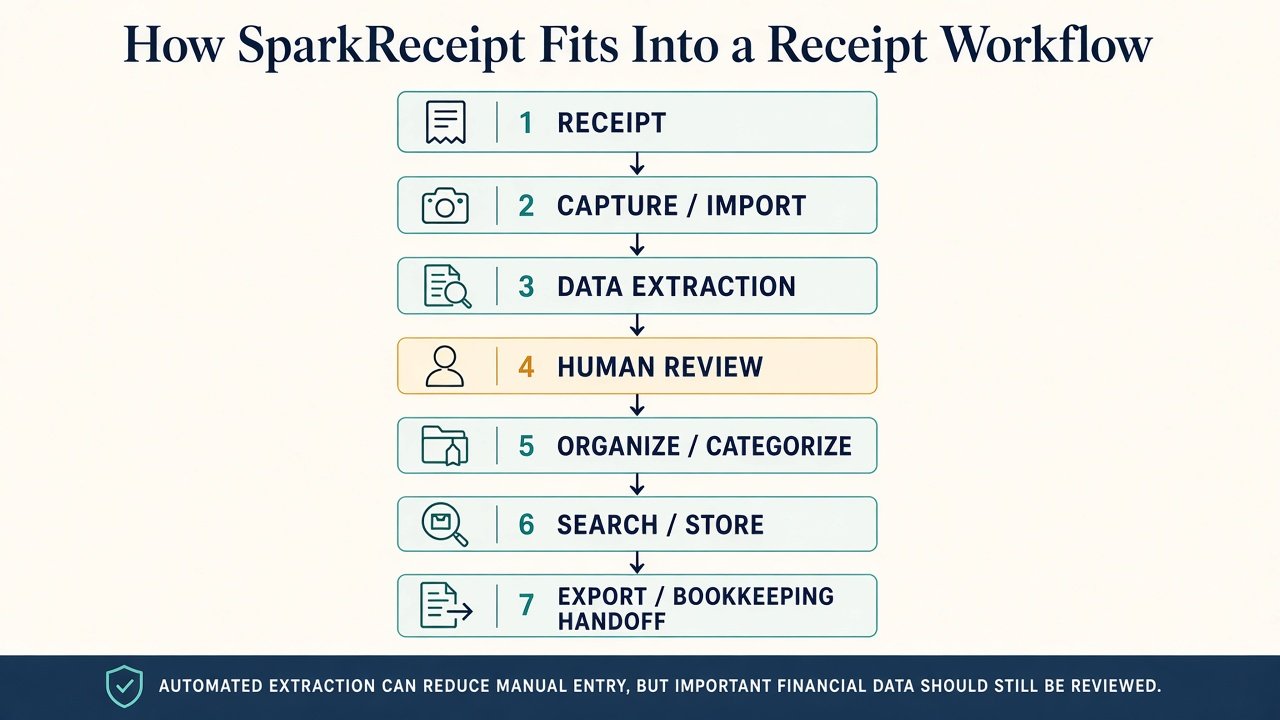
Documented workflow: receipt or invoice → capture/import → extraction → human review → organize/categorize → search/store → export or bookkeeping handoff. SparkReceipt does not document automatic IRS filing or a complete two-way bank close.
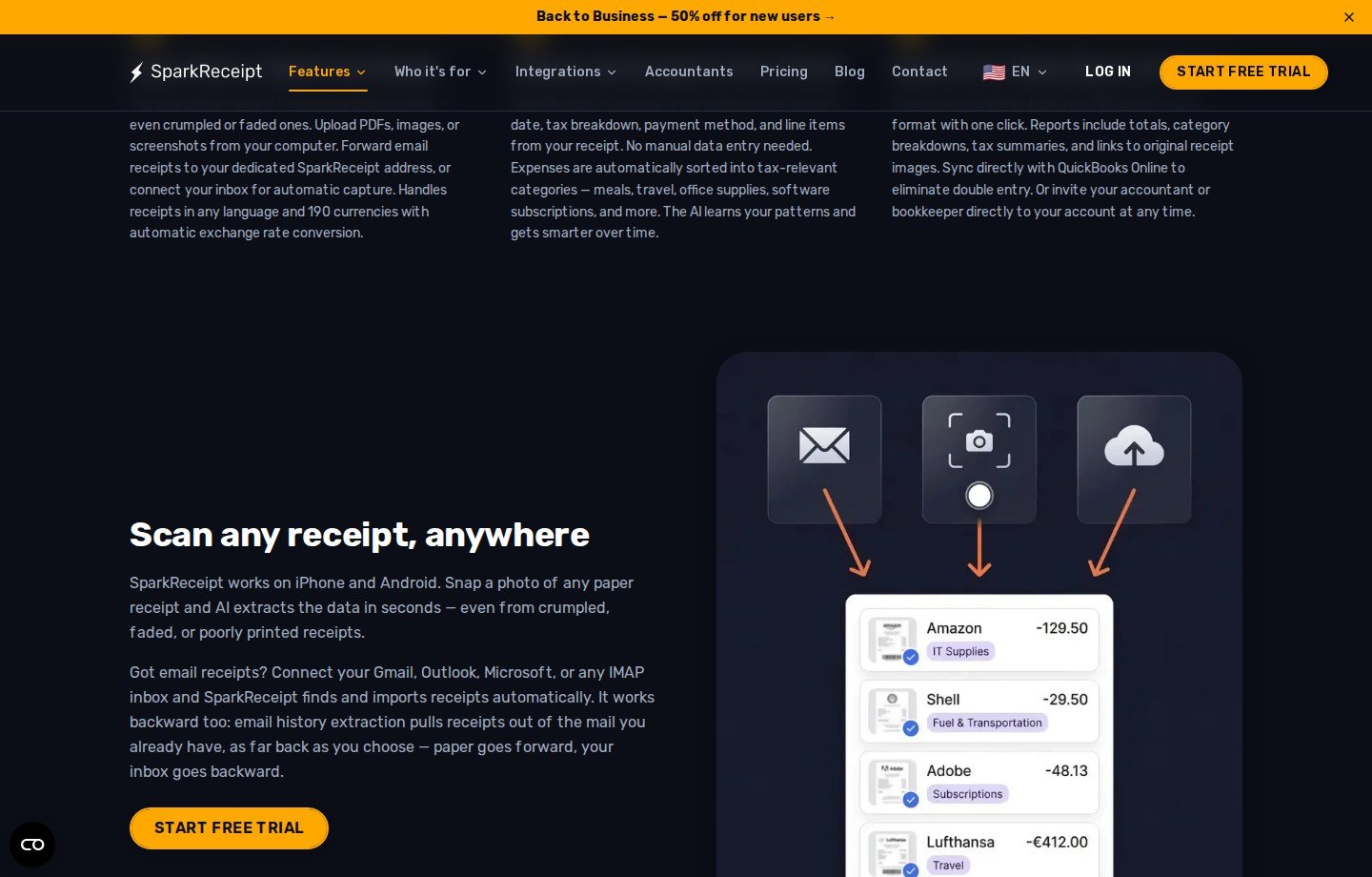
Capture methods currently listed: iPhone/Android camera and GPS or manual mileage; web upload of PDFs, images, or screenshots; mass upload up to 100 on Elite; a forwarding address (help: all plans) plus Elite automatic fetch for Gmail, Microsoft/Outlook, or IMAP; Elite email history (first 10,000 historical emails included; larger inboxes show credit cost first); bank/credit statements as PDF, CSV, or Excel; bank feeds as beta, United States only, on the current pricing card.
Help for automatic email scanning lets you require approval before an email becomes a document. The homepage describes confirming statement matches by amount, date, and merchant, or asking SparkAgent to work the list. Review is part of the product, not an optional extra.
Receipt Scanning and Data Extraction
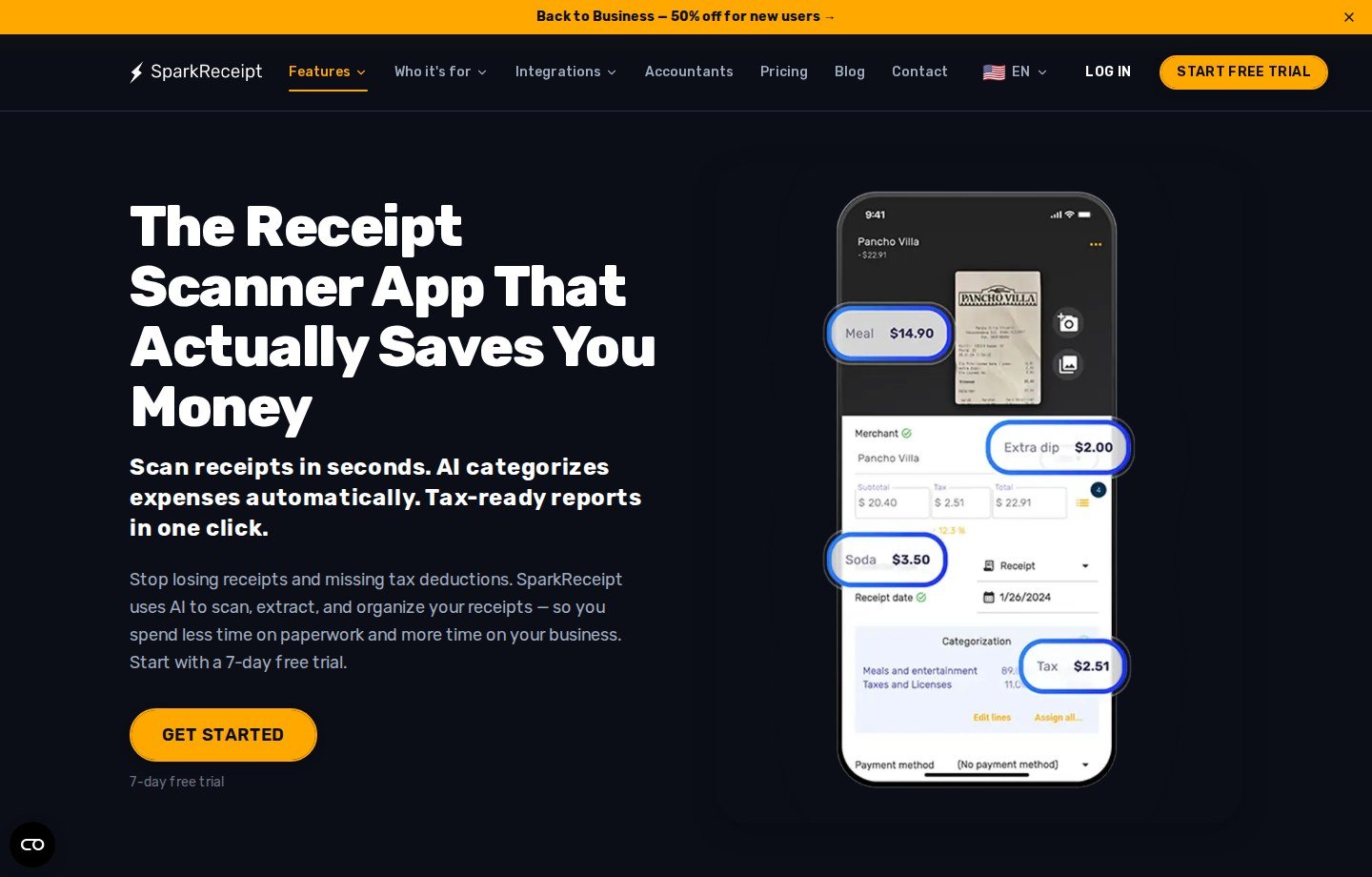
Does SparkReceipt scan receipts automatically? Scanner and FAQ copy list merchant/vendor, date, total/amount, tax, currency, payment method, line items (quantity and unit price when present), and category. Elite also lists custom fields and plain-English filing rules. UI languages: English, French, Finnish, German, Japanese. SparkReceipt says the AI reads “virtually any language” and supports 190 currencies with automatic exchange rates.
Vendor FAQ language includes “high accuracy” and “typically processing each receipt in 2–3 seconds.” That is SparkReceipt’s wording. Interface screenshots show fields. They do not prove accuracy on faded thermal paper or odd layouts. This SparkReceipt review does not publish an OCR percentage.
Extraction is not bookkeeping accuracy. Still verify merchant, date, total, tax, currency, category, business versus personal, duplicates, and unusual documents. A correct total can sit in the wrong category. Category is not deductibility. SparkReceipt does not make receipts tax-compliant, ensure deductions, maximize tax savings, or prepare a return. Organized files may help bookkeeping or tax preparation; a professional still owns tax treatment.
Expense Organization, Search and Receipt Management
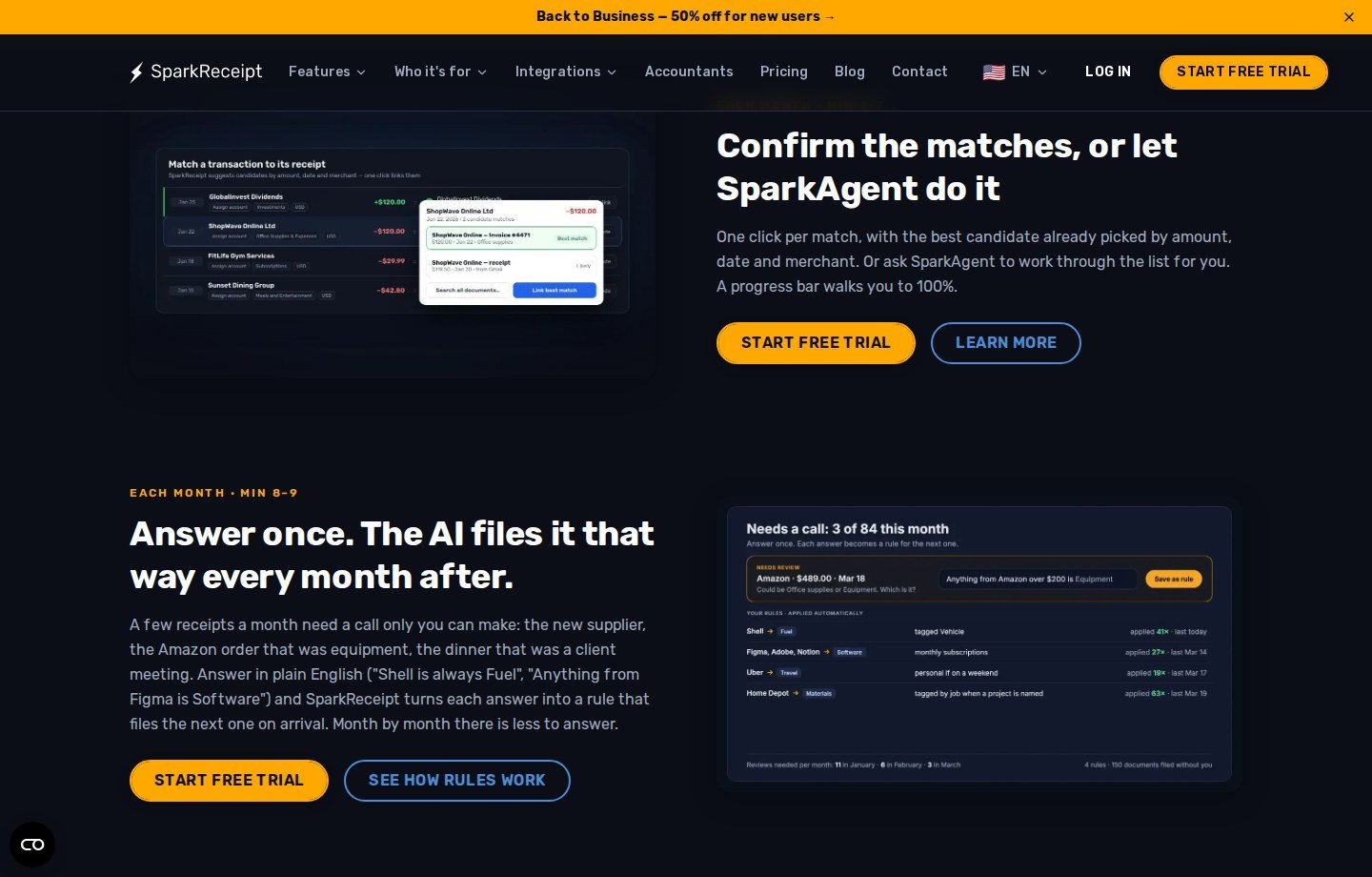
Scanning digitizes and extracts. Management is storage, categories, tags, linked accounts, search, filters, reports, and export. SparkReceipt documents both. That is still not corporate cards, reimbursements, and policy engines.
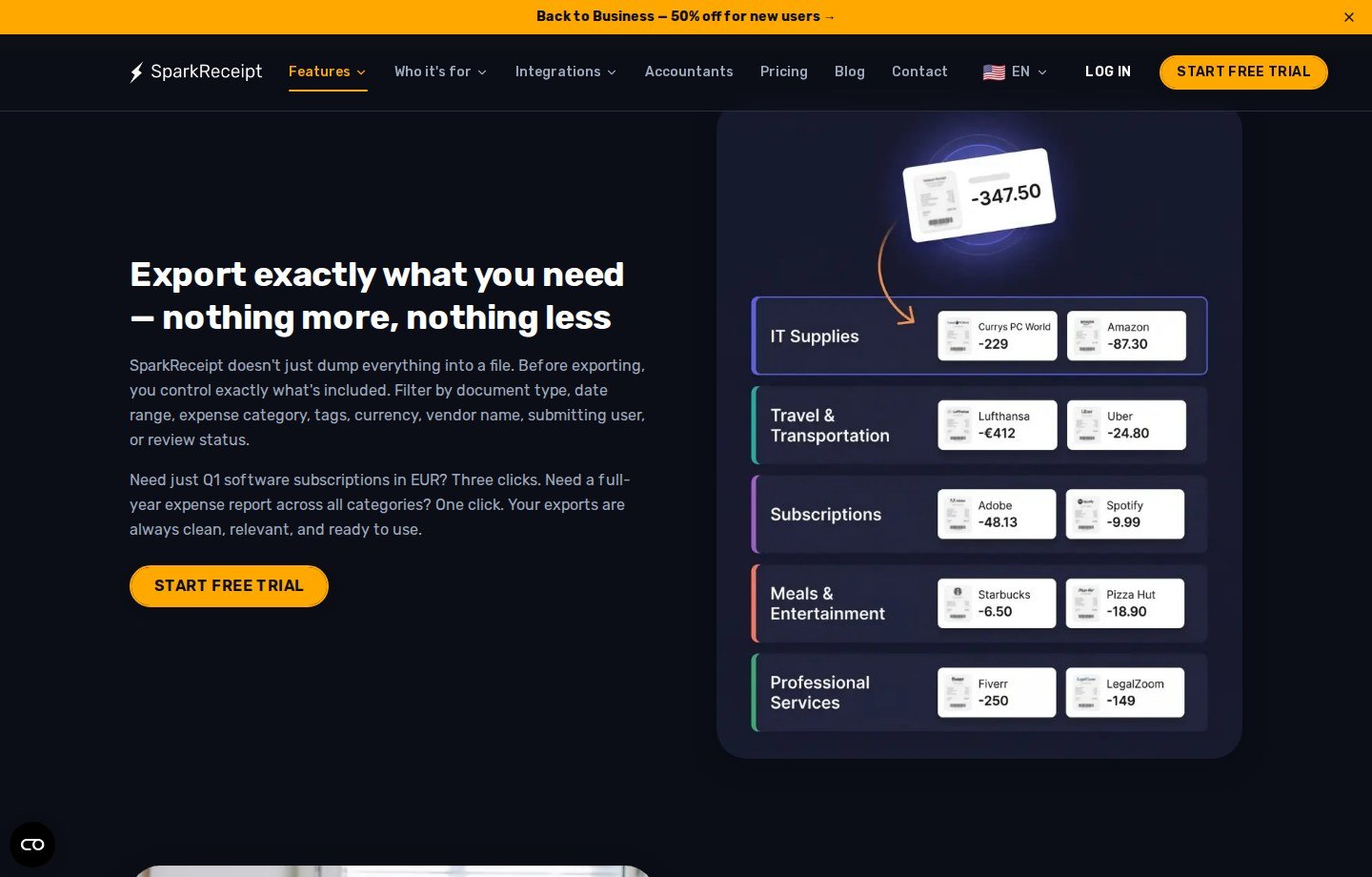
Documented organization: example categories such as meals, travel, office supplies, software, and professional services; tags; unlimited linked accounts for business versus personal; review status; reports. Exports filter by document type (expenses, income, or both), date, category, tags, currency, vendor, submitting user, and review status. Help: pick at least a date range, then CSV, Excel, or PDF, on web and mobile.
Expense tracking here means categorized documents, report totals and tax summaries, optional week/month/quarter/year subtotals, statement matching, mileage, and income plus expenses in export copy. Moon Picke did not find a corporate approval matrix. Duplicate notes that are documented: email help says the same receipt in two mailboxes is processed once; bank-matching copy says matching helps find missing receipts and duplicates. That is not a claim that every photographed duplicate is flagged.
Invoices, Documents and Other Supported Records
Elite copy and the invoice feature page include invoices with receipts. Email help classifies receipt versus invoice, then extracts merchant, total, tax, currency, date, and line items when present. That is not vendor payment or three-way matching. Other documented items: statements, mileage, and optional password/expiry share links for a single document.
Exports and Accounting Workflow
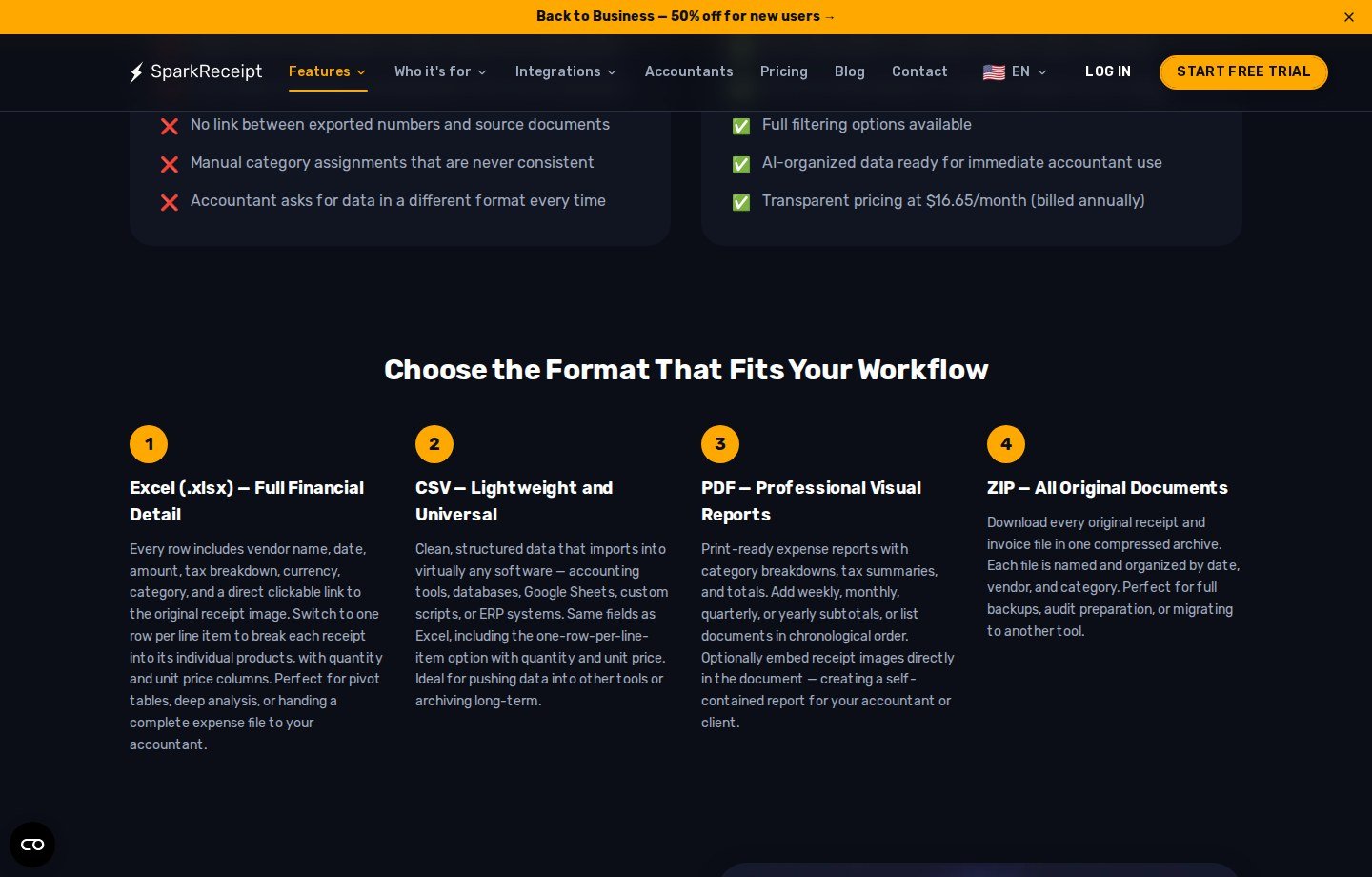
Can SparkReceipt export receipt data? Yes. Official exports and help list Excel, CSV, PDF, and ZIP of originals. Spreadsheet rows can include vendor, date, amount, tax, currency, category, and a link to the image; one-row-per-line-item is optional. PDFs can embed images. ZIP names files by date, vendor, and category. No export cap was listed on the pages reviewed.
CSV you import elsewhere is not native two-way integration. Help lists direct accounting connections as QuickBooks Online and Xero (Xero as beta). Marketing also lists Zapier, Make, Pabbly, webhooks, and an API. Sage 50, Sage 200/300, DATEV, and Wave are formatted files you import, with codes remembered per account—not live sync like QuickBooks Online.
Pricing FAQ handoff: export CSV/Excel/PDF; invite an accountant (free seat on top of the three users); or share links. Cleaner packets for a bookkeeper are not a replacement for the bookkeeper. Official security language is narrower than “bank-grade”: encryption in transit and at rest, GDPR, EU data centers; email help says non-receipts are discarded, raw receipt email is deleted within 30 days, and email is not used to train models. About Moon Picke.
SparkReceipt Pricing in 2026
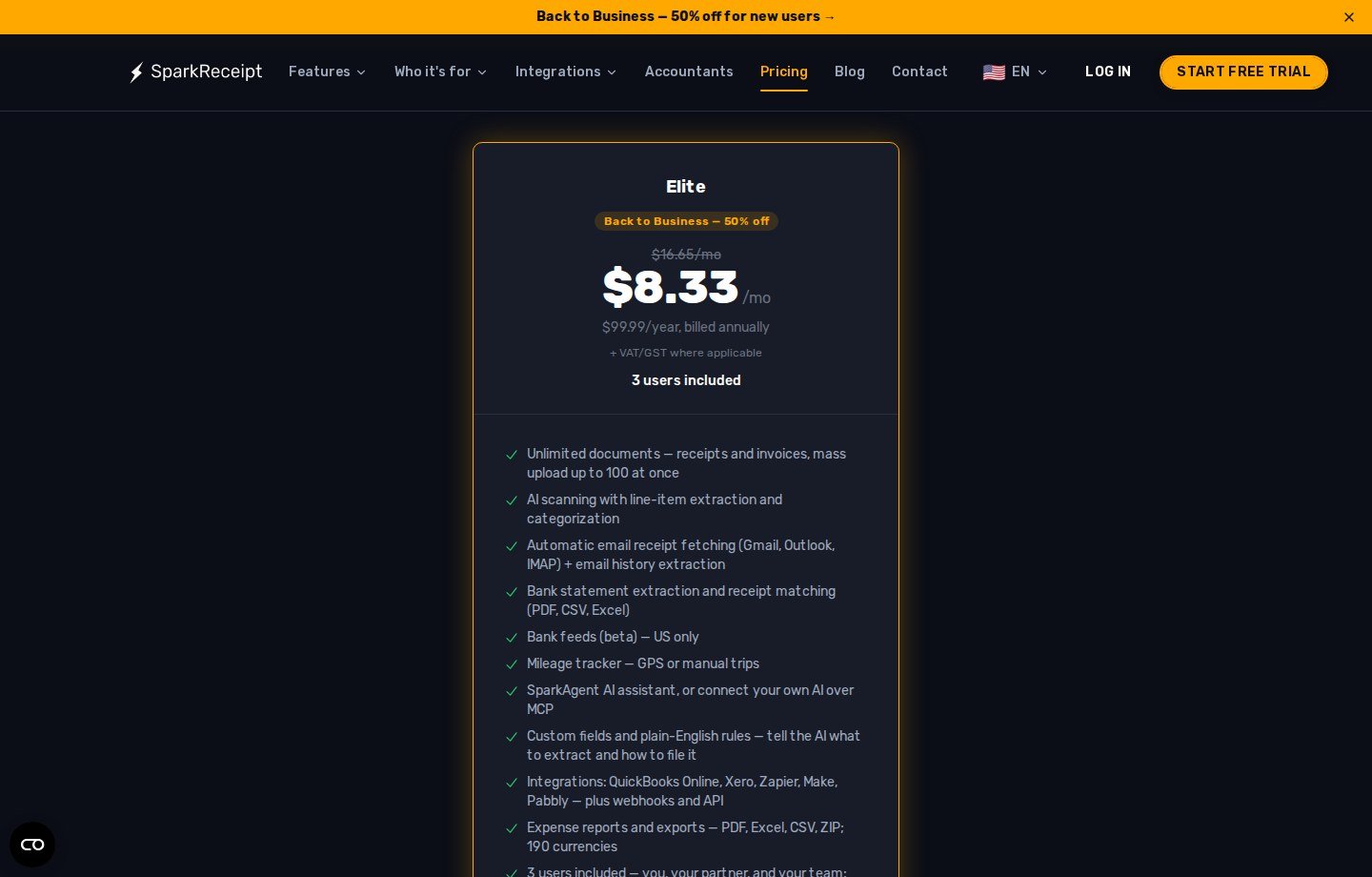
SparkReceipt pricing on sparkreceipt.com/pricing in September 2026: one Elite plan and a 7-day free trial. No ongoing free plan was listed.
| Plan | Monthly Price | Annual Billing | Main Limits | Best For |
|---|---|---|---|---|
| Elite (promo card, Sep 2026) | $8.33/mo equivalent (card also shows $16.65/mo struck) | $99.99/year billed annually + VAT/GST | Unlimited documents; mass upload 100; statement credits (1 = 1 transaction); 3 users; extra users $58/year | Regular volume on annual billing during the offer |
| Elite (list FAQ on some pages) | $16.65/mo billed annually | $199.98/year in that wording | Same marketed feature list; confirm live checkout | Budgeting if “Back to Business” 50% off is gone |
Promotions are not permanent. Statement extraction uses monthly renewable credits. Storage: at least 10 years; export anytime. After cancel, SparkReceipt says records stay viewable and exportable. Site trials: pricing summarizes a 15-day refund window after a website trial ends; app-store purchases go through Apple or Google.
Headline dollars are not value. Value is price + volume + less manual entry + organization + export − other software you still need. Moon Picke will not invent hours saved or cents per receipt. Elite scanning is listed as unlimited, so a per-receipt unit cost is not a published cap. Ten receipts a year rarely justify Elite. High-volume corporates may outgrow three seats and missing spend controls. Check current SparkReceipt pricing.
Does SparkReceipt have a free plan? Official pricing currently documents a 7-day free trial on paid Elite, not a lasting free scanner tier.
What SparkReceipt Does Well
From documentation, not tests: several capture paths in one product; extraction covering a normal receipt row plus rules; management beyond a camera roll (filters, linked accounts, ZIP); a real way out (PDF/Excel/CSV/ZIP, QBO, Xero as listed, connectors, formatted files for a short other list); three users plus a free accountant seat aimed at freelancer and micro-business circles.
Where SparkReceipt Falls Short
Human review is still required—vendor “high accuracy” is not a Moon Picke study. It is not full accounting. It is not an Expensify-class corporate spend suite. Native accounting is QBO and Xero (beta in help), not every ledger. Caveats: promo versus list price; U.S.-only bank feeds on the pricing card; statement credits; auto inbox fetch gated to Elite in help; mobile versus web parity not independently mapped.
Who Should Use SparkReceipt?
A freelancer or consultant with many vendor receipts; a self-employed professional replacing paper plus a spreadsheet; a local service firm, small agency, or ecommerce operator who will export or invite a bookkeeper; a U.S. operator who will actually use inbox fetch, statement matching, or QuickBooks Online—not only the camera. Explore SparkReceipt.
Who Should Skip SparkReceipt?
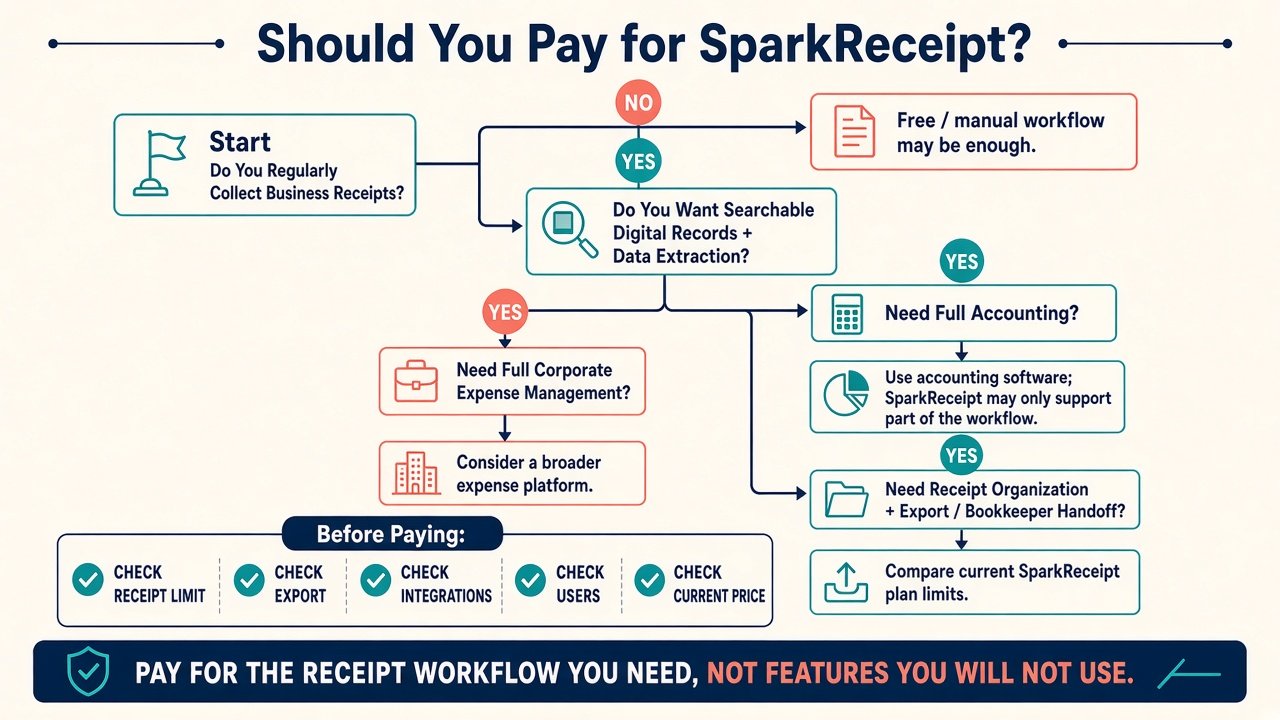
Skip, or do not treat SparkReceipt as the whole stack, if you need a full accounting suite as system of record; corporate cards, approvals, and policy; only a handful of receipts a year; or a native integration SparkReceipt does not document (CSV or a webhook you must build is not the same thing).
SparkReceipt Alternatives
Keep this brief. Full accounting with capture inside it: QuickBooks Online or similar if the books are the product. Corporate expense: Expensify/Dext-class tools when cards and reimbursements dominate. Simple scanner: photos plus a spreadsheet when volume is low. SparkReceipt’s FAQ contrasts Dext and Expensify on price; that is vendor positioning, not this site’s roundup.
Is SparkReceipt Worth It?
Do not ask whether SparkReceipt “has AI.” Ask whether it reduces enough capture, entry, organization, and bookkeeping-handoff work to justify current Elite pricing. For regular small-business and freelancer volume with a documented export or QBO/Xero path, this SparkReceipt review is a conditional yes. For rare scanners, enterprise spend desks, or buyers who only need a ledger, skip it or use it only as a feeder. Confirm live price, trial, and integrations before you pay. View current SparkReceipt plans.
Can SparkReceipt replace accounting software? No. Documentation supports capture, organization, exports, QuickBooks Online, and Xero (help: beta). That can support a bookkeeper. It does not replace a general ledger or tax filing.
Is SparkReceipt good for small businesses? It can fit small businesses and freelancers who regularly collect receipts and need searchable records plus exports. It is a poor fit when volume is tiny or when you need corporate spend controls or full accounting in one app.
FAQ: SparkReceipt review
What is SparkReceipt? An AI receipt and invoice scanner with categories, reports, exports, and selected accounting and automation connections.
Is SparkReceipt worth it? Conditionally, when volume and export or QBO/Xero handoff justify Elite—not for rare scanning or full-ledger needs.
Is SparkReceipt good for freelancers? Official positioning targets freelancers and small businesses. Fit still depends on receipt volume and whether you will use extraction and export.
Does SparkReceipt use OCR? Yes: vendor, date, amount, tax, currency, payment method, line items, and category, plus optional custom fields. Accuracy is vendor-stated, not Moon Picke-tested.
Can SparkReceipt scan invoices? Yes, as documents beside receipts—not as a full payables system.
Can SparkReceipt export to accounting software? Direct: QuickBooks Online; Xero listed as beta in help. Also CSV/Excel/PDF, Zapier/Make/Pabbly/webhooks, and formatted files for Sage 50, Sage 200/300, DATEV, and Wave.
Does SparkReceipt have a free plan? A 7-day Elite trial is documented. A lasting free plan was not on the September 2026 pricing page.
Can SparkReceipt replace QuickBooks? No. QBO is a documented destination for categorized expenses and images, not a product SparkReceipt replaces.