
Moon Picke independently researches products. If you buy through our links, we may earn a commission at no extra cost to you. Affiliate disclosure.
The best tripods for iPhone 18 Pro are not the tallest legs. A desk MagSafe stand, a magnetic mini tripod, a clamp GorillaPod-style kit, and a 1.4 m hybrid pole solve different shots. Apple’s iPhone 18 Pro is 150.0 × 71.9 × 8.75 mm and 211 g, with MagSafe and Qi2 wireless charging up to 25W. Magnetic is not automatically MagSafe. A MagSafe stand is not a photography tripod. Moon Picke did not invent stability, wobble, magnet-force, wind, or clamp tests. Six supports below map attachment, height, and use case.
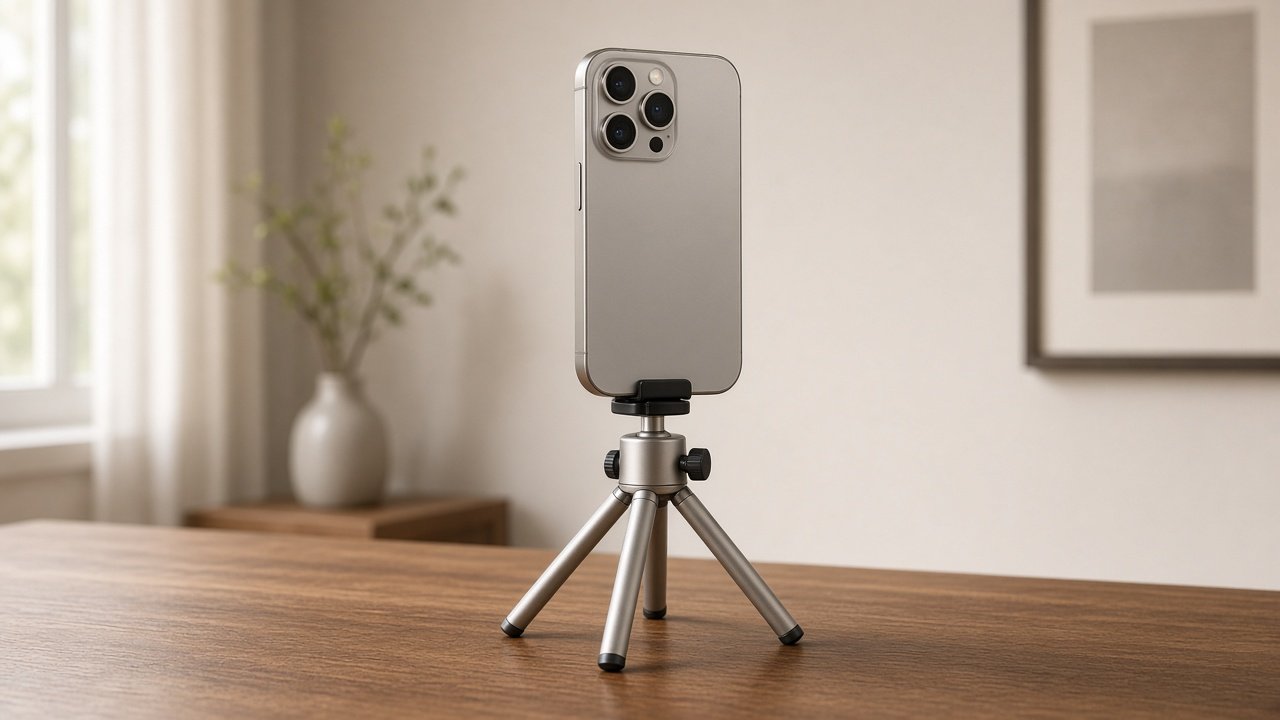
Best Tripods and MagSafe Stands for iPhone 18 Pro: Quick Picks
These best tripods for iPhone 18 Pro are a workflow map, not a single winner. MagSafe stands for video calls are a related but separate intent from full-height phone tripods.
| Product | Category | Best For | Attachment | Max Height | Folded Size | Weight | Charging | Main Limitation |
|---|---|---|---|---|---|---|---|---|
| Peak Design Mobile Tripod | MagSafe tripod | Pocket MagSafe support | SlimLink / MagSafe-compatible magnets | Tabletop / kickstand (not standing height) | ~0.5 cm thick (Peak) | Not specified on Peak page | No | Not a full-height tripod; MagSafe area occupied |
| Ulanzi TT88 (T111) | Hybrid MagSafe + clamp tripod | Height, travel, overhead | MagSafe panel + spring clamp | 300–1440 mm (without clamp) | Package 330×67×56 mm | 335 g ±5 g | No | Hybrid pole ≠ studio tripod; overhead load <500 g |
| Ulanzi MA38 MagLock | MagSafe stand / mini tripod | Desk + compact modes | MagSafe-style dual magnet | Desk / mini-tripod (not full standing) | Folds to 15.5 cm (Ulanzi) | 108 g | No | 450 g max; MagSafe-certified case 1–3 mm; not a charger |
| JOBY TelePod Mini (TP02) | Clamp-based phone tripod | Compact mechanical clamp | Clamp 70–100 mm | 375 mm extended | 10 × 5.4 × 4.5 cm | 135 g net | No | Tabletop height; Bluetooth remote ≤10 m is JOBY’s figure |
| Belkin BoostCharge Pro 3-in-1 (WIZ032) | MagSafe stand (charging) | Desk calls / StandBy | Qi2 / MagSafe-compatible pad | Desk (~144 mm product height) | Not a folding tripod | Not specified | Qi2 up to 15W (Belkin) | Not a photo tripod; 15W ≠ Apple’s 25W MagSafe ceiling |
| JOBY PodZilla Medium Kit | Clamp-based flexible tripod | Irregular surfaces | GripTight 360° clamp 6.7–8.8 cm | Flexible legs (not a tall column) | 4.8 × 5.4 × 25 cm | Not specified | No | Manufacturer wrap/mount guidance; not universal grip |
How We Chose These iPhone Tripods and Stands
Moon Picke did not invent hands-on stability, wobble, magnet-strength, wind, clamp-force, or durability tests. Criteria: Apple’s 18 Pro size, weight, and MagSafe; manufacturer attachment, height, folded size, weight, load if published; case notes; portrait/landscape; charging only when the product is a stand; Amazon destinations matching MagSafe vs clamp and kit vs mount-only. Process: how we evaluate and editorial standards. Hardware context: iPhone 18 Pro vs iPhone 17 Pro. More: Digital Tools.
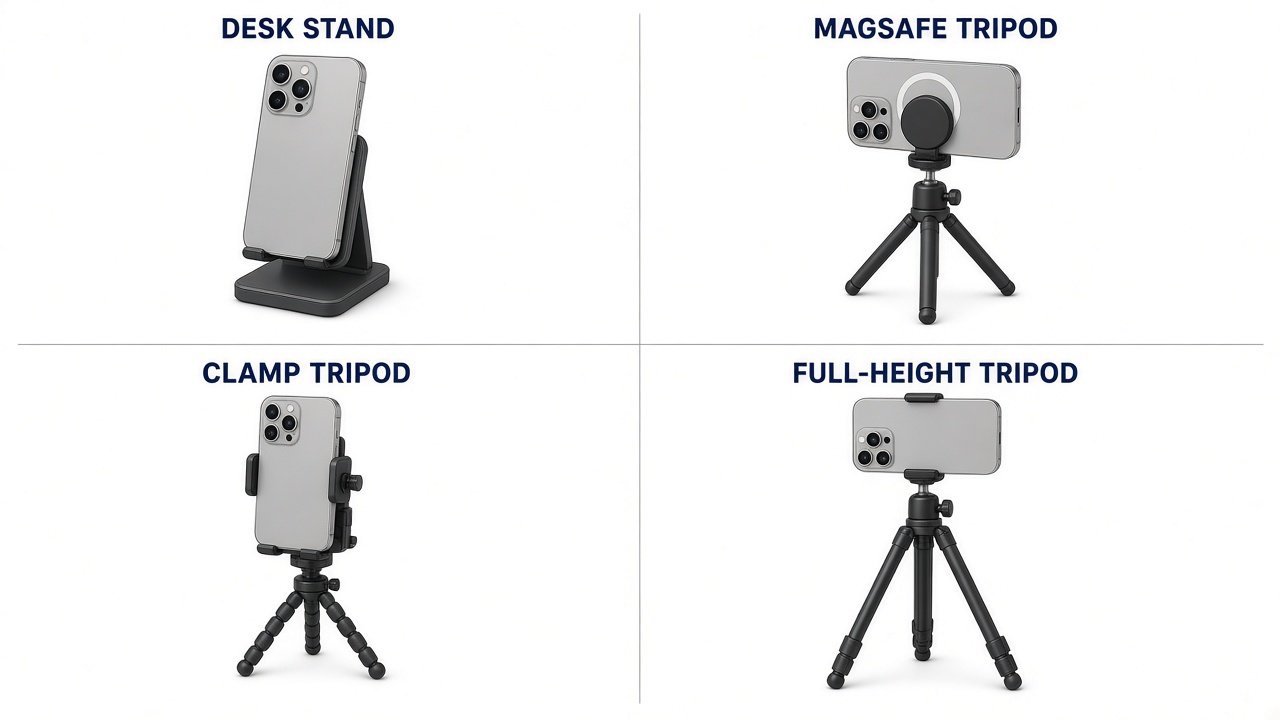
Tripod vs MagSafe Stand vs Magnetic Tripod: What Do You Need?
| Type | What it is | Typical shot |
|---|---|---|
| Tripod | Legs / physical base | Stationary photos and video |
| MagSafe stand | Magnetic desk support | Calls, StandBy, short desk clips |
| MagSafe tripod | Tripod that uses MagSafe-style magnets | Fast attach + legs |
| Clamp tripod | Mechanical holder | Cases without MagSafe; more device flexibility |
A gimbal (covered in the creator-accessories hub) supports movement. A tripod holds a mostly fixed camera. Built-in OIS does not replace a locked frame for talking-head or group photos.
Peak Design Mobile Tripod — Best MagSafe Compact Tripod
This is a MagSafe tripod / kickstand, not a standing-height column and not a charger. Peak Design’s SlimLink magnets are MagSafe-compatible. The company says it requires a Peak Design Case or Universal Adapter, and also works with MagSafe phones and MagSafe cases. Bare iPhone 18 Pro has MagSafe. Magnets are not “never falls.” Peak describes aluminum legs, anti-slip feet, tripod or kickstand orientations, a micro ballhead with a magnetically stored tension key, and portrait or landscape without reclamping. Folded thickness is about half a centimeter. Weight is not listed on the product page we used. No integrated charging. USB-C on the bottom edge is typically free on a rear-magnet mount, but a MagSafe SSD or charging puck cannot share that ring at the same time. Peak’s copy is marketing, not a Moon Picke durability test. Buy for pocket travel, video calls on a table, and short clips. Skip for eye-level standing talking-head, group photos that need a pole, or overhead recipes.
As an Amazon Associate I earn from qualifying purchases.
See Peak Design Mobile Tripod (M-TR-AA-BK-1) listings on Amazon →
Ulanzi TT88 MagSafe Overhead Selfie Stick (T111) — Best Overall Height / Overhead Hybrid
Label this a hybrid: MagSafe magnetic panel plus spring clamp, selfie-stick, floor tripod, handheld, and overhead/mantis. It is not automatically as stable as a heavy camera tripod. Ulanzi lists 300–1440 mm height without the clamp, 335 g ±5 g, package 330×67×56 mm, ABS + 15% glass fiber + magnet, dual cold shoes, Bluetooth remote with 30 m manufacturer range. Tripod/selfie load <800 g; overhead/desktop and mantis <500 g. iPhone 18 Pro at 211 g sits under both if you do not stack a heavy light and SSD on the same pole. Ulanzi tells you not to extend the center column past MAX in overhead mode, to keep hook surfaces under 110 mm in mantis, and not to hook moving objects such as car windows. Portrait/landscape via 360° and 270° joints (Ulanzi). Clamp plus MagSafe covers more cases than magnets alone; still check Camera Control and USB-C in your orientation. Buy for travel height, group photos, and recipes. Skip if you only needed a 5 mm pocket kickstand.
See Ulanzi TT88 MagSafe Overhead (T111) listings on Amazon →
Ulanzi MA38 MagLock Phone Stand (T163) — Best Desk MagSafe Stand (No Charging)
Category: MagSafe stand with mini-tripod, handheld, mantis hook, and magnetic-base modes. Ulanzi is explicit: passive stand only—no wireless charging. Dual-magnet hold >14 N is a manufacturer force figure, not a Moon Picke drop test. Max load 450 g; MagSafe-certified case 1–3 mm; thick non-MagSafe cases need a ring. 180° rotation; aluminum + magnet; 108 g; folds to 15.5 cm. Arca-Swiss base can sit in an Arca tripod head if you already own one—that is expansion, not a full tripod in the box. Hidden hook for monitors/rails: follow Ulanzi’s surface guidance; this is not a wind rating. Buy for FaceTime, desk framing, and a second compact MagSafe option besides Peak. Skip if you need Qi2 charging in the same object or 1.4 m eye-level height.
See Ulanzi MA38 MagLock Phone Stand listings on Amazon →
JOBY TelePod Mini Tripod (TP02) — Best Compact Clamp Tripod
Clamp-based phone tripod. JOBY lists plastic/silicone, folded 10 × 5.4 × 4.5 cm, extended height 375 mm, net 135 g, clamp 70–100 mm, safe load 500 g, wireless remote ≤10 m. iPhone 18 Pro width 71.9 mm fits the clamp range. Thickness of a bulky case is not specified—do not assume every case clears the jaws or Camera Control. 375 mm is tabletop, not standing talking-head. Remote pairing is JOBY’s spec, not zero-lag and not a proven range test. Mechanical retention helps when you skip MagSafe cases. USB-C access depends on clamp orientation. Confirm the Amazon listing is TelePod Mini TP02, not a longer TelePod kit. Buy if you want a small clamp kit with a documented remote. Skip for overhead kitchens or MagSafe-only buyers.
See JOBY TelePod Mini (TP02) listings on Amazon →
Belkin BoostCharge Pro 3-in-1 Wireless Charging Stand (WIZ032) — Best Charging MagSafe Desk Stand
This is a MagSafe/Qi2 desk stand, not a photography tripod. Belkin: up to 15W Qi2 to iPhone, MagSafe-compatible pad, StandBy, charge through MagSafe or other cases up to 3 mm, 40W PSU with 5 ft cable in the box, about 5.3 × 5.3 × 5.7 in, 2-year warranty. Support pages list MagSafe/Qi2 iPhones through the 16 series; they do not name iPhone 18 Pro. Apple documents MagSafe and Qi2 on 18 Pro. Treat alignment as MagSafe-class, not a Belkin 18 Pro lab list. 15W is not Apple’s 25W MagSafe ceiling—charging selection belongs to a dedicated MagSafe-charger guide. Portrait/landscape depends on how you snap the pad; it is not a ball head. No legs, no overhead arm. USB-C can stay free because charging is wireless—until you also want an SSD on MagSafe. Buy for desk calls and overnight StandBy. Skip for travel poles and group photos.
See Belkin BoostCharge Pro 3-in-1 WIZ032 listings on Amazon →
JOBY PodZilla Medium Kit — Best Clamp Flexible Tripod
Clamp-based flexible tripod. JOBY: phone widths 6.7–8.8 cm (2.6–3.5 in)—71.9 mm fits. Push-button locking for portrait. 1/4-20 path supports devices up to 1 kg; kit includes GripTight 360° mount with double cold shoe. Dimensions 4.8 × 5.4 × 25 cm. Flexible legs are for wrapping where JOBY’s design allows; that is not a universal branch/railing guarantee and not a windproof claim. Cold shoes can take a light or mic, but phone + case + accessories can still exceed what you should hang off a wrapped leg. Confirm the Medium Kit, not a camera-only PodZilla without the phone clamp. Buy for table edges and irregular indoor surfaces. Skip for a 144 cm pole or a charging stand.
See JOBY PodZilla Medium Kit listings on Amazon →
MagSafe vs Clamp Mounting
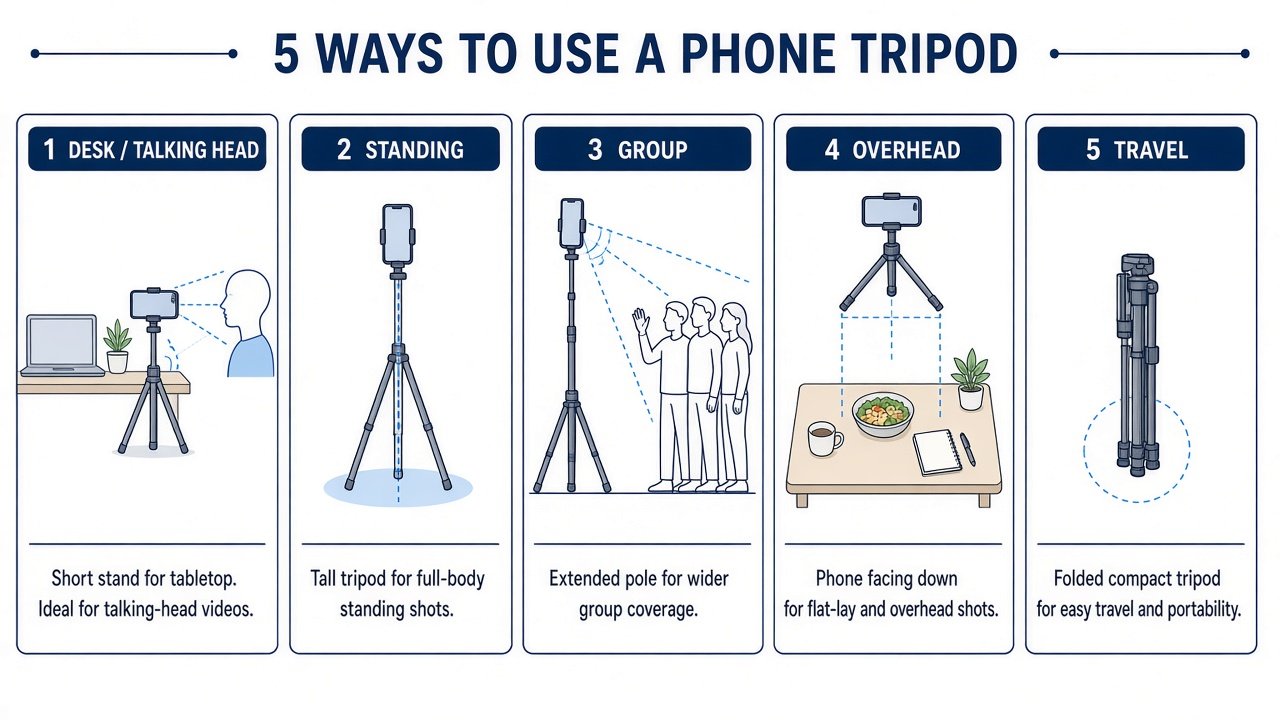
MagSafe-compatible magnets: fast, less hardware, easy rotate on Peak/MA38. Need MagSafe phone or case (or a ring). One rear magnet area: tripod vs SSD vs MagSafe battery vs charging puck. Clamp: broader cases, mechanical hold, slower attach; jaws can cover Camera Control, USB-C, or cameras depending on orientation. Neither is universally safer. Magnetic ≠ MagSafe: a fridge magnet plate is not Qi2. A charging MagSafe stand (Belkin) still occupies that ring while it charges. Hybrids like TT88 give you both attachment methods on one pole—useful, not a reason to own six tripods.
Tabletop vs Full-Height Tripods
Tabletop (Peak, MA38, TelePod Mini, Belkin): desk, counters, calls, product on a table. Full-height / extendable (TT88 to 1440 mm): standing talking-head, groups, more framing height. Extending sections raises the center of gravity; that is not a wobble test. Bigger is not better for a laptop-desk FaceTime setup. A hybrid selfie-stick/tripod is also not automatically equal to a heavy three-section camera tripod on uneven ground. Follow manufacturer setup notes outdoors and avoid unsafe conditions; there is no wind-speed rating in this roundup.
What Height Do You Actually Need?
Desk/calls: MA38 or Belkin. Talking-head seated: tabletop plus a stack of books, or TT88 partly extended toward eye level. Standing/group: TT88 toward 1.44 m—remember max height is not a proven stability score at full extension. Overhead recipes: TT88 overhead/mantis under 500 g, or MA38 hook on a documented surface—not a random full-size photo tripod pointed down. Travel: Peak folded thickness vs TT88 330 mm pack vs TelePod Mini 10 cm folded. There is no universal optimum height.
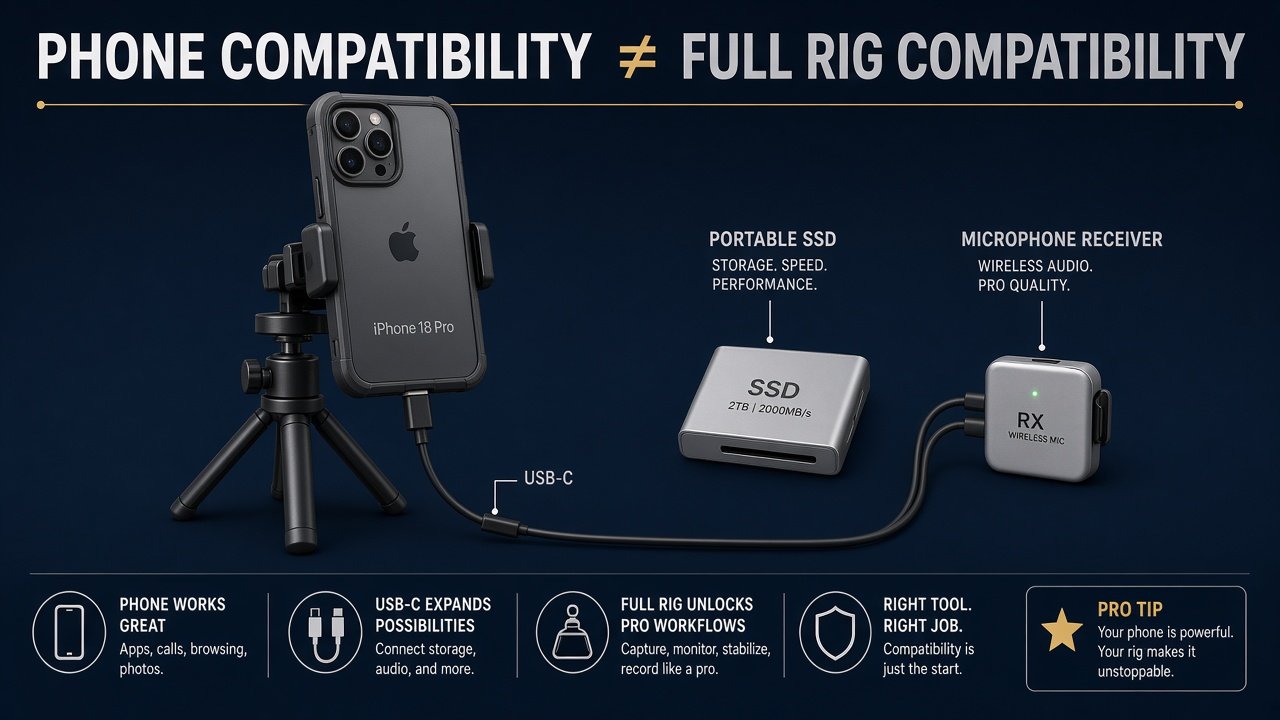
Can You Use a Tripod With a Case, Mic or SSD?
Phone fit is not full-rig fit. MagSafe cases help Peak/MA38/TT88 magnets; Ulanzi cites 1–3 mm certified cases on MA38. Clamps need width (and, if unpublished, you still check Camera Control). USB-C mics and SSDs want a free bottom port—rear magnets usually leave it; a bottom clamp might not. MagSafe tripod + MagSafe SSD is one ring. Adding a light on TT88 or PodZilla cold shoes changes weight and center of gravity; stay inside published load figures. A dedicated cases roundup owns case ranking; this page only covers support interaction. Talking-head still needs audio later—a tripod does not replace a microphone, and that remains a future dedicated article.
Do You Need a Tripod if iPhone 18 Pro Has Stabilization?
For static framing, yes: support solves a different problem than OIS. For walking shots, a tripod is not a gimbal. You do not need any of these for handheld family snaps.
What to Check Before Buying
- iPhone 18 Pro size/weight/MagSafe.
- MagSafe vs clamp vs hybrid.
- Case thickness and MagSafe compatibility.
- Min/max height vs shot.
- Folded size and weight.
- Portrait/landscape without re-clamping.
- Head/arm geometry (overhead needs a real overhead mode).
- USB-C clearance.
- Cold shoe / 1/4-20 / Arca if you expand.
- Charging vs support-only.
- Remote if you need hands-free shutter.
- Amazon: T111 vs T139 color; TelePod Mini not TelePod 350; WIZ032 not a car mount.
- Warranty.
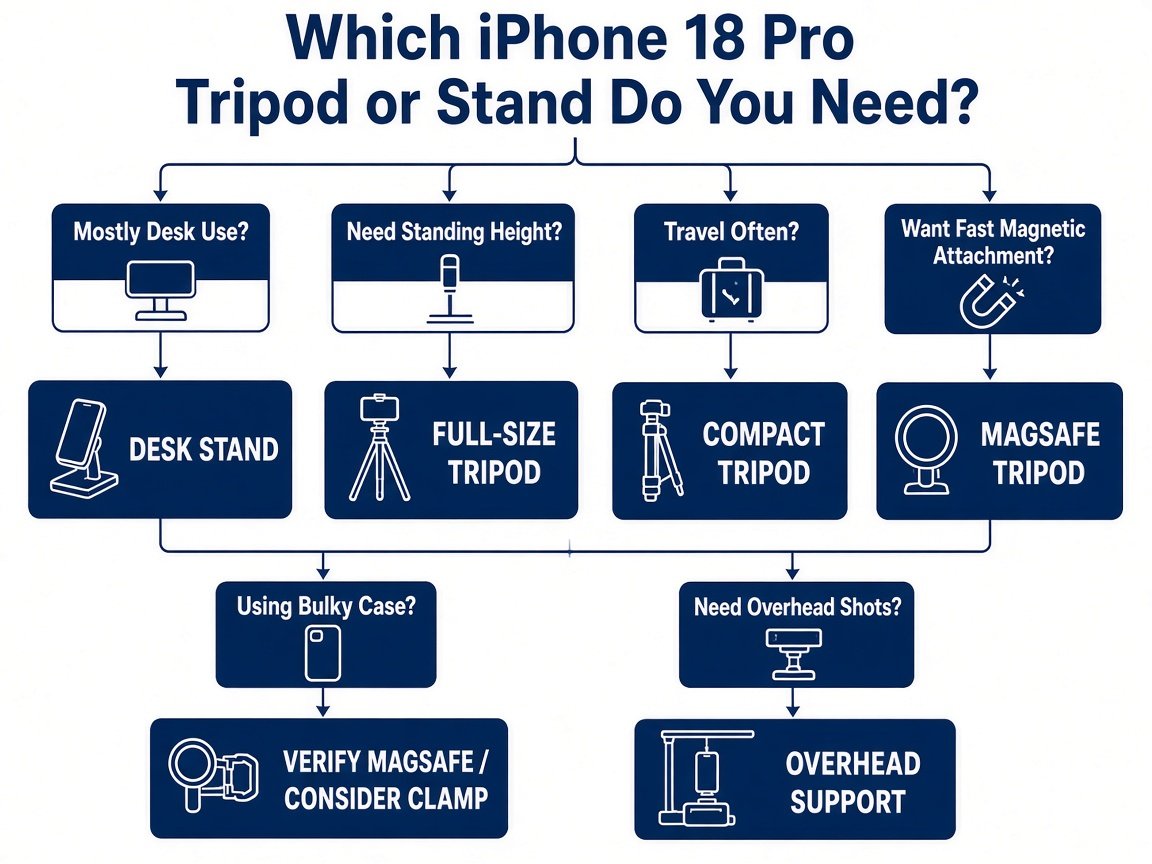
Which Tripod or Stand Should You Buy?
Use this map after you know the shot—the best tripods for iPhone 18 Pro still split by job. Desk/calls → MA38 (no charge) or Belkin WIZ032 (Qi2 15W). Travel pocket → Peak. Fast magnetic + tiny legs → Peak or MA38. Bulky case → clamp (TelePod Mini or PodZilla) after measuring jaws. Standing/group → TT88. Recipes/overhead → TT88 overhead under 500 g. Check current price; do not rank by a screenshot.
Final Verdict
The best tripods for iPhone 18 Pro match the shot: Peak for MagSafe pocket legs, TT88 for height and overhead hybrid duty, MA38 for a non-charging MagSafe desk/mini kit, TelePod Mini for a documented clamp range, Belkin WIZ032 for desk charging (not photo legs), PodZilla when flexible clamp legs are the job. A compact MagSafe stand can beat a tall pole on a desk. There is no universal best tripod independent of use.
FAQ
What is the best tripod for iPhone 18 Pro? No single winner. Pocket MagSafe: Peak Mobile Tripod. Height/overhead: Ulanzi TT88. Desk without charging: MA38. Desk with Qi2: Belkin WIZ032.
Do MagSafe tripods work through a case? If the case is MagSafe-compatible and within the brand’s thickness notes (Belkin up to 3 mm for charging; Ulanzi MA38 1–3 mm certified). Not every case.
Is a MagSafe stand the same as a tripod? No. Stands are typically desk-height magnetic supports. Tripods use a legged base.
Is a clamp safer than MagSafe? Not proven here. Different retention. No fake force ranking.
What height for talking-head video? Eye-level for your seated or standing position. Desk stands are often too low for standing.
Can I connect a microphone on a tripod? If USB-C stays clear. Audio is a separate purchase.
Can I mount an SSD and MagSafe at once? Usually not on the same magnet ring.
Do I need a tripod if the iPhone has stabilization? For locked framing, support still helps. It is not a gimbal.