
Moon Picke independently researches products. If you buy through our links, we may earn a commission at no extra cost to you. Affiliate disclosure.
iPhone 18 Pro accessories for photography and video should fix a bottleneck—not fill a shopping cart. Most owners shooting family clips do not need a gimbal, SSD, hub, and light. Apple’s iPhone 18 Pro already records 4K Dolby Vision (Fusion Main up to 120 fps), ProRes up to 4K at 120 fps with external recording, ProRes RAW, and Apple Log 2, with USB 3 up to 10Gb/s, DisplayPort over USB-C, MagSafe/Qi2 up to 25W, Camera Control, and a 48MP Fusion system with variable aperture on the main camera. Moon Picke did not invent camera, audio, gimbal, transfer, or lighting tests. Six products below map capture → stabilize → audio → store → power → transfer.
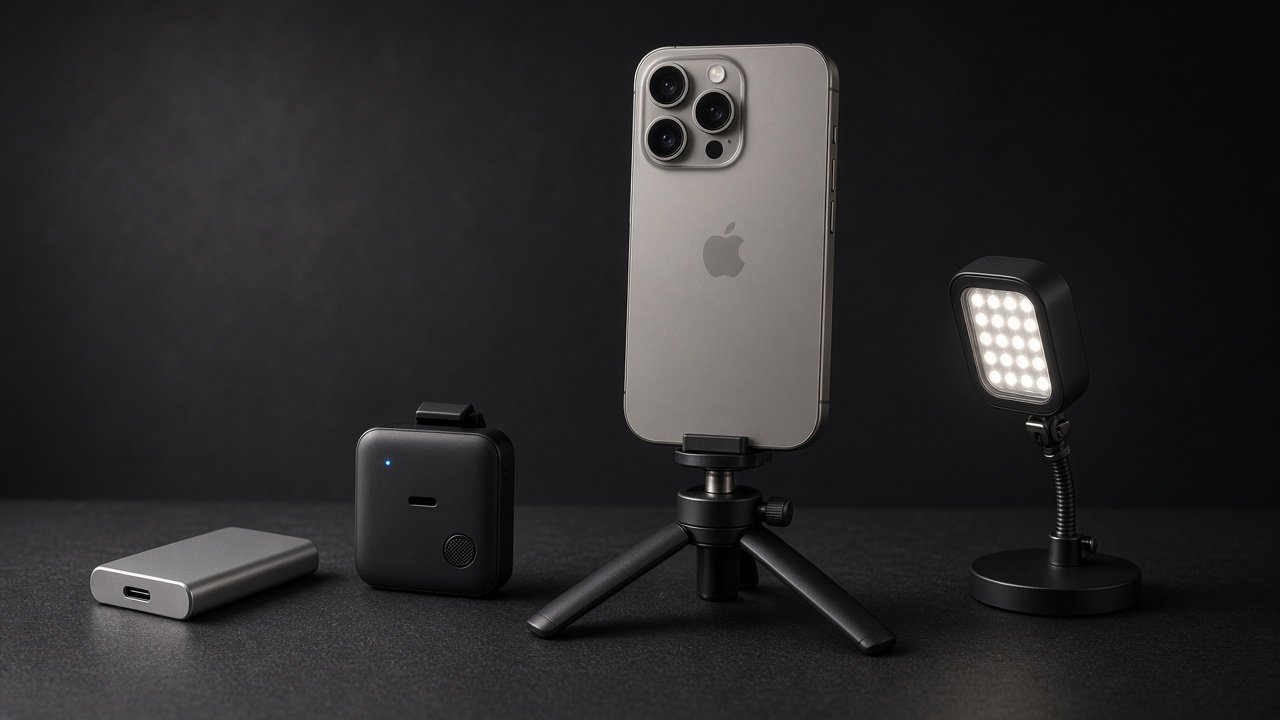
Best iPhone 18 Pro Accessories for Photography and Video: Quick Picks
This workflow map of iPhone 18 Pro accessories for photography and video is not a single ranking. There is no “best overall accessory.” A microphone and an SSD solve different jobs.
| Accessory | Best For | Connection | Main Benefit | Extra Hardware Needed? | Portability | Main Limitation |
|---|---|---|---|---|---|---|
| SanDisk Extreme PRO Portable SSD (USB 3.2, 1TB) | Large / high-bitrate files | USB-C (included C-to-C cable) | Offload and possible ProRes external record if Apple’s floors are met | exFAT format; USB 3 data cable (not charge-only) | Pocketable; 77.5 g | SanDisk lists computers; advertised 2,000 MB/s is not iPhone real-world speed |
| RØDE Wireless GO (Gen 3) | Spoken audio | USB-C receiver (included C-to-C) or Bluetooth Direct Connect in RØDE Capture | Two transmitters + receiver for two-person kits | Data-capable USB-C cable; Charge-only cables fail | Charging case kit | Direct Connect is app-limited; not a studio guarantee |
| DJI Osmo Mobile 8 | Moving shots | Magnetic clamp; optional USB-C phone power from roll-axis port | Mechanical 3-axis support beyond in-phone OIS | Balance; bulky cases/SSD may exceed payload | Folds; built-in tripod | Not automatically “cinematic”; DockKit vs Mimo features differ |
| Peak Design Mobile Tripod | Static framing / self-record | SlimLink / MagSafe-compatible magnets | Pocket stand for interviews and talking-head | Peak Design case/adapter optional; MagSafe phones/cases also listed | ~0.5 cm folded | Magnets are not a “cannot fall” claim; occupies MagSafe area |
| Belkin USB-C 6-in-1 Multiport Adapter (AVC008) | Many connections at once | Tethered USB-C; HDMI, USB-A, Ethernet, SD, USB-C PD | Hub + pass-through power path | USB-C PD charger (Belkin: 65W+ recommended) | Travel hub | 5 Gbps hub bandwidth; 100W PD is not 100W into the iPhone |
| Ulanzi VL49 Mini LED | Fill light | Cold shoe / 1/4″-20; USB-C charge | Documented 5500K, CRI 95+, lux at set distances | Mount (tripod, cage, or stand) | 90 g | Not “professional lighting”; lux is distance-specific |
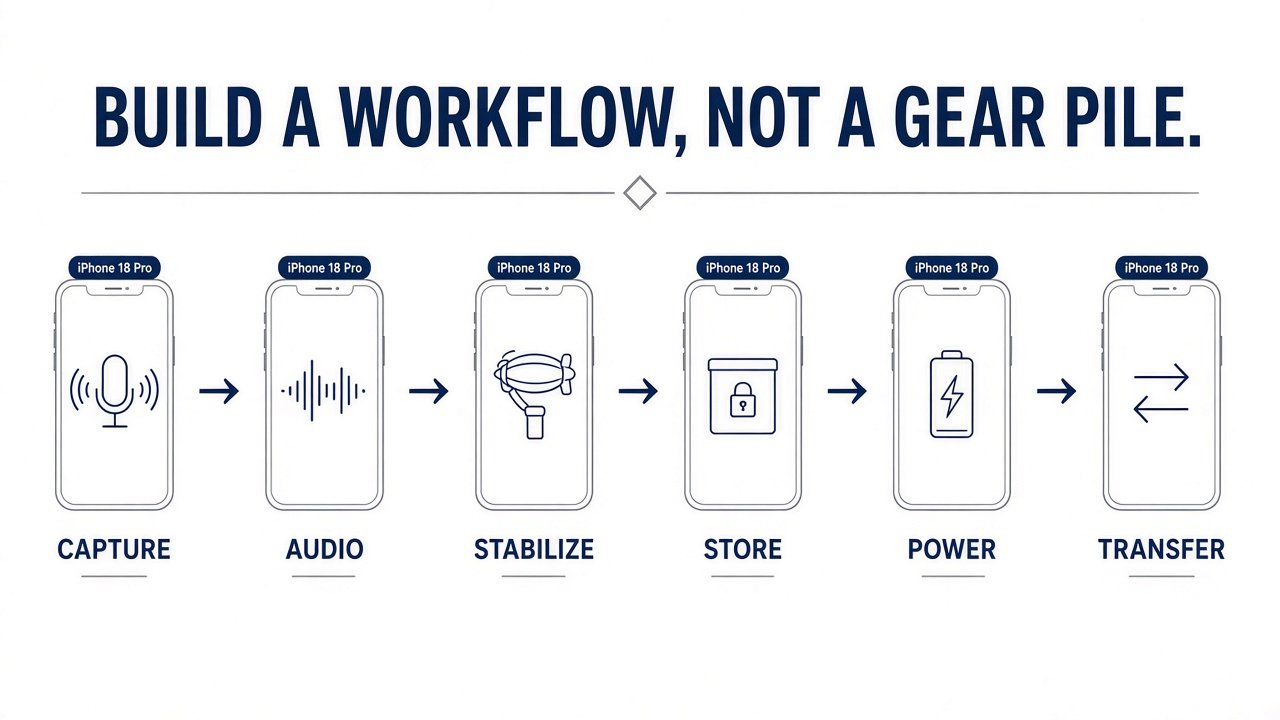
How We Chose These Creator Accessories
Moon Picke did not invent hands-on camera, stabilization, audio, transfer-speed, battery, lighting, or durability tests. Criteria: Apple-documented iPhone 18 Pro capabilities; one product per bottleneck; connection and data/power notes; physical integration; current generation; manufacturer pages; Amazon destinations that match the exact model/pack. Process: how we evaluate and editorial standards. Phone context: iPhone 18 Pro vs iPhone 17 Pro. More tools: Digital Tools.
Start With the Bottleneck, Not the Shopping List
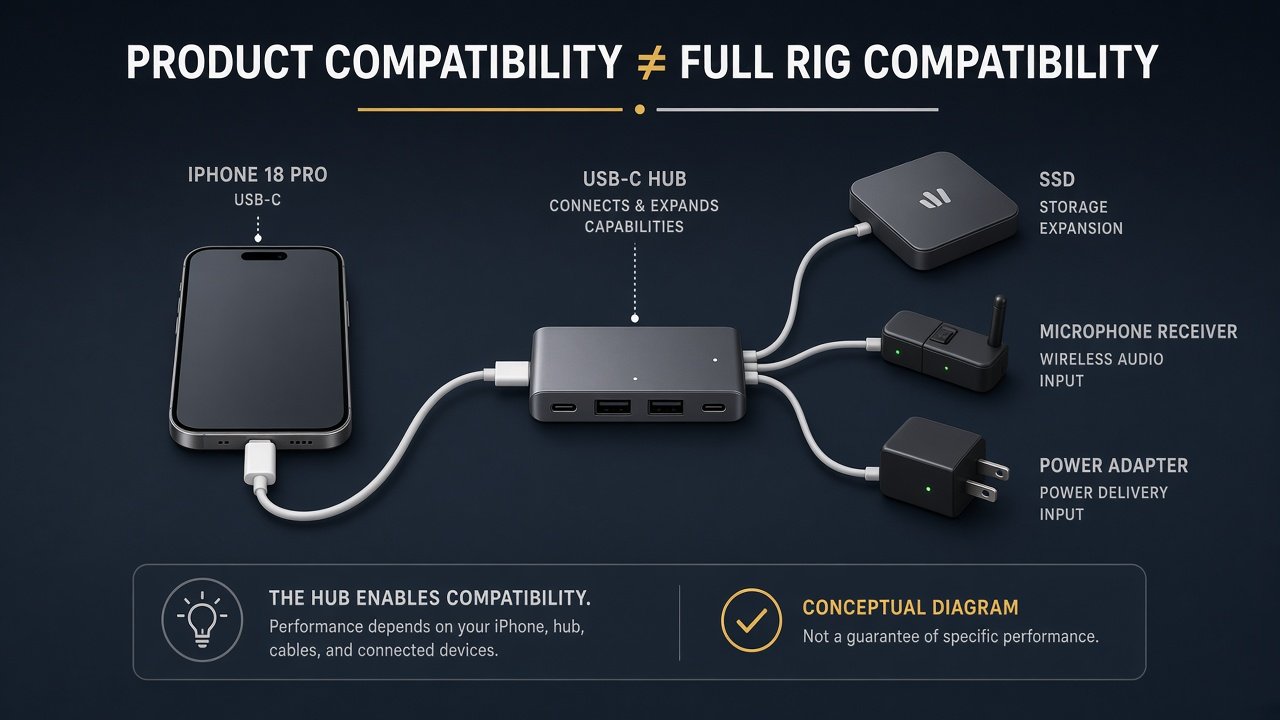
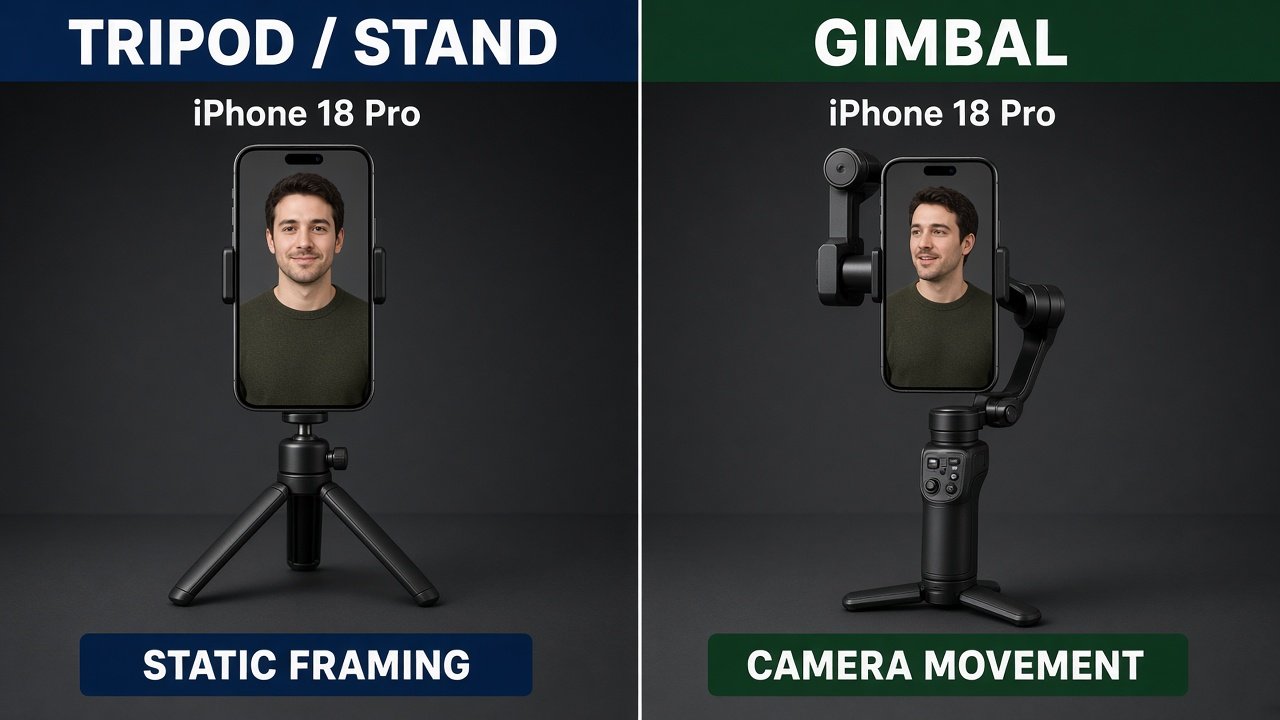
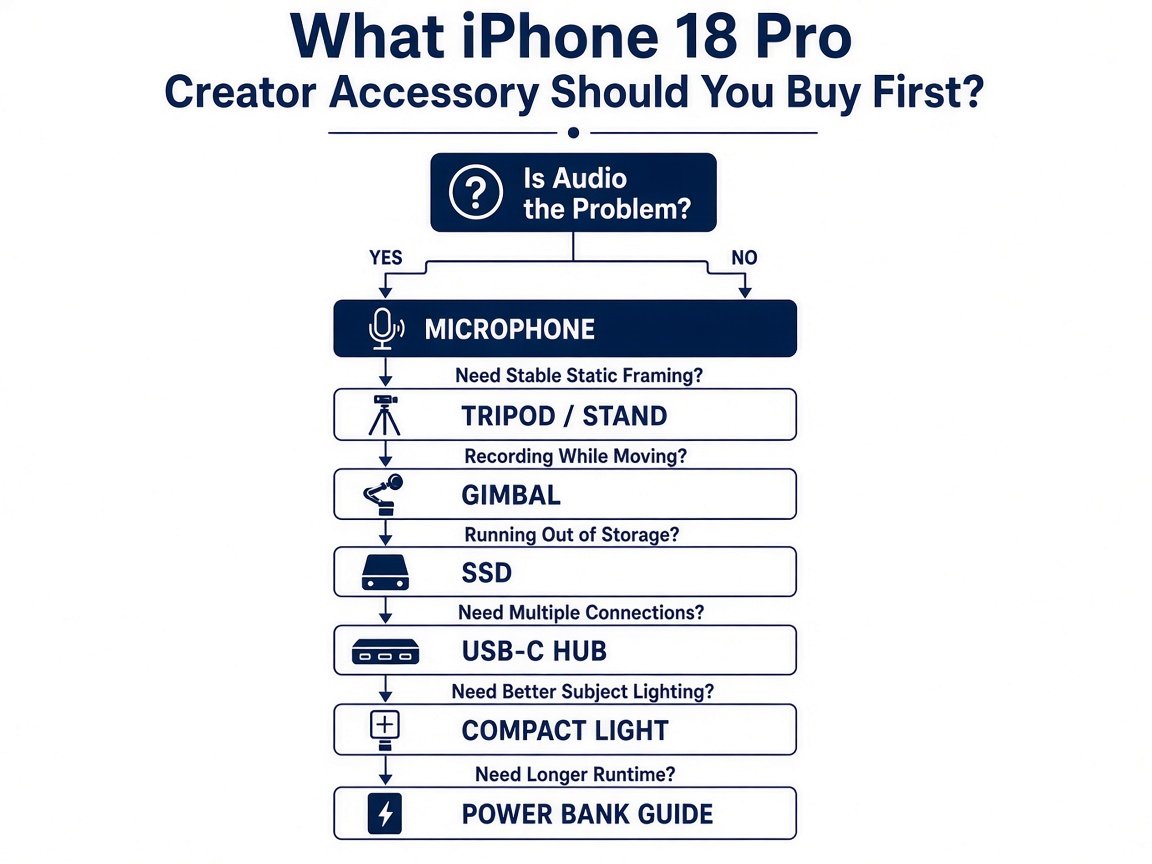
Ask what is failing today. Audio bad → mic first. Static talking-head shake → tripod, not a gimbal. Walking B-roll → gimbal is optional mechanical help; the Fusion Main already has second-generation sensor-shift OIS. Storage filling on ProRes → SSD plus a USB 3 cable. Too many plugs → hub, knowing one USB-C port is a system. Dim indoor faces → compact LED. Runtime → portable power (a dedicated power-bank roundup already exists in this cluster; this page does not re-rank banks). USB-C shape is not automatically high-speed data. Product compatibility is not full-rig compatibility: a thick case, MagSafe SSD holder, mic receiver, and gimbal clamp can fight the same surfaces.
SanDisk Extreme PRO Portable SSD (USB 3.2 Gen 2×2, 1TB) — Best for Storage-Heavy Video
Apple lists ProRes on iPhone 18 Pro up to 4K at 120 fps with external recording, USB 3 up to 10Gb/s, and ProRes files up to about 30× HEVC size. Apple’s ProRes article (updated through 17 Pro as of March 2026) still states the recording floors we treat as the relevant class: exFAT, no password encryption, a USB 3 cable at least 10 Gbit/s, sustained write of at least 220 MB/s for 4K60 ProRes and 440 MB/s for 4K120, and max 4.5 W draw. Reformatting before each 4K120 session is Apple’s guidance. iPhone 18 Pro specs are the authority that this phone includes external ProRes; we do not invent dropped-frame tests.
SanDisk’s Extreme PRO Portable SSD (SDSSDE81; 1TB SKU SDSSDE81-1T00-G25) advertises USB-C, USB 3.2 Gen 2×2, up to 2,000 MB/s sequential read/write, 77.5 g, IP65 and up to 3 m drop marketing, 5-year limited warranty, and USB-C to USB-C plus USB-C to USB-A cables. Box speed is not iPhone transfer speed—the 10Gb/s host is the ceiling. SanDisk lists desktop/laptop, not a named iPhone 18 Pro certification. 1TB balances cost and offload frequency. Use a data-capable C-to-C cable; the iPhone charge cable is not automatically USB 3. Skip if you only shoot short HEVC clips.
As an Amazon Associate I earn from qualifying purchases.
See SanDisk Extreme PRO Portable SSD 1TB (SDSSDE81) listings on Amazon →
RØDE Wireless GO (Gen 3) — Best for Spoken Audio
Speech is often the first real upgrade. RØDE’s Wireless GO (Gen 3) kit is two transmitters and one receiver. Built-in mics plus 3.5 mm lav inputs; onboard recording on transmitters; USB or 3.5 mm on the receiver. For iPhone 18 Pro, RØDE documents USB-C to USB-C from receiver to phone (Lightning cable is the older path). Charge-only USB-C will not present the receiver. Direct Connect via Bluetooth in the RØDE Capture app can skip the receiver after firmware via RØDE Central; RØDE says Direct Connect is for that app, not every Camera-app session. This is not “broadcast quality,” zero latency, or a measured improvement over the built-in mics. Environment and gain still matter. Skip one-person Bluetooth-only buyers who refuse the Capture app and also refuse a USB-C receiver on the port. Buy for interviews and two-person talking-head. Future Moon Picke coverage can compare mic systems in depth; this page keeps one representative kit.
See RØDE Wireless GO (Gen 3) listings on Amazon →
DJI Osmo Mobile 8 — Best for Moving Shots
A gimbal is mechanical stabilization for walking, tracking, and repeatable moves. It does not automatically produce cinematic video, and it is not required because the phone already has OIS. DJI lists Osmo Mobile 8 for phones 67–84 mm wide, 6.9–10 mm thick, 170–300 g. Bare iPhone 18 Pro (150.0 × 71.9 × 8.75 mm, 211 g) sits inside those windows. A thick case, cage, SSD, or light can miss payload or thickness. DJI quotes about 10 hours gimbal runtime when balanced, stationary, no extra accessories; about 5 hours with Multifunctional Module tracking and fill light off; about 4 hours with tracking and fill at max. Charging the phone from the gimbal shortens that. Tracking: Apple DockKit in native Camera and many apps on iPhone 12 or later (not 16e/SE 3) with iOS 18.5+ after NFC pair—close Mimo and remove the Multifunctional Module. Mimo and the module add other tracking paths; do not assume every DJI feature works in Apple Camera. Magnetic clamp and optional MagSafe quick-release exist; magnets are not a drop test. Skip if you only shoot locked-off interviews.
See DJI Osmo Mobile 8 listings on Amazon →
Peak Design Mobile Tripod — Best for Static Shots and Self-Recording
Tripods reduce unwanted movement for interviews, talking-head, group photos, product tabletop, timelapse, desk video, and self-recording. They do not universally improve image quality. Peak Design’s Mobile Tripod (M-TR-AA-BK-1) folds to about half a centimeter, deploys as a mini tripod or kickstand, and uses SlimLink magnets. Peak Design says it requires a Peak Design Case or Universal Adapter, and also works with MagSafe phones and MagSafe cases. iPhone 18 Pro has MagSafe. Do not claim the phone cannot fall. The MagSafe area cannot also hold a MagSafe SSD puck and this tripod at once. A magnetic stand can share the same ring as a MagSafe charger—not both at once. This is one representative support tool, not a travel-tripod roundup; a future dedicated tripod article can go deeper.
See Peak Design Mobile Tripod (M-TR-AA-BK-1) listings on Amazon →
Belkin USB-C 6-in-1 Multiport Adapter (AVC008) — Best for Multi-Accessory Workflows
One USB-C port cannot host an SSD, a USB mic receiver, HDMI monitoring, and PD charging unless something fans out. Belkin’s Connect USB-C 6-in-1 (AVC008btSGY, 4K@30Hz HDMI variant) lists USB-C smartphones among compatible device types: HDMI, 2× USB-A 3.0, Gigabit Ethernet, SD reader, USB-C PD, 5 in tethered cable, up to 5 Gbps, 2-year warranty. Pass-through is advertised up to 100W, but Belkin’s own disclaimer is the useful number: the USB-C port supports data and pass-through minus about 12W for the adapter; Belkin recommends a minimum 65W charger to deliver up to 53W pass-through while other functions run. That is not 100W into iPhone 18 Pro, and the phone still negotiates its own limit (Apple’s 60W-class Ahttps://moonpicke.com/iphone-18-pro-vs-iphone-17-pro/ path is a wall-adapter story, not this hub). Five Gbps is slower than the phone’s 10Gb/s port. Do not assume 4K120 ProRes external record through this hub. Record the SSD on the phone when bitrate is the job; use the hub for offload, SD stills, or display when the data path allows. A MacBook-friendly hub is not a tested iPhone filmmaking dock. Cases can block the short tether.
See Belkin USB-C 6-in-1 Multiport Adapter AVC008 listings on Amazon →
Ulanzi VL49 Mini LED — Best for Controlled Fill Light
A small LED helps when the subject is underexposed or indoor light is uneven. Ulanzi’s VL49 (model 1672) lists 49 LEDs, 5500K, CRI 95+, 6 W, 2000 mAh battery, USB-C charge, 90 g, 0–100% dimming, one shoe foot with 1/4″-20, extra cold shoes, and photometrics of 800 lux at 0.5 m and 200 lux at 1 m. Those two distances are not comparable as a ranking against another brand’s lux at a different range. Ulanzi quotes 120–300 minutes runtime depending on brightness—manufacturer estimate, not a Moon Picke runtime. Not MagSafe; it will not occupy the phone’s magnet array, but it can add gimbal payload if shoe-mounted. Pair it with the tripod for talking-head fill. Skip if daylight already lights the face. Do not call this professional lighting.
See Ulanzi VL49 Mini LED listings on Amazon →
How to Build a Simple Creator Kit
Social creator: phone, Peak Design tripod or equivalent support, RØDE only if speech is the product, existing charger. Skip SSD and gimbal until files or movement actually fail.
Mobile video: phone, Osmo Mobile 8 or tripod (not both by default), Wireless GO if you talk on camera, SSD if ProRes/external files justify it, a USB 3 data cable, portable power for long days.
Storage-heavy / high-bitrate: SSD on a USB 3 cable first, then power and a mount so the drive is not swinging on the port, then audio. A hub is optional and may be the wrong path for 4K120 ProRes. Do not add new products beyond this list.
Which Accessory Should You Buy First?
Use this order for iPhone 18 Pro accessories for photography and video after you name the bottleneck. Audio is the problem → Wireless GO (Gen 3). Need static framing → Mobile Tripod. Recording while moving → Osmo Mobile 8. Running out of storage on heavy codecs → Extreme PRO SSD. Need several connections plus power → Belkin hub, with the 5 Gbps and PD caveats. Subject lighting → VL49. Runtime → a power bank (not selected here). SSD + mic together means one USB-C jack: USB hub, Bluetooth Direct Connect in Capture, or sequence the jobs. MagSafe tripod vs MagSafe charger vs magnetic SSD: pick one occupant of that ring per shot.
What to Check Before Building an iPhone 18 Pro Rig
- Apple-listed iPhone 18 Pro features you actually use (HEVC vs ProRes vs Log 2).
- Case thickness vs gimbal 6.9–10 mm window and USB-C clearance.
- USB 3 vs charge-only cables.
- Apple write-speed and 4.5 W floors for external ProRes.
- Hub PD vs watts the phone actually draws.
- MagSafe area: one magnetic accessory at a time.
- Gimbal payload with phone + case + light + SSD.
- Cold-shoe / 1/4-20 vs MagSafe mounts.
- Apps: DJI Mimo vs DockKit; RØDE Capture vs Camera.
- Adapters you must buy besides the headline SKU.
- Amazon variants: 1TB vs 2TB SSD; 4K30 vs 4K60 Belkin HDMI; GO Gen 3 two-TX kit.
- Total system cost of dependencies, not the first sticker.
Final Verdict
The right iPhone 18 Pro accessories for photography and video are the smallest set that fixes the weak step. Talking-head: mic, then tripod, then VL49. Mobile B-roll: gimbal if built-in OIS is not enough, then audio, then storage. High-bitrate: SSD and a real USB 3 cable before a pile of lights. More accessories are not better content. Product compatibility is not a finished rig. Buy the bottleneck.
FAQ
What accessories do iPhone 18 Pro creators actually need? Often none beyond the phone and a charger. Add one tool for the failing step.
Does iPhone 18 Pro need an external SSD for video? Not for typical HEVC clips. Apple documents ProRes up to 4K 120 with external recording; that path needs a drive and USB 3 cable that meet Apple’s floors.
Is a gimbal worth it? If you walk and track and want mechanical motors. Skip for locked-off talking-head. It is not automatically better than OIS.
Do I need an external microphone? If speech is the product. USB-C data to the receiver, or RØDE Capture Direct Connect—not a Lightning dongle leftover.
Can I use a MagSafe tripod with iPhone 18 Pro? Peak Design lists MagSafe phones and MagSafe cases. Magnets are not a fall-proof lock.
Can I connect an SSD and microphone together? Only if the USB-C path fans out (hub) or the mic goes Bluetooth in a supported app. Direct SSD + USB receiver on one port does not.
What should a beginner buy first? Support if you self-record; a mic if you talk; nothing if you only shoot short daylight clips.
Do I need a USB-C hub for video? Only for simultaneous storage, power, display, or card-read. Direct SSD is simpler for heavy ProRes.