
InterServer VPS is worth buying in 2026 if you want a month-to-month US server and you will administer it. On 7 October 2026, the Cloud VPS page priced one Linux slice at $3 a month for 1 CPU core, 2 GB of memory, 40 GB of SSD, and 2 TB of transfer, with root access. That price does not include a control-panel license, except on the Webuzo order path, and it does not include off-server backups. Managed help with services and panels is stated for Linux plans of 8 slices or more, which is $24 a month before add-ons. There is no trial and no money-back guarantee. Skip it if you want a refund window, a ready-made website panel in the base price, or someone else to run the server at the $3 size.
Moon Picke may earn a commission if you use the InterServer link below. The verdict follows InterServer’s current VPS pages, not the shared-hosting plan. The method is on how we evaluate products. Commission terms are on the affiliate disclosure.
See InterServer’s current VPS options
InterServer VPS at a glance
Best for: a developer, agency, or technically comfortable owner who wants root access on a US KVM server and can cancel month to month.
Not for: a beginner who wants shared-hosting simplicity, included backups, or a 30-day refund.
Starting configuration: 1 Linux slice, $3 a month, 1 core, 2 GB RAM, 40 GB SSD, 2 TB transfer, one public IP, self-managed.
Management: you run the server below 8 slices. InterServer says managed support for common server, database, and panel issues is included at 8 Linux slices or more.
What holds up
- The slice price is printed: $3 per Linux slice per month, from 1 to 32 slices, with no quarterly or yearly discount required.
- One slice is a defined machine, not a vague “starts at” line: 1 core, 2 GB, 40 GB SSD, 2 TB, root access, and a 10 Gbps shared port.
- You can cancel from the account. Billing is monthly. There is no prepaid hosting term hiding inside the $3 figure.
- The same platform publishes Windows on Hyper-V from 2 slices at $10, and a storage VPS that swaps the 40 GB SSD for 1 TB of SATA per slice at the same $3.
- Webuzo can be included on its own order path, so a panel is possible without a separate license if you use that path.
What does not
- There is no VPS refund. The shared-hosting 30-day guarantee does not apply.
- Backups are an add-on path. The terms say VPS servers do not run backups by default.
- Below 8 slices you are the administrator. A 24/7 support desk is not the same as someone managing the server.
- DirectAdmin on the current VPS page starts at $3.75 a month for a personal license. cPanel’s current license price is set in the order flow and was not printed as one number on the VPS page.
- A cheaper-looking landing page still says 30 GB per Linux slice and 60 GB for the Windows start. The main slice tables say 40 GB and 80 GB. Use the cart, not a second page, before you rely on the disk number.
What this VPS is
InterServer’s current cloud product is sold as Cloud Compute VPS. The public lineup on the VPS section is Linux cloud compute, Windows cloud compute, and storage cloud compute, plus order paths for panels and apps such as Webuzo, cPanel, and WordPress templates. Those paths sit on the same slice system. They are not separate mystery products with unpublished prices in the pages checked on 7 October 2026.
Linux cloud compute is the product this review centers on, because that is the $3 plan a US buyer finds first when searching for an InterServer VPS. Windows and storage are priced in their own sections so a buyer does not assume the $3 slice is a Windows server or a 1 TB disk.
This is not a review of InterServer’s shared web hosting. Shared hosting is a different bill, a different refund rule, and no root access. If you only need a WordPress site and a mail account, a VPS is extra work. The reason to read this page is that you want a server you control.
What one slice includes
InterServer still sells VPS capacity in slices. The main Cloud VPS page says each Linux slice adds a predictable amount of CPU, memory, SSD, and transfer, and that the order flow runs from 1 to 32 slices.
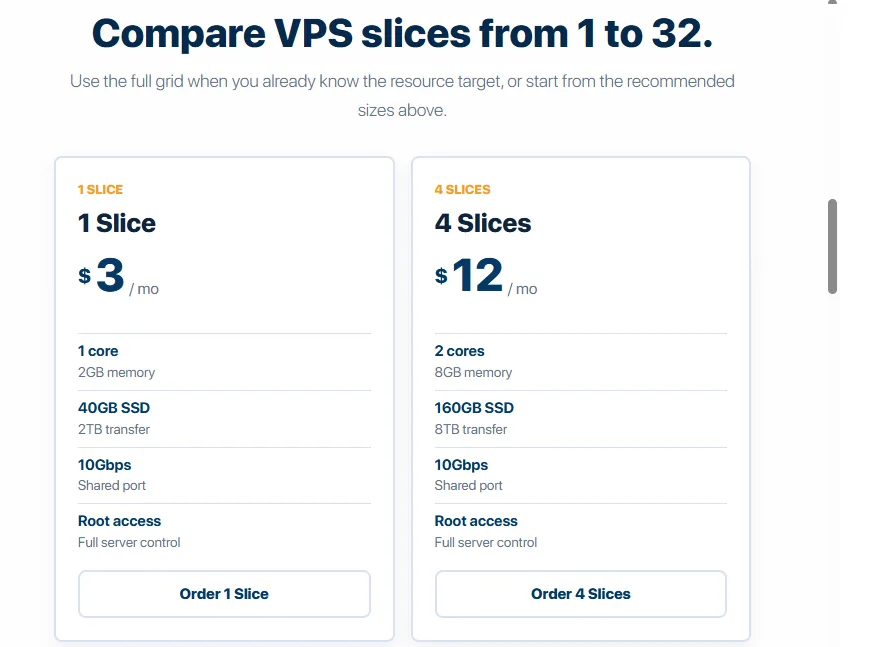
One Linux slice, as printed on that page, is 1 CPU core, 2 GB of memory, 40 GB of SSD, and 2 TB of monthly transfer, at $3. RAM, SSD, transfer, and price then move in step with the slice count on the published rows: 4 slices are 8 GB, 160 GB, 8 TB, and $12. 8 slices are 16 GB, 320 GB, 16 TB, and $24. 32 slices are 64 GB, 1,280 GB, 64 TB, and $96.
CPU does not follow that same one-for-one step at the bottom. One slice is already 1 core. Four slices are 2 cores, not 4. Eight slices are 4 cores. Thirty-two slices are 16 cores. Adding a second or third slice adds memory, disk, and transfer. It does not, on the published table, give you a second core until the 4-slice row. The page says every size from 1 to 32 can be ordered. It does not print a core count for every missing row, so this review does not invent a 2-slice or 3-slice CPU figure.
Every compared row also says “10 Gbps shared port.” That is a port description, not a promise that you can move 10 Gbps for the whole month. The transfer cap is the 2 TB per slice. A shared port means other customers use the same uplink. InterServer does not publish a guaranteed share of that port on the pages checked.
| Linux configuration | CPU | RAM | SSD | Transfer | Management | Monthly price |
|---|---|---|---|---|---|---|
| 1 slice | 1 core | 2 GB | 40 GB | 2 TB | Self-managed | $3 |
| 4 slices | 2 cores | 8 GB | 160 GB | 8 TB | Self-managed | $12 |
| 8 slices | 4 cores | 16 GB | 320 GB | 16 TB | Managed support included | $24 |
| 16 slices | 8 cores | 32 GB | 640 GB | 32 TB | Managed support included | $48 |
| 32 slices | 16 cores | 64 GB | 1,280 GB | 64 TB | Managed support included | $96 |
Checked 7 October 2026 on InterServer’s Cloud VPS page. Each VPS includes one public IP on the features page. A 10 Gbps shared port is listed on these rows. Prices are the slice totals before a panel license, extra IP, or backup storage.
What the monthly bill leaves out
The $3, $12, and $24 figures are base compute. A realistic server often adds something else, and some of those extras were not given a current dollar amount.
Webuzo is the exception that is priced in. InterServer’s Webuzo page says the panel is included on Webuzo VPS orders, on the same $3 slice, with no separate panel license on that path. That is the way to get a graphical panel inside the $3 if the Webuzo feature set is enough. It is a single-user panel for apps, domains, mail, databases, FTP, and SSH. It is not cPanel.
DirectAdmin, on the current VPS page, starts at $3.75 a month for a personal license with 2 accounts and 20 domains. One Linux slice plus that license is $6.75 before tax, not $3. cPanel is offered and the license “varies by account count” during ordering. The current cPanel VPS page does not print a single monthly license fee. An older upgrades page lists cPanel at $15 and DirectAdmin at $8. Those numbers conflict with the $3.75 DirectAdmin line on the current VPS page, so this review does not treat $15 or $8 as the live license price. Read the license line in the cart.
Plesk is named as a panel option. No Plesk price was printed on the pages checked. Mark that license NOT VERIFIED.
Backups are not in the slice price. The features page tells you to use backup and snapshot options when you need a recovery point, and the VPS page points to off-server Cloud Remote Backup storage, including a note of no transfer fees on that storage service. It does not print a monthly backup rate. The terms say VPS and dedicated servers do not run backups by default. A snapshot, if you buy one, is still a point-in-time copy you have to keep current. It is not the same as a provider-run backup with a stated retention period. Budget a backup, then confirm the price, or keep your own copy somewhere else.
Extra IPv4 addresses are described as available when justified. The features page does not print the fee. The older upgrades page lists $3 per additional IP. Because that same page conflicts on panel prices, the $3 IP fee stays NOT VERIFIED against the current order flow. IPv6 is described as available. One public IPv4 is included.
Windows is not a $3 product. It is a different base price, covered below. There is no separate Windows license line on top of the published Windows slice price in the pages checked. Confirm that in the cart rather than assuming a second fee, and do not assume the Linux $3 includes Windows.
Who fixes it when it breaks
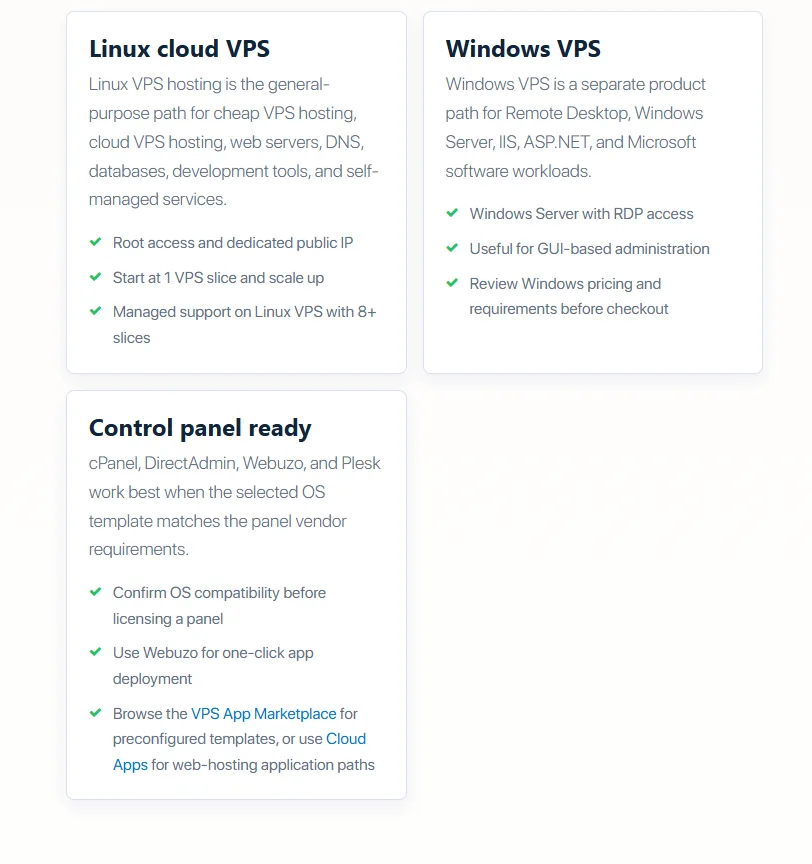
Below 8 slices, InterServer VPS is self-managed. You get root on Linux or administrator access on Windows. You install the system, patch it, watch the disk, and repair the application. InterServer’s general support policy is a 24/7 technical support department with a goal of answering in one to three hours and no guarantee of that speed. Tickets are limited to covered technical support. Software from another vendor is supposed to go to that vendor first. That desk can exist on a $3 VPS. It is not a promise that InterServer will administer the server.
At 8 Linux slices or more, the VPS pages say managed support is included. The scope they name is failed services, databases, control panels, uptime issues, and common performance problems. They do not say InterServer will build your application, write your firewall rules, or take responsibility for every WordPress plugin. Eight slices are $24 a month for 4 cores, 16 GB, 320 GB SSD, and 16 TB, before any panel or backup. If you wanted management, that is the published threshold, not the $3 plan.
Windows pages describe administrator access and Remote Desktop. They do not repeat the “8 slices” managed-support sentence in the extracts checked. Do not assume a 2-slice Windows server at $10 includes the Linux managed-support scope. Ask before you buy Windows if you need InterServer to troubleshoot the OS.
Linux and Windows are different purchases
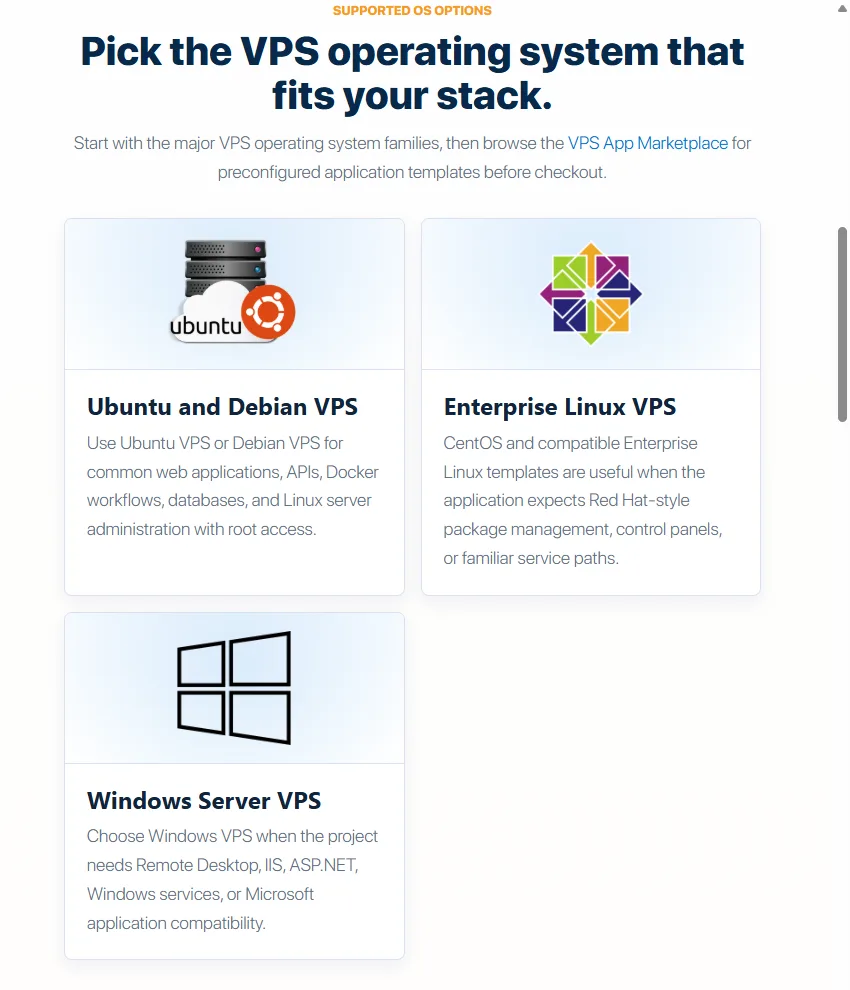
Linux cloud compute uses KVM. The features page says the current VPS path is focused on KVM. One slice is the minimum. Root SSH is included. Templates named on the current pages include AlmaLinux, Ubuntu, Debian, CentOS, and FreeBSD. Version numbers were not printed in a way that should be copied here. Ubuntu-specific older pages still advertise a $6 slice with 1 GB of RAM and 25 GB of disk. That page does not match the current $3 / 2 GB / 40 GB table. Ignore the $6 Ubuntu page unless the cart shows it.
Windows cloud compute uses Hyper-V. The minimum is 2 slices at $10 a month: 1 core, 4 GB of memory, 80 GB of SSD, and 4 TB of transfer, with Remote Desktop. Four slices are $20 for 2 cores, 8 GB, 160 GB, and 8 TB. The price per slice on those rows is $5, not $3. Thirty-two Windows slices are $160 for 16 cores, 64 GB, 1,280 GB, and 64 TB. A Windows Server version number was not locked on the page checked. The $10 is the published server price, not a Linux VPS plus a guess at a license.
A cheap-VPS landing page conflicts with both tables. It lists 30 GB SSD per Linux slice and a 60 GB Windows start. The main Linux table says 40 GB, and the Windows table says 80 GB at 2 slices. Disk size is material. Order from the table that matches the configuration you selected, and stop if the cart shows the smaller number when you needed the larger one.
Buy Linux when the workload is a web stack, a container, or a script you will run as root. Buy Windows when the workload needs Windows Server and Remote Desktop. Do not buy the $3 plan and expect a Windows desktop.
Storage, network, and where it sits
Standard cloud compute storage is described as SSD. The storage VPS is a different product: each slice is still $3 and still 1 core at the 1-slice row with 2 GB of RAM and 2 TB of transfer, but the disk is 1 TB of SATA, scaling to 32 TB at 32 slices for $96. SATA is the right tool for archives and bulky files. It is not the same as the 40 GB SSD on the application VPS. InterServer does not publish IOPS or latency for either disk. This review does not turn “SSD” into a speed score.
Transfer is 2 TB per standard slice, added as slices are added. That is a monthly allowance. The 10 Gbps figure is the shared port. Overage pricing, if traffic passes the allowance, was not printed on the pages checked. Treat overage as NOT VERIFIED and ask before a busy month.
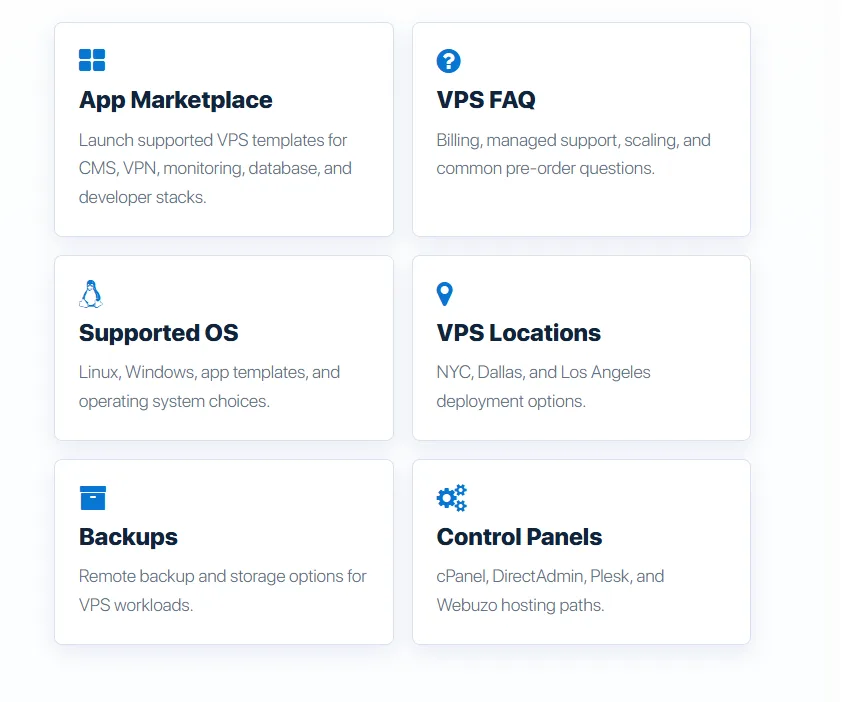
The Cloud VPS page says you can deploy near New York City, Dallas, or Los Angeles. That is a US location choice for this product, which shared hosting does not document in the same way. It is relevant if your users are in the United States and you want the server in a named region. It does not prove that Dallas is faster than New Jersey for your site. No location outside those three US areas was listed for this VPS on the page checked. A workload that must run in Europe or Asia needs a different provider, or a written exception from InterServer.
Security is split between them and you
KVM, on InterServer’s description, isolates the VPS with its own CPU, memory, storage, transfer, and public IP. Hyper-V is the Windows equivalent they name. Isolation is not a backup, and it is not a managed firewall you can ignore. Root access means a bad SSH setup, an unpatched package, or a leaked key is your incident.
InterServer’s company site talks about network protection in general. The VPS pages checked do not publish a VPS-specific DDoS product sheet, a malware scanner included in the $3 slice, or a managed firewall with a stated ruleset. Do not add those. What you do get is a separate virtual machine, a panel if you buy or include one, and support whose scope depends on the slice count. Patching the OS and the application stays with you unless a specific managed ticket at 8 slices or more covers that failure.
Performance and the uptime line
Moon Picke did not run a benchmark on this VPS. There is no Geekbench, disk speed, TTFB, or uptime percentage measured here. The cheap-VPS page says a server is provisioned quickly after payment. It does not define “quickly,” and this review did not time an order. “Instant root access” on the features page means root is part of the Linux product, not that Moon Picke timed the deploy.
InterServer says the Cloud VPS platform has a 99.9 percent uptime guarantee. That is InterServer’s claim. It is not a measurement, and it is not a promise that your application will answer 99.9 percent of the time. Credit rules and exclusions were not copied into this article because the VPS marketing page does not spell them out. Read the SLA before you treat 99.9 percent as a refund formula.
A similar server elsewhere
DigitalOcean’s droplet pricing page lists a basic plan at 1 vCPU, 2 GiB of memory, 50 GiB of SSD, and 2,000 GiB of transfer for $12 a month, billed per second with a monthly cap. That is the closest current match to InterServer’s 1-slice shape: one core and 2 GB of RAM. InterServer includes 40 GB rather than 50 GB, and 2 TB rather than about 2 TB, at $3 instead of $12. DigitalOcean’s catalog covers many regions. InterServer’s VPS page lists three US areas. Neither $3 nor $12 includes a judgment about speed.
Hostinger’s own compare page, checked the same week, starts KVM at 1 vCPU, 4 GB of RAM, and 50 GB NVMe, advertised at $6.49 a month on a two-year term that renews at $11.99. That is a larger memory plan and a longer commitment. It is not a fair twin of the $3 slice, so it is not in the table as an equal machine.
| InterServer 1 slice | DigitalOcean basic 2 GiB | |
|---|---|---|
| CPU | 1 core | 1 vCPU |
| Memory | 2 GB | 2 GiB |
| Disk | 40 GB SSD | 50 GiB SSD |
| Transfer | 2 TB | 2,000 GiB |
| Price | $3 a month | $12 a month cap |
| Locations on the page | New York City area, Dallas, Los Angeles | Multiple regions worldwide |
| Refund | None stated for VPS | Not a hosting money-back plan |
DigitalOcean’s row is from its droplet pricing page as retrieved 7 October 2026. The InterServer row is from the Cloud VPS page the same day. Panel, backup, and tax are extra on both sides unless a specific offer says otherwise.
When the VPS beats shared hosting
InterServer’s shared Standard plan is for a site you do not want to administer. The VPS is for a workload that needs root, a custom stack, or a resource number you can point at. Shared hosting’s refund window is 30 days on the packages named in the terms. VPS has no money-back guarantee. Shared hosting’s weekly backup is a feature of that plan. VPS backup is not the default. Shared hosting does not give you the slice math or the choice among the three US VPS locations documented here.
Move to VPS when an app will not run under the shared limits, when you need SSH as the normal way you work, or when you are hosting several projects that should not share one account. Stay on shared hosting when the job is a normal website and you do not want to patch a server. A broader look at virtual servers versus whole machines is in dedicated server versus VPS. That guide is not an InterServer order page.
Who should buy it
Buy the Linux VPS if you are comfortable as root, you want a US server, and $3 to $24 a month is the right size before licenses. The $3 slice fits a test box, a small service, or a low-traffic app that fits in 2 GB and 40 GB. The $24 eight-slice plan is the first published size that includes managed support, if that scope matches the help you need. Webuzo is the path if you want a panel without adding DirectAdmin’s $3.75. Windows at $10 is the path if Remote Desktop and Windows Server are the actual requirement.
An agency can use slices to separate clients onto a server it controls, then add a panel license if the clients expect one. A WordPress site can run here, through a template or a manual install. That does not make this managed WordPress hosting. You still own updates, caching, and restores unless your slice count and a support ticket cover a specific failure.
Who should skip it
Skip it if you need a refund if the server is wrong for you. Skip it if you will not use SSH or Remote Desktop and you expected the $3 price to include cPanel. Skip it if the audience is outside the United States and you need a local region InterServer does not list. Skip the storage VPS if the workload is a database that needs the SSD product. Skip the $3 size if you needed InterServer to manage services. That help is described at 8 slices, not at 1.
FAQ
Is InterServer VPS worth it?
Yes, if you want a month-to-month KVM server at $3 for 1 core, 2 GB, 40 GB SSD, and 2 TB, and you will administer it. No, if you need a refund, included backups, or managed help at that size. Managed support is described from 8 slices, at $24 before add-ons. Checked 7 October 2026.
How much does InterServer VPS cost?
Linux starts at $3 a month for one slice. Four slices are $12. Eight are $24. Thirty-two are $96. Windows starts at $10 for two slices. Storage VPS is $3 per slice with 1 TB of SATA instead of 40 GB of SSD. DirectAdmin personal starts at $3.75. Backup and cPanel license amounts were not printed as a single current price.
What is a slice?
A slice is InterServer’s unit of VPS capacity. On Linux, one slice is 1 core, 2 GB of memory, 40 GB of SSD, and 2 TB of transfer. More slices add memory, disk, and transfer in that pattern. CPU cores increase more slowly. Four slices are 2 cores, not 4. You can order from 1 to 32 slices.
Is InterServer VPS managed?
Not at the $3 size. Linux plans of 8 slices or more include managed support for failed services, databases, control panels, and common performance problems. Below that, you manage the server. Round-the-clock support access is not the same as round-the-clock administration.
Does it include cPanel or root access?
Linux includes root access. Windows includes administrator access and Remote Desktop. cPanel is optional and the license is chosen at order. The current page does not print one cPanel price. Webuzo is included on the Webuzo order path. DirectAdmin personal starts at $3.75 a month.
Does it include backups?
No. VPS backups are not the default. InterServer offers snapshots and an off-server backup service. The monthly price of that service was not on the VPS pages checked. Keep your own copy if you do not buy one.
Where are the servers?
The Cloud VPS page says you can deploy near New York City, Dallas, or Los Angeles. It does not list Europe or Asia for this product. Choosing a US region is not a measured speed result.
Is it good for WordPress?
You can run WordPress on it, including through an app template or Webuzo. That is a server you administer, not a managed WordPress host. It is a poor fit if you wanted plugin updates and restores handled as part of a $3 plan.
Final verdict
InterServer’s Linux VPS is a clear, cheap, month-to-month KVM server if the published slice is the machine you want and you will be its administrator. Three dollars buys one core, 2 GB, 40 GB of SSD, and 2 TB, not a managed host and not a backup. Twenty-four dollars, at 8 slices, is the first size where InterServer says managed support is included, and even then the scope is server services and panels, not your application. Windows is a separate $10 start on Hyper-V. There is no refund if you pick the wrong one.
Buy it for a US workload you know how to run. Do not buy it as a cheaper way to avoid learning the server. Confirm disk size in the cart, because a secondary page still prints 30 GB and 60 GB against the main tables of 40 GB and 80 GB.