
The best AI video generator for small businesses is the platform that covers the videos you actually publish—social, explainers, training, simple promos—with templates, voice, branding, and export, not the model with the most cinematic demo. A solo owner may want fewer tools and predictable billing. A specialist generator can still fit hero shots. Moon Picke did not score ROI or time saved. Methods: How We Evaluate.
Best AI Video Generators for Small Businesses: Quick Picks
Plans and business-relevant features were verified in September 2026 from official pricing and help. These five products are different categories. Product-first ads: product ads. Avatar ads: UGC-style ads. Short-form creator workflow: YouTube Shorts.
Moon Picke may earn a commission if you purchase through some links on this page, at no additional cost to you. Affiliate Disclosure. See current Higgsfield plans if listed engines and cinematic studios are the gap.
| AI Video Tool | Best For | Complete Workflow | Branding / Team Features | Pricing Model | Main Limitation |
|---|---|---|---|---|---|
| InVideo | Overall marketing assembly | Script, stock/AI media, voice, captions, timeline | Editor tools; multiplayer seats on plan cards | Per-seat credits; Starter $20/seat billed annually | Not the strongest specialist I2V director |
| HeyGen | Talking presenters | Script → avatar → voice → export | Brand kit / collaboration on Business | Credits; Creator $29/mo or $24/mo billed annually | Often needs an editor for full ads |
| Synthesia | Training and teams | Presenter + dubbing + workspace | Guests, personal avatars, Enterprise brand kits | Credits/minutes; Starter $14/mo billed yearly | Fewer social-ad templates than InVideo |
| Captions | Social marketing | Captions, AI Edit, AI Ads, twins | Lighter team CMS; Scale seats/credits | Credits; Max $24.99/mo (iOS prices on site) | Not a training LMS or cinematic suite |
| Higgsfield | Cinematic / product creative | Generation studios; not a full NLE | Workspace/tools; confirm live seats | Credits; Starter/Plus/Ultra 270 / 1,200 / 3,000 | More complexity than a template assembler |
Cluster context: best AI video generators for creators, InVideo AI review, Higgsfield AI review.
What Makes an AI Video Tool Good for a Small Business?
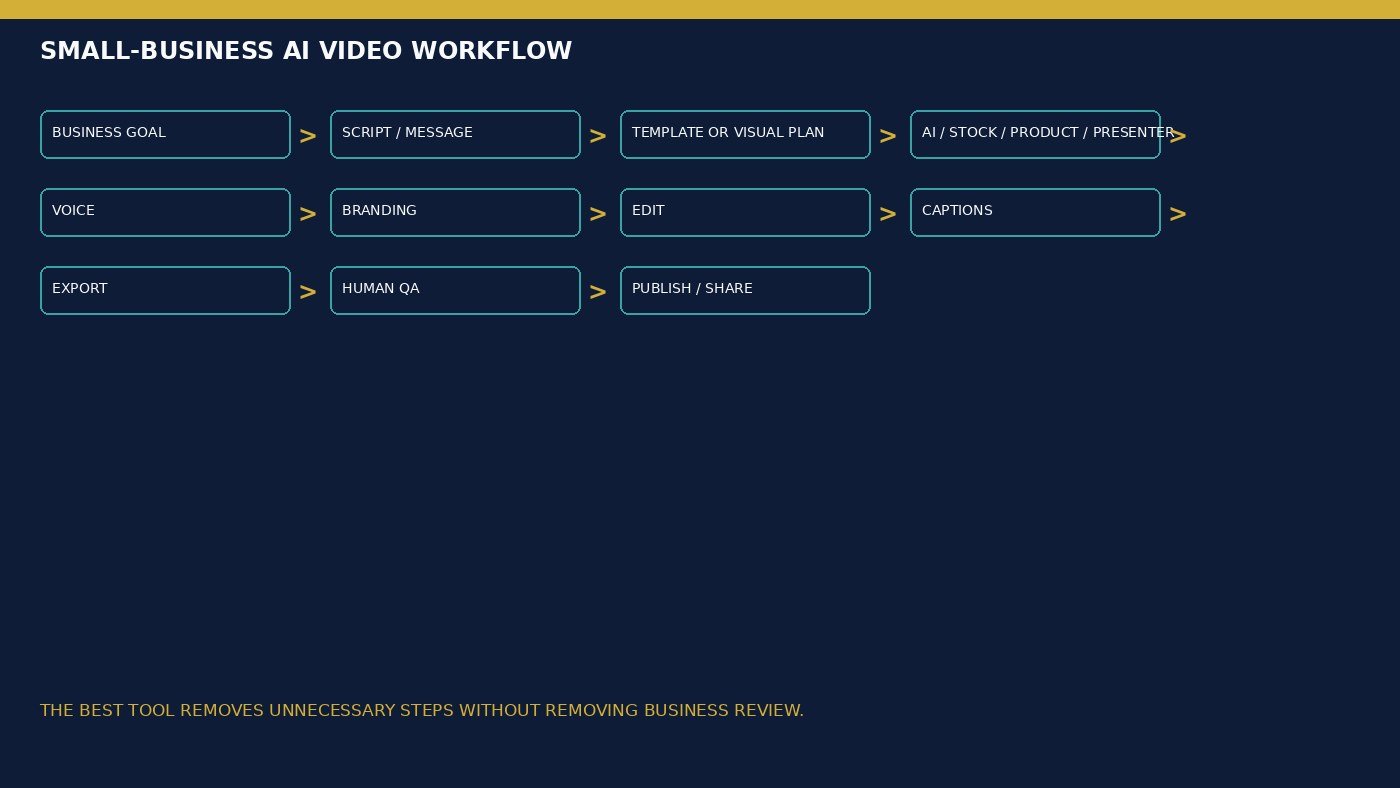
What is the best AI video generator for small businesses? The one that reduces unnecessary steps: goal → script → visuals → voice → brand → edit → captions → export → human QA. Ease is fewer switches and clearer templates—not a 9.3/10 score. More models are not automatically more value. More camera sliders are not automatically more professional. AI scripts still need a check of prices, warranties, certifications, statistics, and customer claims. Never let the tool invent a result. Brand kits lock fonts and logos; they do not prove AI scenes render the product correctly. Team seats are useful only if people actually share projects. Stock footage is not generative video. Commercial terms are not ad-platform, trademark, or endorsement compliance. A workflow that works once may still be a poor fit at video ten.
InVideo — Best Overall for Small Businesses
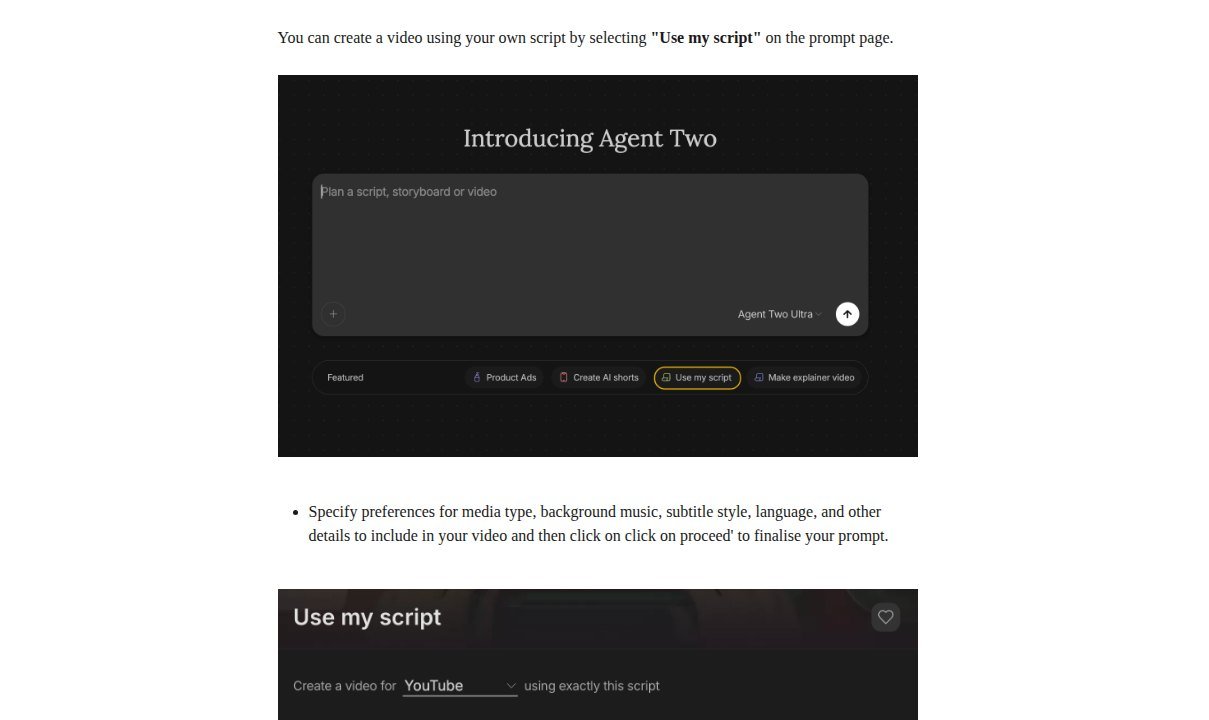
InVideo is a complete video builder: Agent Two or “Use my script,” stock plus plan-gated generated media, TTS, captions, and a timeline. It made this list because most small businesses fail at assembly, not at one hero take. Official Shorts and explainer chips exist; this page is not the Shorts roundup. Premium stock quotas and partner models are plan-gated. Voice cloning requires a spoken permission line. Dynamic Text help: captions in 50+ languages with transcript review—not accuracy proof. Manual timeline edits do not spend credits. Reusable projects and media replacement support recurring posts better than a one-off generate click.
Annual cards (Sep 2026): Starter $20/seat billed annually, 400 credits, Lite agent; Plus $50 / 2,000; Max $100 / 5,000. Plan cards list multiplayer editing seats. Unused plan credits do not roll over. Free: limited weekly credits; watermarks follow the plan. According to current InVideo Terms, Outputs may be commercialised under the licence described there; Licensed stock stays on third-party terms.
Advantage: one file for recurring marketing. Limitation: weaker cinematic I2V than specialist generators. Use it for social, website, and sales explainers. Skip it if you only need a talking twin or a Cinema-style director. View current InVideo plans.
HeyGen — Best for Talking-Presenter Explainers
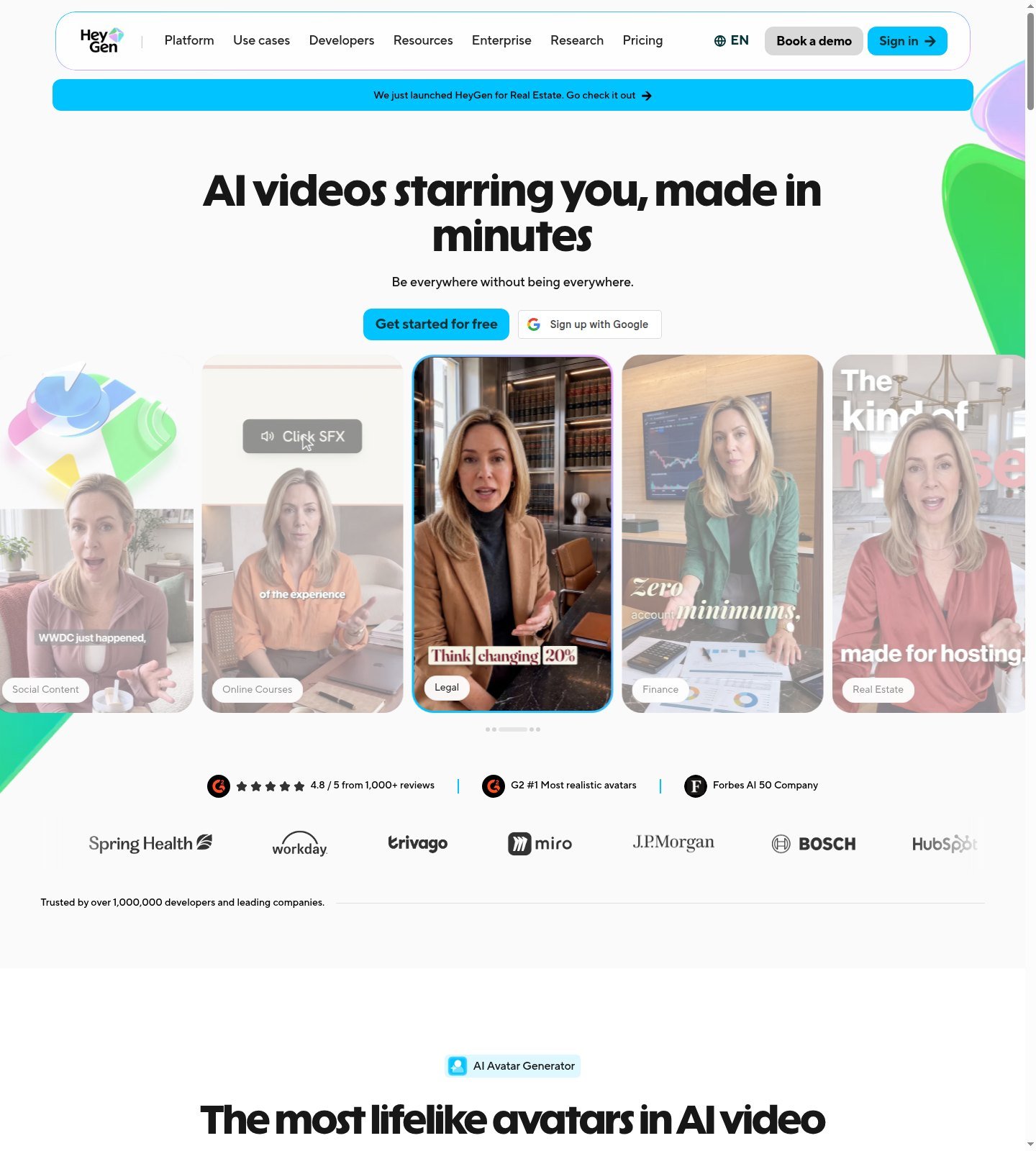
HeyGen is an avatar / presenter platform: studio script, stock or custom avatars, AI voice, translation, export. It fits onboarding, sales overviews, and multilingual spokespeople—not as a substitute for genuine customer testimonials. An AI presenter is not a real buyer. Free $0: 3 videos/month, 1-minute cap, 500+ stock avatars, 1 custom video avatar, 30+ languages. Creator $29/month or $24/month billed annually: 600 credits, 1080p, watermark off, voice cloning, 175+ languages. Pro $49/month, 4K. Business $149/month plus $20/seat, brand/collaboration rows. Help requires a consent video for video digital twins; do not clone an employee, customer, or influencer without that flow.
Product Placement is listed; it does not prove true-scale product holding. Many teams still finish CTA and legal in another editor. Credits vary by model and length—budgeting is less minute-like than Pictory-style export minutes.
Advantage: repeatable presenter videos. Limitation: incomplete social-ad assembler. Use it for authorized spokespeople. Skip URL-to-catalog ads and cinematic I2V-only jobs. Check current HeyGen pricing.
Synthesia — Best for Training and Teams
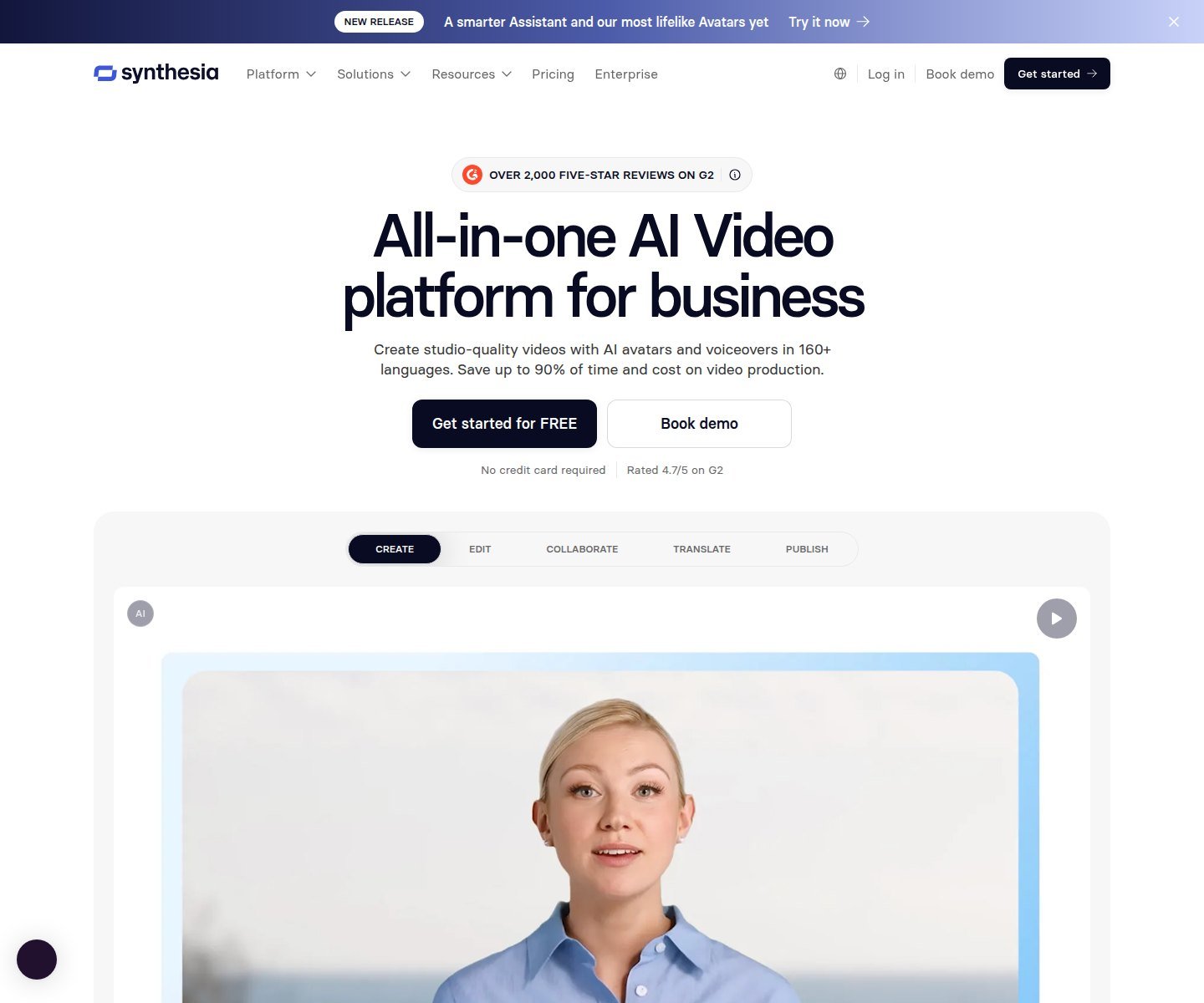
Synthesia is a business video / presenter platform: stock avatars, personal/custom avatars, AI dubbing, translation. It is here for internal explainers and localization, not TikTok template volume. Basic $0: 1,200 credits/month (10 minutes of video or dubbing or 25 assets). Starter $14/month billed yearly: 14,500 credits/year, 120 video minutes/year, logo off, 125+ avatars, 1 editor and 3 guests. Creator $59/month billed yearly: 5 personal avatars, API. Enterprise card: 1-click translations into 80+ languages, brand kits, SAML. Site copy cites 160+ languages. Unused minutes do not roll over per Synthesia FAQ—confirm live. Personal avatars need a live consent recording of the same person, including a passcode; help forbids creating photo avatars on someone else’s behalf.
Advantage: dubbed training versions in a workspace. Limitation: weaker marketing-template layer. Use it when employees must appear as authorized presenters. Skip it as your only social ads tool. Explore Synthesia.
Captions — Best for Social Media
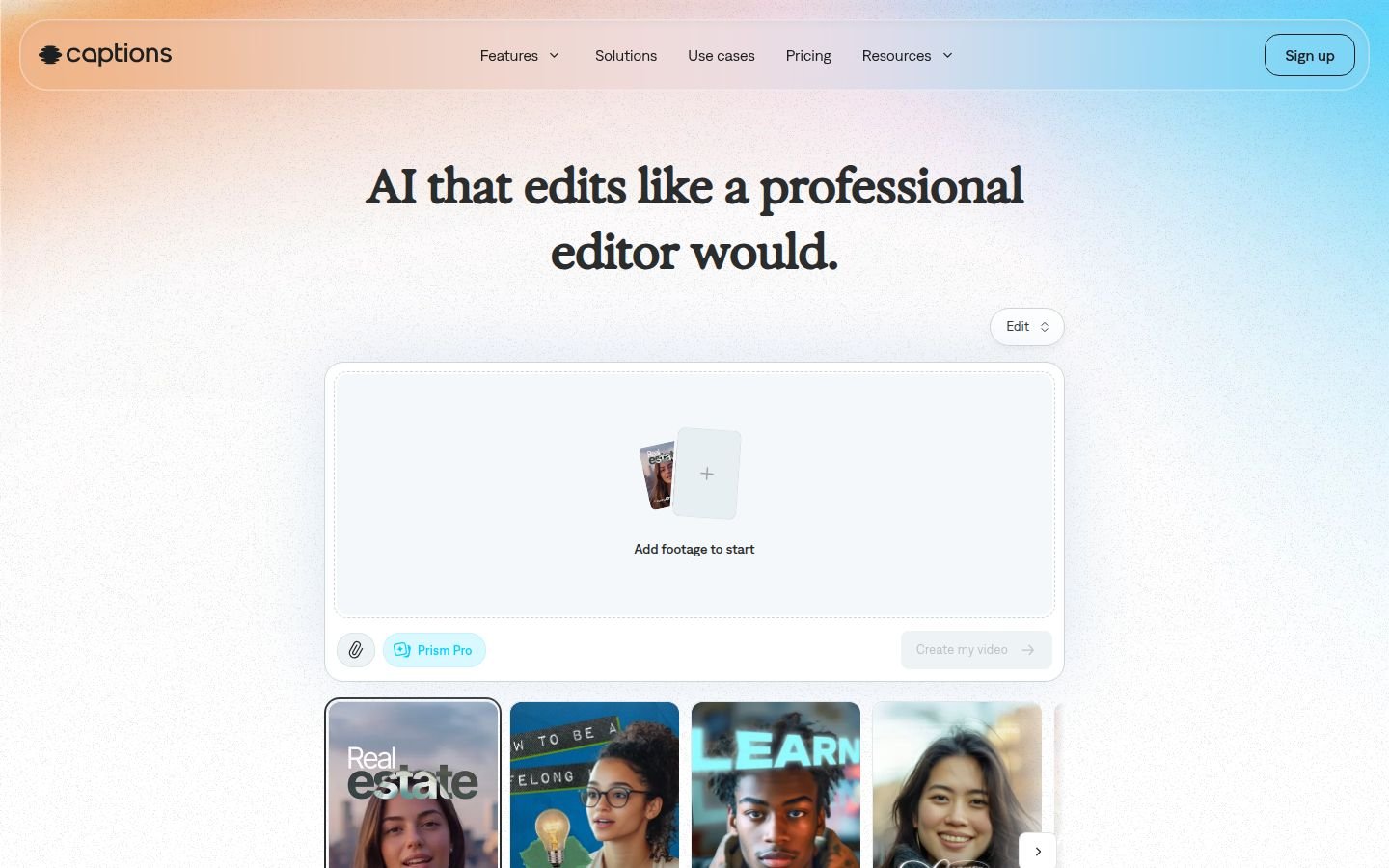
Captions is a social video editor: captions, AI Edit, AI Ads, resize, chat editor, generative B-roll, TTS, Voice Clone, Lipdub. Official compare lists captions in 100+ languages and AI Ads/Shorts on paid rows. Site USD prices are marked iOS-only: Max $24.99/month, 500 credits; Scale $69.99, 1,400. Free is limited. Credits roll up to two extra months. Follow in-app consent for twins and clones. Built-in music is not automatically cleared for every use. Chat edits are not Premiere. A solo owner can finish weekly posts here without standing up a multi-model studio.
Advantage: caption-first 9:16 for local and ecommerce social. Limitation: iOS price note; not a training LMS. Use it when the bottleneck is the social cut. Skip cinematic product-lock campaigns. Check current Captions pricing.
Higgsfield — Best for Cinematic and Product Creative
Higgsfield is a multi-model workspace: Cinema Studio, Marketing Studio from URL/image, listed engines (Kling, Veo, Seedance, Sora 2, and others, plan-gated). Help lists 9:16 among ratios, set per tool—not every model supports every ratio. Reframe copy distinguishes regenerating a ratio from a hard crop. This is the specialist path when a business needs hero motion, not weekly captioned posts. Audio/lip-sync sit in separate studios; Cinema 3.5 help notes native audio is not on that version. Starter / Plus / Ultra: 270 / 1,200 / 3,000 credits per month; confirm live USD. Variable credit spend can make monthly cost less predictable than a template-minute plan. You will likely still brand, caption, and mix elsewhere. Terms §4.4 as previously reviewed: outputs not exclusive on standard plans—confirm current terms. Do not treat generated pack shots as product evidence; see the product-ads page for that workflow.
Advantage: engine switching for campaign visuals. Limitation: training burden versus InVideo templates. Use it for occasional hero creative. Skip it as the only tool for a solo café’s weekly Reels. View current Higgsfield business video features.
All-in-One AI Video Platforms vs Specialist Generators
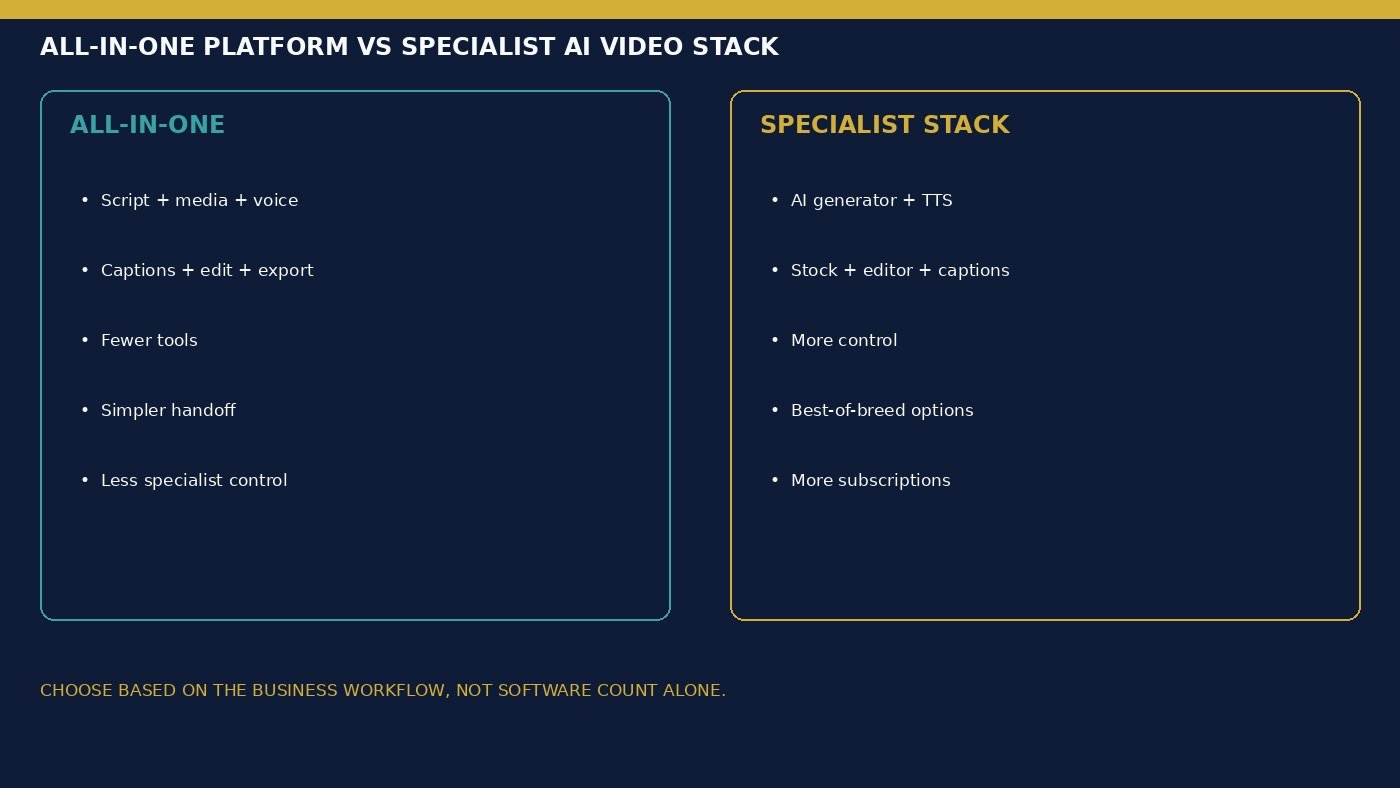
Do small businesses need an all-in-one AI video platform? Only if most videos are scripted marketing or explainers. All-in-one (InVideo, to a lesser extent Captions) can cut tool switching among generator, TTS, stock, and captions. Specialist stacks (Higgsfield or Runway plus an editor plus TTS) add control and subscriptions. Neither is universally cheaper, and neither removes review. External CapCut or Premiere is normal for specialists and is not automatically a defect. A café posting weekly specials and a studio making two campaign films per year should not buy the same stack.
Which AI Video Tools Are Best for Marketing, Training and Social Media?
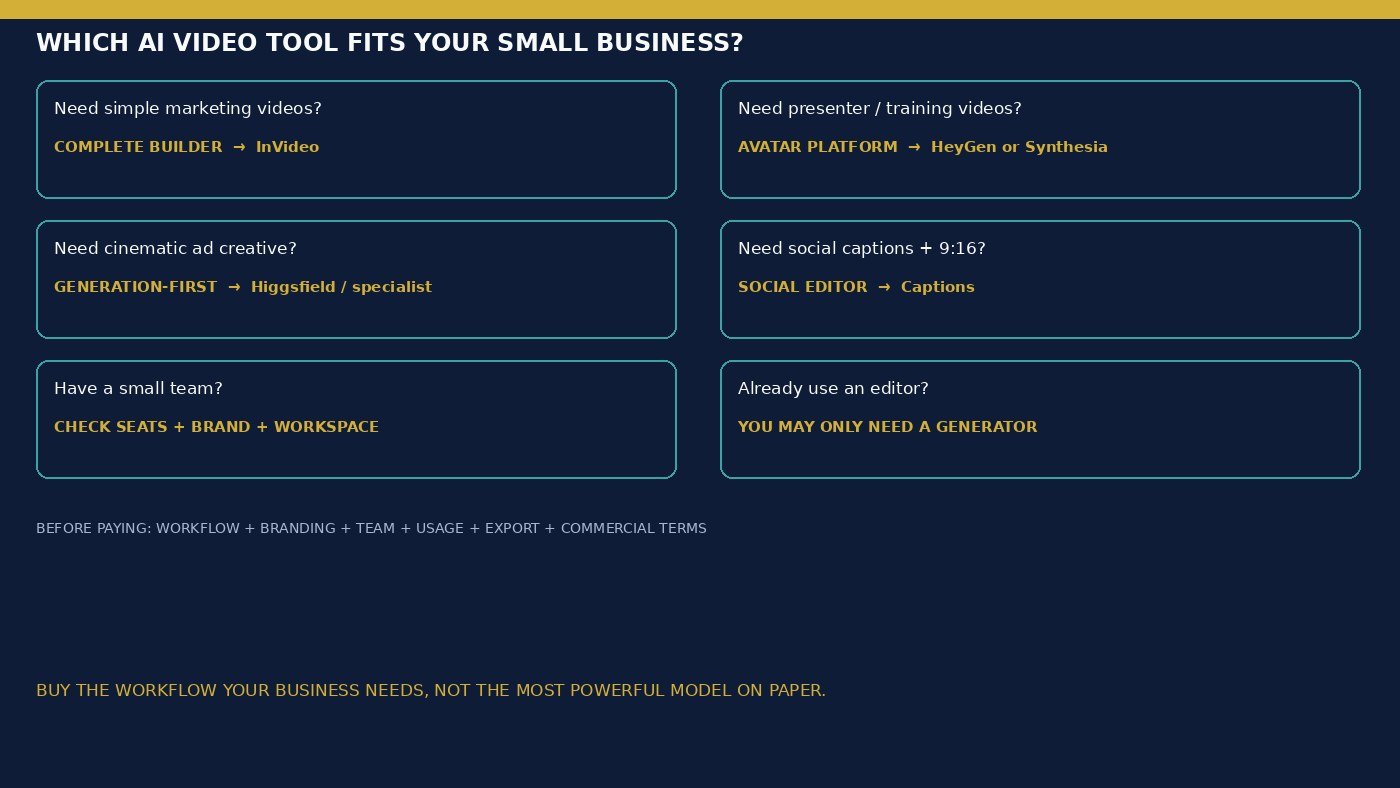
Which AI video tool is best for marketing videos? InVideo for assembled promos; Higgsfield when the shot must be generated. Which is best for training and explainer videos? HeyGen or Synthesia for presenters; InVideo for stock-led explainers. Social: Captions or InVideo 9:16. Product ads and UGC ads are detailed elsewhere—do not buy a Cinema suite for a three-slide service explainer, and do not buy only an avatar tool for catalog motion.
Branding, Team Access and Reusable Workflows
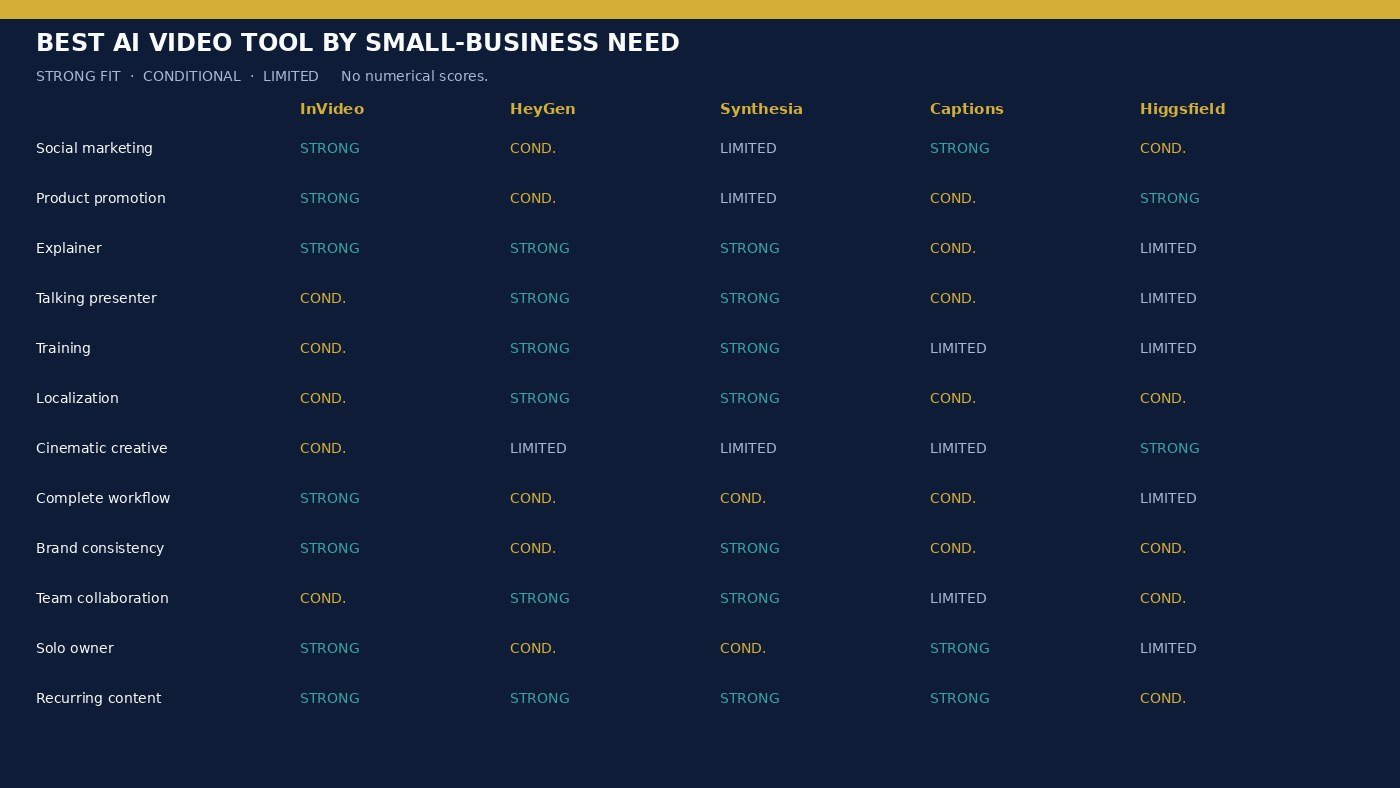
Recurring content needs reusable templates, logos, voices, and duplicate projects—not a one-off demo. InVideo timeline and seats support that assembly. HeyGen Business lists brand/collaboration. Synthesia scales guests, personal avatars, and Enterprise brand kits. Captions is lighter on workspace CMS. Higgsfield organizes studios more than a brand kit. Team price is not solo price: HeyGen adds $20/seat on Business; InVideo is per-seat; Synthesia Creator is still one editor plus guests. Do not assume every paid plan includes approvals. Screenshots, charts, and real product stills still beat invented B-roll when the claim is factual.
How Much Do AI Video Tools Cost for a Small Business?
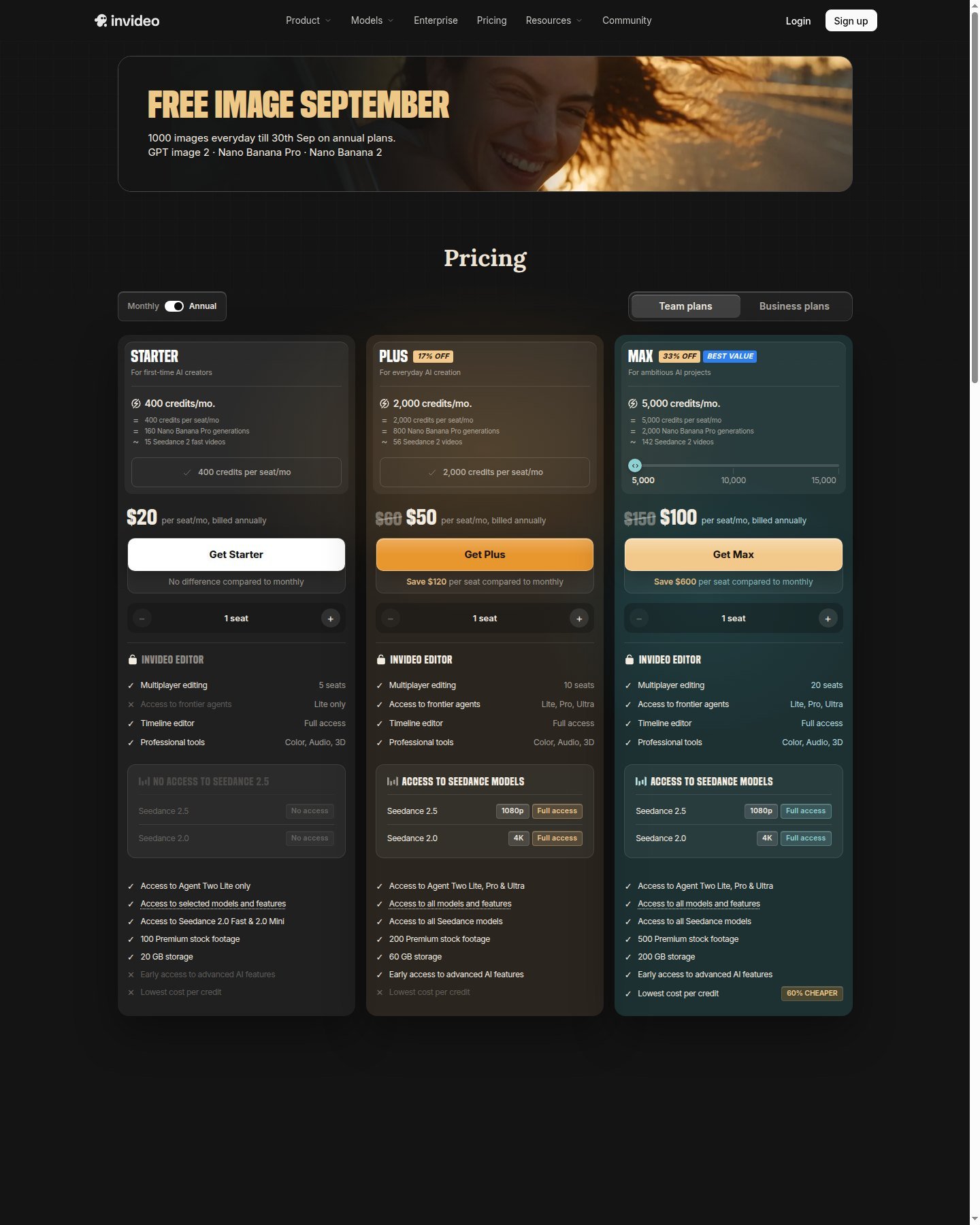
How much does AI video software cost for a small business? It depends on seats and usage, not a universal monthly number. The sticker on a best AI video generator for small businesses plan is not production cost. Add seats, credits or minutes, clones, stock, and extra apps. Credits are not comparable across vendors. Minute-like export allowances (Synthesia, some complete builders) can feel more predictable than model-priced generations. Moon Picke will not invent monthly savings or hours saved. Solo owners often start on InVideo Starter, HeyGen Creator annual, Captions Max, or Synthesia Starter yearly—not Ultra. Teams should read seat rows before checkout. Free tiers exist on all five; watermarks and commercial rows follow the live plan. Occasional publishers should not buy Max because a demo looked cinematic. High-volume marketing should inspect templates, brand reuse, and overage rules rather than list price alone.
| Tool | Marketing | Presenter / Avatar | AI Generation | Brand Tools | Team Workflow | External Editor Needed |
|---|---|---|---|---|---|---|
| InVideo | Strong | Conditional (twins extra) | Plan-gated partners | Editor / seats | Per-seat multiplayer | Often optional |
| HeyGen | Conditional | Strong | Avatar IV / studio | Business brand kit | Business + $20/seat | Often for ads |
| Synthesia | Limited social | Strong | Presenter-centric | Enterprise kits | Guests / Enterprise | Sometimes |
| Captions | Strong social | Conditional twins | Conditional | Limited CMS | Scale plan | Often optional |
| Higgsfield | Conditional hero | Limited | Strong / multi-model | Conditional | Workspace; confirm seats | Usually yes |
Which AI Video Tool Fits Your Small Business?
Do not automate claims, fake testimonials, unreleased SKUs, or customer data into a prompt and call it done. Human QA still owns facts, likeness, music, and ads policy. Generic stock plus a generic script plus generic TTS is still generic content. Original graphics and real screenshots often carry more information than endless invented B-roll.
Solo local business: InVideo or Captions. Ecommerce: InVideo for weekly cuts; Higgsfield or the product-ads workflow for hero SKUs. Service business: HeyGen explainers plus InVideo social. Small marketing team: InVideo Plus/Max seats or Synthesia if training is the volume. Multilingual: HeyGen paid languages or Synthesia dubbing. Training-heavy: Synthesia. Cinematic brand: Higgsfield, then an editor. Advanced in-house editor: generation specialists only. Check current Higgsfield pricing only if studios and listed engines are the documented need.
Final Verdict
There is no single best AI video generator for small businesses for every shop. InVideo for complete marketing assembly, HeyGen for authorized presenters, Synthesia for training localization, Captions for social finishing, Higgsfield for specialist hero generation. Buy the workflow you will repeat. Do not pay for unused model lists. Verify scripts before they become ads. Explore Higgsfield if that specialist path is the job.
FAQ
What is the best AI video generator for small businesses? InVideo for most assembled marketing; HeyGen or Synthesia for presenters; Captions for social cuts; Higgsfield for cinematic specialists.
Which AI video tool is easiest to use? Template-led complete builders (InVideo) and social editors (Captions) remove more switches than multi-model studios. That is workflow, not a tested ease score.
Which is best for social media marketing? Captions or InVideo 9:16—not a Cinema-only account.
Which is best for product videos? Assembly in InVideo; generated product motion on the product-ads page or Higgsfield Marketing/Cinema.
Which is best for employee training? Synthesia or HeyGen with consented presenters.
Can a small business use AI avatars? Yes under current vendor terms and consent rules. An avatar is not a real customer.
Do I still need a video editor? Often with Higgsfield; less often with InVideo or Captions.
Can AI-generated videos be used commercially? According to each platform’s current terms for your plan—not as a blanket “safe for business” stamp, and not as YouTube or ads-network approval.