
This SalesCrunch CRM vs HubSpot comparison is a 2026 buyer check, not a dual-CRM lab test. SalesCrunchCRM is one $30-per-user-month ACT!-style sales CRM with a 14-day trial and no free plan. HubSpot’s free CRM (up to two users) plus optional Sales Hub seats is a broader customer platform. Neither is universally better. Moon Picke did not import contacts into either product. Facts are from current official pages and HubSpot’s Product & Services Catalog, captured 19 September 2026.
SalesCrunch CRM vs HubSpot: Quick Answer
Moon Picke may earn a commission if you purchase through some links on this page, at no additional cost to you. Read the affiliate disclosure.
SalesCrunch may fit a small sales team that wants one published CRM seat price, a familiar contact card and Kanban pipeline, included Crunchy AI (150 messages/month), and Gmail/mail-merge — without buying Marketing or Service Hubs. HubSpot may fit a team that wants a lasting free CRM, 2,000+ marketplace apps, iOS/Android, and a path into Sales Hub Starter or Professional. Sequences, custom reports, and catalog forecasting sit on paid Sales Hub Professional/Enterprise, not on Free. See how we evaluate software.
SalesCrunch CRM vs HubSpot at a Glance
| Area | SalesCrunch CRM | HubSpot CRM |
|---|---|---|
| Best for | ACT!-style sales CRM, one paid plan | Free Smart CRM + optional Sales Hub seats |
| Starting price | $30/user/month after trial | $0 Free (2 users); Sales Hub Starter $7/seat/mo billed annually or $20/seat/mo monthly |
| Free plan | No | Yes (free tools / Smart CRM lite) |
| Sales pipeline | Opportunities Kanban; multiple named pipelines not clearly published | Deals on Free; extra pipelines require paid Sales Hub (2 / 15 / 100 by Starter / Pro / Ent) |
| Automation | Alarms, recurring tasks, GhostBuster, Crunchy drafts | Limited free form/email automation; sequences = Sales Hub Pro/Ent + Sales Seat |
| Email tools | Gmail connect, templates/merge, bulk/print merge — not a marketing cloud | Inbox sync, tracking (200 notices/mo on Free), 3 templates on Free; 1:1 scheduling |
| Reporting | Operational reports + pipeline totals; no forecast models in walkthrough copy | Free: 10 dashboards; custom reports and Forecasting on higher Sales Hub editions |
| Integrations | Native Gmail; imports; no Zapier directory found; Growth-style webhooks N/A | Marketplace 2,000+ apps; Gmail/Outlook; Salesforce sync on paid Sales Hub |
| AI features | Crunchy (Claude Sonnet 4.5, 150 msgs/mo); extra packs sold | Breeze Assistant on Free; HubSpot Credits on paid (500/3,000/5,000 by edition); extra $0.010/credit |
| Mobile apps | Web; iOS/Android not listed | iOS and Android documented |
| Main advantage | One CRM price, ACT! workflow, included assistant cap published | Free starting CRM, ecosystem, mobile, Hub expansion |
| Main limitation | Narrow public integrations; no native mobile apps listed | Needed sales depth often means Sales Hub seats, onboarding fees, credits |
Scope: SalesCrunchCRM versus HubSpot free CRM tools and Sales Hub (Starter / Professional / Enterprise). Smart CRM and Marketing Hub prices are not the same SKU as Sales Hub. Do not treat every Hub as “HubSpot CRM.”
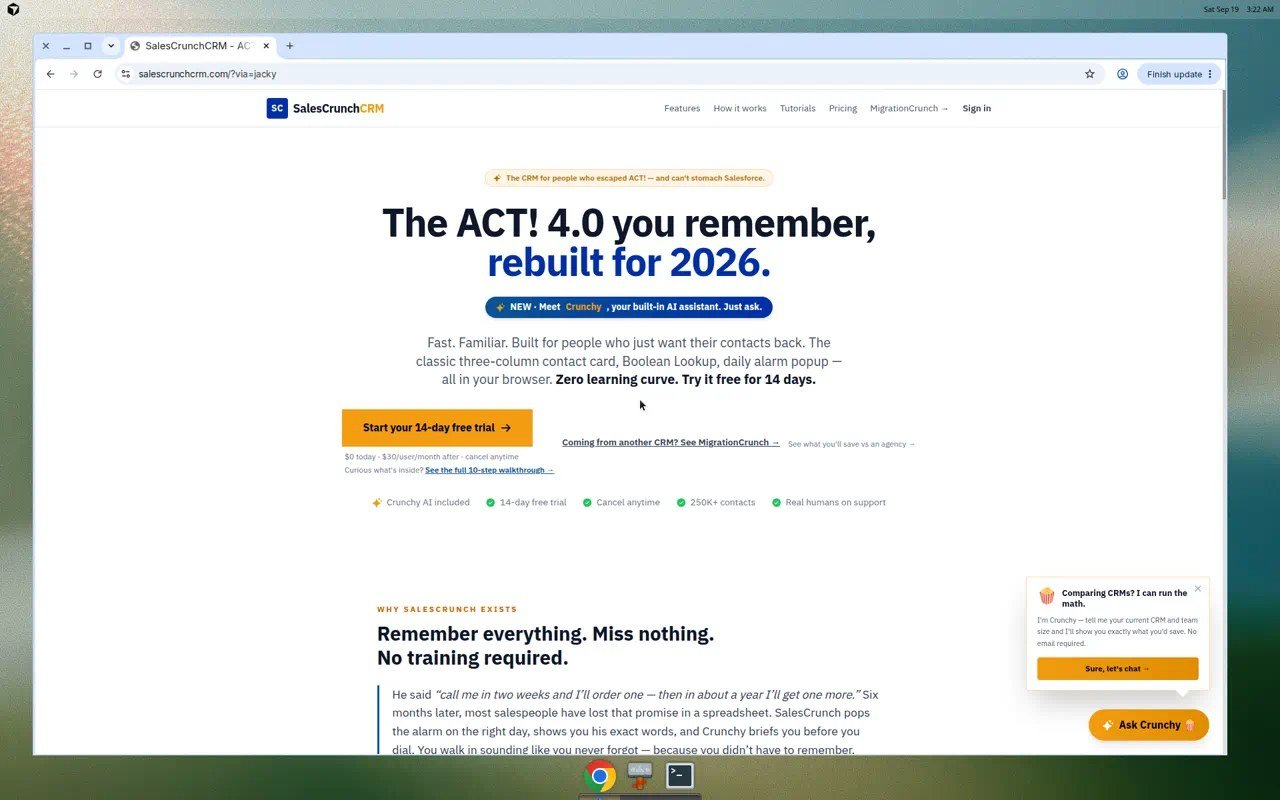
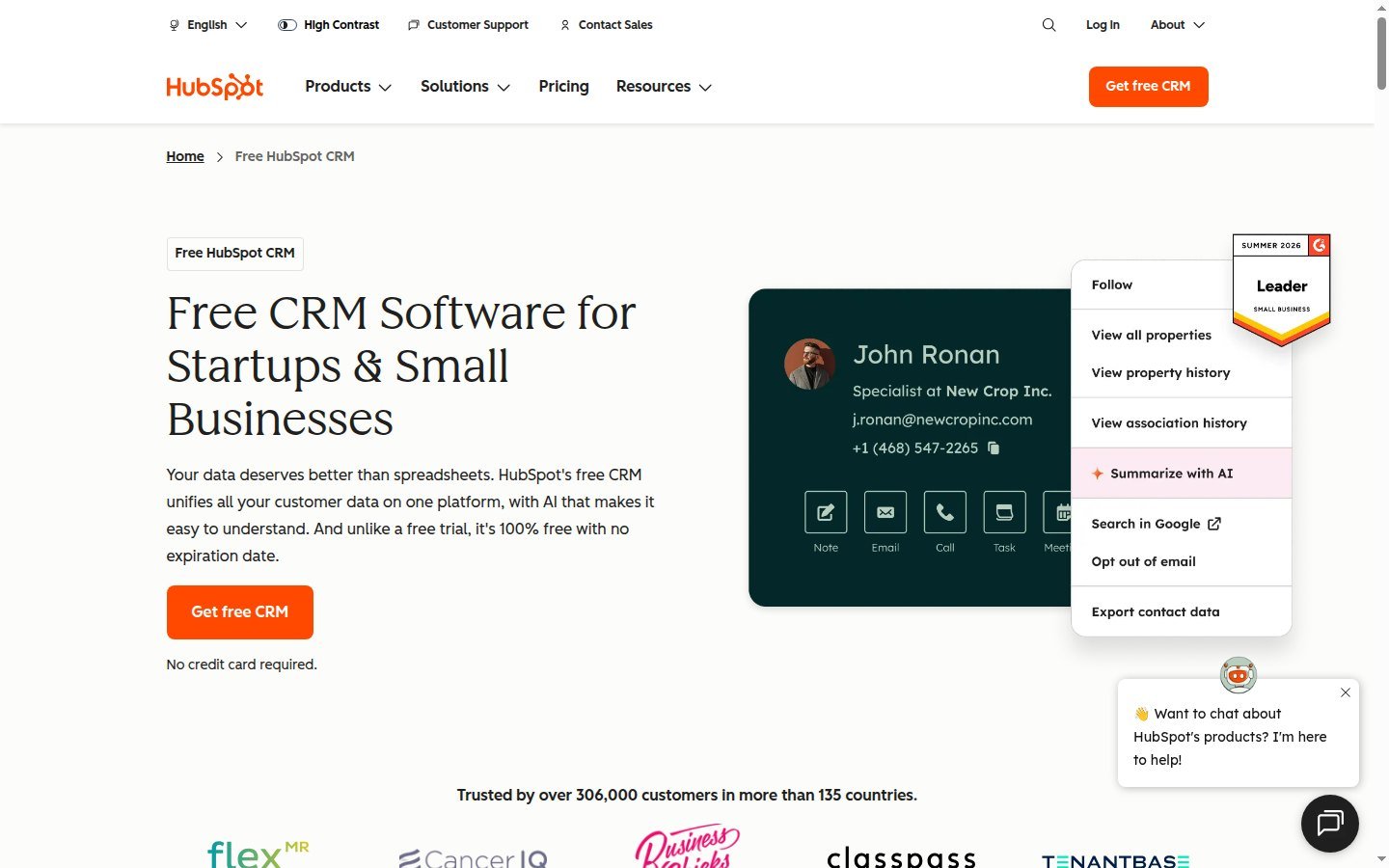
What is the main difference between SalesCrunch CRM and HubSpot? SalesCrunch is a single-plan sales CRM aimed at ACT! refugees. HubSpot is a customer platform: a free two-user CRM plus paid Hubs. Feature depth on HubSpot depends on which Hub and seat you buy.
Sales Pipeline and Deal Management
SalesCrunch documents Opportunities on a visual Sales Pipeline: stages such as Lead, Qualified, Proposal, Negotiation, plus Won/Lost in walkthrough language; drag-and-drop; deal title, value, stage, close date, linked contact. Header totals are pipeline value. Multiple named pipelines are not clearly published. Walkthrough copy says there are no forecasting models.
HubSpot Free Tools include Deals. The CRM marketing page describes pipeline visualization. The Product Catalog’s Sales Hub editions list deal-pipeline caps of 2 (Starter), 15 (Professional), and 100 (Enterprise). Creating additional pipelines requires a Starter, Professional, or Enterprise subscription per HubSpot’s pipeline knowledge base — not a Free-only assumption. Default deal stages include close probabilities used for a weighted board amount; that is not the same as the catalog’s Forecasting feature, which sits with Professional/Enterprise sales tooling.
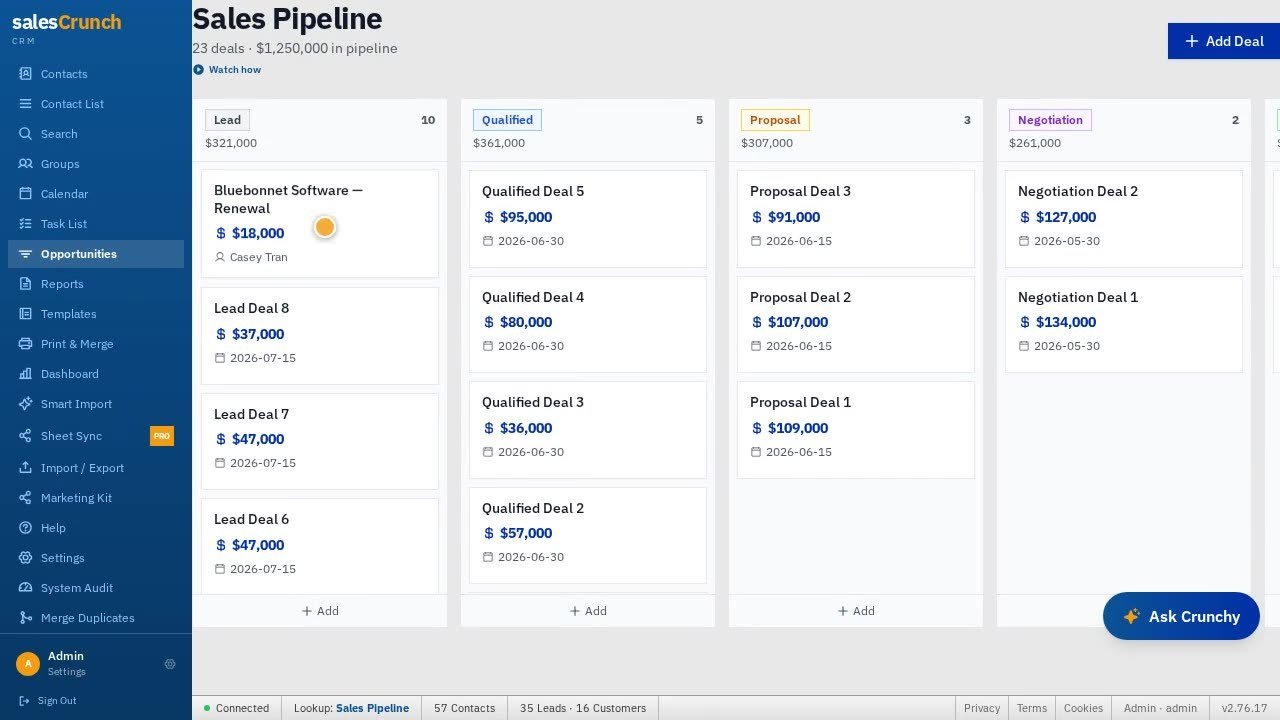
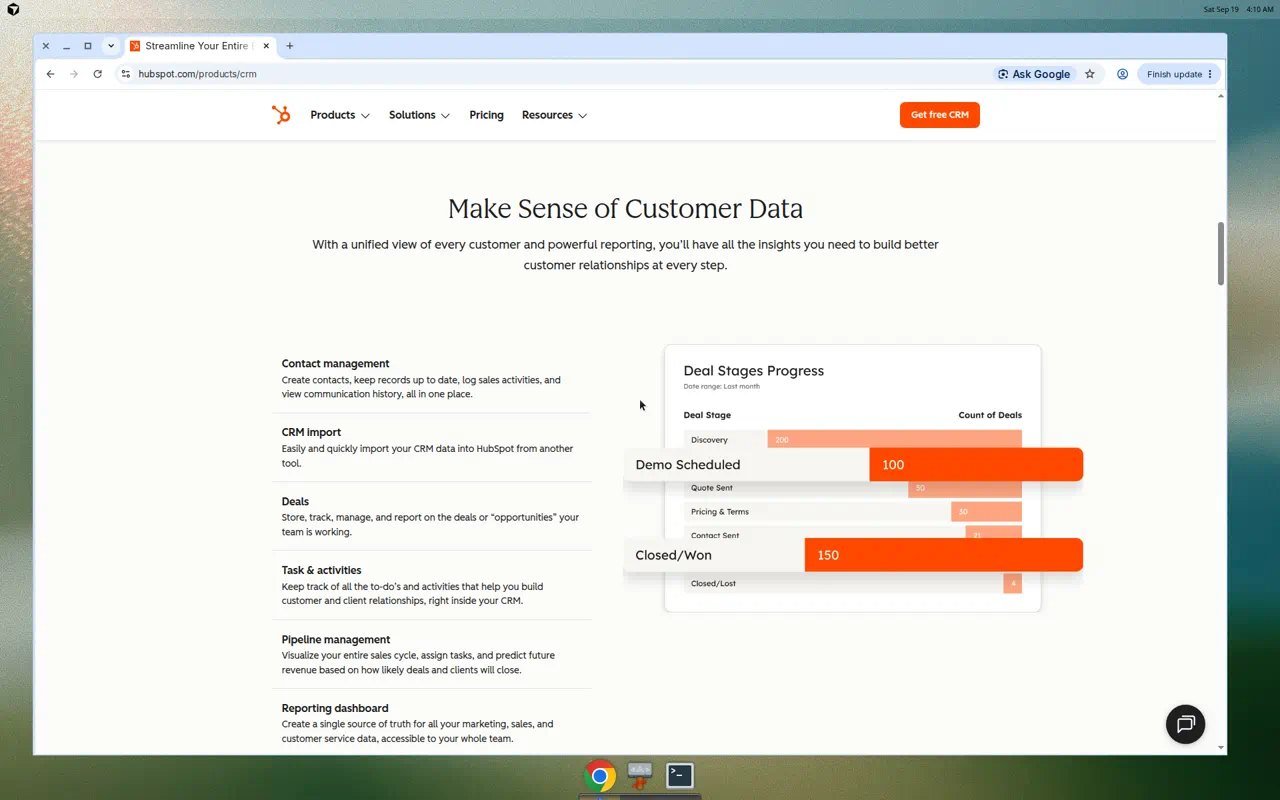
Official SalesCrunch tutorial pipeline media (demo deals) and official HubSpot CRM/Sales marketing UI captured 19 September 2026. Screenshots show current positioning, not usability.
Contacts and Everyday CRM Workflow
SalesCrunch stores contacts with a three-column card (business, address, status/user fields), company on the card, ID/Status (Lead as a status, not a separate object in marketing copy), groups, tags, lookup, import (CSV, ACT! .dbf, GoldMine, Outlook .pst), CSV export, duplicate merge, and a 250K+ contacts claim. Roles: Admin / Manager / User.
HubSpot Free Tools include contact management, companies, deals, tasks/activities, website activity on the contact, and CRM import. The free CRM FAQ on HubSpot’s CRM page states up to two users and 1,000 contacts. Custom properties: Sales Hub Starter/Pro catalog rows list 1,000 custom properties per object on paid editions — do not treat that cap as a Free entitlement without checking Free limits in-product. Associations and lead objects deepen on paid Sales Hub (lead pipelines: Professional/Enterprise in HubSpot’s KB).
Automation and Follow-Up
Keep sequences, workflows, and reminders separate.
SalesCrunch documents daily alarms, tasks, recurring activities, GhostBuster (14-day quiet deals), and Crunchy actions with send approval. That is assistant- and reminder-style automation, not HubSpot’s sequences product.
HubSpot Free includes very limited form automation (1 automated email per form) and email automation (1 automated action). Sequences require Sales Hub Professional or Enterprise and an assigned Sales Seat, per HubSpot Knowledge Base. Pipeline-stage automations for deals are listed for Sales Hub Starter, Professional, and Enterprise — not Free. Workflows that enroll contacts into sequences require Enterprise. Do not assign Professional sequences to a Free CRM buyer.
Does SalesCrunch have a free plan? No. It has a 14-day trial with $0 charged today, then $30/user/month. Is HubSpot CRM really free? Free tools exist with no expiration for up to two users; paid Sales Hub starts when you need more seats or Pro features.
Email and Sales Engagement
CRM email is not full email marketing.
SalesCrunch: Gmail connect (product copy: 500/day), templates with merge tokens, Print & Merge / bulk email with Send approval. Classic multi-step sequences are not clearly published. Open/click sequencer tracking was not verified.
HubSpot: Gmail, Outlook, or Exchange inbox connection on Free Tools. Email tracking: 200 notifications/month on Free; unlimited tracking on paid Sales Hub rows. Templates: 3 per account on Free vs up to 10,000 on paid Sales Hub. Meeting links: 1 personal link with branding on Free. Calling minutes appear on paid Sales Hub (500 / 3,000 / 12,000 by edition), not as a SalesCrunch equivalent. Marketing-nurture email is a HubSpot platform extra — not a reason to say SalesCrunch “does email marketing.” Support: SalesCrunch lists human support and email-the-founder language; HubSpot catalog lists email and in-app support on Sales Hub. Neither is a measured “fast support” claim here. Security: HubSpot publishes SOC 2 Type 2 / SOC 3 and TLS 1.2+ on its security page. SalesCrunch documents Stripe checkout and GDPR-style legal copy; SOC 2 was not found on its public marketing site in the September 2026 review. That is a documentation gap, not a penetration-test result.
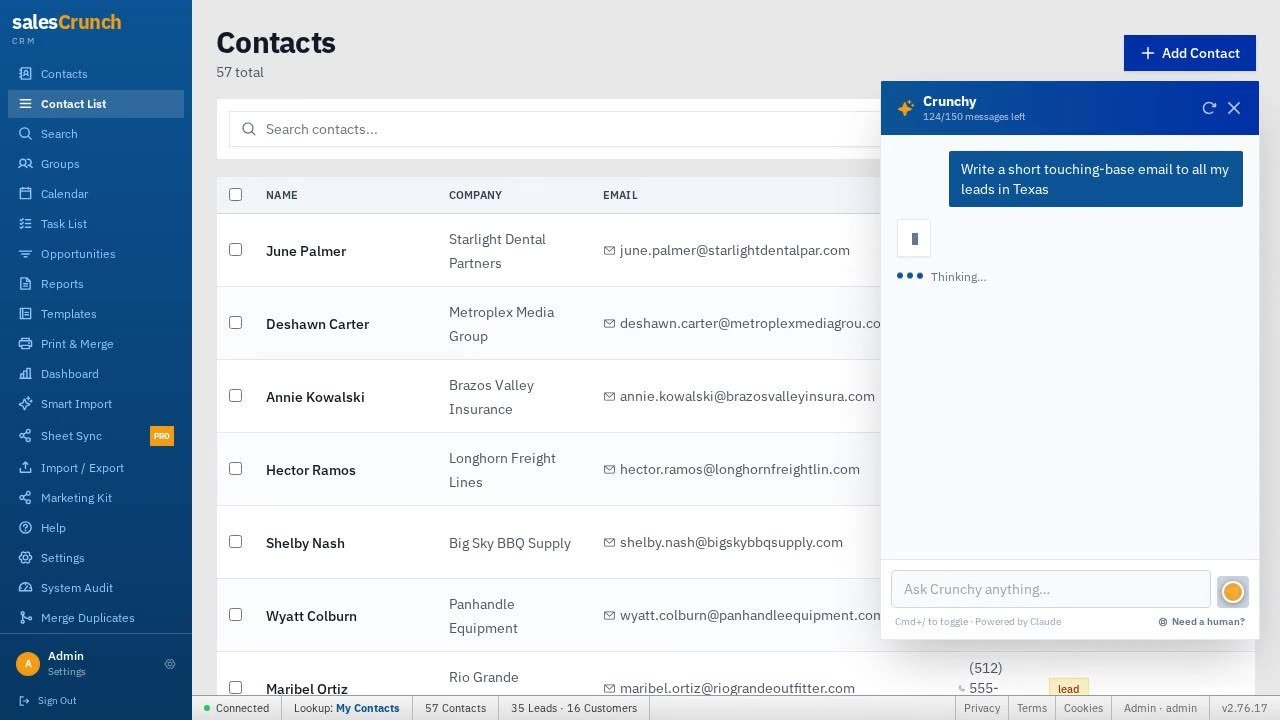
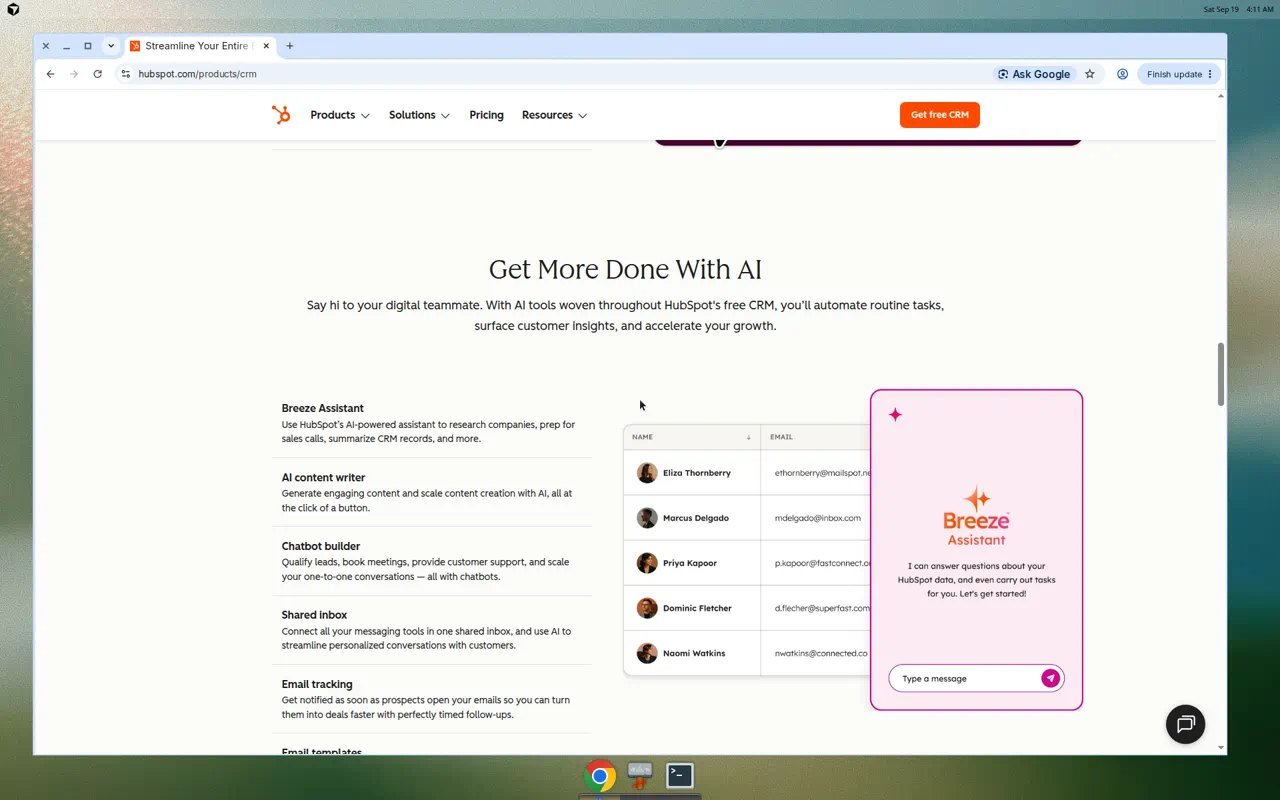
Official Crunchy/tutorial evidence vs official HubSpot CRM AI/email marketing modules. Not a hands-on quality test.
Reporting and Sales Analytics
SalesCrunch Reports lists Contact, Phone List, Directory, Activity History, and History Summary, plus pipeline dollar totals. That is operational, not BI.
HubSpot Free: reporting dashboard with 10 dashboards and 50 reports per dashboard. Sales Hub paid: 30 / 75 / 100 dashboards by Starter / Pro / Ent. Custom reporting: catalog rows on Professional/Enterprise (100 / 500 custom reports). Forecasting: Professional/Enterprise. Pipeline total ≠ a dedicated forecast module.
Integrations and Ecosystem
Native ≠ marketplace ≠ Zapier ≠ API.
SalesCrunch: native Gmail; file imports; Sheet Sync (Pro badge on UI); CSV/JSON backup. No public Zapier directory found in the September 2026 review of the live site. Internal app APIs are not a published no-code platform. Crunchy’s tool map (Gamma, ElevenLabs, Fathom, Loom) is not verified two-way CRM sync.
HubSpot: Marketplace “over 2,000” apps on the CRM page; Gmail/Outlook/Exchange; Data Sync for select HubSpot-built integrations; Salesforce integration listed on paid Sales Hub. Public APIs exist for HubSpot developers; that is not the same as clicking a marketplace app, and it is not plug-and-play for every small-business owner. SalesCrunch did not publish a customer REST catalog. A broader stack can also mean more configuration. Other Moon Picke software pages, including the SalesCrunch CRM review, the SparkReceipt review, and receipt management software for small business, use the same fit-over-logo-count rule. Process: editorial standards.
SalesCrunch vs HubSpot Pricing
Pricing verified 19 September 2026. SaaS prices change. Monthly and annual are not interchangeable.
SalesCrunch: one published CRM plan, $30/user/month, per-user. 14-day trial, $0 charged today, first charge day 15 per walkthrough; no free plan. Legal copy mentions monthly or annual at signup rate; marketing emphasizes $30/user/month — do not invent an unpublished annual discount. Ten seats is not $30. Crunchy extra message packs are add-on SKUs. No native-app tax.
HubSpot: Live Sales Hub pricing page on 19 September 2026 showed Free at $0/mo for up to two users (no credit card). Starter starts at $7/mo/seat billed annually versus $20/mo/seat month-to-month. Professional starts at $90/mo/seat billed annually versus $100/mo/seat monthly. Enterprise starts at $150/mo/seat. Catalog still lists Professional onboarding at $1,500 and Enterprise onboarding at $3,500 (required). Full Pro/Ent seller features need a Sales Seat. Credits: Starter card showed 500 HubSpot Credits; Enterprise 5,000. Extra credits $0.010 each in the catalog. A banner offered Revenue Hub with new Sales Hub purchases at promotional annual seat rates — that is a time-boxed offer, not list pricing. The CRM marketing page also shows Smart CRM Starter “starts at $15/month per seat” with a new-customer footnote — a different SKU from Sales Hub. Confirm checkout. Free is $0 now; sequences and catalog Forecasting are not Free.
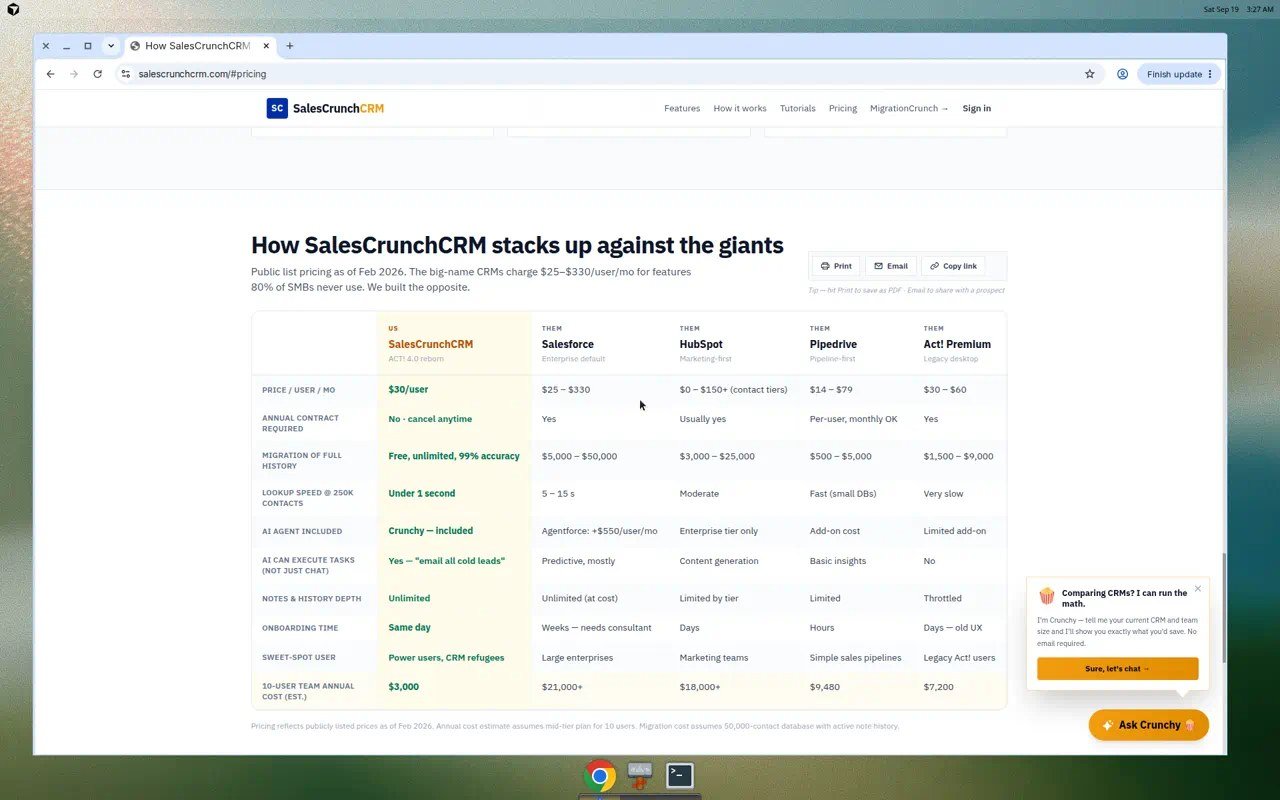
SalesCrunch pricing shown at the time of review; SaaS pricing can change.
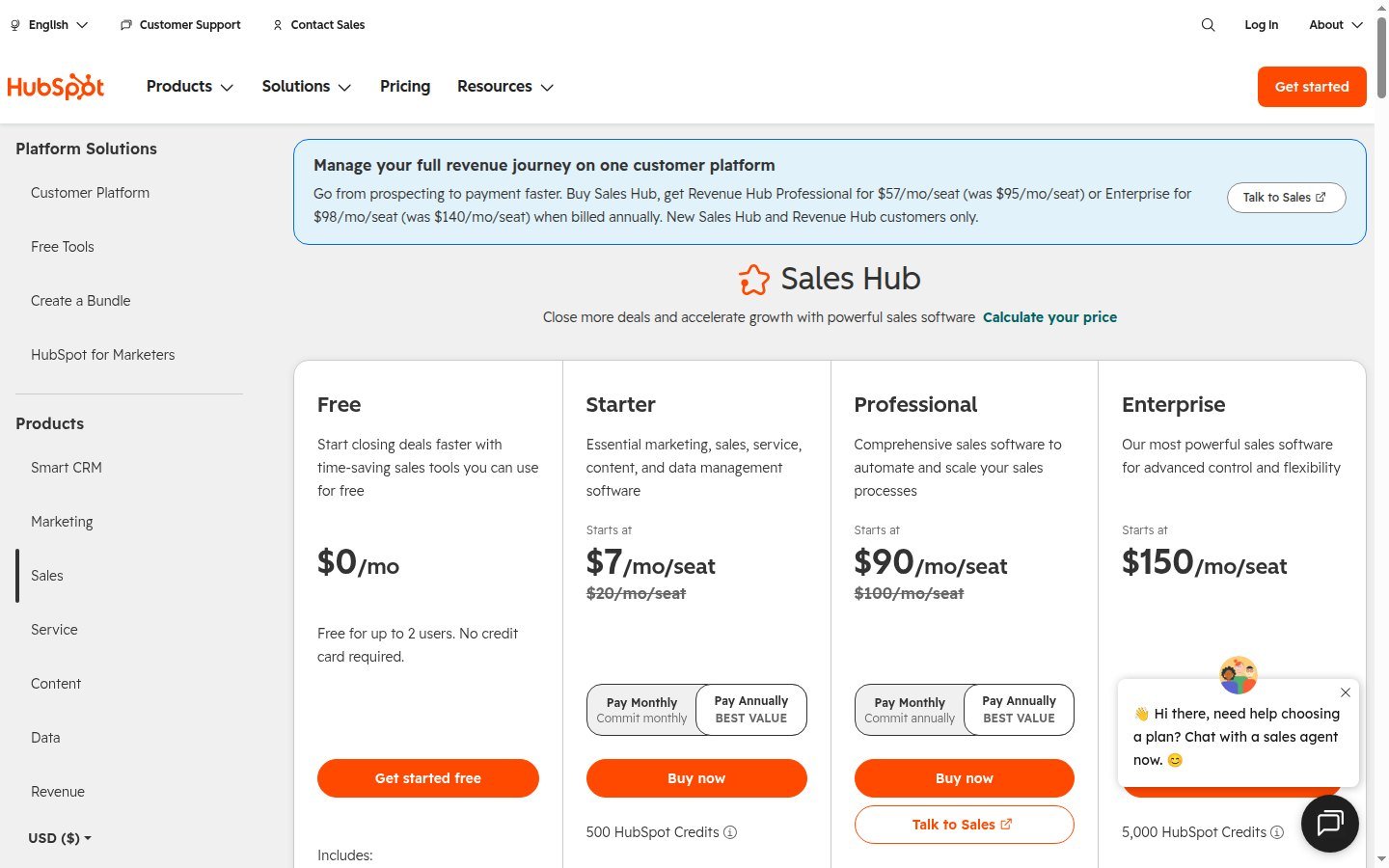
HubSpot pricing shown at the time of comparison; plan pricing and seat requirements can change.
Check current SalesCrunch plans · See current HubSpot CRM plans
Is SalesCrunch cheaper than HubSpot? For one seller who would stay on HubSpot Free, HubSpot is $0 and SalesCrunch is $30/user/month after trial. For a team that needs Sales Hub Professional (about $90–$100/seat plus $1,500 onboarding in the catalog), HubSpot can exceed a handful of SalesCrunch seats. Compare the tier you actually need, and keep annual vs monthly labels straight.
Which Is Easier for a Small Sales Team — and Which Scales?
Moon Picke did not time onboarding. Editorial read of documented scope: SalesCrunch publishes one CRM edition and an ACT!-shaped card/toolbar; fewer Hub choices. HubSpot publishes streamlined onboarding and CRM templates, but the catalog of Hubs, seats, credits, and pipeline limits is larger. A broader platform may require more configuration; a focused CRM may reduce setup choices — and may block a later marketing/service expansion without switching.
Scale: SalesCrunch’s published story is more seats at $30 and 250K contacts, still one CRM feature set. HubSpot’s story is upgrade-in-place across Hubs without a new database, plus marketplace apps and mobile. That is expansion, not “infinite” scale. A 2–5 person team that only needs a pipeline may never use Marketing Hub; a team that will add inbound and service tickets may regret a CRM with no HubSpot-class marketplace.
Where SalesCrunch Makes More Sense — and Where HubSpot Does
SalesCrunch fits better when: you are leaving ACT! or spreadsheets; you want one $30 seat and a 14-day $0-today trial; Gmail + merge + Kanban is the job; you will work in the browser; you do not need 2,000 apps or native iOS/Android. Explore SalesCrunch CRM
HubSpot fits better when: two people can live on Free CRM; you need App Marketplace connectors; you want documented mobile apps; you will buy Sales Hub Starter for extra pipelines or Professional for sequences/forecasting; you expect marketing or service on the same records. Explore HubSpot CRM
Consider another CRM when: you need Jobber/Vagaro-class vertical ops (neither is that), or you are already standardized on Salesforce with no appetite to dual-run. Affiliate links did not pick a winner. About Moon Picke · Digital Tools.
Which CRM is simpler for a small sales team? SalesCrunch’s one-plan ACT! layout is the narrower product. HubSpot Free is simpler on price ($0) but thinner on sequences and extra pipelines until you pay Sales Hub.
SalesCrunch CRM vs HubSpot: Which Should You Choose?
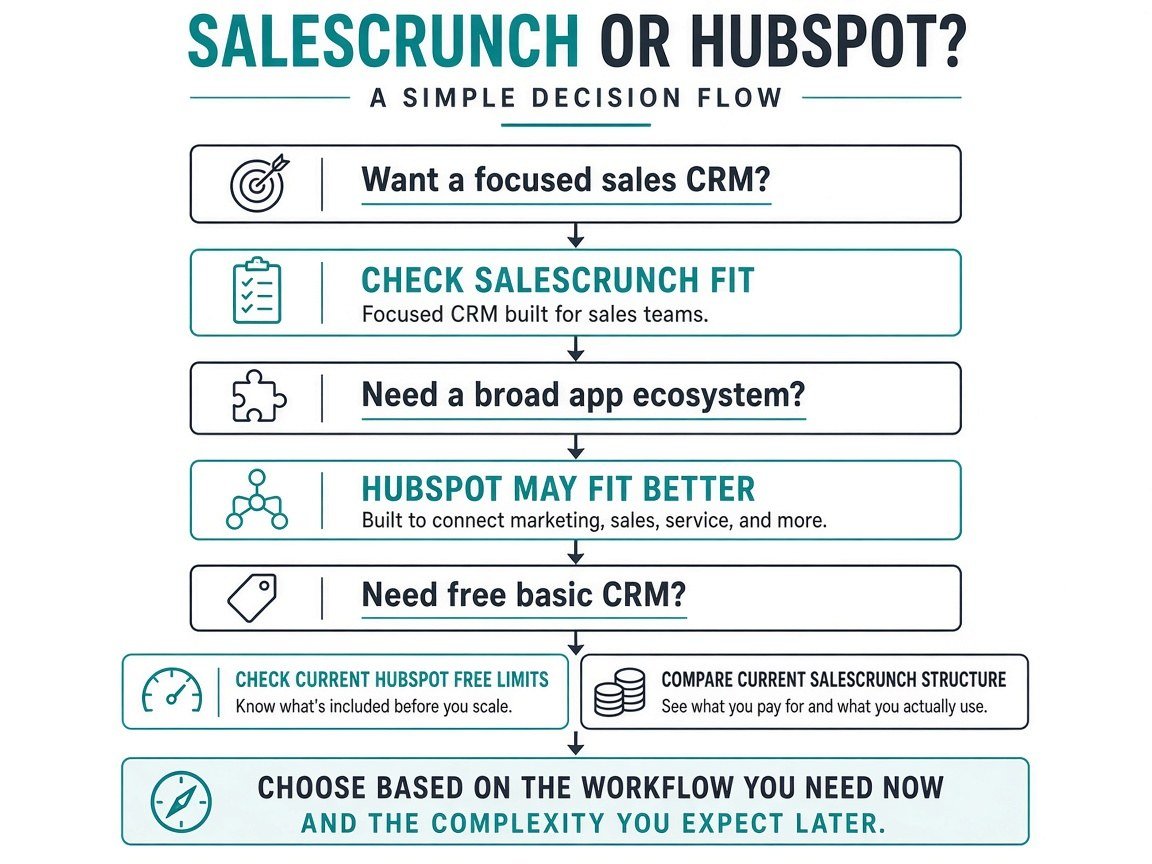
No overall winner. Choose a focused sales CRM that matches the workflow you run now, or a broader ecosystem you will actually configure later. This SalesCrunch CRM vs HubSpot decision should track seats, whether you need sequences, whether Google/Microsoft inbox plus 2,000 apps matters, and whether $30/user/month beats Free-then-Professional. Ask that — not which logo has more features.
FAQ
What is the difference? Single-plan ACT!-style CRM vs HubSpot’s free CRM plus paid Sales Hub/other Hubs.
Is SalesCrunch cheaper? Only versus the HubSpot tier you would really buy. Free HubSpot beats $30/user if Free is enough.
Does HubSpot offer a free CRM? Yes — free tools, two users, no expiration on the CRM page.
Does SalesCrunch support sales automation? Alarms, recurring tasks, GhostBuster, Crunchy — not HubSpot sequences.
Which has better integrations? HubSpot’s marketplace is far larger. SalesCrunch documents Gmail and file imports.
Can SalesCrunch replace HubSpot? For a sales-only ACT! workflow, maybe. Not as a marketing+service platform substitute.
Is HubSpot worth paying for if I only need CRM? Maybe not — start Free. Pay Sales Hub when you need its catalog features.
Which is easier to scale? HubSpot for Hub expansion; SalesCrunch for more seats on the same CRM. This SalesCrunch CRM vs HubSpot FAQ is not a score.