
Kling AI review for September 2026: Kling is worth paying for when you need a direct text-to-video and image-to-video generation engine—not when you need a one-click script-to-finished YouTube cut. Kling is both a model family and a consumer platform. This page evaluates documented generation, controls, credits, and gaps. Moon Picke did not benchmark quality, speed, or retry rates. Methods: How We Evaluate and editorial standards.
Kling AI Review: Quick Verdict
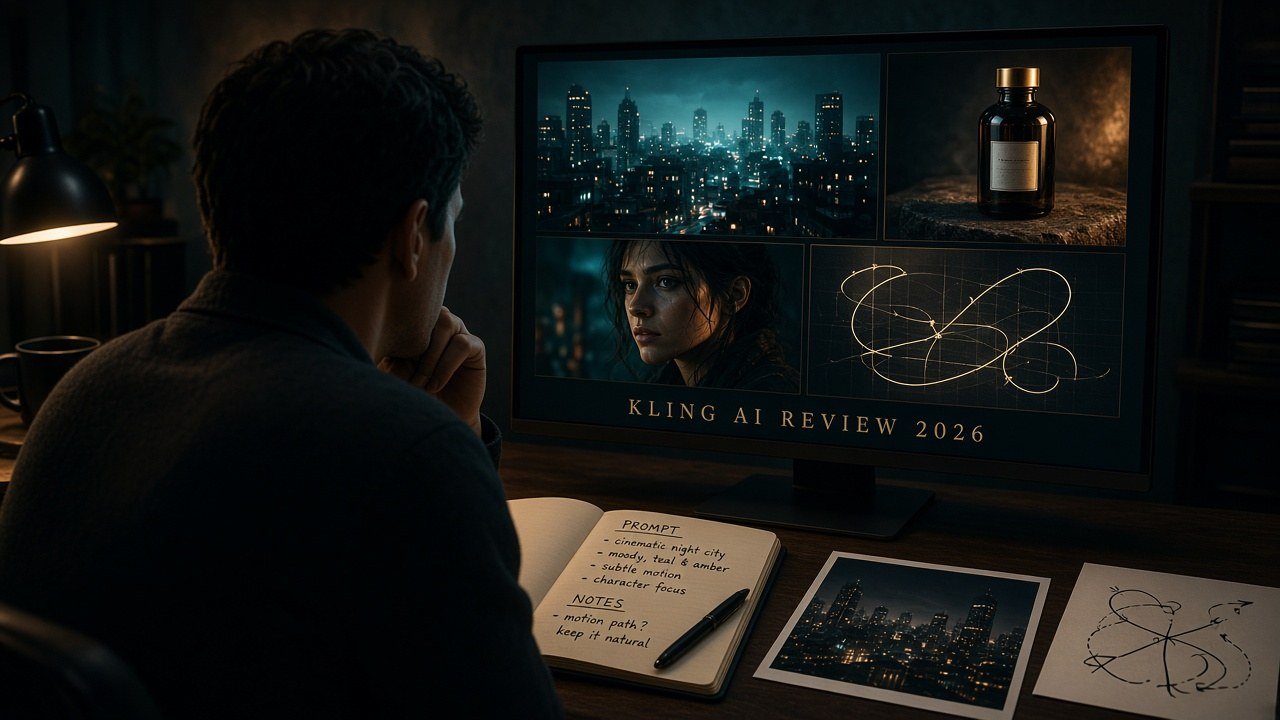
Is Kling AI worth it? Conditionally. It fits creators who generate cinematic clips, iterate on prompts or reference images, then finish voice, captions, and assembly elsewhere. Skip it if you wanted a complete editor or a multi-model workspace. Kling AI pricing, plan structure, and current model access were verified in September 2026. What is Kling AI best for? Shot generation with current camera, reference, and native-audio options. Explore Kling AI.
| Kling AI Review Snapshot | Verdict |
|---|---|
| Best for | Creators who need generated shots, not a finished long video |
| Product type | Model family plus Kling’s own generation platform |
| Current pricing model | Membership + monthly credits; first-month discounts vs renewal |
| Text-to-video | Documented on VIDEO 2.6 and VIDEO 3.0 series |
| Image-to-video | Documented, including start/end frames on Image to Video |
| Reference controls | Elements, start/end frames, Omni multi-image/video reference |
| Editing | Generation utilities (extend, regenerate, multi-shot)—not a full NLE |
| Long-form fit | Clips and sequences; 10-minute films still need an external editor |
| Best workflow | Idea → prompt or still → generate → control → iterate → export clips |
| Main limitation | Credits + iteration; generation is not complete production |
| Free access | Basic $0; no monthly credits on the credit-cost guide |
| Commercial use | Guide: Basic not commercial; paid plans listed as commercial—not a copyright guarantee |
| Overall value | Pays off when the job is generating usable shots |
This Kling AI review sits under the best AI video generators for creators pillar, beside the Higgsfield AI review, Runway review, and InVideo AI review. Dedicated vs pages are not live yet.
What Is Kling AI in 2026?
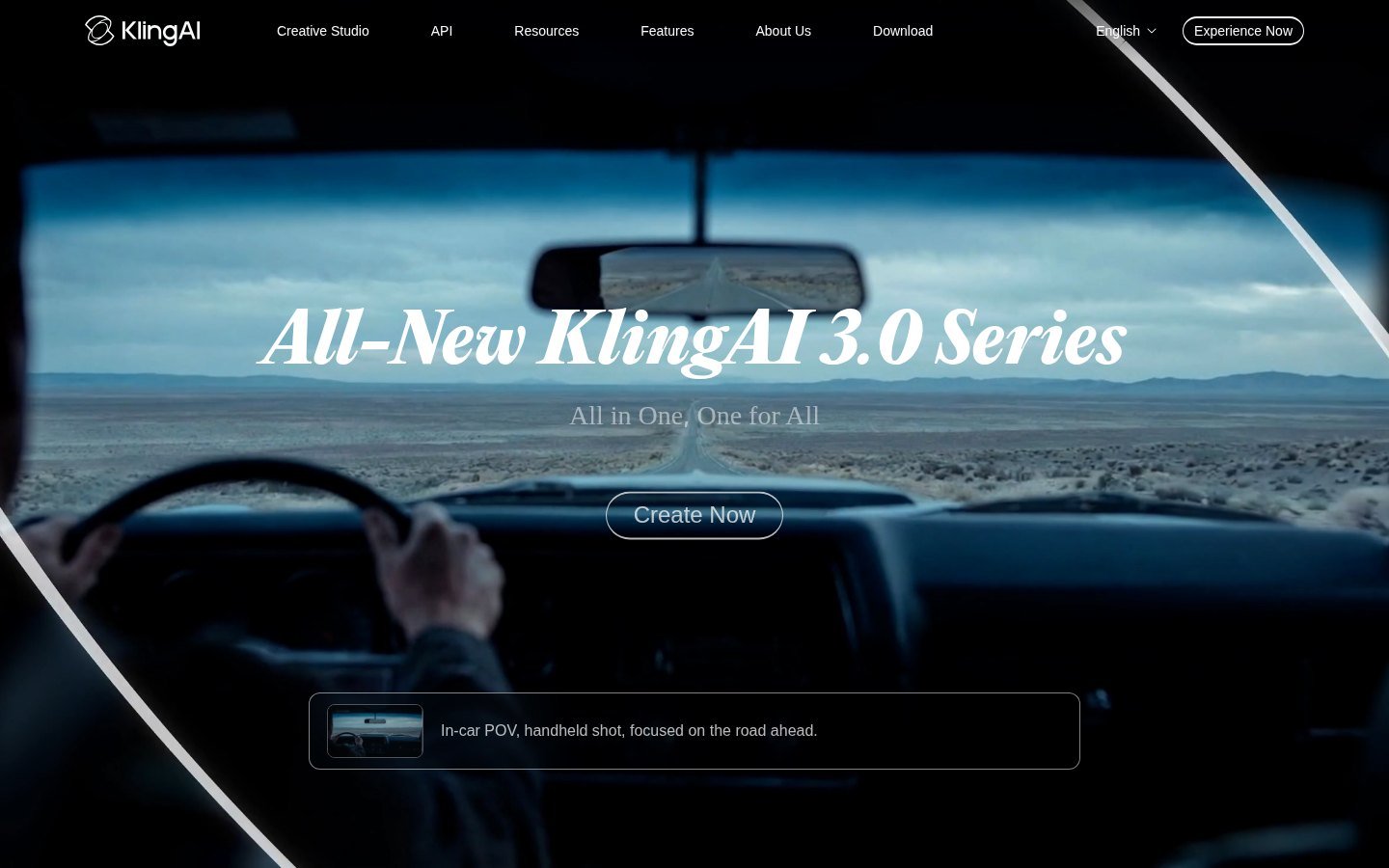
Is Kling a model or a platform? Both. Kling (Kling AI / 可灵) is a Kuaishou-developed video model family and a consumer Creative Studio where you pick versions, spend credits, and export clips. The homepage captured in September 2026 promotes the KlingAI 3.0 Series. A model name is not the same as the account, membership, API, or third-party workspace that hosts it.
Direct Kling access (klingai.com / app.klingai.com) can differ from third-party Kling-family access in version, controls, credits, UI, and timing. Partner listings in Guides or aggregator products do not prove feature parity. As of September 2026, Kling VIDEO 2.6 was upgraded to VIDEO 3.0 and Kling VIDEO O1 to VIDEO 3.0 Omni in official model-guide copy. Older formula pages (for example a November 2025 text-to-video prompt guide that still mentions model 2.0 and 5–10 second clips) are documentation history—confirm the live selector.
How Kling AI’s Video Generation Workflow Works
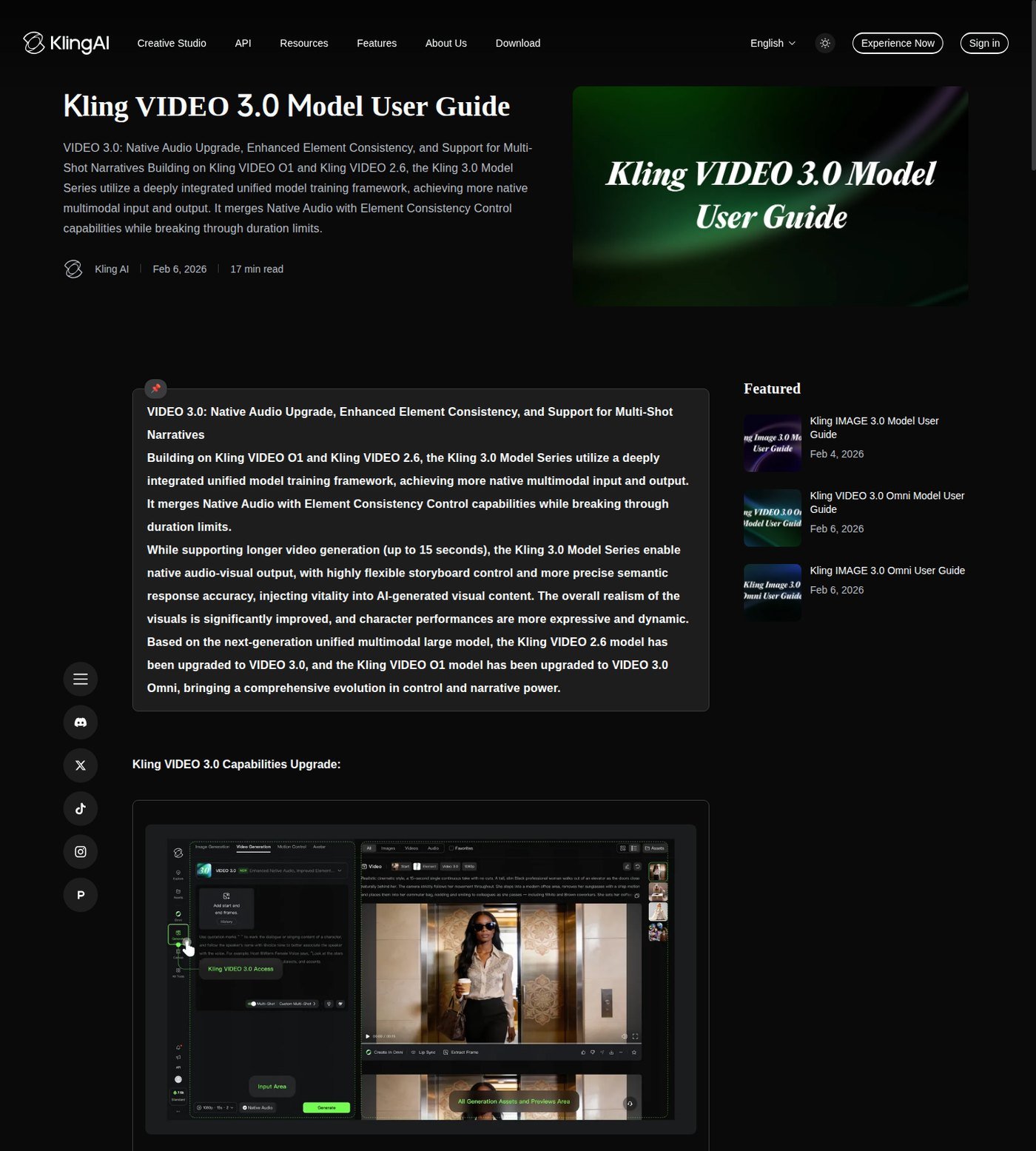
Documented flow: choose a current video model, start from text, an image, or start/end frames, set duration and (where shown) aspect ratio, optional native audio, then generate. Official VIDEO 3.0 copy lists text-to-video, image-to-video, start-and-end-frames-to-video, native audio, Multi-Shot, and start-frame plus element reference. Screenshots prove interface copy and documented tables—not quality, motion realism, identity lock, or queue speed.
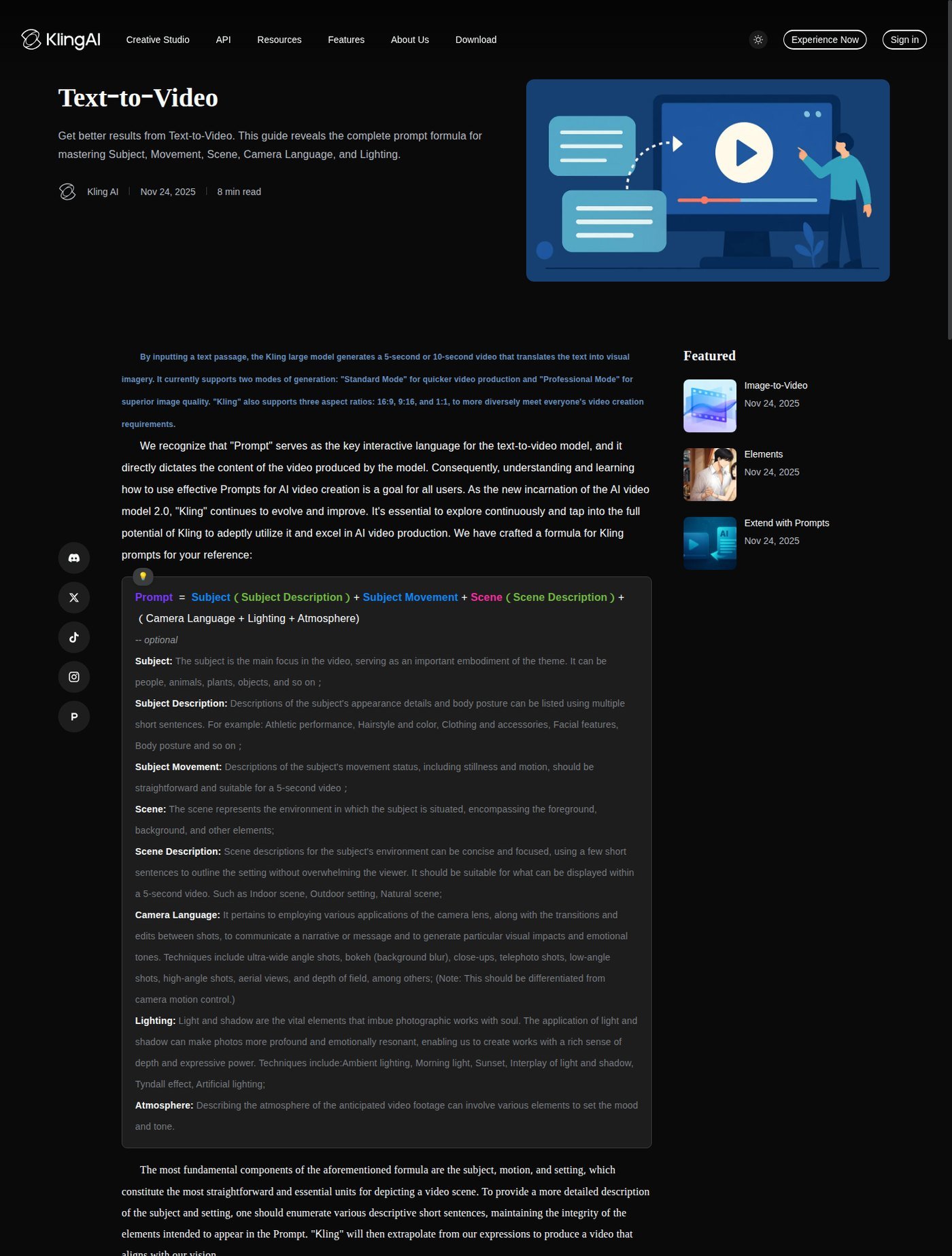
The public Text-to-Video guide still documents a prompt formula (subject, movement, scene, camera language, lighting, atmosphere), Standard vs Professional modes, and 16:9, 9:16, and 1:1. Treat those as the older documented T2V grammar. VIDEO 3.0’s own guide lists flexible duration from 3 to 15 seconds. Do not mix those duration windows. Native audio is a toggle on documented 2.6/3.0 paths: on means a clip can include generated voice, effects, and ambience; off means silent picture. Generated sound is not automatically a mixed podcast, music bed, or caption track.
Kling’s Current Models and Generation Modes
This Kling AI review covers buyer-relevant versions as of September 2026: Kling VIDEO 3.0 (prompt-led T2V/I2V, Multi-Shot, 3–15s, native audio; early-access copy pointed to Pro, Premier, and Ultra); Kling VIDEO 3.0 Omni (reference-driven: multi-image, element, video-element reference, element voice control, up to 15s); Kling VIDEO 2.6 (T2V/I2V, start/end frames, native audio; no Multi-Shot on the 2.6-vs-3.0 table). Official 2.6 help listed 5s/10s durations and up to four outputs at a time. VIDEO 3.0 series also documents a 4K mode at 30 credits per second on the July 28, 2026 credit-cost guide. Confirm the live membership panel—access and names change.
Standard vs Professional modes appear in 2.6 credit notes (different credits per second). They are generation quality/cost settings, not proof of “cinematic” output. This is not a historical encyclopedia of Kling 1.x. A developer surface exists (site navigation lists API / 开发者平台); do not mix API pricing with Creative Studio membership.
Image-to-Video, References and Creative Controls
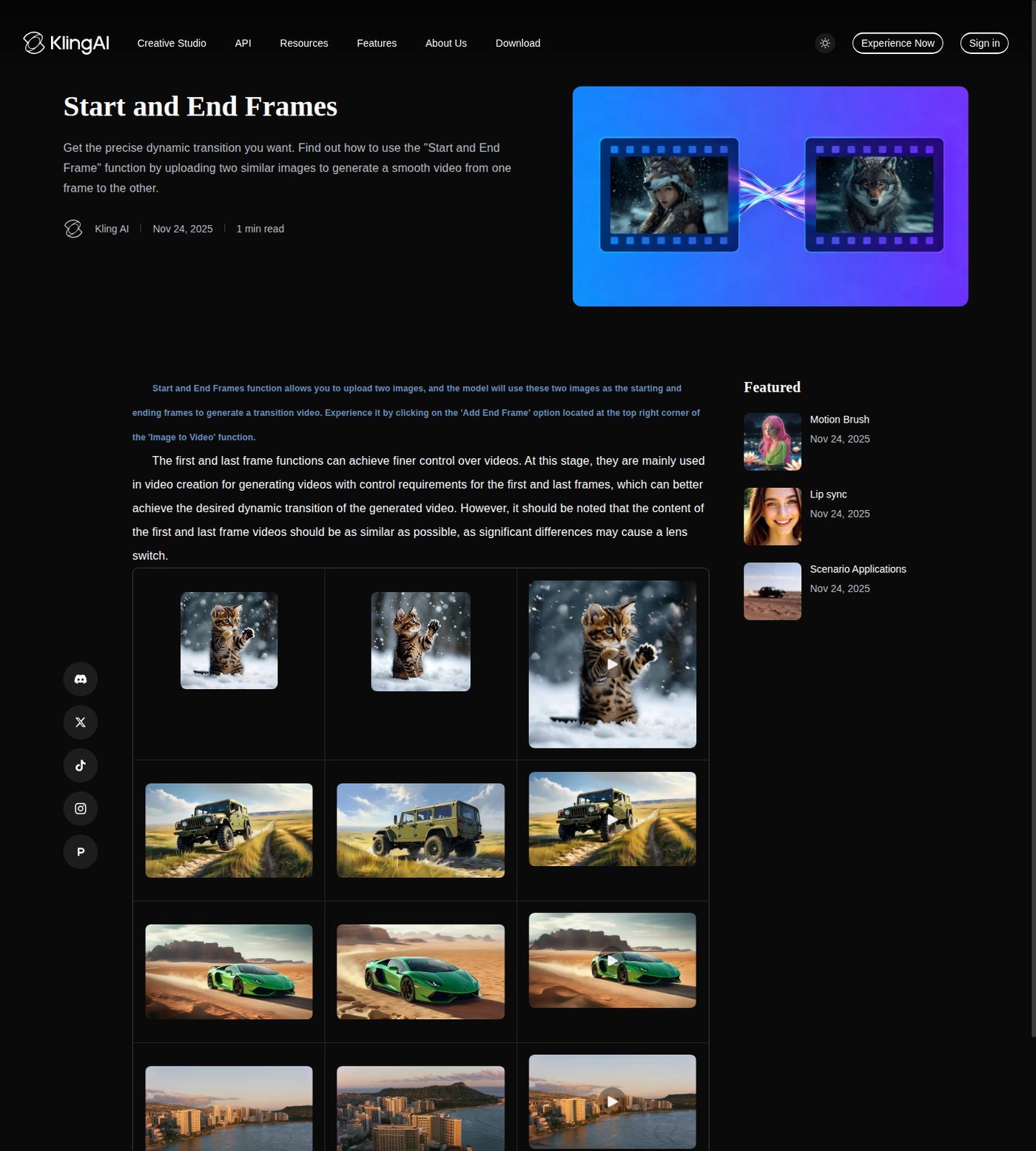
Is Kling good for image-to-video? For many production jobs, yes as a control strategy: a product still, character frame, or storyboard lock composition while the prompt describes motion. Official Start and End Frames sit inside Image to Video (“Add End Frame”). Kling’s own tip: similar images, same theme; large differences may trigger a shot switch; a smoother transition is described around five seconds on that page. Reference tools are designed to improve direction. They do not prove perfect identity, logo preservation, packaging fidelity, or zero drift.
VIDEO 3.0 adds start frame plus element reference and multi-character coreference (3+). Omni extends multi-image reference, video element reference, and element voice control. Element-library caps on the credit-cost guide: Basic 30, Standard 50, Pro/Premier 150, Ultra 500. That is inventory, not guaranteed product ads. Advertisers can use stills for shot variation; this is not the product-ads roundup and not a UGC-avatar platform. A separate Lip sync article is linked from official help; lip sync is not a full presenter studio.
Camera, Motion and Shot Control
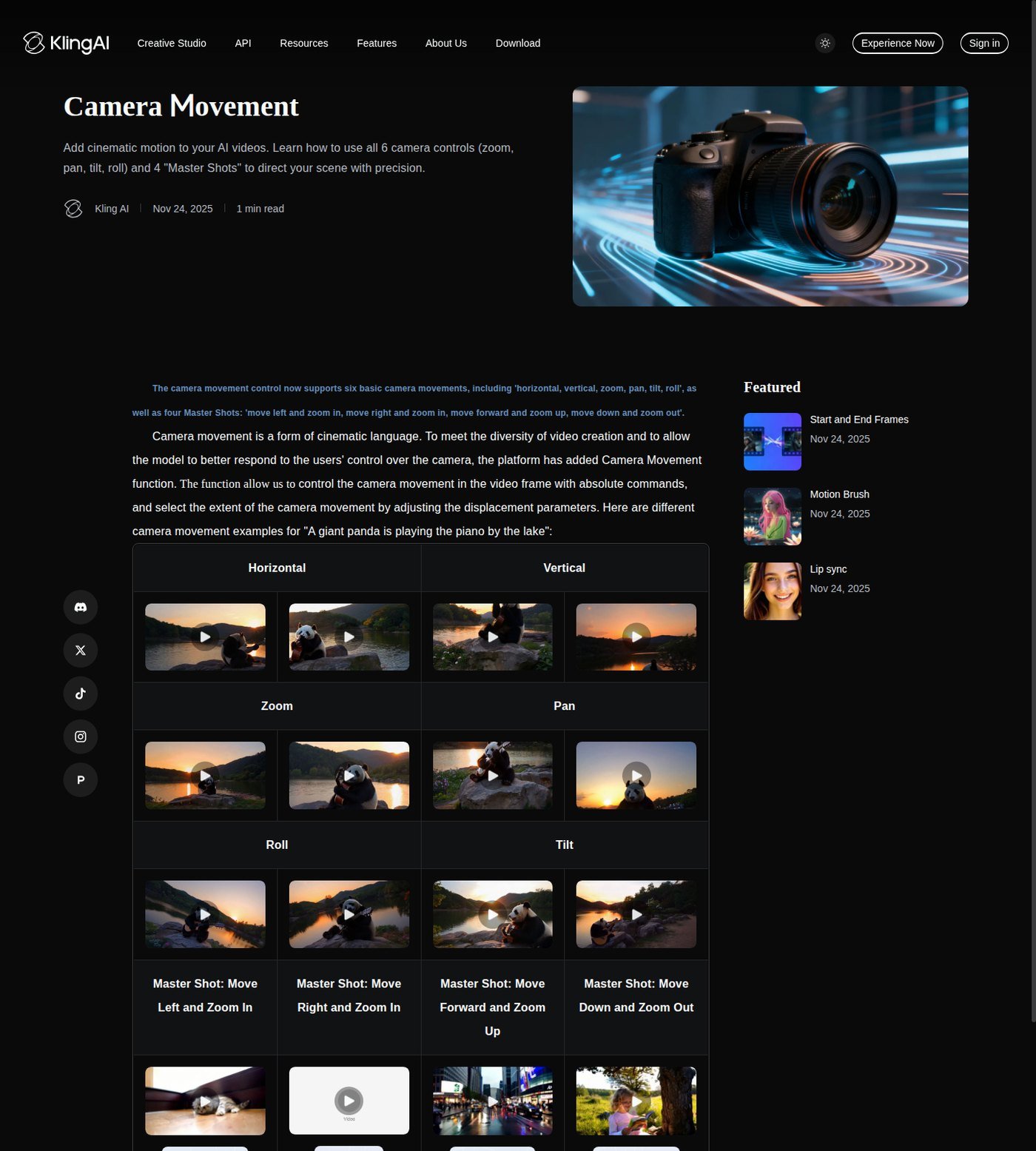
Official Camera Movement help documents six controls—horizontal, vertical, zoom, pan, tilt, roll—plus four Master Shots (move left/right/forward/down combined with zoom). VIDEO 3.0 Multi-Shot is marketed as an “AI Director” for coverage, including custom duration, framing, viewpoint, and camera movement in official comparison copy. Related help also names Motion Brush. Controls improve intent. They do not guarantee realistic physics, natural motion, or professional cinematography. Official materials emphasize motion and consistency; that is Kling’s claim, not a Moon Picke motion score.
Can Kling Replace a Full Video Editor?
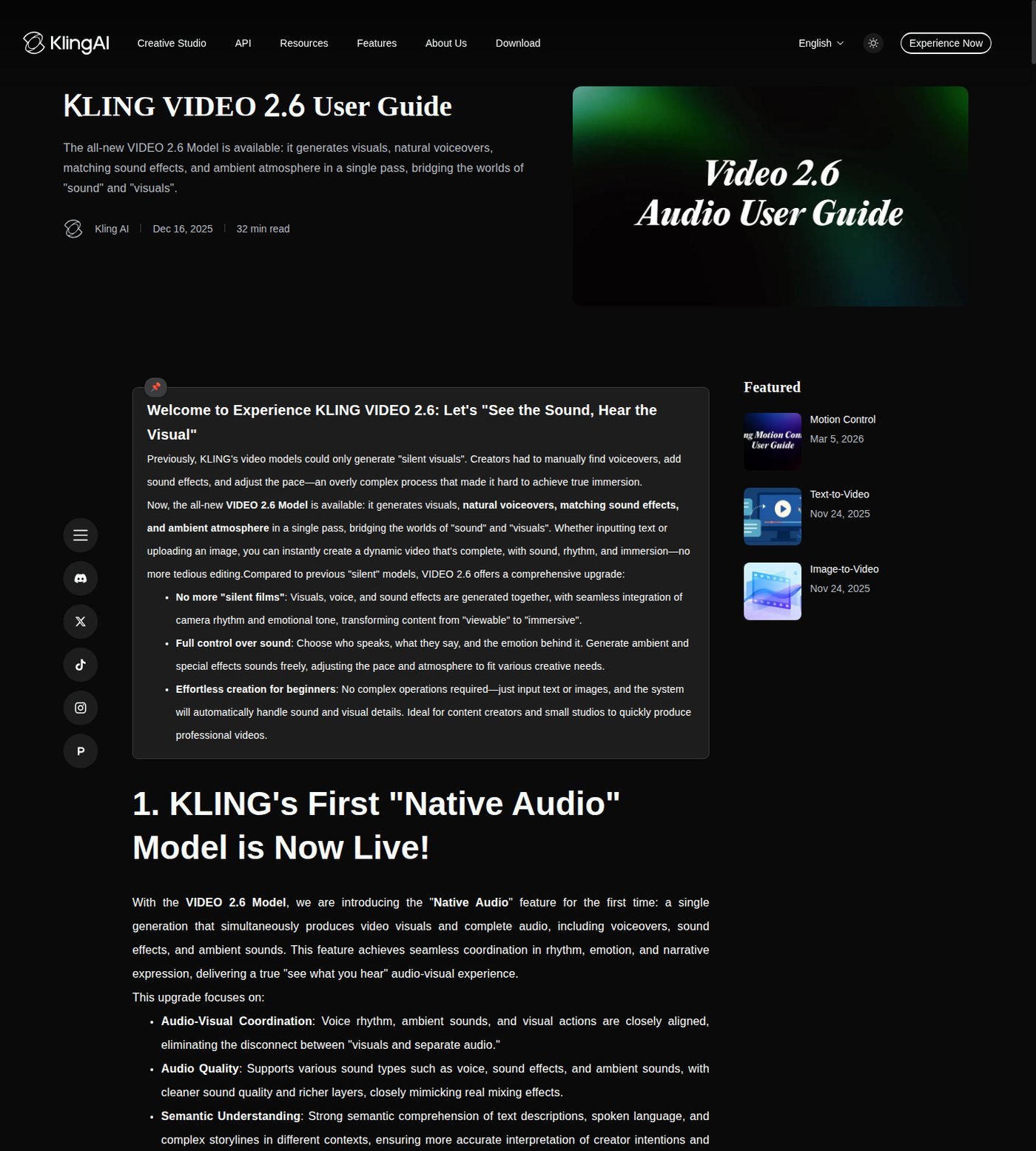
Can Kling make full YouTube videos? Not as a native script → scenes → voice → music → captions → timeline → export suite. Kling can generate clips with optional native audio, extend (paid plans list video extension), regenerate, and (on 3.0) pack multiple shots into one generation. That is clip generation and modification, not Premiere or DaVinci. A 15-second Multi-Shot is not a coherent 10-minute episode. Upscale and 4K are not the same: paid cards list image upscaling; the credit guide lists native 4K at 30 credits/s for the VIDEO 3.0 series—confirm which path your export actually uses.
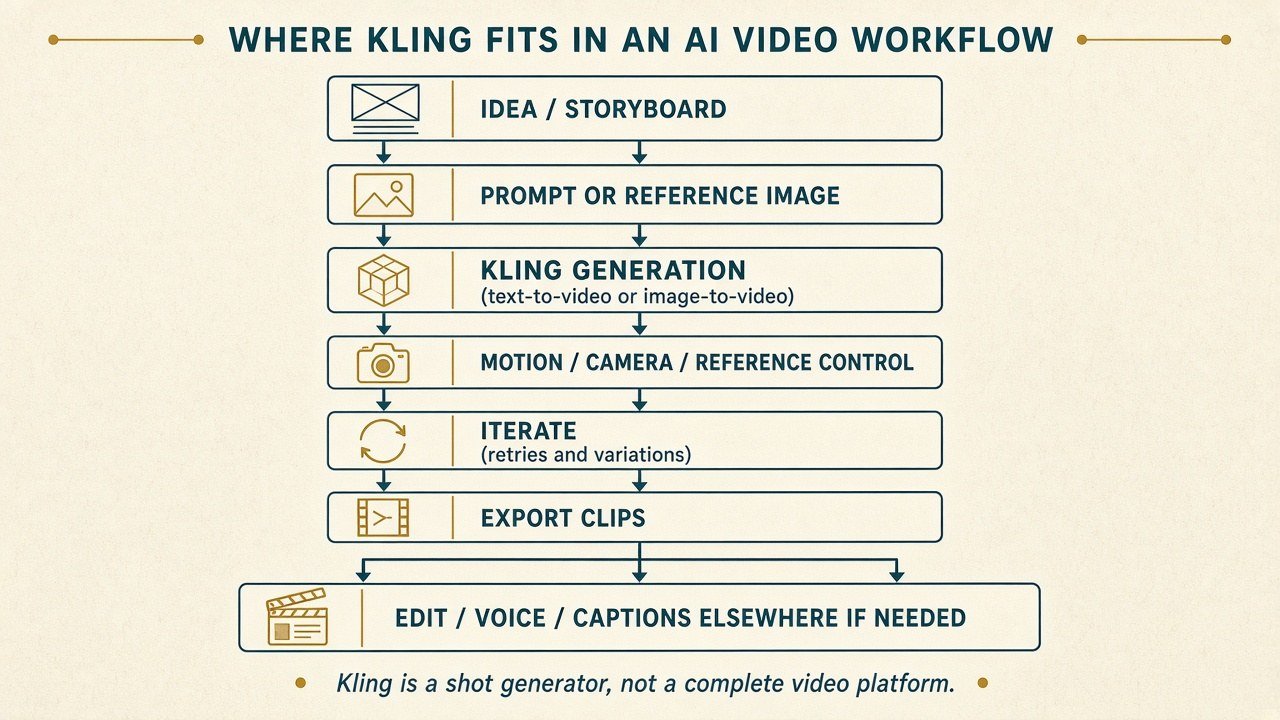
Editorial interpretation: treat Kling as a shot generator. After export you still often need assembly, VO, music, captions, and finishing elsewhere. Cloud queues vary; do not treat the platform as deadline-proof.
YouTube, ads, and short-form: 9:16 is documented on the T2V guide, so individual Reels/Shorts/TikTok clips can fit. That is not a social editor. Ads can use stills for motion variants without catalog-perfect products. UGC avatars are not the center of this product; another tool may fit better. A 10-minute video still needs many shots plus audio and captions outside Kling. This is not the Shorts, faceless-YouTube, or ads roundup.
Kling AI Pricing and Credits Explained
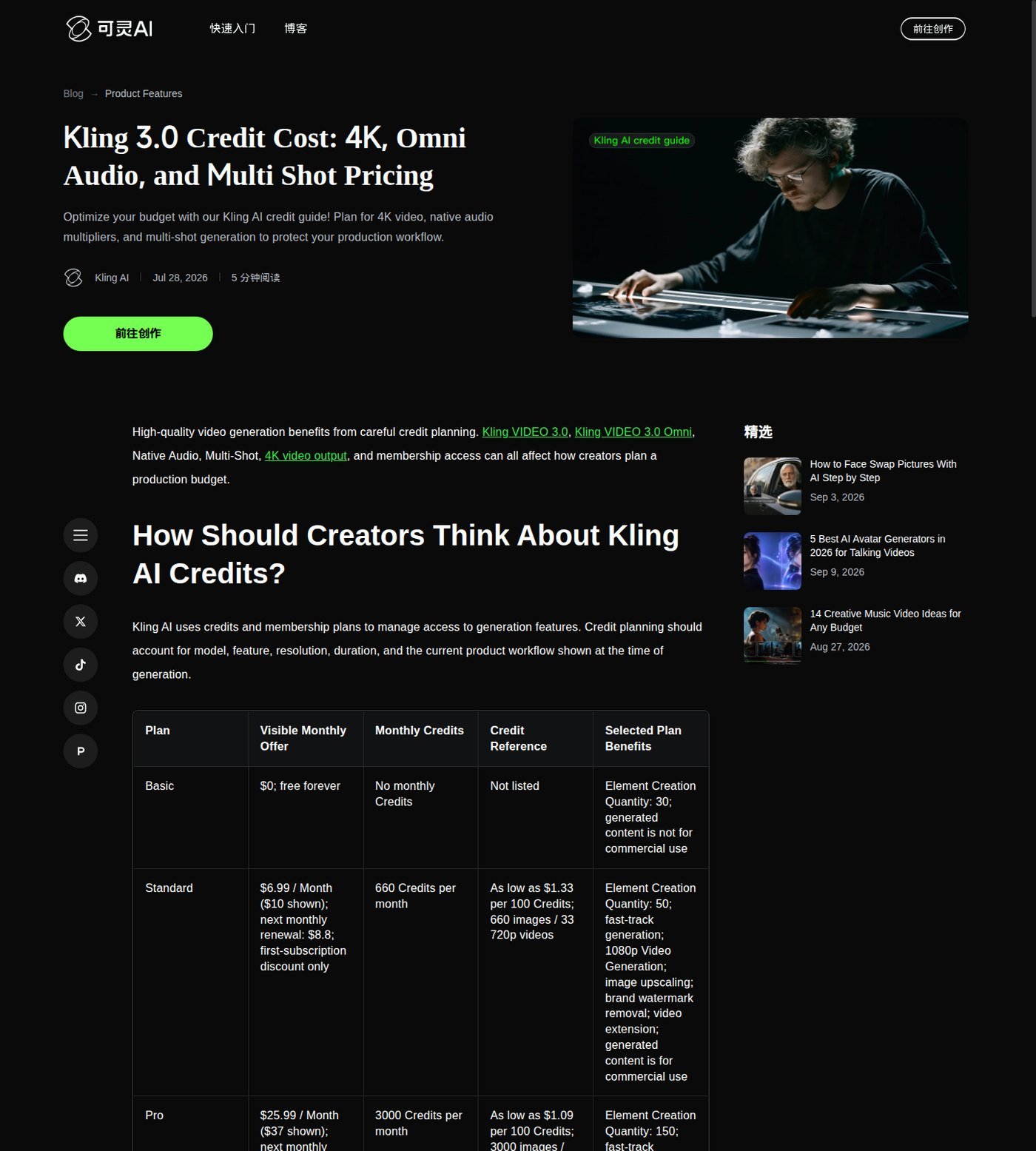
How do Kling credits work? Membership deposits (or withholds) credits; model, duration, audio, resolution, and mode change the spend. The July 28, 2026 official credit-cost guide listed monthly USD offers: Basic $0 with no monthly credits; Standard $6.99 first month then $8.8 renewal, 660 credits; Pro $25.99 then $32.56, 3,000; Premier $64.99 then $80.96, 8,000; Ultra $127.99 then $159.99, 26,000. Those first-month figures are discounts, not the ongoing month-to-month rate, and they are not confirmed annual billing. Live membership UI was not loadable without login here—recheck the in-app plan screen before you pay.
| Plan (credit guide, Jul 2026; recheck Sep 2026) | Current price shown | Credits / usage | Model / access notes | Best for | Main limitation |
|---|---|---|---|---|---|
| Basic | $0 | No monthly credits | Limited elements (30) | Trying the site | Not listed for commercial use |
| Standard | $6.99 first month; $8.8 renewal | 660/month | Fast-track, 1080p, upscale, extend, watermark removal listed | Light experimentation | Small credit pool; 3.0 early access was not listed here |
| Pro | $25.99 then $32.56 | 3,000/month | Priority new features; 3.0 early-access blog named Pro+ | Weekly shot work | Iteration can still exhaust 3,000 |
| Premier / Ultra | $64.99→$80.96 / $127.99→$159.99 | 8,000 / 26,000 | Larger pools; Ultra lists 500 elements and beta invite if applicable | Frequent generation | Still credits, not unlimited video |
Paid rows also list commercial use, fast-track, 1080p, watermark removal, and extension. Guide “X videos” columns assume a fixed 720p recipe—they are not a universal videos-per-plan count. VIDEO 2.6 credit notes: native audio on = 10 credits/s Professional; off = 5 credits/s Professional or 3 credits/s Standard; Voice Control +2 credits/s (guide: free unlimited for subscribers). 4K reference: 30 credits/s. Production cost is first generation plus retries, prompt variants, references, extensions, and upscale. Cost per generation is not cost per usable shot. Rollover/expiration was not stated on that guide—do not invent it. Check current Kling AI pricing.
Light creators: Standard only if 660 credits cover tests after you accept renewal at $8.8 and possible 3.0 gating. Frequent creators: Pro is the documented step that also appears in VIDEO 3.0 early-access copy; Premier/Ultra if volume and element caps matter. Idle users who dislike credits should skip paid membership.
Kling AI’s Biggest Strengths
Direct generation on Kling’s own site, not only as a partner chip. Image-to-video plus start/end frames for still-first work. Documented camera presets and 3.0 Multi-Shot for shot direction. Native audio on current 2.6/3.0 paths so a clip can leave with sound. A clear model split: 3.0 for prompt-led coverage, Omni for reference-led recurrence.
Where Kling AI Falls Short
Generation-first: script, captions, music beds, and a real timeline still live elsewhere. Credits hide iteration cost. Model names and plan gates move quickly. Output varies; do not call the cloud “reliable for client deadlines.” Watermark rules: according to Kling’s user policy, non-members must keep/disclose the Kling watermark; paid plans advertise removal—verify the live export, and do not assume every paid file is unmarked. According to Kling’s current terms and the credit-cost guide, commercial permission on paid plans is not copyright certainty for music, faces, or brands you did not clear.
Kling vs Runway, Higgsfield and InVideo
Moon Picke may earn a commission if you purchase through some links on this page, at no additional cost to you. Affiliate Disclosure. Kling: direct shot engine. Runway: generation plus a broader production workspace. Higgsfield: multi-model workspace that may include Kling-family access without matching Kling.com controls—explore Higgsfield if one subscription across engines matters more. InVideo: script-to-assembled video. Pick the job, not a trailer. This is not the vs-Kling article.
Who Should Use Kling AI?
This Kling AI review is for shot-based filmmakers; short-form makers who will edit after export; image-to-video users with product or character stills; ad teams exploring motion variants; and anyone who already has an NLE. See current Kling AI plans if generation is the bottleneck.
Who Should Skip Kling AI?
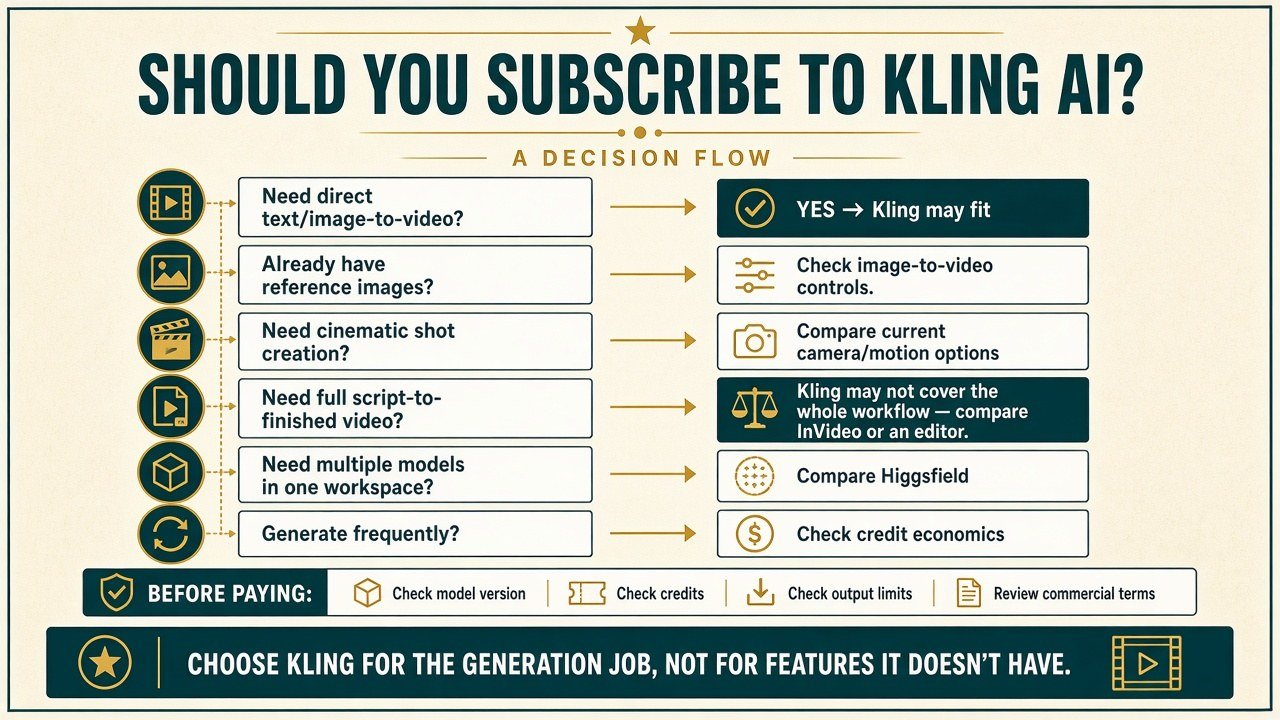
Skip one-click complete-video buyers (compare InVideo). Skip avatar-first UGC. Skip people who want many models under one bill (compare Higgsfield). Skip full-NLE-only users who will not export clips. Skip low-volume users who dislike credits. Skip anyone who will not re-read commercial terms before client delivery.
Final Verdict
This Kling AI review does not ask whether Kling is the best AI video tool. It is worth it when the job is directed clips on current VIDEO 3.0, Omni, or 2.6 access and you budget iteration—not a finished episode or a legal warranty. Ask whether it is the right generation engine for the shots you need, and what you will still finish outside Kling. Recheck model, credits, limits, and terms the day you subscribe. View current plans and model access.
FAQ
Is Kling AI worth it in 2026? This Kling AI review says yes for directed clip generation and no for complete long-form assembly.
Is Kling AI free? Basic is $0 with no monthly credits on the credit-cost guide; commercial use is not listed there.
How do Kling AI credits work? Plans grant monthly credits; spend depends on model, seconds, audio, mode, and resolution—not a fixed video count.
Which Kling model should creators use? Confirm the live selector. 3.0 is documented for prompt-led Multi-Shot; Omni for reference-driven work; 2.6 remains the prior native-audio path.
Is Kling better than Runway? Different jobs: Kling for direct generation; Runway when you also want in-product production tools.
Is Kling better than Higgsfield? Direct Kling ≠ third-party Kling access. Higgsfield is a workspace choice, not a clone of Kling.com.
Can Kling videos be used commercially? According to Kling’s current credit-cost guide, paid plans list commercial use and Basic does not. Not legal advice and not a copyright guarantee.
Does Kling have a video editor? Generation, extend, multi-shot, and related utilities—not a full timeline NLE.