
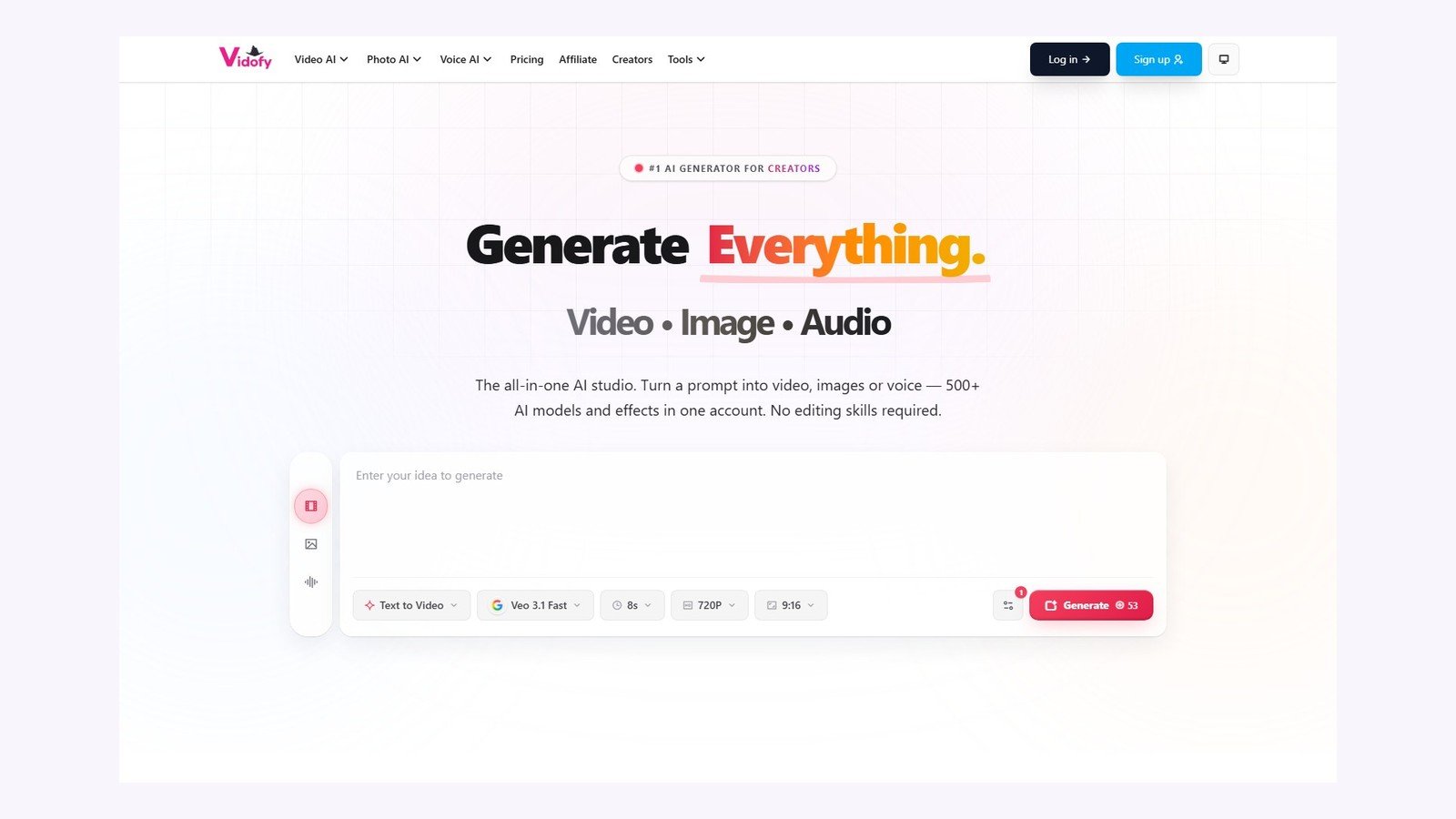
This Vidofy AI review maps Vidofy.ai on 5 October 2026: a web studio that routes a prompt, still, clip, or audio sample to many third-party generation models. Sources: vidofy.ai, live studios, pricing, Terms (12 July 2025), Privacy (1 August 2026), and the Refund Policy. Moon Picke did not run a logged-in generation. Speed and “cinematic” claims are vendor marketing. Category map: published best AI video generators.
Vidofy is not a faceless script-to-post channel and not a timeline editor. It is a multi-model generative clip and asset studio: pick a mode and a model, spend credits, download a short video, image, or audio file.
Quick Verdict
Vidofy.ai is a credit-based studio that turns text, images, video, or audio into new media through named engines (homepage FAQ: Veo, Kling, Runway, Pixverse, Seedance, Sora, Flux, Nano Banana, GPT Image). Best for people who want one balance instead of separate lab seats and who will generate short clips (T2V/I2V pages last verified July 2026: 3–30 seconds per run). Paid plans start at Lite $8.99/month (900 credits). Professional is $19.99/month at 2,000 credits. Ultra is $99.99/month at 10,000 credits. Yearly Lite is $6.99/month equivalent, billed annually at $83.88.
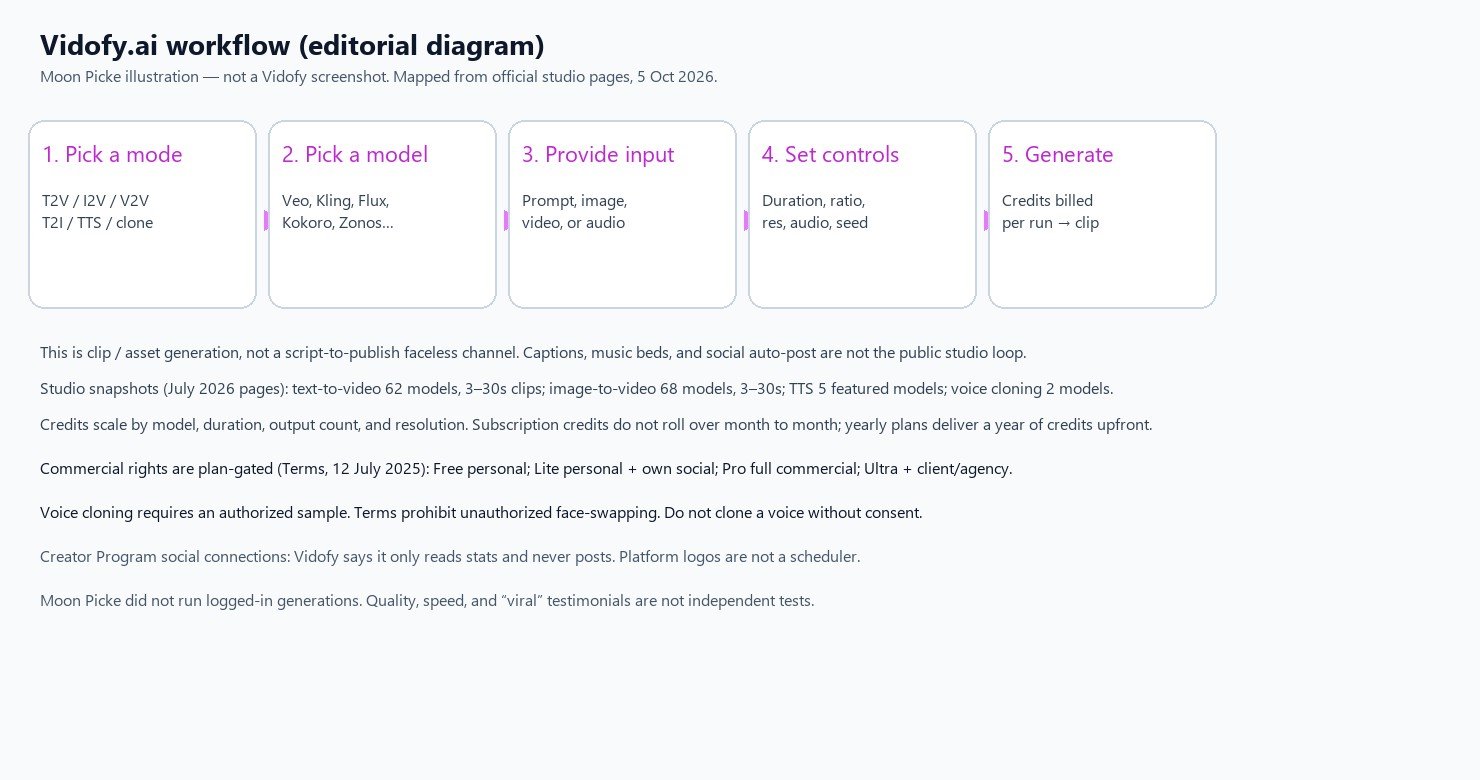
Free tier: signup with starter credits, no card, watermarked outputs (homepage FAQ). Workflow: pick a studio mode → pick a model → prompt or upload → duration/ratio/resolution → Generate. Biggest advantage: generative T2V and I2V plus TTS/cloning in one UI. Biggest limitation: credit cost swings by model, monthly credits do not roll over, and commercial rights are plan-gated. Buy for multi-model clips. Skip for faceless auto-post or a Premiere replacement.
Disclosure: Moon Picke may earn a commission if you purchase through links on this page, at no additional cost to you. Read the affiliate disclosure.
Vidofy.ai at a Glance
| Category | Vidofy.ai (5 Oct 2026) |
|---|---|
| Best for | Short generative clips, stills, and speech from one multi-model credit balance |
| Primary workflow | Pick mode + model → prompt/upload → settings → Generate clip or asset |
| Starting paid price | Lite $8.99/month. $6.99/month equivalent, billed yearly at $83.88 |
| Free option | Yes — free tier + starter credits, no card on homepage FAQ. Watermark on Free |
| Prompt input | Yes — homepage and T2V/T2I/I2V studios |
| Script input | Limited — TTS/clone text boxes; not a scene-split script-to-video assembler |
| Article / URL input | Not listed as a generator input |
| Image input | Yes — image-to-video (JPG/PNG/WEBP, 10MB, min 300px) |
| Video input | Yes — video-to-video (upload + style). Motion Control / Reference to Video in nav |
| Audio input | Yes — voice cloning (MP3/WAV up to 25MB) |
| Text-to-video | Yes — generative clips (Possibility B), not stock-assembly |
| Script-to-video | No as a dedicated faceless assembler |
| Image-to-video | Yes — generative, image-conditioned (not mere Ken Burns) |
| Faceless video | Limited — possible as clips without a presenter; not a channel OS |
| AI images | Yes — T2I studio (47 models on 28 July 2026 snapshot) |
| AI video clips | Yes — T2V 62 models / I2V 68 models on July 2026 studio pages |
| Stock media | Not listed as a Pexels-style B-roll library |
| AI voice | Yes — TTS (5 featured models). Homepage FAQ: 30+ languages |
| Voice cloning | Yes — Chatterbox and Zonos 0.1 (authorized samples only) |
| Avatars | Limited — homepage consistent character video; talking-avatar catalog not verified. LipSync in nav |
| Captions | Not listed as auto burned-in captions for assembled videos |
| Music library | Not listed as a bed library; some video models can generate audio |
| Editing | Prompt + per-model controls. Not a timeline NLE |
| Scheduling / direct publish | No as a creator poster. Privacy: Creator Program we only read; we never post |
| Max clip length | T2V/I2V pages: 3–30 seconds per generation |
| Resolution | Studio UI: 720p / 1080p / 4K where the model supports it |
| Watermark | Free: yes. Paid cards: No-watermark outputs |
| Main limitation | Credit cost swings by model; monthly credits do not roll over |
What Is Vidofy.ai?
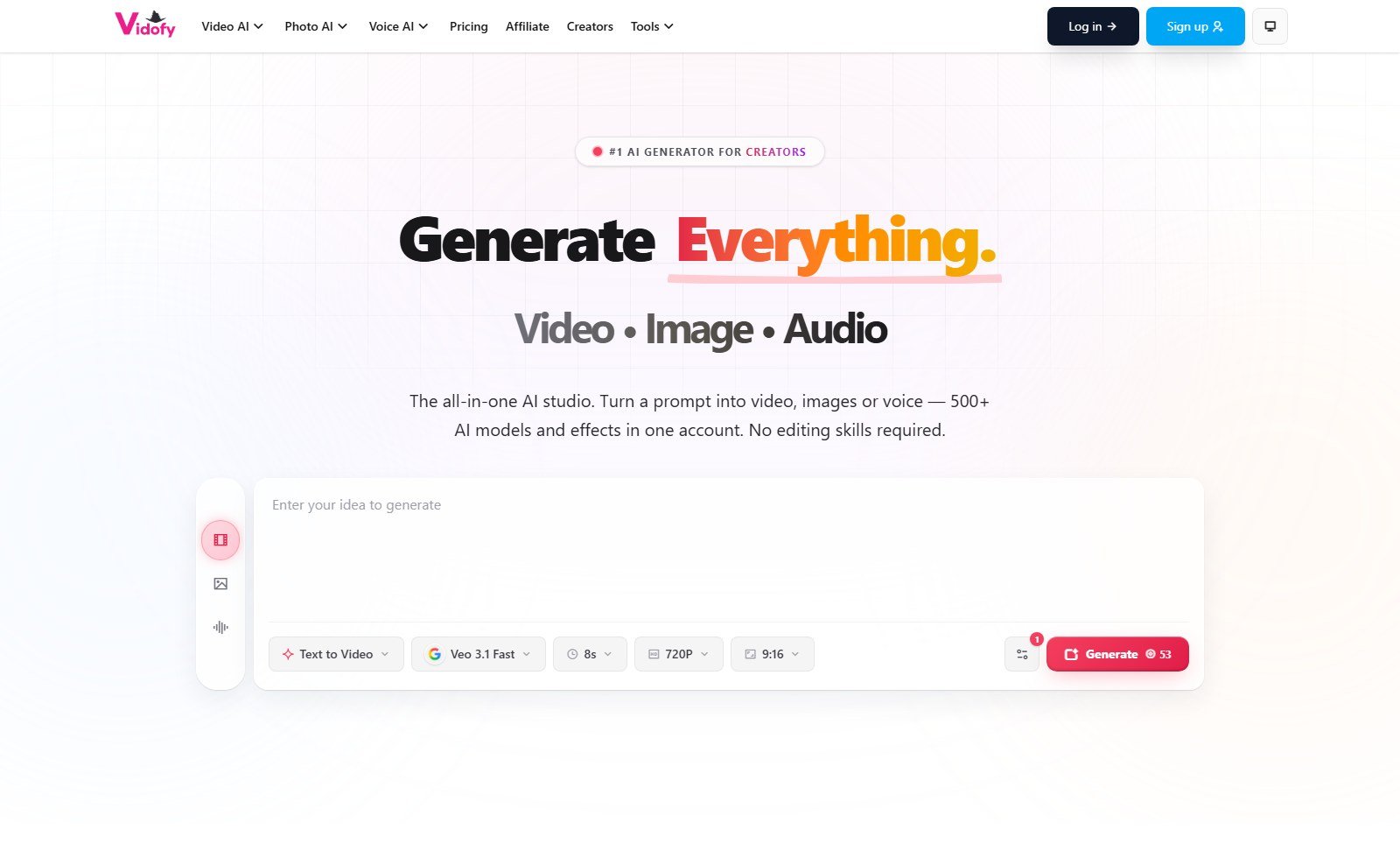
Homepage: an all-in-one studio that turns a prompt into video, images, or voice — “500+ AI models and effects.” Pricing says “400+ premium models” and one credit balance. Operator: Youcha LLC. Privacy mentions a mobile App “once it is available”; live iOS/Android apps are not verified.
Moon Picke category: multi-model generative AI video, image, and audio studio — not faceless assembly (script → scenes → stills → captions → auto-post). The public loop is a hosted playground for Veo/Kling/Flux-class jobs, plus effects, MCP, and a footer CLI.
How Vidofy.ai Works
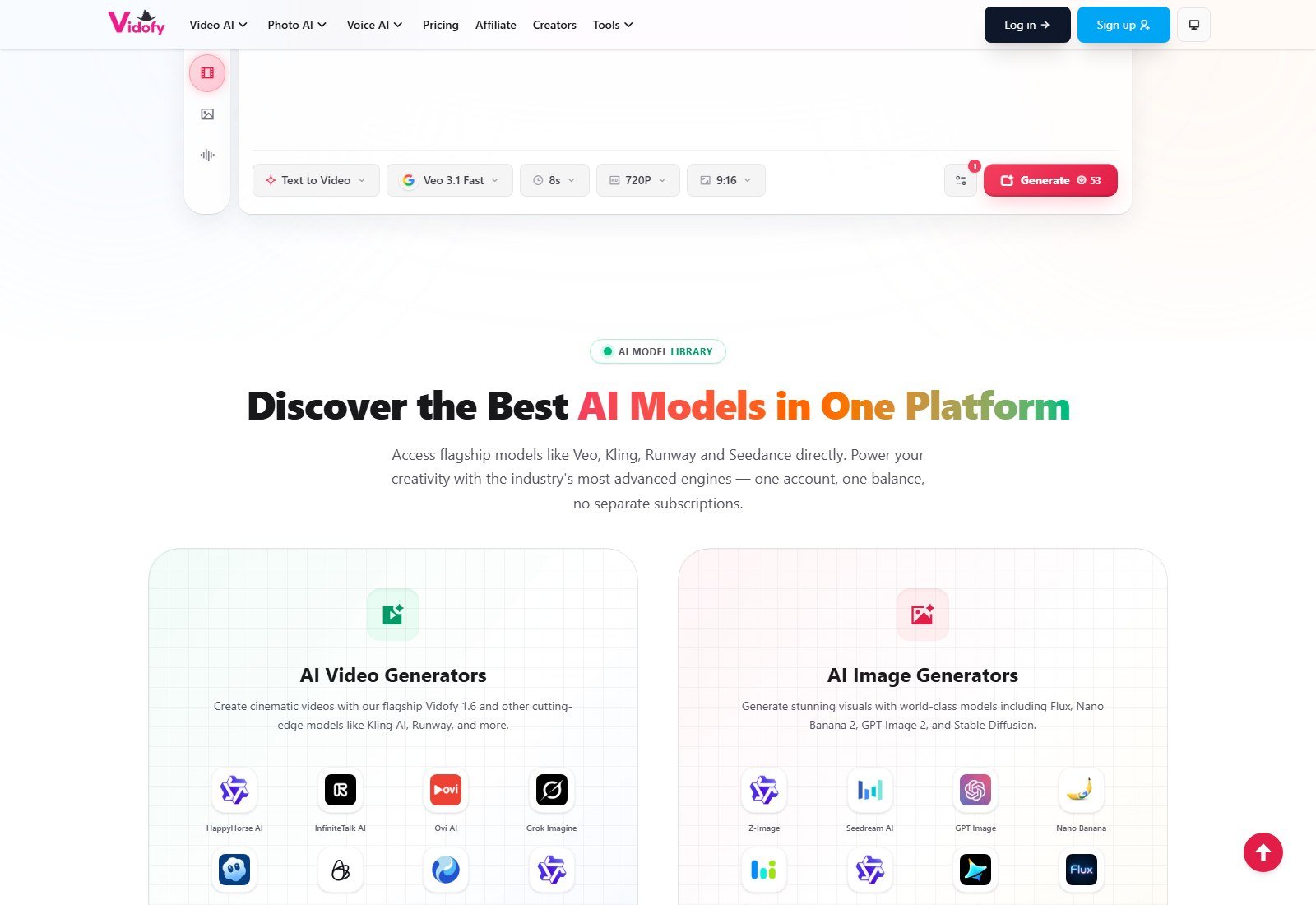
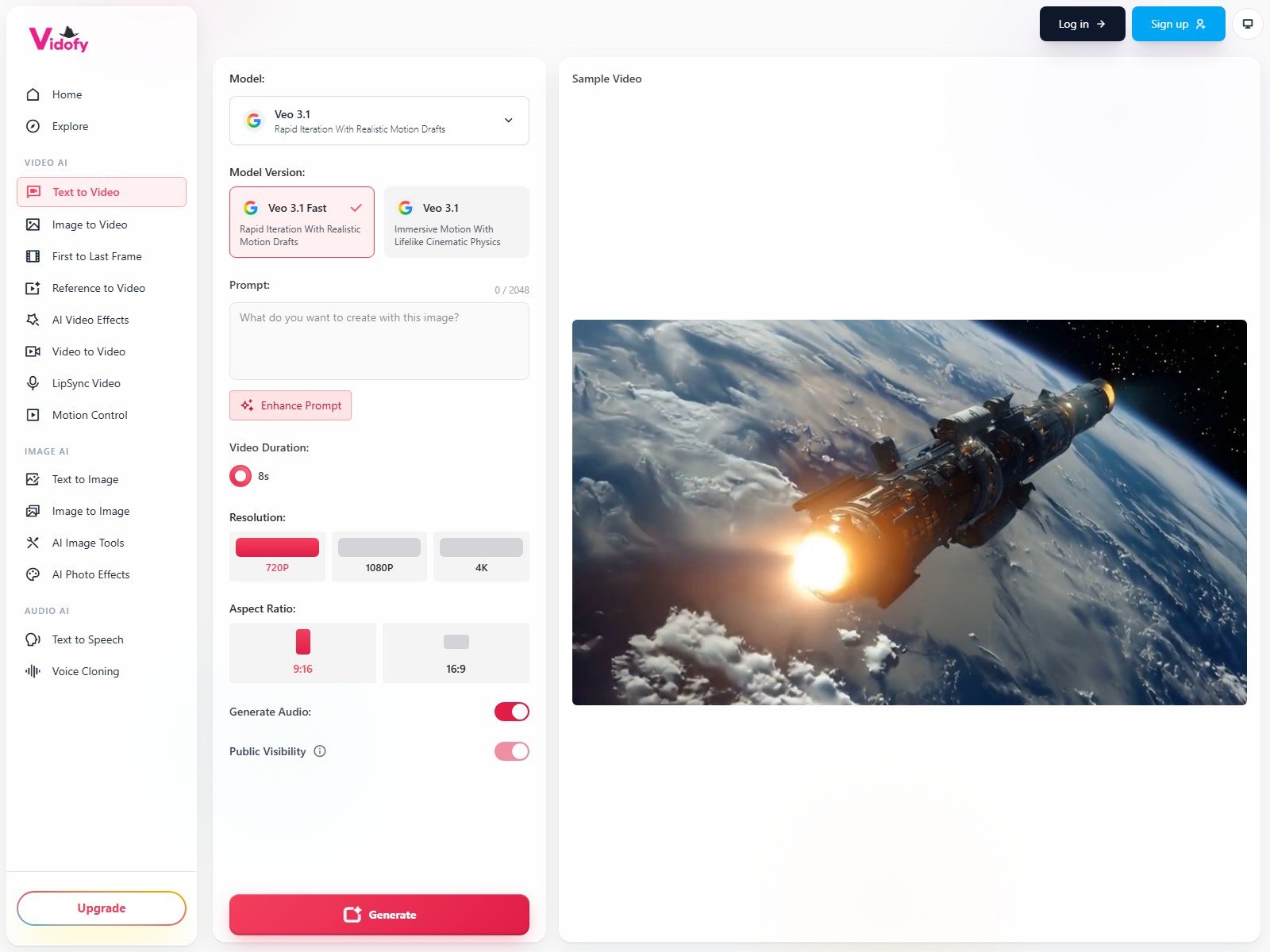
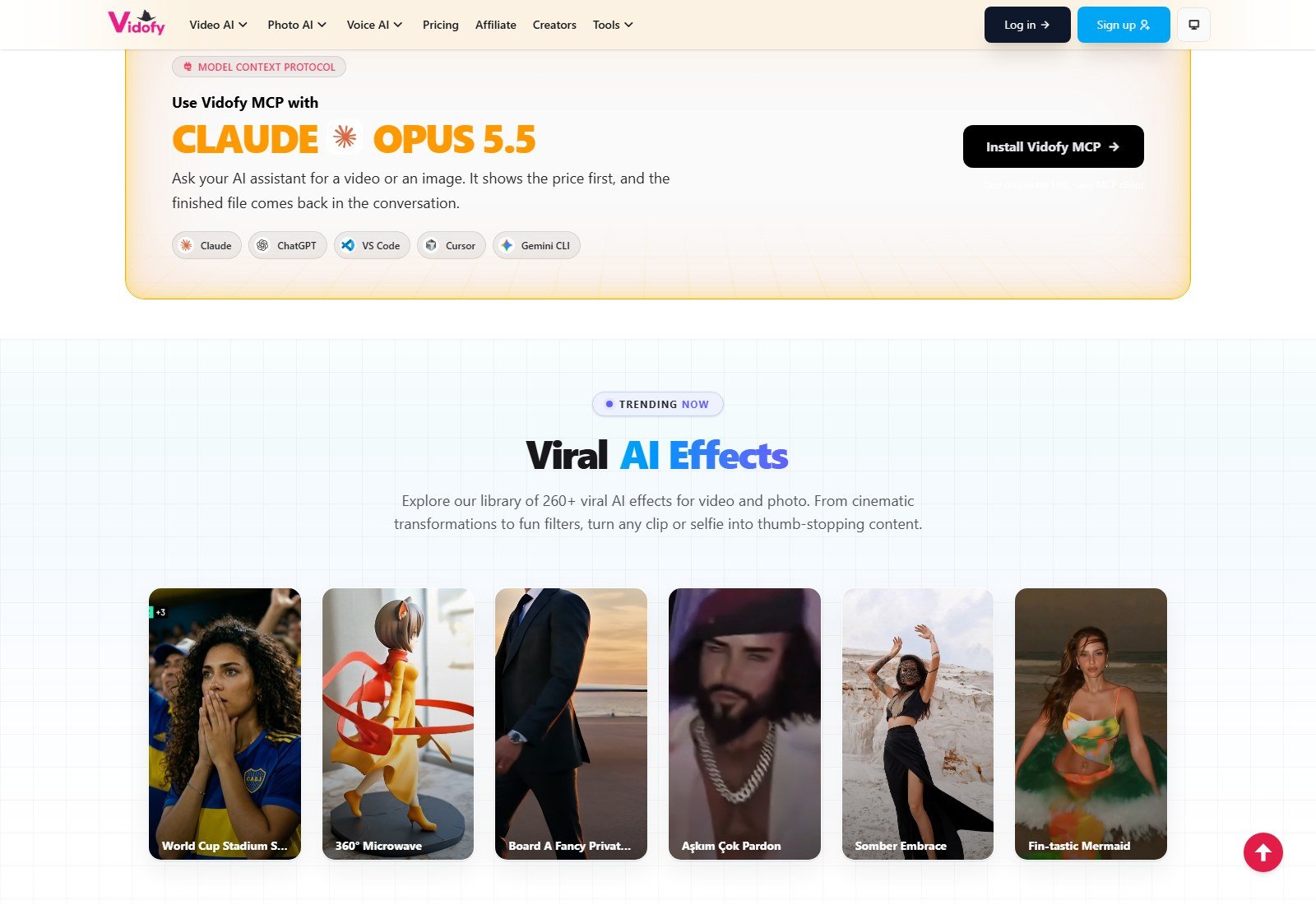
Homepage defaults on 5 October 2026: Text to Video, Veo 3.1 Fast, 8 seconds, 720P, 9:16. Studio copy: write the shot → choose a generator → set supported controls → generate. Nav that loaded: T2V, I2V, First to Last Frame, Reference to Video, effects, V2V, LipSync, Motion Control, T2I, I2I, image tools, photo effects, TTS, Voice Cloning. URLs for “AI voice,” “effects,” and “consistent-character” 404’d even though the labels still appear.
Workflow by stage
| Stage | Vidofy support | What it does | User control | Main limitation |
|---|---|---|---|---|
| Topic / prompt | Yes | Text prompt (T2V up to 2048 chars on Veo UI; T2I up to 5000) | Enhance Prompt button; public visibility toggle | Not an article-URL importer |
| Script | Limited | TTS/clone accept a speech script | Edit the text box | No scene-split video assembler |
| Model choice | Yes | Named T2V/I2V/T2I/TTS/clone engines | Dropdown + version cards (e.g. Veo 3.1 Fast vs Veo 3.1) | Roster counts differ: homepage 500+ vs studio snapshots |
| Visuals | Yes | Generative video and images | Prompt, image upload, V2V styles | Not stock B-roll matching |
| AI video | Yes | New clips from text or image | Duration, ratio, resolution, audio, seed where listed | 3–30s per T2V/I2V generation on July 2026 pages |
| Voice | Yes | TTS + cloning | Voice dropdown, rate, exaggeration, language | Exact catalog voice count not listed |
| Captions | Not listed | — | — | Do not assume burned-in captions |
| Music | Limited | Some video models generate audio | Generate Audio toggle on T2V/I2V | No documented royalty-free bed library |
| Editing | Limited | Regenerate with new settings | Per-run controls | Not Premiere/DaVinci |
| Export | Implied download | Generated media in account storage windows | Download before storage expiry | Exact container (MP4) not printed on pricing cards |
| Publishing | No direct post | Creator Program reads stats only | Connect accounts for the program | Logos are not a scheduler |
Input Options
Prompt: yes. Topic field as a separate product: not listed (the homepage box is “Enter your idea to generate”). Custom script for a full video with scenes: not listed. Article/web URL as generator input: not listed. Image: yes on image-to-video. Video: yes on video-to-video; nav also lists Reference to Video, First to Last Frame, Motion Control (those pages were not fully priced in this pass). Audio: yes on voice cloning. Document upload: not listed.
Script Generation
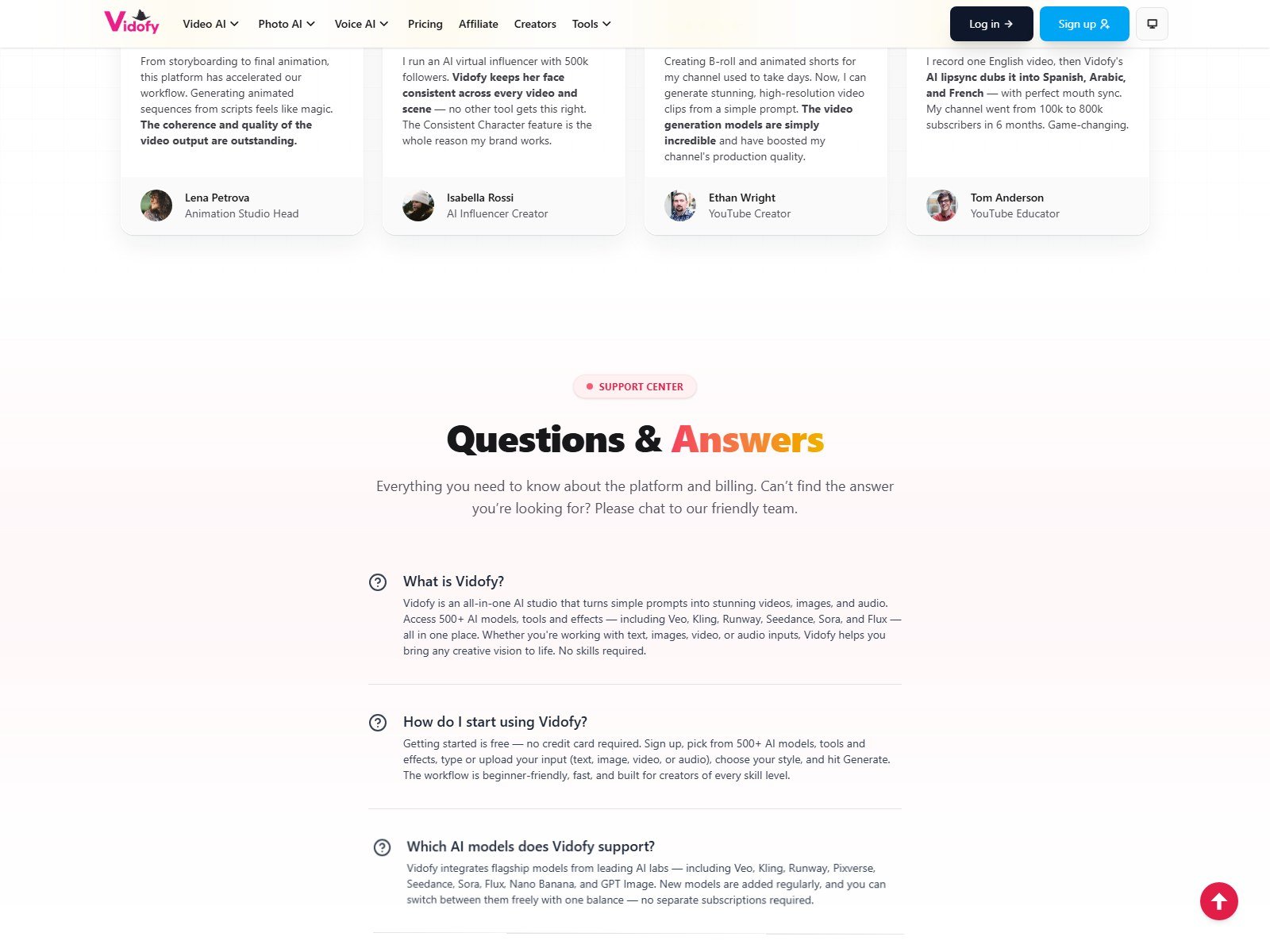
No public “write my faceless script, then storyboard it” product. TTS/cloning take text you supply; T2V takes a shot description. Testimonials about animation “from scripts” are not a verified script-to-video pipeline. Do not call prompts viral.
Text-to-Video: What It Actually Means
Vidofy’s “text to video” is Possibility B: a scene description goes to a generative model that renders a new clip. T2V page (26 July 2026): 62 models, 3–30 seconds, ratios including 9:16/16:9/21:9, audio on 20/62 models. That is not Possibility A (script → TTS → stock/AI stills). Public credit rows include Grok Imagine 1.5 at 14 credits and HappyHorse 1.1 at 152 — Vidofy’s table, not Moon Picke tests.
Script-to-Video
A custom-script → scene split → captions assembler is not the public product. A T2V paragraph still yields one clip. Different jobs: Revid AI review, StoryShort AI review.
Faceless Video Workflow
You can generate clips with no presenter — faceless in the narrow sense. Vidofy does not document topic research, multi-scene scripts, caption styles, music beds, or social auto-post as the core loop. Review facts, visuals, audio, rights, and platform rules yourself.
AI Visuals
Documented visual sources: AI-generated video clips (T2V, I2V, V2V, animation/effects), AI-generated images (T2I, image-to-image), user uploads (stills, video, audio), and style templates on video-to-video. Stock photo/video libraries are not listed on the pricing cards. Do not merge those categories.
AI Image Generation
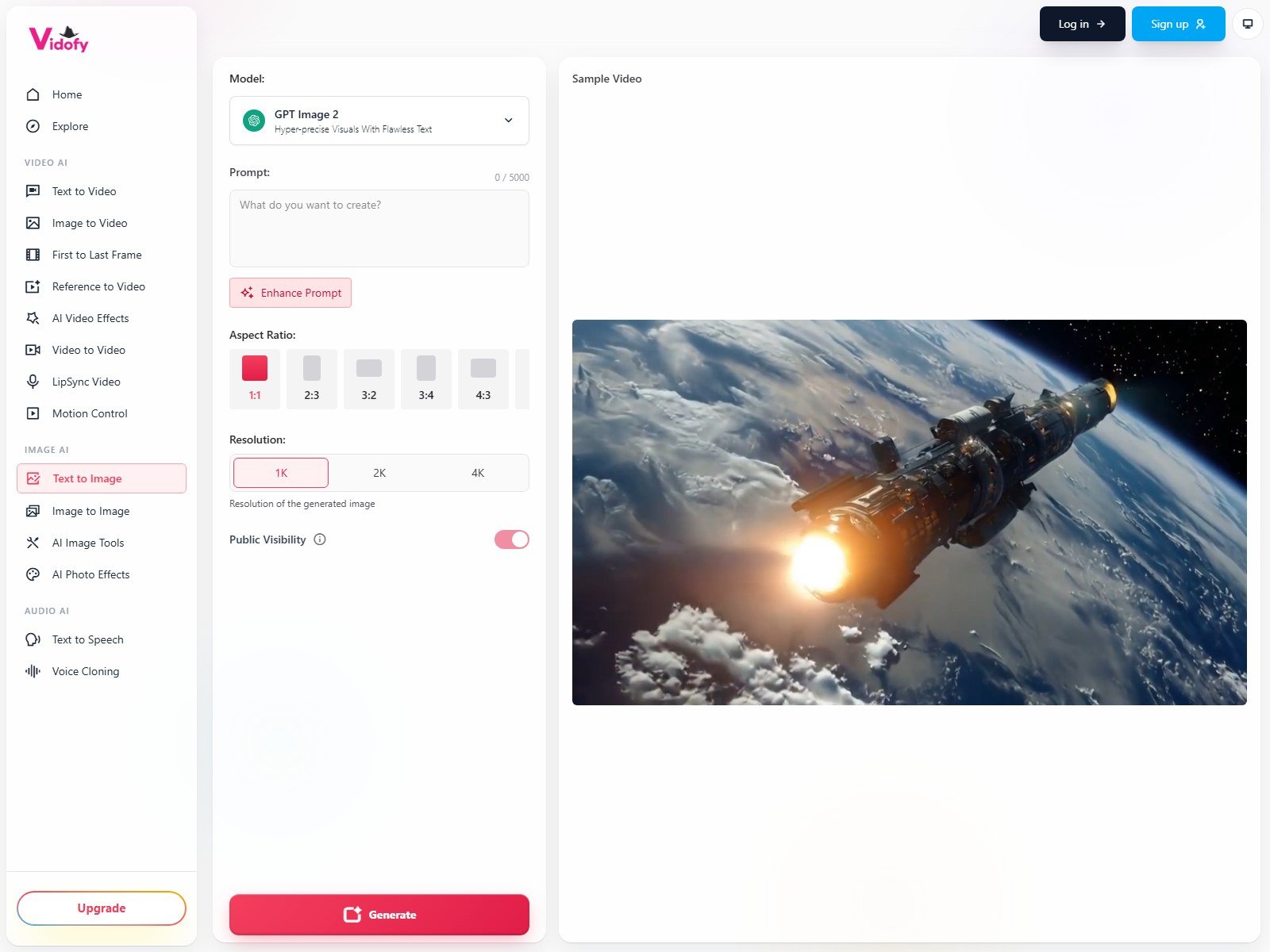
T2I studio (28 July 2026): 47 models, many ratios including 9:16/16:9, negative prompt on 12/47. Live UI: GPT Image 2, 1K/2K/4K, Generate. Homepage also names Flux, Nano Banana, and Stable Diffusion. Per-image credits are not one public number.
AI Video Generation
T2V and I2V are generative. First-party names on 5 October 2026 include Veo 3.1, Kling 3.0/O3, Seedance 2.0/2.5, Grok Imagine 1.5, HappyHorse 1.1, LTX 2.3, InfiniteTalk, Runway Gen-4, MiniMax H3, Pixverse, Sora (FAQ), and “Vidofy 1.6” on the library copy. Plan gates per model are not fully public. Clips: 3–30s on T2V/I2V snapshots; UI shows 720p/1080p/4K, but some table rows cap lower (Grok Imagine 1.5 “up to 720p”).
Image-to-Video
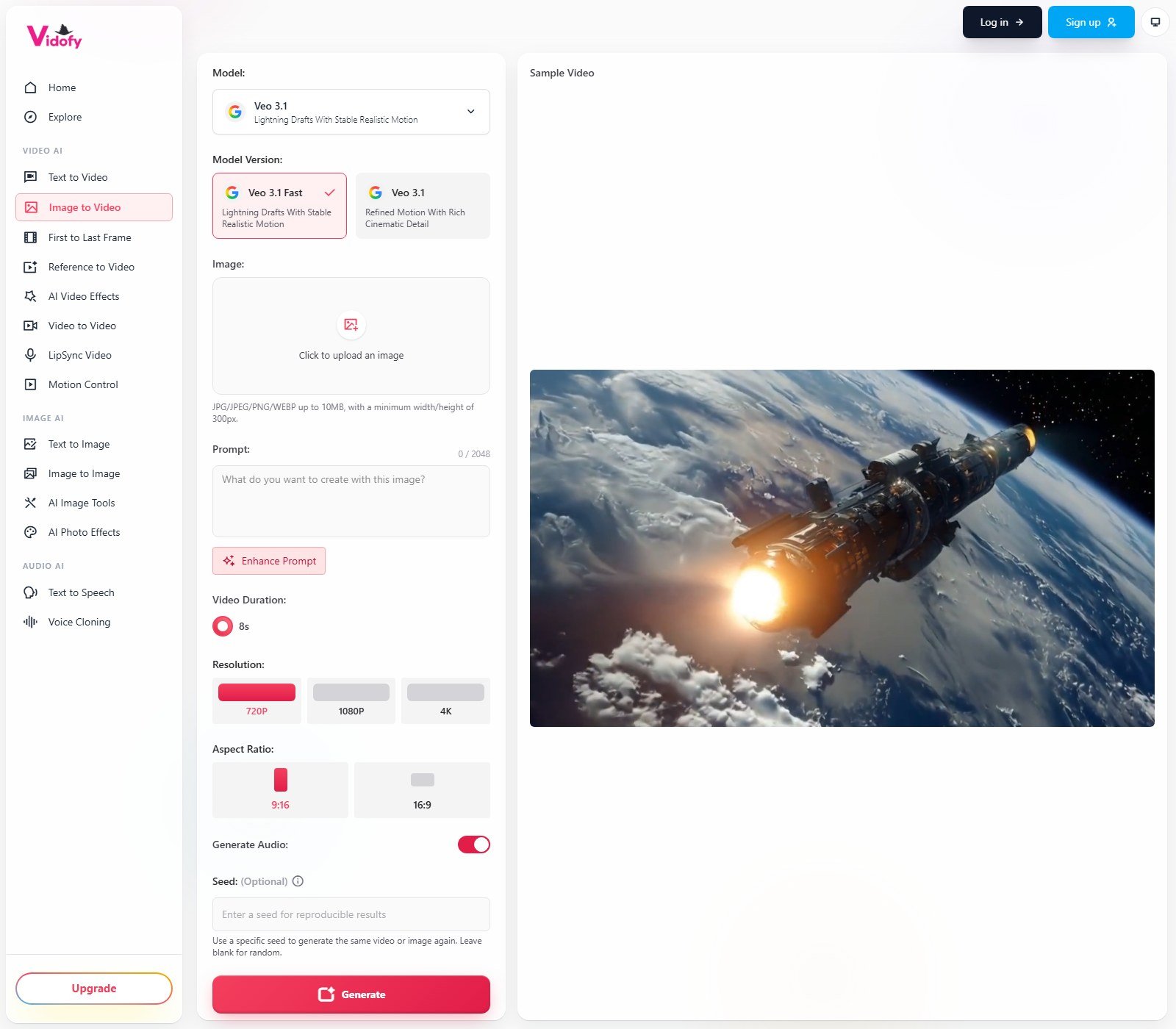
This is generative image-conditioned video, not a Ken Burns pan. I2V page (28 July 2026): 68 models, 3–30s, ratios including 9:16/16:9/21:9. Live UI: JPG/PNG/WEBP up to 10MB (min 300px), prompt, duration, resolution, Generate Audio, seed, Generate. Example rows: Pixverse V6 25 credits; Grok Imagine 1.5 14 credits.
Stock Media and B-Roll
No stock-provider name on pricing cards. Testimonial “B-roll” means generating clips, not licensed stock.
Templates, Effects, and Video-to-Video
Cards: “400+ Templates & Effects.” Homepage: “260+ viral AI effects.” V2V shows style tiles (last verified 4 January 2026 — older than T2V/I2V). That V2V page claims free commercial use and no watermarks, which conflicts with Terms. Prefer Terms + pricing cards.

AI Voices and Voice Cloning
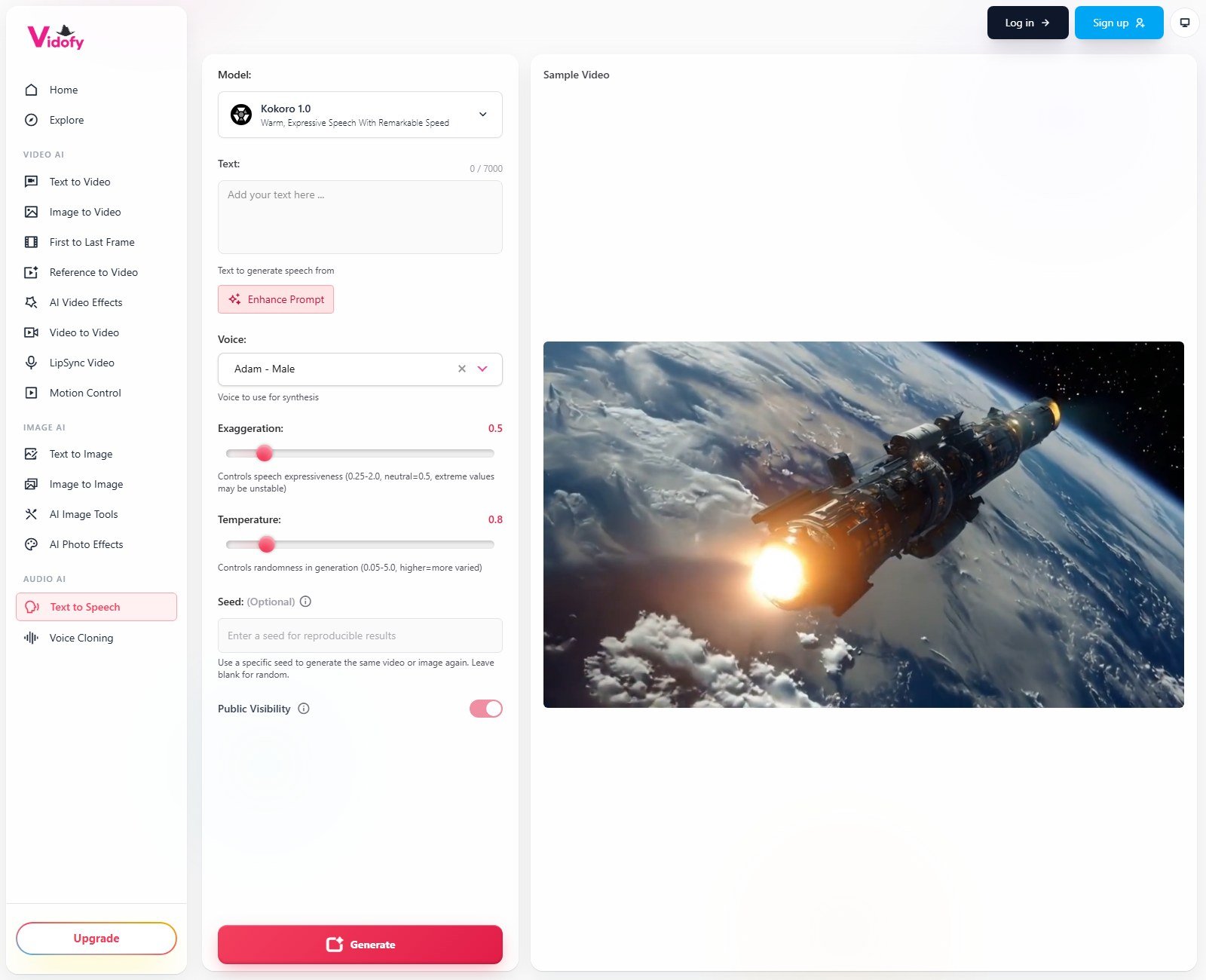
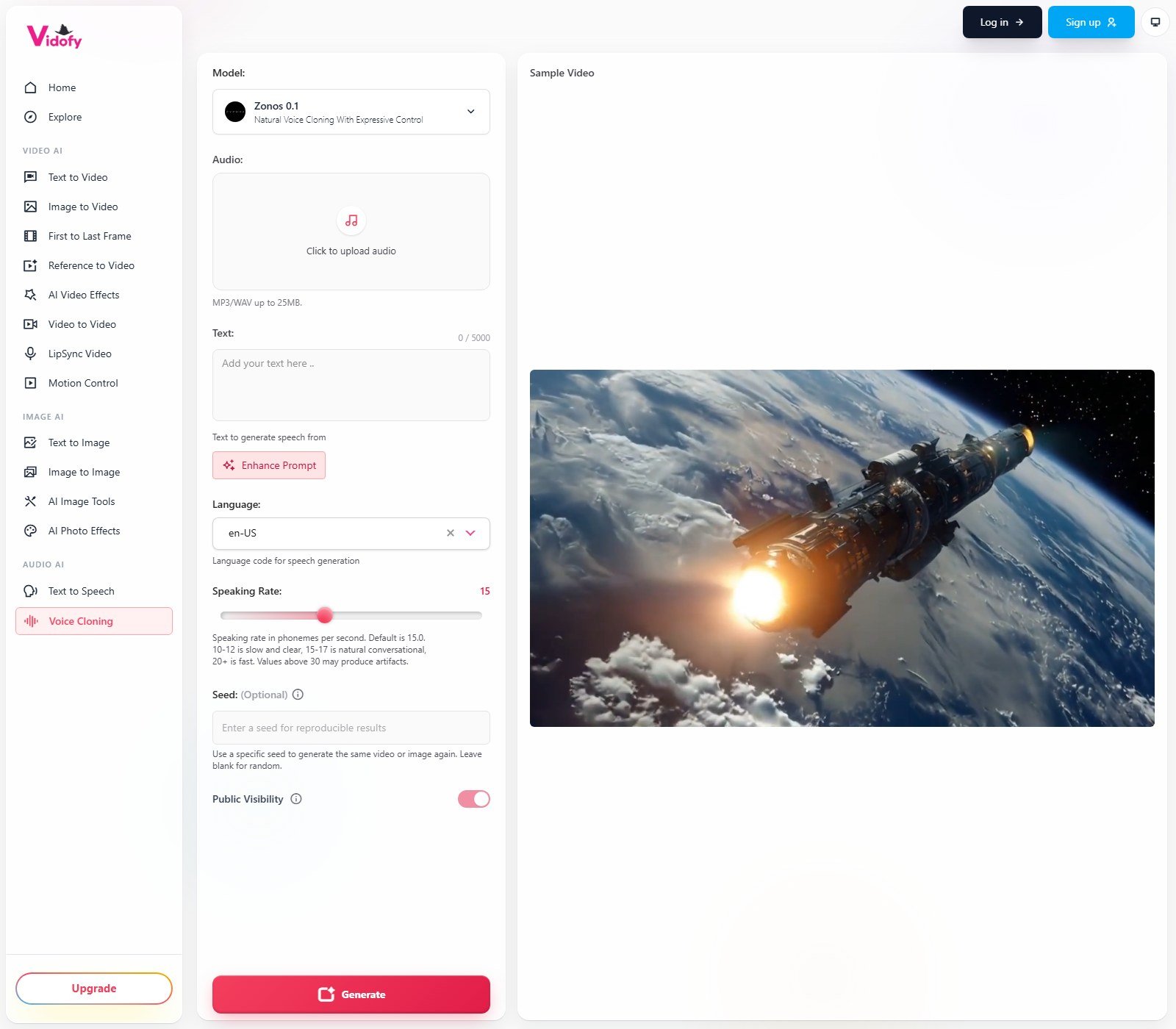
Homepage FAQ: TTS in 30+ languages. Do not invent a total voice count; Kokoro showed “Adam – Male” without a numbered catalog. Featured TTS (28 July 2026): Speech 2.8 HD/Turbo, Speech 2.6 HD/Turbo (6 credits), Kokoro 1.0 (12 credits, 7000 characters, seed). Cloning: MP3/WAV up to 25MB, Chatterbox (9 credits) and Zonos 0.1 (6 credits). Authorized samples only. Terms ban unauthorized face-swapping. Moon Picke did not test clone quality.
Avatars and Lip Sync
Homepage sells consistent-character video. That URL 404’d. A talking-avatar catalog was not verified. Nav includes LipSync; footer lists InfiniteTalk AI.
Captions, Music, and Editing
Auto captions, SRT, and translated subs are not listed on T2V. Music beds and “royalty-free” grants are not documented; Generate Audio is model audio. Editing is prompt-and-regenerate. Brand kit is not listed.
Short-Form vs Long-Form
Short generative clips. T2V/I2V: 3–30 seconds. 9:16 is an aspect default, not a long-form assembler. V2V marketing mentions 60-second free uploads — not re-verified in a logged-in account.
Social Scheduling and Publishing
Creator Program: Vidofy “only read[s]” stats and “never post[s].” Direct publish to YouTube, TikTok, Instagram, Facebook, LinkedIn, and X: no as a documented in-app poster. MCP/CLI return files to an assistant — not social posting.
Export, Resolution, and Watermark
FAQ: Free watermark; paid cards list no-watermark. UI: 720p/1080p/4K where the model allows. Container format is not printed on pricing. Storage (Terms): Free 30 days, Lite 60, Pro 365, Ultra while subscribed; 30-day download window after a paid plan ends.
Vidofy.ai Pricing in 2026
Pricing, credits, and plan limits were checked on 5 October 2026 and may change. Check Vidofy.ai’s current pricing before purchasing.
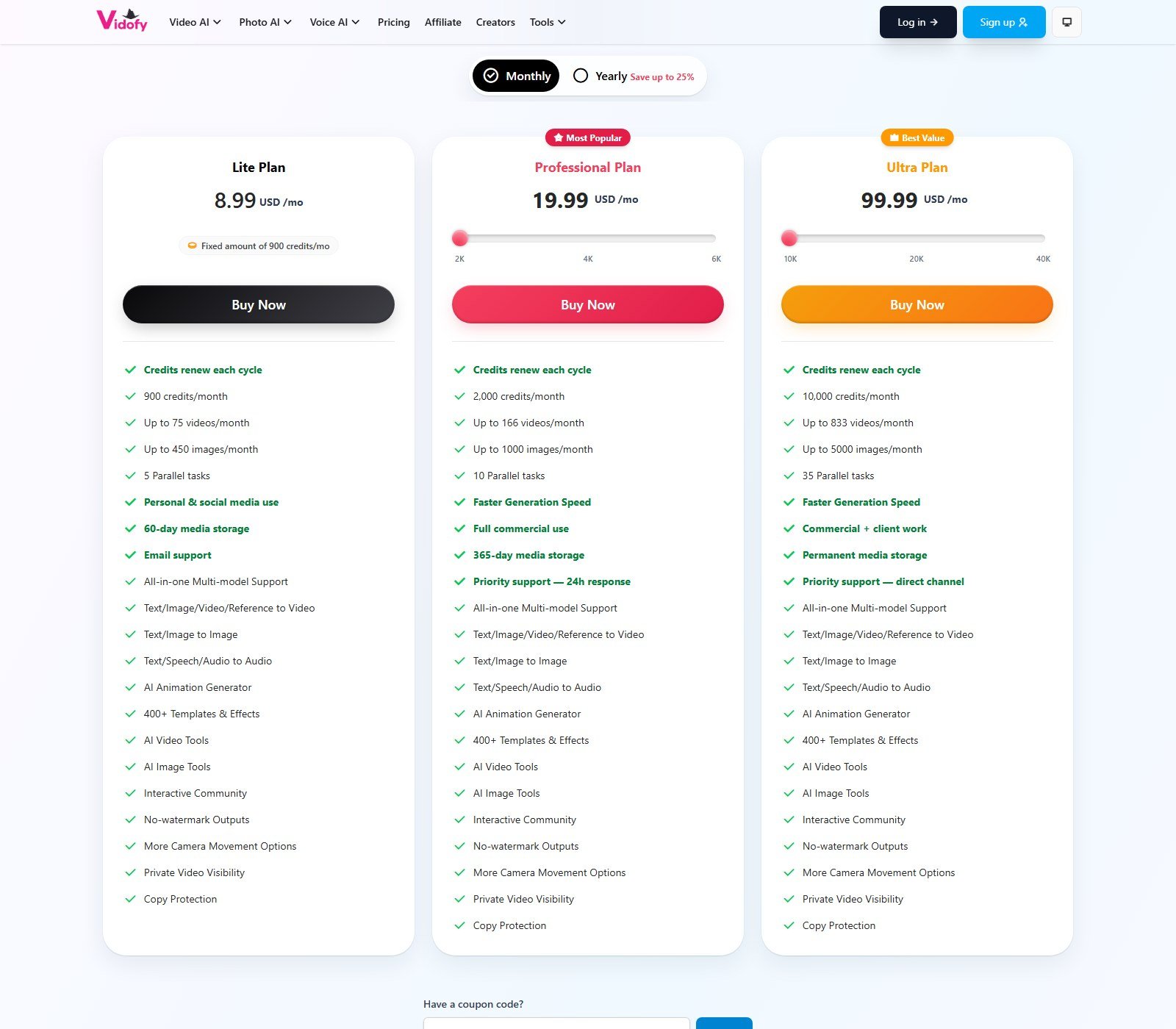
| Plan | Price | Usage allowance | Key features | Best for | Main limit |
|---|---|---|---|---|---|
| Free | $0 (starter credits) | Starter credits; amount NOT listed as a public number | Explore models; watermark | Trying the UI | Watermark; Terms: personal non-commercial; 30-day storage |
| Lite | $8.99/mo monthly. $6.99/mo equivalent, billed annually at $83.88 | 900 credits/mo (yearly: 10,800 credits delivered upfront) | No watermark; personal & social (incl. monetized channels in Terms); 60-day storage; 5 parallel tasks | Light personal/social clip generation | Not full commercial in Terms; email support |
| Professional | $19.99/mo at 2,000 credits. $14.99/mo equivalent, billed annually at $179.88 | 2,000 credits/mo (yearly: 24,000 upfront at this slider). UI also shows 4K/6K sliders — those prices NOT separately verified | Full commercial use; 365-day storage; 10 parallel; faster generation; priority support 24h | Most solo commercial work | Client/white-label still sits on Ultra in Terms |
| Ultra | $99.99/mo at 10,000 credits. $79.99/mo equivalent, billed annually at $959.88 | 10,000 credits/mo (yearly: 120,000 upfront at this slider). 20K/40K sliders NOT separately priced here | Commercial + client work; permanent storage while subscribed; 35 parallel; direct-channel support | Agencies / high volume | Highest cash outlay; premium models still tax the bucket |
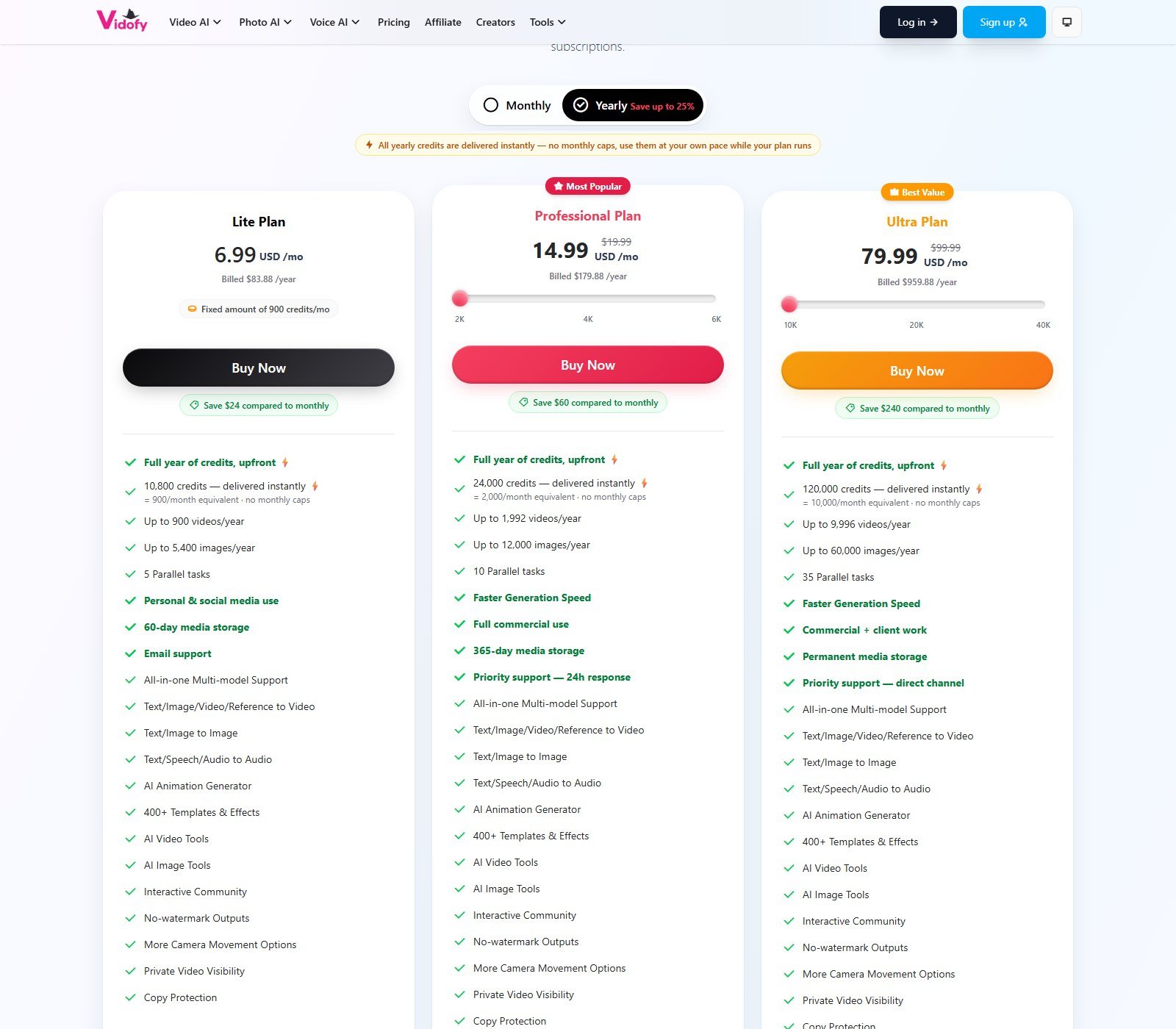
Never treat yearly “USD /mo” as ordinary monthly billing. Lite yearly is billed $83.88/year. Professional yearly at 2K credits is billed $179.88/year. Ultra yearly at 10K is billed $959.88/year. Yearly credits arrive as an upfront pool with no monthly caps while the plan runs.
Free access
Free plan/tier: yes (homepage FAQ). Free trial as a timed paid trial: not listed. Free credits: yes, “starter credits.” Free video: possible if starter credits cover a cheap model — not a forever unlimited exporter. Demo: public studio pages with Sample Video. Money-back: first subscription payment refundable within 3 days if ≤50 credits used; renewals and packs are not refundable (Refund Policy).
How Vidofy Credits Work
Credits. FAQ: model, duration, output count, and resolution. Packs never expire; subscription credits do not roll over monthly. Cancel anytime; unused plan credits die with the period. Regeneration as a cheap retry SKU is not listed — a new Generate spends again.
No universal cost-per-video. Moon Picke calculation (Lite, Grok Imagine 1.5 at Vidofy’s 14-credit row): 900 ÷ 14 ≈ 64 clips vs the card’s “up to 75 videos/month.” Same 900 at Kling O3’s 113-credit T2V row ≈ 7 clips. Assumptions, not a bill.
Which plan makes sense?
Trying it: Free, accept watermark and personal-only Terms. Own-channel social: Lite if 900 credits fit. Ads/products you sell: Professional (Terms: full commercial). Agency/white-label: Ultra. Confirm live dollars on the 4K/6K and 20K/40K sliders before assuming $19.99/$99.99 still applies.
Commercial Use and Output Rights
You own generated media, but use depends on the plan at generation time (Terms). Free: personal. Lite: personal plus your own social, including monetized channels. Pro: full commercial. Ultra: Pro plus client/agency/white-label. Rights already granted are kept after downgrade. Prompts go to the third-party model provider (Privacy). Do not claim copyright-free or unrestricted rights. Likeness, trademarks, and unauthorized clones remain yours.
Vidofy.ai Strengths
Evidence-based: (1) Genuine generative T2V and I2V, not stock assembly. (2) One credit wallet across video, image, and audio. (3) Named models instead of a black box. (4) Public per-model credit tables on studio pages. (5) Paid watermark-free cards plus plan-gated commercial language you can actually read. (6) TTS plus authorized cloning in the same nav. (7) MCP/CLI for people who already live in assistants.
Vidofy.ai Limitations
(1) Credit burn depends on the model — cheap vs expensive rows differ by 10×. (2) Monthly subscription credits do not roll over. (3) Clip length is short (3–30s on T2V/I2V snapshots). (4) No documented caption/music/scheduler stack. (5) Lite is not full commercial under Terms. (6) Some marketing pages (V2V) disagree with Terms on free commercial use and watermarks. (7) No independent quality test in this review.
Pros and Cons
| Pros | Cons |
|---|---|
| Generative T2V/I2V with named engines | Not a faceless script-to-post product |
| Lite starts at $8.99/month | Subscription credits reset each monthly cycle |
| Yearly credits land as an upfront pool | Yearly $6.99 is not month-to-month |
| Paid cards list no watermark | Free watermark; Lite commercial rights are narrower than Pro |
| TTS + cloning documented | Exact voice catalog count not published |
| MCP + CLI listed | No in-app social auto-post |
| Refund window on first payment (≤50 credits, 3 days) | Renewals and credit packs not refundable |
Vidofy.ai vs Creating Videos Manually
A manual stack wins on timeline control. Vidofy wins on one login across many model APIs. No invented time savings.
| Vidofy.ai | Manual workflow | |
|---|---|---|
| Script creation | You write prompts or TTS scripts | You write (or use a separate writer) |
| Scene planning | One clip per generate in T2V | Storyboard / timeline |
| Visual sourcing | Generative models + uploads | Shoot, stock, or several AI sites |
| AI generation | Yes, first-class | Only if you add playgrounds |
| Voiceover | TTS / clone in-studio | Mic or separate TTS |
| Captions | Not listed | NLE or CapCut-class tools |
| Editing control | Prompt + settings | Frame-accurate timeline |
| Automation | MCP/CLI; not social auto-post | Whatever you script |
| Human review | Still required | Still required |
| Best for | Short generative assets | Finished programs and brand films |
| Main trade-off | Speed and model breadth vs control | Control vs tool sprawl and cost |
Vidofy.ai vs Revid AI: What’s the Difference?
The closest published overlap is Revid AI. Both expose named generative video models. Vidofy is a model aggregator studio (T2V/I2V/V2V/T2I/TTS/clone, credit tables, MCP). Revid is a script-to-video workspace with Auto-Mode and publishing-oriented tooling. Faceless assembled shorts sit closer to Revid; raw generative shots sit closer to Vidofy. Starting price this date: Vidofy Lite $8.99/month; Revid’s published review cites a $39/month path — recheck Revid live. Pick Vidofy for a model zoo; pick Revid for a production workspace.
Who Should Use Vidofy?
Solo creators and marketers who need short AI clips, stills, and voice from one login, then export 9:16 files. Designers who want stills beside Veo/Kling clips. Developers using MCP/CLI. Businesses on Professional if they need Terms-level commercial use.
Who Should Skip It?
Timeline editors. Faceless daily auto-post teams. Buyers who only wanted one lab’s native app. UGC twin/actor SKUs. Highly deterministic product footage. Anyone who refuses plan-gated rights or credit math.
Vidofy Alternatives
Revid — stronger if you want a short-form workspace with generation inside a production flow rather than a model catalog. See Revid.
Fliki — stronger if you want script/voice/visual assembly with a documented forever-free row (see the published Fliki AI review). See Fliki.
Short.ai — stronger if you want a lower-friction faceless/caption/post bucket than a 62-model T2V playground. See Short.ai. Coverage: Short.ai review.
This page is not a full alternatives ranking and not a Vidofy-vs-StoryShort roundup.
FAQ
What is Vidofy.ai? A Youcha LLC studio that generates video, images, and audio through many models on one credit balance.
Is Vidofy.ai free? Free tier with starter credits and no card (homepage FAQ). Watermarked. Not an unlimited commercial exporter.
How much does Vidofy cost? Lite $8.99/month or $83.88/year. Professional $19.99/month (2,000 credits) or $179.88/year. Ultra $99.99/month (10,000 credits) or $959.88/year. Checked 5 October 2026.
Is Vidofy AI worth it? Yes if you will spend credits across several generative models. No if you needed captions, auto-post, or long-form assembly.
Can Vidofy create faceless videos? Clips without a presenter, yes. Channel autopilot, no.
Does Vidofy support text-to-video? Yes — generative clips from a prompt, not stock-scene assembly.
Can Vidofy turn a script into video? Not as a multi-scene assembler. TTS can speak a script; T2V can render a described shot.
Does it generate AI images, clips, and image-to-video? Yes. Image-to-video is generative and image-conditioned.
AI voices, cloning, watermark, social post, commercial use? TTS in 30+ languages (FAQ). Cloning on Chatterbox/Zonos with consent. Free watermark; paid cards say none. No documented in-app social poster. Rights are plan-gated in Terms.
Practical alternatives? Revid (workspace), Fliki (script/voice studio), Short.ai (faceless/post bucket).
Final Verdict: Is Vidofy.ai Worth It?
Vidofy makes most sense if you want one $8.99+ seat across many generative models plus speech. It is less compelling if you needed captioned faceless series, a scheduler, or a long editor. Strongest differentiator: public multi-model T2V/I2V with credit tables. Biggest limitation: cheap vs expensive models, and monthly credits expire. Lite is a clip playground; Professional is the commercial-rights tier most businesses need. Moon Picke did not generate test videos. Recheck Vidofy’s live plans before you pay.