
The best AI video generator for YouTube Shorts is the tool that gets you from idea to a finished 9:16 Short—hook, visuals, voice, captions, pacing, export—not the model with the flashiest 5-second clip. Direct generators make shots. Complete builders assemble a Short. Ranking here follows that full workflow. Moon Picke did not measure views or retention. Methods: How We Evaluate.
Best AI Video Generators for YouTube Shorts: Quick Picks
Plans and vertical-video features were verified in September 2026 from official pricing and help. A clip generator is not automatically a Shorts creator. Longer faceless-channel production is a different job. Avatar-led paid ads belong on best AI video generators for UGC ads; product-first ads belong on product ads.
Moon Picke may earn a commission if you purchase through some links on this page, at no additional cost to you. Affiliate Disclosure. See current Higgsfield plans if a multi-model workspace is the gap.
| AI Video Tool | Best For | 9:16 Workflow | Voice / Captions | Editing | Main Limitation |
|---|---|---|---|---|---|
| InVideo | Complete prompt-to-Short | AI Shorts workflow; timeline export | TTS, clone with consent; Dynamic Text captions | Agent + full timeline | Not the strongest cinematic I2V director |
| Runway | Cinematic generation into edit | Native 9:16 on Gen-4.5 I2V; Gen-4.5 T2V help lists 16:9 | Audio tools; not a caption-first Shorts app | Aleph 2.0 Edit Studio | A generated clip still needs assembly |
| Kling | Image-to-video shots | T2V guide: 16:9, 9:16, 1:1 | Native audio toggle on documented 2.6/3.0 paths | Extend / Multi-Shot—not an NLE | Voice, captions, and cut live elsewhere |
| Higgsfield | Multi-model experimentation | 9:16 listed per tool; not every model supports every ratio | Audio / Lipsync studios; Cinema 3.5 native audio caveat in help | Scene tools; not CapCut | Complexity and credits vs a simple Shorts assembler |
| Captions | Captions and social edit | Social editor; resize listed | Captions 100+ languages; TTS, clone, lipdub | Chat editor + trim/captions | Site prices noted as iOS; weaker cinematic I2V suite |
Context: best AI video generators for creators, InVideo AI review, Runway review, Kling AI review, Higgsfield AI review.
What Makes an AI Video Tool Good for YouTube Shorts?
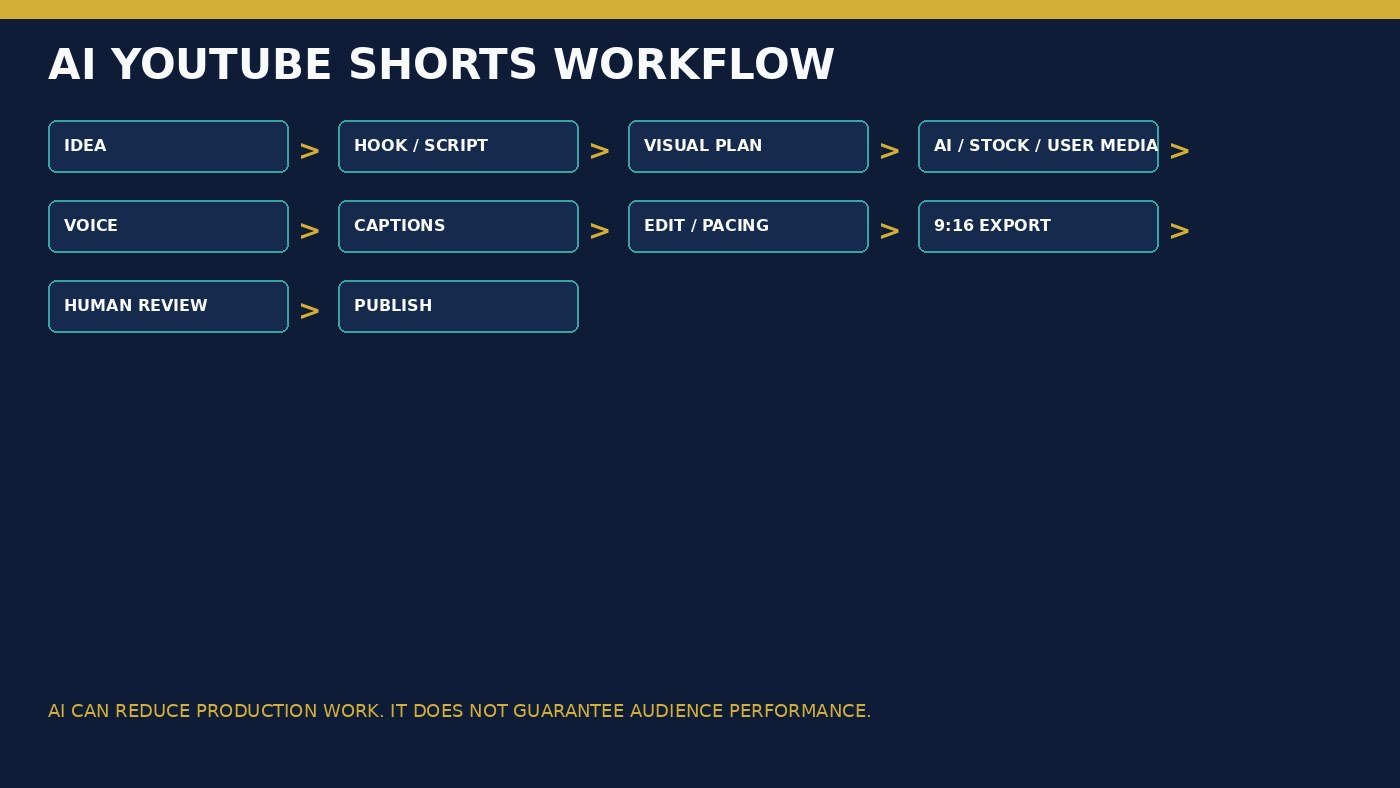
What is the best AI video generator for YouTube Shorts? The one that supports native 9:16 where the model allows it, plus the rest of the cut. Generating landscape and cropping can clip subjects and text-safe areas. Evaluate script/hook revision, text-to-video vs image-to-video, stock vs generated media, TTS, captions, timeline or prompt edits, music licensing, watermark, iteration cost, and whether you still open CapCut. AI scripts still need fact-checking. Animated captions are presentation, not proven retention. No tool boosts the Shorts algorithm.
InVideo — Best Overall for YouTube Shorts
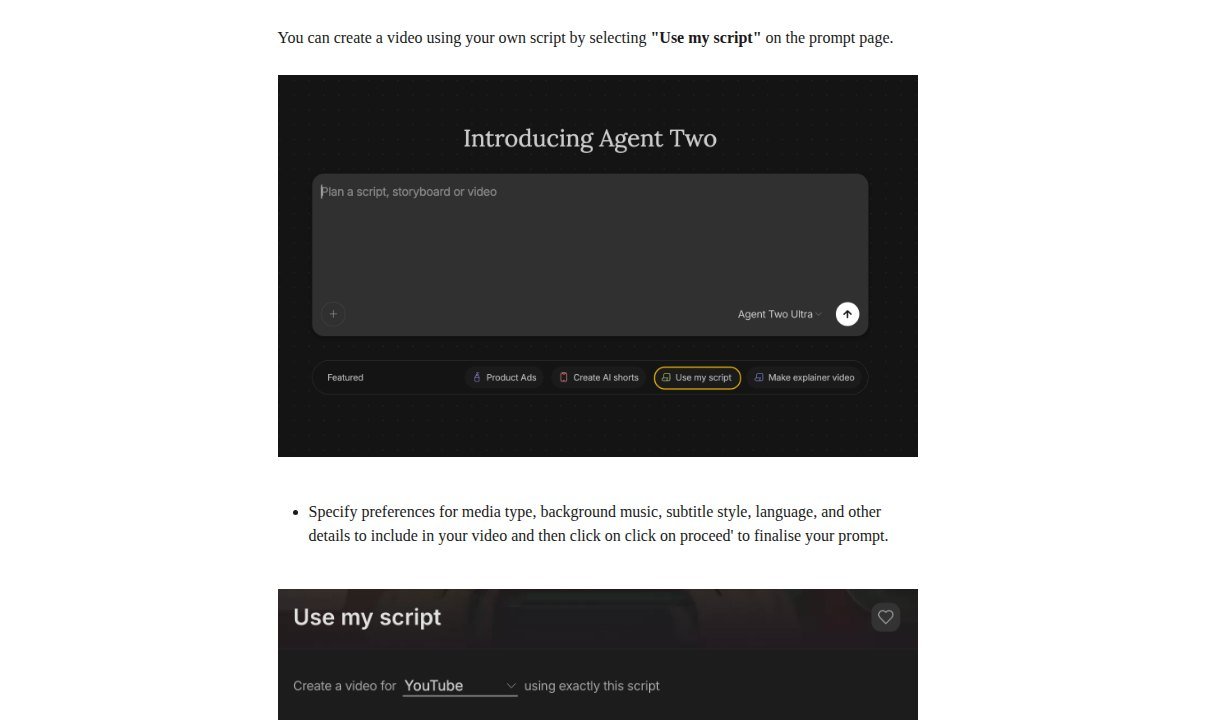
InVideo is a complete video builder: prompt or script → scenes → stock and/or generated media → voice → captions → timeline → export. Official AI Shorts pages describe script, generative media, voiceovers, subtitles, and SFX as one assembled file. Agent Two includes a “Create AI shorts” chip and “Use my script.” That is why it is Best Overall here—not a quality bake-off.
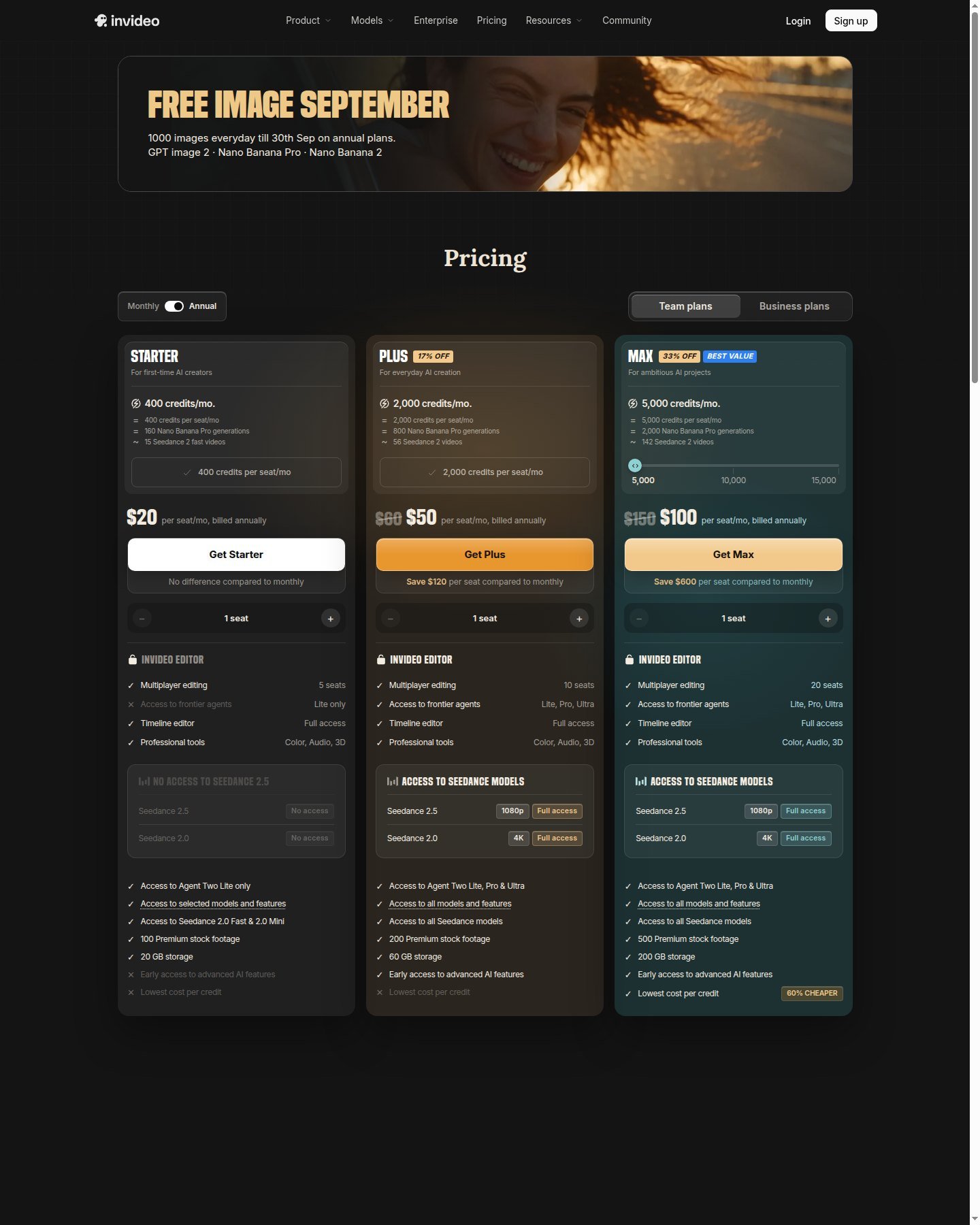
9:16 is a project/workflow choice, not a crop afterthought, on the Shorts path. Stock-heavy Shorts can be cheaper than generative-heavy ones; Starter gates Seedance 2.5. Voice cloning requires a spoken permission line. Dynamic Text help: captions in 50+ languages and styles, with transcript review—not accuracy proof. Manual timeline edits do not spend credits. Annual cards (Sep 2026): Starter $20/seat billed annually, 400 credits, Lite agent; Plus $50 / 2,000; Max $100 / 5,000. Plan credits do not roll over. Free: limited weekly credits; watermarks follow the plan.
Advantage: idea-to-file with voice and captions. Limitation: weaker shot-level I2V than Kling or Runway. Use it for daily or informational Shorts. Skip it if you only want cinematic clips. View current InVideo Shorts features.
Runway — Best for Cinematic AI Visuals
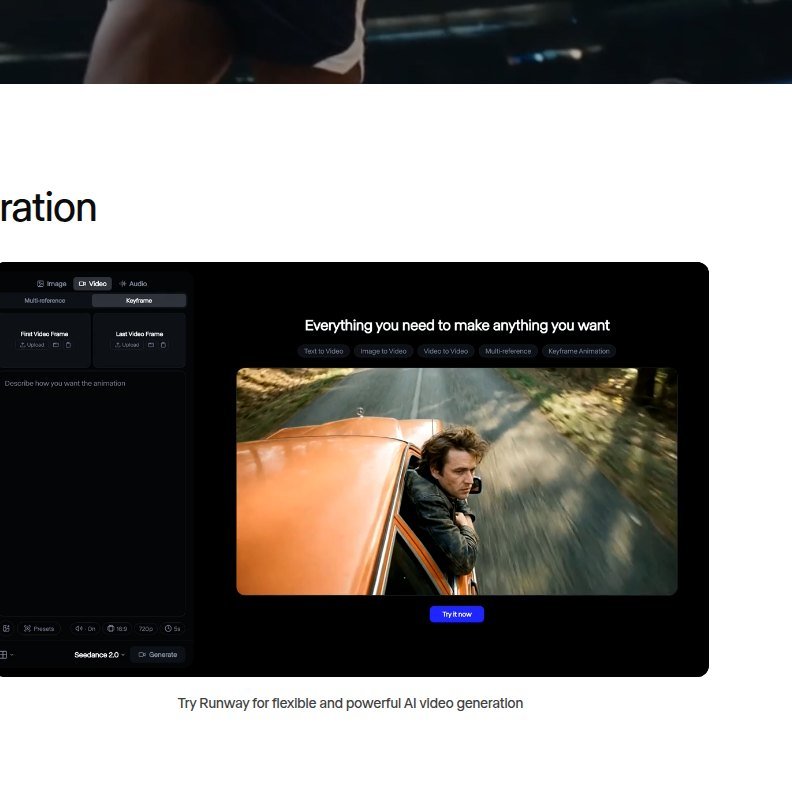
Runway is an editor-centered generation platform: Gen-4.5 text-to-video and image-to-video (2–10 seconds, 12 credits/second, 720p on paid Individual rows), plus Aleph 2.0 Edit Studio. Official Gen-4.5 help lists 9:16 (720×1280) for Image to Video, alongside 16:9, 1:1, 4:3, 3:4, and 21:9. The same table lists Text to Video as 16:9 only. That is native vertical vs crop: do not assume T2V is 9:16. Edit Studio can change aspect ratio without cropping, per Runway’s aspect-ratio article. First/last frames and Gen-4 image references (up to three on that stack) are documented; reference ≠ perfect consistency.
Runway is not a caption-first Shorts app. Advanced creators often generate, then finish voice and captions in CapCut or Premiere. Yearly Individual billed annually: Free $0, 125 one-time credits, watermark; Standard $12/month (625 credits); Pro $28; Max $76. Help states no non-commercial restriction from Runway—that is not YouTube monetization eligibility.
Advantage: generation into a production account. Limitation: one clip ≠ a finished Short. Use it if you already edit. Skip it if you need prompt-to-captions automation. Check current Runway pricing.
Kling — Best for Image-to-Video Shorts
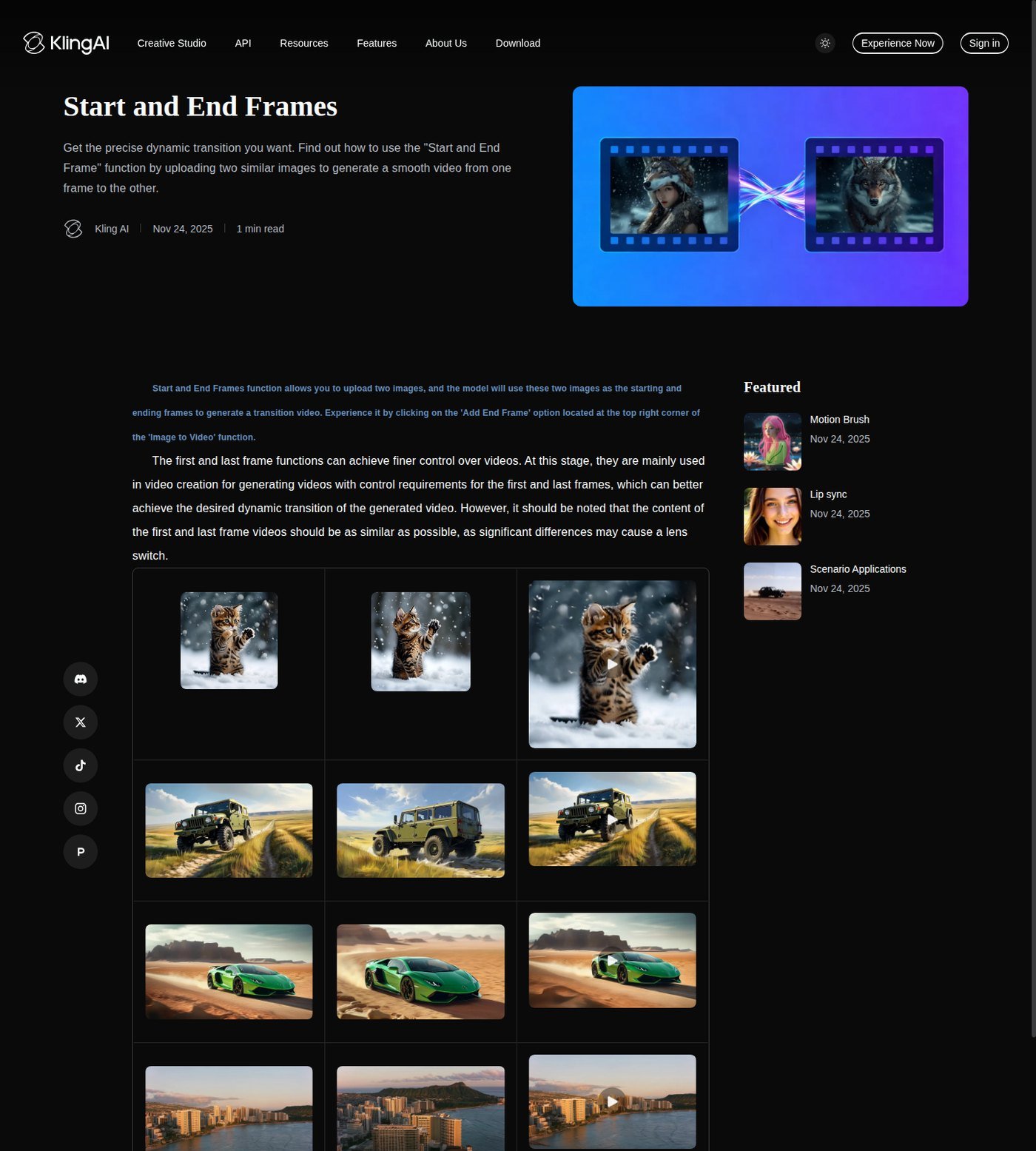
Kling is a direct video generator. Official Image to Video help documents start and end frames; T2V formula pages document 16:9, 9:16, and 1:1. VIDEO 3.0 lists 3–15 second clips, Multi-Shot, and native audio on documented paths. Native audio is not a mixed caption track. Six camera moves plus Omni elements matter when you already have a still or character frame. Reference support is not identity lock.
You will still sequence, caption, and often voice the Short elsewhere. Standard $6.99 first month then $8.8 / 660 credits; Pro $25.99 then $32.56. Basic $0 is not listed for commercial use. Paid rows list watermark removal, 1080p, extend, and commercial use—not Content ID immunity.
Advantage: native vertical I2V shots. Limitation: incomplete Shorts assembly. Use it for visual hooks and B-roll. Skip it if you need templates and auto captions in one app. Explore Kling.
Higgsfield — Best Multi-Model Option
Higgsfield is a multi-model workspace: Cinema Studio (camera tags; help cites up to 50 references), Marketing Studio, listed engines (Kling, Veo, Seedance, Sora 2, and others, plan-gated). Help on aspect ratios: 9:16 for vertical/Shorts-class use, set per tool, and not every model supports every ratio. Auto ratio can follow an input image. Official Reframe copy distinguishes regenerating a new ratio from a hard crop. More models help only if you switch. Soul ID and Cinema controls are generation, not a Shorts NLE.
Audio, lip sync, and voiceover live in separate studios; Cinema Studio 3.5 help notes native audio is not available there—use 3.0 if you need it in that cinematic path. Starter / Plus / Ultra: 270 / 1,200 / 3,000 credits per month; confirm live USD. Free: limited models, no allotment. Terms §4.4: outputs are not restricted and not exclusive on standard plans as previously reviewed—confirm current terms. You will likely finish captions in another editor.
Advantage: engine switching and 9:16 where the model allows. Limitation: overkill for a simple talking Short. Use it to test looks. Skip it if InVideo-style assembly is the whole job. View current Higgsfield video features.
Captions — Best for Editing and Captions
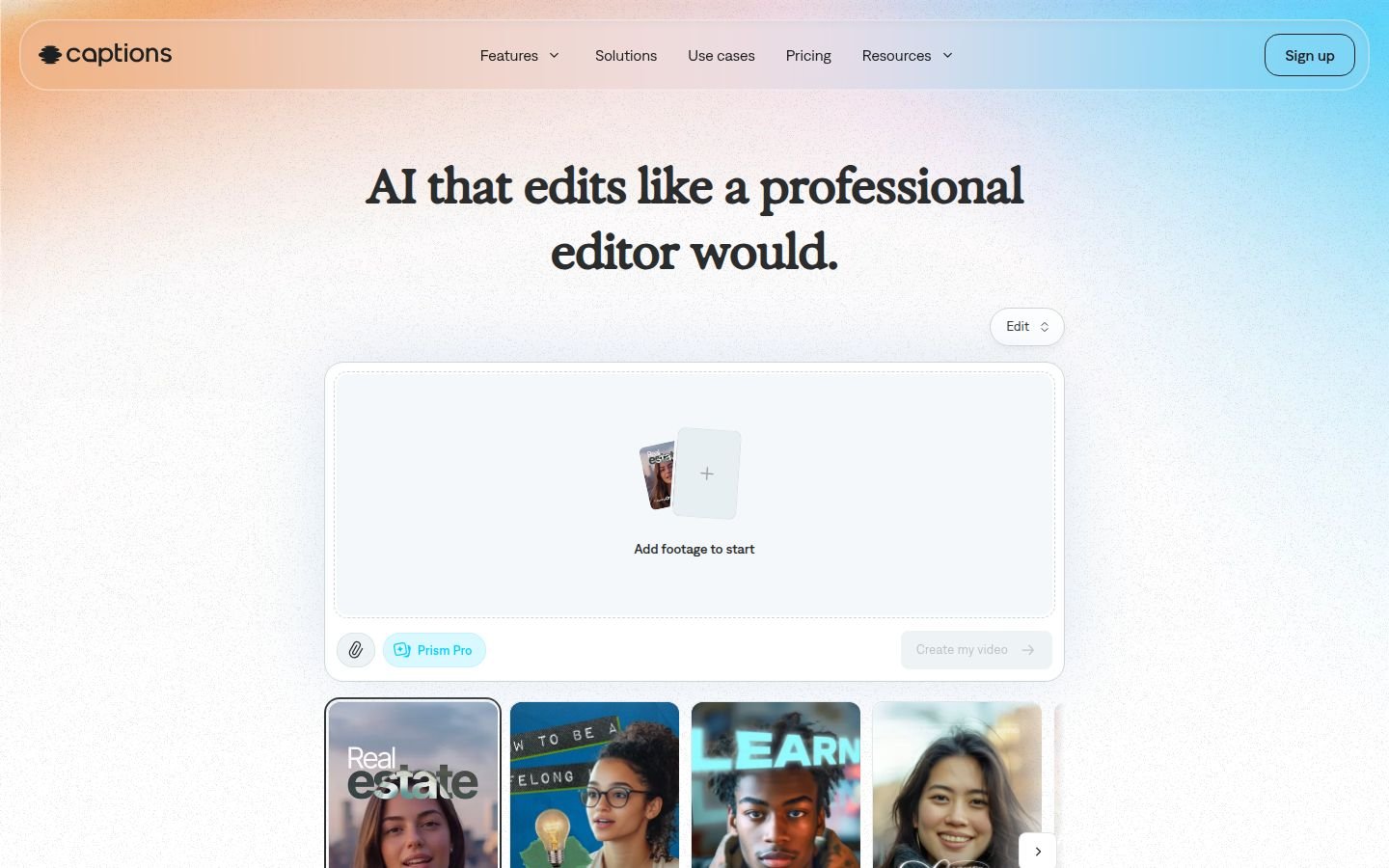
Captions is a social video editor: captions, AI Edit, AI Shorts, resize, chat editor, generative B-roll, TTS, Voice Clone, Lipdub, translate. Official compare table lists captions in 100+ languages and AI Shorts on paid rows. Site USD prices are marked iOS-only: Max $24.99/month, 500 credits; Scale $69.99, 1,400. Free is limited. Unused credits roll up to two extra months. Follow in-app consent for clones and twins. Chat edits are not Premiere. Confirm commercial terms before sponsored Shorts. Built-in music is not automatically cleared for every use—check the licence in-product.
Advantage: caption-first vertical finishing at a lower sticker. Limitation: weaker multi-model cinematic suite; iOS price note. Use it when the bottleneck is the cut and burned-in text. Skip it if you need Gen-4.5 I2V control. Check current Captions pricing.
AI Clip Generators vs Complete Shorts Builders
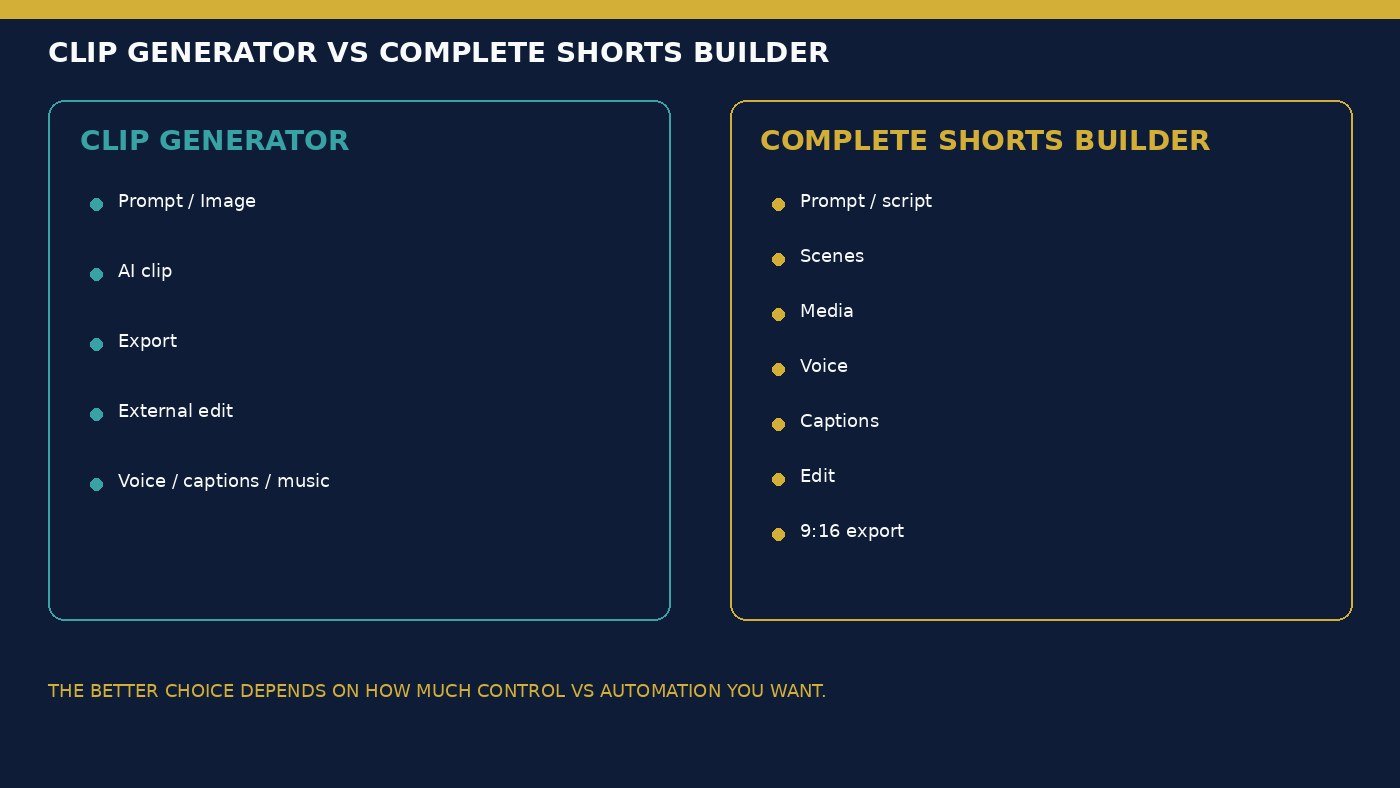
Which AI tool can make a complete YouTube Short? InVideo is built as script-to-export assembly. Captions can finish social cuts from footage. Runway, Kling, and Higgsfield excel at shots; the Short still needs hook context, multiple scenes, narration, captions, music, and a last human pass. One generated clip is not a finished Short. Stock-heavy Shorts (InVideo stock quotas) can be faster for explainers. Generative-heavy Shorts cost retries. Neither path is universally better. External editors are normal for advanced creators—not automatically a defect.
Text-to-Video vs Image-to-Video for YouTube Shorts
Text-to-video is useful for invented scenes and illustrative B-roll. Image-to-video is useful when you already have a product still, illustration, or brand frame. Kling start/end frames and Runway I2V 9:16 are the documented vertical-friendly generation paths. Runway Gen-4.5 T2V help currently lists 16:9 only—cropping that output is a composition risk. Reference slots do not guarantee the same face across a whole Short.
Voice, Captions and Editing Matter More Than Most Tool Lists Admit
Do I still need CapCut with an AI video generator? Often yes with Kling or Higgsfield; sometimes no with InVideo or Captions. TTS is not a human-indistinguishable read. Clone only with authorization. Captions need a vertical-safe layout; accuracy is unverified. Prompt revisions are not a timeline. Pacing is trim, reorder, and hook variants—not a prescribed cut count. Recurring channels benefit from reusable voices, caption styles, and templates where the product offers them; consistency is branding, not audience proof.
How Much Does It Cost to Make AI YouTube Shorts?
Sticker price on a best AI video generator for YouTube Shorts plan is not cost per Short. Budget subscription + generations + retries + voice + stock + captions + possible external editing. Credits, minutes, and “videos” are not comparable currencies. Generation-heavy creators burn retries on clips; assembly-heavy creators burn agent, stock, and voice minutes. Hook variants, shorter scenes, and recuts are part of real cost—Moon Picke will not invent an average retry count or a universal dollar per Short. More variants do not equal more views. Free tiers: InVideo limited credits; Runway 125 one-time + watermark; Kling Basic without monthly credits; Higgsfield limited models; Captions limited generative tools. Confirm watermarks and export live. According to each platform’s current terms, commercial output is not YouTube Partner eligibility, reused-content safety, or advertiser-friendly status.
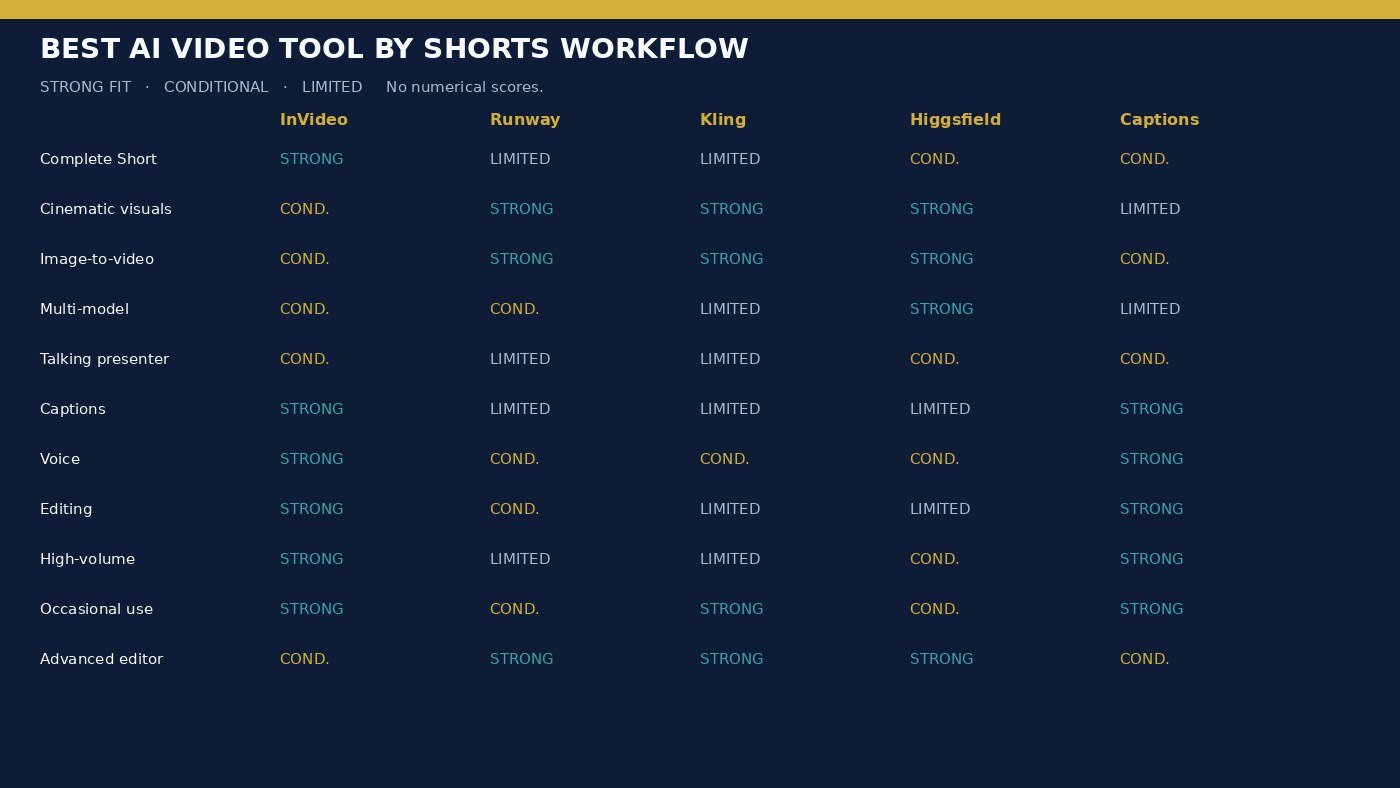
| Tool | AI Clip Generation | Complete Short | Image-to-Video | Voice | Captions | External Editor Needed |
|---|---|---|---|---|---|---|
| InVideo | Plan-gated partners | Strong | Via models, not a dedicated I2V console | TTS / clone | Strong | Often optional |
| Runway | Strong | Limited | Strong; native 9:16 on Gen-4.5 I2V | Conditional | Limited vs social apps | Often yes |
| Kling | Strong | Limited | Strong; start/end frames | Native audio toggle | Limited | Usually yes |
| Higgsfield | Strong / multi-model | Conditional | Strong where the engine allows | Separate audio tools | Limited | Usually yes |
| Captions | Conditional | Conditional social | Listed AI video/B-roll | TTS / clone / lipdub | Strong | Often optional |
Which Tool Fits Your YouTube Shorts Workflow?
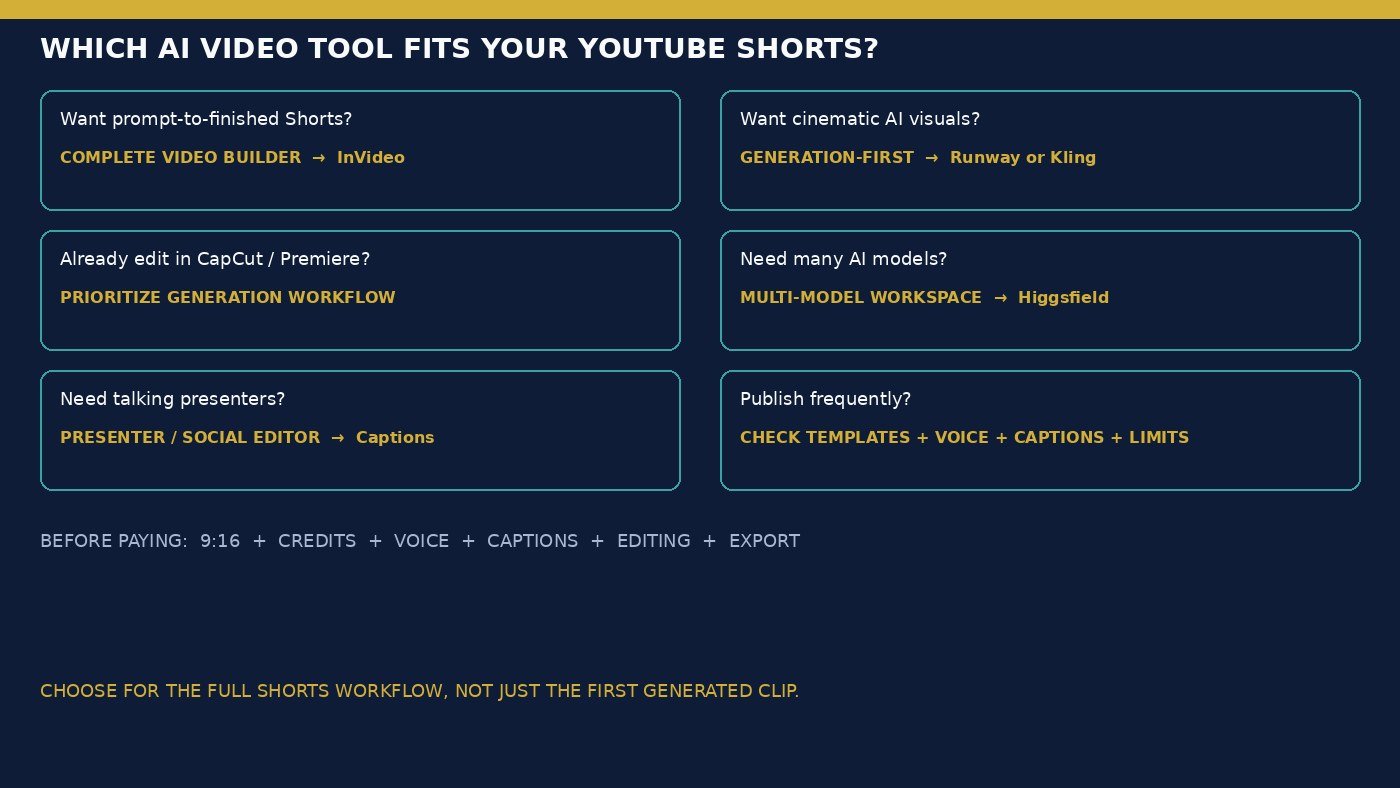
Which AI video generator is best for 9:16 video? Confirm native ratio on the model you will use. Daily Shorts creator: InVideo or Captions. Cinematic creator: Runway or Kling, then an editor. Faceless-style Shorts (high level only): InVideo stock + voice; longer channel systems are not this page. Presenter Shorts: Captions or a dedicated avatar tool—not a UGC-ad roundup. Advertiser: do not use this page as product-ad or UGC-ad advice. Advanced editor: Runway + Kling, or Higgsfield to switch engines. Occasional creator: Kling Standard or InVideo Starter, not Ultra. Check current Higgsfield pricing only if listed engines and 9:16-capable tools are the documented need.
Final Verdict
There is no single best AI video generator for YouTube Shorts for every creator. InVideo for complete assembly, Runway for cinematic production continuation, Kling for I2V shots, Higgsfield for multi-model 9:16 generation, Captions for caption-first social finishing. Choose the full vertical workflow, not the first clip. Human-review facts before publish. Explore Higgsfield if that workspace is the job.
FAQ
What is the best AI video generator for YouTube Shorts? InVideo for finished assembly; Runway or Kling for shots; Higgsfield for model switching; Captions for captions. Match the workflow.
Which AI tool can make complete Shorts? InVideo is the complete-builder pick here. Captions can finish social edits. Generators still need a cut.
Which tools support vertical 9:16 video? Kling T2V docs list 9:16. Runway Gen-4.5 I2V lists 9:16; Gen-4.5 T2V help lists 16:9. Higgsfield lists 9:16 per tool. InVideo and Captions are Shorts/social-oriented. Confirm the live control.
Is image-to-video useful for Shorts? Yes when you have a still. It does not replace captions or a hook.
Do I need a separate editor? Often with clip generators; less often with InVideo or Captions.
Which AI video tool has captions and voice? InVideo and Captions as first-line; others vary.
Can AI-generated Shorts be used commercially? According to current vendor terms for your plan—not as a blanket copyright stamp.
Can AI-generated Shorts be monetized? Vendor commercial permission is not YouTube monetization eligibility. Check current YouTube policies.