
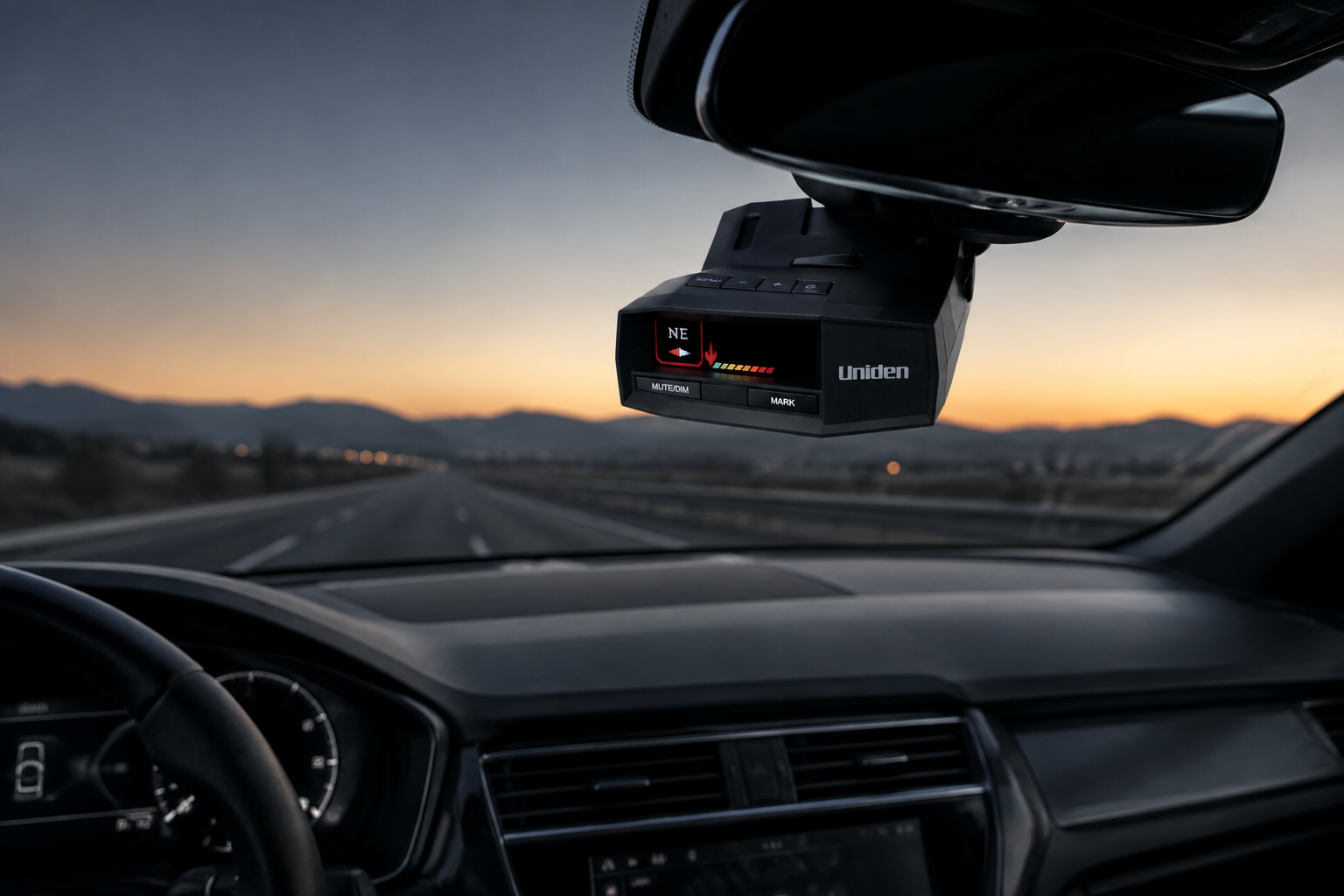
Uniden R8 review: this premium windshield-mounted radar and laser detector is aimed at frequent drivers who want directional arrows, GPS-based alert management, and deep filtering controls. The central buying question is whether those advanced tools justify its high price and ongoing update routine. Moon Picke researched Uniden’s current product page, owner’s manual, and update records, but has not independently road-tested this detector. This assessment therefore separates documented capabilities from editorial interpretation.
As an Amazon Associate I earn from qualifying purchases.
Uniden R8 Review: Quick Verdict
The Uniden R8 is worth considering for frequent highway and mixed-route drivers who will use its front-and-rear directional arrows, GPS lockouts, adjustable sensitivity, and detailed OLED alerts. Its strongest advantage is the depth of alert information and filtering control. Its biggest limitation is value: casual drivers may not benefit enough to justify the premium price, and updates require a computer rather than built-in Wi-Fi.
Check current price & availability on Amazon →
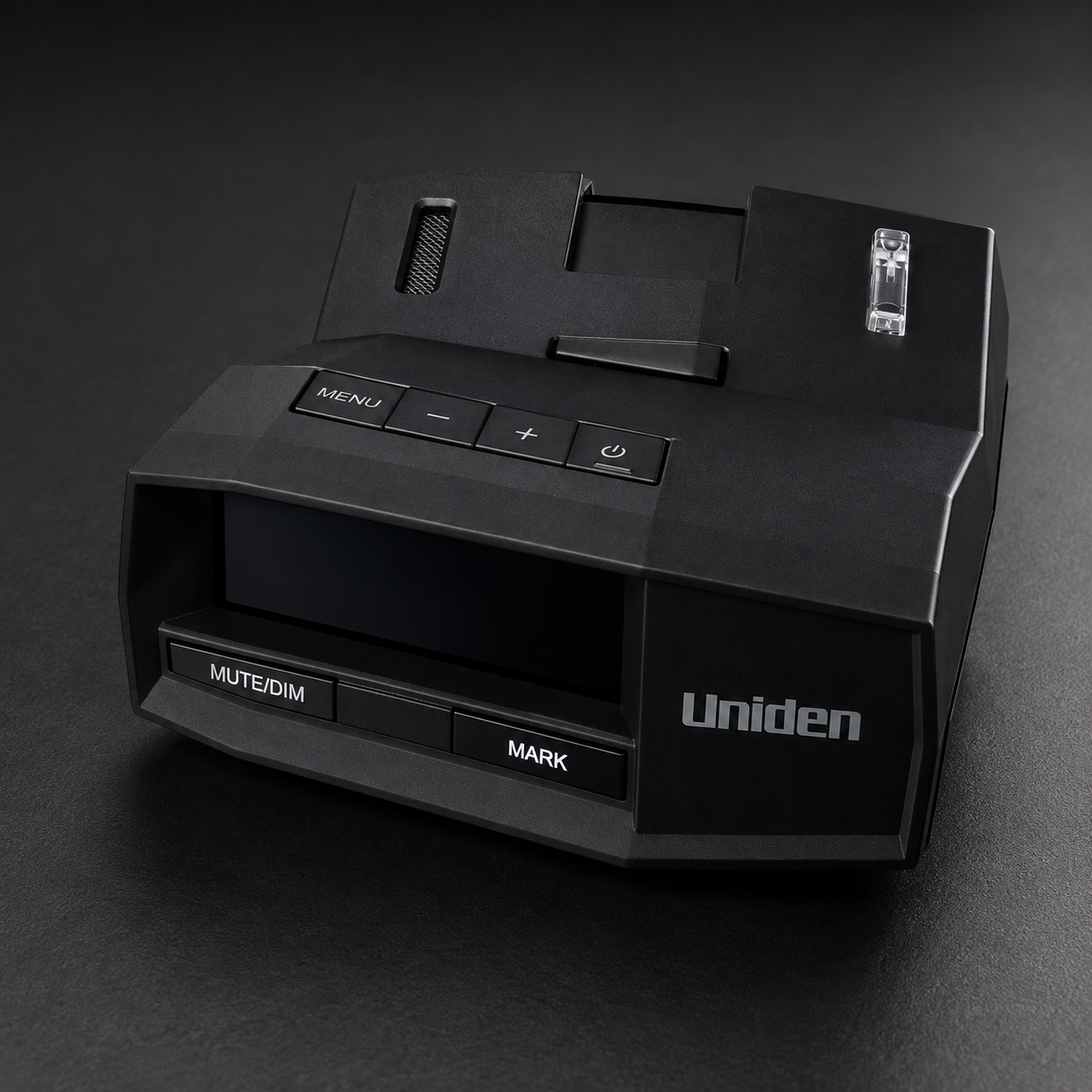
Uniden R8
The Uniden R8 is worth considering for frequent highway and mixed-route drivers who will use its front-and-rear directional arrows, GPS lockouts, adjustable sensitivity, and…
- Confirm the listing is the standard Uniden R8, ASIN B09TWX4KFY.
- Check detector and windshield-mount laws for your vehicle and routes.
- Verify that directional arrows, GPS memory, and advanced filtering justify the price.
Affiliate link. Moon Picke may earn a commission from qualifying purchases.
What Is the Uniden R8?
The R8 is Uniden’s premium standard-model radar and laser detector, identified by SKU R8 and UPC 050633600559. It uses separate front and rear antennas to determine signal direction, then presents arrows, band information, frequency, and strength on a color OLED display. It also includes GPS for location-based alerts and mute memories.
This article covers the original R8, not the newer Wi-Fi-enabled R8W. The standard R8 now supports Bluetooth and Uniden’s R/Tach app through current firmware, but firmware and camera-database updates are still installed manually with Uniden’s desktop update tool. That distinction matters when selecting the exact Amazon configuration.
Key Specifications
| Model | Uniden R8, standard black configuration |
|---|---|
| Detection | X, K, Ka, MRCD/MRCT, Gatso and laser capabilities documented |
| Directional information | Front and rear antennas with display arrows |
| GPS | Built in; red-light/speed-camera alerts, User Marks and mute memories |
| False-alert tools | Auto Mute Memory, manual Mute Memory, K/Ka filters, K Block filters, Traffic Sensor Filter, speed-based modes and Quiet Ride |
| Connectivity | Bluetooth and R/Tach app support; no built-in Wi-Fi on the standard R8 |
| Display and audio | Color OLED, directional arrows, frequency and strength display, voice and selectable tones |
| Mounting | Single-cup and dual-cup windshield brackets; hook-and-loop dashboard option |
| Power | 11–16V DC through included RJ11 12V vehicle adapter |
| Dimensions / weight | 4.88 × 3.85 × 1.52 inches; 7.4 ounces |
| Updates | Micro-USB connection and Uniden R Series Tool for computer-based updates |
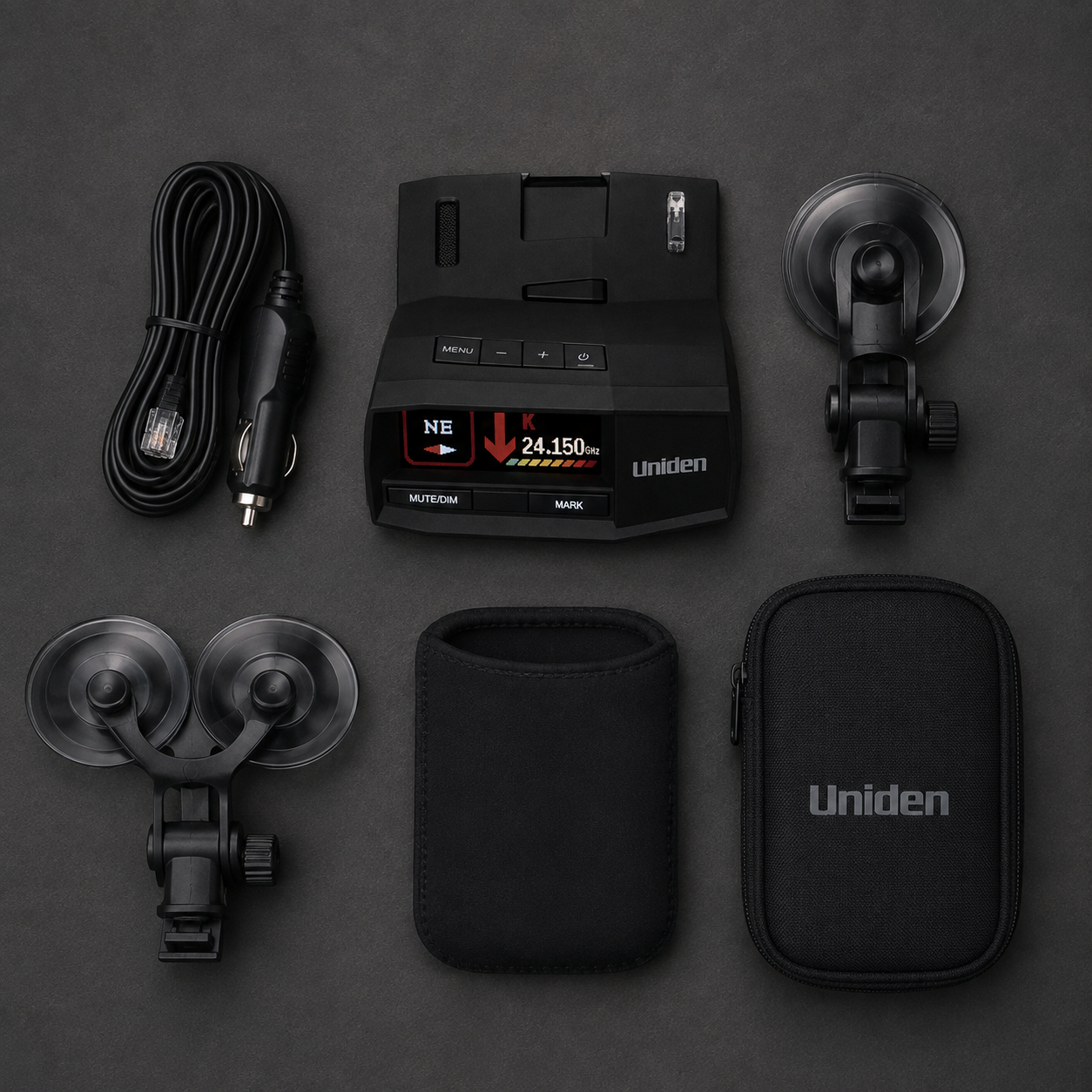
| Included items | Power cord, two windshield mounts, neoprene sleeve, carrying case, USB cable and hook-and-loop tape |
| Warranty | One-year limited warranty |
These details are drawn from the official Uniden R8 product page and current R8 owner’s manual.
View the exact Uniden R8 configuration on Amazon →
Detection Features and Alerting
Uniden documents detection for X, K, and Ka radar bands, laser, MRCD/MRCT, and Gatso signals. The R8 can display the detected band, frequency, eight-level signal strength, and direction. When multiple signals appear, its All Threat display can present several threats while an alert-priority system determines which receives primary attention.
Directional arrows are the defining premium feature. Dual antennas let the detector indicate whether a source is ahead, beside, or behind the vehicle. That information can be more useful than a tone alone, but it should not be interpreted as proof of distance, identity, or enforcement intent.
Moon Picke cannot validate detection range without controlled road testing, so this Uniden R8 review does not assign a mileage figure or promise advance warning. Windshield materials, terrain, traffic, signal type, setup, and enforcement method can all change what a driver receives.
Uniden R8 Review: GPS and False-Alert Filtering
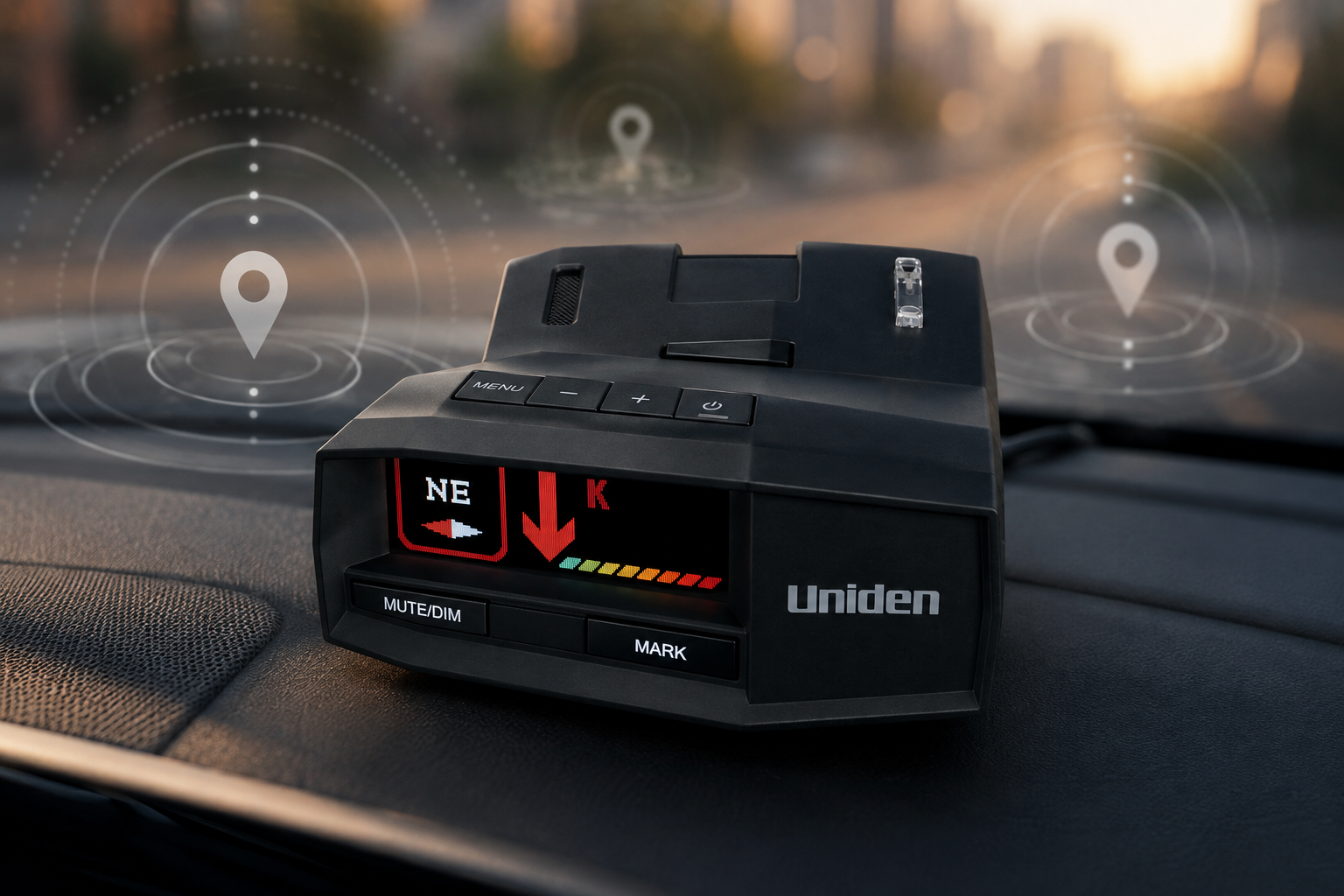
Built-in GPS supports three related jobs. First, the detector can warn about compatible red-light and speed-camera points in its database. Second, drivers can create User Marks for locations they want the unit to remember. Third, Mute Memory stores a location and frequency so a repeating stationary signal can be muted.
Auto Mute Memory is designed to learn recurring stationary alerts after repeated encounters. The manual also lists advanced K and Ka filtering, Traffic Sensor Filter, user-adjustable K Block filters, and separate sensitivity modes. Auto mode changes between City and Highway behavior at a chosen speed, while Quiet Ride can suppress audible radar alerts below a selected threshold.
These documented tools give an owner more ways to manage nuisance alerts from fixed sources and vehicle safety systems. However, filtering is never perfect. Aggressive settings may suppress information a driver would prefer to hear, so configuration should be deliberate rather than copied blindly.
Display, Controls and Everyday Setup
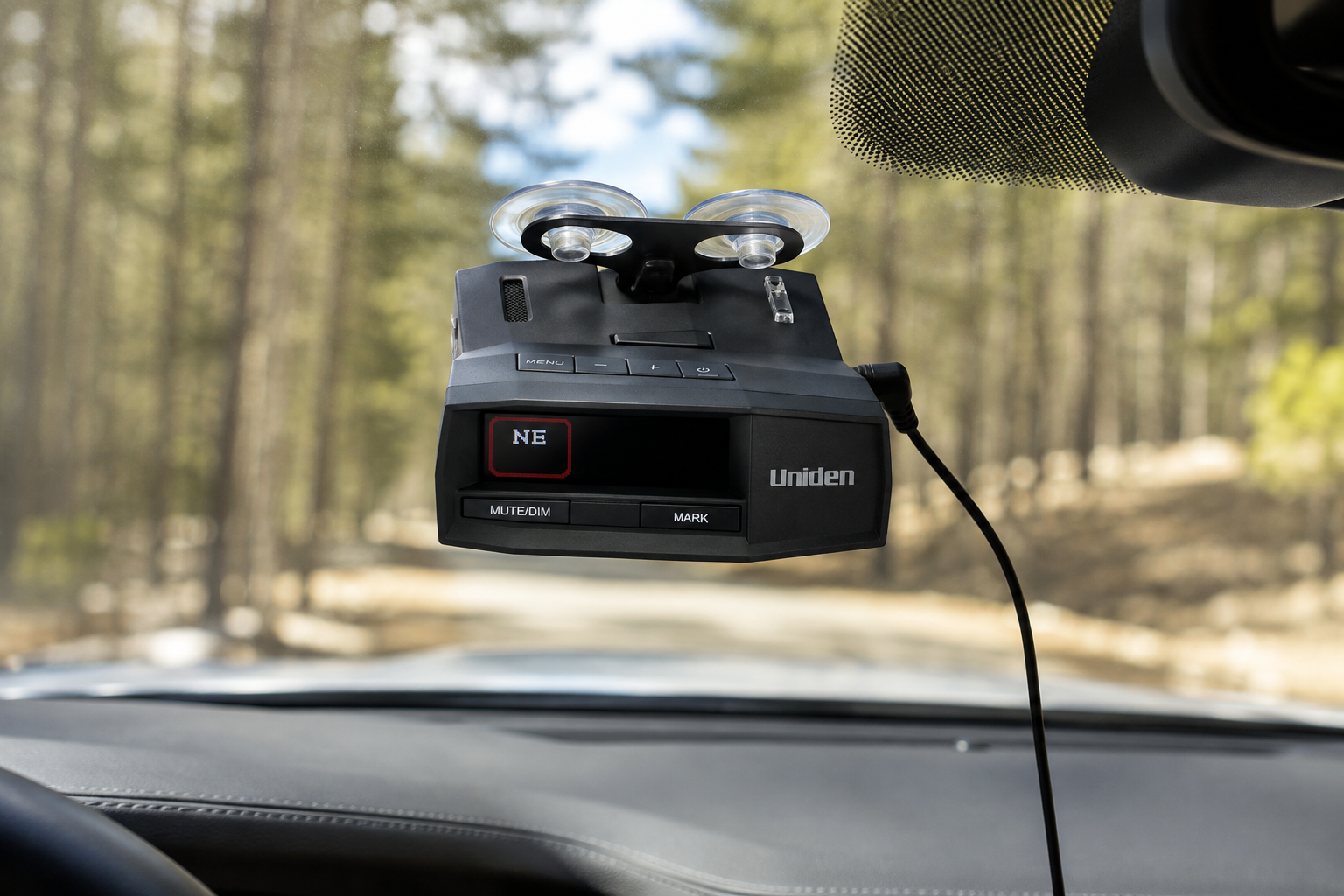
The front OLED can show band, frequency, arrows, strength, speed, voltage, mode, and GPS information depending on the selected layout. Bright, Dim, Dimmer, Dark, Off, and automatic dimming options help adapt it to daytime or night use. Voice notifications and customizable alert tones reduce the need to study the screen constantly.
Physical keys include Power, Menu, volume controls, Mute/Dim, and Mark. The included 12V cord adds a remote mute button and a USB charging port. The manual permits windshield mounting with either included suction bracket or dashboard mounting with the included hook-and-loop tape, provided the detector has a clear view and does not obstruct safe driving.
App, Bluetooth and Connectivity
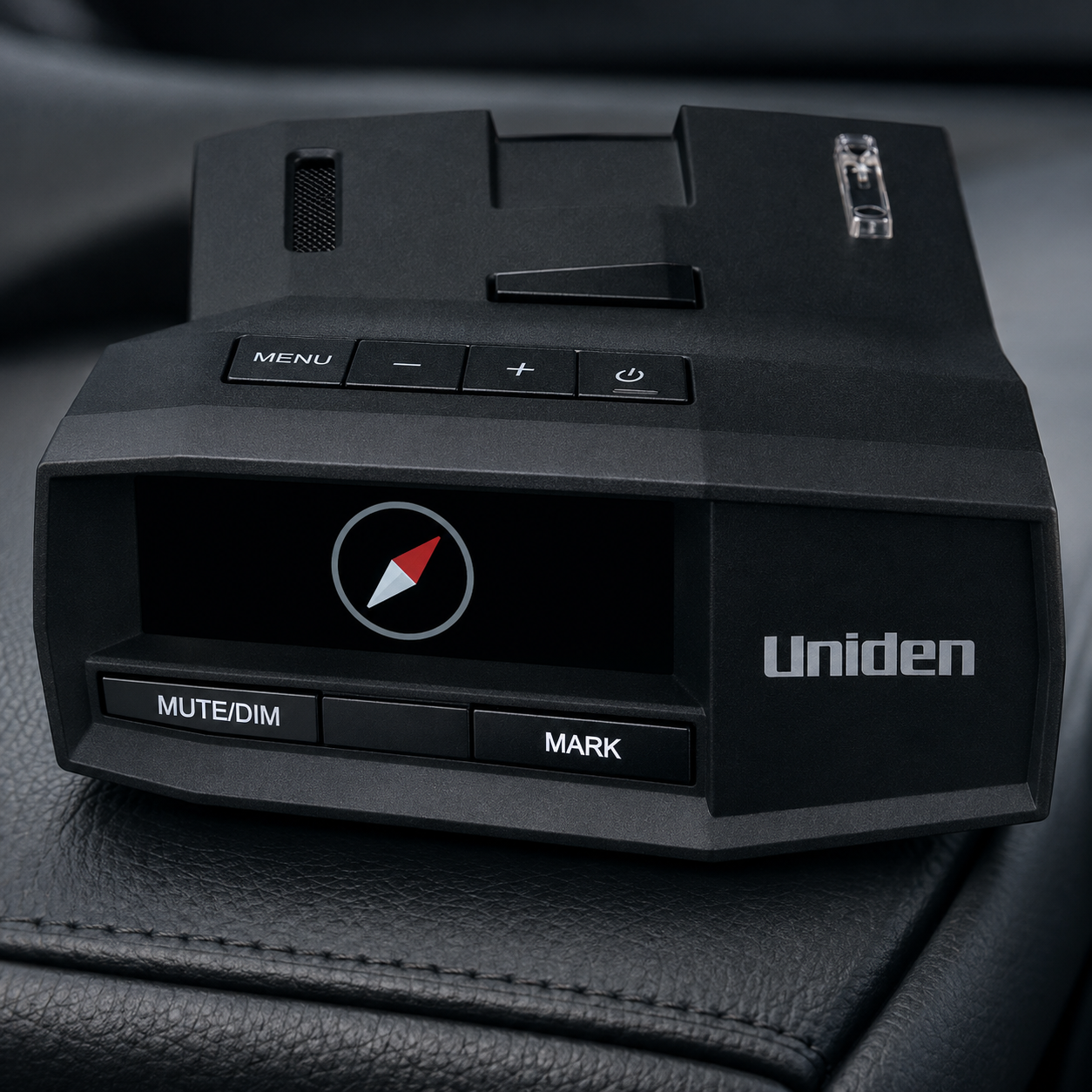
Current Uniden documentation says the R8 includes Bluetooth connectivity and works with the R/Tach mobile app, which can be used to change settings. Firmware release notes show app-related support added to the standard R8. App use is an optional control path; the detector’s GPS and core menus work directly on the unit.
The standard R8 does not include Wi-Fi. Owners who expect over-the-air update convenience should notice that limitation before buying. Uniden positions the separate R8W as the wireless-update model, but this is not a comparison review and the two configurations should not be confused on Amazon.
Updates and Ongoing Ownership
Uniden publishes firmware and GPS database files through its official R8 downloads page. The standard process uses a Windows or compatible Mac computer, the Uniden R Series Tool, and a Micro-USB data connection. Recent release records show both firmware fixes and periodic camera-database revisions.
No paid subscription is listed for the R8’s core detector, Bluetooth, or downloadable update functions. Availability and compatibility can change, so owners should use only files labeled for the R8 and confirm current desktop-tool requirements before installing an update. Keep the purchase receipt because warranty service requires proof of purchase.
What the Uniden R8 Does Well
The R8’s strongest documented quality is information depth. Direction arrows, frequency readout, multiple-threat presentation, strength bars, and voice alerts can help a knowledgeable owner understand an alert without reducing everything to one generic beep.
Its second strength is configurability. GPS memories, automatic muting, speed-based sensitivity, band attenuation, K Block options, and display choices let drivers shape behavior for their routes. The package is also unusually complete: two mounting options, a power cord, sleeves, data cable, and carrying case reduce the number of immediate accessories required.
For related vehicle electronics, Moon Picke’s guides to choosing a dash cam and buying an OBD2 scanner explain different priorities for recording and diagnostics.
Check Uniden R8 availability on Amazon →
Important Limitations and Trade-Offs
Price is the obvious barrier. The R8’s advanced menus also create a learning curve, especially for buyers unfamiliar with radar bands, segmentation, filters, and GPS memories. Leaving every band and sensitivity option untouched may not deliver the quieter experience a premium buyer expects.
The standard R8 relies on computer-based updates instead of built-in Wi-Fi. Its windshield hardware and visible power cord may not suit every cabin, while a hardwire kit or specialty mount adds cost. Bluetooth and app support add convenience, but an app cannot replace careful physical setup or current firmware.
Most importantly, no detector eliminates false alerts or detects every enforcement technique. Laser detection may provide little advance notice, and visual estimation, pacing, aircraft observation, or equipment that is not transmitting radar may give the unit nothing useful to detect.
Can a Radar Detector Prevent Speeding Tickets?
No. A radar detector is an alerting device, not a guarantee against citations. It can report certain radio-frequency or laser activity and provide stored GPS notices, but it cannot identify every enforcement method or ensure useful warning time.
Drivers remain responsible for obeying posted limits, road conditions, and lawful instructions. The appropriate use of the R8 is added situational awareness, not a strategy for defeating enforcement.
Legal Considerations Before Buying
Detector legality and windshield-mount rules vary by jurisdiction, vehicle type, and roadway. Commercial-vehicle restrictions may differ from passenger-car rules. Check current laws and regulations for every jurisdiction where you drive before installing or using a radar detector; this article is not legal advice.
What Does It Really Cost to Own?
Beyond the detector’s purchase price, the included mounts and 12V cord are sufficient for a basic removable installation. Optional costs may include a hardwire kit, specialty mirror mount, replacement power cable, or professional installation. The core firmware and GPS database downloads are not presented by Uniden as subscription services.
A premium detector also carries a maintenance cost in time: owners should check releases, connect the unit correctly, and preserve their settings or backups as instructed. If that routine sounds excessive, a simpler detector may offer better practical value.
Who Is the Uniden R8 Best For?
The strongest fit is a frequent highway or mixed-route driver who understands that arrows and GPS memory improve information management rather than guarantee outcomes. It also suits enthusiasts willing to tune filtering, keep firmware current, and pay for a detailed alert presentation.
Buyers who already maintain other car electronics may appreciate that approach. For example, a well-organized garage may combine diagnostics, recording, charging, and driver-alert tools; our ChargePoint Home Flex review covers the home-charging side of that ecosystem.
See the current Uniden R8 listing on Amazon →
Who Should Skip It?
Occasional drivers, budget shoppers, and anyone who dislikes menus or computer updates should skip the R8. It is also unsuitable where detector use or windshield mounting is restricted. Drivers expecting automatic ticket prevention, perfect filtering, or wireless updates from the standard model will be disappointed.
What to Check Before Buying
- Confirm the listing is the standard Uniden R8, ASIN B09TWX4KFY.
- Check detector and windshield-mount laws for your vehicle and routes.
- Verify that directional arrows, GPS memory, and advanced filtering justify the price.
- Expect Bluetooth app control but no built-in Wi-Fi on this configuration.
- Confirm access to a compatible computer for firmware and database updates.
- Review the included suction mounts, 12V cord, sleeves, case, and USB cable.
- Budget separately for an optional hardwire kit or alternative mount.
- Recheck the current one-year limited warranty and authorized-seller terms.
Is the Uniden R8 Worth Buying?
This Uniden R8 review supports a conditional yes. Its directional antennas, rich OLED presentation, GPS memories, and extensive filters form a coherent premium package for a driver who will learn and maintain it. The price and manual update workflow are meaningful disadvantages, not footnotes.
A cheaper detector makes more sense when the buyer needs basic alerts, drives infrequently, or will not configure advanced features. Paying for the R8 is most defensible when directional context and location-based alert management will be used regularly.
Final Verdict
The final Uniden R8 review verdict is that its strongest reason to buy is the combination of directional alert information and deep GPS/filtering control. Its biggest trade-off is paying a premium while accepting computer-based updates and a more involved setup. It is best for frequent, technically engaged drivers who want detailed awareness and understand the device’s legal and practical limits.
Check current price & availability on Amazon →
Frequently Asked Questions
Is the Uniden R8 worth it?
It can be worth it for frequent drivers who value directional arrows, GPS mute memories, advanced filters, and a detailed OLED display. Casual drivers may get better value from a simpler model.
Does the Uniden R8 have GPS?
Yes. Built-in GPS supports camera-database alerts, User Marks, speed-based functions, and manual or automatic mute memories for recurring locations.
Does the Uniden R8 require a subscription?
Uniden does not list a required subscription for core R8 operation, Bluetooth app control, firmware downloads, or GPS database files. Always verify current policies before purchase.
Does the Uniden R8 work with an app?
Current Uniden documentation lists Bluetooth connectivity with the R/Tach app for settings control. The standard R8 does not have built-in Wi-Fi.
How do you update the Uniden R8?
Use Uniden’s R Series Tool on a compatible Windows or Mac computer and connect the detector by Micro-USB. Install only files explicitly labeled for the R8.
Can the Uniden R8 prevent speeding tickets?
No. It is an alerting tool and cannot detect every enforcement method or guarantee useful advance notice. Safe, lawful driving remains the driver’s responsibility.